
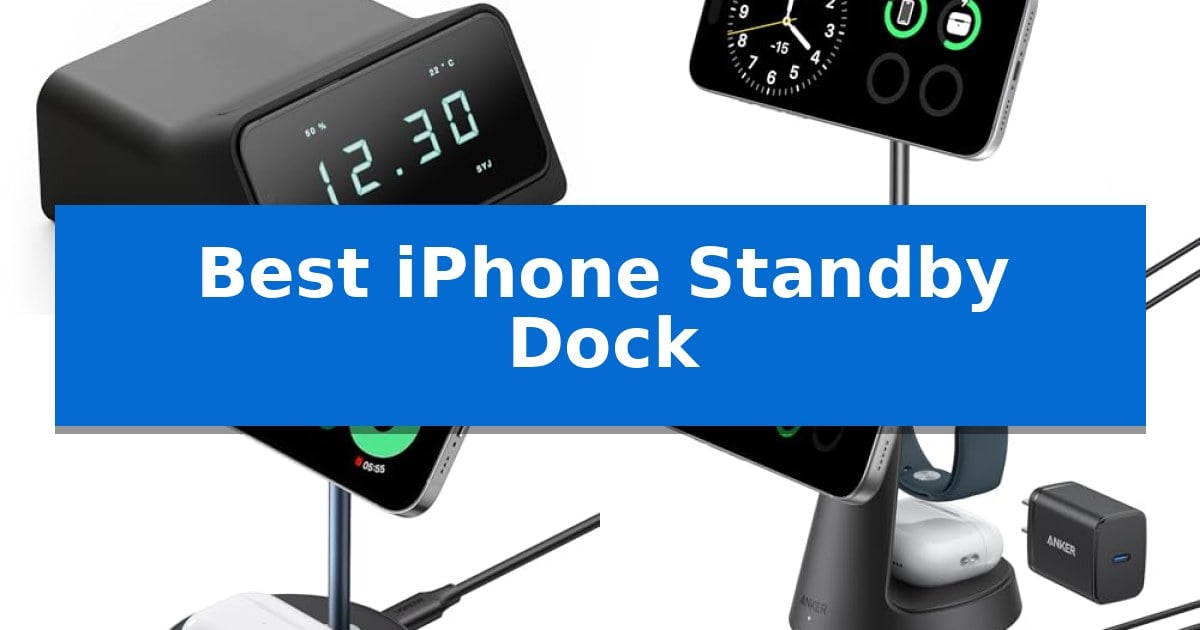
Transforming your iPhone into a functional bedside clock or widget display requires the right hardware to hold it in the perfect orientation. A Best iPhone Standby Dock provides the necessary magnetic alignment and structural support to keep your device stable while it charges in landscape mode.
Selecting the right dock depends on your specific desk or nightstand environment, as well as your need for multi-device charging. Whether you prioritize a dedicated, minimalist design or a versatile station that powers your entire Apple ecosystem, finding a reliable mount ensures your phone remains both accessible and fully charged.
Best iPhone Standby Dock in 2026: Optimizing Your Nightstand Setup
Quick Comparison
| Product | Best For | Key Strength | Score |
|---|---|---|---|
| OVERWERK + Scott Yu-Jan Standby Dock | Best Overall | Dedicated design specifically optimized for iOS StandBy mode. | 4.9 |
| Anker MagGo 2-in-1 Charging Stand | Versatile adjustable viewing angles | Qi2 certified 15W fast charging for compatible iPhones. | 4.3 |
| UGREEN MagFlow 2-in-1 Charging Stand | Strong magnetic connection | Firm magnetic lock with 16 N48H magnets for secure alignment. | 4.8 |
| Anker MagGo 3-in-1 Charging Station | Complete multi-device power solution | Official certification for fast charging Apple Watch Series 10. | 4.9 |
| elago MS2 Charging Stand | Simple silicone desktop mount | Premium silicone material provides a non-slip, scratch-resistant base. | 4.3 |
How We Chose
- Magnetic alignment and holding force for secure device placement.
- Compatibility with various iPhone models and MagSafe case requirements.
- Adjustability of viewing angles to suit different desk or bedside heights.
- Multi-device charging capabilities for users with AirPods or Apple Watches.
- Build quality and footprint to ensure a stable, clutter-free workspace.
1 OVERWERK + Scott Yu-Jan Standby Dock — The original dedicated StandBy design
Transforming your iPhone into a dedicated bedside companion is simplified by the OVERWERK + Scott Yu-Jan iPhone Standby Dock, a precision-engineered accessory designed specifically to leverage iOS StandBy mode. By orienting your device horizontally, this dock enables a full-screen interface that functions as a clock, photo frame, or widget hub while charging.
This dock is 3D-printed to order in the USA, ensuring a high level of physical consistency and fit. The design includes pre-installed adhesive feet for stability and a convenient one-press ejection button for easy removal. It is built to accommodate various iPhone models from the 12 series through the 17 series, with specific versions tailored for either case-on or case-off usage.
Compatibility is a central focus of the design, though users must note that the case-on fit requires an Apple MagSafe case. The unit acts as a housing for your existing hardware; you simply insert your own MagSafe puck into the frame. For added utility, the underside features a mounting point where an Apple Watch Magnetic Charging Cable can be affixed to provide wireless charging for compatible AirPods.
Whether positioned on a nightstand or a desk, the dock provides a stable, elevated viewing angle for StandBy features. Because it relies on your own MagSafe charger, it integrates seamlessly into existing Apple ecosystems without requiring additional proprietary power adapters or cables.
Best for: Users who want a dedicated, stable, and aesthetically consistent home for their iPhone while using iOS StandBy mode.
Skip if: Users who do not own an Apple MagSafe charger or who prefer a powered dock with integrated electronics rather than a housing for their own puck.
PROS
- Dedicated design specifically optimized for iOS StandBy mode.
- Precision fit options available for both case-on and case-off configurations.
- Integrated ejection button for quick and effortless device removal.
- Dual-charging capability by allowing an Apple Watch cable to be added for AirPods charging.
CONS
- MagSafe charger not included, requiring the user to provide their own.
- Case-on compatibility is strictly limited to Apple MagSafe cases.
2 Anker MagGo 2-in-1 Charging Stand — Versatile adjustable viewing angles
The Anker MagGo 2-in-1 Charging Stand serves as a dedicated command center for your mobile devices, utilizing a magnetic interface to secure your iPhone while providing a secondary base for wireless earbuds. By combining a 15W charging surface with a compact footprint, it creates a streamlined, organized space on a nightstand or desk.
Engineered with Qi2 certification, the stand delivers 15W fast charging capabilities. When paired with a 30W or higher power adapter, it is designed to power an iPhone 15 Pro up to 25% in approximately 21 minutes. The magnetic connection ensures precise alignment, while the stand's physical design allows for 45° vertical and 360° horizontal rotation, enabling users to adjust their device to an ideal viewing angle for media or notifications.
Practical usability is supported by dual LED indicators, which provide distinct status updates for both the phone and the earbuds, eliminating guesswork regarding charge status. The package includes a 5 ft USB-C to USB-C cable for connectivity, though users must provide their own 30W+ wall adapter to achieve the rated charging speeds. The unit is compact, measuring roughly 5.9 inches in height and weighing 0.55 pounds, and is supported by a 24-month warranty.
Best for: Users who want a dedicated, adjustable magnetic charging station for their iPhone and wireless earbuds.
Skip if: Users who require a charging solution that includes a wall adapter in the box or those who need to charge an Apple Watch.
PROS
- Qi2 certified 15W fast charging for compatible iPhones.
- Adjustable viewing angles with 45° vertical and 360° horizontal rotation.
- Dual LED indicators for clear charging status of both devices.
- 24-month warranty included.
CONS
- Wall adapter not included, requiring a separate 30W+ purchase.
- Not compatible with smartwatches.
3 UGREEN MagFlow 2-in-1 Charging Stand — Strong magnetic connection
Maintaining a clean, organized desk while keeping your devices powered is a common challenge for iPhone users. The UGREEN MagFlow 2-in-1 Charging Stand offers a streamlined solution by combining a magnetic mount for your phone with a dedicated base for wireless earbuds, effectively reducing cable clutter.
## Best iPhone Standby Dock
### 1 UGREEN MagFlow 2-in-1 Charging Stand – Best for Dual-Device Desktop Charging
The UGREEN MagFlow 2-in-1 Charging Stand utilizes a firm magnetic lock featuring 16 N48H magnets to provide 700g of magnetic force, ensuring your iPhone 12 through 18 series remains securely aligned. This magnetic connection enables the device to stay in place while charging, making it a practical choice for users who want to keep their screen visible while working.
Designed for versatility, the stand includes an adjustable ball joint constructed from aluminum alloy, allowing you to tilt your phone to your preferred viewing angle. The base serves as a secondary charging surface for AirPods, allowing you to charge 2 devices simultaneously. An integrated LED indicator provides immediate feedback on charging status, flashing green when powered on and remaining solid green when the earphones are actively charging.
To achieve optimal performance, the manufacturer specifies the use of a Type-C PD 20W charging adapter or higher, which is not included in the package. The unit comes with a 3ft USB-C to C cable, providing sufficient reach for most desk or nightstand setups. Its compact footprint, measuring approximately 3.9 by 5.9 inches, helps maintain a tidy workspace.
Best for: Users who need a space-saving, dual-device charging solution for their iPhone and AirPods while maintaining an adjustable viewing angle.
Skip if: Users who do not own a 20W PD charging adapter or those who require a charging solution that includes the power brick in the box.
PROS
- Firm magnetic lock with 16 N48H magnets for secure alignment.
- Adjustable aluminum alloy ball joint for flexible viewing angles.
- Dual-device charging capability for iPhone and AirPods.
- LED status indicator for clear charging feedback.
CONS
- Charging adapter not included, requiring a separate 20W PD purchase.
- Fixed cable length of 3 feet may limit placement options for some users.
4 Anker MagGo 3-in-1 Charging Station — Complete multi-device power solution
Managing multiple devices on a desk requires a streamlined approach to power, and the Anker MagGo 3-in-1 Charging Station simplifies this by consolidating charging for your phone, watch, and earbuds into one footprint. This dock is designed to provide Ultra-Fast 15W Wireless Charging for compatible iPhones, ensuring you maintain full power efficiency consistent with original MagSafe technology.
The station offers versatility through its adjustable design, allowing you to set your preferred angle vertically up to 45 degrees. This feature is particularly useful for utilizing StandBy mode in landscape orientation, turning your phone into a functional bedside or desk display while it charges.
For users invested in the Apple ecosystem, the dock includes certified fast charging for Apple Watch, capable of powering the Series 10 from 0 to 100% in approximately 1 hour and 13 minutes. The package is comprehensive, including a 40W USB-C adapter and a 5 ft USB-C to USB-C cable, providing everything needed for immediate setup.
While the compact design is ideal for maintaining a clutter-free workspace, it is important to note that this is a dedicated magnetic charging solution. It is best suited for those who prioritize a clean, unified aesthetic and require simultaneous charging for their primary Apple devices.
Best for: Users who want a single, compact, and officially certified charging station to power an iPhone, Apple Watch, and AirPods simultaneously.
Skip if: Users who require a portable, travel-focused charger or those who do not own an Apple Watch, as the integrated watch charger cannot be removed.
PROS
- Official certification for fast charging Apple Watch Series 10.
- Full 15W wireless charging power for compatible iPhones.
- Adjustable viewing angle up to 45 degrees for StandBy mode.
- Complete kit includes a 40W USB-C adapter and cable.
CONS
- Fixed 3-in-1 design lacks modularity for users who only need to charge one or two devices.
5 elago MS2 Charging Stand — Simple silicone desktop mount
The elago MS2 Charging Stand provides a dedicated desktop mount for your MagSafe charger, transforming your device into a convenient display while it powers up. By utilizing a premium silicone construction, this stand offers a stable, non-slip base that protects your desk surface while keeping your phone securely positioned.
Designed specifically for compatibility with the iPhone 16, 15, 14, 13, and 12 series, the elago MS2 Charging Stand allows for seamless integration with your existing MagSafe charger. The stand is engineered to hold the charger firmly in place, ensuring that your phone remains at an accessible angle for viewing notifications or media while charging.
This accessory focuses on simplicity and utility, featuring a compact footprint that measures approximately 3.78 inches in height and 3.54 inches in width. Its lightweight design makes it easy to move between workspaces, and the durable silicone material is built to withstand daily use without scratching your devices.
It is important to note that this product is a housing unit only; the MagSafe charging cable is not included. Users must supply their own official MagSafe charger to complete the setup. This design choice allows those who already own the necessary charging hardware to upgrade their desktop organization without purchasing redundant components.
Best for: Users who already own a MagSafe charger and want a stable, silicone-based desktop stand to hold their iPhone at a convenient viewing angle.
Skip if: You require a stand that includes integrated charging electronics or a built-in power cable.
PROS
- Premium silicone material provides a non-slip, scratch-resistant base.
- Compact design fits easily on crowded desks or nightstands.
- Broad compatibility with iPhone 16, 15, 14, 13, and 12 series.
- Simple installation allows for quick setup with an existing MagSafe charger.
CONS
- Charging cable not included, requiring a separate MagSafe charger purchase.
- Static design does not offer adjustable viewing angles.
Best iPhone Standby Dock Buying Guide
Understanding MagSafe Compatibility
The effectiveness of a Best iPhone Standby Dock relies heavily on its integration with MagSafe technology. Most modern docks act as a housing for your own official Apple MagSafe puck, or they feature built-in magnetic charging modules that provide similar alignment benefits.
When choosing a dock, verify if it requires you to supply your own charging cable or if it includes a proprietary magnetic module. Docks that require your own puck often offer more flexibility if you decide to upgrade your charging cable later, while integrated stands provide a cleaner, all-in-one aesthetic.
Stability and Footprint
A dock's footprint determines how much space it occupies on your nightstand or desk. If you have limited surface area, look for compact, vertical designs that minimize the base size while maintaining a low center of gravity to prevent tipping.
Weight is also a critical factor for stability. A heavier base or one equipped with high-friction adhesive feet ensures that the dock remains stationary when you tap your phone to interact with StandBy widgets or dismiss an alarm.
Viewing Angle and Ergonomics
Since StandBy mode is designed for landscape viewing, the ability to adjust the tilt of your phone is essential. Some docks offer fixed angles, while others utilize ball joints or hinges that allow you to tilt the screen for better visibility from your bed or chair.
Consider your typical viewing distance. If the dock is placed on a deep desk, a stand with a higher profile or a wider range of motion will help you keep the display at eye level, reducing the need to lean forward to check notifications or time.
Multi-Device Integration
For users who charge multiple devices overnight, 2-in-1 or 3-in-1 stations are highly efficient. These docks consolidate your charging needs into a single footprint, reducing cable clutter by powering your iPhone, AirPods, and Apple Watch simultaneously.
Ensure that the secondary charging zones are positioned to avoid interference with your phone's StandBy view. A well-designed multi-device dock keeps the phone elevated and clear, allowing the screen to remain unobstructed while your other accessories charge at the base.
Material and Build Quality
The materials used in a dock influence both its durability and its appearance. Silicone-based mounts are excellent for protecting your desk surface from scratches and providing a soft, non-slip grip for your phone.
Aluminum alloy or high-grade plastic constructions offer a more rigid, premium feel. Regardless of the material, ensure the design includes a mechanism for easy phone removal, such as a weighted base or a one-press ejection button, to prevent the entire stand from lifting when you grab your phone.
Frequently Asked Questions
Does every iPhone support StandBy mode?
StandBy mode requires iOS 17 or later. While it works on most modern iPhones, the always-on display feature that keeps the screen active continuously is limited to iPhone 14 Pro and newer models.
Can I use a case with these docks?
Yes, but you must ensure the case is MagSafe-compatible. Some docks, particularly 3D-printed or precision-fit models, may have specific versions for 'case-on' or 'case-off' use.
Do these docks include the charging cable?
It varies by product. Some docks are designed as accessories that house your own Apple MagSafe puck, while others include integrated charging hardware and cables.
Will these docks charge my Apple Watch?
Only specific models, such as the 3-in-1 charging stations, include a dedicated zone for Apple Watch charging. Check the product specifications to confirm if your specific watch model is supported.
How do I ensure the best charging speed?
To achieve optimal 15W fast charging, you must use a compatible power adapter, typically 20W or higher, as many docks do not include the wall adapter in the box.
Conclusion: Our Top Pick
Choosing the right dock depends on whether you value a dedicated, purpose-built design or a versatile multi-device station. For those seeking the most authentic experience, the OVERWERK + Scott Yu-Jan Standby Dock remains a standout choice. Its design was specifically engineered to support the StandBy feature, offering a precise fit and a dedicated, intentional aesthetic that integrates seamlessly into any nightstand.
While other options provide added benefits like multi-device charging or adjustable viewing angles, the original design of this dock ensures that your iPhone is always held in the ideal position for StandBy mode. It is an excellent investment for users who want a simple, reliable, and purpose-driven solution for their bedside setup.