
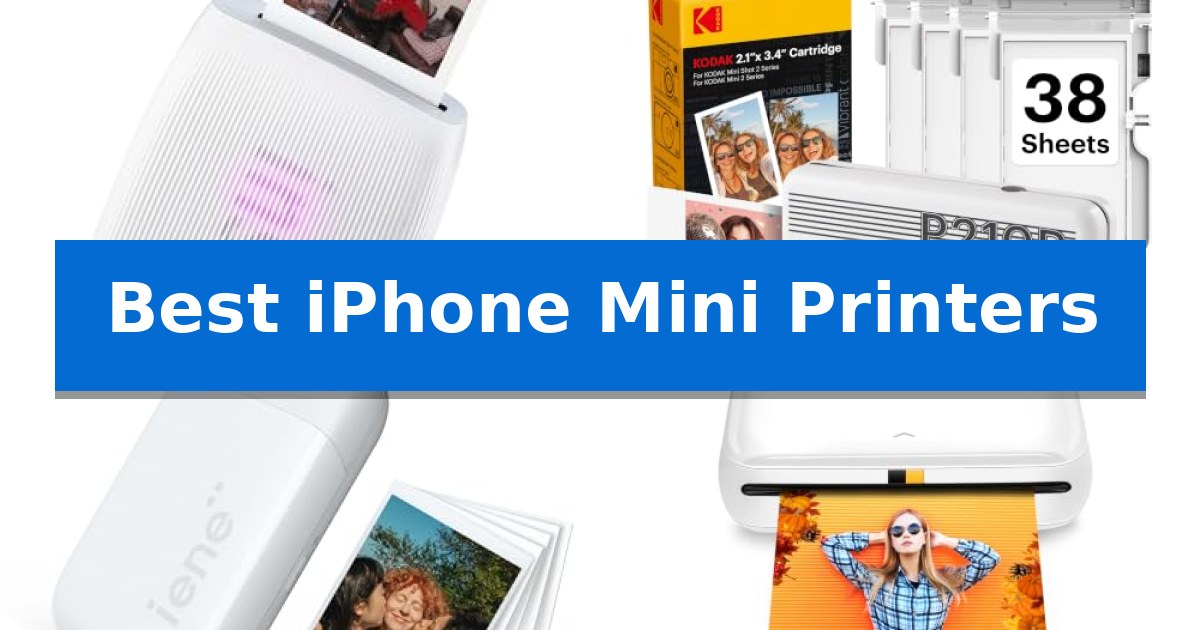
Capturing moments on your iPhone is effortless, but turning those digital files into physical keepsakes requires the right hardware. The Best iPhone Mini Printers bridge the gap between your camera roll and your scrapbook, allowing you to produce tangible memories in seconds.
Whether you are looking for high-quality dye-sublimation prints or the convenience of inkless Zink technology, choosing the right device depends on your specific needs for portability, image quality, and creative features. We have evaluated these compact printers to help you find the perfect match for your mobile lifestyle.
Best iPhone Mini Printers in 2026
Quick Comparison
| Product | Best For | Key Strength | Score |
|---|---|---|---|
| Fujifilm Instax Mini Link 3 Printer | Best Overall | Compact and lightweight design for easy portability. | 4.9 |
| KODAK Mini 2 Retro Photo Printer | Superior Dye-Sublimation Quality | 4PASS dye sublimation technology for durable, laminated prints | 4.8 |
| Liene Pearl K100 Photo Printer | Reliable Inkless Zink Printing | Inkless Zink technology removes the need for traditional ink cartridges. | 4.5 |
| KODAK Step Instant Photo Printer | Ultra-Portable Sticky-Back Prints | Zero-Ink technology eliminates the need for messy ink cartridges. | 4.9 |
| Liene Pearl N200 Pro Photo Printer | Advanced AI-Enhanced Editing | Advanced dye-sublimation technology for vibrant, high-resolution prints. | 4.3 |
How We Chose
- Printing Technology: Comparing dye-sublimation versus Zink inkless systems for image longevity and color accuracy.
- Portability: Assessing the weight and dimensions to ensure the devices fit easily into bags or pockets.
- Connectivity: Evaluating the stability and ease of Bluetooth pairing with iOS devices.
- App Functionality: Reviewing the available editing tools, filters, and creative options provided by the manufacturer's software.
- Consumables: Considering the availability and cost-effectiveness of replacement paper and ink cartridges.
1 Fujifilm Instax Mini Link 3 Printer — Best for Instant Social Sharing
Transforming digital smartphone captures into physical keepsakes is the primary function of the Fujifilm Instax Mini Link 3 Smartphone Printer – Clay White. This compact device serves as a dedicated bridge between your mobile gallery and tactile film, allowing for immediate printing at social gatherings or events.
The Fujifilm Instax Mini Link 3 Printer distinguishes itself with an integrated in-app photobooth experience. This software-driven feature enables users to apply creative digital effects, including confetti, spotlights, and sprinkles, directly to images before they are committed to film. This customization layer adds a distinct, interactive element to the printing process.
Designed for high portability, the unit measures 4.92 inches in height and 3.54 inches in width. Its lightweight construction, weighing only 0.1 pounds, makes it a practical accessory to carry to parties or group settings where instant sharing is the objective. The device relies on a dedicated smartphone app to manage all printing tasks and creative adjustments.
While the printer offers a streamlined way to produce physical copies of mobile photos, it is important to note that it is strictly limited to the Instax Mini print format. Users should ensure this specific size meets their needs, as the device does not support larger print formats or professional-grade high-resolution output.
Best for: Social users who want to print and customize smartphone photos instantly at gatherings or events.
Skip if: Users seeking high-resolution professional photo printing or those who prefer larger format prints beyond the Instax Mini size.
PROS
- Compact and lightweight design for easy portability.
- Integrated in-app photobooth features for creative editing.
- Includes fun digital effects like confetti and spotlights.
- 1-year manufacturer warranty included.
CONS
- Limited to Instax Mini print size.
- Requires dedicated smartphone app for operation.
2 KODAK Mini 2 Retro Photo Printer — Superior Dye-Sublimation Quality
The KODAK Mini 2 Retro Photo Printer utilizes 4PASS dye sublimation printing to produce high-quality, credit-card-sized photos directly from your smartphone. By applying three distinct color layers and a final clear protective lamination, this device ensures your prints are smudge-proof, water-resistant, and fade-resistant for long-term durability.
Designed for portability, this compact printer fits easily in a bag or pocket, making it suitable for capturing spontaneous moments at parties, travel destinations, or during creative projects. The device connects wirelessly via Bluetooth to the KODAK Photo Printer app, which provides tools to edit, crop, and customize images before printing begins.
Operation is straightforward, requiring no complex technical setup. Users simply power on the unit, establish a wireless connection, and initiate the print process through the app. Each print takes approximately 55 seconds to complete, delivering a smooth, detailed finish that is ideal for scrapbooking, journaling, or creating personalized gifts.
The included bundle provides everything necessary for immediate use, featuring the printer, a USB Type-C cable, and a starter pack containing 38 sheets of photo paper and four cartridges. This all-in-one approach allows for immediate printing of everyday keepsakes without the need for additional supplies right out of the box.
Best for: Users seeking a portable, easy-to-use solution for printing credit-card-sized photos directly from their smartphone.
Skip if: Users who require larger print formats or high-volume professional photo production capabilities.
PROS
- 4PASS dye sublimation technology for durable, laminated prints
- Compact and portable design for on-the-go use
- Integrated Bluetooth connectivity with dedicated app support
- Complete starter bundle including 38 sheets and cartridges
CONS
- Fixed credit-card-sized output format
- Requires specific cartridges and paper for operation
3 Liene Pearl K100 Photo Printer — Reliable Inkless Zink Printing
Capturing spontaneous moments and turning them into physical keepsakes requires a device that prioritizes portability and ease of use. The Liene Pearl K100 Photo Printer utilizes Zink Zero Ink printing technology, eliminating the need for messy ink cartridges or ribbons while producing durable, smudge-proof prints.
Designed for mobile convenience, this mini photo printer connects to your smartphone via Bluetooth 5.2, ensuring a stable link for quick printing when you are on the move. The device is compact enough to fit in a bag, making it a practical companion for parties or travel where you want to share physical copies of your digital memories instantly.
The printer produces 2×3 sticky-backed photos that feature a protective polymer overcoat, rendering them water and tear-resistant. Because the prints serve as stickers, they are well-suited for scrapbooking or personalizing items like laptops and journals. The manufacturer notes that these photos are designed to resist fading for up to 10 years.
Maintenance is simplified through the Liene app, which includes a dedicated clean print head function to resolve potential print quality issues like white lines or spots. The unit is powered by a Type-C charging port and can produce up to 30 prints on a single charge, providing enough capacity for most social gatherings or creative projects.
Best for: Users who want a portable, inkless solution for printing instant, adhesive-backed photos directly from their smartphone.
Skip if: Users who require high-resolution professional photo quality or larger print formats beyond the 2×3-inch size.
PROS
- Inkless Zink technology removes the need for traditional ink cartridges.
- Sticky-backed paper allows prints to be used as stickers for scrapbooking.
- Bluetooth 5.2 connectivity provides a stable wireless link for mobile devices.
- Compact and lightweight design is optimized for portability.
CONS
- App-dependent printing requires the use of the official Liene application.
- Limited print size restricted to 2×3 inches.
4 KODAK Step Instant Photo Printer — Ultra-Portable Sticky-Back Prints
Capturing memories in physical form requires a reliable, portable solution, and the KODAK Step Instant Photo Printer offers a streamlined way to turn digital images into tangible keepsakes. This palm-sized device utilizes Zero-Ink technology, which relies on embedded dye crystals within the paper to produce high-quality, smudge-resistant prints without the need for traditional ink cartridges.
Designed for versatility, the printer connects to iOS and Android devices via Bluetooth or NFC, allowing for quick transfers from your smartphone. Users can leverage the KODAK app to access a full suite of editing tools, including filters, borders, stickers, and collages, before sending images to the printer. The device produces 2×3-inch sticky-back photos, making it convenient for scrapbooking or decorating projects.
The KODAK Step Instant Photo Printer is built for mobility, weighing less than a pound and featuring a built-in lithium-ion rechargeable battery. On a full charge, it is capable of printing approximately 25 photos, providing enough capacity for small events or social gatherings. The package includes a micro USB charging cable and a starter pack of paper to get started immediately.
While the printer excels in portability and ease of use, it is specifically optimized for the 2×3-inch Zink format. This focus on a compact, standardized output makes it an ideal choice for influencers and crafters who prioritize convenience and rapid physical sharing over large-format printing capabilities.
Best for: The KODAK Step Instant Photo Printer is best for mobile users and crafters who want a portable, ink-free way to print 2×3-inch sticky-back photos directly from their smartphone.
Skip if: Skip this printer if you require professional-grade color accuracy, larger print sizes, or high-volume printing capacity beyond 25 photos per charge.
PROS
- Zero-Ink technology eliminates the need for messy ink cartridges.
- Sticky-back paper allows for easy application to journals and crafts.
- Bluetooth and NFC connectivity ensures simple pairing with mobile devices.
- Compact, lightweight design makes it highly portable for travel.
CONS
- Limited battery life of 25 prints per charge may require frequent recharging.
- Fixed 2×3-inch print size restricts options for larger photo formats.
5 Liene Pearl N200 Pro Photo Printer — Advanced AI-Enhanced Editing
The Liene Pearl N200 Pro Photo Printer distinguishes itself by integrating advanced dye-sublimation technology into a compact 3-inch portable frame, providing a specialized solution for those who prioritize color vibrancy and resolution in their mobile photography workflow. This device moves beyond basic printing by offering a dedicated InstaPic Print mode, which includes built-in CCD camera filters to facilitate a seamless shoot-and-print experience for spontaneous events.
Designed for creative flexibility, the printer features a companion app that allows users to apply AI-powered background removal, custom frames, and personalized watermarks directly to their images. The system supports multi-device pairing, enabling group printing at gatherings without the bottleneck of waiting for a single connection. Its Bluetooth connectivity ensures quick pairing with iPhones and other smartphones, streamlining the transition from digital capture to physical sticker.
The hardware is optimized for portability, weighing approximately 0.75 pounds with dimensions of 5.69 x 3.44 x 1.16 inches. A single full charge provides enough power to print up to 27 stickers, balancing the need for mobility with functional output capacity. The inclusion of 50 sheets of adhesive paper and 5 cartridges in the package provides an immediate starting point for users looking to create professional-grade, durable photo stickers.
While the device excels in creative customization and ease of use, it is important to note that its performance is tethered to the specific capabilities of the Liene Photo App. Users who prefer a purely hardware-based workflow or those who require larger format prints may find the 2×3 inch adhesive paper constraint a limiting factor for their specific display needs.
Best for: Users who want an all-in-one mobile printing solution that combines AI-enhanced photo editing with the convenience of instant sticker creation.
Skip if: Users who require larger print formats than 2×3 inches or those who prefer to print directly from professional editing software without using a dedicated mobile app.
PROS
- Advanced dye-sublimation technology for vibrant, high-resolution prints.
- AI-powered editing tools including background removal and artistic styles.
- Multi-device Bluetooth pairing for seamless group printing at events.
- One-touch InstaPic mode with built-in CCD camera filters.
CONS
- Fixed 2×3 inch print size limits output options.
- App-dependent workflow for advanced editing features.
Best iPhone Mini Printers Buying Guide
Understanding Printing Technologies
Most portable printers use either Zink (Zero Ink) or dye-sublimation technology. Zink printers are generally more compact and require no ink cartridges, as the color crystals are embedded directly into the paper. This makes them ideal for users who prioritize extreme portability and sticker-ready prints.
Dye-sublimation printers, by contrast, use a thermal process to transfer color from a ribbon onto the paper. This method typically results in higher color accuracy and more durable prints that are resistant to fingerprints and moisture, making them a better choice if image longevity is your primary concern.
Connectivity and Ease of Use
Since these devices are designed for your smartphone, Bluetooth connectivity is the standard interface. A stable connection is vital for a frustration-free experience, allowing you to send photos from your iPhone gallery to the printer without needing a Wi-Fi network.
Look for printers that offer a simple, intuitive app interface. The best apps allow you to crop, add filters, or include text before printing. Some advanced models even include AI-based editing or augmented reality features to enhance your creative workflow.
Portability and Design
The primary appeal of a mini printer is its ability to travel with you. Consider the physical footprint of the device; a printer that fits in a jacket pocket is significantly more useful for parties or travel than one that requires a dedicated bag.
Weight is another critical factor. While most of these devices weigh under a pound, even small differences can impact how often you actually carry the device with you for spontaneous printing opportunities.
Consumables and Long-Term Costs
Every mini printer requires specific paper, and sometimes ink cartridges, which are ongoing costs. Zink paper is often sold in packs and is generally affordable, but dye-sublimation printers require proprietary ribbons that must be replaced alongside the paper.
Check the availability of these supplies before purchasing. Reliable access to paper refills ensures you won't be left with a useless device when you run out of stock during an event.
Creative Features and Customization
Beyond basic printing, many apps offer creative suites that allow you to customize your photos. Features like collages, borders, and stickers can transform a simple snapshot into a personalized gift or a decorative element for your journal.
Some models even include specialized modes like 'photobooth' or 'AI-enhanced editing' to help you reimagine your photos. Evaluate whether these creative tools align with how you plan to use your prints.
Frequently Asked Questions
Do I need Wi-Fi to use these printers?
No, most portable mini printers use Bluetooth to connect directly to your iPhone, allowing you to print anywhere without a local network.
Are the prints waterproof?
Many Zink and dye-sublimation prints feature a protective overcoat that provides resistance to smudges, water, and tears, though the level of protection varies by model.
Can I print photos from my social media accounts?
Yes, most companion apps for these printers allow you to access and print photos directly from your iPhone's camera roll, which includes images saved from social media.
How many photos can I print on a single charge?
Battery life varies by model, but most portable printers are designed to handle several dozen prints on a single full charge, depending on usage intensity.
Is the photo paper sticky-backed?
Many Zink-based mini printers use sticky-backed paper, which is perfect for scrapbooking, but you should verify the specific paper type for the model you choose.
Conclusion: Our Top Pick
For those seeking the most versatile and engaging experience, the Fujifilm Instax Mini Link 3 Printer stands out as the top choice. Its integration with a feature-rich app that includes creative options like in-app photobooth modes makes it exceptionally fun for social gatherings.
While other models may offer specific advantages in print technology or paper types, the overall balance of portability and creative software support makes this printer an excellent companion for any iPhone user. Ensure you keep a supply of compatible film on hand to capture every spontaneous moment.