
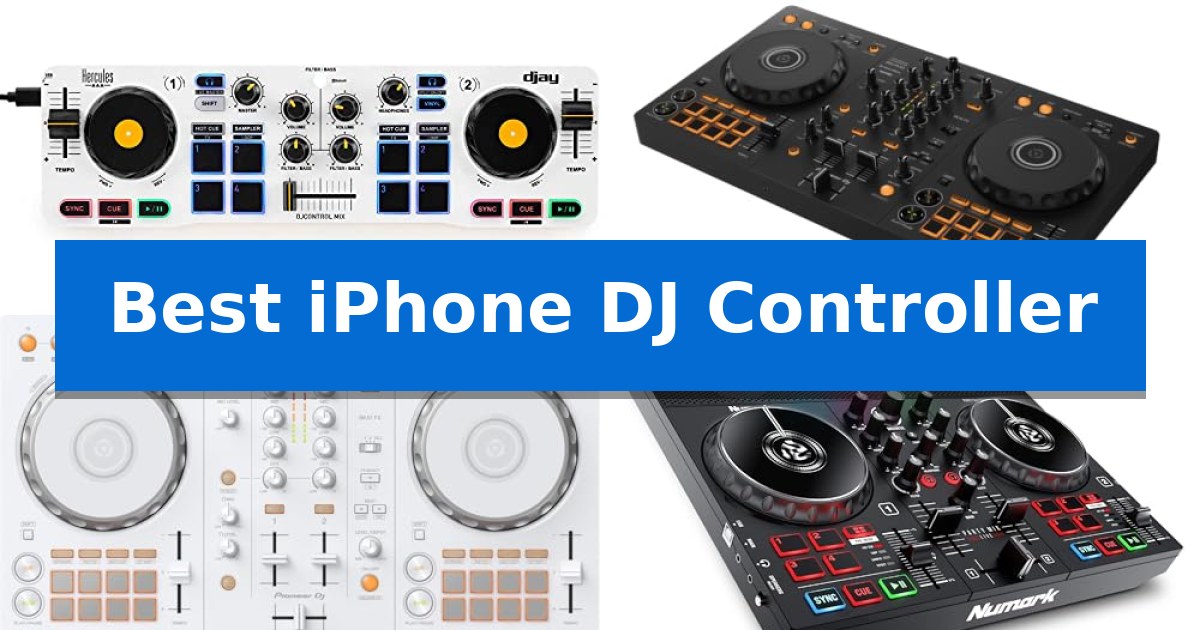
Transitioning your DJ workflow to a mobile device requires hardware that bridges the gap between professional tactile control and the convenience of your smartphone. Finding the Best iPhone DJ Controller means identifying a device that offers reliable connectivity, responsive jog wheels, and seamless integration with popular mixing software.
Whether you are a beginner looking to learn the basics or a mobile performer needing a compact setup for spontaneous sets, the right controller transforms your iPhone into a powerful performance rig. We have analyzed the current market to help you select a controller that fits your specific mixing style and technical requirements.
Best iPhone DJ Controller in 2026: Portable Mixing for Mobile DJs
Quick Comparison
| Product | Best For | Key Strength | Score |
|---|---|---|---|
| Hercules DJControl Mix | Best Overall | Bluetooth wireless connectivity for a clutter-free mobile setup. | 4.9 |
| Pioneer DJ DDJ-FLX4 | Professional standard for beginners | Smart Fader technology simplifies volume and BPM matching for beginners. | 4.8 |
| Pioneer DJ DDJ-FLX4 White | Versatile streaming-ready performance | Smart Fader technology simplifies complex transitions by automating volume and BPM adjustments. | 4.3 |
| Numark Party Mix Live | Integrated speakers and light show | Integrated LED light show that syncs to the music mix. | 4.5 |
| Lefiko Mini MIDI Controller | Tactile control for mobile production | Wireless connectivity via Bluetooth MIDI for cable-free mobile setups. | 4.6 |
How We Chose
- iOS Compatibility: Ensuring seamless connection via Bluetooth or wired interfaces.
- Tactile Feedback: Evaluating the quality of jog wheels, faders, and performance pads.
- Portability: Assessing the size and weight for easy transport in a mobile setup.
- Software Integration: Verifying support for industry-standard DJ applications.
- Power Options: Checking for battery operation or bus-powered functionality for off-grid use.
1 Hercules DJControl Mix — Ultra-portable wireless mixing
Transitioning from traditional hardware to mobile-based mixing, the Hercules DJControl Mix provides a dedicated physical interface for users of the Algoriddim djay app. By utilizing Bluetooth wireless connectivity, this controller eliminates the need for complex cable routing, allowing for a streamlined setup directly with your smartphone.
The Hercules DJControl Mix replicates the essential layout of professional gear, featuring two jog wheels, dedicated faders, and responsive knobs and pads. These controls allow for tactile manipulation of tracks, providing a more intuitive experience than touch-screen interfaces alone. The inclusion of a foldable smartphone stand ensures your device remains securely positioned while you mix.
Designed for portability, the unit measures approximately 16.34 inches in width and weighs 2.1 pounds. This compact form factor makes it suitable for mobile DJs who require a lightweight, easily transportable solution for practice or impromptu sessions. The controller is engineered to integrate seamlessly with the included djay app, ensuring that the hardware controls map effectively to software functions.
While the controller offers a significant upgrade in tactile feedback, it is strictly designed for use with mobile devices. Users should ensure their smartphone is compatible with the djay app to fully leverage the features provided. The Hercules DJControl Mix serves as a bridge for those looking to move beyond software-only mixing without committing to a full-sized, stationary console.
Best for: Mobile DJs seeking a portable, wireless physical interface for the Algoriddim djay app on iOS or Android smartphones.
Skip if: Users who require professional-grade XLR outputs, standalone mixer functionality, or compatibility with desktop-based DJ software.
PROS
- Bluetooth wireless connectivity for a clutter-free mobile setup.
- Includes a foldable smartphone stand for ergonomic device placement.
- Features essential DJ controls including jog wheels, faders, and pads.
- Compact and lightweight design ideal for travel and portability.
CONS
- Mobile-only compatibility limits use with desktop or laptop software.
- Wireless reliance requires consistent Bluetooth pairing and device battery management.
2 Pioneer DJ DDJ-FLX4 — Professional standard for beginners
Transitioning from bedroom practice to live performance requires gear that bridges the gap between portability and professional functionality. The Pioneer DJ DDJ-FLX4 addresses this by offering a layout inherited from professional-grade hardware, allowing users to build foundational skills on a familiar interface while maintaining compatibility with modern mobile devices.
Designed for versatility, the Pioneer DJ DDJ-FLX4 features 2-channel, 2-deck control and 16 Performance Pads that provide tactile access to essential tools like Hot Cues, Pad FX, and Sampler. The inclusion of the Smart Fader feature simplifies the mixing process by automatically adjusting volume, bass, and BPM, which helps beginners blend different genres with a single movement.
Connectivity is a primary strength of this controller, as it supports USB or Bluetooth connections to PC, Mac, iPhone, iPad, and Android devices. The unit also includes a built-in sound card for direct speaker output and a dedicated mic input, enabling users to manage their music and livestreaming audio from a single device. This makes it a practical choice for those who want to mix from streaming platforms like Apple Music, Tidal, and Beatport without complex hardware chains.
Measuring approximately 18.98 inches in width and weighing just over 6 pounds, the controller is compact enough for mobile setups while retaining the physical controls necessary for growth. It serves as a comprehensive entry point for those looking to integrate their mobile devices into a functional DJ workflow.
Best for: Beginners and mobile DJs who need a compact, streaming-ready controller that integrates seamlessly with smartphones and tablets.
Skip if: Professional DJs requiring four-deck control or those who prefer standalone hardware that does not rely on a connected computer or mobile device.
PROS
- Smart Fader technology simplifies volume and BPM matching for beginners.
- Multi-device compatibility including iPhone, iPad, Android, PC, and Mac.
- Integrated sound card allows for direct speaker connection and streamlined livestreaming.
- Pro-style layout provides a consistent learning path toward larger Pioneer DJ gear.
CONS
- 2-channel limitation may restrict advanced mixing techniques compared to 4-deck controllers.
- Relies on external software/devices for full functionality, as it is not a standalone player.
3 Pioneer DJ DDJ-FLX4 White — Versatile streaming-ready performance
The Pioneer DJ DDJ-FLX4 White simplifies the transition into digital mixing by incorporating a layout modeled after professional Pioneer DJ hardware. This two-channel controller provides a tactile interface for learners who want to develop essential skills while utilizing modern streaming integration.
Performance is centered on the 16 Performance Pads, which allow for hands-on control of Hot Cues, Pad FX, Beat Jump, and Sampler functions. The unit features Smart Fader technology, a tool that automatically adjusts volume, bass, and BPM, enabling users to transition between tracks by manipulating a single fader. This is designed to assist those who are still mastering manual beatmatching techniques.
Connectivity is a primary focus, as the device supports integration with PC, Mac, iPhone, iPad, and Android platforms via USB or Bluetooth. The inclusion of a built-in sound card allows for direct connection to speakers, while the controller is also optimized for livestreaming and MCing, allowing users to mix audio from services like Apple Music, Tidal, and Beatport from one device.
Measuring 18.98 inches in width and 2.33 inches in height, the controller maintains a manageable footprint for home setups. It is finished in a distinct white colorway, differentiating it from standard black DJ gear while retaining the functional layout required for growing as a performer.
Best for: Beginners and improvers who need a versatile, streaming-ready controller that integrates seamlessly with mobile devices and computers.
Skip if: Professional DJs requiring four-channel mixing capabilities or advanced hardware-based effects beyond the standard pad and smart-fader functions.
PROS
- Smart Fader technology simplifies complex transitions by automating volume and BPM adjustments.
- Multi-platform compatibility allows for direct connection to iPhone, iPad, Android, PC, and Mac.
- Integrated sound card enables direct speaker output without needing an external interface.
- Streaming-ready design supports mixing directly from services like Tidal, Beatport, and Apple Music.
CONS
- Two-channel limitation restricts the ability to mix more than two decks simultaneously.
- Learning-focused feature set may lack the advanced physical controls found on higher-end professional units.
4 Numark Party Mix Live — Integrated speakers and light show
The Numark Party Mix Live integrates a built-in light show and stereo speakers directly into the controller, providing an all-in-one environment for DJs who want to minimize external hardware. This unit features two decks of control, touch-capacitive jog wheels, and an integrated audio interface, allowing for direct connection to headphones and speakers without needing a separate sound card.
Designed for portability and ease of use, the controller includes performance pads that provide access to Effect, Cue, Loop, and Sampler modes. Users can manage their music library directly from the hardware, using dedicated browse and load controls to navigate tracks. The inclusion of filter knobs and pitch sliders on each deck offers tactile control over the mix, while the built-in LED light show syncs automatically to the music.
Compatibility is centered around the included Serato DJ Lite software, which supports streaming from services like Tidal, SoundCloud, and Beatport Link. The device connects via USB to Mac and Windows computers, functioning as a plug-and-play system. With its compact dimensions of approximately 18.9 by 20.5 inches and a weight of 2.69 pounds, it is built for mobile setups.
While the integrated speakers and lights simplify the setup process, the device relies on a computer connection for full functionality. The 1/8-inch main output and dedicated headphone jack ensure standard connectivity for external audio equipment, making it a functional choice for beginners or those seeking a streamlined, portable DJ system.
Best for: Beginner DJs who require a portable, all-in-one system with integrated lighting and audio monitoring.
Skip if: Professional DJs who require advanced multi-channel mixing, professional-grade XLR outputs, or standalone operation without a computer.
PROS
- Integrated LED light show that syncs to the music mix.
- Built-in stereo speakers for immediate monitoring without extra gear.
- Plug-and-play USB connectivity with included Serato DJ Lite software.
- Tactile performance pads for controlling cues, loops, and effects.
CONS
- Requires a computer connection to operate the software and streaming services.
- Limited to 1/8-inch audio outputs, which may require adapters for professional sound systems.
5 Lefiko Mini MIDI Controller — Tactile control for mobile production
The Lefiko Mini MIDI Controller provides a portable solution for mobile music production by integrating 16 RGB velocity-sensitive pads with aftertouch directly into a compact, cable-free design. This controller is built for creators who need to trigger samples, perform finger drumming, or control DAWs while working in studio, live, or on-the-go environments.
Equipped with Bluetooth MIDI and USB MIDI support, the device eliminates the need for physical cables during mobile sessions. Its internal battery is rated for up to 15 hours of continuous use, with an included ECO mode designed to extend standby time for multi-day travel or outdoor production tasks.
The hardware features 3 assignable buttons and supports 3 pad banks, allowing users to expand their control up to 48 total pads. Customization is managed through the KuSuite app for iOS, iPadOS, and macOS, or via a QR-code-linked software interface for Windows and Android, enabling users to map MIDI commands, adjust velocity curves, and configure lighting to fit their specific workflow.
This controller is a practical choice for those requiring a lightweight, tactile interface for live remixing or beat making. Its compact form factor is designed to integrate into existing setups without requiring complex configuration, making it accessible for beginners and experienced DJs alike.
Best for: Mobile musicians and DJs who require a compact, battery-powered tactile controller for wireless beat making and live performance.
Skip if: Users who require a full-sized keyboard interface or a larger number of physical faders and knobs for complex studio mixing.
PROS
- Wireless connectivity via Bluetooth MIDI for cable-free mobile setups.
- 15-hour battery life suitable for extended travel and live performance.
- 16 velocity-sensitive pads with aftertouch for expressive control.
- App-based customization for mapping MIDI commands and lighting.
CONS
- Limited physical controls compared to larger studio-grade MIDI controllers.
- Requires specific software for advanced mapping and configuration.
Best iPhone DJ Controller Buying Guide
Understanding Controller Connectivity
The Best iPhone DJ Controller must establish a stable link with your device. Many modern units utilize Bluetooth wireless connectivity, which allows for a clean, cable-free workspace. However, wired connections often provide lower latency, which is critical for precise beatmatching and scratching.
Always verify if your chosen controller requires a specific adapter, such as a Lightning-to-USB or USB-C adapter, to ensure your iPhone remains powered during long sets. Some controllers feature built-in sound cards, which are essential for routing audio to external speakers while monitoring through headphones.
The Role of Performance Pads
Performance pads are the heart of modern digital DJing. These buttons allow you to trigger Hot Cues, Looping, and Sampler functions on the fly. When selecting a controller, consider the responsiveness of these pads and whether they offer velocity sensitivity for more expressive performance.
For beginners, a layout that mirrors professional club gear is beneficial. Look for controllers that include dedicated controls for FX and filter knobs, as these features allow you to manipulate your tracks creatively without needing to touch your iPhone screen constantly.
Portability Versus Feature Set
There is a natural trade-off between the size of a controller and the number of features it provides. Ultra-portable units are excellent for travel and quick setups, but they may lack dedicated EQ knobs or long-throw faders found on larger, more stationary models.
If you plan to perform at events, prioritize a controller with a rugged build and a layout that you can navigate by touch. Conversely, if your primary goal is mobile production or practice, a smaller, lightweight unit might offer the best balance of functionality and convenience.
Software Ecosystems
Your controller is only as good as the software it supports. Most mobile controllers are designed to work with specific apps like djay by Algoriddim or Serato DJ Lite. Ensure the controller you choose is fully compatible with the app you prefer to use for your music library.
Check if the software supports streaming services like Tidal or Beatport, as this significantly expands your available music library. A controller that integrates well with your existing subscription services will provide a much smoother mixing experience.
Power and Battery Life
Mobile DJing often takes place in environments where power outlets are scarce. Controllers that offer battery-powered operation or efficient bus-powering from your iPhone are highly desirable for outdoor sessions or impromptu performances.
Always check the estimated battery life if the unit is wireless. Some models include an ECO mode to extend standby time, which is a useful feature for multi-day events or long practice sessions where you cannot easily recharge your gear.
Frequently Asked Questions
Do I need a special cable to connect my iPhone to a DJ controller?
It depends on the controller. Some use Bluetooth for wireless control, while others require a USB connection. If a wired connection is required, you may need a Lightning-to-USB or USB-C camera adapter to connect the controller to your iPhone.
Can I use these controllers with a laptop as well?
Most of the controllers listed are compatible with both mobile devices and computers. Always check the manufacturer's specifications to ensure your specific operating system is supported.
Is it possible to mix music from streaming services?
Yes, many modern DJ apps integrated with these controllers support streaming services like Tidal, SoundCloud, and Beatport. Ensure your DJ app subscription supports the specific service you wish to use.
Do these controllers have built-in speakers?
Only specific models, such as the Numark Party Mix Live, include built-in speakers. Most professional-grade controllers require you to connect external speakers via an audio interface or the headphone jack.
What is the benefit of a controller with a built-in sound card?
A built-in sound card allows you to output audio to external speakers and monitor your tracks through headphones simultaneously. This is essential for professional mixing and beatmatching.
Conclusion: Our Top Pick
Selecting the right hardware depends on your specific needs for portability and control. For most users looking for a balance of wireless freedom and essential features, the Hercules DJControl Mix stands out as the most versatile option for mobile mixing. Its compact design and dedicated smartphone stand make it an excellent choice for those who want to start mixing immediately without complex cable setups.
While other models offer more advanced features like microphone inputs or professional-grade layouts, the Hercules unit provides the most streamlined experience for iPhone users. If you are looking for a reliable, ultra-portable solution that integrates perfectly with the djay app, this controller is our top recommendation.