
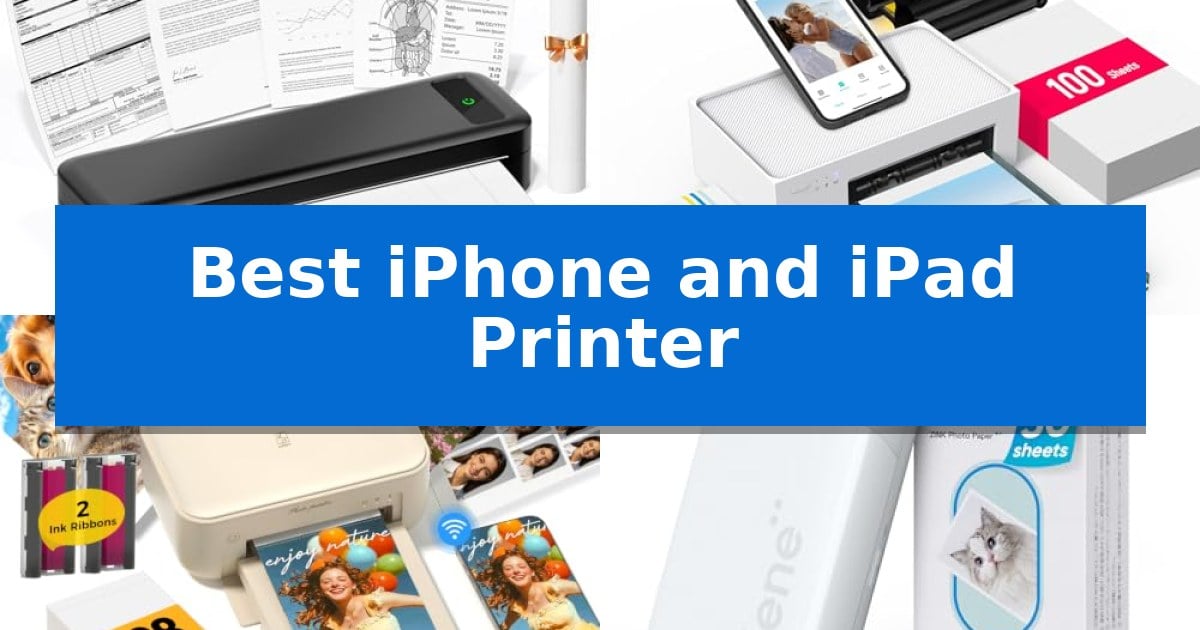
Finding the right device to turn your digital memories and documents into physical copies can be a challenge when you are constantly on the move. Whether you need to print shipping labels for a small business or capture high-quality photos at a family gathering, the Best iPhone and iPad Printer options offer seamless wireless connectivity to keep your workflow efficient and mobile.
Our selection focuses on devices that prioritize ease of use, compact design, and reliable compatibility with iOS systems. By evaluating how these printers handle different media types and connection methods, we have identified the top models to help you choose the one that fits your specific printing requirements without unnecessary complexity.
Best iPhone and iPad Printer in 2026: Mobile Printing for Every Need
Quick Comparison
| Product | Best For | Key Strength | Score |
|---|---|---|---|
| TATTMUSE A285M Portable Thermal Printer | Best Overall | Inkless thermal technology eliminates the cost and mess of ink cartridges. | 4.9 |
| Liene M100 Photo Printer | Vibrant 4×6 Photo Prints | Thermal dye sublimation technology ensures vibrant, laminated, and durable prints. | 4.8 |
| HPRT CP4100 Photo Printer | High-Volume Photo Bundles | Dye sublimation technology provides a protective, long-lasting finish on every print. | 4.5 |
| Liene Pearl K100 Photo Printer | Ultra-Compact Sticker Printing | Inkless Zink technology eliminates the need for expensive or messy ink cartridges. | 4.8 |
| MUNBYN 130B Thermal Label Printer | Efficient Shipping Label Creation | Direct Bluetooth connectivity for seamless printing from iOS and Android devices. | 4.6 |
How We Chose
- Wireless connectivity reliability via Bluetooth or Wi-Fi.
- Compatibility with iOS apps and mobile printing workflows.
- Portability and physical footprint for on-the-go use.
- Media versatility, including support for labels, photos, or documents.
- Ease of maintenance and inkless printing technology.
1 TATTMUSE A285M Portable Thermal Printer — Best for Mobile Document Printing
The TATTMUSE A285M Portable Thermal Printer offers a streamlined solution for mobile printing, weighing only 1.5lb and designed to fit easily into a backpack or briefcase. This compact device is engineered for professionals on the move, including notaries, truck drivers, and business travelers who require a reliable way to produce documents, invoices, and receipts without the bulk of traditional office hardware.
Utilizing advanced thermal technology, this unit eliminates the need for ink, toner, or ribbons, which removes common maintenance issues like clogging or cleaning. It supports multiple paper sizes, including 8.5" x 11" US Letter and A4, as well as smaller thermal paper widths of 110mm, 80mm, and 53mm. This versatility makes it suitable for printing everything from contracts to boarding passes.
Connectivity is handled via Bluetooth for seamless integration with iPhones, iPads, and Android devices through a dedicated app. For users who prefer a wired connection, the printer includes a USB-C port compatible with laptops and computers. Please note that computer usage requires the installation of specific drivers from the manufacturer's website.
Designed for efficiency, the TATTMUSE A285M Portable Thermal Printer is strictly a black-and-white printer that functions exclusively with thermal paper. It is important to use a 5V 2A charger to maintain the device's operational integrity, as chargers exceeding 5V are not supported. This focused design ensures a consistent, ink-free experience for those needing quick, portable document access.
Best for: Mobile professionals and students who need a lightweight, inkless solution for printing documents and receipts while traveling.
Skip if: Users who require color printing or the ability to print on standard copy paper will need a traditional inkjet or laser printer.
PROS
- Inkless thermal technology eliminates the cost and mess of ink cartridges.
- Highly portable design weighing only 1.5lb for easy transport.
- Versatile paper support including full-size US Letter and A4 documents.
- Dual connectivity via Bluetooth for mobile devices and USB-C for laptops.
CONS
- Black and white printing only limits output options.
- Thermal paper requirement means it cannot print on standard copy paper.
- Specific power requirements necessitate using a 5V 2A charger.
2 Liene M100 Photo Printer — Vibrant 4×6 Photo Prints
Capturing memories from your mobile devices is simplified with the Liene M100 Photo Printer, which utilizes thermal dye sublimation technology to produce high-quality, long-lasting 4×6 inch prints. This compact device is specifically engineered to bridge the gap between digital storage on your iPhone or iPad and physical keepsakes, ensuring your images are resistant to water, scratches, and fading through a specialized laminated surface.
The printer prioritizes ease of use with a built-in Wi-Fi hotspot, allowing you to connect your smartphone directly to the device without needing an external network or complex router configurations. This independent connection supports up to 5 simultaneous connections, making it a practical choice for group settings where multiple users want to print photos from their own devices without the hassle of cables or Bluetooth pairing.
Designed with a minimalist and magnetic structure, the unit is easy to store and includes a fully sealed cassette to protect your paper from dust. The package is comprehensive, arriving with 100 sheets of photo paper and three color cartridges, providing everything necessary to start printing immediately. Users can further refine their output via the dedicated app, which offers tools to add borders, apply filters, and adjust brightness or contrast.
While this device excels at producing vibrant, durable prints, it is a dedicated photo printer designed for a specific format. It does not support standard document printing or varied paper sizes, making it a specialized tool for those focused on photo projects rather than general office tasks.
Best for: Users seeking a dedicated, portable solution for printing high-quality 4×6 photos directly from smartphones and tablets.
Skip if: Those who require a versatile printer capable of handling standard document sizes or high-volume office paperwork.
PROS
- Thermal dye sublimation technology ensures vibrant, laminated, and durable prints.
- Built-in Wi-Fi hotspot allows for direct, stable printing without an external network.
- Supports up to 5 simultaneous connections for easy multi-user sharing.
- Includes a complete starter kit with 100 sheets of paper and 3 cartridges.
CONS
- Limited to 4×6 inch photo prints, lacking support for other paper sizes or document printing.
3 HPRT CP4100 Photo Printer — High-Volume Photo Bundles
Transforming digital memories into physical keepsakes requires a reliable connection between your mobile device and a dedicated output tool. The HPRT CP4100 Photo Printer simplifies this process by offering both 2.4GHz Wi-Fi and a built-in Wi-Fi hotspot, allowing for direct printing from an iPhone or iPad even when a home network is unavailable.
This device utilizes dye sublimation technology to produce 4×6 inch prints at 300 DPI resolution. Each print is automatically finished with a protective coating designed to resist water, fingerprints, and scratches, ensuring the longevity of your family photos or travel memories. The printing process is efficient, delivering finished images in under 60 seconds.
Integration with the HeyPhoto App provides more than just basic printing. Users can customize images with filters and frames or utilize AR video printing, which allows you to scan a physical photo with the app to replay the original video moment. The printer is designed for high-volume use, arriving with a starter kit that includes 108 sheets of photo paper and 2 ink ribbons to minimize the initial cost per print.
Measuring approximately 7.86 by 5.11 by 3.42 inches, this compact unit is built for home use. It provides a straightforward setup for users who prioritize mobile-first workflows, effectively turning smartphone galleries into tangible albums or scrapbooks without requiring a computer.
Best for: Users who want a dedicated, portable solution for printing 4×6 photos directly from their iPhone or iPad using dye sublimation technology.
Skip if: Users who require a multi-function office printer capable of handling document printing, scanning, or larger paper sizes beyond 4×6 inches.
PROS
- Dye sublimation technology provides a protective, long-lasting finish on every print.
- Flexible connectivity via home Wi-Fi or a built-in hotspot for mobile printing.
- Comprehensive starter bundle includes 108 sheets of paper and 2 ribbons.
- AR video printing feature adds an interactive element to physical photos.
CONS
- Limited to 4×6 inch photo prints, making it unsuitable for standard document printing.
- Requires specific ink ribbons and paper, which are proprietary to the system.
4 Liene Pearl K100 Photo Printer — Ultra-Compact Sticker Printing
Capturing memories on the go is simplified with the Liene Pearl K100 Photo Printer, a compact device that utilizes Zink inkless printing technology to produce durable, water-resistant, and dust-resistant photos. By heating the specialized paper directly, this printer eliminates the need for messy ink cartridges while ensuring that your prints remain vibrant and fade-resistant for up to 10 years.
Designed for seamless integration with your mobile lifestyle, this printer connects via Bluetooth 5.2, allowing for a quick and reliable link to your iPhone or iPad without requiring a Wi-Fi network. The unit is powered by a Type-C charging port and is capable of printing up to 30 photos on a single charge, making it a practical companion for travel, parties, or outdoor activities.
Usability is a core focus, highlighted by a sliding cover that simplifies the process of loading the 2×3-inch sticky-backed photo paper. The companion app includes a dedicated clean print head function, which helps maintain print quality by addressing potential issues like white lines or spots, provided a blue calibration card is used.
This bundle includes 50 sheets of Zink photo paper, offering an economical entry point for those looking to create instant physical keepsakes. Whether you are printing color portraits or mono photos, the Liene Pearl K100 Photo Printer provides a straightforward, portable solution for turning digital moments into tangible stickers.
Best for: Travelers and social event attendees who want a portable, inkless solution to print and share 2×3-inch sticky-backed photos directly from their smartphone.
Skip if: Users who require high-resolution professional photo prints or those who need to print on paper sizes larger than 2×3 inches will find this device's capabilities too limited.
PROS
- Inkless Zink technology eliminates the need for expensive or messy ink cartridges.
- Bluetooth 5.2 connectivity ensures a fast, reliable wireless connection without needing Wi-Fi.
- Sticky-backed 2×3-inch paper allows for easy placement of photos on various surfaces.
- Portable design with a Type-C charging port and 30-photo capacity per charge.
CONS
- App-exclusive printing means you cannot print directly from other third-party photo applications.
- Limited to 2×3-inch paper size, which may not suit all creative projects.
5 MUNBYN 130B Thermal Label Printer — Efficient Shipping Label Creation
Streamlining shipping workflows requires reliable hardware that bridges the gap between mobile devices and physical labels. The MUNBYN 130B Thermal Label Printer simplifies this by offering direct Bluetooth connectivity, allowing users to bypass traditional desktop setups in favor of an iPad or iPhone interface.
Designed for versatility, this thermal printer supports label widths ranging from 1.57 inches to 4.3 inches. It utilizes the 'MUNBYN Print' app for mobile users, enabling a 3-step setup process that includes connecting, designing, and printing. For those working on a desktop, the 'Munbyn Editor' web interface in Google Chrome provides a browser-based solution that requires no software installation.
The MUNBYN 130B Thermal Label Printer is capable of printing at a rate of 72 pages per minute with 203dpi precision. This thermal technology eliminates the need for ink or toner, which can reduce ongoing supply costs. It is compatible with a wide array of online shipping platforms and marketplaces, making it a functional tool for small business owners or home office organization.
Customization is a core component of the device's software suite, which provides access to over 3,500 elements, 2,000 templates, and 80 fonts. Users can import text files or PDFs and utilize OCR for text recognition, ensuring that labels for shipping, QR barcodes, or name stickers are formatted accurately.
Best for: Small business owners and home office users who require a mobile-first printing solution for shipping labels and organizational stickers.
Skip if: Users who rely specifically on UPS-branded thermal paper, as this printer is not compatible with that specific media.
PROS
- Direct Bluetooth connectivity for seamless printing from iOS and Android devices.
- Ink-free thermal printing technology reduces long-term maintenance and supply costs.
- Broad software support including thousands of templates and OCR text recognition.
- Wide label compatibility supporting widths from 1.57 to 4.3 inches.
CONS
- Limited media compatibility as it is not designed to work with UPS thermal paper.
Best iPhone and iPad Printer Buying Guide
Understanding Printing Technology
The primary distinction in mobile printing is between thermal technology and dye-sublimation. Thermal printers, often used for documents and labels, require no ink or toner, making them highly cost-effective and low-maintenance. These are ideal for users who prioritize speed and convenience over color reproduction.
Conversely, dye-sublimation printers are designed specifically for high-quality photo printing. These devices use heat to transfer dye onto specialized paper, creating vibrant, long-lasting images. Choosing the right technology depends entirely on whether your priority is functional document output or preserving visual memories.
Connectivity and App Integration
For an iPhone or iPad user, the quality of the companion app is just as important as the hardware itself. A robust app should allow for easy file selection, basic image editing, and clear status monitoring. Look for printers that offer stable Bluetooth 5.2 or dedicated Wi-Fi hotspot modes to ensure a consistent connection without needing an external network.
Compatibility with standard document formats like PDF and common image files is essential. Some printers also offer advanced features like AR video printing or custom label design tools, which can significantly enhance the utility of your device for creative or business-related projects.
Portability and Power Requirements
If you plan to use your printer in a car, at a construction site, or during travel, physical dimensions and weight are critical. A truly portable printer should fit easily into a backpack or briefcase. Always check the power requirements, as some mobile printers are sensitive to the voltage output of the chargers used.
Battery life is another factor for users who need to print away from a power source. While many portable models are designed for efficiency, checking the number of prints per charge can help you avoid unexpected downtime during important tasks.
Media Versatility and Paper Costs
Consider the ongoing cost of consumables when selecting your printer. Thermal printers require specific thermal paper rolls or sheets, while photo printers need dedicated cartridges and paper bundles. High-volume users should look for models that offer cost-effective bulk paper options to minimize the price per print.
Versatility in paper size is also a major advantage. Some portable document printers can handle multiple widths, from small receipts to full-size A4 or US Letter documents, providing greater flexibility for different professional or personal needs.
Maintenance and Durability
Mobile devices are subject to more wear and tear than stationary office equipment. Look for features like laminated surfaces on photo prints for water and scratch resistance, or inkless systems that eliminate the risk of clogging and messy spills.
Simple maintenance routines, such as built-in print head cleaning functions within the app, can extend the lifespan of your printer significantly. Keeping the print path clear of dust and debris is the best way to ensure consistent, high-quality output over time.
Frequently Asked Questions
Do these printers work with regular copy paper?
Most portable thermal printers specifically require thermal-sensitive paper and will not function with standard copy paper. Always verify the media requirements for your specific model.
Can I print from my iPad without a Wi-Fi network?
Yes, many of the listed printers feature built-in Wi-Fi hotspots or Bluetooth connectivity, allowing you to print directly from your device without needing an external router.
How do I clean the print head if my prints look blurry?
Many modern mobile printer apps include a 'clean print head' function. If your printer supports this, follow the in-app instructions, which may require a specific calibration card.
Are these printers suitable for printing shipping labels?
Yes, thermal label printers like the MUNBYN 130B are specifically designed for high-efficiency shipping label creation and are compatible with various shipping platforms.
What is the benefit of dye-sublimation for photos?
Dye-sublimation technology provides professional-quality, vibrant colors and smooth gradients, and it often applies a protective coating to the photo to resist water and fading.
Conclusion: Our Top Pick
For users seeking the most versatile and portable solution for document management, the TATTMUSE A285M Portable Thermal Printer stands out as the top choice. Its ability to handle multiple paper sizes, including A4 and US Letter, combined with its compact, inkless design, makes it an excellent tool for professionals and students who need reliable printing on the go.
While other models in our list excel at specialized tasks like photo printing or label creation, the TATTMUSE provides the best balance of document compatibility and mobile convenience. Its straightforward Bluetooth connectivity and lightweight build ensure that it integrates seamlessly into any mobile workflow, making it our recommended pick for most iPhone and iPad users.