
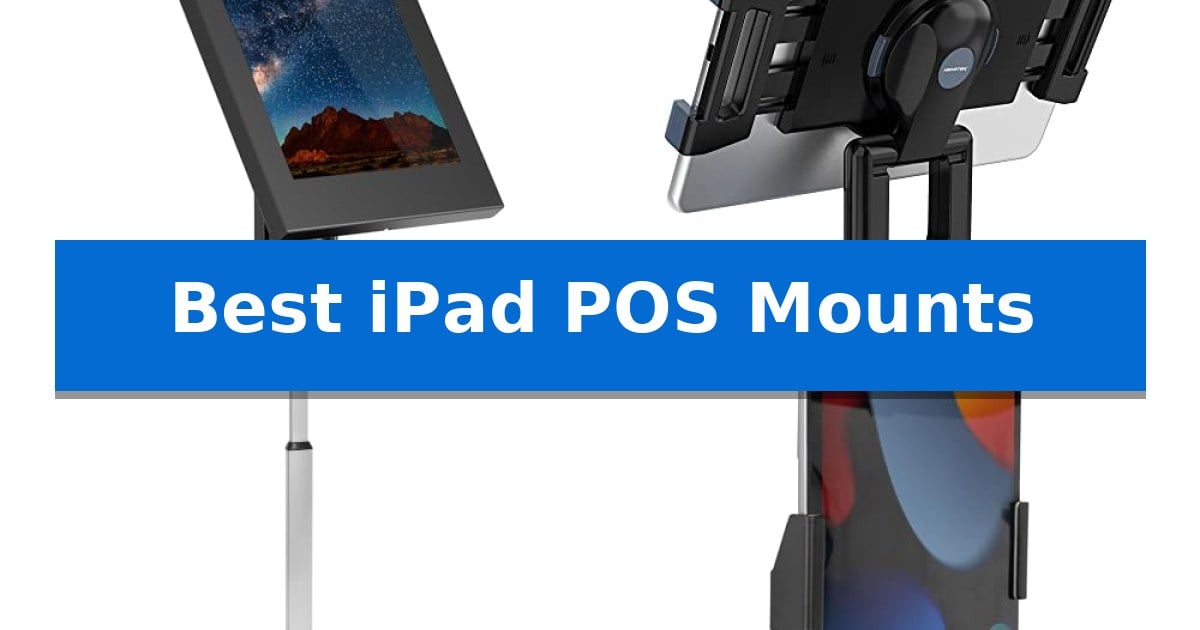
Managing a high-traffic retail or hospitality environment requires equipment that is both functional and secure. Finding the Best iPad POS Mounts often comes down to balancing customer accessibility with the need to protect your hardware from theft and accidental damage.
Whether you are setting up a permanent checkout station or a flexible mobile kiosk, the right mount ensures your tablet remains stable, powered, and positioned perfectly for every transaction. We have analyzed the leading options to help you choose the ideal solution for your specific business layout.
Best iPad POS Mounts in 2026
Quick Comparison
| Product | Best For | Key Strength | Score |
|---|---|---|---|
| Mount-It! iPad Kiosk Stand | Best Overall | Keyed locking steel enclosure for effective anti-theft security. | 4.9 |
| AboveTEK Retail Kiosk iPad Stand | Flexible Swivel for Customer Interaction | 360° rotation for effortless switching between portrait and landscape modes. | 4.4 |
| Mount-It! Tablet Floor Stand Kiosk | Height-Adjustable for Shared Public Spaces | Keyed locking clamp provides essential security for public-facing environments. | 4.5 |
| Mount-It! Anti-Theft Tablet Wall Mount | Full-Motion Reach for Wall Displays | Lockable, tamper-proof design for high-traffic security. | 4.5 |
| BUSIVYTA Secure Desk Tablet Kiosk | Heavy-Duty Steel for High-Traffic Use | Heavy-duty steel construction ensures long-term durability and stability. | 4.8 |
How We Chose
- Security Features: We prioritized models with keyed locks or anti-theft hardware to protect tablets in public-facing environments.
- Installation Flexibility: We assessed whether stands offer freestanding portability or the option to bolt down for permanent, high-traffic use.
- Ergonomic Adjustability: We looked for mounts that provide essential tilt, swivel, and rotation capabilities to accommodate different viewing angles.
- Device Compatibility: We verified the range of iPad models supported, ensuring the enclosures allow access to necessary buttons and charging ports.
- Build Quality: We focused on durable materials like steel that can withstand the rigors of daily commercial operation.
1 Mount-It! iPad Kiosk Stand — Secure Anti-Theft Countertop Enclosure
Securing a tablet in high-traffic commercial environments requires a balance of accessibility and theft deterrence. The Mount-It! iPad Kiosk Stand addresses this with a keyed locking steel enclosure that keeps your device protected while maintaining a slim, professional profile on retail counters or hotel desks.
Versatility is central to the design, offering both freestanding and bolt-down installation options. The base is equipped with rubber pads to prevent countertop damage, and for permanent deployments, the included hardware allows for secure mounting into wood or concrete surfaces. Staff can manage the user experience through a 360-degree rotating base with a thumb screw, allowing for quick transitions between portrait mode for checkout and landscape mode for digital signage.
The enclosure is engineered for specific iPad compatibility, including Pro, Air, and Gen 7-11 models. It features four interchangeable mounting plates that allow you to customize access to the home button, front-facing camera, or hard buttons based on your specific application. This ensures that essential functions remain usable while the tablet stays securely locked inside the housing.
Maintenance is simplified by the included keys, which allow staff to unlock the unit in seconds for battery swaps or software updates. The stand is backed by a lifetime warranty and US-based support, providing a durable solution for businesses ranging from trade show booths to restaurant ordering stations.
Best for: Retailers, restaurants, and hospitality businesses needing a secure, locking tablet mount for customer-facing POS or digital signage.
Skip if: Users requiring a mount for an iPad mini or those who need to use a protective case on their tablet, as this enclosure only fits bare tablets.
PROS
- Keyed locking steel enclosure for effective anti-theft security.
- 360-degree base rotation with adjustable tension for flexible viewing angles.
- Four interchangeable mounting plates to tailor button and camera access.
- Freestanding or bolt-down installation options for varied environments.
CONS
- Not compatible with iPad mini or tablets inside protective cases.
- Fixed enclosure design limits use to specific iPad generations.
2 AboveTEK Retail Kiosk iPad Stand — Flexible Swivel for Customer Interaction
The AboveTEK Retail Kiosk iPad Stand provides a versatile mounting solution for commercial environments, featuring a 360° rotatable base and bracket that allows for seamless transitions between cashier and customer viewing angles. Its folding arm design ensures that the tablet can be positioned for optimal typing or display, making it a functional choice for retail counters, office receptions, or showroom presentations.
Engineered for broad compatibility, the stand includes two rubber-padded bracket holders that accommodate tablets ranging from 6 inches to 13 inches in size. The system is designed to hold devices with width or height measurements between 6.6 and 9.6 inches, provided the tablet and its case do not exceed a 0.5-inch thickness. This universal approach allows businesses to swap out different tablet models without needing to replace the entire mounting hardware.
Usability is prioritized through a quick attach/detach button mechanism, which simplifies the process of removing the tablet for mobile tasks or secure storage. The stand also incorporates a dedicated space for power cord charging, ensuring that the device remains powered during extended use. With a weighted base and a sturdy folding arm, the unit is built to maintain stability even when users are actively interacting with the touchscreen.
This professional-grade stand is designed to withstand the demands of high-traffic settings while maintaining a compact footprint. By elevating the tablet to a desktop display level, it facilitates clearer communication and more efficient transactions in restaurant or retail environments.
Best for: Retailers and businesses requiring a flexible, stable, and adjustable mounting solution for various tablet sizes at point-of-sale or reception desks.
Skip if: Users with tablets or protective cases thicker than 0.5 inches, or those requiring a permanent wall-mounted or floor-standing kiosk solution.
PROS
- 360° rotation for effortless switching between portrait and landscape modes.
- Universal compatibility for tablets between 6 and 13 inches.
- Weighted base provides high stability during heavy operation.
- Integrated cable management keeps power cords organized and out of the way.
CONS
- 0.5-inch thickness limit restricts the use of heavy-duty or ruggedized tablet cases.
- Manual adjustment required for changing viewing angles compared to motorized alternatives.
3 Mount-It! Tablet Floor Stand Kiosk — Height-Adjustable for Shared Public Spaces
Maintaining a secure and professional checkout experience in high-traffic retail environments requires a stable foundation for your hardware. The Mount-It! Tablet Floor Stand Kiosk provides a versatile solution by combining a keyed locking clamp with a robust 9.4 lb steel base, ensuring your tablet remains protected against theft and tampering while remaining accessible for customer interactions.
Designed for flexibility, the stand features a height-adjustable pole that ranges from 24.8 to 42.5 inches, allowing for comfortable use by both standing and seated individuals. The open clamp design is a critical differentiator for point-of-sale setups, as it leaves the audio jack and charging port fully accessible. This allows retail managers to integrate card readers and maintain continuous power without needing to remove the device from the enclosure.
The kiosk supports a wide range of devices between 7.9 and 11 inches, including various iPad and Samsung Galaxy models. Users can switch between portrait and landscape orientations using the 360-degree rotation and +/-90-degree tilt functions, which adjust without the need for tools. This adaptability makes it suitable for diverse applications, from digital menus and product demos to visitor sign-in forms.
For permanent installations, the unit includes pre-drilled holes in the base for floor mounting, though the weighted steel base provides sufficient stability for freestanding use. Integrated cable alignment clips help manage cords along the pole, keeping the workspace tidy. Note that this stand is strictly for bare tablets and is not compatible with protective cases, so users must ensure their device fits the specified dimensions before deployment.
Best for: Retailers and facility managers needing a secure, height-adjustable floor kiosk for bare tablets that requires ongoing access to audio-jack card readers.
Skip if: Users who require their tablet to remain inside a protective case or those needing a wall-mounted solution rather than a floor-standing kiosk.
PROS
- Keyed locking clamp provides essential security for public-facing environments.
- Open-frame design ensures full access to audio jacks and charging ports.
- Tool-free adjustment for 360-degree rotation and tilt allows for quick layout changes.
- Versatile height adjustment accommodates both seated and standing users.
CONS
- Not compatible with tablet cases, requiring the device to be used bare.
- Fixed size range limits use to tablets between 7.9 and 11 inches.
4 Mount-It! Anti-Theft Tablet Wall Mount — Full-Motion Reach for Wall Displays
Securing a tablet in a high-traffic environment requires a balance between accessibility and theft prevention. The Mount-It! Anti-Theft Tablet Wall Mount addresses this by utilizing a lockable, tamper-proof enclosure that keeps devices safe while maintaining a professional appearance in retail, office, or hospitality settings.
Designed for versatility, the mount features adjustable clamps that accommodate tablets ranging from 7.9 to 11 inches, ensuring compatibility with a wide array of models including the iPad Pro and iPad Air. Its durable cold-rolled steel construction provides the structural integrity necessary for frequent public interaction, while the included hardware facilitates a straightforward installation on wood studs or solid masonry.
Functionality is enhanced by a full-motion swing arm that offers significant flexibility. Users can adjust the viewing angle with +/-15° tilt, +/-90° swivel, and 180° rotation, allowing for precise positioning as a POS system or digital display. The arm extends from 3.5 to 16.1 inches, providing the reach needed to accommodate different counter depths or wall configurations.
The enclosure supports both portrait and landscape orientations, enabling seamless transitions based on the specific needs of the application. With US-based customer support and a lifetime warranty, this mount is engineered to provide long-term reliability for commercial installations.
Best for: Commercial environments such as retail stores, hotels, and offices requiring a secure, adjustable, and theft-resistant tablet display.
Skip if: Users who require a portable or desktop-based stand, as this unit is designed specifically for permanent wall-mounted installations.
PROS
- Lockable, tamper-proof design for high-traffic security.
- Universal compatibility for tablets between 7.9 and 11 inches.
- Full-motion adjustability including tilt, swivel, and extension.
- Durable cold-rolled steel construction for commercial longevity.
CONS
- Permanent wall installation required for setup.
- Limited to wall-mounted use cases only.
5 BUSIVYTA Secure Desk Tablet Kiosk — Heavy-Duty Steel for High-Traffic Use
Maintaining a secure and professional point-of-sale environment requires hardware that balances accessibility with theft prevention. The BUSIVYTA Secure Desk Tablet Kiosk addresses this by utilizing a heavy-duty steel construction that weighs 5.38 lbs, providing a stable foundation for high-traffic retail or hospitality counters.
Designed for versatility, the kiosk features a universal fit for 10"-14" displays, accommodating various iPad and Samsung tablet models with a maximum thickness of 0.39". The unit integrates a standard VESA 75×75 mm mounting pattern, allowing for flexible installation options beyond the included countertop base.
Interaction is streamlined through fully adjustable viewing angles. Users can rotate the screen 360° for portrait or landscape orientation and tilt it 180° for effortless screen sharing between staff and customers. The height is also adjustable from 10.43" to 15.94" to suit different desk setups.
Security and cable management are prioritized to ensure a clean, professional appearance. The stand employs a keyless anti-theft design using specialized screws to lock the device in place, while the bolt-down base ensures the entire mount remains fixed to the counter. An internal routing system keeps charging cables hidden within the column.
Best for: Retail and hospitality businesses requiring a secure, adjustable, and theft-resistant tablet mounting solution for point-of-sale systems.
Skip if: Users who require a portable, non-bolted stand or those using tablets thicker than 0.39 inches.
PROS
- Heavy-duty steel construction ensures long-term durability and stability.
- Keyless anti-theft security protects devices in public-facing environments.
- Fully adjustable ergonomics allow for 360° rotation and 180° tilt.
- Clean cable management keeps charging wires hidden and organized.
CONS
- Bolt-down requirement may not be suitable for temporary or non-permanent setups.
- Thickness limitation of 0.39 inches restricts compatibility with some ruggedized tablet cases.
Best iPad POS Mounts Buying Guide
Security and Theft Prevention
In public spaces, protecting your tablet is paramount. Look for mounts that feature keyed locking enclosures or tamper-proof screws. These mechanisms prevent unauthorized removal of the device, which is essential for retail counters, hotel lobbies, and trade show booths.
It is also important to consider the physical security of the stand itself. Many professional-grade mounts offer the ability to bolt the base to a countertop or floor, providing an extra layer of protection against theft or accidental tipping in busy areas.
Ergonomics and Customer Interaction
The best POS setup should be comfortable for both your staff and your customers. A mount with 360-degree rotation allows your team to quickly flip the screen to face the customer for signature capture or loyalty program sign-ups, then return it to a staff-facing position.
Consider the tilt range of the stand as well. A mount that offers a significant tilt angle helps eliminate screen glare from overhead lighting, ensuring that the display remains readable throughout the day.
Compatibility and Cable Management
Always verify that the mount is compatible with your specific iPad generation. Some enclosures are designed for a tight, specific fit, while others use adjustable clamps to accommodate a wider range of tablet sizes.
A clean, professional appearance is vital for a point-of-sale station. Look for stands that feature internal cable management, which routes charging cords through the pole or base to keep your workspace free of tangled wires.
Installation Environment
Your choice of mount will depend on your physical space. Countertop stands are ideal for traditional checkout desks, while wall mounts can save valuable surface space in tight areas or serve as effective digital signage.
If you operate in a space that requires frequent reconfiguration, a freestanding base with rubberized, non-slip pads offers the necessary stability without requiring permanent modifications to your furniture.
Durability for Commercial Use
Consumer-grade stands are often insufficient for the demands of a business. Opt for heavy-duty steel construction to ensure the stand can handle the constant interaction and pressure of daily use.
A well-built stand should feel solid and stable, preventing the tablet from drifting or wobbling during use. Investing in high-quality materials ensures your equipment remains reliable over the long term.
Frequently Asked Questions
Can I use my iPad case with these mounts?
Most secure, anti-theft kiosk mounts are designed for bare tablets only to ensure a precise, secure fit within the locking enclosure.
Are these mounts compatible with card readers?
Many of these stands are designed to keep the charging port and audio jack accessible, allowing you to attach common card readers while the tablet is mounted.
Do I need to bolt the stand to the counter?
While many stands offer the option to bolt them down for permanent security, several models feature weighted, non-slip bases that provide sufficient stability for freestanding use.
Can I switch between portrait and landscape modes?
Yes, most of the featured mounts include a rotating base or enclosure that allows you to easily switch between portrait and landscape orientations as needed.
What happens if I lose the keys to the lock?
Most manufacturers provide multiple keys with the unit. It is recommended to keep one key on-site for staff access and store the backup in a secure, separate location.
Conclusion: Our Top Pick
For businesses seeking a robust, secure, and versatile solution, the Mount-It! iPad Kiosk Stand stands out as the most reliable choice. Its combination of a keyed locking enclosure, durable steel construction, and flexible mounting options makes it well-suited for high-traffic retail and hospitality environments.
By offering both freestanding and bolt-down capabilities, this stand adapts to your specific operational needs while keeping your tablet safe and powered. It provides the professional look and long-term durability required for a modern, efficient point-of-sale setup.