
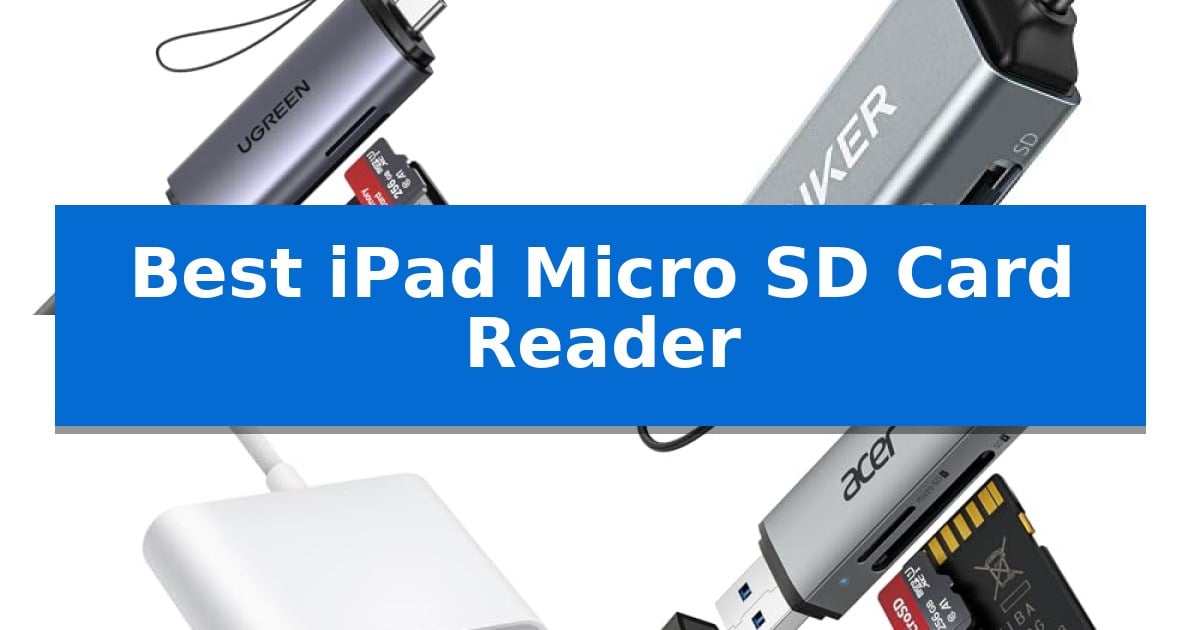
Managing files on your tablet often requires a reliable bridge between your memory cards and your device. Whether you are a photographer moving high-resolution images or a traveler backing up footage, finding the Best iPad Micro SD Card Reader is essential for maintaining a smooth workflow without relying on cloud services.
Our selection focuses on adapters that prioritize seamless connectivity, compact design, and broad compatibility with modern USB-C ports. By choosing the right hardware, you can ensure your data transfers are efficient and your storage management remains simple, regardless of where your projects take you.
Best iPad Micro SD Card Reader in 2026: Expand Your Storage Capacity
Quick Comparison
| Product | Best For | Key Strength | Score |
|---|---|---|---|
| UGREEN USB-C SD Card Reader | Best Overall | Simultaneous dual-card access for improved workflow efficiency. | 4.9 |
| Anker USB-C SD Card Reader | Ultra-Compact Design for Portability | Dual-slot design supports both standard SD and microSD cards simultaneously. | 4.6 |
| BnmxTek USB-C SD Card Reader | Includes Extra USB-A Expansion Port | Dual-slot design for flexible SD and MicroSD card access | 4.3 |
| Acer USB-C SD Card Reader | Durable Aluminum Build for Travel | Simultaneous dual-card reading for SD and microSD slots. | 4.7 |
| LBSC USB-C SD Card Reader | Simple Plug-and-Play File Management | 2-in-1 dual card slot supports both SD and MicroSD formats. | 4.8 |
How We Chose
- Compatibility with USB-C enabled iPad models and other mobile devices.
- Data transfer speeds supported by the internal hardware architecture.
- Physical footprint and portability for travel-heavy workflows.
- Presence of additional ports for peripheral expansion or simultaneous card access.
- Build quality and material durability for daily use.
1 UGREEN USB-C SD Card Reader — Best for Simultaneous Dual-Card Access
Managing digital files on the go requires reliable hardware that bridges the gap between professional cameras and mobile devices. The UGREEN USB-C SD Card Reader simplifies this workflow by offering a 2-in-1 interface that connects directly to modern tablets and laptops, ensuring high-speed data access without the need for additional adapters.
Engineered for efficiency, this device features SuperSpeed USB 3.0 technology, enabling data transmission rates of up to 5Gbps. This capability is particularly useful for transferring large 4K video files or extensive photo libraries from trail cameras and DSLRs. The plug-and-play design eliminates the need for external power or driver installations, making it a straightforward solution for field work.
The physical design prioritizes portability, measuring just 2.91 x 0.79 x 0.43 inches. Its slim profile fits easily into camera bags or laptop sleeves. A standout functional advantage is the ability to read SD and microSD cards simultaneously, which prevents the repetitive process of swapping cards and streamlines the organization of project files.
Compatibility is broad, supporting a wide range of formats including SDXC, SDHC, SD, MMC, and Micro SDXC. Whether you are using a PC, MacBook, or the latest USB-C enabled iPad or iPhone, the dual-interface design ensures the reader remains a versatile tool for various hardware setups. The unit is backed by a 24-month warranty.
Best for: Photographers and content creators who need to transfer files between SD cards and USB-C or USB-A devices simultaneously.
Skip if: Users who require specialized high-speed interfaces like Thunderbolt or those who do not use SD or microSD card formats.
PROS
- Simultaneous dual-card access for improved workflow efficiency.
- SuperSpeed USB 3.0 support for fast file transfers up to 5Gbps.
- 2-in-1 dual interface (USB-C and USB-A) for broad device compatibility.
- Compact and lightweight design ideal for travel.
CONS
- Limited to SD and MicroSD formats, excluding other memory card types like CFexpress or XQD.
2 Anker USB-C SD Card Reader — Ultra-Compact Design for Portability
Managing digital files on the go requires a reliable bridge between your storage media and your mobile devices. The Anker USB-C SD Card Reader simplifies this workflow by offering a compact, dual-slot solution that connects directly to your hardware without the need for additional cables or bulky adapters.
Designed for versatility, this Anker USB-C SD Card Reader features both a standard SD slot and a microSD slot. This dual-slot architecture allows users to sync, swap, and share files between different memory card formats efficiently. Its ultra-compact form factor ensures it remains unobtrusive when plugged into a laptop or smartphone, though users should note that thick device cases may need to be removed to ensure a secure connection.
Compatibility is a core strength of this device, as it is optimized for a wide range of USB-C enabled hardware, including modern smartphones and laptops. Whether you are transferring photos from a camera or managing documents on a tablet, the USB-C interface provides a straightforward plug-and-play experience. The unit is backed by an 18-month warranty, providing long-term support for your file management needs.
While this reader excels in portability, its physical design is tailored for direct device attachment. Users who prefer a tethered cable or those with heavily armored device cases may find the direct-plug design requires a slight adjustment to their setup. Overall, it remains a practical tool for anyone needing to move data between cards and USB-C devices.
Best for: Users needing a portable, dual-slot card reader for direct connection to USB-C smartphones, tablets, and laptops.
Skip if: Users with thick or ruggedized device cases that prevent the reader from seating fully into the USB-C port.
PROS
- Dual-slot design supports both standard SD and microSD cards simultaneously.
- Ultra-compact and lightweight build for maximum portability.
- Universal compatibility with a wide range of USB-C devices.
- Includes an 18-month warranty for added peace of mind.
CONS
- Direct-plug design may require removing protective device cases for a proper fit.
3 BnmxTek USB-C SD Card Reader — Includes Extra USB-A Expansion Port
Managing digital assets on the go requires reliable hardware, and the BnmxTek USB-C SD Card Reader simplifies this by offering a dual-slot design that accommodates both SD and MicroSD cards. This adapter is built for users who need to move photos, videos, or documents from cameras, drones, or action cams directly to their mobile devices or laptops without the need for additional software.
The device features universal USB-C compatibility, making it a direct fit for the latest iPhone 15 and 16 series, as well as modern iPad models, MacBooks, and Windows laptops. Because it is a plug-and-play solution, users can simply connect it to an iPad and utilize the built-in "Files" app to manage their data, eliminating the need for third-party drivers or complex setup processes.
Beyond its card-reading capabilities, the unit includes a USB-A OTG expansion port. This allows for the connection of peripherals like flash drives, keyboards, or mice, effectively turning the adapter into a mini-hub for productivity. The compact, port-friendly design ensures that the built-in USB-C cable does not obstruct adjacent ports on your computer or tablet.
While highly versatile, it is important to note that this reader does not support Lightning-equipped iPhones and cannot read an SD card and a MicroSD card simultaneously. For photographers and videographers, however, the ability to quickly view and transfer files in the field makes it a practical addition to any mobile workflow.
Best for: Photographers and iPad users who need a compact, plug-and-play solution for transferring media and connecting USB peripherals.
Skip if: You require a device that can read SD and MicroSD cards at the same time or you are using an older iPhone with a Lightning connector.
PROS
- Dual-slot design for flexible SD and MicroSD card access
- USB-A OTG expansion port for connecting additional peripherals
- Plug-and-play functionality with no driver installation required
- Compact, port-friendly cable design
CONS
- Does not support simultaneous reading of both card slots
- Incompatible with Lightning-connector devices
4 Acer USB-C SD Card Reader — Durable Aluminum Build for Travel
Managing digital media on the go requires reliable hardware, and the Acer USB-C SD Card Reader simplifies this process with its dual-slot design that accommodates both SD and microSD cards simultaneously. This compact accessory is built for users who need to move photos and videos from cameras or mobile devices to their tablets or laptops without the need for additional software or internet connections.
The device features a USB-C and USB-A dual header, providing broad compatibility across modern hardware like the iPad Pro, iPhone 15/16, and various laptops. Its heat-resistant aluminum construction ensures durability during extended file transfer sessions, while the plug-and-play functionality allows for immediate use upon connection to Windows, macOS, or Android systems.
Designed with portability in mind, the reader includes protective covers for both ports and an attached cord to keep the unit secure in a camera bag or laptop sleeve. It supports 5Gbps data transfer speeds, making it an efficient tool for photographers and creators who need to access media files directly on their devices.
While the reader is highly versatile, users should note that thick protective cases on tablets or phones may interfere with the connection, potentially preventing full insertion of the plug. Additionally, the device is not compatible with Lightning port connections, making it strictly a solution for USB-C or USB-A equipped hardware.
Best for: Photographers and creators who need a portable, dual-slot solution for transferring media files between cameras and USB-C or USB-A enabled devices.
Skip if: Users who rely on older devices with Lightning ports or those who use thick, bulky cases that may block the USB-C connector from seating properly.
PROS
- Simultaneous dual-card reading for SD and microSD slots.
- USB-C and USB-A dual header for wide device compatibility.
- Heat-resistant aluminum material for enhanced durability.
- Plug-and-play design requires no drivers or software installation.
CONS
- Thick device cases may prevent full insertion of the connector.
- Not compatible with Lightning port devices.
5 LBSC USB-C SD Card Reader — Simple Plug-and-Play File Management
Managing digital files on the go requires reliable hardware that integrates seamlessly with modern mobile devices. The LBSC USB-C SD Card Reader simplifies this process by providing a 2-in-1 dual card slot design that supports both SD and MicroSD memory cards, making it a versatile tool for transferring photos and videos directly to your iPad, iPhone, or MacBook.
This reader features bi-directional transfer capabilities, allowing you to move files from a memory card to your device or save data from your device back onto an SD card. It is designed for efficiency, supporting batch uploading to reduce wait times when handling large collections of media. Because it utilizes a USB-C interface, it is compatible with a wide range of modern hardware, including the iPad Pro, iPad Air, and various MacBook models.
Usability is a core focus, as the device is plug-and-play and requires no additional drivers or third-party software. On iPadOS, users can manage their files directly through the built-in "Files" app, ensuring a straightforward workflow. The unit also includes a built-in expansion USB-C cable, which is specifically engineered to be compact and port-friendly, allowing you to utilize adjacent ports on your device without obstruction.
This accessory is a practical choice for photographers and travelers who need to view or back up their media immediately after shooting. With its 1-year manufacturer warranty and broad compatibility with Windows, MacOS, Linux, and Chrome, it offers a reliable solution for cross-platform file management.
Best for: Users of USB-C equipped iPads and MacBooks who need a compact, driver-free solution for transferring media between SD/MicroSD cards and their devices.
Skip if: Users who require high-speed data transfer protocols beyond standard USB-C speeds or those who specifically need support for legacy USB-A or Lightning connections.
PROS
- 2-in-1 dual card slot supports both SD and MicroSD formats.
- Plug-and-play functionality requires no extra drivers or software.
- Compact port-friendly design with a built-in expansion cable.
- Bi-directional transfer allows for both importing and exporting data.
CONS
- Limited to USB-C connectivity, restricting use with older devices lacking this port.
Best iPad Micro SD Card Reader Buying Guide
Understanding Connection Standards
The shift to USB-C across the latest tablet generations has simplified connectivity, but it is important to verify that your reader supports the USB 3.0 standard for optimal transfer speeds. A reader that lacks this support may significantly bottleneck your workflow when moving large 4K video files or high-resolution RAW images.
Always check if the device requires specific drivers or if it is truly plug-and-play. Most modern readers are designed to work instantly with the built-in Files app on iPadOS, allowing you to import and export data without needing third-party software or an active internet connection.
Portability and Build Materials
For users who frequently work on location, the physical dimensions of the reader are a critical factor. A slim, lightweight design ensures the device fits easily into a camera bag or laptop sleeve without adding unnecessary bulk to your mobile kit.
Materials like heat-resistant aluminum not only provide a professional aesthetic but also aid in heat dissipation during long transfer sessions. Look for protective covers or attached cords to keep the ports shielded from dust and debris when the reader is stored.
Simultaneous Card Access
Some advanced readers feature dual slots that allow you to access both SD and microSD cards at the same time. This capability is particularly useful for photographers who use different card formats across multiple cameras and want to avoid the hassle of repeatedly plugging and unplugging media.
Be aware that not all dual-slot readers support simultaneous reading. Some models require you to use one slot at a time, so verify the specific capabilities if your workflow demands frequent cross-card data management.
Expansion and Versatility
Beyond just reading memory cards, some adapters include extra USB-A expansion ports. This functionality turns your reader into a mini-hub, allowing you to connect flash drives, hard disks, or even a keyboard and mouse to your tablet.
This level of versatility is ideal for users looking to maximize their tablet productivity by creating a more desktop-like environment. However, ensure that the power requirements of your peripherals do not exceed what your tablet's port can provide.
Compatibility Constraints
Always consider the thickness of your tablet case. Some ultra-compact readers have short connectors that may not seat fully if your device is protected by a heavy-duty or thick case. You might need to remove the case before use or choose a model with a short, flexible cable.
Additionally, verify that the reader is compatible with your specific operating system. While most are universal, some older or specialized devices may have limitations regarding file system support, such as exFAT or NTFS, which are common for large-capacity storage cards.
Frequently Asked Questions
Do I need an app to use these card readers?
No, most modern USB-C card readers are plug-and-play. On an iPad, you can simply use the native 'Files' app to manage your data.
Can I use these readers with my iPhone?
Yes, as long as your iPhone features a USB-C port, these readers will function as they do on an iPad.
Will these readers work with thick protective cases?
It depends on the reader's design. Models with a short built-in cable are generally more case-friendly than those that plug directly into the port.
Can I transfer files directly from a camera?
These readers are designed to read the memory cards themselves. You should remove the card from your camera and insert it into the reader to transfer files.
Do these readers require external power?
No, these devices are powered directly by your tablet or computer through the USB-C connection.
Conclusion: Our Top Pick
Choosing the right accessory depends on your specific need for portability versus multi-port functionality. For most users, the UGREEN USB-C SD Card Reader stands out as the most versatile option due to its ability to handle dual cards simultaneously and its high-speed data transfer capabilities.
If you prioritize an ultra-minimalist setup, consider the Anker or Acer models for their compact footprints. Regardless of your choice, ensure the device matches your specific storage needs and case requirements to get the most out of your mobile file management.