
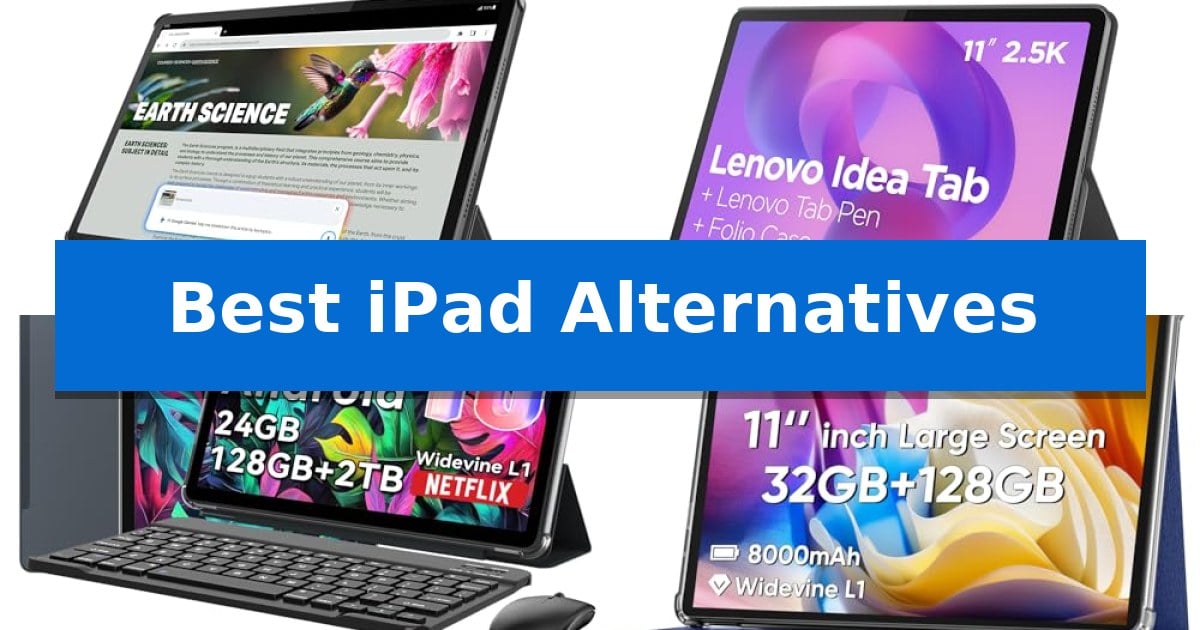
Finding a tablet that balances performance, portability, and value can be challenging when the market is flooded with options. Whether you need a device for intensive study sessions, creative workflows, or simple media consumption, identifying the Best iPad Alternatives requires looking beyond brand names to the specific hardware and software features that impact your daily usage.
Our selection focuses on versatile Android-based devices that offer distinct advantages in display technology, processing efficiency, and included accessories. By evaluating these tablets against your specific needs—such as battery longevity for long commutes or AI-enhanced tools for academic success—you can find a reliable device that integrates seamlessly into your digital life without compromising on functionality.
Best iPad Alternatives in 2026: Find Your Ideal Android Tablet
Quick Comparison
| Product | Best For | Key Strength | Score |
|---|---|---|---|
| Lenovo Idea Tab Pro | Best Overall | High-resolution 12.7” 3K display for clear visuals. | 4.9 |
| Lenovo Idea Tab | Balanced Performance for Students | High-resolution 2.5K 90Hz display for smooth visuals and reduced eye fatigue. | 4.8 |
| TABWEE T90 Tablet | AI-Enhanced Productivity Bundle | Complete accessory bundle including keyboard, mouse, and stylus. | 4.7 |
| COLORROOM C5 Tablet | Budget-Friendly Large Display | Expandable storage up to 1TB via MicroSD card. | 4.9 |
| Lenovo Tab One | Compact Portable Media Center | Long-lasting battery providing up to 12.5 hours of video streaming. | 4.8 |
How We Chose
- Display quality, focusing on resolution, color accuracy, and refresh rates for media and reading.
- Processing capability and memory capacity to ensure smooth multitasking and app performance.
- Battery longevity and charging speed to support extended periods of use away from power outlets.
- Software features, specifically looking for AI-driven productivity tools and operating system stability.
- Value-added accessories, such as included styluses or keyboards that enhance out-of-the-box utility.
1 Lenovo Idea Tab Pro — Premium Large Screen Experience
The Lenovo Idea Tab Pro distinguishes itself with a high-performance MediaTek Dimensity 8300 processor and a expansive 12.7” 3K LCD display, providing a capable foundation for both academic tasks and entertainment. This tablet is engineered for efficiency, utilizing Wi-Fi-6E for rapid connectivity and offering specialized tools like Google Gemini to assist with complex assignments.
Designed for versatility, the device features a 360Hz touch sampling rate and 90fps support, which are optimized for responsive interaction. The inclusion of the Tab Pen Plus and a folio case enhances its utility for students, while the Circle to Search feature allows for streamlined information retrieval directly from the screen.
Visual and auditory experiences are prioritized through the combination of the high-resolution display and quad JBL Dolby Atmos speakers. To support extended use, the Lenovo Idea Tab Pro includes a battery rated for 11 hours of video streaming and supports 45W quick charging to minimize downtime during busy schedules.
For reading-intensive tasks, the tablet offers a Low Blue Light certified display with adjustable mono and chromatic modes to reduce eye strain. Its lightweight design, combined with the integrated AI-driven software, positions it as a practical tool for users seeking a balance between high-end display quality and functional, student-focused features.
Best for: Students and multitaskers who require a high-resolution, large-screen tablet with integrated AI assistance and included productivity accessories.
Skip if: Users who require a compact, handheld device or those who need a tablet with a different operating system ecosystem for specific professional software compatibility.
PROS
- High-resolution 12.7” 3K display for clear visuals.
- Included Tab Pen Plus and folio case for immediate productivity.
- AI-enhanced tools like Google Gemini and Circle to Search.
- Fast 45W charging and long-lasting battery life.
CONS
- Large 12.7-inch form factor may be less portable than smaller tablets.
- Mail-in warranty service model.
2 Lenovo Idea Tab — Balanced Performance for Students
Finding a reliable tablet for academic and creative tasks often leads to the Lenovo Idea Tab, which distinguishes itself with an 11-inch 2.5K IPS touchscreen that supports a 90Hz refresh rate. This display is engineered with TÜV Rheinland Low Blue Light hardware, designed to minimize eye strain during extended study sessions or streaming marathons.
At the heart of the device is the MediaTek Dimensity 6300 processor, paired with 8 GB of memory and 256 GB of storage. This configuration is intended to handle multitasking, supported by built-in learning applications like Lenovo AI Note, Squid, Nebo, and MyScript Calculator. The inclusion of the Tab Pen allows for precise input, while the Circle to Search with Google feature enables users to look up information or translate text directly from the screen.
The tablet is built for mobility, featuring a lightweight design at approximately 1.05 pounds and a slim 0.28-inch profile. It includes quad Dolby Atmos-tuned speakers to provide clear audio for multimedia playback. The device is powered by a battery rated for up to 12 hours of YouTube playback, with a 20W charger included to facilitate faster power replenishment.
Connectivity and ecosystem integration are managed through Smart Connect, which allows for task transitions across compatible devices without requiring cables. The package includes a folio case for protection and portability, making the Lenovo Idea Tab a comprehensive kit for students seeking a dedicated mobile workspace.
Best for: Students and academics who require a portable, all-in-one tablet solution for note-taking, research, and multimedia consumption.
Skip if: Users who require a desktop-class operating system for professional-grade video editing or heavy software development will find the tablet's mobile-focused ecosystem restrictive.
PROS
- High-resolution 2.5K 90Hz display for smooth visuals and reduced eye fatigue.
- Comprehensive included accessories including a Tab Pen and folio case.
- Efficient multitasking with 8GB RAM and AI-enhanced learning software.
- Long-lasting battery life rated for up to 12 hours of video playback.
CONS
- Limited to mobile-based applications compared to full desktop operating systems.
- Fixed storage capacity without explicit mention of expandable memory slots.
3 TABWEE T90 Tablet — AI-Enhanced Productivity Bundle
Finding the right device for mobile productivity often leads to a trade-off between portability and performance, but the TABWEE T90 Tablet simplifies this by including a keyboard, mouse, and stylus in one package. This 11-inch device is built for users who need a versatile, all-in-one solution for study, light office tasks, and media consumption without the complexity of traditional laptop setups.
The TABWEE T90 Tablet features an 11-inch FHD IPS display with a 1920 x 1200 resolution and an 84.9% screen-to-body ratio, providing a clear canvas for reading and streaming. It is powered by a Unisoc T615 octa-core processor and includes 24GB of RAM (8GB physical plus 16GB virtual expansion) to manage daily multitasking. With 128GB of internal storage and a TF card slot supporting up to 2TB, users have ample space for documents and media.
Designed for modern workflows, the tablet runs on Android 16 and integrates Gemini AI 3.5 to assist with summarizing notes, organizing ideas, and task planning. The hardware is equally practical, featuring an 8000mAh battery rated for up to 11 hours of video playback, a 13MP rear camera with Google Lens for document scanning, and dual-band 5G WiFi for stable connectivity.
This tablet serves as a comprehensive tool for those who prioritize a complete accessory ecosystem out of the box. While it excels at everyday productivity, users should consider if their specific software requirements are fully supported by the Android 16 environment before replacing a primary workstation.
Best for: Students and home users who need an all-in-one tablet bundle that includes a keyboard, mouse, and stylus for immediate productivity.
Skip if: Users who require a desktop-class operating system or high-performance hardware for professional-grade video editing and heavy creative software.
PROS
- Complete accessory bundle including keyboard, mouse, and stylus.
- Expandable storage via TF card slot up to 2TB.
- Integrated AI tools with Gemini AI 3.5 for productivity.
- Large 8000mAh battery for extended daily use.
CONS
- Android-based OS may limit compatibility with professional desktop software.
- Virtual RAM reliance for reaching the 24GB total memory capacity.
4 COLORROOM C5 Tablet — Budget-Friendly Large Display
Finding a reliable tablet for media consumption and daily tasks often leads to the COLORROOM C5 Tablet, which distinguishes itself with an 11-inch fully-in-cell display featuring integrated anti-blue light technology. This design choice prioritizes visual comfort during extended reading or video sessions, making it a practical choice for users who spend significant time on their devices.
Under the hood, the COLORROOM C5 Tablet utilizes a Unisoc octa-core CPU paired with the Android 16 operating system. This combination is engineered to support smooth navigation and multitasking, bolstered by 32GB of RAM and 128GB of internal storage. For those who require more space for media libraries, the device supports storage expansion up to 1TB via a MicroSD card.
The hardware is built for portability and endurance, weighing just 0.55 pounds while housing an 8000mAh battery. This capacity is rated to provide 8-10 hours of usage, and the inclusion of 18W fast charging helps minimize downtime. Audio performance is handled by dual box stereo speakers, intended to provide clear sound output for music and video playback.
Security and convenience are addressed through integrated face unlock functionality, allowing for quick access to the device. The tablet's 1280*800 resolution screen is designed with wide viewing angles, ensuring consistent image quality whether you are video chatting or streaming content. With its focus on essential features like expandable storage and eye protection, this tablet offers a straightforward alternative for everyday digital needs.
Best for: Users seeking an affordable, lightweight tablet for media streaming, e-book reading, and basic multitasking.
Skip if: Users who require high-resolution displays for professional creative work or intensive gaming performance.
PROS
- Expandable storage up to 1TB via MicroSD card.
- 8000mAh battery with 18W fast charging support.
- Anti-blue light screen technology for eye protection.
- Lightweight design at only 0.55 pounds.
CONS
- Standard HD resolution (1280*800) may not satisfy users looking for high-definition clarity.
- MicroSD card for storage expansion is sold separately.
5 Lenovo Tab One — Compact Portable Media Center
The Lenovo Tab One distinguishes itself with a highly portable design, weighing less than a pound and measuring just 0.33 inches thick, making it a practical choice for users who prioritize mobility. Its 8.7-inch HD display is engineered for on-the-go media consumption, offering 480 nits of brightness to ensure visibility in various lighting conditions.
Performance is driven by the MediaTek Helio G85 processor paired with 4 GB of memory, supporting a 60Hz refresh rate for responsive navigation and streaming. The device is optimized for extended use, featuring a battery capable of up to 12.5 hours of continuous YouTube streaming. It also supports 15W charging, which helps reduce the time required to recharge the unit compared to previous iterations.
Designed for versatile utility, the tablet includes dual Dolby Atmos speakers for enhanced audio depth. The package comes with a folio case that serves a dual purpose: providing physical protection against accidental damage and acting as a built-in stand for hands-free viewing. This makes it a functional solution for both entertainment and casual media tasks.
The tablet runs on the Android 14 operating system and includes two years of security patches to maintain software relevance. For families, the inclusion of Google Kids Space provides access to teacher-approved content and YouTube Kids, allowing the device to adapt to different user needs within a household.
Best for: Users seeking a lightweight, portable tablet primarily for media streaming and casual entertainment on the go.
Skip if: Users who require high-performance hardware for intensive creative workflows, professional-grade multitasking, or those who prefer a larger screen size for productivity tasks.
PROS
- Long-lasting battery providing up to 12.5 hours of video streaming.
- Ultra-portable design weighing less than one pound.
- Included folio case with integrated stand for hands-free use.
- Dual Dolby Atmos speakers for improved audio output.
CONS
- Limited screen size of 8.7 inches may not suit all productivity needs.
- Entry-level processor and memory configuration are optimized for media rather than heavy multitasking.
Best iPad Alternatives Buying Guide
Display Technology and Visual Comfort
The display is the primary interface for any tablet, making it a critical factor in your decision. Look for high-resolution panels that offer sharp text and vibrant colors, which are essential for both academic reading and high-definition video streaming. Features like Low Blue Light certification are particularly important if you plan to use the device for long study sessions, as they help reduce eye strain.
Consider the physical size and aspect ratio of the screen. A larger 12.7-inch display provides more room for split-screen multitasking, while a more compact 8.7-inch screen is better suited for portability and one-handed use. Ensure the touch sampling rate is high enough to provide a responsive experience, especially if you intend to use a stylus for note-taking or sketching.
Processing Power and Multitasking
Your tablet's processor dictates how well it handles demanding applications and background tasks. Modern chipsets, such as the MediaTek Dimensity series, are designed to balance power efficiency with performance, allowing for smooth navigation through multiple apps. Adequate RAM is vital for keeping apps open in the background without frequent reloading.
If you are a student or a professional, look for devices that support AI-enhanced multitasking. These features can help you organize notes, summarize documents, or translate text in real-time, significantly boosting your productivity. Check for compatibility with current operating systems to ensure you have access to the latest security patches and software optimizations.
Battery Life and Charging Efficiency
A tablet is only as useful as its battery life. For users who are constantly on the move, prioritize models that offer all-day battery performance, ideally exceeding 10 hours of continuous video playback. This ensures you can get through a full day of classes or work without needing to hunt for a power outlet.
Charging speed is equally important. Look for tablets that support fast charging technology, such as 45W or 20W charging, which can significantly reduce downtime. A device that can regain a substantial charge in a short period is a major advantage for busy schedules.
Connectivity and Ecosystem Integration
Effective tablets should integrate well with your existing digital ecosystem. Features like Wi-Fi 6E support provide faster and more stable internet connections, which is crucial for online lectures and cloud-based work. Some tablets also offer Smart Connect features, allowing you to transition tasks effortlessly between your tablet and other devices.
Consider the available ports and expansion options. A MicroSD card slot is a highly valuable feature, as it allows you to expand your storage capacity for photos, videos, and documents without relying solely on internal memory. This flexibility is often missing in more restrictive hardware designs.
Included Accessories and Value
The total cost of ownership often depends on what comes in the box. Tablets that include a stylus and a folio case offer immediate value and utility, saving you the trouble and expense of purchasing compatible accessories separately. These items are often specifically designed for the tablet, ensuring a better fit and more reliable performance.
Evaluate the quality of these accessories. A pressure-sensitive pen is essential for accurate note-taking, while a sturdy folio case provides necessary protection and can double as a stand for hands-free viewing. Choosing a bundle can be a more cost-effective way to get a complete, ready-to-use productivity setup.
Frequently Asked Questions
Can these tablets replace a laptop for school work?
Many of these tablets are well-suited for academic tasks, especially when paired with a keyboard and stylus. They excel at note-taking, document editing, and research, though heavy-duty software requiring a desktop OS may still be better suited for a traditional laptop.
How does AI integration help with daily tasks?
AI tools like Google Gemini can assist with summarizing notes, translating languages, and organizing ideas. Features like 'Circle to Search' allow you to quickly look up information without switching between different apps, streamlining your workflow.
Is it worth paying more for a higher-resolution display?
If you spend a significant amount of time reading documents, editing photos, or watching high-quality media, a higher-resolution display provides a noticeably sharper and more comfortable experience. It is a worthwhile investment for visual-heavy tasks.
Do these tablets support expandable storage?
Many Android tablets, such as the TABWEE T90 and COLORROOM C5, feature MicroSD card slots that allow you to expand your storage by up to 1TB or 2TB, providing plenty of room for large files.
What should I look for in a tablet for travel?
Prioritize a lightweight design, long battery life, and a durable build. A compact screen size, like the 8.7-inch display on the Lenovo Tab One, makes it easier to fit into small bags and carry during commutes.
Conclusion: Our Top Pick
When choosing among the Best iPad Alternatives, the Lenovo Idea Tab Pro stands out as the most comprehensive option for those needing a premium, high-performance experience. Its combination of a large 3K display, efficient MediaTek Dimensity 8300 processor, and included productivity accessories makes it a versatile tool for both academic and creative tasks.
While other models offer specific benefits like extreme portability or budget-friendly pricing, the Lenovo Idea Tab Pro provides the best balance of power and features for most users. Its AI-enhanced capabilities and high-refresh-rate display ensure it remains relevant and useful for years to come, making it our top recommendation for a reliable, all-around tablet.