
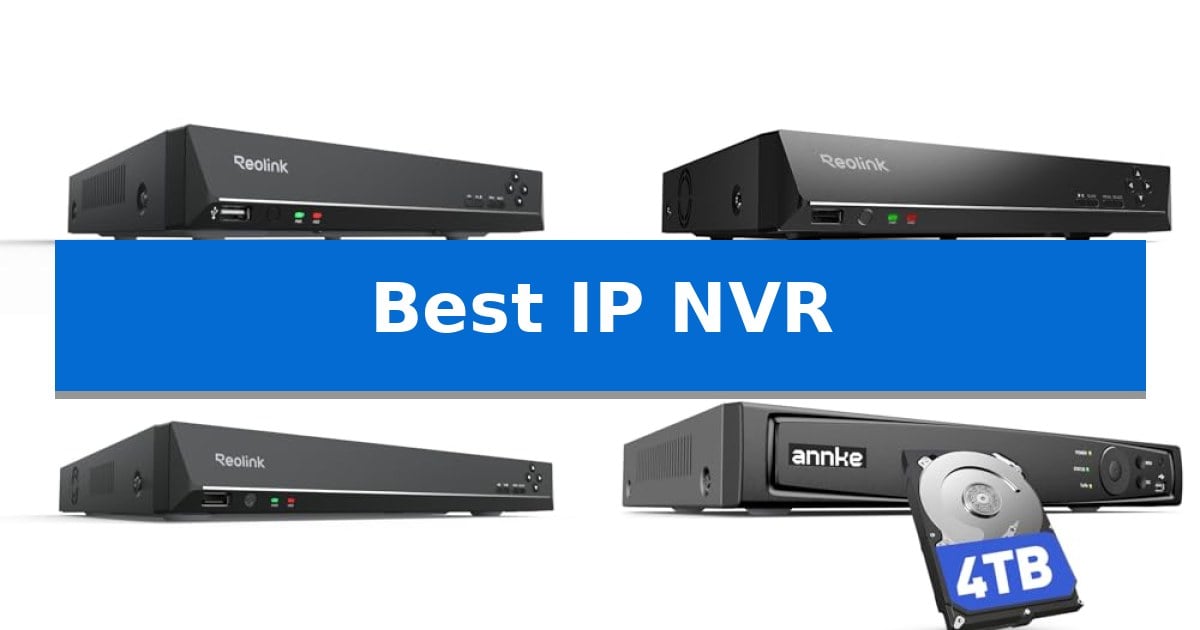
Selecting the Best IP NVR is a critical step in building a reliable surveillance network. Whether you are upgrading a home system or managing a multi-camera business setup, the right recorder ensures your footage is captured, stored, and accessible whenever you need it.
A high-quality NVR acts as the central hub for your security cameras, handling data management and remote access without the need for recurring cloud subscription fees. By focusing on storage capacity, channel count, and camera compatibility, you can build a robust system tailored to your specific monitoring requirements.
Best IP NVR in 2026: Scalable Solutions for Every Security Setup
Quick Comparison
| Product | Best For | Key Strength | Score |
|---|---|---|---|
| Reolink RLN8-410 NVR | Best Overall | PoE support simplifies installation by providing power and data over one cable. | 4.9 |
| Reolink RLN16-410 NVR | Scalable Choice for Larger Homes | PoE connectivity simplifies installation by handling power and data over one cable. | 4.8 |
| Reolink RLN36 NVR | High-Capacity Professional Surveillance | Supports up to 36 IP cameras for centralized management. | 4.7 |
| ANNKE 16-Channel NVR | Reliable Mid-Size Security Hub | Supports up to 12MP resolution for high-clarity surveillance. | 4.7 |
| Hiseeu 8-Channel PoE NVR | Budget-Friendly Expansion Option | 8 built-in PoE ports for simplified single-cable camera installation. | 4.8 |
How We Chose
- Channel Capacity: Assessing the maximum number of cameras each unit can manage simultaneously.
- Storage Flexibility: Evaluating pre-installed hard drive capacity and the potential for future expansion.
- Ecosystem Compatibility: Determining which camera brands and protocols are supported for seamless integration.
- Remote Access Features: Reviewing the availability and functionality of mobile apps and desktop clients for off-site monitoring.
- Data Management: Analyzing support for efficient video compression standards to maximize recording duration.
1 Reolink RLN8-410 NVR — Best for Small Home Systems
Managing a multi-camera security setup requires a reliable hub that simplifies both data transmission and power delivery. The Reolink RLN8-410 NVR addresses this by utilizing Power over Ethernet (PoE) technology, which allows a single Ethernet cable to carry both power and data to compatible cameras at distances up to 330 feet.
Designed for dedicated surveillance, this 8-channel network video recorder comes with a pre-installed 2TB hard drive to support continuous 24/7 recording. Users can manage up to eight cameras simultaneously, and the system is engineered to integrate advanced features like human, vehicle, and animal detection from connected Reolink IP cameras, enabling a more intelligent monitoring environment.
The system offers flexible accessibility through the free Reolink App and Client, which are available for iOS, Android, Windows, and Mac. These tools provide both local and remote viewing capabilities without requiring monthly subscription fees. For those needing additional storage, the NVR includes an eSATA port that supports the addition of an extra 8TB hard drive.
Setup is streamlined through a plug-and-play interface, and the NVR can function as an independent system using its built-in DHCP function, even without an active internet connection. To ensure optimal functionality, the device is compatible with a wide range of Reolink PoE cameras, including 16MP, 12MP, 4K, and 5MP models.
Best for: Homeowners looking for a dedicated, subscription-free PoE security system that integrates seamlessly with Reolink IP cameras.
Skip if: Users who rely on non-Reolink camera brands or require a wireless-only security setup will find this NVR incompatible with their needs.
PROS
- PoE support simplifies installation by providing power and data over one cable.
- No monthly fees for remote access via the Reolink app or client.
- Expandable storage via an eSATA port for up to 8TB of additional capacity.
- 24/7 continuous recording capability with a pre-installed 2TB hard drive.
CONS
- Brand-specific compatibility restricts the NVR to working only with Reolink IP cameras.
- Wired-only connection requires Ethernet cabling for all cameras.
2 Reolink RLN16-410 NVR — Scalable Choice for Larger Homes
Managing a high-definition surveillance network requires a reliable central hub, and the Reolink RLN16-410 NVR provides a dedicated 16-channel solution for users committed to the Reolink ecosystem. This unit comes equipped with a pre-installed 4TB hard drive, offering immediate capacity for 24/7 recording across multiple cameras.
The system utilizes Power over Ethernet (PoE) technology, allowing a single Ethernet cable to transmit both power and data to compatible cameras at distances up to 330 feet. This plug-and-play design simplifies installation by eliminating the need for separate power sources at each camera location. The NVR operates independently via its DHCP function, enabling local live viewing and recording even without an active internet connection.
Integration with smart features is a core capability of this recorder. It supports advanced detection alerts—including human, vehicle, and pet identification—when paired with compatible Reolink IP cameras. Users can manage complex setups involving optical zoom, auto-tracking, and two-way audio directly through the NVR interface. For those requiring additional storage, the unit supports expansion by adding an extra 8TB hard drive.
Remote access is managed through the free Reolink App and Client software, available for mobile and desktop platforms. This software provides a centralized interface for reviewing footage and adjusting settings without recurring monthly subscription fees. The device is designed for professional-grade reliability, backed by a 2-year warranty and dedicated customer support.
Best for: Users who have already invested in or plan to exclusively use Reolink PoE cameras for a centralized, subscription-free security system.
Skip if: Users who require compatibility with third-party ONVIF cameras or those who prefer a wireless, cloud-based security setup.
PROS
- PoE connectivity simplifies installation by handling power and data over one cable.
- No monthly fees for remote access or cloud storage.
- Scalable storage with a pre-installed 4TB HDD and support for an additional 8TB drive.
- 16-channel capacity allows for comprehensive coverage of larger properties.
CONS
- Limited compatibility as it only functions with Reolink IP cameras.
- Wired-only design requires Ethernet cabling for all connected cameras.
3 Reolink RLN36 NVR — High-Capacity Professional Surveillance
Managing a large-scale security deployment requires a centralized hub capable of handling high-bandwidth streams and massive data retention. The Reolink RLN36 NVR serves as a professional-grade foundation for such systems, supporting up to 36 IP cameras simultaneously. By utilizing an external PoE switch architecture, it allows for flexible, high-density camera distribution across a network without the constraints of integrated ports.
Designed for 24/7 reliability, the unit features three dedicated HDD bays, each supporting up to 16TB drives for a total capacity of 48TB. This massive storage potential ensures that users can maintain long-term archives even when recording 36 cameras at 6Mbps. The inclusion of a USB 3.0 port facilitates efficient data backups to external drives, simplifying the management of critical footage.
The Reolink RLN36 NVR is engineered for deep integration within the Reolink ecosystem. It supports advanced features such as human and vehicle detection, motion-triggered spotlights, and two-way talk functionality when paired with compatible Reolink cameras. Users can manage audio communication through connected mic and speaker devices via RCA converters, enhancing the interactive capabilities of their surveillance setup.
While the system offers significant power, it is strictly optimized for Reolink hardware. It requires users to connect external PoE switches to its LAN ports, as the device does not provide direct PoE power. This modular design choice prioritizes scalability for large installations, though it necessitates careful planning of network infrastructure and firmware updates to ensure seamless compatibility across all connected devices.
Best for: Large-scale security installations requiring centralized management of up to 36 cameras and extensive long-term storage capacity.
Skip if: Users who prefer a plug-and-play system with integrated PoE ports or those who do not use Reolink IP cameras.
PROS
- Supports up to 36 IP cameras for centralized management.
- Massive storage capacity with three HDD bays supporting up to 48TB total.
- Full integration with smart detection features like human/vehicle tracking.
- High-speed USB 3.0 port for efficient footage backup.
CONS
- No integrated PoE ports, requiring external switches for camera power.
- Limited to Reolink IP cameras for full feature compatibility.
4 ANNKE 16-Channel NVR — Reliable Mid-Size Security Hub
Managing a multi-camera security system requires a reliable hub capable of handling high-resolution data streams without compromising storage efficiency. The ANNKE 16-Channel NVR addresses this by supporting up to 12MP streams, allowing for a robust surveillance setup that integrates power and data transmission through a single PoE cable per camera.
This unit is built for continuous operation, featuring 24/7 recording capabilities and AI motion detection that allows users to customize specific monitoring areas. It comes equipped with a 4TB HDD, which can be expanded up to 16TB to accommodate long-term storage needs. To optimize this capacity, the system utilizes H.265+ video compression, which effectively reduces bandwidth and storage requirements while maintaining image quality.
Usability is centered on the ANNKE Vision App, which provides remote access to live streams via mobile devices or laptops. This connectivity ensures that users can monitor their home or business premises from any location. The system is designed for a streamlined, plug-and-play installation process, significantly reducing the complexity often associated with multi-camera security networks.
To ensure system stability and avoid compatibility issues, the manufacturer recommends pairing this NVR specifically with ANNKE IP cameras, such as the I91DL, I91DM, or C500 and C800 series. This focused ecosystem approach is intended to provide a bug-free security environment, though it does limit the flexibility of mixing and matching hardware from different manufacturers.
Best for: Users seeking a centralized, high-capacity 16-channel security hub specifically optimized for the ANNKE camera ecosystem.
Skip if: Users who require compatibility with a wide range of third-party IP cameras or those who prefer a non-proprietary hardware setup.
PROS
- Supports up to 12MP resolution for high-clarity surveillance.
- H.265+ compression maximizes storage efficiency and reduces bandwidth.
- Plug-and-play PoE setup simplifies installation by combining power and data.
- Expandable storage up to 16TB to support long-term 24/7 recording.
CONS
- Proprietary ecosystem requires ANNKE cameras for optimal compatibility and AI feature support.
5 Hiseeu 8-Channel PoE NVR — Budget-Friendly Expansion Option
Managing a high-definition security infrastructure requires a reliable backbone, and the Hiseeu 8-Channel PoE NVR offers a specialized solution for users seeking a centralized recording hub. This unit features 8 built-in PoE ports, allowing for direct power and data transmission to compatible cameras over a single Ethernet cable, simplifying the cabling process for multi-camera setups.
The system is designed for scalability, supporting an expandable 16-channel configuration when paired with an external PoE switch. It handles high-resolution feeds, including 4K, 8MP, and 5MP resolutions, and utilizes Advanced H.265+ video compression to optimize storage efficiency by up to 50% compared to older standards. This is critical for maintaining long-term 24/7 recording cycles on high-capacity drives.
Usability is centered around the Guard Live mobile app and the Guard Station PC/Mac software, which provide remote access without recurring monthly fees. Users can perform smart playback and receive motion alarms directly through these interfaces. The unit is compact, measuring approximately 10.2 by 9.5 inches, making it suitable for discreet installation in server closets or home offices.
Integration requires attention to technical detail, as this NVR is not a plug-and-play device for all third-party hardware. Setup involves configuring the Virtual Host and manually assigning IP addresses to cameras to ensure network compatibility. Additionally, the unit is sold without a hard drive, supporting up to 12TB of storage, which must be installed separately to enable any recording or playback functionality.
Best for: Users who need a scalable, PoE-powered recording hub for high-resolution security cameras and are comfortable with manual network configuration.
Skip if: Users seeking a true plug-and-play experience for third-party cameras or those who prefer a system that includes pre-installed storage.
PROS
- 8 built-in PoE ports for simplified single-cable camera installation.
- Expandable up to 16 channels to accommodate growing security needs.
- Advanced H.265+ compression significantly reduces storage footprint.
- No monthly fees for remote access via mobile and desktop applications.
CONS
- Limited compatibility with third-party cameras requires manual IP and Virtual Host configuration.
- No hard drive included, requiring a separate purchase to enable recording.
Best IP NVR Buying Guide
Understanding NVR Compatibility
Compatibility is the most important factor when choosing an NVR. Many systems are designed to work best within their own brand ecosystem to ensure features like human and vehicle detection, two-way audio, and motion-triggered alerts function correctly.
Always verify if your chosen NVR supports the specific resolution and protocol of your existing IP cameras. Mixing brands can sometimes lead to limited functionality, where advanced features may become unavailable or require complex manual configuration.
Storage and Recording Capacity
The amount of storage you need depends on the number of cameras, their resolution, and your desired retention period. High-resolution 4K cameras generate significantly more data, which can fill up a hard drive quickly.
Look for units that support multiple hard drive bays or eSATA expansion if you plan to scale your system. Efficient video compression, such as H.265+, is essential for extending your recording time without sacrificing image quality.
Power over Ethernet (PoE) Considerations
A PoE NVR simplifies installation by providing both power and data through a single Ethernet cable. This eliminates the need for separate power supplies at every camera location, which is ideal for outdoor or ceiling-mounted setups.
If your NVR does not have built-in PoE ports, you will need to use an external PoE switch. This is a common requirement for larger systems that exceed the port capacity of a standard NVR, allowing you to centralize management while distributing power across multiple switches.
Remote Monitoring and Software
Modern security systems rely heavily on remote access. A good NVR should offer a stable mobile app and a desktop client that allows you to view live streams, playback recorded footage, and adjust system settings from anywhere.
Check for features like push notifications for motion alerts and the ability to export clips easily. Reliable software ensures that you can respond to security events in real-time, regardless of your physical location.
System Scalability
Your security needs may change over time, so choosing a system that can grow with you is a smart investment. Consider whether you might need to add more cameras or increase storage capacity in the future.
Some NVRs allow for channel expansion via network switches, while others are fixed. Planning for your future needs now can prevent the cost and hassle of replacing your entire recording hub later.
Frequently Asked Questions
Can I use any IP camera with these NVRs?
Most NVRs are optimized for specific brands. While some support universal protocols, you may lose advanced features like AI detection if you mix brands. Always check the manufacturer's compatibility list.
What is the benefit of a PoE NVR?
A PoE NVR provides both power and data to your cameras through a single Ethernet cable, making installation much cleaner and easier compared to running separate power lines.
Do I need a hard drive included with my NVR?
Yes, an NVR requires a hard drive to record and store footage. Some models come with a pre-installed drive, while others require you to purchase and install one separately.
Can I view my cameras without an internet connection?
Yes, most PoE NVRs create an independent local network. You can view live feeds on a connected monitor even without an active internet connection, though remote access will require a network link.
How do I increase my storage capacity?
You can increase capacity by installing a larger hard drive, adding an additional drive if the NVR has multiple bays, or using an eSATA port for external storage expansion.
Conclusion: Our Top Pick
Choosing the right recording hub is essential for a reliable security system. The Reolink RLN8-410 NVR stands out as our top pick due to its straightforward plug-and-play setup, robust 24/7 recording capabilities, and seamless integration with a wide range of Reolink PoE cameras.
For those starting a new system or looking for a dependable, easy-to-manage solution for a small home, the Reolink RLN8-410 NVR provides the necessary balance of performance and ease of use. Ensure your cameras are compatible with the latest firmware to get the most out of your setup.