
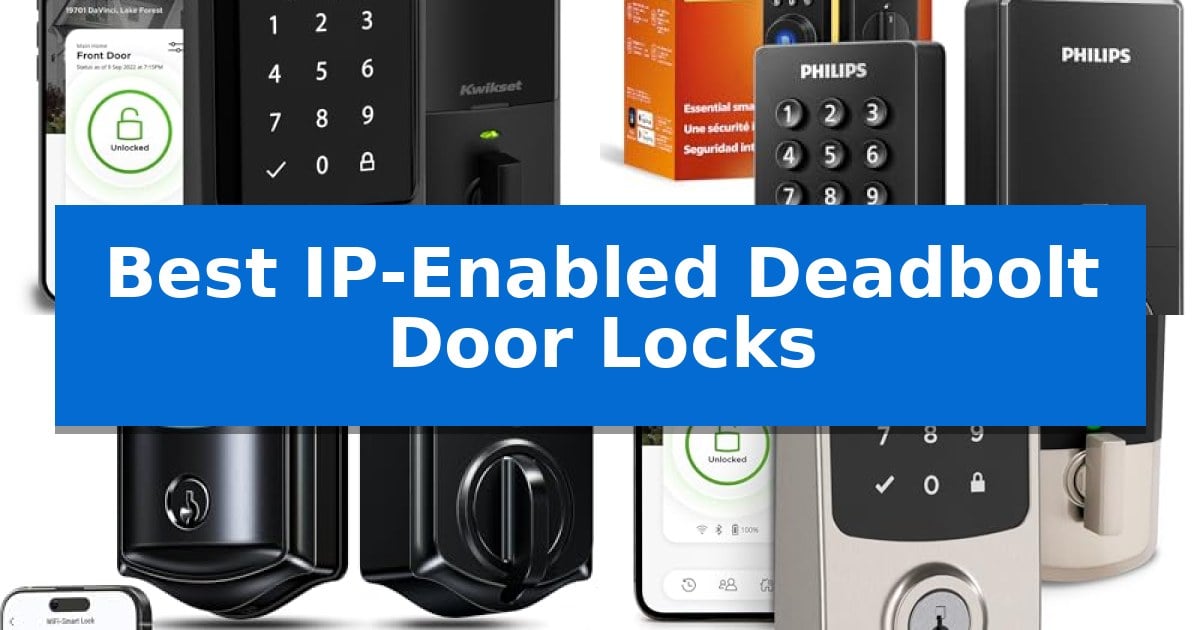
Securing your front door with modern technology offers unparalleled peace of mind and convenience. By choosing the Best IP-Enabled Deadbolt Door Locks, you gain the ability to monitor entry points, grant temporary access to guests, and manage your home security directly from your smartphone without needing a separate hub.
Whether you are looking to eliminate physical keys or integrate your deadbolt into an existing smart home ecosystem, these devices provide robust, connected protection. We have analyzed the latest models to help you find a reliable solution that balances advanced features like fingerprint recognition and geofencing with straightforward installation.
Best IP-Enabled Deadbolt Door Locks in 2026
Quick Comparison
| Product | Best For | Key Strength | Score |
|---|---|---|---|
| Kwikset Halo Wi-Fi Smart Lock | Best Overall | Direct Wi-Fi connectivity requires no additional hub hardware. | 4.9 |
| Philips DDL242X Wi-Fi Smart Deadbolt | Fingerprint Entry with Remote Control | Built-in Wi-Fi eliminates the need for an external bridge or hub. | 4.8 |
| Veise VE027 Wi-Fi Smart Deadbolt | Extended Battery Life for Reliability | Extended battery life via an 8-battery configuration. | 4.5 |
| Kwikset Aura Reach Smart Lock | Matter-Enabled for Universal Integration | Matter-Enabled with Thread for broad smart home platform compatibility. | 4.9 |
| Philips DDL-241 Wi-Fi Smart Lock | Ergonomic Design for Easy Access | Ergonomic 7.17° tilt fingerprint sensor for natural access. | 4.8 |
How We Chose
- Connectivity: We prioritized locks with built-in Wi-Fi that do not require additional bridges or hubs for remote access.
- Access Versatility: We assessed the variety of entry options, including fingerprint scanning, PIN codes, and mobile app functionality.
- Integration Capabilities: We looked for compatibility with major smart home platforms like Amazon Alexa, Google Home, and Matter.
- Installation Requirements: We considered how easily each lock fits onto standard door preparations without needing professional assistance.
- Security Features: We reviewed built-in safety measures such as intrusion detection, auto-lock timers, and anti-peep code technology.
1 Kwikset Halo Wi-Fi Smart Lock — Direct Wi-Fi for Remote Access
Securing your home with the Kwikset Halo Wi-Fi Smart Lock offers a streamlined approach to keyless entry, utilizing direct Wi-Fi connectivity that eliminates the need for a separate hub. This device allows homeowners to manage access through the Kwikset app, providing the ability to lock or unlock the door remotely, monitor activity history, and share digital access with guests.
The Kwikset Halo Wi-Fi Smart Lock features a backlit touchscreen keypad capable of storing up to 250 unique access codes. For added convenience, the system supports intelligent geofencing, which can automatically unlock the door as you approach. Security is further bolstered by intrusion detection technology, which sends instant notifications to your smartphone if the system detects invalid code attempts or physical tampering.
Designed for straightforward installation, the unit fits standard doors between 1-3/8" and 1-3/4" thick and includes an adjustable deadbolt backset. The auto-lock security feature provides peace of mind by ensuring the door secures itself after a set duration. Integration with Amazon Alexa and Google Home enables voice control and the creation of automated home security routines.
The hardware is backed by a lifetime mechanical and finish warranty, along with a 1-year warranty on electronic components. This model is UL listed and Grade AAA certified, reflecting its construction standards for residential use.
Best for: Homeowners seeking a hub-free, Wi-Fi-enabled smart lock that integrates directly with existing voice assistants and smartphone apps.
Skip if: Users who require a lock compatible with non-standard door thicknesses outside the 1-3/8" to 1-3/4" range or those who prefer offline-only operation.
PROS
- Direct Wi-Fi connectivity requires no additional hub hardware.
- Supports up to 250 access codes for flexible guest management.
- Intelligent geofencing enables hands-free unlocking upon approach.
- Lifetime mechanical and finish warranty provides long-term hardware support.
CONS
- Limited 1-year warranty on electronic components compared to mechanical parts.
- Requires standard door thickness and specific backset dimensions for installation.
2 Philips DDL242X Wi-Fi Smart Deadbolt — Fingerprint Entry with Remote Control
The Philips DDL242X Wi-Fi Smart Deadbolt simplifies home access by integrating multiple entry methods, including a backlit touchscreen for passcodes, a fingerprint scanner, and remote control via a built-in Wi-Fi module. This design eliminates the need for a separate hub, allowing users to manage their door status directly from a smartphone.
For added convenience, the lock supports voice control through Alexa and Google Assistant, enabling hands-free operation. The system allows for the creation of up to 100 custom passcodes, making it suitable for managing access for family members, guests, or service providers. Users can also monitor entry history and receive real-time alerts whenever the door is locked or unlocked.
Security features include an Auto-Lock function, which can be set to engage between 10 and 180 seconds after the door closes, and an Away Mode that restricts all entry methods to the master code only. The unit is designed for DIY installation on doors ranging from 1-3/8" to 2" thick, requiring only a screwdriver to mount.
While the device offers extensive connectivity, it is important to note that it requires a 2.4GHz network and should be positioned within 65 feet of the router for optimal remote performance. The lock operates on AA alkaline (LR6) batteries and does not include a door sensor, focusing instead on core deadbolt functionality and remote management.
Best for: Homeowners seeking a versatile, hub-free smart lock with multiple entry options and remote monitoring capabilities.
Skip if: Users who require a door sensor for status monitoring or those who operate exclusively on 5GHz Wi-Fi networks.
PROS
- Built-in Wi-Fi eliminates the need for an external bridge or hub.
- Multiple entry methods including fingerprint, passcode, and voice control.
- High-capacity storage for up to 100 unique user passcodes.
- Away Mode provides enhanced security by disabling non-master access methods.
CONS
- Limited to 2.4GHz Wi-Fi networks for connectivity.
- No integrated door sensor to detect if the door is physically open or closed.
3 Veise VE027 Wi-Fi Smart Deadbolt — Extended Battery Life for Reliability
The Veise VE027 Wi-Fi Smart Deadbolt distinguishes itself with an 8-battery design that provides double the signal strength and up to 98% longer battery life compared to standard 4-battery models. This configuration ensures more stable connectivity and reduces the frequency of battery replacements, making it a reliable choice for high-traffic entryways.
Designed for versatility, this lock offers 7-in-1 unlocking methods, including fingerprint, PIN code, physical key, and remote app control. The 0.2s ultra-fast fingerprint sensor utilizes AI self-learning technology to achieve 99.8% accuracy, allowing for quick and secure access for family members and guests.
Installation is straightforward, requiring only a screwdriver to fit standard US door thicknesses between 1-3/8" and 1-3/4". The built-in Wi-Fi eliminates the need for an external gateway, connecting directly to 2.4GHz networks to enable remote management, real-time activity logs, and instant security alerts via the KK Home app.
Security is a core focus, featuring AES local encrypted storage to protect user data and access logs directly on the lock chip. The device is IP65 weatherproof and rated for professional BHMA & ANSI Grade 3 durability, ensuring it remains functional in various environmental conditions for years to come.
Best for: Homeowners seeking a long-lasting, hub-free smart lock with multiple entry options and robust battery performance.
Skip if: Users requiring compatibility with 5GHz Wi-Fi networks or those with door thicknesses outside the 1-3/8" to 1-3/4" range.
PROS
- Extended battery life via an 8-battery configuration.
- Built-in Wi-Fi requires no additional hub or gateway.
- Ultra-fast 0.2s fingerprint recognition for quick access.
- Local AES encryption enhances data privacy.
CONS
- Requires 2.4GHz Wi-Fi network connectivity.
- Batteries not included in the package.
4 Kwikset Aura Reach Smart Lock — Matter-Enabled for Universal Integration
Modernizing home security requires a balance of convenience and connectivity, and the Kwikset Aura Reach Smart Lock addresses this by integrating Matter-Enabled with Thread technology. This design choice ensures that the lock functions reliably across major smart home platforms, including Apple Home, Amazon Alexa, and Google Home, providing a unified experience for users already invested in these ecosystems.
The hardware is built for daily interaction, featuring a backlit touchpad screen with a fingerprint-resistant matte coating. To enhance ease of use, the device includes Proximity Wakeup, which intelligently illuminates the keypad as you approach, allowing for faster code entry in low-light conditions. The tactile feedback provides confirmation of each button press, ensuring accuracy when entering access codes.
For those seeking a seamless entry experience, the lock offers Hands-Free Auto Unlocking. By utilizing the Kwikset app combined with Bluetooth and geofence technology, the deadbolt can automatically disengage as you approach your door. This functionality is complemented by direct Bluetooth management, allowing homeowners to share access with guests and adjust lock settings without needing a complex hub setup.
Constructed with a focus on both security and aesthetics, the unit is BHMA Certified, providing a recognized standard for residential door hardware. Its satin nickel finish and compact footprint make it a versatile addition to various door styles, while the integration of Thread technology offers a robust, low-latency connection for your smart home network.
Best for: Homeowners who want a future-ready, Matter-compatible deadbolt that offers both manual keypad entry and automated, proximity-based unlocking.
Skip if: Users who do not use a smartphone for home management or those who prefer a traditional mechanical lock without any wireless connectivity or smart home integration.
PROS
- Matter-Enabled with Thread for broad smart home platform compatibility.
- Hands-Free Auto Unlocking via geofence and Bluetooth.
- Proximity Wakeup feature for improved keypad visibility and usability.
- BHMA Certified for verified residential security standards.
CONS
- Requires a smartphone and the Kwikset app for full feature management.
- Bluetooth range limitations may affect the responsiveness of auto-unlock if the phone is not in close proximity.
5 Philips DDL-241 Wi-Fi Smart Lock — Ergonomic Design for Easy Access
The Philips DDL-241 Wi-Fi Smart Lock features a unique 7.17° precision tilt on its fingerprint sensor, positioned at the top of the panel to facilitate a natural, ergonomic unlocking motion. This design choice prioritizes ease of access, allowing users to unlock the door in one fluid movement while entering their home.
Beyond its physical design, the lock provides five distinct entry methods: fingerprint, personalized PIN code, the Philips Home Access app, voice commands via Alexa or Google, and a traditional physical key. The integrated fingerprint reader supports up to 50 unique prints, making it suitable for larger households. For those managing rentals or hosting guests, the system allows for the creation of 100 smart passcodes, including recurring, date-range, or one-time codes that expire automatically.
Connectivity is handled directly through 2.4GHz Wi-Fi, eliminating the need for an external hub or bridge. This enables remote management, allowing users to lock or unlock the door, monitor activity logs, and receive instant notifications from anywhere. The device also includes an auto-lock feature, configurable from 10 to 180 seconds, ensuring the door secures itself after departure.
Installation is designed for standard door preparations, accommodating thicknesses between 1-3/8" and 2". The unit is compatible with both left-handed and right-handed doors, requiring 8 AA alkaline batteries for operation. While it offers robust digital control, users should ensure their home Wi-Fi signal reaches the door location to maintain consistent remote functionality.
Best for: Homeowners and rental hosts who prioritize ergonomic fingerprint access and remote management without the need for a separate bridge.
Skip if: Users who prefer a lock that does not rely on battery power or those whose front door lacks a stable 2.4GHz Wi-Fi signal.
PROS
- Ergonomic 7.17° tilt fingerprint sensor for natural access.
- Hub-free connectivity via direct 2.4GHz Wi-Fi.
- Flexible passcode management with 100 slots for temporary or recurring access.
- Versatile entry options including voice, app, fingerprint, and physical key.
CONS
- Requires 8 AA batteries, which are not included.
- Wi-Fi dependency for remote features and activity logging.
Best IP-Enabled Deadbolt Door Locks Buying Guide
Understanding Connectivity Standards
The most critical factor in choosing a smart lock is how it connects to your network. Built-in Wi-Fi models are generally the most convenient because they allow for direct communication with your router, enabling remote locking and unlocking from anywhere in the world.
Some newer models utilize Matter over Thread or Bluetooth. These protocols often provide more stable, localized connections and better battery efficiency, though they may require a compatible smart home hub to unlock their full potential for remote management.
Access Methods and User Management
Modern deadbolts offer multiple ways to enter your home, which is essential for busy households. Fingerprint sensors provide the fastest access, while backlit touchscreens allow you to share temporary or recurring codes with visitors, cleaners, or service personnel.
Look for apps that provide detailed activity logs. Being able to see exactly when someone enters or leaves your home adds a layer of accountability that traditional mechanical keys simply cannot match.
Physical Security and Durability
Even the smartest lock must be a strong physical deadbolt first. Always check for BHMA or ANSI grade certifications, which indicate the lock's resistance to physical force and tampering.
Consider the weatherproofing of the device if it is being installed on an exterior door exposed to the elements. An IP-rated exterior housing ensures that the electronics remain protected against rain, dust, and temperature fluctuations.
Battery Life and Power Management
Smart locks are battery-powered, and the frequency of battery changes can be a significant maintenance factor. Models with 8-battery designs often offer longer intervals between changes compared to standard 4-battery units.
Always choose a lock that provides low-battery alerts via the mobile app. Additionally, ensure the unit includes a physical key backup or a temporary power port, such as a Type-C emergency port, to prevent being locked out if the batteries die completely.
Installation and Door Compatibility
Most smart deadbolts are designed to replace standard hardware using only a screwdriver. However, you must verify your door thickness and the backset measurement of your current deadbolt hole before purchasing.
Check if the lock is reversible for both left-handed and right-handed doors. A flexible design ensures that the lock will fit your specific door configuration without requiring any drilling or permanent modifications.
Frequently Asked Questions
Do I need a separate hub for these smart locks?
Most of the models listed feature built-in Wi-Fi, meaning they connect directly to your home network without the need for an extra gateway or hub.
What happens if the Wi-Fi goes down?
These locks remain fully functional as traditional deadbolts. You can still use physical keys, PIN codes, or fingerprint scanners to unlock your door even when the internet is unavailable.
Are these locks secure against hacking?
Many modern smart locks utilize AES encryption for data stored locally on the chip, which helps protect your access logs and user information from digital threats.
Can I use these for an Airbnb or rental property?
Yes, many models allow you to generate temporary or scheduled passcodes via the app, which is ideal for managing guest access without needing to be physically present.
How do I know if the lock will fit my door?
Most smart deadbolts are designed to fit standard US door thicknesses between 1-3/8" and 1-3/4". Always measure your door thickness and hole diameter to confirm compatibility before installation.
Conclusion: Our Top Pick
For those seeking the most reliable and feature-rich option, the Kwikset Halo Wi-Fi Smart Lock stands out as our top recommendation. Its direct Wi-Fi connectivity eliminates the need for extra hardware, while its robust app control and intrusion detection provide a comprehensive security solution for any modern home.
While other models offer specific advantages like fingerprint scanning or Matter compatibility, the Kwikset Halo provides the best overall balance of ease-of-use, security, and smart home integration. It is an excellent choice for homeowners who want a dependable, connected deadbolt that is simple to install and maintain.