
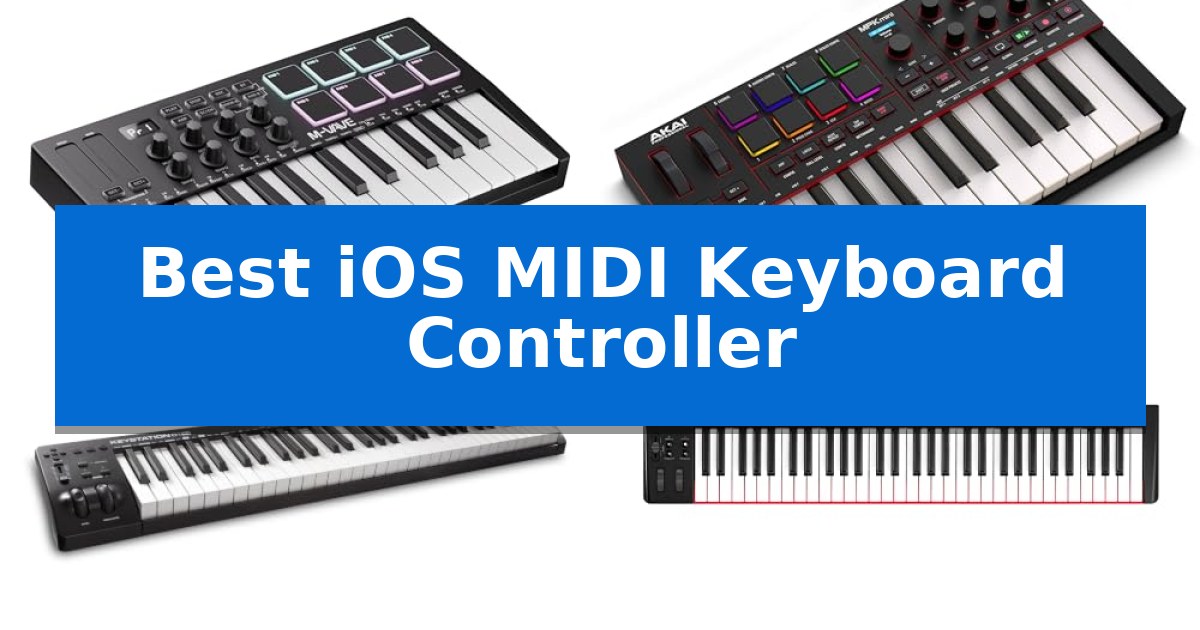
Creating music on the go requires hardware that bridges the gap between tactile expression and mobile convenience. Finding the Best iOS MIDI Keyboard Controller involves balancing portability with the physical control needed to capture your creative ideas without latency or complex setup hurdles.
Whether you are a beat maker looking for compact drum pads or a keyboardist needing full-size keys for expressive performances, the right controller transforms your tablet into a powerful workstation. We have evaluated the latest options to help you identify which device best fits your specific mobile recording workflow.
Best iOS MIDI Keyboard Controller in 2026
Quick Comparison
| Product | Best For | Key Strength | Score |
|---|---|---|---|
| DaierTek SMK-25 MIDI Keyboard Controller | Best Overall | Wireless Bluetooth MIDI connectivity for iOS and mobile setups. | 4.9 |
| Akai Professional MPK Mini IV Keyboard | Compact Power for Beat Makers | Full-color screen and encoder for hands-on DAW navigation without computer interaction. | 4.6 |
| M-AUDIO Keystation 61 MK3 Keyboard | Full-Size Feel for Expressive Play | 61 full-size semi-weighted keys for a natural playing feel | 4.7 |
| Nektar SE61 MIDI Keyboard Controller | Streamlined Integration for DAWs | Full-sized 61-key layout for comprehensive melodic range. | 4.9 |
| Donner N-25 MIDI Keyboard Controller | Beginner-Friendly Learning Tools | Compact and lightweight design for easy portability. | 4.5 |
How We Chose
- Connectivity: Assessing support for Bluetooth MIDI and standard USB-C or Lightning integration.
- Portability: Evaluating weight and dimensions to ensure the unit fits within mobile-focused setups.
- Tactile Control: Analyzing key action, velocity sensitivity, and the inclusion of assignable pads or encoders.
- Software Integration: Checking compatibility with common iOS music production apps and DAW standards.
- Power Efficiency: Reviewing battery life or bus-powered requirements for off-grid usage.
1 DaierTek SMK-25 MIDI Keyboard Controller — Wireless Freedom for Mobile Setups
The DaierTek SMK-25 MIDI Keyboard Controller provides a compact, mobile-ready solution for musicians needing to interface with iOS devices. Featuring 25 velocity-sensitive keys and 8 RGB backlit pads with aftertouch, this controller is designed to fit into a backpack while offering essential tactile control for music production.
Engineered for versatility, the unit includes 8 assignable encoders and 2 capacitive touch-stripes for pitch bend and modulation. Its built-in 2,000 mAh battery supports approximately 16 hours of operation, allowing for untethered use with mobile setups. The device connects wirelessly via Bluetooth, supporting BLE MIDI for seamless integration with iOS apps like GarageBand.
Novices and professionals alike can utilize the integrated arpeggio, smart chord, and smart scale functions to assist in composition. The keyboard employs advanced sensor technology to capture keystrokes with sensitivity, translating pressure into nuanced musical expression. While it requires a compatible DAW or music app for sound generation, its broad compatibility extends to Windows, Mac OS, and Android platforms.
The DaierTek SMK-25 MIDI Keyboard Controller balances portability with a comprehensive feature set. Its rugged construction ensures it can withstand travel, while the mini-display provides visual feedback during parameter adjustments. This controller is a practical choice for those prioritizing a lightweight, wireless workflow.
Best for: Mobile musicians and producers who require a lightweight, battery-powered MIDI controller for iOS-based music creation.
Skip if: Users who require full-sized, weighted hammer-action keys or those who prefer a wired-only connection without the need for battery management.
PROS
- Wireless Bluetooth MIDI connectivity for iOS and mobile setups.
- 16-hour battery life from the integrated 2,000 mAh power source.
- Velocity-sensitive keys and pads with aftertouch for expressive performance.
- Compact and portable design suitable for travel.
CONS
- No internal sound engine, requiring connection to a DAW or app.
- Bluetooth setup requirements vary by operating system, necessitating specific app-level configuration on some platforms.
2 Akai Professional MPK Mini IV Keyboard — Compact Power for Beat Makers
The Akai Professional MPK Mini IV Keyboard streamlines mobile music production by integrating 25 velocity-sensitive mini keys with a dedicated full-color screen and push/turn encoder for direct DAW navigation. This compact controller removes the need to constantly reach for a computer mouse, allowing creators to manage presets and settings directly from the hardware interface.
Designed for versatility, the unit features eight velocity- and pressure-sensitive MPC pads that provide RGB visual feedback, ensuring precise control during finger-drumming or sample triggering. The inclusion of an arpeggiator with Pattern, Freeze, and Mutate functions, alongside dedicated Chord and Scale modes, offers immediate tools for songwriting and live performance experimentation.
Connectivity is handled via a USB-C port, supporting plug-and-play operation across Mac, PC, and mobile environments without requiring additional adapters. The controller also includes a full-size MIDI Out port, enabling it to interface with external hardware synthesizers or sound modules, making it a flexible hub for both software-heavy and outboard gear setups.
To support immediate creative output, the package includes a comprehensive software suite featuring over 1000 pro-grade sounds from AIR, Akai Pro, and Moog. With pre-mapped integration for major DAWs like Ableton Live, Logic Pro, and FL Studio, users can achieve a functional production workflow in under 15 minutes, while NKS support ensures deep compatibility with Native Instruments sound bundles.
Best for: The Akai Professional MPK Mini IV is best for beat makers and mobile producers who require a compact, all-in-one controller with deep DAW integration and hardware-based performance tools.
Skip if: Skip this controller if your primary workflow requires full-sized, weighted piano keys, as the 25 mini-key layout is optimized for portability rather than traditional keyboard performance.
PROS
- Full-color screen and encoder for hands-on DAW navigation without computer interaction.
- Iconic MPC pads with pressure sensitivity and RGB feedback for expressive triggering.
- Versatile connectivity including USB-C and a dedicated full-size MIDI Out port.
- Advanced performance tools like built-in Arpeggiator and Chord/Scale modes.
CONS
- Mini-key format may feel restrictive for users accustomed to full-sized piano action.
3 M-AUDIO Keystation 61 MK3 Keyboard — Full-Size Feel for Expressive Play
The M-AUDIO Keystation 61 MK3 Keyboard provides a tactile foundation for mobile music production by utilizing 61 full-size, velocity-sensitive semi-weighted keys. This design choice aims to offer a natural playing feel that captures the nuances of a performance, making it a functional choice for those transitioning from acoustic instruments to digital environments.
Connectivity is streamlined through a plug-and-play USB interface that functions with Mac and PC systems without requiring additional drivers. For users integrating this controller into an iOS setup, compatibility is achieved via the Apple to USB Camera Adapter, which must be purchased separately. This allows the keyboard to serve as a central input device for various mobile music applications.
Beyond its core keys, the unit includes a suite of assignable controls such as a volume fader, transport buttons, and directional controls to navigate recording software. The inclusion of ergonomically-designed pitch and modulation wheels, along with an octave range selector, provides the necessary tools for expressive sound manipulation during live sessions or studio tracking.
The package includes a comprehensive software suite featuring Ableton Live Lite, MPC Beats, and several virtual instruments like Velvet and Mini Grand. To assist with skill development, the unit also comes with access to online lessons from Skoove and Melodics, providing a structured path for beginners to familiarize themselves with the controller's layout and functionality.
Best for: Musicians seeking a full-size, semi-weighted keybed for desktop or mobile production that integrates directly with DAW software.
Skip if: Users requiring built-in wireless connectivity or those who do not have the necessary Apple to USB Camera Adapter for iOS integration.
PROS
- 61 full-size semi-weighted keys for a natural playing feel
- Plug-and-play USB connectivity with no driver installation required
- Comprehensive software bundle including DAWs and virtual instruments
- Assignable controls including volume fader and transport buttons
CONS
- Requires separate adapter for iOS device compatibility
- Lacks wireless connectivity options
4 Nektar SE61 MIDI Keyboard Controller — Streamlined Integration for DAWs
The Nektar SE61 provides a streamlined entry point for music production by offering a full-sized 61-key layout designed for immediate integration with computer-based workflows. This controller prioritizes a balance between essential expressive control and a practical footprint, making it a functional choice for those who need a dedicated hardware interface for their digital audio workstation.
Equipped with Nektar DAW integration, this keyboard is engineered to communicate directly with most popular music software applications, simplifying the mapping process for transport controls and track navigation. Its comprehensive MIDI functionality ensures compatibility across a wide range of music software, allowing it to serve as a reliable input device for both Mac, PC, and iOS environments.
The physical design of the Nektar SE61 measures approximately 38.98 inches in length and weighs 6.61 pounds, providing a stable platform for desktop use. It includes the Bitwig Studio 8-track DAW and a sound content package, offering a complete out-of-the-box solution for users looking to start recording or arranging music immediately.
For users operating within mobile or space-constrained setups, the Nektar SE61 offers a straightforward, plug-and-play experience. While it lacks advanced features like motorized faders or complex touch-sensitive pads, its focus on core keyboard performance and broad software compatibility makes it a consistent tool for studio and mobile production tasks.
Best for: Musicians and producers seeking a reliable, full-sized 61-key controller with native DAW integration for Mac, PC, or iOS setups.
Skip if: Users who require advanced performance features like weighted hammer-action keys, built-in arpeggiators, or a highly portable, ultra-compact form factor.
PROS
- Full-sized 61-key layout for comprehensive melodic range.
- Native Nektar DAW integration for efficient software control.
- Broad compatibility with Mac, PC, and iOS platforms.
- Includes Bitwig Studio 8-track software and sound content.
CONS
- Lacks advanced features such as drum pads or motorized faders.
- Large physical footprint compared to smaller 25 or 49-key controllers.
5 Donner N-25 MIDI Keyboard Controller — Beginner-Friendly Learning Tools
The Donner N-25 MIDI Keyboard Controller provides a streamlined entry point for music production through its 25 velocity-sensitive mini keys. Designed for portability and ease of use, this controller allows users to capture melodies and riffs while maintaining a compact footprint that fits easily into mobile setups.
Functionality is centered on a beginner-friendly interface that includes 4 user-programmable banks and essential performance tools such as an arpeggiator, sustain, octave, and tap tempo. The integration of a multifunctional pitch-bend wheel and light-up buttons adds a layer of visual feedback and expressive control, helping users manage their sound shaping without needing extensive music theory knowledge.
Compatibility is a primary focus, offering plug-and-play connectivity for Mac, PC, and iOS devices. Users can connect to iPhones or iPads via an OTG adapter, ensuring the device works seamlessly with major DAW software like Logic Pro, Live, and Cubase. To support skill development, the unit includes access to 40 keyboard-teaching courses tailored for arrangement novices.
Measuring 13.39 inches in width and weighing just under one pound, the Donner N-25 MIDI Keyboard Controller is built for those who prioritize desk space and portability. While it lacks full-sized keys, the inclusion of essential production tools and educational resources makes it a practical choice for beginners establishing their first digital studio.
Best for: Beginners and mobile musicians seeking a compact, plug-and-play controller for entry-level music production on iOS, Mac, or PC.
Skip if: Professional keyboardists or producers who require full-sized, weighted keys for advanced performance and complex arrangements.
PROS
- Compact and lightweight design for easy portability.
- Plug-and-play compatibility with Mac, PC, and iOS devices.
- Includes 40 keyboard-teaching courses for skill development.
- Velocity-sensitive keys allow for expressive performance.
CONS
- Mini-key layout may feel restrictive for users accustomed to full-sized piano keys.
Best iOS MIDI Keyboard Controller Buying Guide
Understanding iOS Connectivity
The primary challenge when using a MIDI controller with an iPad or iPhone is ensuring a stable connection. Many modern controllers now support Bluetooth MIDI, which allows for a wireless workspace, though it requires compatible apps to manage the pairing process effectively.
For wired connections, you will often need an adapter, such as an Apple Camera Connection Kit or a USB-C hub. Ensure your chosen controller is class-compliant, meaning it works with your device without requiring proprietary drivers, which simplifies the setup significantly.
Key Action and Feel
The physical feel of the keys is a major differentiator. Velocity-sensitive keys are essential for capturing the dynamics of your performance, allowing you to control the volume and timbre of virtual instruments based on how hard you press.
If you are a trained pianist, you may prefer semi-weighted keys for a more natural resistance. However, for most mobile producers, mini-keys offer a necessary compromise, significantly reducing the overall size of the controller while still providing enough surface area for complex melodies.
Integration and DAW Control
A great MIDI controller does more than just play notes; it acts as a command center for your software. Look for units that include assignable encoders and transport buttons, which allow you to start recording, play, or stop your tracks without touching the screen.
Some controllers come pre-mapped for popular DAWs, which saves time during the initial configuration. This level of integration is particularly useful when you want to stay in the creative flow rather than spending time mapping individual parameters.
Portability vs. Functionality
There is an inherent trade-off between the number of keys and the portability of the device. A 25-key controller is ideal for travel and fits easily into a backpack, but it may require frequent octave switching during complex arrangements.
Conversely, a 61-key controller provides a wider range for two-handed playing but is significantly heavier and less suited for mobile use. Choose based on whether your priority is space-saving convenience or extended musical range.
Essential Performance Tools
Features like arpeggiators, chord modes, and scale modes can be invaluable for mobile creators. These tools help generate complex musical ideas quickly, even if you have limited music theory knowledge or are working with a smaller keybed.
Drum pads are another critical component for beat makers. Look for pads that are velocity-sensitive and offer aftertouch, as these features provide the nuance required for expressive finger-drumming and sample triggering.
Frequently Asked Questions
Do I need a special adapter to connect these to my iPad?
It depends on your device. If your iPad has a USB-C port, many modern controllers can connect directly with a standard USB-C cable. For older iPads with Lightning ports, you will typically need an Apple Lightning to USB Camera Adapter.
Can I use these controllers without a computer?
Yes, all the controllers listed are designed to work with mobile devices. However, they do not produce sound on their own; you must connect them to a music app or DAW on your iOS device to generate audio.
What is the benefit of Bluetooth MIDI?
Bluetooth MIDI allows you to connect your controller to your iOS device wirelessly, reducing cable clutter and allowing for a more flexible studio setup, provided your music app supports BLE MIDI.
Are these keyboards compatible with GarageBand?
Yes, all the featured controllers are compatible with GarageBand for iOS, which is one of the most popular music production apps for iPad and iPhone users.
Do I need to install drivers for these controllers?
Most of these devices are class-compliant, meaning they are plug-and-play and do not require specific driver installations to function with iOS devices.
Conclusion: Our Top Pick
For mobile creators seeking the most versatile and portable solution, the DaierTek SMK-25 MIDI Keyboard Controller stands out as our top pick. Its combination of wireless Bluetooth connectivity, a built-in battery, and comprehensive control features like RGB pads and touch-stripes makes it exceptionally well-suited for on-the-go production.
While larger models offer more keys for traditional playing, the DaierTek provides the best balance of features for the iOS ecosystem. Its ability to connect wirelessly and its compact, lightweight design allow you to maintain a high-performance studio setup anywhere you go.