
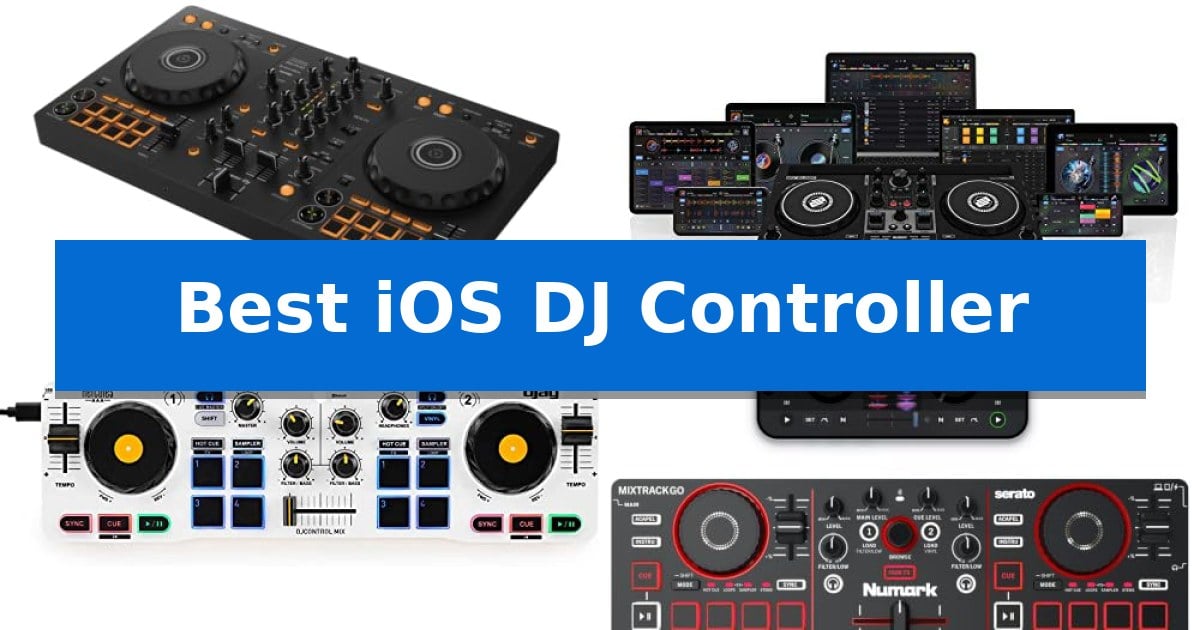
Finding the right gear to mix music on the go can be challenging when you need seamless integration with your Apple devices. Whether you are a beginner looking to learn the basics or a mobile performer needing a compact rig, choosing the Best iOS DJ Controller requires balancing portability with essential mixing features.
Our guide focuses on controllers that prioritize connectivity and software compatibility, ensuring you can start mixing immediately. We have analyzed the latest mobile-ready hardware to help you identify which device best suits your specific mixing style and travel requirements.
Best iOS DJ Controller in 2026: Simplify Your Mobile Mixing Setup
Quick Comparison
| Product | Best For | Key Strength | Score |
|---|---|---|---|
| Pioneer DJ DDJ-FLX4 DJ Controller | Best Overall | Smart Fader technology simplifies genre blending for beginners. | 4.9 |
| Reloop Buddy DJ Controller | Compact Design for Tablet Setups | Extensive neural mix controls for real-time track isolation. | 4.8 |
| Hercules DJControl Mix Controller | Ultra-Portable Wireless Performance | Bluetooth wireless connectivity for a clutter-free setup. | 4.7 |
| Numark Mixtrack Go DJ Controller | Beginner Friendly Mobile Solution | Bluetooth and USB-C connectivity for versatile mobile and laptop integration. | 4.6 |
| Numark Party Mix III DJ Controller | Integrated Lighting for Live Sets | Integrated LED light show that syncs with music | 4.5 |
How We Chose
- Connectivity and iOS compatibility via USB or Bluetooth.
- Portability and physical footprint for mobile workflows.
- Tactile control layout including jog wheels, faders, and performance pads.
- Integration with popular DJ software and streaming services.
- Built-in audio interface capabilities for direct speaker and headphone output.
1 Pioneer DJ DDJ-FLX4 DJ Controller — Industry Standard for Mobile Mixing
The Pioneer DJ DDJ-FLX4 2-Channel DJ Controller simplifies the transition into digital mixing by offering a layout inherited from professional-grade equipment, providing a familiar interface for those looking to grow their skills. Its design focuses on accessibility, ensuring that both beginners and experienced users can manage two-deck setups effectively.
A standout feature for those new to the craft is the Smart Fader, which automatically adjusts volume, bass, and BPM. This allows users to blend different musical genres seamlessly by manipulating a single fader, removing the immediate need for manual beatmatching during the learning process.
Designed for versatility, the controller includes 16 Performance Pads that provide tactile control over Hot Cues, Pad FX, Beat Jump, and Sampler functions. The unit is built to support modern workflows, enabling users to mix tracks directly from streaming services like Apple Music, Tidal, and Beatport while simultaneously managing live-streaming or MC duties from a single device.
Connectivity is a core strength, as the Pioneer DJ DDJ-FLX4 2-Channel DJ Controller supports PC, Mac, iPhone, iPad, and Android devices via USB or Bluetooth. With a built-in sound card, it connects directly to speakers, making it a compact and portable solution for various setups.
Best for: Beginners and mobile DJs who need a portable, multi-platform controller that simplifies mixing through automated features and streaming integration.
Skip if: Professional DJs requiring four-deck control, advanced hardware-based effects, or balanced XLR outputs for large-scale sound systems.
PROS
- Smart Fader technology simplifies genre blending for beginners.
- Multi-platform compatibility including iOS, Android, PC, and Mac.
- Streaming-ready integration with major music services.
- Portable, compact design with a built-in sound card.
CONS
- Two-channel limit restricts complex multi-deck mixing.
- Lacks professional XLR outputs for high-end club sound systems.
2 Reloop Buddy DJ Controller — Compact Design for Tablet Setups
The Reloop Buddy DJ Controller is engineered to bridge the gap between portable tablet-based workflows and professional-grade mixing. Measuring just 12.8 inches in width and weighing 2.3 pounds, this 2-channel controller provides a compact footprint for mobile setups without sacrificing essential mixing tools.
Designed for versatility, the device features extensive neural mix controls accessible via pad and EQ modes. This functionality allows users to isolate instruments, vocals, and beats from tracks in real-time, offering a distinct creative advantage for live performance and studio experimentation. The unit serves as a sturdy companion for digital DJs who prioritize a streamlined, hardware-integrated experience.
Connectivity remains a core strength, as the controller is built to integrate seamlessly with both iOS devices and computers. The fully feature-packed layout ensures that core mixing functions—including looping, transport, and effects—are readily available within a manageable interface. Its design emphasizes a balance between form-factor and functionality, making it a practical choice for those who need a reliable, portable hardware interface for their digital music library.
While the controller is designed for portability, its physical dimensions and weight reflect its role as a dedicated hardware interface rather than a standalone device. Users should ensure their existing software environment supports the specific neural mix integration to fully leverage the controller's capabilities.
Best for: Mobile DJs and creators who require a compact, hardware-integrated controller for iOS and computer-based mixing.
Skip if: Users who require a standalone, all-in-one DJ system with built-in screens or internal storage will find this controller insufficient as it relies on a connected host device.
PROS
- Extensive neural mix controls for real-time track isolation.
- Compact and portable form factor ideal for mobile setups.
- Versatile connectivity across both iOS and computer platforms.
- Sturdy construction suitable for frequent transport.
CONS
- Requires a host device (iOS or computer) to function.
- Limited physical footprint may feel cramped for users accustomed to full-sized club gear.
3 Hercules DJControl Mix Controller — Ultra-Portable Wireless Performance
Transitioning from touchscreen-only mixing to a tactile interface is a significant step for mobile DJs, and the Hercules DJControl Mix provides a dedicated hardware solution designed specifically for portability. By utilizing Bluetooth wireless connectivity, this controller removes the need for complex cable routing, allowing users to focus on deck management through physical controls while connected to a smartphone or tablet.
The Hercules DJControl Mix replicates the essential layout of larger professional gear, featuring two decks equipped with jog wheels, faders, and knobs. These physical inputs offer precise control over track manipulation, enabling users to perform beatmatching and transitions with tactile feedback that a flat screen cannot replicate. The inclusion of performance pads further expands creative options, allowing for triggering cues and effects directly from the hardware.
Designed for seamless integration, the unit comes with the djay app by Algoriddim, ensuring that the software and hardware are optimized to work together immediately. To support a mobile workflow, the package includes a foldable smartphone stand, which keeps the device at an accessible angle during performances. The compact design, measuring approximately 16.34 inches in width and weighing just over 2 pounds, makes it a practical choice for those who need to transport their setup frequently.
While the controller offers a robust feature set for its size, it is important to note that it is built specifically for mobile devices. Users should ensure their primary music library is compatible with the djay app ecosystem to take full advantage of the controller's mapping and functionality. With a 1-year warranty included, the device provides a reliable entry point for mobile mixing without the bulk of traditional DJ equipment.
Best for: Mobile DJs who prioritize portability and want a tactile, wireless hardware interface for their smartphone or tablet.
Skip if: Users who require a standalone controller with built-in audio interfaces or those who rely on professional laptop-based DJ software rather than mobile apps.
PROS
- Bluetooth wireless connectivity for a clutter-free setup.
- Essential DJ controls including jog wheels, faders, and pads.
- Foldable smartphone stand included for ergonomic device placement.
- Compact and lightweight design for easy transport.
CONS
- Mobile-only design limits compatibility with desktop-based DJ software.
- Reliance on app ecosystem for full functionality.
4 Numark Mixtrack Go DJ Controller — Beginner Friendly Mobile Solution
The Numark Mixtrack Go DJ Controller provides a streamlined entry point for mobile performance by integrating Bluetooth and USB-C connectivity, allowing for a cable-free setup with mobile devices and laptops. This compact unit is engineered to simplify the learning curve for new DJs through its Beginner-Friendly design, which includes an expanded mixer layout and Smart Faders to assist in achieving smooth transitions.
Performance capabilities are centered around its eight backlit performance pads per deck, which offer direct control over Cues, Loops, Samples, and Stems. The inclusion of Real-Time Stems functionality allows users to isolate or remove vocals, drums, and instruments on the fly, providing creative flexibility during sets. Navigation is handled by two touch jog wheels designed for precise track manipulation and scratching.
The hardware is built with an integrated audio interface, featuring 1/8" main speaker and headphone cue outputs, which eliminates the need for external sound cards. The controller comes bundled with Serato DJ Lite and Algoriddim djay software, ensuring immediate compatibility for digital mixing. To support skill development, the package includes access to exclusive Crossfader video training lessons.
Measuring just 12.76 inches in width and weighing 1.1 pounds, the device is optimized for portability. It includes a dedicated device stand and necessary cabling to facilitate a quick setup in various environments. While it offers robust features for beginners, users requiring advanced professional-grade XLR outputs or multi-channel hardware mixing may find the compact 1/8" interface limiting for large-scale sound systems.
Best for: Beginner DJs seeking a highly portable, mobile-compatible controller for learning and small-scale mixing.
Skip if: Users who require professional-grade XLR outputs or extensive hardware connectivity for large-venue sound systems.
PROS
- Bluetooth and USB-C connectivity for versatile mobile and laptop integration.
- Real-Time Stems control for advanced track manipulation.
- Beginner-Friendly layout with Smart Faders and included video training.
- Integrated audio interface with dedicated cue and main outputs.
CONS
- Limited to 1/8" audio outputs, which may require adapters for professional sound equipment.
- Compact form factor may feel crowded for users accustomed to full-sized club gear.
5 Numark Party Mix III DJ Controller — Integrated Lighting for Live Sets
Transforming any space into an energized dance floor, the Numark Party Mix III stands out with its integrated LED light show that automatically synchronizes to the beat of your music. This compact controller is designed for portability, featuring a lightweight chassis that fits easily into a backpack, making it a practical solution for mobile setups.
The Numark Party Mix III simplifies the learning curve for new DJs by offering Visual Beat Align and Smart Faders, which assist in maintaining smooth transitions. It includes a built-in, high-quality audio interface, allowing users to connect directly to PA systems via RCA outputs or use the dedicated 1/8-inch headphone jack for private track cueing.
Connectivity is a primary focus, as the device supports both Bluetooth and USB-C integration. This flexibility enables users to perform wirelessly or connect seamlessly to laptops, tablets, and smartphones. The controller also provides hands-on control with 16 performance pads, 3-band EQ, and real-time Stems control for live mashups.
To support skill development, the package includes access to exclusive Crossfader video training and comes ready to use with Serato DJ Lite and djay software. The unit is entirely USB-powered, ensuring that users can maintain a clean, cable-minimal workspace while performing on the go.
Best for: Beginner DJs who require a portable, all-in-one controller with integrated lighting for mobile performances.
Skip if: Professional DJs who require advanced hardware features like balanced XLR outputs or motorized platters.
PROS
- Integrated LED light show that syncs with music
- Bluetooth and USB-C connectivity for versatile device pairing
- Real-time Stems control for creative live mixing
- Ultra-portable, USB-powered design for travel
CONS
- Limited to RCA outputs for main audio connections
- Designed primarily for beginners, lacking advanced professional-grade hardware controls
Best iOS DJ Controller Buying Guide
Connectivity and Software Integration
The most critical factor for any iOS DJ controller is how it communicates with your device. Look for units that offer reliable USB-C or Bluetooth connections to ensure low-latency performance during live sets.
Software integration is equally vital. Ensure your chosen controller is compatible with industry-standard apps like djay or Serato DJ Lite, which provide the necessary mapping for features like Smart Faders and real-time Stems control.
Portability vs. Tactile Control
Mobile DJs often face a trade-off between size and functionality. While ultra-portable units are easy to carry in a backpack, they may sacrifice larger jog wheels or dedicated 3-band EQ knobs.
Consider how much physical control you need. If you rely heavily on scratching or precise beatmatching, prioritize a controller with larger, touch-sensitive wheels. For casual mixing or streaming, a more compact design with performance pads may be sufficient.
Audio Interface Requirements
A built-in audio interface is essential for professional-grade monitoring. This feature allows you to connect your main speakers via RCA outputs while using a dedicated 1/8-inch headphone jack to cue tracks privately.
Without an integrated sound card, you would need additional adapters or splitters to manage your audio signal, which can complicate your setup and introduce potential points of failure during a performance.
Performance Features for Creativity
Modern controllers offer advanced tools such as Performance Pads for triggering Hot Cues, loops, and samples. These pads allow for creative expression that goes beyond simple track transitions.
Look for features like Smart Faders, which automatically adjust volume and bass to help beginners blend genres smoothly. These tools can significantly reduce the learning curve while still providing room for growth as your skills develop.
Build Quality and Durability
Since mobile controllers are frequently transported, the build quality is a major consideration. Look for sturdy chassis designs that can withstand the rigors of travel without adding excessive weight.
Check for features like cool-touch handles or protective layouts that shield knobs and faders from damage. A well-built controller ensures that your investment remains reliable for long-term use in various environments.
Frequently Asked Questions
Do I need a special cable to connect these controllers to my iPad?
Most modern iOS DJ controllers include USB-C cables. Depending on your specific iPad model, you may need a USB-C to Lightning adapter if your device does not feature a USB-C port.
Can I use these controllers with streaming services?
Yes, many of these controllers are designed to integrate with streaming platforms like Tidal, Beatport, and Apple Music when used with compatible DJ software.
Are these controllers powered by the iPad?
Many compact controllers are USB-powered, meaning they draw power directly from your connected device. However, for longer sets, using a powered hub or external power bank is recommended to preserve your device's battery.
Do I need to be an expert to use these controllers?
Not at all. Many of these units are designed for beginners and include features like Smart Faders and visual beat alignment to help you learn the fundamentals of mixing.
Can I use these controllers for live streaming?
Several models feature built-in microphone inputs and streaming-ready designs, allowing you to MC or broadcast your sets directly from a single device.
Conclusion: Our Top Pick
When selecting the right gear for your mobile setup, the Pioneer DJ DDJ-FLX4 DJ Controller stands out as a versatile choice for both beginners and those looking to grow their skills. Its user-friendly layout, inherited from professional gear, combined with features like Smart Fader and broad streaming compatibility, makes it a reliable foundation for any mobile DJ.
While other models offer unique benefits like integrated lighting or ultra-compact designs, the Pioneer DJ DDJ-FLX4 provides the best balance of professional functionality and ease of use. It is an excellent investment for anyone serious about developing their mixing capabilities on an iOS platform.