
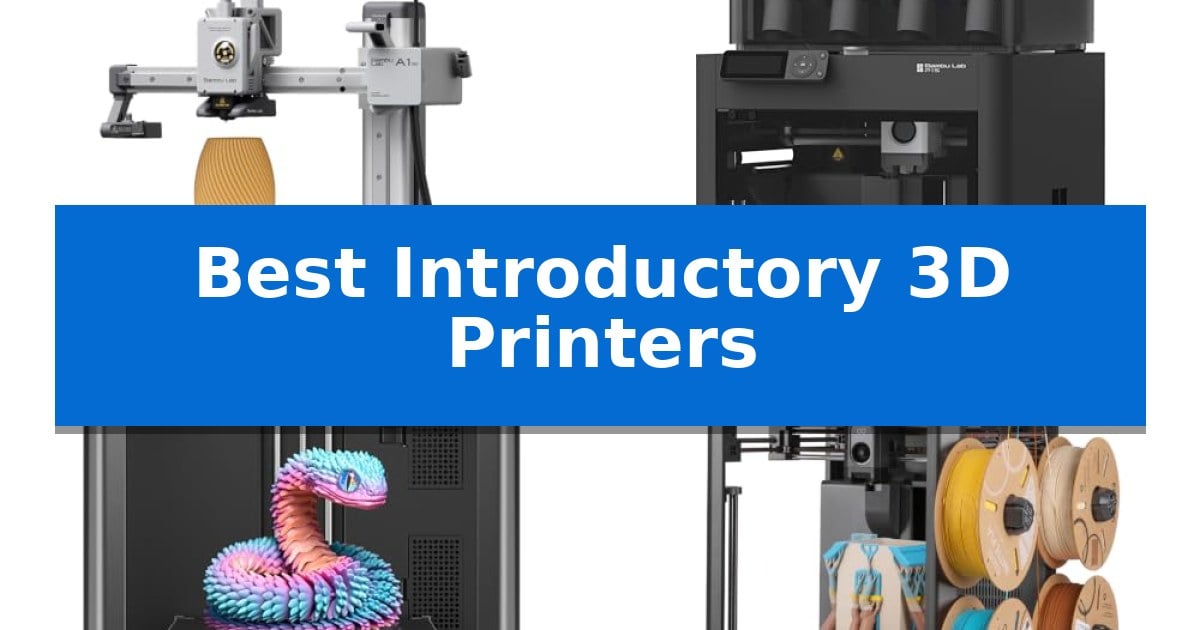
Stepping into the world of additive manufacturing can feel overwhelming, but finding the right machine makes all the difference. The Best Introductory 3D Printers are designed to minimize the learning curve, offering automated features that allow you to focus on your designs rather than complex mechanical adjustments.
Whether you are interested in STEM learning, rapid prototyping, or creating custom home décor, choosing a reliable entry-level machine is essential. We have analyzed the current market to highlight printers that balance ease of use, build quality, and ecosystem support to ensure your first project is a success.
Best Introductory 3D Printers in 2026
Quick Comparison
| Product | Best For | Key Strength | Score |
|---|---|---|---|
| Bambu Lab A1 mini 3D Printer | Best Overall | Automatic calibration eliminates complex manual setup. | 4.9 |
| Bambu Lab P1S Combo 3D Printer | Best for Multi-Color Printing | Multi-color printing capability for up to 16 colors via the included AMS. | 4.3 |
| Flashforge Adventurer 5M 3D Printer | Fastest Setup for Rapid Prototyping | Fully automatic bed leveling for consistent first-layer adhesion. | 4.6 |
| Elegoo Centauri 2 Combo 3D Printer | Beginner-Friendly Multicolor Workflow | 4-Color printing with automated filament management | 4.4 |
| Entina Tina2C 3D Printer | Compact Pick for STEM Learning | Fast 8-minute setup time for immediate printing. | 4.9 |
How We Chose
- Automated calibration systems that reduce the need for manual bed leveling.
- Integration with accessible model libraries and mobile applications for streamlined management.
- Build volume and physical footprint to ensure the printer fits comfortably in a home or studio.
- Speed and material versatility to support a wide range of creative projects.
- Safety features and noise levels suitable for residential environments.
1 Bambu Lab A1 mini 3D Printer — Easiest Ecosystem for Beginners
Getting started with additive manufacturing often involves a steep learning curve, but the Bambu Lab A1 mini 3D Printer simplifies the process through automatic calibration and a streamlined setup. Designed for those new to the craft, this machine removes the need for manual bed leveling or complex adjustments, allowing users to focus on their creative projects immediately.
The printer integrates into the broader Bambu Lab ecosystem, providing access to the MakerWorld model library and the Bambu Handy app for remote management. This connectivity ensures that finding and initiating prints is straightforward, even for those without prior technical experience in 3D modeling or slicing software.
Beyond its ease of use, the device features active flow rate compensation to maintain print quality and operates at a noise level of ≤48 dB, making it suitable for home or studio environments. Its compact footprint is complemented by the included LED Lamp Kit, which allows users to print functional, decorative light fixtures directly on the machine.
While the Bambu Lab A1 mini 3D Printer is optimized for accessibility, it remains a capable tool for producing toys, home decor, and personalized gifts. The combination of high-speed performance and a quiet, reliable operation makes it a practical choice for beginners looking to explore 3D printing without the typical troubleshooting associated with entry-level hardware.
Best for: Beginners seeking a plug-and-play 3D printing experience with integrated software and automated calibration.
Skip if: Users requiring a large build volume for industrial-scale parts or those who prefer an open-source hardware platform for extensive manual modifications.
PROS
- Automatic calibration eliminates complex manual setup.
- Quiet operation (≤48 dB) suitable for home use.
- Integrated ecosystem with access to the MakerWorld model library.
- Included LED Lamp Kit for functional DIY projects.
CONS
- Compact build volume limits the size of individual prints.
2 Bambu Lab P1S Combo 3D Printer — Best for Multi-Color Printing
Transitioning from manual assembly to a streamlined workflow is the primary advantage of the Bambu Lab P1S Combo 3D Printer, which features a 15-minute setup time. This device is engineered for users who prioritize efficiency, offering a fully enclosed design that stabilizes the printing environment for a wider range of materials, ensuring consistent temperature control for high-quality results.
The system is built around a CoreXY architecture capable of reaching speeds up to 500mm/s with 20000 mm/s² acceleration. These specifications allow for rapid production cycles, significantly reducing the wait time between project initiation and completion compared to standard desktop printers, making it a robust choice for those who value time-saving automation.
A standout capability is the multi-color and multi-material printing support, which accommodates up to 16 colors when paired with the included Bambu Lab AMS. The integration of automatic bed leveling further simplifies the process, ensuring consistent first-layer adhesion without manual calibration, which is particularly beneficial for beginners who want to avoid the complexities of traditional leveling.
While the printer is highly versatile, it is optimized for specific filaments including PLA, PETG, TPU, PVA, PET, ABS, and ASA. Users should note that carbon or glass fiber reinforced polymers are not recommended for this specific hardware configuration, as the printer is tuned for standard thermoplastic performance rather than abrasive composite materials.
Best for: Users seeking a high-speed, multi-color printing experience with minimal assembly time.
Skip if: Users who primarily work with carbon or glass fiber reinforced filaments that require specialized hardware support.
PROS
- Multi-color printing capability for up to 16 colors via the included AMS.
- High-speed performance with 500mm/s print speeds and rapid acceleration.
- Enclosed design for improved material compatibility and environmental stability.
- Fast 15-minute setup process for immediate productivity.
CONS
- Incompatibility with carbon or glass fiber reinforced polymers.
- Requires AMS unit for multi-color functionality.
3 Flashforge Adventurer 5M 3D Printer — Fastest Setup for Rapid Prototyping
Achieving consistent results in additive manufacturing often begins with minimizing manual calibration, a hurdle addressed by the FLASHFORGE Adventurer 5M 3D Printer. This machine integrates fully automatic bed leveling, which eliminates the need for manual adjustments to ensure a precise first layer every time.
Designed for efficiency, the printer utilizes a CoreXY all-metal structure capable of reaching travel speeds up to 600mm/s with an acceleration of 20000mm/s². These specifications are intended to reduce production cycles significantly, making it a viable option for users focused on rapid prototyping.
The hardware includes a 280°C direct drive extruder paired with a high-flow 32mm³/s nozzle, allowing for a rapid 35-second warm-up to 200°C. Maintenance is streamlined through a 3-second detachable nozzle system, while the dual-sided PEI platform is designed to simplify the removal of finished prints.
Connectivity and workflow management are handled via the Flash Studio application, which provides real-time app monitoring and remote status alerts. This allows for adjustments and progress tracking from a mobile device, supporting a more integrated printing experience.
To accommodate diverse project requirements, the unit supports optional nozzle sizes ranging from 0.25mm to 0.8mm. The inclusion of vibration compensation and dual-fan cooling further supports the stability of the print process at higher speeds.
Best for: Users prioritizing rapid prototyping and high-speed output with minimal manual calibration.
Skip if: Users requiring a larger build volume than the 220x220x220mm capacity provided by this model.
PROS
- Fully automatic bed leveling for consistent first-layer adhesion.
- High-speed performance with 600mm/s travel speed.
- 3-second detachable nozzle system for quick maintenance.
- Remote management via real-time app monitoring.
CONS
- Limited build volume of 220x220x220mm.
4 Elegoo Centauri 2 Combo 3D Printer — Beginner-Friendly Multicolor Workflow
Achieving vibrant, multi-color prints is often a complex hurdle for new users, but the Elegoo Centauri 2 Combo 3D Printer simplifies this process through its integrated CANVAS 4-color printing system. By utilizing independent motors and automatic filament management, it handles color transitions and refills without requiring intricate manual configuration.
Built for efficiency, the printer features a high-speed CoreXY architecture capable of reaching speeds up to 500mm/s with 20,000mm/s² acceleration. The inclusion of a rigid aluminum frame and precision linear guides ensures that this speed does not compromise structural stability, resulting in clean surfaces and sharp edges on complex geometries.
Setup and maintenance are streamlined for those new to the hobby. The machine incorporates full auto-calibration and a suite of 22 intelligent sensors that monitor print status in real-time to ensure consistency. User-friendly additions, such as a 5-inch touchscreen, a magnetic printhead cover, and a semi-automatic belt tensioner, reduce the time spent on routine upkeep.
The Elegoo Centauri 2 Combo 3D Printer functions as part of a cohesive ecosystem. Users can source projects via the Nexprint model hub, prepare files using ELEGOOSlicer, and manage operations remotely through the ELEGOO Matrix app, providing a unified workflow from the initial idea to the final physical model.
Best for: Beginners seeking a streamlined, multi-color 3D printing experience with integrated software and automated calibration.
Skip if: Users requiring a compact footprint or those who prefer a manual, non-ecosystem-dependent printing process.
PROS
- 4-Color printing with automated filament management
- High-speed CoreXY system reaching 500mm/s
- Full auto-calibration and 22-sensor monitoring
- Integrated remote control via mobile app
CONS
- Large physical footprint
- Dependent on the proprietary ELEGOO ecosystem for full feature utilization
5 Entina Tina2C 3D Printer — Compact Pick for STEM Learning
Starting a first 3D print in as fast as 8 minutes is the primary draw of the Entina Tina2C 3D Printer, a machine engineered to remove the technical barriers often associated with additive manufacturing. By integrating a guided setup process directly through the Poloprint Cloud app, this device streamlines the transition from unboxing to creation for those new to the hobby.
The printer features intelligent auto-leveling, which significantly reduces the need for manual bed adjustments and improves first-layer adhesion. For maintenance, the quick-swap printhead structure and a self-cleaning nozzle design simplify upkeep, allowing users to focus on their projects rather than troubleshooting mechanical issues. A flexible magnetic build plate further enhances usability by enabling easy model removal with a simple bend.
Connectivity is handled through 2.4G WiFi or an offline TF card mode, providing flexibility for different creative workflows. The unit is built with a compact footprint and a 3.9 x 3.9 x 3.9 inch print volume, making it well-suited for home or office environments where space is at a premium. Its low-noise operation and integrated LED lighting ensure that the printing process remains unobtrusive during use.
Compatibility is broad, supporting Windows, macOS, Linux, and Chromebook, while remaining compatible with standard slicing software like Cura and Simplify3D. The power-loss recovery function adds a layer of reliability, helping to save prints after unexpected interruptions. With a 2-year warranty and access to a library of over 3,500 models, this printer serves as a functional tool for STEM learning and home creative projects.
Best for: Beginners and families looking for a compact, user-friendly 3D printer for STEM learning and small creative projects.
Skip if: Users who require a large build volume for printing substantial parts or functional prototypes will find the 3.9-inch cubic limit restrictive.
PROS
- Fast 8-minute setup time for immediate printing.
- Intelligent auto-leveling simplifies the initial calibration process.
- Flexible magnetic build plate allows for effortless model removal.
- Compact, low-noise design fits easily into home or office spaces.
CONS
- Limited 3.9-inch print volume restricts the size of projects.
- Reliance on app-based guided setup may not suit users who prefer manual, open-source control.
Best Introductory 3D Printers Buying Guide
Understanding Automated Calibration
One of the most significant barriers for new users is the manual leveling of the print bed. Modern Best Introductory 3D Printers now feature full-auto calibration, which uses sensors to map the build surface and adjust the nozzle height automatically.
This technology ensures consistent first-layer adhesion, which is critical for preventing print failures. By removing the need for manual paper-leveling tests, these systems allow beginners to start printing almost immediately after unboxing.
The Importance of Ecosystem Support
A printer is only as useful as the models you can create or find for it. Many manufacturers now offer a connected ecosystem that includes a dedicated model library, such as MakerWorld, and mobile apps for remote monitoring.
These platforms often provide pre-sliced files, meaning you do not need to master complex slicing software before your first print. This integration is a major advantage for those who want to explore 3D printing without becoming software experts.
Speed and Efficiency in Prototyping
If your goal is rapid prototyping, look for machines with a CoreXY structure and high acceleration capabilities. These designs allow the print head to move quickly while maintaining stability, significantly reducing the time required to complete a project.
High-speed printing does not have to sacrifice quality. Look for models that include vibration compensation and active flow rate compensation, which help maintain sharp edges and clean surfaces even when printing at higher speeds.
Material Versatility and Enclosures
While most beginners start with PLA, you may eventually want to experiment with more advanced materials like PETG or ABS. An enclosed design is highly beneficial for these filaments, as it helps maintain a stable temperature and prevents warping.
Always check the maximum nozzle temperature of your printer. A higher temperature rating, such as 280°C or 350°C, provides more flexibility for using specialized filaments as your skills grow.
Space and Noise Considerations
3D printers are often placed in living areas or home offices, making size and noise levels important factors. Compact models are ideal for smaller desks, but ensure they still offer enough build volume for your intended projects.
Look for machines that prioritize quiet operation, often measured in decibels (dB). A printer that operates at or below 48 dB is generally quiet enough to run in a room where you are working or relaxing without causing a distraction.
Frequently Asked Questions
Do I need to be an expert in CAD software to use these printers?
No. Many of these printers provide access to massive online model libraries where you can download ready-to-print files, allowing you to start creating without needing to design your own 3D models.
What is the benefit of an enclosed 3D printer?
An enclosed design helps regulate the internal temperature, which is essential for printing with advanced materials that are prone to warping or shrinking when exposed to room-temperature air.
How long does it typically take to set up a beginner printer?
Many modern entry-level printers are designed for rapid setup. Some models can be ready to print in as little as 8 to 15 minutes, thanks to pre-assembled components and automated calibration processes.
Can I print in multiple colors?
Some advanced combo units support multi-color printing through specialized systems like an AMS (Automatic Material System). Check the specific model features to see if it supports multi-color or multi-material capabilities.
Are these printers safe for home use?
Most beginner printers include safety features like power-loss recovery and auto-leveling. However, always ensure the printer is placed on a stable, fire-resistant surface and follow the manufacturer's guidelines for ventilation.
Conclusion: Our Top Pick
Selecting the right machine is the first step toward mastering additive manufacturing. For those prioritizing a seamless, user-friendly experience, the Bambu Lab A1 mini 3D Printer stands out as an exceptional choice. Its integration with a vast model library and its fully automated calibration system make it highly accessible for first-time users who want to start creating immediately.
While other models offer higher speeds or multi-color capabilities, the A1 mini provides the most balanced entry point into the hobby. Its quiet operation and compact footprint ensure it fits perfectly into any home environment, allowing you to focus on your creative projects rather than technical troubleshooting.