
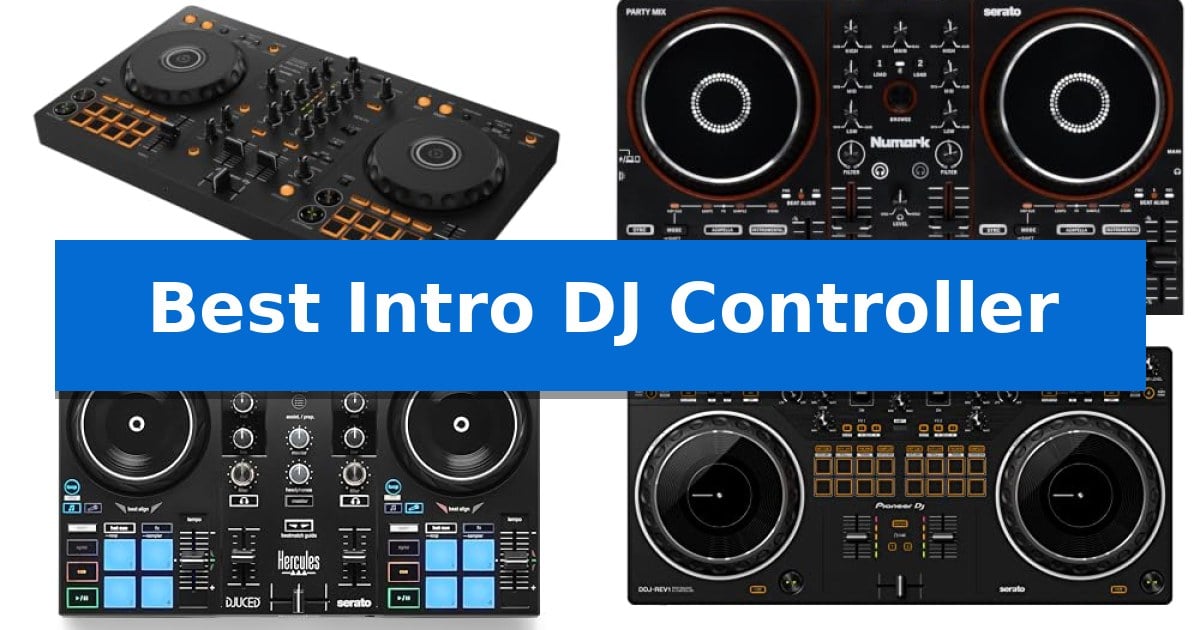
Stepping into the world of digital mixing can feel overwhelming, but selecting the right hardware is the first step toward building your skills. The Best Intro DJ Controller should offer a balance of intuitive layout, essential software compatibility, and features that help you learn the fundamentals of beatmatching and track management without unnecessary complexity.
Whether you are looking to practice in your bedroom or prepare for your first small event, the right deck acts as a bridge between your music library and the dance floor. We have analyzed the top entry-level options to help you identify which controller aligns with your learning style and specific performance goals.
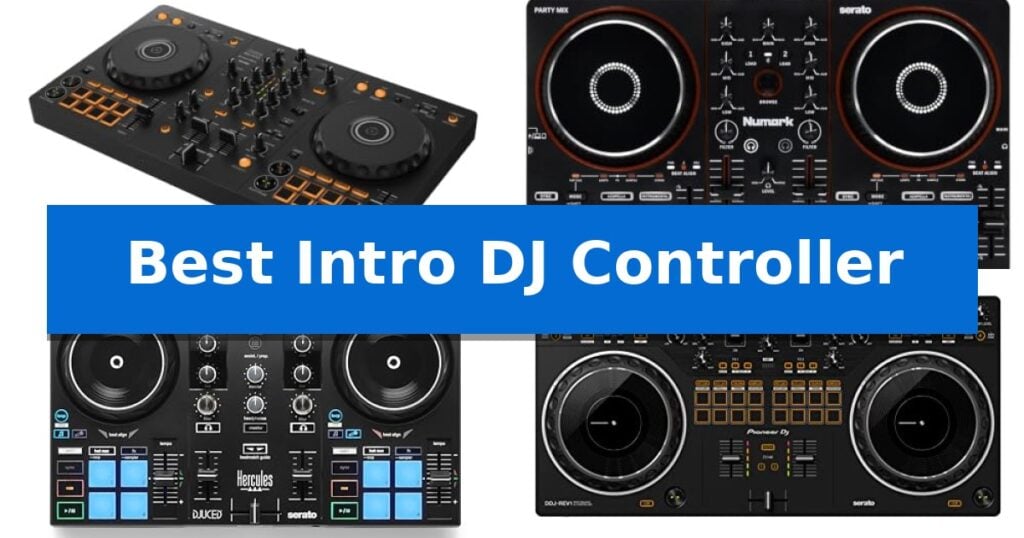
Best Intro DJ Controller in 2026: Master Your First Mixes
Quick Comparison
| Product | Best For | Key Strength | Score |
|---|---|---|---|
| Pioneer DJ DDJ-FLX4 DJ Controller | Best Overall | Smart Fader technology automates complex transitions for beginners. | 4.9 |
| Numark Party Mix III DJ Controller | Fun Integrated Light Show | Integrated beat-synced light show for instant atmosphere | 4.8 |
| Hercules DJControl Inpulse 200 MK3 | Guided Beatmatching for Beginners | Beatmatch Guide LEDs provide visual alignment cues for faster learning. | 4.6 |
| Pioneer DJ DDJ-REV1 DJ Controller | Ideal for Scratch Technique | Battle-style layout that mimics professional turntable setups. | 4.4 |
| Hercules DJControl Inpulse 500 | Sturdy Build for Practice | Retractable feet protect the unit from liquid spills. | 4.4 |
How We Chose
- Software Integration: We prioritized controllers that offer seamless, plug-and-play support for industry-standard software like Serato DJ Lite and DJUCED.
- Learning Aids: We assessed the presence of built-in features like beatmatch guides and smart faders that assist beginners in mastering timing and transitions.
- Build and Portability: We considered the physical layout, jog wheel responsiveness, and overall chassis design to ensure the hardware is durable enough for home practice and portable enough for travel.
- Connectivity: We reviewed the available audio outputs and input options to ensure compatibility with standard home speakers and streaming setups.
- Feature Set: We looked for essential tools like performance pads, EQ controls, and stem separation capabilities that allow for creative growth.
1 Pioneer DJ DDJ-FLX4 DJ Controller — Best for Learning Modern Mixing
The Pioneer DJ DDJ-FLX4 DJ Controller simplifies the transition into digital mixing by integrating a layout modeled after professional Pioneer DJ hardware. This two-channel, two-deck controller is built for accessibility, featuring a Smart Fader that automatically manages volume, bass, and BPM to help beginners blend different genres seamlessly without requiring manual beatmatching skills.
Designed for versatility, the device includes 16 Performance Pads that provide tactile control over essential functions like Hot Cues, Pad FX, Beat Jump, and Sampler. Its compact 18.98-inch width and 6.17-pound weight make it a manageable addition to a desk setup, while the built-in sound card allows for direct speaker connection without needing external audio interfaces.
The unit excels in modern streaming workflows, allowing users to mix tracks from platforms like Apple Music, Tidal, and Beatport. It supports a single-device setup for livestreaming or MCing, further enhanced by a dedicated mic input. Compatibility is broad, as the controller connects via USB or Bluetooth to PC, Mac, iPhone, iPad, and Android devices.
While the Pioneer DJ DDJ-FLX4 DJ Controller offers a robust entry point, users should note that its design focuses on streamlining the learning curve for beginners and streaming enthusiasts. It provides a reliable foundation for growth, backed by a 1-year manufacturer warranty, though those seeking advanced four-deck mixing or specialized hardware controls may eventually require more complex professional-grade gear.
Best for: Beginner DJs and streamers who want a user-friendly, multi-platform controller that simplifies mixing techniques.
Skip if: Experienced DJs requiring four-deck control or those who prefer a traditional, non-automated mixing workflow.
PROS
- Smart Fader technology automates complex transitions for beginners.
- Multi-device compatibility via USB and Bluetooth for PC, Mac, and mobile.
- Streaming-ready integration with major music platforms.
- Pro-style layout facilitates skill growth.
CONS
- Two-channel limit restricts complex multi-deck mixing.
- Automated features may not suit those learning traditional manual beatmatching.
2 Numark Party Mix III DJ Controller — Fun Integrated Light Show
Transforming any space into an energized dance floor, the Numark Party Mix III integrates a beat-synchronized LED light show that projects dynamic, multi-colored patterns directly from the unit. This compact controller is designed for portability, featuring a lightweight chassis that runs entirely on USB power, allowing you to perform using a laptop, tablet, or even a portable power bank.
The Numark Party Mix III simplifies the learning process for new DJs with Visual Beat Align and Smart Faders, which assist in maintaining smooth transitions. It includes a built-in professional audio interface, providing a dedicated 1/8-inch headphone jack for private cueing and an RCA output for connecting to external PA or home speakers.
Connectivity is a highlight, as the device supports both Bluetooth and USB-C, offering flexibility for modern setups. The controller provides hands-on control with 16 performance pads, a 3-band EQ, and dedicated real-time Stems control for live mashups, ensuring you have the tools to manipulate tracks creatively during a set.
To support skill development, the package includes access to exclusive Crossfader video training lessons. It comes ready to use with Serato DJ Lite and Algoriddim djay software, making it a comprehensive starter kit for those looking to begin their journey into digital DJing.
Best for: Beginner DJs who want an all-in-one, portable controller with built-in lighting and software to learn mixing.
Skip if: Professional DJs requiring advanced multi-channel mixing, XLR outputs, or full-sized jog wheels for complex scratching techniques.
PROS
- Integrated beat-synced light show for instant atmosphere
- Bluetooth and USB-C connectivity for versatile device pairing
- Real-time Stems control for advanced track manipulation
- Ultra-portable, USB-powered design ideal for travel
CONS
- Limited to RCA outputs, which may require adapters for professional sound systems
- Compact form factor may feel cramped for users with larger hands
3 Hercules DJControl Inpulse 200 MK3 — Guided Beatmatching for Beginners
Learning to mix tracks requires tools that provide immediate visual feedback, and the Hercules DJControl Inpulse 200 MK3 simplifies this process with its integrated Beatmatch Guide LEDs. By illuminating the tempo faders and jog wheels, this controller removes the guesswork from aligning tracks, allowing beginners to focus on developing their mixing technique rather than struggling with manual synchronization.
Designed for high portability, this 2-channel DJ controller features a lightweight, compact frame that fits easily into a backpack. Despite its small footprint, it includes 8 performance pads and touch-sensitive jog wheels, providing the tactile control necessary for live sets. The inclusion of dedicated Stems controls enables real-time isolation of vocals and instrumentals, offering creative flexibility for mashups and transitions.
The hardware integrates seamlessly with Serato DJ Lite and DJUCED software, featuring a built-in virtual sound card that supports direct streaming from platforms like TIDAL, SoundCloud GO+, and Beatport. This setup allows users to access a vast library of tracks without needing external audio interfaces. To assist in building sets, the Intelligent Music Assistant analyzes BPM and energy levels to suggest compatible tracks, keeping the flow consistent during performances.
With its USB-powered design and included step-by-step DJ Academy tutorials, the unit is intended to minimize setup time. Whether practicing in a bedroom or performing at a small event, the controller provides a straightforward path for users to transition from unboxing to mixing, supported by a one-year warranty.
Best for: Beginners seeking a portable, guided learning experience with integrated beatmatching assistance and stem separation capabilities.
Skip if: Professional DJs requiring advanced multi-channel mixing, XLR balanced outputs, or standalone hardware functionality without a computer connection.
PROS
- Beatmatch Guide LEDs provide visual alignment cues for faster learning.
- Dedicated Stems controls allow for real-time vocal and instrumental isolation.
- Ultra-portable design fits easily into a standard backpack for travel.
- Built-in virtual sound card enables direct streaming and simplified setup.
CONS
- Compact 2-channel layout may feel crowded for users with larger hands.
- Software-dependent operation requires a computer connection at all times.
4 Pioneer DJ DDJ-REV1 DJ Controller — Ideal for Scratch Technique
Mastering the art of DJing requires a setup that bridges the gap between digital convenience and traditional technique. The Pioneer DJ DDJ-REV1 2-deck Serato DJ Controller is built specifically to address this need, featuring an open, battle-style layout that mirrors the physical experience of using a classic turntable and battle mixer setup.
Designed for those entering the world of hip-hop and open-format mixing, this controller prioritizes tactile control. It includes tall pitch faders and dedicated effect controls, allowing users to execute precise adjustments during a performance. The inclusion of Tracking Scratch functionality enables beginners to trigger complex scratch routines with a single motion, helping to build muscle memory and confidence without requiring advanced technical knowledge.
The unit is optimized for immediate use, as it unlocks Serato DJ Lite upon connection. This plug-and-play capability ensures that users can begin practicing their transitions and scratch techniques straight out of the box. Its compact dimensions of 21 inches in width and 10 inches in length make it a practical choice for home studios or smaller desk setups where space is at a premium.
While the controller is a robust tool for learning, its design is intentionally focused on the specific requirements of scratch and battle-oriented DJs. Users should note that this layout is specialized; those primarily interested in club-standard four-deck mixing or different performance styles may find the two-deck, battle-centric configuration less versatile for their specific workflows.
Best for: Beginners focused on learning hip-hop, scratch, and open-format DJ techniques.
Skip if: DJs who require a four-deck setup or a traditional layout for club-standard performance workflows.
PROS
- Battle-style layout that mimics professional turntable setups.
- Tracking Scratch feature simplifies learning complex scratch routines.
- Plug-and-play compatibility with Serato DJ Lite.
- Compact, budget-friendly design ideal for beginners.
CONS
- Two-deck limitation restricts performance complexity compared to four-deck controllers.
5 Hercules DJControl Inpulse 500 — Sturdy Build for Practice
The Hercules DJControl Inpulse 500 is engineered to provide a stable, professional-grade foundation for those learning to mix, most notably through its retractable, extendable feet. These feet lift the controller off the surface, which serves the practical purpose of protecting the internal components from accidental liquid spills during practice sessions. This design choice elevates the hardware, providing a more ergonomic feel while ensuring the unit remains secure on a desk.
Equipped with a built-in audio interface and a hardware input mixer, this controller allows for the direct connection of external audio sources without requiring additional sound cards. The large jog wheels with touch detection offer the tactile feedback necessary for precise track manipulation and scratching. Additionally, the 16 backlit RGB pads provide intuitive control over various performance modes, while the dedicated Filter/FX area enables smooth, creative blending between tracks.
Durability is a core focus of the build, featuring a metal backing plate that helps the unit withstand frequent use. The controller is compatible with both Serato and DJUCED software, offering users flexibility in their preferred mixing environment. For those developing their manual mixing skills, the integrated Beatmatch Guide acts as a functional tool to assist in mastering tempo and beat alignment.
While the Hercules DJControl Inpulse 500 is designed for stability, its robust construction results in a larger physical footprint. This makes it a reliable choice for dedicated home setups, though it may be less suitable for those with limited workspace or those prioritizing extreme portability.
Best for: Beginner DJs who need a durable, spill-resistant controller with integrated audio and manual beat-matching guidance.
Skip if: Users requiring a highly portable, ultra-compact controller for travel, as the robust metal construction and larger footprint prioritize stability over portability.
PROS
- Retractable feet protect the unit from liquid spills.
- Built-in audio interface simplifies setup by removing the need for external sound cards.
- Large touch-sensitive jog wheels improve accuracy for scratching and cueing.
- Hardware input mixer allows for easy integration of external audio devices.
CONS
- Larger physical footprint may not fit on smaller desks or tight workspaces.
Best Intro DJ Controller Buying Guide
Understanding DJ Controller Layouts
Most entry-level controllers follow a standard two-deck layout that mimics professional gear. Understanding the placement of the jog wheels, tempo faders, and EQ knobs is crucial because these elements are consistent across almost all hardware. Learning on a standard layout makes it significantly easier to transition to larger, more complex club equipment later.
Some controllers, like those designed for scratch techniques, may feature a battle-style layout with a wider space around the crossfader. Choosing a layout that matches your preferred genre—such as hip-hop or open-format—can help you develop muscle memory faster.
The Importance of Software Compatibility
Your controller is essentially a physical interface for software. Most entry-level units come with 'Lite' versions of professional software. Ensure your chosen controller is compatible with the platform you intend to use, as this dictates your library management, effects, and streaming capabilities.
Many modern controllers now support streaming services, allowing you to mix tracks directly from platforms like Tidal or Beatport. This removes the need to build a massive local music library immediately, making it easier to experiment with different genres.
Learning Tools for Beginners
If you are just starting, look for controllers that include beatmatch guides or visual aids. These features use LEDs to show you when your tracks are aligned, which is the most difficult skill for a new DJ to master. These tools provide instant feedback, helping you understand the relationship between BPM and phrasing.
Some models also offer smart faders that automatically adjust volume and bass levels during transitions. While these are great for learning, try to eventually practice without them to ensure you are developing the manual control necessary for professional performance.
Audio Connectivity and Monitoring
A dedicated built-in sound card is a mandatory feature for any DJ controller. This allows you to plug your headphones directly into the unit to 'cue' or preview the next track before the audience hears it. Without a built-in interface, you would need complex external hardware to achieve this.
Check the output options on the back of the controller. Most entry-level units use RCA outputs to connect to home speakers or PA systems. Ensure your existing sound system or speakers are compatible with these connections to avoid needing extra adapters.
Portability vs. Durability
Beginner controllers are often made from lightweight materials to keep costs down and portability high. If you plan to travel frequently, look for a unit that fits easily into a backpack and is USB-powered, meaning it draws power directly from your laptop without needing a separate wall adapter.
While portability is great, consider the build quality of the jog wheels and faders. These are the parts you will touch the most. A sturdy build ensures the controller can handle the repetitive motion of practicing daily without wearing out prematurely.
Frequently Asked Questions
Do I need a laptop to use these controllers?
Most entry-level DJ controllers require a connection to a computer or laptop to run the DJ software. However, some newer models offer Bluetooth or tablet compatibility, allowing you to mix using a smartphone or tablet.
What is the difference between Serato and DJUCED?
These are both DJ software platforms. Serato is widely used in the industry, while DJUCED is often bundled with Hercules controllers and is specifically designed to be very beginner-friendly with built-in tutorials.
Can I use these controllers for professional gigs?
While these controllers are designed for learning, many are capable enough for small events, house parties, or livestreams. As you grow, you may eventually want to upgrade to a controller with more inputs and professional-grade outputs.
What are 'Stems' in modern DJing?
Stems technology allows you to isolate specific parts of a track, such as the vocals, drums, or bass, in real-time. This allows for creative mashups and transitions that were previously very difficult to perform.
Do I need to buy music files to DJ?
Many modern controllers support streaming services like Tidal, Beatport, and SoundCloud. This allows you to access millions of tracks without needing to purchase and download individual files, provided you have an active subscription.
Conclusion: Our Top Pick
For those seeking the most versatile and reliable entry point, the Pioneer DJ DDJ-FLX4 DJ Controller stands out as the top choice. Its design philosophy mirrors professional Pioneer gear, ensuring that the skills you develop on this unit will translate directly to club-standard equipment in the future.
With its smart fader technology, streaming-ready capabilities, and user-friendly layout, it provides a comprehensive platform for both learning and creative growth. While other options offer unique features like light shows or specific scratch layouts, the DDJ-FLX4 offers the most balanced experience for a beginner committed to mastering the craft.