
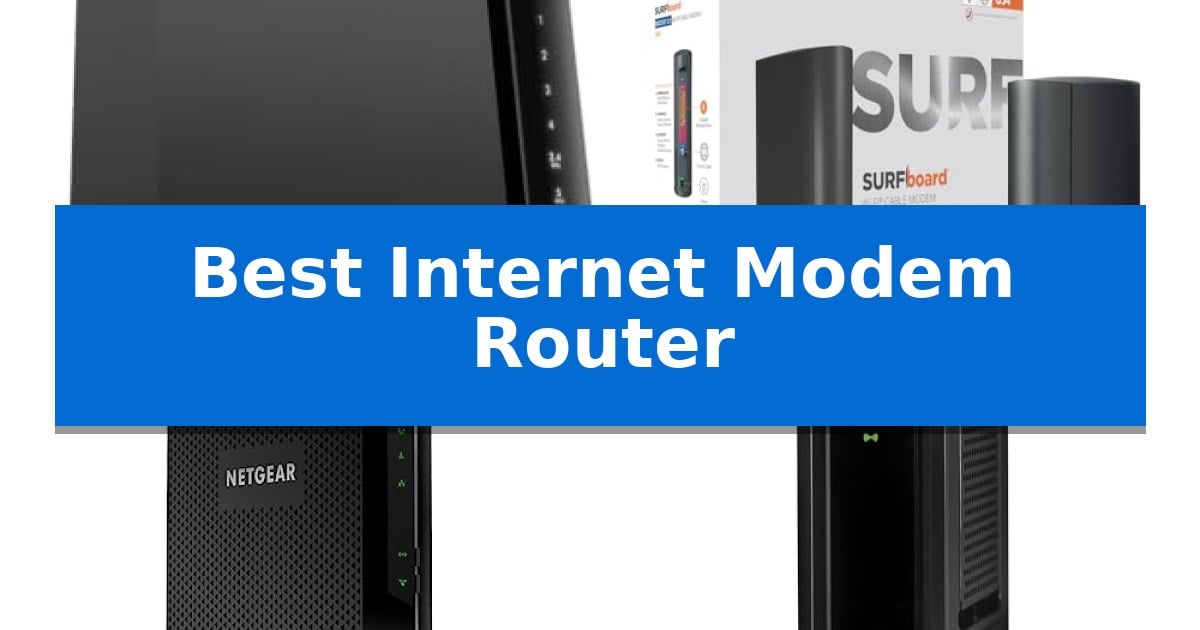
Finding the right hardware to manage your home network can be a challenge, especially when balancing speed requirements with provider compatibility. A Best Internet Modem Router combo simplifies this process by integrating two essential devices into a single, space-saving unit, reducing cable clutter and streamlining your setup.
Whether you are looking to support high-speed gigabit plans or need a reliable solution for everyday streaming and browsing, selecting the correct hardware is vital. We have analyzed current market options to help you identify which device aligns best with your specific internet service provider and household connectivity needs.
Best Internet Modem Router in 2026: Simplify Your Home Network Setup
Quick Comparison
| Product | Best For | Key Strength | Score |
|---|---|---|---|
| NETGEAR Nighthawk CAX30 Modem Router | Best Overall | DOCSIS 3.1 support for high-speed Gigabit cable internet plans. | 4.9 |
| ARRIS Surfboard G34 Modem Router | Fast Multi-Gig Cable Performance | Eliminates monthly rental fees by allowing you to own your hardware. | 4.5 |
| NETGEAR Nighthawk C7000 Modem Router | Reliable Dual-Band Connectivity | Two-in-one design reduces hardware clutter by combining a modem and router. | 4.4 |
| ARRIS Surfboard SBG10 Modem Router | Budget-Friendly Cable Solution | Space-saving design that combines a modem and router into one unit. | 4.7 |
How We Chose
- Provider Compatibility: Ensuring the device is certified for use with major US cable internet providers like Xfinity, Spectrum, and Cox.
- DOCSIS Standard: Assessing whether the unit utilizes DOCSIS 3.1 for high-speed gigabit plans or DOCSIS 3.0 for standard bandwidth needs.
- WiFi Performance: Evaluating the wireless standard, coverage area, and device capacity to ensure consistent signal throughout the home.
- Wired Connectivity: Checking the number and speed of Ethernet ports for stable, low-latency connections to gaming consoles and desktops.
- Management Features: Reviewing the ease of setup and network control through dedicated mobile applications.
1 NETGEAR Nighthawk CAX30 Modem Router — Best for Gigabit Cable Plans
Managing your home network requires hardware that balances high-speed data throughput with reliable connectivity for multiple devices. The NETGEAR Nighthawk CAX30 Modem Router integrates a high-performance DOCSIS 3.1 cable modem with a WiFi 6 router, providing a unified solution for households utilizing Gigabit-tier cable internet plans.
This device is engineered to handle the demands of modern digital traffic, supporting AX2700 dual-band WiFi 6 speeds. With the capacity to manage 25+ connected devices simultaneously, it is well-suited for environments where 4K streaming, online gaming, and video conferencing occur concurrently. The inclusion of OFDMA technology helps maintain steady response times even during peak network congestion.
For users prioritizing stable, low-latency connections for stationary hardware, the unit features four Gigabit Ethernet ports. These ports allow for hardwired connections to gaming consoles, desktop computers, and streaming media players. Setup and ongoing network management are facilitated through the Nighthawk app, which provides tools for speed testing, device pausing, and guest network configuration.
Security is addressed through integrated WPA3 WiFi encryption and firewall protection, with additional threat prevention available via NETGEAR Armor. The device is specifically compatible with major US cable providers, including Xfinity, Spectrum, and Cox, though it is not intended for use with fiber or DSL services. Its design ensures that users can replace ISP-rented equipment with a single, manageable piece of hardware.
Best for: Households with Gigabit cable internet plans seeking an all-in-one device to replace ISP-provided hardware.
Skip if: Users who subscribe to fiber, DSL, or satellite internet services, as this device is exclusively for cable connections.
PROS
- DOCSIS 3.1 support for high-speed Gigabit cable internet plans.
- Combines modem and WiFi 6 router in one space-saving unit.
- Includes four Gigabit Ethernet ports for stable wired connections.
- Managed via the Nighthawk app for easy setup and network control.
CONS
- Not compatible with non-cable internet providers like Verizon or AT&T.
- Requires a separate subscription for NETGEAR Armor features after the initial trial.
2 ARRIS Surfboard G34 Modem Router — Fast Multi-Gig Cable Performance
Managing home network hardware often involves juggling separate devices, but the ARRIS Surfboard G34 Modem Router simplifies this by integrating a high-performance cable modem and a Wi-Fi 6 router into one compact, space-saving unit. Designed for users who want to eliminate monthly rental fees, this device provides a streamlined way to manage your internet connection while supporting modern wireless standards.
The ARRIS Surfboard G34 Modem Router utilizes DOCSIS 3.1 technology, which is engineered to support cable internet plans up to 2.5 Gbps. This capability ensures that the hardware is ready for high-bandwidth activities like streaming, gaming, and large file downloads. The integrated AX3000 Wi-Fi 6 system delivers dual-band wireless performance with speeds up to 3 Gbps, providing coverage for areas up to 2,500 square feet.
For wired connections, the device features four 1 Gigabit Ethernet ports, allowing you to connect multiple devices directly to your network for stable, high-speed access. The setup process is straightforward: connect your cable, power the unit, and activate it through your service provider. It is specifically qualified for use with major providers like Xfinity, Cox, and Spectrum.
While this unit offers a robust all-in-one solution, it is important to note that it is strictly for cable internet services. It is not compatible with fiber, DSL, or satellite connections. With its 2-year limited warranty and modern, low-profile footprint, it serves as a reliable upgrade for those looking to own their equipment and optimize their home network setup.
Best for: Users with cable internet plans who want to consolidate their modem and router into one device to save on rental fees and improve Wi-Fi 6 coverage.
Skip if: You use fiber, DSL, or satellite internet services, as this modem is exclusively designed for cable infrastructure.
PROS
- Eliminates monthly rental fees by allowing you to own your hardware.
- DOCSIS 3.1 performance supports high-speed plans up to 2.5 Gbps.
- AX3000 Wi-Fi 6 provides dual-band coverage for up to 2,500 sq ft.
- Four 1 GbE ports accommodate multiple wired devices simultaneously.
CONS
- Incompatible with fiber, DSL, or satellite internet services.
- All-in-one design means you cannot upgrade the modem or router components individually.
3 NETGEAR Nighthawk C7000 Modem Router — Reliable Dual-Band Connectivity
Managing your home network is simplified with the NETGEAR Nighthawk C7000 Modem Router, a two-in-one device that combines a cable modem and WiFi router to eliminate the need for separate hardware. This unit is designed for users who want to take control of their network settings, providing the ability to customize WiFi names, passwords, and overall network behavior directly through the Nighthawk app.
The device is engineered for high-speed connectivity, supporting cable internet plans up to 800Mbps for Xfinity users and 500Mbps for Cox subscribers. It utilizes DOCSIS 3.0 technology with 24×8 channel bonding to maintain steady performance during data-intensive tasks like 4K streaming, online gaming, and video conferencing. The integrated AC1900 dual-band WiFi provides coverage for up to 1,800 square feet, while Beamforming+ technology focuses signal strength toward mobile devices for a more consistent connection.
For stationary devices that require maximum stability, the unit includes four Gigabit Ethernet ports. These wired connections are ideal for gaming consoles and desktop computers, offering lower latency compared to wireless alternatives. Security is also a primary focus, with the device featuring WPA2 wireless encryption, firewall protection, and the ability to set up a dedicated guest network to keep personal devices isolated.
Setup is streamlined through the free Nighthawk app, which offers guided instructions for installation and ongoing management. Users can perform speed tests, pause internet access for specific devices, and adjust network configurations from anywhere. The NETGEAR Nighthawk C7000 Modem Router is FCC certified and includes a one-year warranty, providing a comprehensive solution for US cable internet subscribers.
Best for: This device is best for users seeking a space-saving, all-in-one networking solution for US cable internet plans up to 800Mbps.
Skip if: Skip this device if you require compatibility with fiber, DSL, satellite providers, or bundled voice plans, as it is strictly for cable internet.
PROS
- Two-in-one design reduces hardware clutter by combining a modem and router.
- Four Gigabit Ethernet ports provide stable, low-latency wired connections.
- Nighthawk app integration allows for easy setup and remote network management.
- Beamforming+ technology enhances signal strength for connected mobile devices.
CONS
- Limited provider compatibility restricts use to specific US cable internet services only.
- Discontinued status may impact long-term support or availability compared to newer standards.
4 ARRIS Surfboard SBG10 Modem Router — Budget-Friendly Cable Solution
Managing home network connectivity often requires balancing hardware footprint with functional requirements, and the ARRIS Surfboard SBG10 Modem Router addresses this by combining two essential networking components into a single, space-saving chassis. Designed for users who prefer a streamlined setup, this device integrates a DOCSIS 3.0 cable modem with an AC1600 Wi-Fi router, eliminating the need for separate hardware units on your desk or shelf.
The unit utilizes 16 downstream and 4 upstream channels, providing the necessary bandwidth for cable internet service plans up to 400 Mbps. By consolidating these functions, the ARRIS Surfboard SBG10 Modem Router simplifies the installation process, which can be managed directly through the SURFboard Manager app. This approach is intended for users who want a straightforward, all-in-one solution for their home internet needs without managing complex multi-device configurations.
Compatibility is a critical factor for this hardware. It is specifically engineered for use with major U.S. cable internet providers, such as Cox and Xfinity. It is important to note that this device is not compatible with fiber optic, DSL, or satellite internet service providers, including AT&T, CenturyLink, Verizon, or Frontier. Furthermore, it does not support cable digital voice services, making it a specialized choice for data-only cable internet subscribers.
Measuring 7 inches by 7 inches with a 2-inch profile, the device maintains a compact physical footprint. It includes a 1-year limited warranty, providing a baseline of support for the hardware. When selecting this model, users should verify their specific service provider's approved equipment list to ensure seamless integration into their existing internet plan.
Best for: Users with cable internet plans up to 400 Mbps who want a compact, all-in-one modem and router solution.
Skip if: Users who subscribe to fiber, DSL, or satellite internet, or those who require integrated cable digital voice services.
PROS
- Space-saving design that combines a modem and router into one unit.
- Supports internet service plans up to 400 Mbps.
- Simple network management via the SURFboard Manager app.
- Compatible with major U.S. cable internet providers.
CONS
- Not compatible with fiber, DSL, or satellite internet providers.
- Does not support cable digital voice services.
Best Internet Modem Router Buying Guide
Understanding DOCSIS Standards
The Data Over Cable Service Interface Specification (DOCSIS) is the foundation of your cable internet connection. DOCSIS 3.1 is the current standard for high-performance networks, supporting gigabit and multi-gigabit speeds, which are ideal for 4K streaming and heavy online gaming.
For households with more modest speed plans, DOCSIS 3.0 remains a viable and often more affordable choice. It is important to verify which standard your internet service provider requires, as an outdated modem will limit the actual speed you receive from your plan.
WiFi 6 vs. Older Standards
Modern modem routers often feature WiFi 6 (802.11ax), which provides significant improvements in efficiency and capacity compared to older WiFi 5 (802.11ac) hardware. If you have many connected devices, WiFi 6 helps manage traffic more effectively, reducing congestion.
When choosing your device, consider the number of devices in your home. A router with higher capacity ensures that smart home gadgets, phones, and computers can all maintain a stable connection simultaneously without significant performance drops.
Coverage and Placement
The physical range of your router is determined by its internal antenna design and power. While manufacturers provide estimated square footage, actual coverage depends heavily on your home's layout, wall materials, and the presence of obstructions.
For larger homes, you may need to supplement your modem router with additional mesh nodes or extenders. However, starting with a powerful dual-band unit can often provide sufficient coverage for average-sized living spaces.
Wired vs. Wireless Connectivity
While WiFi is convenient, hardwired connections remain the gold standard for stability. Most modem routers include multiple Gigabit Ethernet ports, which are essential for devices that require the lowest possible latency, such as gaming PCs or streaming media players.
Always check the number of available ports on the back of the unit. If you have a home office or a dedicated media center, ensure the device has enough ports to accommodate your essential hardware without needing an external network switch.
Security and Network Management
Modern network security is a critical concern for every household. Look for devices that support WPA3 encryption, the latest standard for wireless security, which provides better protection against unauthorized access compared to older WPA2 protocols.
Many manufacturers now offer intuitive mobile apps that allow you to manage your network from your smartphone. Features like guest network creation, parental controls, and remote speed testing add significant value to your daily network management.
Frequently Asked Questions
Can I use any modem router with my internet provider?
No. You must ensure the device is compatible with your specific internet service provider. Always check the provider's approved equipment list before purchasing to ensure the modem is certified for your plan.
What is the benefit of a modem router combo?
A combo unit combines the modem and router into one device, which saves space, reduces cable clutter, and often simplifies the setup process compared to using two separate pieces of hardware.
Do I need to pay a monthly rental fee if I own my modem?
Owning your own modem router allows you to avoid the monthly equipment rental fees charged by many cable internet providers. Over time, this can lead to significant cost savings.
How do I activate my new modem router?
After connecting the hardware, you typically need to contact your internet service provider or use their official app or website to register the device's MAC address and activate the service on your account.
Is DOCSIS 3.1 necessary for everyone?
DOCSIS 3.1 is primarily necessary if you subscribe to high-speed gigabit internet plans. If your plan is significantly slower, a DOCSIS 3.0 device may be sufficient and more cost-effective.
Conclusion: Our Top Pick
Selecting the right hardware is essential for a stable and fast home network. For most users looking for a balance of speed, modern features, and broad compatibility, the NETGEAR Nighthawk CAX30 Modem Router stands out as a reliable choice. Its support for DOCSIS 3.1 and WiFi 6 ensures it can handle modern high-speed plans and multiple connected devices with ease.
While other options may suit specific budget constraints or lower-speed plans, this unit provides the necessary performance for most modern households. Always verify your provider's current compatibility requirements before finalizing your purchase to ensure a seamless transition to your new network setup.