
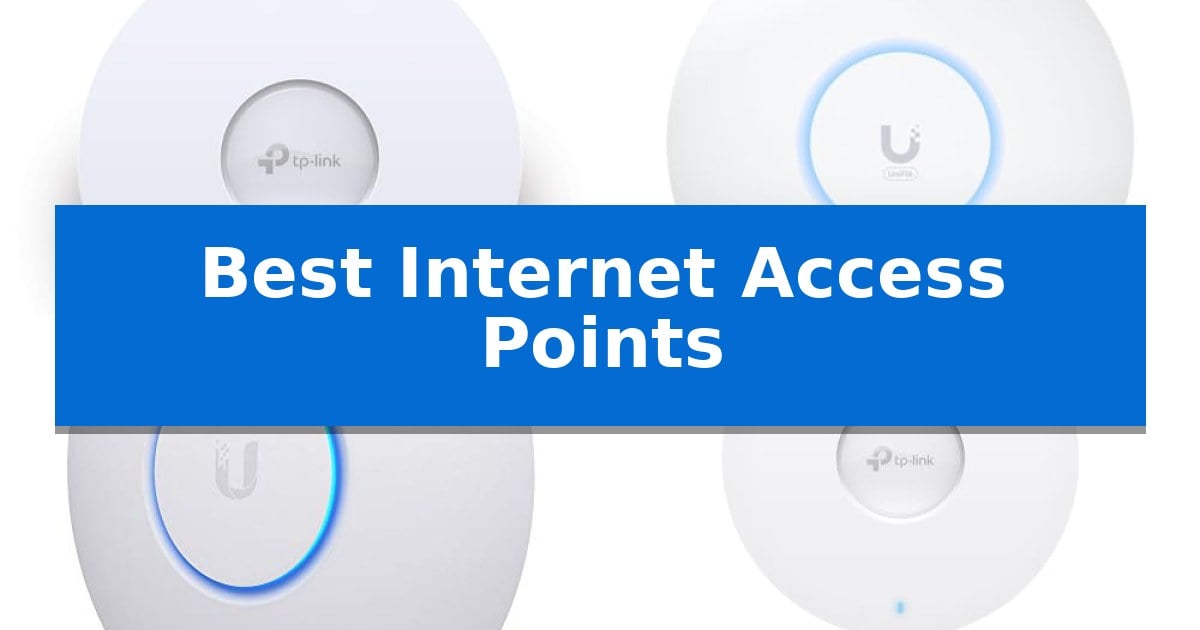
Building a robust and reliable network requires more than just a standard router, especially when you need to eliminate dead zones in larger spaces. The Best Internet Access Points provide the necessary infrastructure to extend your signal, manage high-density traffic, and ensure consistent speeds across multiple devices.
Whether you are upgrading a home office or scaling a business network, selecting the right hardware is essential for seamless performance. We have analyzed five leading models to help you understand how different features, such as Wi-Fi 6 technology and centralized management, can improve your connectivity experience.
Best Internet Access Points in 2026: Optimizing Your Network Coverage
Quick Comparison
| Product | Best For | Key Strength | Score |
|---|---|---|---|
| TP-Link Omada EAP650 Access Point | Best Overall | Free cloud management via the Omada app eliminates the need for expensive hardware controllers. | 4.9 |
| Ubiquiti U6+ Wireless Access Point | Compact Wi-Fi 6 Efficiency | 3 Gbit/s wireless transmission speed for efficient data handling. | 4.7 |
| Ubiquiti UniFi nanoHD Access Point | Discreet High-Density Coverage | High-density support for over 200 concurrent users. | 4.9 |
| TP-Link Omada EAP610 Access Point | Balanced Performance for Multi-User | Free Cloud Management via Omada app eliminates the need for expensive hardware controllers. | 4.4 |
| TP-Link TL-WA1201 Access Point | Versatile Multi-Mode Connectivity | 4-in-1 operation modes for versatile network deployment. | 4.3 |
How We Chose
- Wireless Standard: Assessing support for Wi-Fi 6 or 802.11ac Wave 2 for modern throughput.
- Management Interface: Evaluating the accessibility of cloud-based or software-defined networking controls.
- Deployment Flexibility: Checking for Power over Ethernet (PoE) support and mounting options.
- Capacity: Reviewing the ability to manage multiple concurrent users without significant performance degradation.
- Scalability: Considering how easily these units integrate into larger mesh or multi-AP systems.
1 TP-Link Omada EAP650 Access Point — Best for Scalable Business Networks
Maintaining consistent, high-speed connectivity across professional environments requires hardware that balances performance with flexible management. The TP-Link Omada EAP650 Access Point addresses this by utilizing Wi-Fi 6 technology to deliver dual-band speeds up to 2976 Mbps, ensuring high-density areas like offices or hotels remain responsive under heavy traffic.
Designed with an ultra-slim profile, this access point integrates discreetly into modern decor. Installation is streamlined through support for 802.3at PoE+, 48V Passive PoE, and 12V DC power, allowing it to adapt to existing infrastructure without requiring specialized electrical work.
Central to its utility is the free Omada Essentials Cloud Management platform. This allows administrators to oversee network operations via a mobile app, removing the need for dedicated hardware controllers in smaller setups. For larger, more complex deployments, the EAP650 integrates into the Omada Software Defined Networking (SDN) platform, unlocking advanced features such as seamless roaming, mesh networking, and load balancing.
Security and longevity are built into the device, which supports WPA3 encryption and is backed by a 5-year warranty. By offering multiple management modes, including standalone and cloud-based options, this unit provides a scalable path for businesses that may need to expand their network architecture over time.
Best for: Small to medium-sized businesses and professional environments requiring scalable, cloud-managed Wi-Fi 6 connectivity.
Skip if: Home users who do not require enterprise-grade management features or those who lack a PoE-capable network infrastructure and prefer a simple plug-and-play consumer router.
PROS
- Free cloud management via the Omada app eliminates the need for expensive hardware controllers.
- Wi-Fi 6 performance provides high-speed wireless throughput for dense environments.
- Flexible powering options including PoE+ and DC adapter support simplify installation.
- Ultra-slim design ensures the unit blends into professional decor.
CONS
- Advanced features like seamless roaming and mesh require an Omada SDN controller for full functionality.
- Single Gigabit Ethernet port may limit backhaul capacity in extremely high-traffic scenarios.
2 Ubiquiti U6+ Wireless Access Point — Compact Wi-Fi 6 Efficiency
Maintaining a consistent and efficient wireless network requires hardware that balances throughput with installation flexibility. The Ubiquiti U6+ Dual Band IEEE 802.11 a/b/g/n/ac/ax 3 Gbit/s Wireless Access Point provides a high-speed data transfer rate of up to 3 Gbit/s, making it a capable solution for demanding business environments that require reliable communication.
Designed for professional deployment, this access point supports the IEEE 802.11 a/b/g/n/ac/ax wireless LAN standard, ensuring broad compatibility with modern devices. The inclusion of a Gigabit Ethernet port facilitates high-speed wired backhaul, while the PoE+ (Power over Ethernet) capability allows the device to receive both data and power—up to 25.5W—through a single cable. This feature is particularly useful for installations in locations where dedicated power outlets are not readily available.
Security and physical design are central to its utility. The integrated Data Encryption feature helps protect sensitive information from unauthorized access, providing a necessary layer of defense for business networks. Measuring 7.8 by 7.2 by 2.1 inches, the unit features a wall-mountable form factor, which is intended to minimize physical fatigue during installation and ensure a clean, unobtrusive setup in office or commercial spaces.
When selecting hardware for network infrastructure, consider the balance between transmission speed and power delivery requirements. The Ubiquiti U6+ Wireless Access Point offers a streamlined approach to network expansion, though users should ensure their existing switching infrastructure supports the necessary PoE+ standards to utilize the single-cable power delivery feature effectively.
Best for: Business environments requiring high-speed Wi-Fi 6 connectivity and flexible, single-cable PoE+ installation.
Skip if: Home users who lack a PoE-capable switch or injector and prefer a simple plug-and-play router setup.
PROS
- 3 Gbit/s wireless transmission speed for efficient data handling.
- PoE+ support allows for power and data over a single cable.
- Integrated data encryption for enhanced network security.
- Wall-mountable design for versatile placement.
CONS
- Requires PoE+ infrastructure or an injector for power.
- No included power adapter mentioned in the base specifications.
3 Ubiquiti UniFi nanoHD Access Point — Discreet High-Density Coverage
Maintaining stable, high-capacity wireless connectivity in dense environments requires hardware designed for throughput and efficiency. The Ubiquiti UniFi nanoHD Access Point addresses this by utilizing Four stream 802.11AC Wave2 technology, which allows it to manage traffic across multiple devices simultaneously.
This access point is engineered to support 200+ concurrent users, making it a viable solution for busy office spaces or public areas where many clients connect at once. Its compact design ensures it does not dominate the visual space, and it features 802.3af PoE compatibility to simplify installation by delivering power and data through a single Ethernet cable. This integration means you can mount the device on ceilings or walls without needing a dedicated power outlet nearby, provided your network switch supports the standard.
For those who prioritize aesthetics, the device offers optional covers that are sold separately. These allow the hardware to blend into various interior environments, from office ceilings to residential settings, without requiring a bulky or industrial appearance. By swapping the exterior shell, the unit can match the surrounding decor while maintaining its functional role.
The Ubiquiti UniFi nanoHD Access Point provides a balance between high-density performance and a low-profile form factor. While it requires a compatible PoE source for power, its ability to handle significant user loads makes it a practical choice for environments demanding reliable, scalable wireless access.
Best for: High-density environments like offices or public spaces that require reliable connectivity for a large number of concurrent users.
Skip if: Users who do not have an existing 802.3af PoE infrastructure or those who prefer a standalone router with integrated modem capabilities.
PROS
- High-density support for over 200 concurrent users.
- Compact, low-profile design that can be customized with optional covers.
- Simplified installation via 802.3af PoE compatibility.
- Advanced performance using 802.11AC Wave2 technology.
CONS
- Requires PoE power source which may necessitate additional hardware if not already installed.
- Optional covers sold separately for those seeking specific aesthetic integration.
4 TP-Link Omada EAP610 Access Point — Balanced Performance for Multi-User
The TP-Link Omada EAP610 Access Point simplifies network deployment through its Free Omada Essentials Cloud Management, allowing administrators to manage multiple sites and devices directly via the Omada app without requiring dedicated hardware controllers. This access point is built for modern business environments, featuring an ultra-slim design that integrates discreetly into offices, hotels, or classrooms while maintaining a professional aesthetic.
Engineered with Wi-Fi 6 technology, the device supports dual-band speeds up to 1800 Mbps and utilizes 1024-QAM and 4 spatial streams to enhance multi-user throughput. It is designed to handle high-density traffic efficiently using advanced features such as Band Steering, Load Balancing, and Airtime Fairness, which help maintain consistent performance across connected clients.
Installation flexibility is a core strength, as the TP-Link Omada EAP610 Access Point supports multiple power inputs, including 802.3at PoE+, 48V Passive PoE, and a 12V/1.5A DC power adapter. This variety ensures compatibility with existing PoE switches or standalone power setups, reducing the need for additional infrastructure upgrades.
As part of the Omada SDN platform, this access point supports Mesh WiFi and Seamless Roaming when paired with compatible controllers, facilitating a unified network experience. The unit also prioritizes security with WPA3 support and is backed by a 5-year warranty, providing long-term reliability for professional networking deployments.
Best for: Small to medium-sized business environments requiring centralized cloud management and high-density Wi-Fi 6 performance.
Skip if: Users who do not have an existing PoE infrastructure or do not require cloud-managed SDN features may find simpler standalone routers more cost-effective.
PROS
- Free Cloud Management via Omada app eliminates the need for expensive hardware controllers.
- Wi-Fi 6 performance with 1800 Mbps speeds and 4 spatial streams for high-density environments.
- Flexible powering options including PoE+ and DC adapter support.
- 5-year warranty provides long-term support for business installations.
CONS
- Seamless Roaming and Mesh features require an additional Omada SDN controller for full functionality.
- Firmware compatibility must be verified through documentation for specific SDN integrations.
5 TP-Link TL-WA1201 Access Point — Versatile Multi-Mode Connectivity
Managing network connectivity across a home or office requires versatile hardware that can adapt to changing layout needs. The TP-Link TL-WA1201 Access Point distinguishes itself by offering a 4-in-1 multi-mode operation, allowing it to function as an access point, range extender, client, or multi-SSID bridge depending on your specific network architecture.
Equipped with 802.11ac Wave 2 MU-MIMO technology, this device is engineered to handle multiple concurrent data streams, providing dual-band speeds of up to 1200 Mbps. The integration of four external antennas with Beamforming technology ensures that wireless signals are concentrated toward connected devices, improving signal reliability over distance compared to omnidirectional broadcasting.
Installation is simplified through support for Passive PoE (Power over Ethernet), which allows the device to receive both power and data over a single cable, reducing clutter in areas where power outlets are scarce. A dedicated Gigabit Ethernet port provides high-speed wired backhaul or local connectivity for devices that require a stable, low-latency connection.
Security remains a priority with support for WPA/WPA2 encryption, ensuring that your wireless traffic is protected against unauthorized access. With its compact dimensions of roughly 8.86 by 5.73 inches, the unit is designed to fit unobtrusively on a desktop or mounted in a convenient location, backed by a 2-year warranty.
Best for: Users needing a flexible, multi-mode wireless solution that supports PoE for simplified installation in varied network environments.
Skip if: Users requiring the latest Wi-Fi 6 (802.11ax) standards or those needing a high-density mesh system for large-scale enterprise coverage.
PROS
- 4-in-1 operation modes for versatile network deployment.
- Passive PoE support enables flexible placement without needing a nearby power outlet.
- MU-MIMO and Beamforming improve performance for multiple simultaneous connections.
- Gigabit Ethernet port ensures high-speed wired connectivity.
CONS
- AC1200 standard lacks the throughput capabilities of newer Wi-Fi 6 hardware.
- Passive PoE may require specific power injectors rather than standard 802.3af/at active PoE switches.
Best Internet Access Points Buying Guide
Understanding Wireless Standards
The current standard for high-performance networking is Wi-Fi 6 (802.11ax), which offers significant improvements in efficiency and speed over older protocols. When choosing an access point, prioritize models that support this standard if you have many devices connected simultaneously, as it manages traffic more effectively.
While older 802.11ac Wave 2 devices are still capable, they may struggle in high-density environments. Always ensure your access point matches the capabilities of your primary gateway or switch to avoid creating a bottleneck in your network architecture.
The Importance of Power over Ethernet (PoE)
Power over Ethernet (PoE) is a critical feature for professional installations because it allows you to power the device and transmit data through a single Ethernet cable. This eliminates the need for a dedicated power outlet near the mounting location, which is often difficult to find on ceilings or high walls.
When selecting a model, verify whether it requires standard 802.3at/af PoE or passive PoE. Using the wrong power method can damage your hardware, so matching the access point to a compatible PoE switch or injector is vital for a safe and clean installation.
Centralized Network Management
Modern access points often belong to an ecosystem, such as Software Defined Networking (SDN) platforms. These systems allow you to manage multiple access points from a single interface, making it easy to update firmware, monitor traffic, and adjust settings across your entire property.
If you plan to use more than one access point, choosing devices from the same brand and management ecosystem is highly recommended. This ensures seamless roaming, allowing your devices to switch between access points without dropping the connection.
Placement and Coverage
The physical location of your access point significantly impacts performance. Ceiling-mounted units generally provide the best omnidirectional coverage, while wall-mounted or desktop units may be better suited for specific rooms or areas with limited ceiling access.
Consider the beamforming technology of your chosen unit, which directs the wireless signal toward connected devices rather than broadcasting in all directions equally. This improves signal strength and reliability in challenging environments with physical obstructions.
Security and Encryption
Network security is non-negotiable in modern setups. Look for support for WPA3 encryption, which provides enhanced protection against unauthorized access compared to older WPA2 standards. This is especially important for business environments where sensitive data is transmitted.
Additionally, many enterprise-grade access points allow for the creation of multiple SSIDs, enabling you to isolate guest traffic from your primary network. This is a simple but effective way to keep your internal resources secure while still providing internet access to visitors.
Frequently Asked Questions
Do I need a controller to use these access points?
Many access points offer a standalone mode for basic setups. However, to utilize advanced features like seamless roaming and centralized management, a hardware or software-based controller is typically required.
Can I mix different brands of access points?
While technically possible, mixing brands often prevents features like seamless roaming from working correctly. It is best to stick to a single ecosystem for consistent performance.
What is the difference between an access point and a router?
A router manages your network traffic and assigns IP addresses, while an access point simply extends your wireless signal to areas where the router cannot reach.
How many devices can one access point handle?
This varies by model. Enterprise-grade units are designed to handle hundreds of concurrent connections, while entry-level models are better suited for home or small office use.
Is Wi-Fi 6 backward compatible?
Yes, Wi-Fi 6 access points are backward compatible with older devices using 802.11a/b/g/n/ac standards, though those devices will not benefit from the speed improvements of Wi-Fi 6.
Conclusion: Our Top Pick
For those seeking a balance of high-speed performance and professional-grade management, the TP-Link Omada EAP650 Access Point stands out as an excellent choice. Its support for Wi-Fi 6 and integration into the Omada SDN platform makes it highly scalable for growing networks, while the multiple powering options ensure it fits into various installation scenarios.
While other models in this list offer specific advantages like compact form factors or specialized density handling, the EAP650 provides the most versatile feature set for the widest range of users. Ensure your existing network switch supports the necessary PoE standards to take full advantage of its capabilities.