
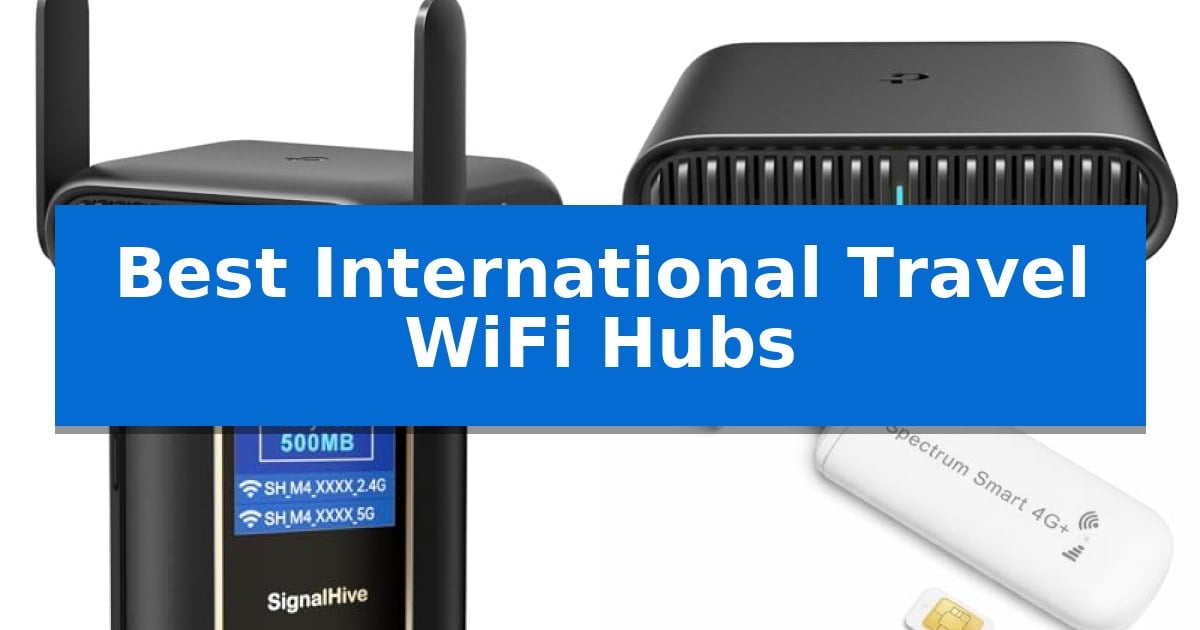
Staying connected while traveling often means relying on unsecured public networks that put your personal data at risk. Whether you are navigating a new city, working from a hotel, or streaming on a cruise, having a dedicated, private connection is essential for both security and convenience.
We have analyzed the Best International Travel WiFi Hubs to help you find a reliable solution for your specific needs. From high-speed routers that support multiple devices to compact hotspots that eliminate the need for physical SIM cards, these devices ensure you stay online without the headaches of public WiFi.
Best International Travel WiFi Hubs in 2026
Quick Comparison
| Product | Best For | Key Strength | Score |
|---|---|---|---|
| TP-Link Roam 7 BE3600 Travel Router | Best Overall | Multi-Link Operation (MLO) for improved connection stability and throughput. | 4.9 |
| TP-Link Roam 6 AX1500 Travel Router | Reliable Wi-Fi 6 Connectivity | Wi-Fi 6 performance for fast, multi-device connectivity. | 4.8 |
| SIGNALHIVE Portable WiFi Hotspot | Global Data Without SIMs | Built-in eSIM removes the need for physical SIM card management. | 4.3 |
| Spectrum Smart 4G LTE WiFi Hotspot | Best North American Coverage | Double-carrier coverage automatically switches between AT&T and T-Mobile. | 4.8 |
| Luocute 4G Mobile Hotspot | Extended Battery for Travel | 10-hour battery runtime for extended daily use. | 4.9 |
How We Chose
- Network Versatility: Ability to handle public WiFi, tethering, or cellular data.
- Security Features: Inclusion of VPN support and private network creation.
- Portability and Power: Physical dimensions and battery or power flexibility.
- Device Capacity: Number of simultaneous connections supported.
- Ease of Setup: User-friendly interfaces and configuration requirements.
1 TP-Link Roam 7 BE3600 Travel Router — Fastest Wi-Fi 7 Performance
Maintaining a secure, private connection while traveling is a frequent challenge for remote workers and frequent flyers. The TP-Link Roam 7 BE3600 Travel Router addresses this by enabling users to create a dedicated, secure network from public Wi-Fi sources, ensuring that all connected devices remain protected behind a private firewall.
This dual-band travel router delivers combined speeds of up to 2882 Mbps on the 5 GHz band and 688 Mbps on the 2.4 GHz band, utilizing Multi-Link Operation (MLO) to enhance reliability and reduce latency. It is designed for versatility, offering multiple modes including Router, Hotspot, and AP/RE/Client, allowing it to adapt to various connectivity scenarios from hotel rooms to RVs.
Security is a primary focus, as the device is built under the CISA Secure-by-Design pledge. It supports OpenVPN and WireGuard for both client and server configurations, providing robust encryption for remote work. The One-Step Captive Portal Authentication via the Tether App simplifies the process of connecting to public networks, eliminating the need for repeated logins across multiple devices.
Hardware connectivity includes one 2.5 Gbps WAN port and one 1 Gbps LAN port for high-speed wired transmissions. The unit is powered via a USB-C port, offering flexibility by supporting 5V PD power sources such as portable power banks, making it a practical addition to any travel kit.
Best for: Remote workers and frequent travelers who require a secure, high-speed private network for multiple devices in hotels, airports, or temporary accommodations.
Skip if: Users who require 6 GHz band support or those who specifically need compatibility with OpenWrt firmware.
PROS
- Multi-Link Operation (MLO) for improved connection stability and throughput.
- Advanced security with built-in OpenVPN and WireGuard support.
- Versatile power options via USB-C, compatible with standard power banks.
- Multi-Gigabit connectivity featuring a 2.5 Gbps WAN port.
CONS
- No 6 GHz band support for devices requiring the latest Wi-Fi 6E/7 frequency.
- Not compatible with OpenWrt firmware.
2 TP-Link Roam 6 AX1500 Travel Router — Reliable Wi-Fi 6 Connectivity
Maintaining a secure and reliable internet connection while traveling is a common challenge, and the TP-Link Roam 6 AX1500 Travel Router offers a dedicated solution by creating a private, secure network from public Wi-Fi sources. This compact device is specifically engineered for travelers who need to connect multiple devices in hotels, airports, or rental properties without compromising security.
The TP-Link Roam 6 AX1500 Travel Router utilizes Wi-Fi 6 technology to deliver speeds up to 1201 Mbps on the 5 GHz band and 300 Mbps on the 2.4 GHz band. Its multi-mode functionality allows it to operate as a router, a hotspot for public Wi-Fi, or an access point to extend existing networks. For added security, it supports VPN connectivity, which is essential for maintaining a private connection while working remotely.
Designed for portability, the device measures just 4.09 in. × 3.54 in. × 1.10 in., making it a true pocket-sized companion. It is highly versatile in terms of power, as it can be operated via its USB-C port using the included adapter or a 5V/3A PD power bank. This flexibility ensures that you can keep your network running even when wall outlets are inconveniently placed.
While this device excels at creating secure environments, it is important to note that it is not a cellular Mi-Fi device or mobile hotspot; it requires an existing internet source such as an Ethernet connection or a public Wi-Fi signal to function. Its straightforward design and internal antenna make it a practical tool for those who prioritize a stable, private connection over cellular data independence.
Best for: Travelers who need to create a secure, private Wi-Fi network from public or wired internet sources for multiple devices.
Skip if: Users who require a cellular-based mobile hotspot with a SIM card slot for internet access in areas without existing Wi-Fi or Ethernet.
PROS
- Wi-Fi 6 performance for fast, multi-device connectivity.
- Compact, pocket-sized design ideal for travel.
- Versatile power options via USB-C and PD power banks.
- Secure VPN support for private remote work.
CONS
- Not a cellular hotspot, requires an existing internet source.
- Does not support OpenWrt firmware.
3 SIGNALHIVE Portable WiFi Hotspot — Global Data Without SIMs
Maintaining a reliable internet connection while traveling often requires moving beyond public hotspots. The SIGNALHIVE Portable WiFi Hotspot addresses this by integrating a built-in eSIM, which eliminates the need to manually purchase or swap physical SIM cards when moving between locations. This device is engineered to automatically detect and connect to the strongest available network from major U.S. carriers, including T-Mobile and Verizon, providing a streamlined approach to mobile connectivity.
Designed for versatility, this hub supports up to 10 devices simultaneously, making it a practical solution for families or professionals managing multiple laptops, tablets, and smartphones. The 3000mAh rechargeable battery offers up to 6 hours of continuous operation, and the unit supports USB-C charging for modern compatibility. Users can track their connection status, signal strength, and data usage directly through the integrated real-time display.
The service model centers on flexibility, offering a lifetime data plan that includes 1GB of monthly data. For those requiring more, the platform provides day, week, and month-based data options without long-term contracts or activation fees. This structure allows travelers to scale their data usage based on specific trip requirements rather than committing to recurring monthly subscriptions.
Security is handled through advanced protocols designed to protect personal information when accessing the internet in public spaces. While the device simplifies network selection, users should note that actual performance remains dependent on local carrier coverage and signal availability at their specific destination.
Best for: Travelers and remote workers who need a secure, contract-free internet connection for multiple devices without the complexity of managing physical SIM cards.
Skip if: Users who require high-capacity, long-duration battery life exceeding 6 hours or those operating in areas with poor cellular coverage from major U.S. carriers.
PROS
- Built-in eSIM removes the need for physical SIM card management.
- Flexible data plans allow for day, week, or month-based purchases without contracts.
- Supports up to 10 devices simultaneously for multi-user or multi-device setups.
- Integrated display provides real-time monitoring of data usage, battery, and signal strength.
CONS
- 6-hour battery life may require frequent recharging during long travel days.
- Network performance is strictly tied to local carrier coverage and signal availability.
4 Spectrum Smart 4G LTE WiFi Hotspot — Best North American Coverage
Maintaining a reliable internet connection while crossing borders requires hardware that adapts to local infrastructure without manual configuration. The Spectrum Smart 4G LTE WiFi Hotspot simplifies this by utilizing a double-carrier design that automatically switches between AT&T and T-Mobile networks to secure the strongest available signal.
Designed for portability, this device is smaller than a pack of gum, making it a practical addition to any travel kit. It functions as a plug-and-play hotspot, drawing power from any standard USB port—including power banks, laptops, or car chargers—to provide connectivity for up to 10 devices simultaneously without the need for complex software or driver installations.
Unlike traditional USB adapters that rely on existing local networks, this unit creates its own cellular-based internet access. It is rated for 4G LTE speeds up to 150 Mbps, supporting streaming and video calls across the United States, Canada, and Mexico. The inclusion of a pre-installed SIM card and a 500MB trial data plan allows for immediate testing of coverage upon arrival.
While the device offers significant flexibility for road trips and remote work, users should note that it is strictly a cellular-based solution. It is an effective tool for maintaining a personal network in areas with cellular coverage, though it does not function as a bridge for public WiFi networks.
Best for: Travelers and remote workers needing a portable, multi-carrier cellular internet solution across North America.
Skip if: You require a device that can capture and extend existing public WiFi signals or need high-speed 5G connectivity.
PROS
- Double-carrier coverage automatically switches between AT&T and T-Mobile.
- Plug-and-play USB-powered design requires no software or external power adapters.
- Compact form factor fits easily in pockets or small travel bags.
- Multi-device support allows up to 10 simultaneous connections.
CONS
- Cellular-only connectivity means it cannot act as a repeater for existing public WiFi networks.
- 4G LTE limitation may not match the speeds of newer 5G-only hardware.
5 Luocute 4G Mobile Hotspot — Extended Battery for Travel
Maintaining a consistent internet connection while traveling often requires a reliable bridge between cellular networks and your personal devices. The Luocute 4G Mobile Hotspot addresses this by converting 4G SIM signals into a private, portable WiFi network, housed in a durable ABS shell designed for road trips and outdoor use.
This device features a built-in LED display that provides immediate visibility into signal strength, network mode, battery status, and the number of connected users. By offering this at-a-glance monitoring, it removes the need to navigate through mobile applications to verify your connection status while on the move.
Equipped with a 2100mAh internal battery, the unit supports up to 10 hours of runtime, facilitating full-day browsing or video conferencing. It is compatible with various charging methods, including USB wall plugs, power banks, and vehicle adapters, ensuring power remains accessible during travel.
The hotspot supports simultaneous connections for up to 10 devices, such as smartphones, tablets, and laptops, making it a practical solution for families or small work groups. Its unlocked design supports multiple LTE bands (B1, B3, B5, B40) and WCDMA B1, allowing for flexible use with standard data plans across different locations.
Best for: Travelers and small groups needing a portable, multi-device WiFi bridge with long-lasting battery life.
Skip if: Users requiring 5G speeds or those traveling in regions where the specific supported LTE bands (B1, B3, B5, B40) are not utilized.
PROS
- 10-hour battery runtime for extended daily use.
- Supports up to 10 simultaneous connections for multiple devices.
- Clear LED status display for real-time network monitoring.
- Unlocked design compatible with various data plans and LTE bands.
CONS
- Limited to 4G connectivity, which may not match the speed of 5G networks.
- Specific band support requires verification against local carrier frequencies.
Best International Travel WiFi Hubs Buying Guide
Understanding Connectivity Modes
Travel routers often offer multiple modes, such as Router, Hotspot, and AP/Client mode. A Router mode is ideal for creating a private network from an Ethernet source, while Hotspot mode allows you to bridge a public WiFi signal, providing a secure layer for all your connected devices.
Choosing a device that supports multiple modes gives you the flexibility to adapt to different environments, whether you are in a hotel with wired internet or a cafe with only public wireless access.
The Importance of VPN Support
When traveling, your data is vulnerable on public networks. Devices that feature built-in VPN support, such as OpenVPN or WireGuard, allow you to encrypt your traffic before it leaves your device, keeping your sensitive information private.
Always verify if the hub supports the specific VPN protocols you use for work or personal security, as this is a critical layer of protection when accessing banking or corporate systems abroad.
Power and Battery Considerations
Portable hubs are powered either by internal batteries or external USB-C sources. If you are constantly on the move, a device with a long-lasting internal battery is invaluable, as it prevents you from needing to hunt for power outlets.
For stationary travel like long-term hotel stays, a device powered by a USB-C port is often more convenient, as it can be powered by standard wall adapters or high-capacity power banks you likely already carry.
Device Capacity and Throughput
If you are traveling with family or a team, the number of devices a hub can support is vital. Look for hubs that can manage multiple simultaneous connections without significant drops in speed or stability.
Higher throughput, supported by modern standards like Wi-Fi 7 or Wi-Fi 6, ensures that your connection remains fast enough for video conferencing, streaming, and large file transfers, even when several people are online at once.
SIM-Free vs. Traditional Connectivity
Some modern hotspots utilize eSIM technology, which eliminates the need to purchase and swap physical SIM cards in every new country. This is a massive convenience for frequent travelers who want to avoid carrier account setup hassles.
Alternatively, traditional SIM-based routers offer more control if you prefer to use local prepaid SIMs to manage data costs. Consider your travel frequency and budget when deciding between these two approaches.
Frequently Asked Questions
Do I need a separate data plan for these devices?
It depends on the device. Hotspots that use cellular data require a plan, while travel routers that bridge existing WiFi or Ethernet connections do not require a separate data plan.
Can these devices replace my home router?
While many travel routers are powerful enough for home use, they are specifically optimized for portability and public network security, making them better suited as secondary or travel-specific devices.
Are these devices secure?
Yes, most of the devices listed create a private, password-protected network and often include VPN support, which is significantly more secure than connecting directly to public WiFi.
Will these work on a cruise ship?
Devices that support public WiFi sharing can connect to shipboard internet and redistribute it to your other devices, allowing you to use one login for multiple gadgets.
What is the benefit of a 2.5G port?
A 2.5G WAN port allows for faster wired internet speeds, ensuring that your local network is not bottlenecked if you are connected to a high-speed wired internet source.
Conclusion: Our Top Pick
For travelers seeking the most robust and future-ready connectivity, the TP-Link Roam 7 BE3600 Travel Router stands out as the top choice. Its ability to handle up to 90 devices, combined with advanced security features like OpenVPN and WireGuard, makes it an exceptional tool for both remote workers and families.
While it does not support the 6 GHz band, its Wi-Fi 7 performance and versatile multi-mode functionality provide a reliable, secure, and fast internet experience in almost any travel scenario. It is a comprehensive solution for those who prioritize security and high-capacity connectivity on the go.