
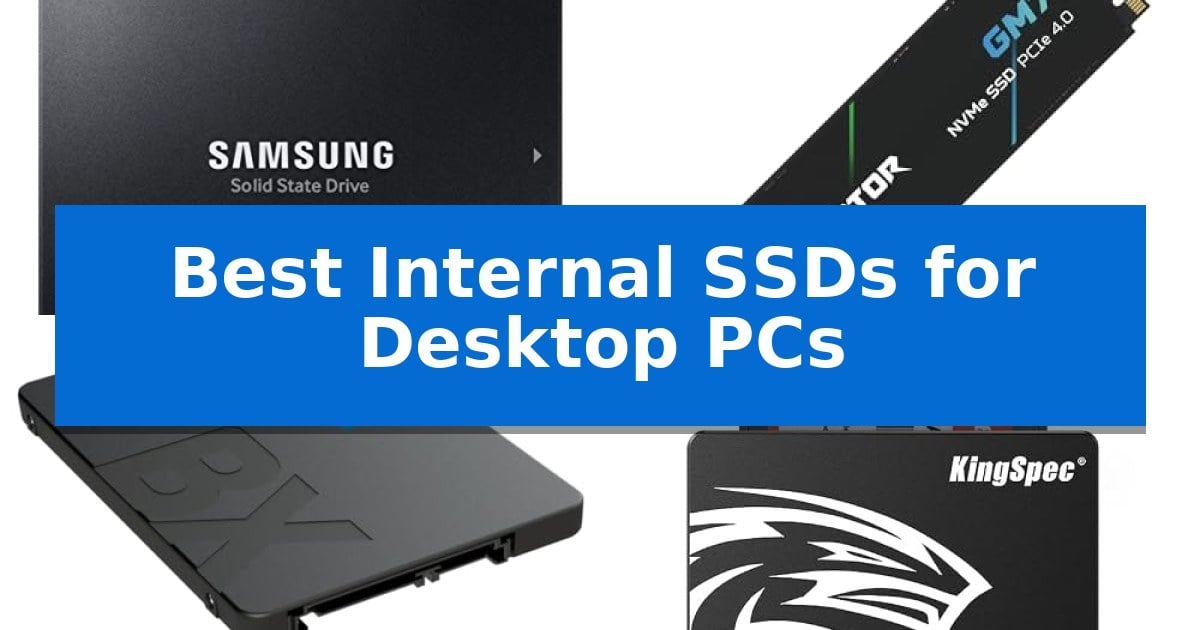
Slow boot times and sluggish application loading can significantly hinder your daily productivity and gaming experience. Upgrading your storage is one of the most effective ways to revitalize an aging machine or ensure a new build operates at its full potential.
We have analyzed the Best Internal SSDs for Desktop PCs to help you navigate the differences between interface types, capacities, and performance tiers. Whether you need a massive drive for media storage or a high-speed solution for intensive workflows, our guide identifies the right hardware for your desktop.
Best Internal SSDs for Desktop PCs in 2026
Quick Comparison
| Product | Best For | Key Strength | Score |
|---|---|---|---|
| Samsung 870 EVO SSD | Best Overall | Maximizes SATA interface performance with high sequential speeds. | 4.9 |
| Acer Predator GM7 SSD | Blazing PCIe Gen 4 Speeds | High-speed PCIe 4.0 Gen4 interface with up to 7400 MB/s read speeds. | 4.7 |
| Crucial BX500 SSD | Easy Migration Software Included | Dynamic Write Acceleration for faster system responsiveness. | 4.6 |
| KingSpec 2.5 SATA SSD | Budget-Friendly Performance Boost | Fast sequential speeds up to 550MB/s read and 520MB/s write. | 4.3 |
| fanxiang S101 SSD | High-Capacity SATA Storage | High 4TB capacity for extensive file storage | 4.7 |
How We Chose
- Interface and Form Factor: Assessing compatibility with standard SATA 2.5-inch slots or M.2 NVMe motherboard headers.
- Sequential Read/Write Speeds: Comparing manufacturer-rated data transfer rates to identify performance tiers for gaming and professional workloads.
- Capacity Options: Evaluating the available storage tiers to ensure they meet diverse user requirements from basic OS drives to large media libraries.
- Reliability and Endurance: Reviewing provided warranty terms and TBW (Total Bytes Written) ratings to gauge expected drive longevity.
- Management Software: Checking for included utilities that simplify data migration, firmware updates, and drive health monitoring.
1 Samsung 870 EVO SSD — Industry-Leading Reliability
Upgrading your desktop storage with the Samsung 870 EVO SSD provides a reliable path to faster system responsiveness, utilizing the standard 2.5-inch SATA interface for broad compatibility across most desktop PCs and workstations. By housing its own DRAM and NAND components in-house, the manufacturer ensures consistent quality control, making this drive a dependable choice for users seeking to improve load times and overall system fluidity.
This drive maximizes the SATA interface, delivering sequential read and write speeds up to 560MB/s and 530MB/s respectively. It is engineered to handle demanding workloads, from everyday computing to intensive 8K video processing, supported by a larger variable buffer that helps maintain high performance over time. This buffer technology is particularly beneficial for professionals who require consistent write speeds during sustained data transfers.
Reliability is a core focus, with the drive rated for up to 600 TBW and backed by a 5-year limited warranty. The Samsung 870 EVO SSD is designed to meet the rigorous demands of high-end PCs, workstations, and NAS environments. Its compatibility has been verified across major host systems, chipsets, and motherboards, ensuring a straightforward integration process for various hardware configurations.
Integration is simplified through included migration software, which assists with data transfers during the upgrade process. Users can further manage drive health, monitor status, and optimize performance through the Samsung Magician software. This utility also provides support for AES 256-bit encryption, offering a layer of security for sensitive data stored on the drive.
Best for: Users looking for a reliable, high-capacity SATA storage upgrade for general desktop computing, creative workloads, or NAS applications.
Skip if: Users requiring the significantly higher transfer speeds offered by NVMe M.2 drives for specialized high-bandwidth tasks.
PROS
- Maximizes SATA interface performance with high sequential speeds.
- Industry-defining reliability with up to 600 TBW rating.
- Comprehensive management via Samsung Magician software.
- Broad compatibility with major host systems and motherboards.
CONS
- SATA interface limitations compared to modern NVMe standards.
2 Acer Predator GM7 SSD — Blazing PCIe Gen 4 Speeds
Upgrading your desktop storage with the Acer Predator GM7 1TB SSD provides a significant boost for demanding workloads, utilizing the PCIe 4.0 Gen4 interface to achieve read speeds up to 7400 MB/s. This drive is engineered for enthusiasts who require rapid data access for gaming and content creation, ensuring that large files and game assets load with minimal delay.
The drive leverages HMB (Host Memory Buffer) and an SLC Cache to maintain high-performance levels during intensive tasks. By integrating a powerful controller with advanced NAND Flash, the hardware is designed to operate efficiently, drawing less power and generating less heat during operation. This efficiency is particularly beneficial for users running compact desktop builds where thermal headroom is limited.
Thermal management is handled through built-in Thermal Throttling and intelligent power management systems. These features allow the Acer Predator GM7 SSD to maintain stable temperatures even when subjected to heavy, sustained workloads, protecting the drive's longevity and preventing performance degradation during long file transfers.
For ongoing maintenance, the drive includes access to Biwin Intelligence management software. This utility provides a suite of tools for users to monitor performance, perform data migration, and execute drive cloning, simplifying the setup and upkeep process for desktop environments.
Best for: Enthusiasts and creators seeking high-speed PCIe 4.0 storage for gaming and heavy file-transfer tasks.
Skip if: Users with older motherboards lacking PCIe 4.0 support, as this drive will not reach its maximum rated performance on older interfaces.
PROS
- High-speed PCIe 4.0 Gen4 interface with up to 7400 MB/s read speeds.
- Advanced thermal throttling for effective temperature management.
- Includes Biwin Intelligence software for easy data migration and drive management.
- Efficient power consumption through modern NAND Flash and controller technology.
CONS
- Requires a PCIe 4.0 compatible slot to achieve advertised performance specifications.
3 Crucial BX500 SSD — Easy Migration Software Included
Upgrading your desktop storage requires a balance of capacity and reliable data management. The Crucial BX500 SSD offers a straightforward path to faster system boot times and responsive application loading through its 3D NAND architecture and Dynamic Write Acceleration technology.
Designed for desktop and laptop integration, this 2.5-inch drive provides up to 4TB of storage, making it suitable for users who need to consolidate large media libraries or manage extensive file collections. The drive includes 256-bit AES hardware-based encryption to help secure sensitive data, adhering to industry standards like TCG Opal 2.0 and Microsoft eDrive.
Installation is supported by the inclusion of Acronis True Image HD software, which simplifies the data migration process when transitioning from an older drive. For ongoing maintenance, the unit is compatible with the Crucial Storage Executive Tool, allowing users to monitor drive health and manage firmware updates efficiently.
Backed by a 3-year limited warranty, the drive undergoes extensive validation and qualification testing to ensure consistent operation. Whether you are accelerating a legacy system or expanding your current storage capacity, this drive provides a practical, high-capacity solution for daily computing needs.
Best for: Users seeking an affordable, high-capacity storage upgrade with included migration software for desktop or laptop systems.
Skip if: Users requiring the extreme high-speed performance of NVMe M.2 drives for intensive professional workloads or gaming.
PROS
- Dynamic Write Acceleration for faster system responsiveness.
- Hardware-based 256-bit AES encryption for data security.
- Includes Acronis True Image HD for simplified data migration.
- Compatible with Crucial Storage Executive Tool for maintenance.
CONS
- SATA interface limits maximum transfer speeds compared to modern NVMe alternatives.
4 KingSpec 2.5 SATA SSD — Budget-Friendly Performance Boost
Upgrading your desktop storage with the KingSpec 1TB 2.5 SSD SATA III Internal provides a direct path to faster system responsiveness and improved file loading efficiency. By utilizing 3D NAND flash memory and semiconductor components, this drive replaces traditional mechanical storage to deliver max sequential read speeds of up to 550 MB/s and max sequential write speeds of up to 520 MB/s.
Beyond raw speed, the drive is engineered for durability with shockproof and anti-drop characteristics, ensuring it remains resilient within a desktop environment. It operates with low power consumption and remains quiet and noiseless during use, making it an unobtrusive addition to any workstation or entertainment PC.
Reliability is managed through integrated support for wear leveling, garbage collection, over-provisioning, native command queuing, TRIM, and S.M.A.R.T. technology. These features help maintain stable performance over time, and the unit is backed by a 3-year limited warranty with lifetime technical support.
Compatibility is broad, supporting Windows 10, 8.1, 8, 7, DOS, Linux, and Unix systems. The SATA Rev. 3.0 (6Gb/s) interface is backward compatible with SATA Rev. 2.0, allowing for integration into a wide range of desktop and all-in-one computer configurations.
Best for: Users looking to improve desktop boot times and application loading speeds through a reliable, shock-resistant SATA III storage upgrade.
Skip if: Users requiring the extreme bandwidth of NVMe M.2 drives for high-end professional video editing or specialized data-intensive workloads.
PROS
- Fast sequential speeds up to 550MB/s read and 520MB/s write.
- Shockproof and anti-drop design for increased physical durability.
- Comprehensive maintenance features including TRIM, S.M.A.R.T, and wear leveling.
- Wide compatibility with major operating systems and legacy SATA interfaces.
CONS
- SATA III interface limits maximum throughput compared to modern NVMe alternatives.
- 2.5-inch form factor requires additional cabling compared to M.2 motherboard-mounted drives.
5 fanxiang S101 SSD — High-Capacity SATA Storage
Upgrading your desktop storage with the fanxiang S101 4TB SSD offers a substantial capacity boost for users managing large media libraries or extensive gaming collections. This 2.5-inch SATA III drive is designed as a direct replacement for traditional mechanical hard drives, providing a more resilient storage solution for your PC.
The drive utilizes 3D NAND SLC Cache Technology to maintain efficient data handling, achieving read and write speeds of up to 500MB/s. By replacing a standard HDD, you can expect faster system boot times and more responsive application loading, which helps streamline daily productivity tasks.
Durability and data integrity are central to the design of the fanxiang S101 SSD. It incorporates advanced features such as wear-leveling technology, ECC (Error Correction Code), and S.M.A.R.T support to monitor drive health. Because it lacks the moving parts found in HDDs, it is inherently more shockproof, protecting your data against accidental bumps or drops.
Compatibility is broad, as the drive supports Windows, Linux, and Mac OS, making it a versatile choice for desktops, laptops, and all-in-one PCs. Each unit is backed by a 3-year manufacturer service and lifetime technical support, providing long-term assurance for your storage investment.
Best for: Users looking to replace aging mechanical hard drives with high-capacity, shock-resistant solid-state storage.
Skip if: Users who require the significantly higher transfer speeds offered by NVMe M.2 drives for professional video editing or high-performance workstations.
PROS
- High 4TB capacity for extensive file storage
- Shockproof design increases physical durability compared to HDDs
- Broad compatibility across multiple operating systems and device types
- Includes 3-year manufacturer service for added peace of mind
CONS
- SATA III interface limits maximum transfer speeds compared to modern NVMe alternatives
Best Internal SSDs for Desktop PCs Buying Guide
Interface Compatibility: SATA vs. NVMe
The most critical step in choosing an SSD is confirming your motherboard's supported interface. SATA 2.5-inch SSDs are universally compatible with older and newer desktop PCs, making them an excellent choice for general storage upgrades or secondary drives.
NVMe PCIe Gen 4 drives utilize the M.2 slot on modern motherboards. These offer significantly higher data transfer speeds, which are beneficial for high-end gaming, 8K video editing, and other data-intensive tasks that require rapid file access.
Understanding Sequential Speeds
Sequential read and write speeds indicate how quickly a drive can move large files. While high-performance NVMe drives can reach speeds exceeding 7,000 MB/s, standard SATA drives typically cap out around 500-560 MB/s.
For most everyday computing tasks, such as web browsing and office applications, the difference between a high-end SATA drive and an entry-level NVMe drive is often negligible. Reserve the fastest drives for professional creative work or modern gaming titles that benefit from reduced load times.
Capacity and Endurance
Storage capacity should be balanced against your specific needs. A 1TB drive is often the sweet spot for a primary OS drive, while 2TB or 4TB options are better suited for users with large collections of high-resolution media or extensive game libraries.
Always check the TBW (Total Bytes Written) rating, which provides an estimate of how much data can be written to the drive before it reaches its endurance limit. Higher TBW ratings are generally preferred for users who frequently move large files or perform heavy write operations.
Data Migration and Management
Upgrading your drive often involves moving your operating system and files from an old HDD or smaller SSD. Look for drives that include or support migration software, which can simplify the cloning process and minimize downtime.
Proprietary management software, such as Samsung Magician or similar tools from other manufacturers, is invaluable for maintaining drive health. These utilities allow you to monitor status, perform firmware updates, and optimize performance settings throughout the life of the drive.
Thermal Management
High-performance NVMe SSDs can generate significant heat during sustained workloads. If you choose a fast PCIe Gen 4 drive, ensure your motherboard has an integrated heatsink or consider purchasing an aftermarket cooler to prevent thermal throttling.
SATA SSDs generally operate at lower temperatures and do not require specialized cooling. Their 2.5-inch form factor is designed for standard airflow within a desktop case, making them a low-maintenance option for most users.
Frequently Asked Questions
Can I use an M.2 NVMe SSD in an older desktop?
Only if your motherboard has an M.2 slot that supports NVMe. If your motherboard lacks this, you can use a PCIe-to-M.2 adapter card, though you may not be able to boot from it depending on your BIOS.
Is there a noticeable difference between SATA and NVMe for gaming?
While NVMe drives offer faster load times in some modern titles, the difference is often measured in seconds. SATA SSDs still provide a massive performance boost over mechanical hard drives.
What is the benefit of SLC caching?
SLC caching uses a portion of the drive's memory to act as a high-speed buffer, which accelerates write speeds for short bursts of data, improving overall system responsiveness.
Do I need to format my new SSD before using it?
Yes, a new SSD will typically need to be initialized and formatted through your operating system's disk management tool before it will appear as a usable drive in your file explorer.
How do I know if my SSD is failing?
Most modern SSDs support S.M.A.R.T. monitoring. Using the manufacturer's software, you can check the drive's health status, which will alert you to potential issues before a total failure occurs.
Conclusion: Our Top Pick
For most desktop users, the Samsung 870 EVO SSD stands out as the most reliable choice for a SATA-based upgrade. Its proven performance, robust software support, and high endurance ratings make it an ideal candidate for both primary system drives and high-capacity secondary storage.
While faster NVMe options exist for specialized tasks, the 870 EVO provides a consistent, trouble-free experience that is compatible with a vast range of desktop configurations. It remains our top recommendation for those seeking a balance of reliability and ease of use.