
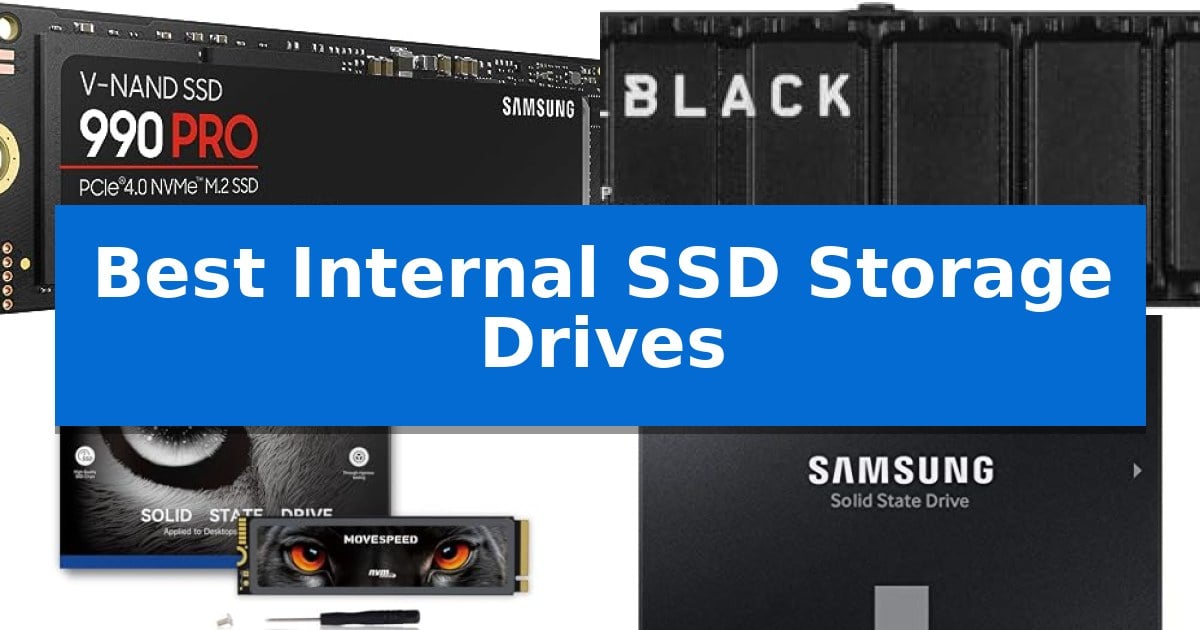
Upgrading your computer or console with one of the Best Internal SSD Storage Drives is the most effective way to eliminate sluggish load times and improve overall system responsiveness. Whether you are looking to revitalize an aging desktop or expand your gaming library, selecting the right drive requires balancing your specific hardware interface with your performance needs.
Our guide evaluates current market options to help you navigate the differences between high-speed NVMe drives and reliable SATA alternatives. By understanding the technical requirements of your motherboard or console, you can ensure a seamless transition to faster, more efficient storage that meets your daily computing or heavy-duty gaming demands.
Best Internal SSD Storage Drives in 2026: Boost Your System Speed
Quick Comparison
| Product | Best For | Key Strength | Score |
|---|---|---|---|
| Samsung 990 PRO NVMe SSD | Best Overall | High-speed PCIe 4.0 performance with read/write speeds up to 7,450/6,900 MB/s. | 4.9 |
| WD_BLACK SN850P NVMe SSD | Optimized for PS5 Console Expansion | Officially licensed for PlayStation 5 compatibility | 4.9 |
| MOVE SPEED HB7450 NVMe SSD | High-Speed Gaming Storage Expansion | High-speed PCIe 4.0 interface with read speeds up to 7450MB/s. | 4.6 |
| Samsung 870 EVO SATA SSD | Reliable Upgrade for Everyday Computing | High-performance SATA interface maximizing sequential speeds up to 560MB/s. | 4.4 |
| PNY CS900 SATA SSD | Budget-Friendly Desktop Laptop Refresh | Significant performance improvement over traditional mechanical hard drives. | 4.7 |
How We Chose
- Interface Compatibility: We prioritized drives based on their connection standards, including PCIe 4.0 NVMe for high-end systems and SATA III for legacy hardware upgrades.
- Performance Metrics: We evaluated sequential read and write speeds as reported by manufacturers to determine suitability for heavy workloads versus everyday tasks.
- Form Factor: We assessed physical dimensions and M.2 2280 compatibility to ensure drives fit standard motherboard slots and console expansion bays.
- Thermal Management: We considered the inclusion of integrated heatsinks, which are essential for maintaining performance in space-constrained environments like the PS5.
- Reliability and Endurance: We reviewed manufacturer-stated warranty terms and TBW (Total Bytes Written) ratings to gauge long-term durability.
1 Samsung 990 PRO NVMe SSD — Peak Performance for Heavy Workloads
The Samsung 990 PRO NVMe SSD is engineered for users who require high-performance storage capable of handling intensive computing, gaming, and professional workstation tasks. By utilizing the PCIe 4.0 interface, this drive delivers read and write speeds up to 7,450/6,900 MB/s, providing a significant bandwidth upgrade for systems that demand rapid data access.
Designed with power efficiency in mind, the drive offers up to 50% improved performance per watt compared to its predecessor, the 980 PRO. This efficiency allows for sustained high-speed operations without excessive power consumption, making it a suitable choice for heavy-duty data analysis and video editing workflows.
The drive features a compact M.2 2280 form factor, ensuring compatibility with a wide range of modern desktops and laptops. With storage capacities ranging from 1TB to 4TB, it provides flexible options for organizing large libraries of game saves, high-resolution media files, and complex project data.
Built by a leading flash memory brand, the Samsung 990 PRO NVMe SSD incorporates advanced architecture to achieve a reported 55% improvement in random performance. This focus on throughput and efficiency ensures that the drive remains a reliable component for users looking to optimize their system for demanding, next-generation applications.
Best for: High-end computing, gaming, and professional workstations requiring maximum PCIe 4.0 throughput and power efficiency.
Skip if: Systems lacking an M.2 2280 slot or those limited to PCIe 3.0 interfaces, as the drive's peak performance capabilities will not be fully utilized.
PROS
- High-speed PCIe 4.0 performance with read/write speeds up to 7,450/6,900 MB/s.
- Improved power efficiency offering 50% better performance per watt.
- Significant random performance boost of over 55% compared to the previous generation.
- Flexible capacity options ranging from 1TB to 4TB.
CONS
- Requires PCIe 4.0 compatibility to achieve advertised maximum speeds.
2 WD_BLACK SN850P NVMe SSD — Optimized for PS5 Console Expansion
Expanding your console storage requires a balance of speed and seamless integration. The WD_BLACK SN850P NVMe SSD is an officially licensed storage solution specifically engineered for the PlayStation 5, ensuring that users can install the drive directly into the M.2 slot without compatibility concerns.
This drive leverages PCIe Gen 4 technology to achieve read speeds reaching up to 7,300MB/s. These specifications enable the console to load games rapidly and support the high-bandwidth requirements of modern titles, allowing users to play directly from the drive rather than moving files back and forth between internal and external storage.
Thermal management is handled by an optimized heatsink included with the drive. This design is tailored for the PS5 console's internal M.2 bay, facilitating a straightforward installation process while maintaining performance during extended gaming sessions.
With capacity options ranging from 1TB to 4TB, the drive provides significant room for a growing digital library. The WD_BLACK SN850P NVMe SSD is backed by a 5-year limited manufacturer warranty, providing long-term support for your storage investment.
Best for: PlayStation 5 console owners who need a plug-and-play storage expansion that meets official performance and thermal requirements.
Skip if: Users looking for a drive for PC builds or laptops may prefer a non-heatsink model or a different form factor depending on their specific motherboard clearance.
PROS
- Officially licensed for PlayStation 5 compatibility
- Optimized heatsink included for thermal management
- High-speed PCIe Gen 4 performance up to 7,300MB/s
- 5-year limited warranty for long-term reliability
CONS
- Specific design optimized primarily for PS5 console installation
3 MOVE SPEED HB7450 NVMe SSD — High-Speed Gaming Storage Expansion
Upgrading your storage capacity for high-performance gaming or intensive workloads requires a drive that balances speed with thermal management. The MOVE SPEED HB7450 2TB SSD addresses this by integrating a high-speed PCIe 4.0 interface capable of reaching read speeds up to 7450MB/s, designed to minimize load times in demanding environments.
Engineered with a Maxio MAP1602 controller and high-quality 3D NAND flash, this drive is built for reliability. To maintain consistent performance during heavy data transfers, it includes a 1mm graphene composite heat sink. This cooling solution is specifically intended to mitigate thermal throttling, helping the drive sustain its rated speeds even under sustained load.
The MOVE SPEED HB7450 NVMe SSD utilizes a standard M.2 2280 form factor, ensuring broad compatibility with the PlayStation 5, as well as modern desktop and laptop motherboards. The package provides a complete installation kit, including the heatsink, screws, and a screwdriver, facilitating a straightforward plug-and-play setup for users looking to expand their system storage.
With a 5-year warranty and rigorous testing protocols—including high and low-temperature aging—this drive is positioned as a durable solution for users needing reliable, high-capacity storage. Whether for storing a large library of games or managing large file transfers, the drive provides a balance of thermal efficiency and interface speed.
Best for: Gamers and PC users seeking high-speed PCIe 4.0 storage expansion with integrated thermal management for PS5 or desktop systems.
Skip if: Users with older systems lacking PCIe 4.0 support or devices that do not accommodate the M.2 2280 form factor.
PROS
- High-speed PCIe 4.0 interface with read speeds up to 7450MB/s.
- Included graphene composite heatsink for effective thermal regulation.
- Complete installation kit including screws and screwdriver.
- Broad compatibility with PS5, desktops, and laptops.
CONS
- Heatsink requires manual installation, which may be less convenient for some users.
4 Samsung 870 EVO SATA SSD — Reliable Upgrade for Everyday Computing
The Samsung 870 EVO SATA SSD provides a reliable storage upgrade for desktops and laptops by utilizing the standard 2.5-inch SATA form factor. This drive is engineered to maximize the SATA interface, delivering sequential read speeds up to 560MB/s and write speeds up to 530MB/s to support demanding workloads.
Designed for versatility, this SSD features a large variable buffer to maintain consistent performance during heavy tasks, ranging from everyday computing to 8K video processing. It is built with in-house components, including Samsung-produced DRAM and NAND, and offers up to 600 TBW of endurance to handle intensive professional use.
Compatibility is a core focus, as the drive has been tested across a wide range of host systems, including various motherboards, chipsets, and NAS devices. Users can manage their storage environment using the Samsung Magician software, which monitors drive health, facilitates firmware updates, and provides performance optimization tools.
For security-conscious users, the drive includes hardware-based encryption options such as AES 256-bit, TCG/Opal, and IEEE1667. Installation is straightforward for those looking to replace or supplement existing storage in compatible systems, with migration software included to assist in the transition process.
Best for: Everyday users, creators, and IT professionals seeking a reliable, high-performance SATA storage upgrade for PCs, laptops, or NAS systems.
Skip if: Users requiring the faster speeds of NVMe M.2 drives or those whose systems lack a 2.5-inch SATA interface should look elsewhere.
PROS
- High-performance SATA interface maximizing sequential speeds up to 560MB/s.
- Broad compatibility tested with major chipsets, motherboards, and NAS devices.
- Advanced security features including AES 256-bit hardware encryption.
- Reliable endurance with up to 600 TBW for heavy workloads.
CONS
- SATA interface limitations compared to modern NVMe storage standards.
5 PNY CS900 SATA SSD — Budget-Friendly Desktop Laptop Refresh
Upgrading a sluggish computer often starts with the storage drive, and the PNY CS900 SATA SSD offers a direct path to improved system responsiveness. By replacing a traditional mechanical hard drive, this unit provides a noticeable boost to OS boot times and application loading speeds for everyday users, gamers, and creators alike.
This drive delivers sequential read speeds up to 535MB/s and sequential write speeds up to 500MB/s. These performance metrics are designed to outperform standard hard disk drives, ensuring that data-heavy tasks are handled with greater efficiency. The 2.5-inch form factor ensures broad compatibility with most laptops and desktops, while its backwards compatibility with SATA II 3GB/sec interfaces allows it to function in older hardware configurations.
Beyond raw speed, the drive is engineered for ultra-low power consumption, which can be a beneficial trait for laptop users looking to manage battery efficiency. The unit is compact, measuring just 0.3 inches in height, and comes with a 3-year warranty, providing a standard level of support for a component intended to refresh aging systems.
Choosing this SSD is a practical trade-off for those prioritizing a cost-effective performance boost over the extreme speeds offered by newer NVMe standards. While it lacks the high-bandwidth potential of PCIe-based drives, it remains a reliable solution for breathing new life into older machines that rely on the SATA interface.
Best for: Users looking to upgrade older laptops or desktops with a reliable, budget-friendly SATA SSD for faster boot and load times.
Skip if: Users who require the high-speed data transfer rates of NVMe M.2 drives for professional-grade video editing or heavy workstation tasks.
PROS
- Significant performance improvement over traditional mechanical hard drives.
- Ultra-low power consumption helps maintain system efficiency.
- Broad compatibility with both SATA III and SATA II interfaces.
- Compact 2.5-inch design fits easily into most standard laptop and desktop drive bays.
CONS
- Limited to SATA interface speeds, which are slower than modern NVMe alternatives.
Best Internal SSD Storage Drives Buying Guide
Understanding Interfaces: NVMe vs. SATA
The most critical factor when choosing an internal SSD is the interface. NVMe PCIe 4.0 drives represent the current standard for high-end gaming and professional workstations, offering significantly higher bandwidth than older technologies. These drives connect directly to the motherboard via the M.2 slot, enabling near-instant data transfer.
Conversely, SATA III drives are designed for broader compatibility, fitting into the 2.5-inch drive bays found in most older laptops and desktop PCs. While they cannot match the raw speed of NVMe, they provide a substantial performance boost over traditional mechanical hard drives, making them an ideal choice for basic system refreshes.
Form Factor and Physical Fit
Before purchasing, verify the physical space available in your device. Most modern M.2 SSDs follow the 2280 form factor, which is the industry standard for length and width. If you are installing a drive in a console like the PlayStation 5, ensure the drive includes or is compatible with a heatsink to prevent thermal throttling.
For desktop and laptop upgrades, check if your system supports 2.5-inch SATA drives. These are thicker than M.2 sticks and require a SATA data cable and power connection, whereas M.2 drives are installed directly onto the motherboard, requiring no extra cabling.
Capacity Requirements
Storage capacity should be dictated by your specific use case. For a boot drive that only houses your operating system and essential applications, 250GB to 500GB is often sufficient. This keeps your system snappy without unnecessary expense.
Gamers and content creators, however, should look toward 1TB to 4TB capacities. Modern games and high-resolution video files consume space rapidly, and having a larger drive prevents the need for frequent file management or deleting older projects to make room for new ones.
Thermal Management and Heatsinks
High-performance NVMe drives generate significant heat during sustained read and write operations. An integrated heatsink is a crucial component for maintaining peak performance, as it dissipates heat away from the controller and NAND flash chips.
If your motherboard already has built-in M.2 heat shields, you may not need a drive with a pre-installed heatsink. However, for console expansion or systems without dedicated cooling, opting for a model that includes a heatsink is a smart investment to ensure long-term stability.
Endurance and Warranty
SSD longevity is typically measured in Total Bytes Written (TBW), which indicates how much data can be written to the drive before it reaches its wear limit. For heavy users who frequently move large files, a higher TBW rating is preferable.
Always check the manufacturer's warranty period. Most reputable brands offer 3 to 5-year warranties, which provide peace of mind regarding the quality of the flash memory components and the controller's reliability over time.
Frequently Asked Questions
Can I use an NVMe SSD in a SATA slot?
No, NVMe and SATA use different connectors and communication protocols. You must match the drive interface to the available slot on your motherboard.
Do I need a heatsink for my SSD?
A heatsink is highly recommended for high-speed PCIe 4.0 drives, especially in consoles like the PS5 or in compact PC builds where airflow is limited.
How do I transfer my OS to a new SSD?
Most manufacturers provide migration software that allows you to clone your existing drive's contents, including your operating system, to the new SSD.
Is a 2TB SSD better than a 1TB SSD?
A 2TB drive offers more storage space, which is beneficial for large game libraries or video editing, but performance is generally similar between capacities of the same model.
Will an SSD make my old laptop faster?
Yes, replacing a traditional mechanical hard drive with an SSD will significantly reduce boot times and make applications open much faster.
Conclusion: Our Top Pick
Selecting the right storage drive depends on your specific hardware and performance requirements. For users seeking the highest speeds for gaming and heavy-duty workstations, the Samsung 990 PRO NVMe SSD stands out due to its advanced PCIe 4.0 performance and power efficiency. It is an excellent choice for those who need to maximize their system's potential without compromise.
If you are upgrading a console or a standard PC, ensure you verify the physical space and interface compatibility before finalizing your purchase. While the top-tier NVMe drives offer the best speed, reliable SATA options remain a cost-effective way to extend the life of your existing hardware.