
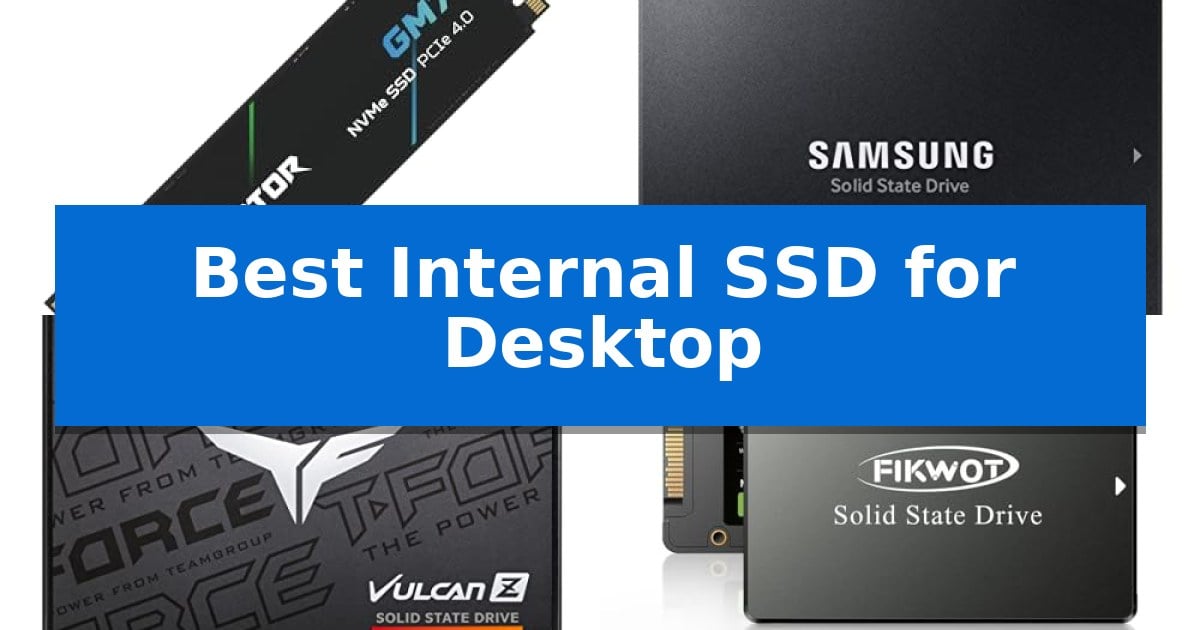
Upgrading your storage is one of the most effective ways to revitalize an aging computer or build a high-performance machine from scratch. Finding the Best Internal SSD for Desktop requires balancing your motherboard's interface capabilities with your specific needs for speed, capacity, and long-term reliability.
Whether you are looking to slash game load times with a high-speed NVMe drive or simply want to replace a sluggish mechanical hard drive with a reliable SATA SSD, choosing the right hardware is essential. This guide evaluates five distinct storage solutions to help you make an informed decision for your unique desktop setup.
Best Internal SSD for Desktop in 2026
Quick Comparison
| Product | Best For | Key Strength | Score |
|---|---|---|---|
| Acer Predator GM7 SSD | Best Overall | High-speed PCIe 4.0 performance with read speeds up to 7400 MB/s. | 4.9 |
| Samsung 870 EVO SSD | Industry Standard Reliability | High endurance rated up to 600 TBW for intensive tasks. | 4.8 |
| TEAMGROUP T-Force Vulcan Z SSD | Optimized for Gaming Loads | 3D NAND technology for improved system responsiveness | 4.8 |
| Fikwot FS810 SSD | Efficient System Responsiveness | 3D NAND TLC flash provides enhanced durability and stable operation. | 4.8 |
| Silicon Power A55 SSD | Budget Friendly Performance Boost | Advanced SLC Cache Technology for improved performance and longevity | 4.6 |
How We Chose
- Interface Compatibility: Verifying whether the drive utilizes the high-speed PCIe Gen4 NVMe standard or the widely compatible SATA III interface.
- Data Transfer Performance: Comparing sequential read and write speeds to understand how each drive handles file transfers and application loading.
- Thermal Management: Assessing the inclusion of heat-dissipation technologies and power management features that prevent performance throttling.
- System Integration: Evaluating the availability of management software for tasks like data migration, drive cloning, and health monitoring.
- Durability and Endurance: Reviewing the flash memory technology and warranty terms to ensure the drive can handle your specific workload.
1 Acer Predator GM7 SSD — Blazing Gen4 NVMe Speeds
Upgrading your desktop storage requires a balance of raw throughput and thermal efficiency to ensure sustained performance during demanding tasks. The Acer Predator GM7 1TB SSD addresses this by utilizing the PCIe 4.0 Gen4 interface combined with NVMe 2.0 technology, enabling read speeds reaching up to 7400 MB/s. This high-speed architecture is engineered to reduce load times for games and accelerate file transfers for content creators.
Beyond its headline speeds, the drive incorporates HMB (Host Memory Buffer) and SLC Cache to maintain responsiveness under heavy workloads. To prevent performance degradation, the Acer Predator GM7 1TB SSD employs Thermal Throttling and integrated Power Management systems. These features work in tandem to regulate internal temperatures automatically, ensuring the drive remains stable even when processing large datasets or intensive gaming sessions.
The hardware is supported by the Biwin Intelligence management software, which provides users with tools for data migration, drive cloning, and performance testing. This utility adds a layer of convenience for those looking to upgrade their existing system drive without losing data. With its M.2 2280 form factor, the drive is compatible with a wide range of desktop motherboards, laptops, and the PS5 console.
Designed for efficiency, the drive utilizes advanced controller technology and high-quality NAND Flash to achieve high performance while maintaining lower power consumption. This design choice minimizes heat generation, which is critical for maintaining long-term reliability in compact desktop builds or systems with limited airflow. The product is backed by a 5-year warranty, providing long-term support for your storage investment.
Best for: Enthusiasts and content creators seeking high-speed PCIe 4.0 storage with advanced thermal management for desktop or console upgrades.
Skip if: Users requiring a PCIe 5.0 interface for bleeding-edge bandwidth or those with legacy systems lacking M.2 NVMe support.
PROS
- High-speed PCIe 4.0 performance with read speeds up to 7400 MB/s.
- Advanced thermal control via integrated thermal throttling and power management.
- Comprehensive management software included for easy data migration and cloning.
- Power-efficient design that reduces heat output during heavy workloads.
CONS
- Limited to PCIe 4.0 speeds, which may not satisfy users seeking the latest PCIe 5.0 interface.
2 Samsung 870 EVO SSD — Industry Standard Reliability
The Samsung 870 EVO SSD integrates a large variable buffer designed to maintain high performance during heavy workloads, making it a capable choice for desktop users ranging from everyday computing to 8K video processing. This 2.5-inch SATA drive is engineered to maximize the SATA interface limit, reaching sequential read speeds up to 560 MB/s.
Reliability is a core focus, with the drive rated for up to 600 TBW and backed by a 5-year limited warranty. Samsung produces its own DRAM and NAND components in-house, ensuring consistent quality control for the drive's internal architecture. For security, it supports AES 256-bit encryption, TCG/Opal, and IEEE1667 standards.
Installation is straightforward for desktop systems using the standard 2.5-inch SATA form factor. Users can manage the drive's health, monitor status, and perform firmware updates through the Samsung Magician software, which also provides tools to enhance overall drive performance.
Compatibility is extensive, as the drive has been tested across a wide array of chipsets, motherboards, and NAS systems. Whether you are upgrading an existing workstation or building a new desktop, this drive provides a reliable storage foundation for demanding professional tasks.
Best for: Desktop users and professionals requiring a reliable, high-capacity SATA storage upgrade for heavy workloads.
Skip if: Users with a motherboard that supports NVMe M.2 drives, as those interfaces offer significantly higher potential speeds than the SATA III limit.
PROS
- High endurance rated up to 600 TBW for intensive tasks.
- In-house production of all firmware and components including DRAM and NAND.
- Comprehensive management via Samsung Magician software.
- Broad compatibility tested with various motherboards and NAS devices.
CONS
- SATA interface limitations restrict maximum speeds compared to modern NVMe alternatives.
3 TEAMGROUP T-Force Vulcan Z SSD — Optimized for Gaming Loads
Upgrading a desktop system often begins with storage, and the TEAMGROUP T-Force Vulcan Z SSD provides a straightforward path to improved responsiveness. By utilizing 3D NAND technology, this drive is engineered to reduce system lag and accelerate game loading times, serving as a direct replacement for older mechanical hard drives.
Performance is managed through a built-in SLC Cache, which facilitates stable read and write speeds of up to 550/500 MB/s. These specifications make the drive suitable for tasks ranging from routine file transfers to 4K video editing, ensuring the operating system remains responsive under varied workloads.
The drive features a standard 2.5-inch 7mm slim design, ensuring broad compatibility with most desktop PCs and laptops. Because it contains no moving parts, the unit operates silently and offers increased resistance to shock and vibration compared to traditional spinning disks, which helps protect stored data during daily use.
Reliability is supported by a 3-year limited warranty, providing coverage for the drive's operational lifespan. Its design emphasizes power efficiency, contributing to lower overall system power consumption while maintaining consistent performance for power users and gamers.
Best for: Users looking for a silent, durable, and easy-to-install storage upgrade for desktop PCs or laptops that support the SATA III interface.
Skip if: Users requiring the extreme data transfer speeds offered by NVMe M.2 drives or those with systems lacking a 2.5-inch SATA drive bay.
PROS
- 3D NAND technology for improved system responsiveness
- High-speed SLC Cache for stable data transfer
- Silent operation with no moving parts
- Universal 2.5-inch 7mm form factor for wide compatibility
CONS
- SATA III interface limits maximum speeds compared to NVMe alternatives
4 Fikwot FS810 SSD — Efficient System Responsiveness
The Fikwot FS810 SSD is designed to revitalize aging desktop systems by replacing traditional mechanical hard drives with high-speed 3D NAND TLC flash memory. This 2.5-inch SATA III drive provides a straightforward path to improved system responsiveness, offering read speeds of up to 560MB/s to accelerate application loading and overall boot times.
Engineered for reliability, the drive utilizes original 3D NAND TLC flash that has undergone 80 hours of rigorous vibration and cycle testing. It is built to operate stably within a temperature range of 0 to 60 degrees Celsius, with a design life rated to be three times longer than that of QLC flash memory, ensuring consistent data access for daily computing tasks.
Compatibility is a core strength of this unit, as the SATA Rev. 3.0 interface remains backward compatible with SATA Rev. 2.0 systems. It supports a wide range of operating systems, including Windows 10, 8.1, 8, and 7, as well as macOS 10.4 and Linux 2.6.33 or later. The slim 0.28-inch height ensures it fits easily into standard desktop drive bays.
To support long-term use, the manufacturer includes a 3-year service warranty. Each unit undergoes extensive quality control testing before shipping to verify functional integrity, providing a stable storage solution for users looking to extend the utility of their current desktop hardware.
Best for: Users looking to improve system responsiveness and boot times on older desktop computers via a standard SATA interface.
Skip if: Users requiring the higher bandwidth of NVMe M.2 drives for intensive professional workloads or those with systems lacking a 2.5-inch SATA connection.
PROS
- 3D NAND TLC flash provides enhanced durability and stable operation.
- SATA III 6Gb/s interface ensures broad compatibility with existing desktop hardware.
- Fast read speeds up to 560MB/s improve system responsiveness.
- 3-year warranty included for long-term support.
CONS
- SATA interface limits maximum transfer speeds compared to modern NVMe alternatives.
5 Silicon Power A55 SSD — Budget Friendly Performance Boost
Upgrading your desktop storage with the Silicon Power 1TB SSD 3D NAND A55 provides a straightforward path to faster system responsiveness. By utilizing 3D NAND flash technology, this drive is engineered to deliver high transfer speeds that contribute to quicker boot times and smoother overall operation compared to traditional mechanical hard drives.
The drive incorporates advanced SLC Cache Technology, which is designed to provide a performance boost during data-intensive tasks while simultaneously promoting a longer lifespan for the drive. This makes it a practical choice for users looking to revitalize an aging desktop or build a budget-conscious system without sacrificing essential speed.
Measuring just 7mm in thickness, this drive is exceptionally slim. While its primary use is for desktop systems, this form factor also ensures compatibility with ultra-slim notebooks and Ultrabooks, offering versatility for various hardware setups. The 2.5-inch SATA III interface ensures a broad range of compatibility with most standard desktop motherboards.
To support long-term reliability, the manufacturer includes a 3-year limited warranty. Users are encouraged to register their product via the official Silicon Power website to access full manufacturer warranty services and dedicated product support, ensuring peace of mind for your storage investment.
Best for: Users seeking an affordable performance upgrade for desktop boot drives and general system responsiveness.
Skip if: Users requiring high-end NVMe speeds or those with motherboards lacking SATA III connectivity.
PROS
- Advanced SLC Cache Technology for improved performance and longevity
- 7mm slim design fits a wide variety of desktop and laptop chassis
- 3D NAND flash architecture for efficient data transfer
- 3-year limited warranty included with product registration
CONS
- SATA III interface is slower than modern NVMe alternatives
Best Internal SSD for Desktop Buying Guide
Understanding SSD Interfaces
The most critical factor when selecting an SSD is the interface used by your motherboard. NVMe PCIe Gen4 drives offer the highest performance, making them ideal for modern gaming rigs and professional workstations that require rapid data access. These drives connect directly to the PCIe bus, bypassing the limitations of older protocols.
Conversely, SATA III drives are the standard for legacy systems or secondary storage needs. While they do not reach the extreme speeds of NVMe, they are universally compatible with almost any desktop built in the last decade and offer a significant performance upgrade over traditional mechanical hard drives.
Capacity and Workload Requirements
Your storage capacity needs should be dictated by your primary use case. For a boot drive that holds your operating system and essential applications, 1TB is generally considered the sweet spot for balance between cost and space. If you are a content creator or a gamer with a large library, you may need to prioritize higher-capacity drives to avoid frequent file management.
Consider the endurance of the drive if you frequently move large files. Drives equipped with SLC Cache technology or robust 3D NAND flash memory are better suited for heavy, sustained workloads, ensuring that the drive maintains consistent performance even as it nears its capacity limit.
Thermal Management and Power Efficiency
High-performance SSDs can generate significant heat during intensive tasks, which may lead to thermal throttling—a process where the drive slows down to protect its components. Look for drives that feature advanced power management and thermal throttling algorithms to maintain optimal operating temperatures.
Efficient power consumption is also vital for desktop builds, as it reduces the overall heat output inside your case. Drives that utilize modern controllers are often more energy-efficient, contributing to a quieter and more stable computing environment.
Software and Data Migration
Transitioning to a new SSD is often the most daunting part of the upgrade process. Many manufacturers now provide proprietary management software that simplifies tasks such as data migration, drive cloning, and firmware updates. These tools can save you hours of manual setup time.
Beyond migration, software suites often include health-monitoring features. Being able to check your drive's status, monitor its temperature, and perform performance tests ensures that you can address potential issues before they result in data loss.
Installation and Compatibility
Before purchasing, ensure your desktop has the necessary physical space and connectors. M.2 2280 drives require a specific slot on your motherboard, while 2.5-inch SATA drives require a standard SATA data cable and a power connector from your power supply unit.
Always verify your motherboard's manual to confirm it supports the specific PCIe generation of the NVMe drive you intend to buy. While most interfaces are backward compatible, you may not achieve the full advertised speeds if your hardware does not support the latest standards.
Frequently Asked Questions
Can I use an NVMe SSD in a computer that only has SATA ports?
No, NVMe SSDs require an M.2 slot that supports the PCIe interface. You cannot plug an NVMe drive into a SATA port, even with an adapter.
What is the difference between SLC, TLC, and QLC flash memory?
These terms refer to how many bits of data are stored per cell. Generally, TLC (Triple-Level Cell) offers a good balance of performance, endurance, and cost for most desktop users.
Do I need a heatsink for my M.2 SSD?
While many modern motherboards include integrated heatsinks for M.2 slots, high-performance Gen4 drives can benefit from additional cooling if you perform heavy, sustained workloads.
Will an SSD make my computer faster?
Yes, replacing a mechanical hard drive with an SSD will drastically reduce boot times, speed up application launches, and make your operating system feel much more responsive.
How do I move my Windows installation to a new SSD?
You can use drive cloning software, often provided by the SSD manufacturer, to copy your entire existing drive, including your operating system, to the new SSD.
Conclusion: Our Top Pick
Selecting the right storage depends on your specific hardware and performance goals. For users seeking the highest speeds and modern efficiency, the Acer Predator GM7 SSD stands out as a top-tier choice due to its impressive PCIe Gen4 performance and advanced thermal management features.
If your system is limited to SATA connectivity or you prioritize broad compatibility for a standard desktop upgrade, the other models reviewed offer reliable, cost-effective alternatives. Ensure you check your motherboard specifications before finalizing your purchase to guarantee full compatibility.