
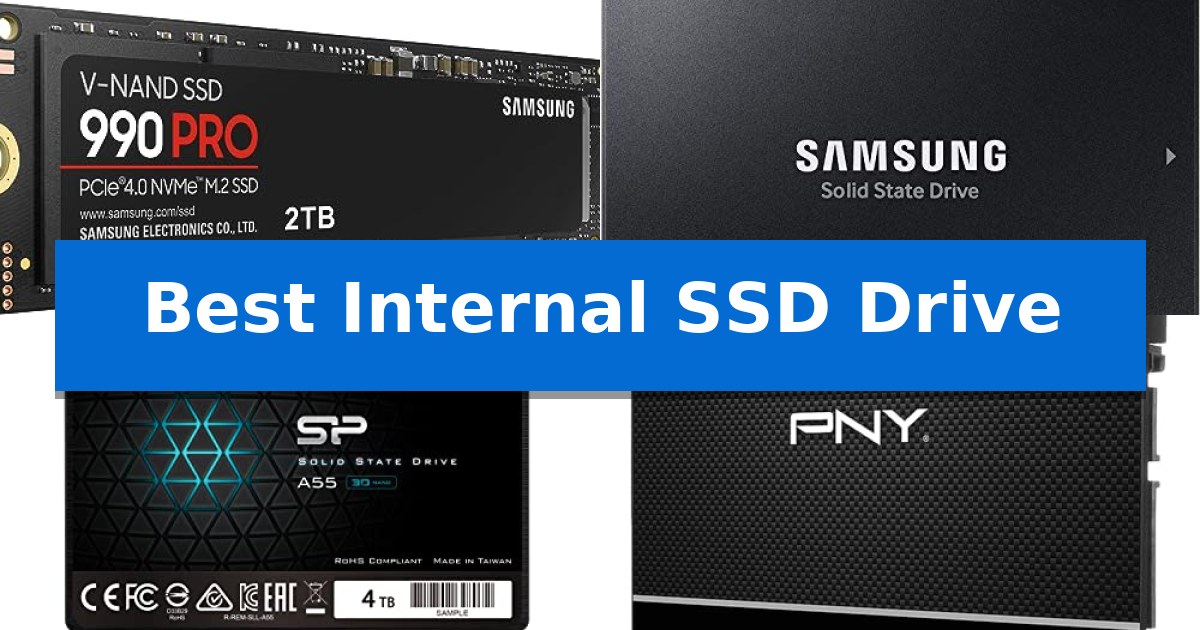
Finding the Best Internal SSD Drive requires balancing your system's interface limitations with your specific performance needs. Whether you are looking to revitalize an aging laptop with a SATA drive or maximize throughput in a high-end workstation using NVMe, selecting the correct form factor and protocol is essential for a successful upgrade.
Our guide focuses on the practical differences between these storage solutions, helping you identify which drive aligns with your motherboard's capabilities and your daily computing demands. We evaluate these options based on their interface, capacity, and intended use cases to ensure you make an informed decision for your hardware.
Best Internal SSD Drive in 2026: Upgrading Your System Storage
Quick Comparison
| Product | Best For | Key Strength | Score |
|---|---|---|---|
| Samsung 990 PRO SSD | Best Overall | High-speed PCIe 4.0 performance with read speeds up to 7,450 MB/s. | 4.9 |
| Samsung 870 EVO SSD | Reliable SATA Performance Standard | High endurance rating of up to 2,400 TBW for long-term reliability. | 4.9 |
| Silicon Power A55 SSD | High Capacity SATA Upgrade | High 4TB capacity for extensive file storage. | 4.9 |
| PNY CS900 SSD | Budget-Friendly System Reviver | Superior sequential read/write speeds compared to traditional hard drives. | 4.9 |
| KingSpec 2.5 SATA SSD | Efficient Legacy PC Upgrade | 3D NAND flash for improved efficiency and speed | 4.6 |
How We Chose
- Interface Compatibility: Verifying whether the drive utilizes the PCIe NVMe protocol or the legacy SATA III standard.
- Storage Capacity: Assessing the available space to ensure it meets the requirements for OS installation, gaming, or media storage.
- Performance Metrics: Reviewing manufacturer-rated sequential read and write speeds to gauge potential system responsiveness.
- Form Factor: Confirming the physical dimensions—such as M.2 2280 or 2.5-inch—to ensure a proper fit within your specific chassis.
- Reliability Features: Evaluating endurance ratings and built-in technologies like SLC caching that contribute to long-term drive health.
1 Samsung 990 PRO SSD — Peak Speed for Heavy Workloads
High-end computing and heavy-duty workloads demand storage that keeps pace with intensive data demands. The Samsung 990 PRO SSD serves as a high-performance internal storage solution, utilizing the PCIe 4.0 interface to deliver read and write speeds of up to 7,450 MB/s and 6,900 MB/s respectively.
Engineered for efficiency, this drive offers up to 50% improved performance per watt compared to its predecessor, the 980 PRO. This power efficiency is paired with a significant 55% improvement in random performance, making it a suitable choice for data analysis, video editing, and gaming environments where rapid loading is essential.
The drive is available in capacities ranging from 1TB to 4TB, providing flexible storage options for various workstation requirements. Its M.2 2280 form factor ensures compatibility with a wide range of modern motherboards and high-end computing systems, while the inclusion of a 5-year manufacturer warranty supports its long-term use.
By balancing high-bandwidth throughput with optimized power consumption, this internal SSD is designed to handle demanding tasks without excessive heat or energy draw. It provides a reliable upgrade path for users looking to maximize their system's potential for heavy-duty applications.
Best for: High-end gaming, professional video editing, and data-intensive workstations requiring fast PCIe 4.0 storage.
Skip if: Systems lacking a PCIe 4.0 M.2 slot or users who do not require high-bandwidth performance for their daily tasks.
PROS
- High-speed PCIe 4.0 performance with read speeds up to 7,450 MB/s.
- Improved power efficiency offering up to 50% better performance per watt.
- Significant random performance boost for faster loading and heavy computing.
- Flexible capacity options ranging from 1TB up to 4TB.
CONS
- Requires PCIe 4.0 compatibility to reach advertised maximum speeds.
- Premium positioning may exceed the needs of casual users.
2 Samsung 870 EVO SSD — Reliable SATA Performance Standard
Upgrading your storage capacity while maintaining system stability requires a drive that balances high-speed data handling with long-term endurance. The Samsung 870 EVO SSD is engineered to maximize the potential of the SATA interface, offering sequential read and write speeds of up to 560/530 MB/s to ensure consistent performance for demanding tasks like 8K video processing.
Designed for versatility, this drive features a larger variable buffer that accelerates write speeds and helps maintain high performance during sustained workloads. With an endurance rating of up to 2,400 TBW, it is built to handle the rigorous demands of both everyday computing and professional creative workflows.
Compatibility is a core strength of this model, as it has been tested across a wide range of host systems, including various chipsets, motherboards, and NAS devices. It supports AES 256-bit encryption and TCG/Opal v2.0 standards, providing a secure environment for sensitive data while remaining fully compatible with SATA 6GB/s, 3GB/s, and 1.5GB/s interfaces.
Measuring just 0.27 inches in height, the Samsung 870 EVO SSD fits easily into most standard PC and laptop configurations. Its robust construction is rated for high shock resistance, ensuring that your data remains protected even in active computing environments.
Best for: Users looking to upgrade their existing PC or laptop storage with a reliable, high-endurance SATA drive that is compatible with a wide range of legacy and modern systems.
Skip if: Users who require the significantly higher transfer speeds offered by NVMe M.2 drives, as this model is limited by the SATA interface.
PROS
- High endurance rating of up to 2,400 TBW for long-term reliability.
- Maximized SATA performance with sequential speeds up to 560/530 MB/s.
- Broad compatibility with various motherboards, NAS, and video recording devices.
- Advanced security features including AES 256-bit hardware encryption.
CONS
- SATA interface limitations restrict maximum speeds compared to newer NVMe standards.
3 Silicon Power A55 SSD — High Capacity SATA Upgrade
Upgrading an aging desktop or laptop requires a reliable storage solution that balances capacity with physical constraints. The SP Silicon Power 4TB SSD 3D NAND A55 provides a substantial 4TB of storage space, making it a practical choice for users looking to revitalize a system that is currently limited by a mechanical hard drive or insufficient flash storage.
Engineered with a 7mm slim design, this drive is specifically tailored to fit into Ultrabooks and Ultra-slim notebooks where space is at a premium. The integration of 3D NAND flash technology is designed to deliver high transfer speeds, which can contribute to faster boot times and improved overall system responsiveness compared to traditional spinning disks.
To maintain consistent performance during data-heavy tasks, the drive utilizes advanced SLC Cache Technology. This feature is intended to provide a performance boost while also contributing to a longer drive lifespan. By optimizing how data is written, it helps ensure that the system remains snappy during daily operations.
Installation is straightforward for those familiar with standard SATA III interfaces. The drive is backed by a 3-year limited warranty, provided the user registers the product through the official manufacturer website to access complete support services.
Best for: Users needing a high-capacity storage upgrade for slim laptops or desktops with limited internal clearance.
Skip if: Users who require the extreme data transfer speeds offered by NVMe M.2 drives, as this is a SATA III interface device.
PROS
- High 4TB capacity for extensive file storage.
- 7mm slim form factor compatible with ultra-thin notebooks.
- SLC Cache Technology for improved performance and longevity.
- 3D NAND flash for efficient data transfer.
CONS
- SATA III interface limits maximum speeds compared to modern NVMe alternatives.
- Warranty requires registration on the manufacturer's website for full service.
4 PNY CS900 SSD — Budget-Friendly System Reviver
The PNY CS900 500GB 2.5" SATA III Internal SSD is engineered to replace traditional mechanical hard drives, offering a direct performance upgrade for both laptops and desktop computers. By utilizing a SATA III interface, this drive provides a straightforward path to faster operating system boot times and more responsive application loading for everyday users.
Designed with a focus on efficiency, this SSD delivers sequential read speeds up to 550MB/s and sequential write speeds up to 500MB/s. These specifications ensure that data-heavy tasks are handled with greater speed than legacy HDD storage, while the ultra-low power consumption design helps maintain energy efficiency in portable devices.
The drive features a standard 2.5-inch form factor, making it physically compatible with a wide range of existing computer chassis and laptop drive bays. It maintains backwards compatibility with SATA II 3GB/sec interfaces, ensuring it can be integrated into older systems that do not support the full bandwidth of SATA III.
Built for durability and long-term use, the unit includes a 3-year warranty. Its lightweight construction and slim profile allow for easy installation in constrained spaces, providing a practical solution for users looking to extend the functional lifespan of their current hardware without requiring a full system replacement.
Best for: Everyday users and gamers seeking a cost-effective performance boost for aging laptops or desktops that rely on traditional SATA-based storage.
Skip if: Users requiring the extreme bandwidth of NVMe M.2 drives for professional-grade video editing or systems that lack a 2.5-inch SATA drive bay.
PROS
- Superior sequential read/write speeds compared to traditional hard drives.
- Ultra-low power consumption for improved energy efficiency.
- Backwards compatibility with SATA II interfaces.
- 3-year warranty for long-term reliability.
CONS
- SATA III interface limitations compared to modern NVMe standards.
5 KingSpec 2.5 SATA SSD — Efficient Legacy PC Upgrade
Revitalizing an aging laptop or desktop often starts with replacing a mechanical hard drive with a solid-state alternative. The KingSpec 1TB 2.5 SSD SATA III Internal offers a straightforward path to this upgrade, utilizing 3D NAND flash memory to enhance system responsiveness and reduce wait times during boot-ups and program loading.
Engineered for durability, this drive features a shockproof and anti-drop design, providing a layer of physical resilience for mobile computing. It operates quietly and maintains low power consumption, which is beneficial for maintaining efficiency in both laptop and desktop environments. The drive is built to withstand varying temperature conditions, ensuring consistent operation.
Reliability is supported through integrated technologies including wear leveling, garbage collection, over-provisioning, and TRIM support. These features work to maintain drive health and performance consistency over time. The SATA Rev. 3.0 (6Gb/s) interface ensures broad compatibility with existing hardware, remaining backward compatible with SATA Rev. 2.0 systems.
Installation is designed to be versatile, supporting a range of operating systems including Windows, Linux, and Unix. Each unit is backed by a 3-year limited warranty, providing a defined period of manufacturer support for the hardware.
Best for: Users looking to improve the boot and load times of older laptops or desktop PCs using a standard 2.5-inch SATA interface.
Skip if: Users requiring the high-speed throughput of NVMe M.2 drives or those with systems lacking a 2.5-inch SATA drive bay.
PROS
- 3D NAND flash for improved efficiency and speed
- Shockproof and anti-drop physical construction
- Broad compatibility with various operating systems and SATA standards
- 3-year limited warranty included
CONS
- SATA interface limitations compared to modern NVMe standards
Best Internal SSD Drive Buying Guide
Interface and Protocol Differences
The most critical decision when selecting an internal drive is choosing between NVMe and SATA. NVMe drives, which use the PCIe interface, are designed for modern motherboards and offer significantly higher bandwidth, making them ideal for heavy workloads and high-end gaming.
Conversely, SATA drives are the standard for older PCs and laptops. While they are limited by the SATA III interface speed, they remain a cost-effective way to improve boot times and application loading compared to traditional spinning hard drives.
Form Factor Compatibility
Before purchasing, you must confirm the physical space available in your machine. M.2 2280 drives are compact, stick-like modules that plug directly into the motherboard, requiring no cables. These are standard for almost all modern builds.
The 2.5-inch form factor is larger and typically requires both a data cable and a power connection. This format is primarily used in older desktop towers and laptops that lack an M.2 slot, serving as a direct replacement for 3.5-inch or 2.5-inch HDDs.
Understanding Sequential Speeds
Manufacturer-rated sequential read and write speeds provide a snapshot of how quickly a drive can handle large files. High-speed NVMe drives are beneficial for tasks like 4K video editing or transferring massive game libraries.
For general office work, web browsing, and standard gaming, the difference between a mid-range and ultra-high-speed drive is often negligible. Focus on your specific workload rather than chasing the highest theoretical numbers.
Endurance and Longevity
SSD longevity is often measured in Total Bytes Written (TBW). This metric indicates how much data can be written to the drive before it reaches its wear limit. Drives with higher TBW ratings are generally better suited for systems that perform constant data writes.
Features like SLC Caching and wear leveling help manage data distribution across the flash memory cells. These technologies work in the background to prevent premature failure and maintain consistent performance over the life of the drive.
Capacity Requirements
Choosing the right capacity depends on your storage habits. A 500GB drive is often sufficient for a basic OS and essential applications, while 1TB to 2TB is the current sweet spot for gamers and creative professionals who need room for large files.
If you are building a media server or a massive archive, 4TB options provide the necessary density to consolidate your files. Always remember to leave some free space on your SSD, as performance can degrade when the drive is near full capacity.
Frequently Asked Questions
Can I use an NVMe drive in an older computer?
Only if your motherboard has an M.2 slot that supports PCIe NVMe. If your computer only has SATA ports, you will need a 2.5-inch SATA SSD.
What is the difference between 3D NAND and older flash memory?
3D NAND stacks memory cells vertically, allowing for higher storage density, better power efficiency, and improved reliability compared to traditional planar (2D) NAND.
Do I need a heatsink for my M.2 SSD?
High-performance PCIe 4.0 drives can run hot under heavy, sustained workloads. If your motherboard does not have an integrated M.2 heatsink, adding one can help prevent thermal throttling.
Is it difficult to clone my old drive to a new SSD?
Most manufacturers provide software tools to help migrate your OS and data. The process typically involves connecting the new drive via a USB-to-SATA or USB-to-NVMe adapter and running the cloning utility.
How much free space should I keep on my SSD?
It is generally recommended to keep at least 10-15% of your SSD's total capacity free to allow the drive's controller to perform maintenance tasks like garbage collection effectively.
Conclusion: Our Top Pick
For users seeking the highest performance for demanding workstations and gaming, the Samsung 990 PRO SSD stands out as the premier choice. Its advanced PCIe 4.0 architecture delivers exceptional speed and power efficiency, making it ideal for those who cannot afford to be slowed down by their storage.
While it is a premium investment, its reliability and performance gains make it a worthwhile upgrade for high-end systems. If your needs are more modest or you are working with legacy hardware, ensure you check your motherboard's interface compatibility before finalizing your purchase.