
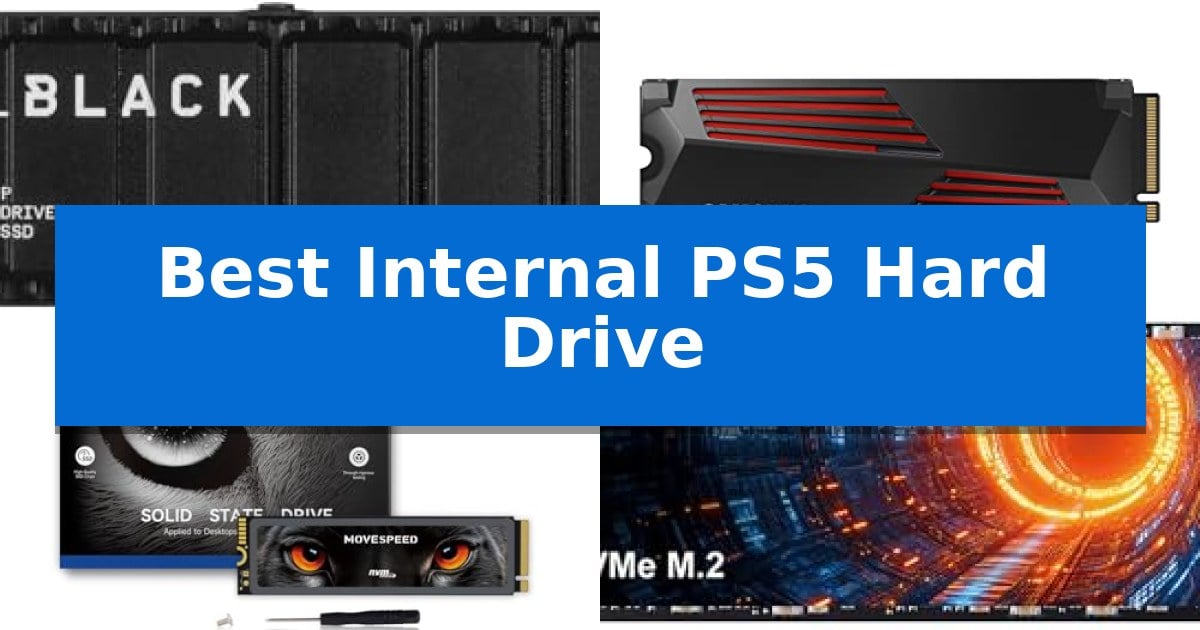
Running out of space on your PlayStation 5 is a common frustration for modern gamers, especially with high-fidelity titles demanding more storage than ever. Finding the Best Internal PS5 Hard Drive is the most effective way to ensure you never have to delete your favorite games just to make room for a new download.
Upgrading your console with an M.2 NVMe SSD allows you to play games directly from the drive, maintaining the high-speed performance you expect. We have evaluated the latest storage solutions to help you identify which drive offers the right balance of capacity, speed, and thermal management for your specific gaming needs.
Best Internal PS5 Hard Drive in 2026
Quick Comparison
| Product | Best For | Key Strength | Score |
|---|---|---|---|
| WD_BLACK SN850P NVMe SSD | Best Overall | Officially licensed for PlayStation 5 compatibility. | 4.9 |
| Samsung 990 PRO SSD | High-End Performance Choice | Integrated ultra-slim heatsink for effective temperature regulation. | 4.6 |
| MOVE SPEED HB7450 SSD | Fast Loading for Gamers | Graphene composite heat sink significantly reduces operating temperatures. | 4.7 |
| SIX X7400 NVMe SSD | Budget-Friendly Speed Upgrade | High-speed PCIe Gen4x4 interface supporting up to 7350MB/s read speeds. | 4.8 |
| fanxiang S660 NVMe SSD | Reliable Cooling Design | Pre-installed heatsink for effective thermal management | 4.5 |
How We Chose
- Compatibility with the M.2 2280 form factor required for PlayStation 5 consoles.
- Read and write speed capabilities to ensure fast game loading and asset streaming.
- Thermal management features, specifically the inclusion or design of a heatsink to prevent performance throttling.
- Storage capacity options to accommodate varying game library sizes.
- Manufacturer reliability and warranty coverage for long-term peace of mind.
1 WD_BLACK SN850P NVMe SSD — Officially Licensed for Console
Expanding your console storage requires a reliable solution that integrates seamlessly with the system's architecture. The WD_BLACK 1TB SN850P NVMe M.2 SSD is an officially licensed storage expansion designed specifically for the PlayStation 5, ensuring that users can install and play games directly from the drive without compatibility concerns.
Engineered to push the limits of PCIe Gen 4 technology, this drive delivers read speeds up to 7,300MB/s. These specifications enable the console to maintain high-performance gameplay and significantly reduce load times for demanding titles. The drive comes equipped with an optimized heatsink tailored for the PS5, which simplifies the installation process into the console's M.2 slot.
With capacity options available up to 4TB, this storage expansion allows users to store a vast library of games, potentially holding up to 200 titles depending on individual file sizes. By playing directly from the WD_BLACK SN850P NVMe SSD, users eliminate the need to frequently transfer or delete data to manage space, streamlining the overall console management experience.
This drive is backed by a 5-year limited manufacturer warranty, providing long-term support for the hardware. Its compact form factor is designed to fit precisely within the PS5 internal expansion bay, adhering to the console's physical requirements for storage upgrades.
Best for: PlayStation 5 owners who want a plug-and-play storage upgrade that is officially licensed and includes a pre-installed heatsink.
Skip if: Users who do not own a PlayStation 5 or those who prefer a drive without a pre-attached heatsink for use in custom PC builds.
PROS
- Officially licensed for PlayStation 5 compatibility.
- Includes an optimized heatsink for easy installation.
- High-speed PCIe Gen 4 performance with read speeds up to 7,300MB/s.
- Backed by a 5-year limited manufacturer warranty.
CONS
- Fixed heatsink design may not be suitable for all PC motherboard configurations.
2 Samsung 990 PRO SSD — High-End Performance Choice
Managing storage capacity and thermal regulation is essential for maintaining high-end performance on a PlayStation 5. The SAMSUNG 990 PRO w/ Heatsink SSD 2TB addresses these needs with an ultra-slim integrated heatsink designed specifically to dissipate heat during intensive gaming sessions, ensuring the drive maintains stable temperatures.
This PCIe Gen4 M.2 2280 internal drive offers significant bandwidth for faster loading and data transfer compared to previous generations. With read and write speeds reaching up to 7,450/6,900 MB/s, it provides the necessary throughput for demanding applications, including high-end computing and large-scale data analysis.
The drive is built for versatility, featuring a 5-year manufacturer warranty and compatibility with both the PlayStation 5 and standard desktop or laptop configurations that support the PCI-SIG D8 standard. Its slim profile allows for straightforward installation in the console's expansion slot without interfering with existing hardware.
Users can choose from capacities ranging from 1TB to 4TB, providing a scalable solution for expanding game libraries or professional workstations. By combining high-speed flash memory with effective thermal management, this drive serves as a robust upgrade for users prioritizing both speed and system stability.
Best for: Gamers and power users who require high-speed storage with integrated thermal management for their PlayStation 5 or high-performance PC.
Skip if: Users who do not require the performance benefits of a Gen4 heatsink-equipped drive or those looking for a budget-oriented storage solution without high-speed requirements.
PROS
- Integrated ultra-slim heatsink for effective temperature regulation.
- Fast PCIe Gen4 read and write speeds up to 7,450/6,900 MB/s.
- Broad compatibility with PlayStation 5 and PCI-SIG D8 desktops.
- Available in multiple capacities up to 4TB.
CONS
- Premium pricing compared to standard M.2 drives without heatsinks.
3 MOVE SPEED HB7450 SSD — Fast Loading for Gamers
Expanding your console storage requires a reliable solution that balances speed with thermal management. The MOVE SPEED HB7450 2TB SSD addresses this by integrating a dedicated 1mm graphene composite heat sink, specifically engineered to lower operating temperatures by 10 degrees during intensive gaming sessions.
Built with high-quality 3D NAND flash memory and the Maxio MAP1602 controller, this drive utilizes a PCIe 4.0 interface to deliver read speeds up to 7450MB/s and write speeds up to 6500MB/s. These specifications are designed to minimize load times for modern titles, ensuring that the drive keeps pace with the high-bandwidth demands of the console environment.
The unit features a standard M.2 2280 form factor, making it a straightforward upgrade for users looking to increase their storage capacity. The package includes all necessary installation hardware, including a screwdriver and screws, to facilitate a plug-and-play experience. Its design is validated through 80 hours of rigorous testing, including thermal aging and continuous transmission cycles to ensure long-term stability.
This drive offers a practical balance for users who need significant extra space for their game library without compromising on throughput. By maintaining consistent performance under heavy load, it serves as a robust option for those looking to expand their system's capacity effectively.
Best for: Gamers who require a high-capacity, thermally-managed storage upgrade for their PS5 console.
Skip if: Users who prefer a pre-installed heatsink solution or those who do not require the high-speed throughput of a PCIe 4.0 interface.
PROS
- Graphene composite heat sink significantly reduces operating temperatures.
- High-speed PCIe 4.0 interface supports fast game loading.
- Comprehensive installation kit includes all necessary tools and hardware.
- Rigorous 80-hour testing protocol ensures component stability.
CONS
- Heatsink requires manual installation by the user.
4 SIX X7400 NVMe SSD — Budget-Friendly Speed Upgrade
Expanding your console storage requires a drive that balances speed with thermal management, and the SIX X7400 NVMe SSD is engineered specifically to meet these demands. By utilizing a PCIe Gen4x4 interface, this drive achieves read speeds of up to 7350MB/s, ensuring that high-bandwidth gaming assets load efficiently.
The drive comes equipped with an integrated heatsink, a critical component for maintaining consistent thermal performance during extended gaming sessions. This design choice helps prevent thermal throttling, allowing the drive to sustain its high-speed throughput even when handling demanding data analytics or large-scale game files.
Installation is straightforward, as the SIX X7400 NVMe SSD includes the necessary hardware, such as a screw and screwdriver, to simplify the setup process for your PS5. Its 2280 form factor ensures it fits within the internal expansion slot, providing a seamless upgrade path for users looking to increase their storage capacity without complex modifications.
Beyond its technical specifications, the drive is backed by a 5-year limited warranty, providing long-term support for your storage investment. Whether you are a hardcore gamer or a creator, this drive is built to handle heavy-duty applications while maintaining the reliability required for internal console storage.
Best for: Gamers and power users who need a high-speed, heatsink-equipped storage expansion for their PS5 or PC.
Skip if: Users who require storage capacities larger than 1TB, as this specific model is limited to a 1TB configuration.
PROS
- High-speed PCIe Gen4x4 interface supporting up to 7350MB/s read speeds.
- Integrated heatsink included for effective thermal management.
- Comprehensive installation kit provided, including a screwdriver and screw.
- 5-year limited warranty for long-term reliability.
CONS
- Limited to 1TB capacity, which may not suit users requiring massive storage archives.
5 fanxiang S660 NVMe SSD — Reliable Cooling Design
Managing game storage on a console often requires a reliable expansion solution that balances thermal management with consistent data throughput. The fanxiang S660 NVMe SSD is engineered with a unique heatsink design specifically to maintain low operating temperatures during prolonged and intensive gaming sessions, ensuring the drive remains stable under heavy workloads.
This internal drive utilizes PCIe 4.0 technology to achieve data speeds reaching 5000MB/s, which is designed to facilitate swift game launches and reduce loading times. By integrating NAND SLC cache technology, the drive provides a responsive environment for high-demand gaming, making it a functional upgrade for those looking to expand their library capacity.
Versatility is a core component of the fanxiang S660 NVMe SSD, as it is built to be compatible with both the PS5 and various PC platforms. This cross-platform utility allows users to utilize the same hardware across different setups, providing a flexible storage expansion option that is backed by a 5-year quality assurance period.
With available capacities ranging from 500GB to 4TB, this drive addresses the need for increased space for modern game installations. The inclusion of a pre-installed heatsink simplifies the installation process, ensuring that the drive meets the thermal requirements necessary for internal console expansion without requiring additional aftermarket cooling components.
Best for: Gamers and IT professionals seeking a reliable, heatsink-equipped PCIe 4.0 storage expansion for PS5 or PC systems.
Skip if: Users who require extreme high-end speeds exceeding 5000MB/s or those who prefer a drive without a pre-attached heatsink for custom cooling setups.
PROS
- Pre-installed heatsink for effective thermal management
- PCIe 4.0 interface for fast game loading
- 5-year quality assurance for long-term reliability
- Versatile compatibility across PS5 and PC platforms
CONS
- Fixed heatsink design may not fit in systems with extremely tight clearance constraints
Best Internal PS5 Hard Drive Buying Guide
Understanding M.2 SSD Compatibility
The most critical factor when selecting a drive is ensuring it meets the M.2 2280 form factor standard. This specific size is required to fit securely into the console's dedicated expansion slot. Always verify that your chosen drive is designed for PCIe Gen 4.0 interface, as this is necessary to match the console's internal architecture for optimal data transfer speeds.
Additionally, the console requires a drive that supports the NVMe protocol. While many drives are compatible with PCs, not all meet the specific requirements for console integration. Choosing a drive that is explicitly tested or licensed for the system can provide extra confidence during the installation process.
The Importance of Heatsinks
Because internal drives generate significant heat during intensive gaming sessions, a heatsink is essential. A heatsink acts as a thermal buffer, drawing heat away from the controller and NAND flash chips to prevent the drive from slowing down—a process known as thermal throttling.
Some drives come with a pre-installed heatsink, which is the most convenient option for most users. If you choose a drive without one, you must install a compatible third-party heatsink to ensure the drive remains within safe operating temperatures during extended play.
Speed and Performance Expectations
The console's architecture relies on high-speed data retrieval to maintain seamless gameplay and rapid load times. Look for drives that offer read speeds of at least 5,500MB/s. While some drives exceed this, meeting the baseline ensures that game assets load as intended by the developers.
Higher speeds can contribute to faster file transfers and potentially quicker boot times, but the most important aspect is consistent performance. A drive that maintains its rated speed under load is superior to one that peaks high but drops off during sustained activity.
Capacity Considerations
Storage capacity is a personal choice based on your gaming habits. A 1TB drive is often sufficient for casual players who rotate through a few titles, while a 2TB or 4TB drive is better suited for those who prefer to keep their entire library installed at once.
Keep in mind that the system software and formatting processes will consume a small portion of the drive's total capacity. When calculating how many games you can store, it is helpful to estimate based on the average size of modern AAA titles, which can range from 30GB to over 100GB.
Installation and Maintenance
Installing an internal drive is a straightforward process that involves removing the console's side cover and securing the drive into the M.2 slot with a single screw. Most drives come with the necessary hardware, but having a small screwdriver on hand is essential.
Once installed, the system will prompt you to format the drive upon startup. This process is automatic and prepares the storage for use. Periodically checking for firmware updates provided by the drive manufacturer can also help maintain performance and compatibility over the life of the product.
Frequently Asked Questions
Do I need a heatsink for my PS5 SSD?
Yes, a heatsink is highly recommended and often required to prevent thermal throttling, which can cause performance drops during long gaming sessions.
Can I use any M.2 SSD with my console?
No, you must use an M.2 NVMe SSD that meets specific requirements, including the PCIe Gen 4.0 interface and the 2280 form factor.
Will installing an SSD void my console warranty?
Generally, installing an M.2 SSD in the designated expansion slot is a supported feature and does not void your console's standard warranty.
What is the maximum storage capacity I can add?
The console supports M.2 SSDs with capacities up to 8TB, though availability and pricing vary significantly for higher-capacity drives.
Can I move games between the internal and external storage?
Yes, you can move games between the console's internal storage and your new M.2 SSD, or even to an external USB drive for long-term storage.
Conclusion: Our Top Pick
Selecting the right storage expansion is a vital step in optimizing your gaming experience. For most users, the WD_BLACK SN850P NVMe SSD stands out as the most reliable choice due to its official licensing and optimized heatsink design, which ensures seamless compatibility and consistent performance right out of the box.
While other options offer competitive speeds and value, the peace of mind provided by a drive specifically engineered for the console environment makes it the top recommendation. By choosing a high-quality drive, you ensure that your library remains accessible and your system runs at its peak potential for years to come.