
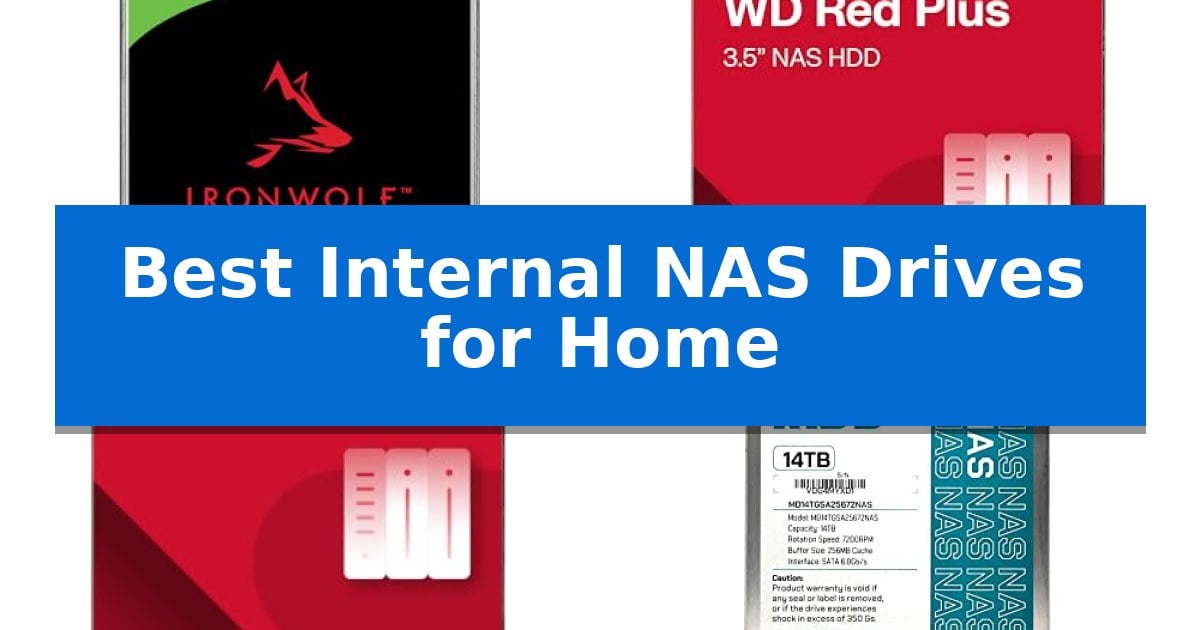
Building a reliable home server requires storage that can handle the unique demands of 24/7 operation. Unlike standard desktop drives, the Best Internal NAS Drives for Home are engineered to withstand the constant vibration and thermal stress found in multi-bay enclosures.
Selecting the right drive ensures your data remains accessible and protected against common hardware failures. We have analyzed the leading options to help you choose the drive that best fits your specific storage capacity and reliability requirements.
Best Internal NAS Drives for Home in 2026
Quick Comparison
| Product | Best For | Key Strength | Score |
|---|---|---|---|
| Seagate IronWolf NAS Hard Drive | Best Overall | Integrated RV sensors to reduce vibration in multi-bay systems | 4.9 |
| Western Digital Red Plus NAS Hard Drive | High-Capacity Business Grade Storage | 24×7 operational reliability designed for constant uptime. | 4.6 |
| Western Digital 4TB WD Red Plus NAS Internal Hard Drive HDD – 5400 RPM | Continuous Operation for Home RAID | NASware technology specifically tuned for RAID environments. | 4.7 |
| MDD NAS Internal Hard Drive | Maximum Density for Large Archives | Ultra-high 14TB capacity for extensive data storage. | 4.5 |
How We Chose
- Compatibility with multi-bay NAS enclosures and RAID configurations
- Operational reliability for 24/7 continuous duty cycles
- Vibration resistance and noise management features
- Total storage capacity and cache performance
- Manufacturer warranty and data recovery support
1 Seagate IronWolf NAS Hard Drive — Optimized for Multi-Bay Reliability
Reliability in a multi-bay environment starts with vibration management, and the Seagate 8TB IronWolf Internal NAS Hard Drive addresses this through integrated RV sensors. Designed specifically for enclosures housing up to eight bays, this drive minimizes wear and tear while maintaining consistent performance in high-demand, multi-user setups.
The drive utilizes All-CMR technology to ensure stable data transfer rates of up to 6.0 Gb/s, supported by a 256MB cache that facilitates faster file sharing. With a focus on longevity, the unit is rated for 1 million hours MTBF (Mean Time Between Failures) and includes the IronWolf Health Management system, which allows users to monitor drive status directly within compatible NAS operating systems.
Beyond raw storage, the package includes a 3-year limited warranty and 3-year Rescue Data Recovery Services. This combination provides a safety net for critical data, making the drive a practical choice for home users who prioritize both capacity and long-term hardware maintenance.
While the 8TB capacity offers significant room for media libraries and backups, the drive's design emphasizes quiet operation and low vibration. This makes it suitable for home office environments where noise reduction is a priority, without sacrificing the durability required for 24/7 operation.
Best for: Home users managing multi-bay NAS enclosures who require high-capacity storage with integrated health monitoring and data recovery support.
Skip if: Users with single-bay enclosures or those who do not require the vibration-dampening features and multi-user optimization of a dedicated NAS-specific drive.
PROS
- Integrated RV sensors to reduce vibration in multi-bay systems
- All-CMR technology for consistent performance
- 3-year Rescue Data Recovery Services included
- IronWolf Health Management for proactive monitoring
CONS
- Higher cost compared to standard desktop-grade hard drives
2 Western Digital Red Plus NAS Hard Drive — High-Capacity Business Grade Storage
Reliable data management in a home environment requires hardware built for continuous operation rather than standard desktop use. The Western Digital 10TB WD Red Plus NAS Internal Hard Drive HDD is engineered specifically for small to medium business NAS systems, offering a 24×7 operational capability that distinguishes it from consumer-grade drives.
Designed to integrate seamlessly into multi-bay enclosures, this drive supports systems with up to 8 bays. It utilizes NASware firmware to ensure optimal compatibility and performance within network-attached storage environments. By prioritizing stability, the drive helps maintain consistent data access for users managing large media libraries or critical home office files.
The drive features a 7200 RPM spindle speed and a 512 MB cache, facilitating a 6Gbps data transfer rate. It is built with CMR (Conventional Magnetic Recording) technology, which is often preferred for NAS parity-based RAID arrays. With a workload rate support of up to 180 TB/yr, it is equipped to handle the sustained read and write demands of a home server.
Physical installation is straightforward, as the drive adheres to the standard 3.5-inch form factor. Western Digital includes a 3-year limited warranty, providing a layer of security for long-term storage investments. This drive represents a balance between high-capacity storage and the specialized requirements of a persistent, always-on home network storage solution.
Best for: Home users and small business owners requiring reliable, high-capacity storage for 24/7 NAS environments.
Skip if: Users seeking a drive for standard desktop PC use or those who do not require the specific compatibility and workload features of a NAS-optimized HDD.
PROS
- 24×7 operational reliability designed for constant uptime.
- NASware firmware ensures broad compatibility with NAS systems.
- CMR technology provides consistent performance for RAID configurations.
- Supports up to 8-bay NAS enclosures for scalable storage.
CONS
- Higher power and noise profile compared to standard desktop drives due to 7200 RPM speed.
- Not optimized for general desktop computing tasks.
3 Western Digital 4TB WD Red Plus NAS Internal Hard Drive HDD – 5400 RPM — Continuous Operation for Home RAID
Maintaining data integrity in a home RAID environment requires hardware specifically engineered for constant uptime. The Western Digital 4TB WD Red Plus NAS Internal Hard Drive HDD – 5400 RPM is built for this purpose, utilizing NASware technology to optimize compatibility and performance within multi-bay systems.
This drive is designed for continuous operation, making it a reliable choice for users managing home servers with up to 8 bays. By employing CMR (Conventional Magnetic Recording) technology, it ensures consistent write performance, which is a critical factor for maintaining the stability of RAID arrays during rebuilds or heavy data synchronization tasks.
With a 128 MB cache and a 5400 RPM spindle speed, the drive balances power efficiency with the responsiveness required for home network storage. Its standard 3.5-inch form factor and SATA 6 Gb/s interface ensure broad compatibility with most consumer-grade NAS enclosures, allowing for straightforward integration into existing setups.
The Western Digital 4TB WD Red Plus NAS Internal Hard Drive HDD – 5400 RPM is backed by a 3-year limited warranty, providing a layer of security for your stored media, documents, and backups. Whether you are expanding your current storage pool or replacing a failing drive, this model offers a specialized solution for home users who prioritize long-term reliability over raw speed.
Best for: Home users managing RAID-optimized NAS systems with up to 8 bays who require reliable, 24/7 continuous operation.
Skip if: Users seeking high-performance drives for intensive enterprise workloads or those requiring capacities beyond 12TB.
PROS
- NASware technology specifically tuned for RAID environments.
- CMR recording ensures consistent performance and RAID compatibility.
- Engineered for continuous operation in multi-bay home NAS systems.
- Includes a 3-year limited warranty for added peace of mind.
CONS
- 5400 RPM spindle speed may limit throughput compared to 7200 RPM alternatives.
- Capacity limited to 12TB maximum, which may restrict future storage expansion.
4 MDD NAS Internal Hard Drive — Maximum Density for Large Archives
Managing massive data archives requires reliable hardware, and the MDD (MD14TSATA25672NAS) 14TB 7200 RPM 256MB Cache SATA 6.0Gb/s 3.5'' Internal NAS Hard Drive provides a high-density solution for users needing significant storage capacity. This drive is engineered for Hyperscale applications and cloud data centers, utilizing a standard 3.5-inch form factor that fits seamlessly into existing NAS enclosures, RAID systems, and desktop environments.
Performance is driven by a 7200 RPM spindle speed paired with a 256MB cache, facilitating efficient data handling for demanding storage tasks. The drive utilizes a 6Gb/s SATA interface, ensuring compatibility with modern storage controllers and maintaining data integrity during high-volume transfers. It is specifically NAS-optimized, making it suitable for continuous operation in network-attached storage systems.
Installation requires manual configuration, as the drive is supplied as a bare unit without mounting screws or cables. Users must perform a system format upon installation to ensure the drive is correctly detected by their operating system or NAS controller. This model is versatile, supporting deployment in CCTV DVR and surveillance systems alongside standard computing and server setups.
The MDD NAS Internal Hard Drive is backed by a 5-year warranty from the reseller, providing long-term support for your storage investment. While it offers substantial capacity, users should ensure their specific NAS enclosure supports 14TB drives and has the necessary physical clearance for a 3.5-inch drive bay before deployment.
Best for: Home users and small businesses requiring high-capacity, reliable storage for large-scale data archives and NAS systems.
Skip if: Users who require a drive with pre-included mounting hardware or those whose NAS enclosures do not support high-capacity 14TB drives.
PROS
- Ultra-high 14TB capacity for extensive data storage.
- NAS-optimized architecture for consistent performance in network environments.
- 5-year warranty included for long-term reliability.
- High-speed 7200 RPM operation with a large 256MB cache.
CONS
- Bare drive only; no mounting screws or cables included.
- Manual formatting required upon installation for system detection.
Best Internal NAS Drives for Home Buying Guide
Understanding NAS-Optimized Storage
A NAS-optimized hard drive is fundamentally different from a standard PC drive. These units are designed with specialized firmware, such as NASware, which helps the drive communicate effectively with RAID controllers. This prevents the drive from dropping out of an array during minor error-correction cycles, a common issue that can trigger unnecessary rebuilds in standard drives.
Furthermore, these drives feature vibration sensors that detect and compensate for the rotational vibration caused by multiple drives spinning in close proximity. This design choice significantly reduces wear and tear, ensuring the drive maintains its integrity over years of continuous operation.
Capacity and Scalability
When planning your storage, consider both your current needs and future growth. Home users often start with a two-bay or four-bay NAS, making it essential to choose drives that support your enclosure's maximum bay count. High-density drives allow you to expand your total storage pool without needing to replace existing hardware.
Keep in mind that while larger drives offer more space, they also increase the time required for a RAID rebuild if a failure occurs. Balancing capacity with your backup strategy is key to maintaining a robust home data environment.
The Importance of CMR Technology
For NAS environments, Conventional Magnetic Recording (CMR) is the preferred standard. CMR drives provide more predictable performance during write-heavy tasks compared to SMR (Shingled Magnetic Recording) drives. This is particularly important for RAID arrays, where consistent write speeds are necessary to maintain system stability.
Always verify that your chosen drive utilizes CMR technology to ensure it remains compatible with the performance expectations of a network-attached storage system. Most business-grade and NAS-specific drives prioritize this architecture to prevent performance degradation.
Workload and Reliability Ratings
Every NAS drive comes with an annual workload rating, which indicates the amount of data the drive is designed to handle per year. For most home users, a standard rating is sufficient, but those running media servers or surveillance systems may benefit from drives with higher workload thresholds.
Reliability is also measured in Mean Time Between Failures (MTBF). While this is a statistical projection, it provides insight into the manufacturer's confidence in the drive's longevity under 24/7 conditions.
Warranty and Data Recovery
The warranty period is a strong indicator of the manufacturer's commitment to the product's lifespan. Most NAS drives offer a three-year to five-year limited warranty, which is standard for components expected to run continuously.
Some premium models include additional services like Rescue Data Recovery, which can be a vital safety net if a drive experiences a catastrophic failure. Reviewing these support options is a critical step in protecting your digital assets.
Frequently Asked Questions
Can I use a desktop hard drive in a NAS?
While technically possible, it is not recommended. Desktop drives lack the vibration sensors and specialized firmware required to handle the stress of multi-bay RAID environments, often leading to premature failure.
What is the difference between 5400 RPM and 7200 RPM drives?
7200 RPM drives generally offer faster data access and transfer speeds, making them ideal for high-performance tasks. 5400 RPM drives are typically quieter, run cooler, and consume less power, which can be beneficial for home NAS setups.
Do I need to format my new NAS drive?
Yes, most internal NAS drives arrive as 'bare' drives. You will need to initialize and format the drive through your NAS operating system or computer interface before it can be used for storage.
How many bays can these drives support?
This depends on the specific model. Many NAS-optimized drives are rated for enclosures with up to 8 bays, but you should always check the manufacturer's specifications for your specific drive model.
What is CMR and why does it matter?
CMR (Conventional Magnetic Recording) is a recording method that provides consistent write performance. It is essential for NAS systems to ensure that RAID arrays function correctly without performance drops during data writes.
Conclusion: Our Top Pick
Choosing the right storage is the most important step in securing your home data. For most users, the Seagate IronWolf NAS Hard Drive stands out as the best option due to its specialized AgileArray firmware and robust vibration sensors, which are specifically tuned for multi-bay environments.
This drive provides a reliable balance of performance and long-term durability, backed by a comprehensive warranty and data recovery services. It is an excellent foundation for any home RAID setup, ensuring your files remain accessible and protected.