
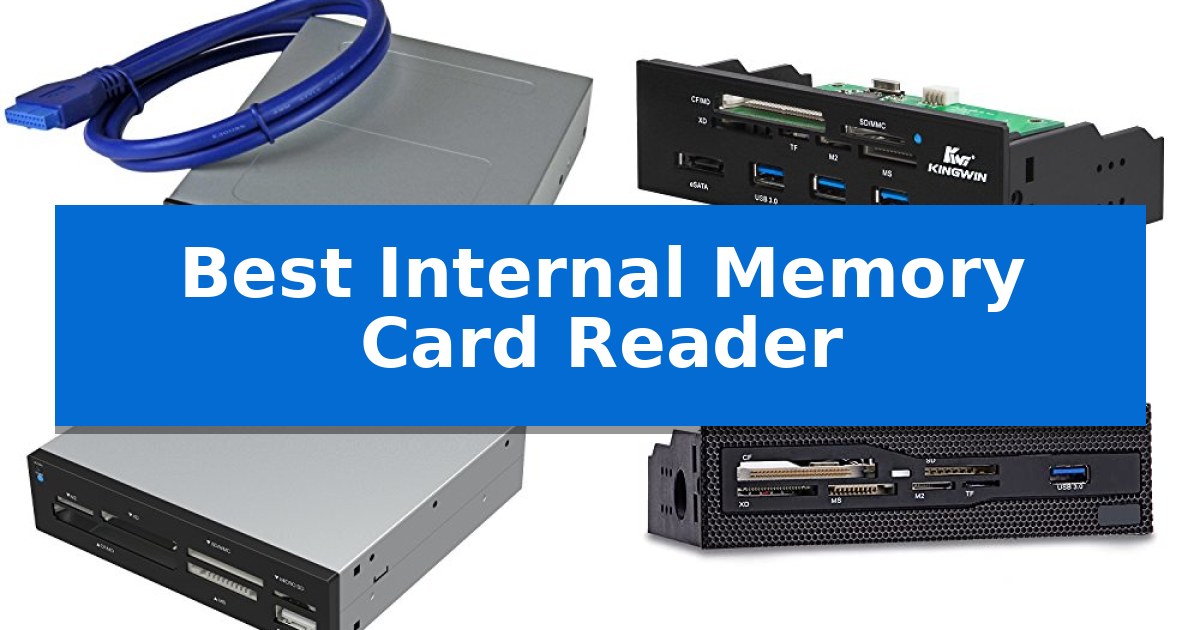
Managing files from cameras, drones, and mobile devices often requires constant cable swapping or external dongles that clutter your workspace. An internal solution integrates directly into your computer case, providing a permanent, stable port for your media without the need for additional desk space.
The Best Internal Memory Card Reader options allow you to access multiple card formats directly from your front panel. By connecting to your motherboard's internal headers, these devices offer a cleaner, more reliable way to manage your data, whether you are a professional photographer or a casual user.
Best Internal Memory Card Reader in 2026
Quick Comparison
| Product | Best For | Key Strength | Score |
|---|---|---|---|
| StarTech Internal Card Reader | Best Overall | Simultaneous slot access enables direct file transfers between different media cards. | 4.9 |
| Kingwin Internal Card Reader Hub | All-in-One Front Bay Expansion | All-in-one functionality combining USB 3.0, USB-C, eSATA, and multi-format card reading. | 4.8 |
| SABRENT Internal Card Reader | Supports 74 Different Card Types | Extensive compatibility with 74 different memory card types. | 4.9 |
| Wscoficey Internal Card Reader | Seamless Mesh Panel Integration | Seamless integration with front mesh PC cases. | 4.9 |
| GRAUGEAR Internal Card Reader Hub | High-Speed Data and Storage | Tool-free mounting for two 2.5-inch SATA drives | 4.7 |
How We Chose
- Drive Bay Compatibility: Ensuring the reader fits standard 3.5-inch or 5.25-inch chassis openings.
- Format Versatility: Assessing the range of memory card types supported, from legacy formats to modern high-speed SDXC.
- Interface Speed: Verifying the use of USB 3.0 or higher headers to ensure data transfer rates are not bottlenecked.
- Multi-Slot Functionality: Confirming the ability to read from multiple cards simultaneously for efficient workflow.
- Build Integration: Evaluating the quality of the front panel design and its ability to blend with standard PC case aesthetics.
1 StarTech Internal Card Reader — Reliable Choice for IT Pros
Integrating a high-speed data transfer solution directly into your desktop chassis, the StarTech Internal Card Reader occupies a standard 3.5-inch drive bay to provide immediate access to a wide array of flash media. By connecting directly to a 20-pin motherboard header, this unit ensures a stable, internal USB 3.0 connection that keeps your workspace free of external cable clutter.
Designed with versatility in mind, the reader supports a comprehensive list of formats, including CompactFlash, SD/microSD, Memory Stick, and xD Picture cards. A standout feature is its ability to support simultaneous slot access for four different card types, allowing for efficient file management and direct transfers between media cards without needing to copy files to a temporary drive first.
The unit is built for reliability in professional environments, featuring a TAA-compliant design and a front-facing USB 3.0 port for additional peripheral connectivity. With built-in power and activity LEDs, you can monitor transfer status at a glance, while the OS-independent setup ensures compatibility across Windows, macOS, and Linux systems.
This reader serves as a practical tool for videographers, photographers, and content creators who frequently move large volumes of data from cameras and mobile devices to their workstations. The inclusion of a 20-pin IDC cable and mounting screws simplifies the installation process, making it a straightforward upgrade for any compatible desktop build.
Best for: Desktop users and creative professionals who require frequent, simultaneous access to multiple flash card formats without external cable clutter.
Skip if: Users with laptops, small form factor PCs lacking a 3.5-inch drive bay, or those who require a portable solution for mobile workflows.
PROS
- Simultaneous slot access enables direct file transfers between different media cards.
- Wide compatibility covers most popular flash formats including SD, CF, and Memory Stick.
- Internal 20-pin motherboard connection eliminates external cable management issues.
- Front-facing USB 3.0 port provides convenient access for additional peripherals.
CONS
- Requires a 3.5-inch drive bay and an available 20-pin motherboard header for installation.
- Cannot access multiple cards of the same type simultaneously.
2 Kingwin Internal Card Reader Hub — All-in-One Front Bay Expansion
Maximizing the utility of a 5.25-inch computer case front bay, the Kingwin Internal Card Reader Hub provides a comprehensive expansion solution for desktop users. This all-in-one device integrates multiple connectivity standards into a single internal housing, streamlining access to data and peripheral power without requiring external adapters.
The unit is equipped with a versatile array of ports, including three USB 3.0 Type-A ports, one USB-C port, and an eSATA interface. These connections support data transfer speeds up to 5Gbps, facilitating efficient file management for various external drives and accessories. The front-facing design ensures that these high-speed ports remain easily accessible for daily tasks.
Beyond its hub capabilities, the device features six dedicated slots for memory cards, offering broad compatibility with formats such as SD, MMC, SDHC, CF, MS, and MicroSD/T-Flash. This extensive support allows users to manage diverse media types directly from their PC case. The unit is also backward compatible with USB 2.0 and 1.1 standards, ensuring functionality with older peripheral hardware.
Designed for straightforward installation, the hub fits into any standard 5.25-inch drive bay. It serves as a centralized station for both data transfer and peripheral charging, reducing cable clutter on the desktop. This hardware solution is intended for users who require frequent access to multiple storage formats and high-speed USB connectivity directly from their workstation.
Best for: Desktop users who need to consolidate multiple card reader formats and USB ports into a single, accessible front-panel drive bay.
Skip if: Users with small form factor cases that lack an available 5.25-inch external drive bay or those who prefer portable, external card readers.
PROS
- All-in-one functionality combining USB 3.0, USB-C, eSATA, and multi-format card reading.
- High-speed data transfer up to 5Gbps via USB 3.0 ports.
- Broad memory card support including SD, CF, MS, and MicroSD formats.
- Front bay accessibility for convenient connection of PC accessories.
CONS
- Requires a 5.25-inch drive bay, limiting compatibility with modern compact PC cases.
- Internal installation necessitates opening the computer chassis and managing internal cable routing.
3 SABRENT Internal Card Reader — Supports 74 Different Card Types
Integrating a high-capacity card reader directly into your desktop workstation eliminates the need for external dongles and cable clutter. The SABRENT 74 in 1 3.5 Inch Internal Flash Media Card Reader/Writer with USB Port (CR-USNT) mounts into a standard 3.5-inch drive bay, providing a permanent, accessible interface for a wide variety of flash media formats.
This internal unit features six dedicated card slots, offering compatibility with 74 different memory card types, including SD, SDHC, SDXC, MMC, Micro SD, CF, MD, MS, M2, and XD formats. By utilizing an internal power connector, the device ensures that the integrated USB 2.0 port maintains sufficient power for connected peripherals, providing a stable connection for external storage or input devices.
Designed for broad system compatibility, the reader supports a wide range of operating systems, from older Windows versions like ME, 2000, XP, and Vista to modern Windows 7/8, Linux, and Mac OS X environments. Its compact dimensions of 6.5 x 2.25 x 4.4 inches allow it to fit neatly into most desktop chassis configurations that support 3.5-inch internal expansion.
While the device covers an extensive list of card formats, some specific cards may require an adapter to fit the physical slots. The inclusion of a front-facing USB 2.0 port adds functional utility, turning a standard drive bay into a multi-purpose connectivity hub for your PC.
Best for: Users with desktop PCs who require a permanent, multi-format card reading solution and an extra front-facing USB port.
Skip if: Users with laptops, small form factor cases lacking 3.5-inch drive bays, or those who require high-speed USB 3.0 or 3.1 transfer rates.
PROS
- Extensive compatibility with 74 different memory card types.
- Integrated USB 2.0 port for additional peripheral connectivity.
- Internal power connection ensures stable power delivery for external devices.
- Space-saving design fits standard 3.5-inch internal drive bays.
CONS
- Limited to USB 2.0 speeds, which may be slower than modern standards.
- Requires an adapter for certain specialized memory card formats.
4 Wscoficey Internal Card Reader — Seamless Mesh Panel Integration
Managing multiple storage formats directly from your desktop is simplified with the Wscoficey 5.25 Internal Card Reader, which mounts directly into a standard 5.25-inch drive bay. This unit features a grid panel design intended to blend seamlessly with computer cases that utilize front mesh aesthetics, providing a clean, integrated look for your workstation. By housing the reader internally, you eliminate the clutter of external cables and dongles on your desk surface.
The device functions as an all-in-one card reader equipped with six dedicated slots. It supports a wide range of common formats including CF, XD, MS, M2, and TF cards, allowing for quick access to various media types without needing external adapters. To maintain signal integrity during data transfers, the internal card slots are copper-plated, a design choice that helps ensure stability during read and write operations.
For connectivity, the front panel includes a USB 3.0 port, which facilitates efficient data transmission for compatible peripherals. This high-speed interface is particularly useful for users who frequently transfer large files from external drives or other USB-based media. The installation is designed to be straightforward, occupying a single 5.25-inch drive bay to provide permanent, easy-access storage management directly from the front of your PC chassis.
Because this unit is hard-mounted into the chassis, it is best suited for desktop builds where the user has an available 5.25-inch bay. While this provides a permanent and stable connection, it does mean the device is not portable. Users with compact, minimalist, or small-form-factor cases that lack 5.25-inch bays will need to consider external USB alternatives instead.
Best for: Users who require a permanent, front-facing solution for managing multiple memory card formats within a standard 5.25-inch PC drive bay.
Skip if: Users who do not have an available 5.25-inch drive bay or those who prefer a portable, external USB card reader for use across multiple devices.
PROS
- Seamless integration with front mesh PC cases.
- All-in-one functionality supporting six common card formats.
- High-speed USB 3.0 interface for efficient data transfer.
- Copper-plated slots for improved transmission stability.
CONS
- Requires a 5.25-inch drive bay, which is not available on many modern compact or minimalist PC cases.
5 GRAUGEAR Internal Card Reader Hub — High-Speed Data and Storage
Integrating high-speed data transfer and storage directly into your workstation, the GRAUGEAR 5.25” Front Panel USB Hub transforms an empty drive bay into a versatile connectivity center. This unit is designed for users who need immediate access to peripheral ports and media storage without reaching behind their PC tower.
The device features a built-in UHS-I card reader with dedicated slots for SD and microSD cards, making it a practical solution for transferring footage from cameras or drones. Beyond media management, the front panel provides a Gen2x2 20Gbps USB-C port and additional USB-A ports, ensuring high-speed data throughput for modern peripherals.
For users managing multiple drives, the hub includes dual 2.5" SSD/HDD slots with tool-free mounting, supporting both 7mm and 9.5mm SATA drives. This allows for quick swapping of storage media directly from the front of the chassis, streamlining workflows that involve frequent data backups or drive transitions.
Installation requires a standard 5.25" drive bay and connection to internal motherboard headers, specifically the USB 3.2 Gen2x2 A-Key and USB 3.0 19-pin header. The unit also requires a SATA power connection to support the integrated drive slots and high-speed ports, ensuring stable performance for all connected devices.
Best for: Desktop users who require front-panel access to high-speed USB-C, SD card reading, and hot-swappable SATA storage.
Skip if: Users with PC cases lacking an available 5.25-inch external drive bay or those without the necessary internal USB 3.2 Gen2x2 and 19-pin headers.
PROS
- Tool-free mounting for two 2.5-inch SATA drives
- High-speed 20Gbps USB-C connectivity
- Integrated UHS-I SD and microSD card reader
- Convenient 5.25-inch bay form factor
CONS
- Requires specific internal motherboard headers for full functionality
- Limited to 5.25-inch drive bay compatibility
Best Internal Memory Card Reader Buying Guide
Understanding Drive Bay Requirements
Before purchasing, you must identify whether your PC case has an available 3.5-inch or 5.25-inch drive bay. Most modern readers are designed for one of these two sizes. If your case only has 5.25-inch bays, you may need an adapter bracket if you choose a 3.5-inch reader.
Check your motherboard's internal headers as well. Most high-speed readers require a 20-pin USB 3.0 header. Ensure your motherboard has an available port before committing to a specific model to avoid needing additional expansion cards.
Card Format Compatibility
The Best Internal Memory Card Reader should support the specific cards you use most frequently. While many units offer broad support for up to 74 types, focus on the primary formats like SD, microSD, and CompactFlash.
If you work with specialized media, verify that the reader supports the specific UHS-II or high-capacity standards required for your high-resolution video or photography files to ensure you aren't limited by the reader's hardware.
Data Transfer and Connectivity
Look for devices that utilize USB 3.0 or USB 3.2 Gen 2×2 interfaces. These standards provide the bandwidth necessary for large file transfers, preventing the reader from becoming a bottleneck during your creative workflow.
Some advanced models include additional USB-C or USB-A ports on the front panel. These are highly beneficial for connecting external drives or peripherals without reaching behind your computer case.
Simultaneous Access
A key feature for power users is simultaneous slot access. This allows you to mount multiple cards as separate drives at the same time, enabling direct file copying between different media cards.
Ensure the product specifications explicitly state that it supports reading from multiple slots at once, as some budget-friendly models only allow one card to be active at a time.
Installation and Aesthetics
Since these devices are installed permanently, consider the front panel design. A mesh-style panel may integrate better with gaming cases, while a simple black plastic finish is more common for standard office workstations.
Check that the included cables are of sufficient length to reach your motherboard headers comfortably, especially if you have a larger full-tower case that requires extra routing space.
Frequently Asked Questions
Do I need special drivers for these internal readers?
Most internal card readers are plug-and-play and use standard USB mass storage drivers provided by Windows, macOS, or Linux, meaning no additional software is typically required.
Can I use an internal reader if my motherboard doesn't have a 20-pin header?
If you lack the necessary internal header, you would typically need to purchase a PCIe-to-USB internal header expansion card to provide the required connection point.
What is the difference between a 3.5-inch and 5.25-inch reader?
The difference is purely physical size. 3.5-inch readers are smaller and often fit into floppy drive bays, while 5.25-inch readers fit into standard optical drive bays.
Will an internal reader affect my PC's boot time?
Generally, no. Because these devices function as USB storage controllers, they do not interfere with the primary boot sequence of your operating system.
Are these readers compatible with all SD card speeds?
Compatibility depends on the specific controller inside the reader. While most will read standard SD cards, you should check for specific UHS-I or UHS-II support if you are using high-speed professional media.
Conclusion: Our Top Pick
Choosing the right hardware for your desktop ensures a streamlined workflow. The StarTech Internal Card Reader stands out as the most reliable choice for IT professionals and creators who need consistent, multi-slot access in a standard 3.5-inch form factor.
While other models offer additional USB hubs or drive bays, the StarTech unit provides a focused, high-speed solution that integrates seamlessly into most professional builds. Ensure your case has a 3.5-inch bay and an available 20-pin motherboard header before installation.