
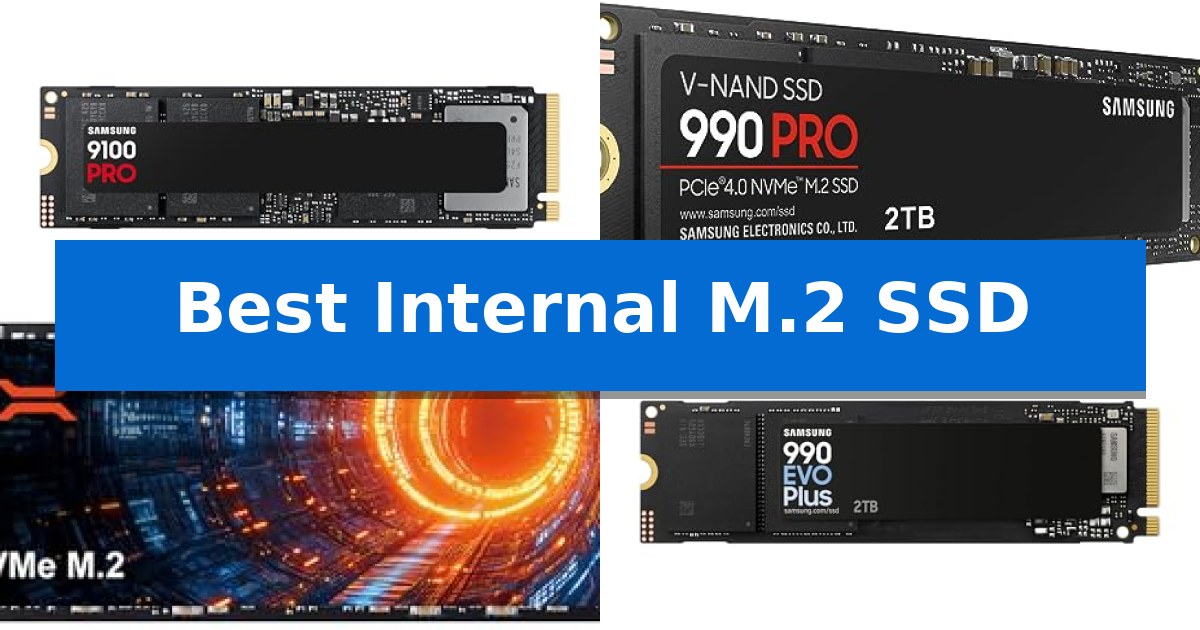
Upgrading your storage is one of the most effective ways to improve system responsiveness, whether you are managing large creative files or loading modern games. Finding the Best Internal M.2 SSD requires balancing your motherboard's interface capabilities with your specific workload demands.
From high-bandwidth PCIe 5.0 drives designed for heavy-duty workstations to efficient Gen4 solutions for everyday upgrades, the right choice depends on your hardware compatibility and performance requirements. We have analyzed the latest internal drives to help you navigate these technical specifications and select the storage solution that fits your machine.
Best Internal M.2 SSD in 2026: Maximize Your System Throughput
Quick Comparison
| Product | Best For | Key Strength | Score |
|---|---|---|---|
| Samsung 9100 PRO SSD | Best Overall | PCIe 5.0 interface providing industry-leading sequential speeds up to 14,700 MB/s. | 4.9 |
| Samsung 990 PRO SSD | Top Tier Gen4 Performance | High-speed PCIe 4.0 performance with read/write speeds up to 7,450/6,900 MB/s. | 4.7 |
| SIX X7400 SSD | Includes Heatsink for PS5 | High-speed PCIe Gen4x4 interface supporting up to 7350MB/s read speeds. | 4.9 |
| Samsung 990 EVO Plus SSD | Efficient Gen4 Upgrade | High-speed sequential read/write performance up to 7,250/6,300 MB/s. | 4.9 |
| Kingston NV3 SSD | Budget Friendly Gen4 Storage | High-speed PCIe 4.0 Gen 4×4 performance for rapid data access. | 4.3 |
How We Chose
- Interface Compatibility: Verifying support for PCIe 5.0 or Gen4 standards to match your system's motherboard.
- Sequential Throughput: Analyzing manufacturer-rated read and write speeds for large file transfers.
- Thermal Efficiency: Assessing controller power consumption and heat management features.
- Capacity Options: Reviewing the availability of storage tiers to accommodate varying library sizes.
- Software Support: Checking for proprietary management tools that assist with drive health monitoring and firmware updates.
1 Samsung 9100 PRO SSD — Blazing PCIe 5.0 Speed
The Samsung 9100 PRO SSD introduces a significant leap in storage technology by utilizing the PCIe 5.0 interface, enabling sequential read and write speeds of up to 14,700/13,400 MB/s. This drive is engineered for high-demand environments, including AI computing, professional workstations, and advanced gaming setups where rapid data throughput is essential.
Beyond raw speed, the drive features a 5nm controller designed to enhance power efficiency by up to 49% compared to previous generations. This architectural choice helps manage thermal output, ensuring that the drive maintains consistent performance during intensive tasks like large-scale video editing or complex multitasking.
For users managing extensive digital libraries, the Samsung 9100 PRO SSD supports capacities up to 8TB. It integrates with the proprietary Magician Software, which provides a centralized interface for users to perform firmware updates, monitor drive health, and manage encryption settings to maintain long-term reliability.
Compatibility is a primary focus, as the drive is designed to function across diverse platforms, including desktop PCs, laptops, and the PlayStation 5 when paired with an appropriate heatsink. By producing its own DRAM and NAND components in-house, the manufacturer ensures a high level of quality control for this internal storage solution.
Best for: Professional creators, AI developers, and gamers requiring maximum PCIe 5.0 throughput and high-capacity storage.
Skip if: Users with older motherboards lacking PCIe 5.0 support or those who do not have an adequate cooling solution for high-performance Gen5 drives.
PROS
- PCIe 5.0 interface providing industry-leading sequential speeds up to 14,700 MB/s.
- 5nm controller for improved power efficiency and thermal management.
- Up to 8TB capacity to accommodate massive game libraries and creative projects.
- Magician Software for comprehensive drive health monitoring and firmware management.
CONS
- Requires PCIe 5.0 compatibility to reach advertised performance levels.
- Thermal management is critical due to the high-speed nature of Gen5 technology.
2 Samsung 990 PRO SSD — Top Tier Gen4 Performance
The Samsung 990 PRO SSD is engineered to push the boundaries of PCIe 4.0 storage, delivering read and write speeds up to 7,450 MB/s and 6,900 MB/s. By utilizing high-performance bandwidth, this drive provides the necessary throughput for demanding workflows such as professional video editing, large-scale data analysis, and high-end gaming.
Efficiency is a defining characteristic of this drive, which offers up to 50% improved performance per watt compared to the previous 980 PRO model. This optimization allows for sustained, high-speed operations without excessive power draw, making it a practical choice for workstations that require consistent reliability during intensive, long-duration tasks.
Available in capacities ranging from 1TB to 4TB, the Samsung 990 PRO SSD utilizes the standard M.2 2280 form factor, ensuring broad physical compatibility with most modern motherboards. The drive also features a significant 55% improvement in random performance over its predecessor, which translates to faster application loading and snappier system responsiveness.
Backed by a 5-year manufacturer warranty, this internal drive is designed for users who prioritize long-term stability and high-speed data access. Its compact design and PCIe 4.0 interface make it a straightforward upgrade for systems capable of supporting the latest generation of NVMe storage.
Best for: Hardcore gamers, content creators, and professionals requiring high-speed, power-efficient storage for heavy-duty computing tasks.
Skip if: Users with motherboards limited to PCIe 3.0 or older interfaces will not be able to utilize the drive's maximum rated speeds.
PROS
- High-speed PCIe 4.0 performance with read/write speeds up to 7,450/6,900 MB/s.
- Improved power efficiency offering up to 50% better performance per watt.
- Versatile capacity options ranging from 1TB to 4TB.
- 5-year manufacturer warranty for long-term reliability.
CONS
- Requires PCIe 4.0 support to achieve advertised maximum speeds.
3 SIX X7400 SSD — Includes Heatsink for PS5
Upgrading your storage capacity for high-demand applications requires hardware that balances throughput with thermal management. The SIX X7400 SSD addresses this by integrating a dedicated heatsink, specifically engineered to maintain stability during intensive data transfers and prolonged gaming sessions. By effectively dissipating heat, this component ensures consistent performance, which is particularly beneficial for users running heavy-duty applications like data analytics or modern, high-fidelity gaming.
Utilizing a PCIe Gen4x4 High Speed Interface, this drive achieves read speeds of up to 7350MB/s. This level of bandwidth is designed to facilitate rapid file transfers and reduce load times in demanding environments. For creators and gamers, this means less time waiting for large assets to load and more time focused on productivity or gameplay, providing a tangible boost to system responsiveness.
The SIX X7400 SSD is built for broad compatibility, functioning as an internal storage expansion for laptops, desktop PCs, and the PlayStation 5. The inclusion of an installation kit—complete with a screwdriver and necessary mounting hardware—simplifies the integration process for users looking to extend their system's lifecycle without needing to source additional tools.
Reliability is supported by a 5-year limited warranty, providing long-term coverage for the drive's operation. By combining high-speed performance with a purpose-built cooling solution, this 1TB drive serves as a practical choice for those requiring consistent storage performance for heavy-duty computing tasks.
Best for: Users requiring a high-speed PCIe Gen4 storage upgrade with integrated cooling for gaming consoles or high-performance PCs.
Skip if: Users with systems limited to PCIe Gen3 interfaces or those requiring storage capacities exceeding 1TB.
PROS
- High-speed PCIe Gen4x4 interface supporting up to 7350MB/s read speeds.
- Integrated heatsink included to manage thermals during heavy workloads.
- Broad compatibility with PS5, desktop PCs, and laptops.
- Comprehensive 5-year limited warranty for long-term peace of mind.
CONS
- Fixed 1TB capacity may be insufficient for users with massive media libraries.
4 Samsung 990 EVO Plus SSD — Efficient Gen4 Upgrade
Upgrading your system storage requires a balance of speed and efficiency, and the Samsung 990 EVO Plus SSD addresses this by utilizing the latest NAND memory technology. This drive is engineered to deliver sequential read and write speeds reaching up to 7,250 MB/s and 6,300 MB/s, respectively, providing a significant boost for high-bandwidth tasks and large file transfers.
Designed for versatility, the Samsung 990 EVO Plus SSD supports both PCIe 4.0 x4 and PCIe 5.0 x2 interfaces. This dual-compatibility ensures that the drive can adapt to different motherboard configurations while maintaining high data processing capabilities. The inclusion of Intelligent TurboWrite 2.0 further optimizes performance during intensive write operations, ensuring consistent results even under heavy workloads.
Thermal management is a priority in this design, featuring a nickel-coated controller that promotes efficient heat dissipation. This allows the drive to maintain stable operation without excessive power consumption, which is particularly beneficial for maintaining system longevity. Users can also leverage the Samsung Magician Software to manage firmware updates, monitor drive health, and implement security features, keeping the hardware performing as intended over its lifespan.
With a compact M.2 2280 form factor, the drive is suitable for a wide range of PC and laptop upgrades. The combination of high-speed throughput and power-efficient architecture makes it a practical choice for users looking to improve their storage performance without compromising on thermal stability or power efficiency.
Best for: Users seeking a high-speed, power-efficient storage upgrade compatible with both PCIe 4.0 and PCIe 5.0 interfaces.
Skip if: Users requiring specialized high-end PCIe 5.0 x4 performance that exceeds the bandwidth limits of a PCIe 5.0 x2 interface.
PROS
- High-speed sequential read/write performance up to 7,250/6,300 MB/s.
- Dual-interface compatibility supporting both PCIe 4.0 x4 and PCIe 5.0 x2.
- Efficient thermal control via a nickel-coated controller.
- Comprehensive drive management through Samsung Magician Software.
CONS
- Interface limitation to PCIe 5.0 x2 bandwidth.
5 Kingston NV3 SSD — Budget Friendly Gen4 Storage
Upgrading your system storage with the Kingston NV3 1TB M.2 2280 NVMe SSD provides a straightforward path to faster data handling through its PCIe 4.0 Gen 4×4 interface. This drive is engineered for those who need a balance of high-speed performance and low-power efficiency, making it a practical choice for both desktop and laptop environments where thermal management and energy consumption are priorities.
The drive delivers impressive throughput, with rated speeds of up to 6,000MB/s read and 4,000MB/s write. These specifications ensure that large file transfers, game loading, and application launches occur with minimal delay. By utilizing the M.2 2280 form factor, the unit maintains broad compatibility with modern motherboards and portable computing devices.
To simplify the transition from an older drive, the package includes Acronis cloning software. This utility assists in migrating your existing operating system and data without requiring a fresh installation. Furthermore, the inclusion of a 5-year limited warranty provides long-term peace of mind regarding the drive's operational lifespan.
While the drive is optimized for high-speed tasks, it is important to ensure your system supports the PCIe 4.0 standard to realize the full potential of these transfer rates. For users on older platforms limited to PCIe 3.0, the drive remains functional but will operate at reduced speeds, making it a versatile component for various upgrade cycles.
Best for: Users seeking a power-efficient, high-speed storage upgrade for modern PCIe 4.0-compatible laptops and desktops.
Skip if: Users with older systems restricted to PCIe 3.0 interfaces who may not benefit from the full speed capabilities of this Gen 4 drive.
PROS
- High-speed PCIe 4.0 Gen 4×4 performance for rapid data access.
- Low power consumption design suitable for portable devices.
- Acronis cloning software included for easy data migration.
- 5-year limited warranty coverage.
CONS
- Requires PCIe 4.0 support to achieve maximum rated speeds.
Best Internal M.2 SSD Buying Guide
Understanding Interface Standards
The interface standard, such as PCIe 5.0 or PCIe 4.0, is the primary determinant of your drive's maximum potential speed. PCIe 5.0 drives offer significantly higher bandwidth, which is beneficial for professional applications and heavy-duty workstations that frequently move massive datasets.
However, ensure your motherboard supports the specific generation of the drive you choose. While these drives are often backward compatible, using a Gen5 drive on a Gen4 slot will result in performance being throttled to the lower standard, negating the investment in newer technology.
Thermal Management and Heatsinks
High-performance M.2 SSDs generate heat during sustained operation, which can lead to thermal throttling if not managed correctly. Many modern drives include advanced controllers designed for better power efficiency, but some scenarios still require a dedicated heatsink.
If you are installing a drive into a console like the PS5 or a compact laptop, check the physical clearance available. Some drives come with pre-installed heatsinks, while others require you to provide your own, which is a critical consideration for maintaining consistent, long-term performance.
Sequential vs. Random Performance
Sequential read and write speeds are often highlighted in marketing, but they primarily impact the transfer of large, singular files. For operating system responsiveness and application loading, random read/write performance—measured in IOPS—is often more indicative of real-world speed.
If your primary use case involves gaming or general productivity, look for drives that balance high sequential speeds with strong random access performance. This ensures that your system feels snappy during multitasking and quick to boot.
Capacity and Endurance
Selecting the right capacity involves more than just fitting your current files; it also impacts the longevity of the drive. Flash memory performs best when it has some free space, as this allows the controller to manage data placement more effectively.
Consider your future storage needs when choosing between 1TB, 2TB, or higher capacities. A larger drive often provides better endurance over its lifespan because the wear is distributed across a greater number of memory cells.
Management Software
Reliable manufacturers often provide proprietary software, such as Magician, to help manage your drive. These tools are invaluable for performing firmware updates, which can improve compatibility and performance over time.
Additionally, these utilities allow you to monitor the health of your drive, check for errors, and manage encryption settings. Utilizing these tools ensures that your storage remains optimized and secure throughout its operational life.
Frequently Asked Questions
Can I use a PCIe 5.0 SSD in a PCIe 4.0 motherboard?
Yes, most M.2 SSDs are backward compatible. However, the drive will operate at the maximum speed supported by your motherboard's PCIe 4.0 slot, meaning you will not achieve the full potential of the PCIe 5.0 drive.
Do I need a heatsink for my M.2 SSD?
A heatsink is recommended for high-performance drives, especially those used in gaming consoles or systems with limited airflow. It helps prevent thermal throttling during heavy, sustained workloads.
What is the difference between sequential and random speeds?
Sequential speeds refer to the transfer rate of large, continuous files, while random speeds measure how quickly the drive can access small, scattered data blocks, which is more important for OS and app performance.
How do I update my SSD firmware?
Most major manufacturers provide dedicated software, such as Samsung Magician, which allows you to check for and install the latest firmware updates to ensure optimal drive performance.
Is a 1TB drive enough for gaming?
A 1TB drive is a solid starting point for many users, but modern game titles can be quite large. If you have a vast library, you may want to consider a 2TB or 4TB drive to avoid frequent deletions.
Conclusion: Our Top Pick
Selecting the right storage involves matching your hardware's interface to the drive's capabilities. For those seeking the highest performance, the Samsung 9100 PRO SSD stands out as a top-tier choice, offering cutting-edge PCIe 5.0 speeds that are ideal for demanding AI computing and heavy-duty workstations.
While this drive provides exceptional throughput, ensure your system is compatible with the PCIe 5.0 standard to fully utilize its potential. For users with Gen4 systems, other options in our list offer excellent efficiency and performance, ensuring you find a reliable upgrade regardless of your current setup.