
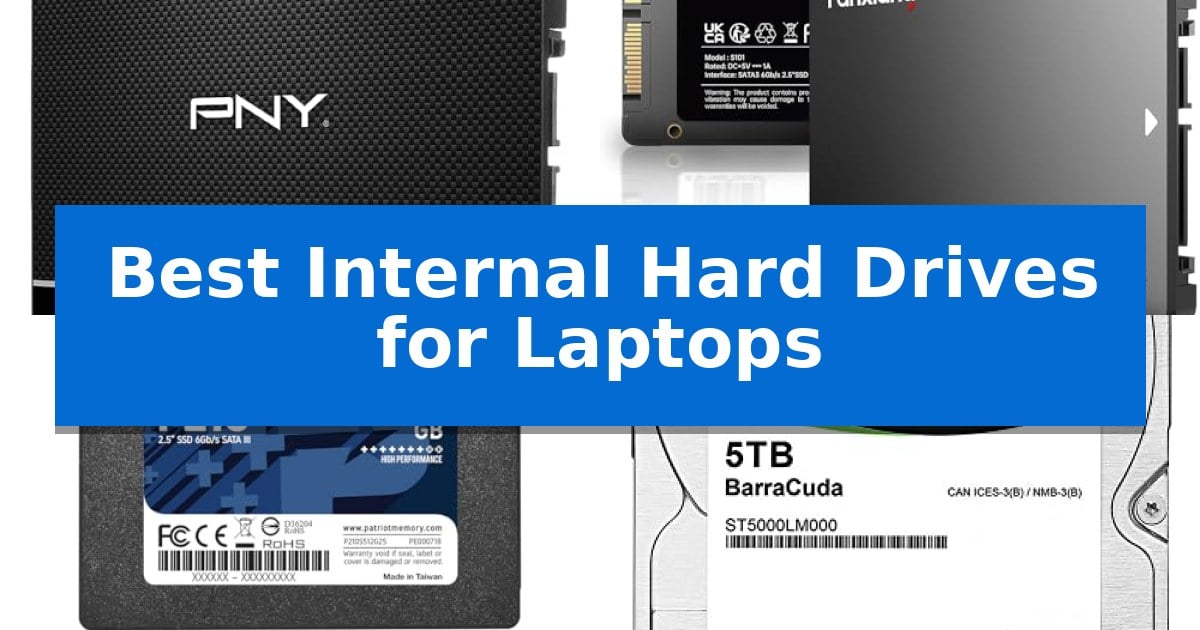
Upgrading your laptop storage is one of the most effective ways to breathe new life into an aging machine or expand your digital workspace. Whether you are dealing with slow boot times or simply running out of room for your files, finding the Best Internal Hard Drives for Laptops requires balancing your need for speed against your total capacity requirements.
Our guide focuses on the critical differences between modern solid-state drives and traditional mechanical hard drives. By understanding how these components interact with your existing hardware, you can make an informed decision that improves your daily computing experience without unnecessary complexity.
Best Internal Hard Drives for Laptops in 2026
Quick Comparison
| Product | Best For | Key Strength | Score |
|---|---|---|---|
| PNY CS900 Internal SSD | Best Overall | Fast sequential read/write speeds for improved system responsiveness. | 4.9 |
| fanxiang S101 Internal SSD | Reliable 3D NAND Performance | 3D NAND TLC chips for enhanced write endurance. | 4.7 |
| Patriot P210 Internal SSD | Efficient Data Protection | SATA 3 interface ensures broad compatibility with most legacy laptop drive bays. | 4.3 |
| Seagate BarraCuda 2.5-inch HDD | Massive Laptop Storage | Massive 5TB capacity in a compact 2.5-inch form factor. | 4.9 |
| Toshiba Notebook Internal HDD | Standard Replacement Drive | 1TB storage capacity for extensive file storage. | 4.3 |
How We Chose
- Interface compatibility with standard SATA connections.
- Read and write performance metrics for system responsiveness.
- Physical dimensions to ensure fitment within standard laptop drive bays.
- Storage capacity options for diverse user needs.
- Reliability features such as 3D NAND technology or mechanical durability.
1 PNY CS900 Internal SSD — Fastest Boot Times
Upgrading a laptop with the PNY CS900 Internal SSD provides a tangible shift in responsiveness, replacing sluggish mechanical storage with a drive capable of up to 550MB/s sequential read and 500MB/s sequential write speeds. This 2.5-inch SATA III drive is engineered to accelerate OS boot times and application loading, making it a practical choice for those looking to extend the utility of their existing hardware.
Designed with ultra-low power consumption in mind, this drive is well-suited for mobile computing environments where battery efficiency is a priority. Its 2.5-inch form factor ensures broad compatibility with most standard laptop drive bays, and it remains backwards compatible with SATA II 3GB/sec interfaces, allowing it to function in older systems that may not support the full bandwidth of SATA III.
The drive offers a straightforward path to improved system performance compared to traditional hard disk drives (HDD). By eliminating moving parts, it provides a more robust storage solution for everyday users, creators, and gamers alike. With a 3-year warranty included, the unit balances performance gains with long-term support for your storage upgrade.
Best for: Everyday users and laptop owners seeking a reliable, power-efficient storage upgrade to improve boot and application load times.
Skip if: Users requiring NVMe speeds or those with laptops that do not feature a standard 2.5-inch SATA drive bay.
PROS
- Fast sequential read/write speeds for improved system responsiveness.
- Ultra-low power consumption helps maintain laptop battery efficiency.
- Broad compatibility with SATA III and SATA II interfaces.
- 3-year warranty provides long-term peace of mind.
CONS
- SATA III interface is slower than modern NVMe alternatives.
2 fanxiang S101 Internal SSD — Reliable 3D NAND Performance
Upgrading an aging laptop often begins with replacing a mechanical hard drive, and the fanxiang S101 Internal SSD provides a direct path to improved system responsiveness. By utilizing 3D NAND TLC technology, this drive offers a more durable storage solution compared to QLC alternatives, making it a practical choice for users looking to extend the life of their existing hardware.
The fanxiang S101 Internal SSD is designed for seamless integration, featuring a standard 2.5-inch SATA III 6Gb/s form factor that fits most laptops, desktops, and all-in-one PCs. With rated read and write speeds reaching up to 520MB/s, it significantly reduces wait times during boot-ups and file transfers. Users can expect a noticeable improvement in system speed, with the drive capable of booting up at least 50% faster than traditional hard disk drives.
Beyond performance, the drive is built for broad compatibility across Windows, Linux, and Mac OS environments. The manufacturer includes a 3-year service warranty and lifetime technical support, providing a safety net for long-term data storage. Its compact dimensions of approximately 3.94 x 2.72 x 0.28 inches ensure it fits comfortably within the drive bays of most portable computing devices.
Best for: Users looking to revitalize an older laptop or desktop with faster boot times and reliable 3D NAND storage.
Skip if: Users who require NVMe M.2 speeds or have a device that does not support the 2.5-inch SATA form factor.
PROS
- 3D NAND TLC chips for enhanced write endurance.
- 520MB/s transfer speeds for rapid data access.
- Extensive compatibility with major operating systems and legacy drive bays.
- 3-year manufacturer warranty included for peace of mind.
CONS
- SATA III interface is limited by the 6Gb/s bandwidth compared to modern NVMe drives.
3 Patriot P210 Internal SSD — Efficient Data Protection
Upgrading a laptop's storage capacity or replacing a failing drive requires a reliable solution that balances performance with physical compatibility. The Patriot P210 512GB Internal SSD offers a straightforward path to modernization for older systems by utilizing the common 2.5-inch SATA 3 interface, making it a versatile choice for a wide range of portable computers.
Engineered with a latest SATA 3 controller, this drive provides sequential read speeds up to 520MB/s and write speeds up to 430MB/s. These specifications are designed to improve system responsiveness compared to traditional mechanical hard drives, particularly during boot times and application loading. The inclusion of 4K Aligned Random Write performance up to 50K IOPs further assists in handling the varied data tasks typical of daily laptop usage.
Reliability is addressed through integrated end-to-end data path protection and SmartECC technology, which work to maintain data integrity during transfers. To manage the heat generated during extended operation, the drive features built-in thermal throttling technology, ensuring the hardware remains within safe operating parameters. These features provide a layer of protection for stored files without requiring additional software or complex configurations.
Designed for broad compatibility, the drive is compatible with Windows 7, 8.0, 8.1, and 10 operating systems. It arrives with a 3-year warranty, offering a defined period of manufacturer support. With its slim 2.5-inch form factor, it fits into standard drive bays, serving as a practical replacement or secondary storage upgrade for users looking to extend the utility of their existing laptop hardware.
Best for: Users looking to replace a mechanical hard drive in a laptop with a 2.5-inch SATA bay to improve system responsiveness and storage capacity.
Skip if: Users whose laptops require an M.2 NVMe drive or those seeking the higher data transfer speeds offered by PCIe-based storage solutions.
PROS
- SATA 3 interface ensures broad compatibility with most legacy laptop drive bays.
- Integrated thermal throttling technology helps maintain stable operating temperatures.
- Includes end-to-end data path protection and SmartECC for enhanced data integrity.
- Backed by a 3-year warranty for long-term support.
CONS
- Limited to SATA 3 speeds, which are slower than modern NVMe SSD standards.
- Requires a 2.5-inch drive bay, making it incompatible with ultra-thin laptops that only support M.2 form factors.
4 Seagate BarraCuda 2.5-inch HDD — Massive Laptop Storage
Expanding your laptop storage capacity requires a drive that balances physical dimensions with high-density data retention. The Seagate BarraCuda 2.5-inch HDD provides a massive 5TB capacity within a compact 2.5-inch form factor, making it a practical choice for users who need to carry extensive media libraries or large project files on the go.
Engineered for versatility, this drive utilizes a SATA 6Gb/s interface to ensure compatibility with a wide range of mobile computing platforms. With a 5400 RPM spindle speed and a 128MB cache, it is designed to handle diverse applications, from high-resolution photo editing to gaming and general file storage, providing a reliable solution for demanding mobile workstations.
The physical design emphasizes portability, measuring just 0.59 inches in height and weighing approximately 0.198 pounds. This slim profile allows it to fit into standard laptop drive bays where space is at a premium. Backed by 20 years of innovation, the drive is built for consistent operation across various computing environments.
Choosing this drive involves balancing high-capacity storage against the performance characteristics of mechanical hard drive technology. While it offers significantly more space than many standard laptop drives, users should ensure their system supports the 2.5-inch SATA standard to fully leverage the storage potential of this unit.
Best for: Users requiring massive internal storage capacity for media, gaming, or large files within a standard 2.5-inch laptop drive bay.
Skip if: Users who prioritize maximum data transfer speeds and shock resistance, as an SSD would be more suitable for those specific performance requirements.
PROS
- Massive 5TB capacity in a compact 2.5-inch form factor.
- SATA 6Gb/s interface for broad compatibility with most laptop systems.
- 128MB cache to assist with data management and application responsiveness.
- Slim 0.59-inch height designed for easy integration into mobile devices.
CONS
- 5400 RPM mechanical speed is slower than modern solid-state drive alternatives.
- Mechanical components are more susceptible to physical shock than flash-based storage.
5 Toshiba Notebook Internal HDD — Standard Replacement Drive
Replacing a failing drive or upgrading storage capacity in a laptop requires a reliable component that fits standard physical and electrical interfaces. The Toshiba 1TB 5400RPM 8MB Cache SATA 3.0Gb/s 2.5 inch Notebook Hard Drive (MQ01ABD100V) provides a straightforward solution for users needing a high-capacity mechanical drive for their existing hardware.
This 2.5-inch hard drive is designed to fit into standard laptop drive bays, measuring 9.5mm in height. It utilizes a SATA 3.0Gb/s interface, ensuring compatibility with a wide range of legacy and modern laptops, Macbooks, and external USB enclosures that support SATA connectivity. With a 1TB capacity, it offers sufficient space for documents, media files, and general software applications.
The drive operates at a rotation speed of 5400RPM and includes an 8MB buffer to manage data tasks. Its universal design allows it to function across various brands, making it a versatile choice for those looking to maintain or expand their current computing setup without needing specialized proprietary hardware.
When selecting this drive, consider that it is a mechanical HDD rather than a solid-state drive. It is best suited for general storage and backup purposes where high-speed data access is not the primary requirement. Its standard form factor ensures a simple installation process for most compatible devices.
Best for: Users needing a reliable, high-capacity mechanical storage replacement for a laptop or external enclosure with a SATA interface.
Skip if: Users requiring the high-speed data transfer rates and shock resistance typically provided by solid-state drives (SSDs).
PROS
- 1TB storage capacity for extensive file storage.
- Universal compatibility with any laptop or enclosure using a SATA interface.
- Standard 9.5mm height fits most traditional laptop drive bays.
CONS
- 5400RPM rotation speed is slower than modern SSD alternatives.
- 8MB buffer may limit performance during intensive data operations.
Best Internal Hard Drives for Laptops Buying Guide
SSD vs. HDD: Understanding the Basics
The most significant choice you will make is between a Solid State Drive (SSD) and a Hard Disk Drive (HDD). SSDs use flash memory, which results in significantly faster boot times and quicker application loading compared to traditional mechanical drives. They are ideal for users who want to improve the overall snappiness of their operating system.
HDDs, on the other hand, use spinning magnetic platters to store data. While they cannot match the speed of an SSD, they are often the more cost-effective choice for users who need massive amounts of storage space for large media libraries, backups, or archival purposes.
Ensuring Physical Compatibility
Before purchasing, verify the physical space available in your laptop. Most standard laptops utilize a 2.5-inch drive bay. While many SSDs and HDDs fit this form factor, the thickness of the drive can vary, typically between 7mm and 9.5mm. Always check your laptop manufacturer's specifications to ensure the drive will seat correctly.
Additionally, confirm that your laptop supports the SATA interface. While most modern drives are backwards compatible, ensuring your system can fully utilize the SATA III bandwidth will help you get the most out of your new hardware.
Evaluating Read and Write Speeds
For SSDs, look at the sequential read and write speeds. Higher numbers generally translate to faster file transfers and quicker system responsiveness. If you are a creator or a gamer, prioritizing a drive with higher throughput can reduce wait times during heavy data operations.
For HDDs, speed is largely dictated by the rotation speed, typically measured in RPM. A 5400 RPM drive is standard for laptops, balancing power efficiency with performance. While not as fast as an SSD, these drives are sufficient for general office work and media storage.
Data Protection and Reliability
Reliability is paramount when storing your personal files. Many modern SSDs include features like end-to-end data path protection and thermal throttling to maintain integrity under load. These technologies help prevent data corruption and extend the lifespan of the drive.
Mechanical drives rely on proven technology that has been refined over decades. While they are more susceptible to physical shock than SSDs, they remain a reliable solution for static storage when handled with care.
Capacity Requirements
Assess how much data you actually need to store. If your primary goal is to speed up your OS and core applications, a 500GB SSD is often sufficient. If you store high-resolution videos, large photo collections, or extensive software suites, you may need 1TB or higher.
Remember that you can often use an external drive for archival storage, allowing you to keep your internal drive focused on the files and programs you access daily. Balancing internal capacity with external solutions can often be more cost-effective.
Frequently Asked Questions
Can I install an SSD in any laptop?
Most laptops with a 2.5-inch SATA drive bay can accept an SSD. However, always check if your laptop uses a different form factor, such as M.2, before purchasing.
Will an SSD make my laptop faster?
Yes, replacing an older mechanical HDD with an SSD typically results in much faster boot times and more responsive application performance.
What is the difference between 5400 RPM and 7200 RPM?
These numbers refer to the speed at which the internal platters of an HDD spin. A 7200 RPM drive is generally faster at accessing data than a 5400 RPM drive, though it may consume slightly more power.
Do I need special software to clone my old drive?
Many SSD manufacturers provide migration software to help you move your operating system and files from your old drive to the new one, simplifying the upgrade process.
Are SSDs more durable than HDDs?
Yes, because SSDs have no moving parts, they are much more resistant to physical shock and vibration, making them ideal for portable devices like laptops.
Conclusion: Our Top Pick
Choosing the right storage upgrade depends on whether your priority is raw speed or massive capacity. For most users looking to improve system performance, an SSD is the clear winner due to its rapid boot times and durability.
We recommend the PNY CS900 Internal SSD as our top pick for its reliable performance and significant speed improvements over traditional hard drives. It provides an excellent balance for everyday users, creators, and gamers who need a dependable and fast storage solution.