
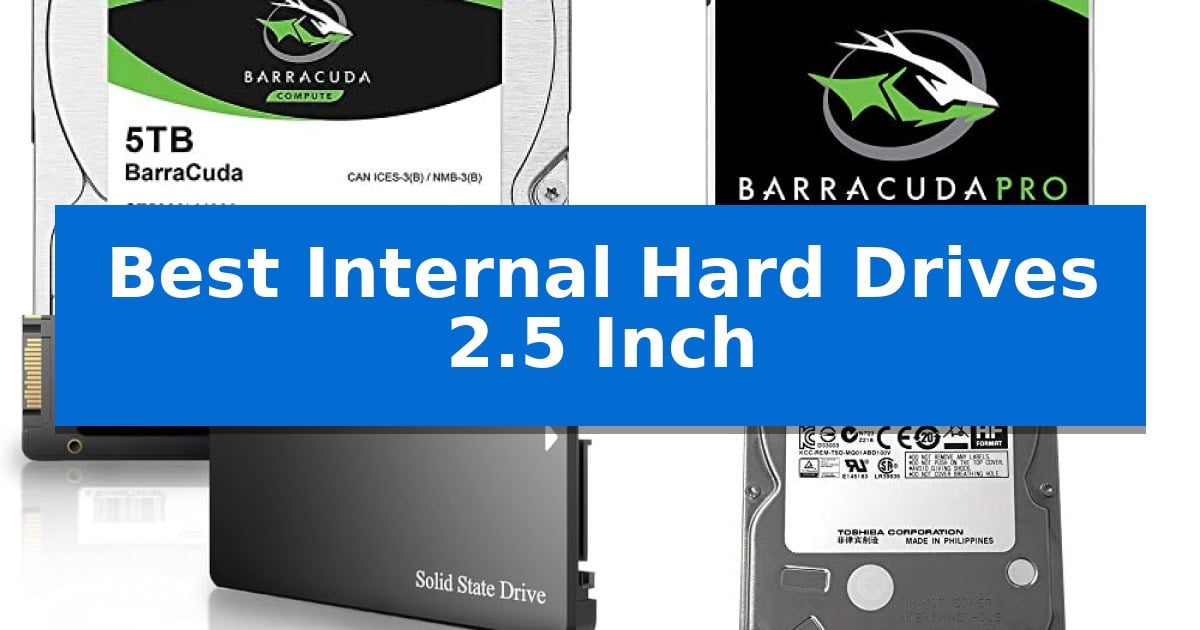
Finding the right storage solution for your laptop or gaming console often comes down to balancing capacity needs with physical space constraints. Whether you are looking to expand your digital library or replace a failing drive, selecting from the Best Internal Hard Drives 2.5 Inch requires careful attention to interface compatibility and your specific performance requirements.
Our guide evaluates current market options to help you identify which drive fits your hardware and usage patterns. By focusing on essential specifications like rotational speed, storage capacity, and form factor, we provide the information necessary to make an informed upgrade decision for your desktop, laptop, or console.
Best Internal Hard Drives 2.5 Inch in 2026
Quick Comparison
| Product | Best For | Key Strength | Score |
|---|---|---|---|
| Seagate BarraCuda Internal Hard Drive | Best Overall | High-capacity 5TB storage in a compact 2.5-inch form factor. | 4.9 |
| Seagate BarraCuda Pro Internal Hard Drive | Performance Focused for Gaming | 7200 RPM speed for improved performance over standard 5400 RPM drives. | 4.5 |
| fanxiang S101 Internal Solid State Drive | Fast Boot Times for Laptops | 3D NAND TLC chips for improved write endurance | 4.6 |
| Toshiba Internal Hard Drive | Ideal for Console Upgrades | 1TB capacity provides significant space for console game storage. | 4.4 |
| Seagate Mobile Internal Hard Drive | Slim Profile for Portable Devices | Ultra-thin 7mm profile fits into slim laptop designs. | 4.5 |
How We Chose
- Form factor compatibility to ensure the drive fits standard 2.5-inch drive bays.
- Interface standards to confirm compatibility with SATA 6Gb/s connections.
- Storage capacity options to match varying data archiving and gaming needs.
- Rotational speed and cache size to assess potential read/write performance.
- Physical dimensions, specifically height, to ensure fitment in slim mobile devices.
1 Seagate BarraCuda Internal Hard Drive — High Capacity for Data Storage
Managing large volumes of data requires a reliable storage foundation, and the Seagate BarraCuda 5TB Internal Hard Drive is engineered to provide substantial capacity within a compact 2.5-inch form factor. Designed for versatility, this drive serves as a dependable solution for diverse applications, ranging from media storage and photo editing to supporting desktop PC gaming setups.
Built upon two decades of storage innovation, the drive utilizes a SATA 6Gb/s interface to ensure broad compatibility with most modern computer systems. Its 5400 RPM spindle speed is balanced by a 128MB cache, which helps maintain consistent data handling for everyday computing tasks. The drive's physical dimensions of 2.75 inches by 3.951 inches allow it to fit into standard 2.5-inch drive bays, making it an efficient choice for users looking to upgrade their internal storage without requiring a larger tower.
The Seagate BarraCuda series is crafted to offer a balance of performance and reliability. By integrating this drive into your system, you gain a dedicated space for large file libraries, ensuring that your primary drive remains uncluttered. With a 2-year limited warranty, users have a baseline of manufacturer support for their storage investment.
Choosing this drive involves considering the trade-offs inherent in mechanical storage. While it provides high-density storage at a accessible scale, it is optimized for general-purpose computing rather than the specialized high-speed requirements of operating system boot drives. For users prioritizing massive file capacity in a small footprint, this drive remains a practical and proven component for desktop integration.
Best for: Users needing high-capacity secondary storage for media libraries, photo editing, and general desktop applications in a compact 2.5-inch form factor.
Skip if: Users requiring the high-speed performance of an SSD for operating system boot drives or those with limited SATA connectivity in their chassis.
PROS
- High-capacity 5TB storage in a compact 2.5-inch form factor.
- SATA 6Gb/s interface ensures broad compatibility with standard PC hardware.
- 128MB cache supports efficient data management for varied workloads.
- Backed by 20 years of Seagate innovation in hard drive technology.
CONS
- 5400 RPM speed is optimized for storage rather than high-performance boot drive tasks.
- Mechanical design is inherently slower than solid-state alternatives.
2 Seagate BarraCuda Pro Internal Hard Drive — Performance Focused for Gaming
When you need to upgrade your laptop or desktop storage, the Seagate BarraCuda Pro 1TB Internal Hard Drive offers a performance-focused solution in a compact 2.5-inch form factor. Designed for users who need to handle large projects or build a gaming PC, this drive balances capacity with a 7200 RPM rotational speed to help improve responsiveness during data-intensive tasks.
This drive features 128MB of cache and utilizes optimized read/write caching technology to assist with tasks like editing photos, videos, or music. Its slim dimensions, measuring approximately 0.276 inches in height, allow it to fit into standard 2.5-inch drive bays, making it a versatile choice for both desktop and laptop upgrades where space is at a premium.
Beyond raw storage, the drive is built with an emphasis on long-term support. It includes a five-year limited warranty and comes with two years of Rescue Data Recovery Services, providing additional security for your digital files. The SATA 6 Gb/s interface ensures compatibility with most modern computer systems, allowing for straightforward installation.
While this drive provides a reliable storage boost, it is important to note that it is a mechanical hard drive. It is best suited for users who prioritize capacity and long-term data management over the high-speed, silent operation of solid-state drives. For those building a system, this unit serves as a dependable secondary storage option for large media libraries or project files.
Best for: Users looking for a reliable, high-capacity 2.5-inch storage upgrade for gaming, media editing, or general desktop/laptop use.
Skip if: Users who require the near-instant boot times and silent operation of an SSD for their primary operating system drive.
PROS
- 7200 RPM speed for improved performance over standard 5400 RPM drives.
- Five-year limited warranty provides long-term peace of mind.
- Includes two-year Rescue Data Recovery Services for added protection.
- Compact 2.5-inch form factor fits a wide range of laptops and desktops.
CONS
- Mechanical drive technology is slower than modern solid-state drives.
- 1TB capacity may be limiting for users with massive high-resolution video archives.
3 fanxiang S101 Internal Solid State Drive — Fast Boot Times for Laptops
Upgrading an aging computer often begins with addressing the storage bottleneck, and the fanxiang S101 Internal Solid State Drive provides a direct path to improved responsiveness. By utilizing SATA III 6Gb/s connectivity, this 2.5-inch drive replaces traditional mechanical hard drives to deliver faster boot times and more fluid data access for everyday computing tasks.
Engineered for reliability, the drive features 3D NAND TLC technology. This choice of flash memory is designed to offer a longer write lifespan compared to QLC alternatives, making it a stable choice for users seeking a durable storage solution for their desktops or laptops. The drive is built into a compact 2.5-inch form factor, ensuring it fits into standard drive bays found in most all-in-one PCs and portable computers.
Performance is defined by its ability to reach read and write speeds of up to 520MB/s. These speeds facilitate rapid file transfers and contribute to the drive's ability to boot systems at least 50% faster than standard HDDs. Whether you are managing large documents or launching applications, the hardware is optimized to reduce wait times.
Compatibility is a primary focus, as the fanxiang S101 Internal Solid State Drive supports a wide range of operating systems, including Windows, Linux, and Mac OS. The package includes a 3-year service commitment, providing technical support to assist with integration into your existing setup. This drive is a straightforward hardware upgrade for those looking to extend the utility of their current machine.
Best for: Users looking to revitalize an older laptop or desktop with faster boot times and reliable solid-state storage.
Skip if: Users who require NVMe speeds or have a system that lacks a 2.5-inch SATA drive bay.
PROS
- 3D NAND TLC chips for improved write endurance
- Fast boot times compared to traditional mechanical hard drives
- Broad compatibility across Windows, Linux, and Mac OS
- 3-year manufacturer service for long-term support
CONS
- SATA III interface limits maximum speeds compared to modern NVMe drives
4 Toshiba Internal Hard Drive — Ideal for Console Upgrades
The Toshiba 1TB 5400RPM 8MB Cache SATA 3.0Gb/s 2.5 inch PS3/PS4 Hard Drive is designed specifically to address storage limitations in legacy gaming consoles. With a 1TB capacity and a standard 9.5mm height, this drive serves as a direct replacement or upgrade for users looking to expand their internal storage space for game libraries and media.
This drive operates at a 5400RPM rotation speed and utilizes an 8MB buffer to manage data tasks. It features a SATA 3.0Gb/s interface, ensuring compatibility with the internal drive bays of specific gaming hardware. The physical dimensions of 3.94 x 2.75 x 0.37 inches allow it to fit securely within the designated 2.5-inch slots found in supported consoles.
To assist with the transition, the package includes installation and firmware download instructions tailored for console users. This focus on the specific requirements of console hardware simplifies the upgrade process for those who may be replacing a failing drive or simply seeking more room for digital content.
The product is supported by a 3-year warranty provided by the reseller, offering a defined period of coverage for the hardware. This drive balances the need for increased capacity with the physical constraints of console internal bays, providing a straightforward solution for maintenance and expansion.
Best for: Users needing a specific 2.5-inch internal storage upgrade for PS3 or PS4 game consoles.
Skip if: Users requiring high-speed SSD performance or those using devices that do not support the SATA 3.0Gb/s interface or 9.5mm drive height.
PROS
- 1TB capacity provides significant space for console game storage.
- Includes installation and firmware instructions for console-specific upgrades.
- Standard 9.5mm height ensures compatibility with internal console bays.
- Backed by a 3-year reseller warranty.
CONS
- 5400RPM rotation speed is optimized for standard console tasks rather than high-performance computing.
- SATA 3.0Gb/s interface is limited to older transfer standards.
5 Seagate Mobile Internal Hard Drive — Slim Profile for Portable Devices
Upgrading a portable computer's storage capacity often requires balancing physical dimensions with performance needs, and the Seagate 1TB Mobile HDD SATA 6Gb/s 128MB Cache 2.5" Internal Bare Drive (ST1000LM035) provides a solution through its ultra-thin 7mm profile. This drive is engineered to fit into slim laptop chassis where space is at a premium, allowing users to expand their storage without adding significant bulk.
The drive utilizes a standard SATA 6Gb/s interface, ensuring broad compatibility for drop-in replacements in existing mobile systems. With a 128MB cache, it is designed to handle data-intensive tasks efficiently, providing enough headroom to store up to 200,000 photos, 250,000 songs, or 124 hours of high-definition video.
Beyond its storage capacity, the Seagate Mobile Internal Hard Drive focuses on portability. Its lightweight construction is specifically intended to maintain the mobility of laptops, making it a practical choice for users who need high-capacity storage on the go without the weight penalties associated with traditional, thicker mechanical drives.
When selecting an internal drive, compatibility with the 7mm form factor is the primary consideration. This drive offers a streamlined path for those looking to transition to higher capacities while maintaining the compact design requirements of modern portable devices.
Best for: Users needing a high-capacity, 7mm-thin internal storage upgrade for slim laptops and portable devices.
Skip if: Users requiring the high-speed performance of an SSD or those with desktop systems that support larger 3.5-inch drive form factors.
PROS
- Ultra-thin 7mm profile fits into slim laptop designs.
- Standard SATA 6Gb/s interface ensures easy integration.
- Lightweight construction maintains device portability.
- 128MB cache supports efficient data handling.
CONS
- Mechanical drive speeds may not match the performance of solid-state alternatives.
Best Internal Hard Drives 2.5 Inch Buying Guide
Understanding Form Factor and Interface
The 2.5-inch form factor is the standard for most laptops and game consoles. While the width and length are generally uniform, the height of the drive can vary, typically between 7mm and 9.5mm. Always check your device's service manual to ensure the drive you select will physically fit within the chassis.
Most modern internal drives utilize the SATA 6Gb/s interface. This standard is backward compatible with older SATA 3Gb/s ports, ensuring that these drives can function in a wide range of systems, from older consoles to modern desktop PCs.
Rotational Speed and Performance
Hard drives are typically rated by their rotational speed (RPM). A 5400 RPM drive is common for general storage and media, offering a balance of power efficiency and capacity. Drives operating at 7200 RPM generally provide faster data access times, which can be beneficial for gaming or applications that require frequent file loading.
The cache size also plays a role in performance. A larger cache allows the drive to store more frequently accessed data, which can help smooth out performance during intensive tasks. When comparing drives, look for higher cache values if you prioritize responsiveness.
Capacity Requirements
Storage capacity is often the primary driver for an upgrade. If you are storing large media files, high-resolution photos, or a vast collection of games, opting for a higher capacity drive is essential. Drives are available in various sizes, ranging from 1TB to 5TB, depending on the specific model and physical thickness.
Consider your future needs when selecting a capacity. While a 1TB drive may suffice for basic office work, a 5TB drive provides significantly more headroom for long-term data growth and large project files without needing to manage external storage solutions.
Durability and Reliability
Internal hard drives rely on mechanical components, making them susceptible to physical shock. If you are installing a drive in a laptop that you travel with frequently, ensure the drive is properly secured within its mounting bracket to minimize vibration.
Some manufacturers include additional services, such as Rescue Data Recovery, which can provide peace of mind in the event of drive failure. Checking the included warranty period is also a practical way to gauge the manufacturer's confidence in the drive's longevity.
SSD vs. HDD Considerations
While traditional hard drives (HDD) offer high capacity at a lower cost per gigabyte, Solid State Drives (SSD) provide significantly faster boot times and application loading. If your primary goal is to speed up an aging laptop, an SSD is often the superior choice.
For users who need to store massive amounts of data, such as video archives or backups, the high capacity-to-price ratio of an HDD remains the most practical solution. Many users choose to combine an SSD for their operating system and an HDD for bulk storage.
Frequently Asked Questions
Will a 2.5-inch HDD fit in my laptop?
Most laptops designed for 2.5-inch drives will accommodate them, but you must verify the drive height. Some ultra-slim laptops require 7mm drives, while others can fit 9.5mm models.
Can I use a 7200 RPM drive in a console?
Yes, most consoles support 2.5-inch SATA drives. A 7200 RPM drive may offer slightly faster load times compared to a 5400 RPM drive, but ensure your console's power supply can handle the drive's requirements.
What is the difference between SATA 3Gb/s and 6Gb/s?
These refer to the data transfer speed of the interface. A 6Gb/s drive is backward compatible with 3Gb/s ports, though the drive will be limited to the speed of the port.
Do I need special software to install a new drive?
You will typically need to format the drive through your operating system's disk management utility once it is installed. If you are replacing a boot drive, you will need to clone your existing OS or perform a fresh installation.
Are these drives compatible with Mac and Windows?
Yes, these drives are generally compatible with both operating systems, though they may need to be formatted to a specific file system (like exFAT or NTFS) depending on your intended use.
Conclusion: Our Top Pick
For users seeking a balance of high capacity and proven reliability, the Seagate BarraCuda Internal Hard Drive stands out as an excellent choice for desktop and PC applications. Its ability to handle diverse tasks, from media storage to gaming, makes it a versatile component for any system upgrade.
While performance-focused users might consider faster 7200 RPM options for specific gaming needs, the high-capacity storage offered by this model provides the most practical solution for long-term data management. Ensure your system's drive bay can accommodate the physical dimensions before finalizing your purchase.