Best Internet TV DVRs in 2026: Simplify Local Channel Access

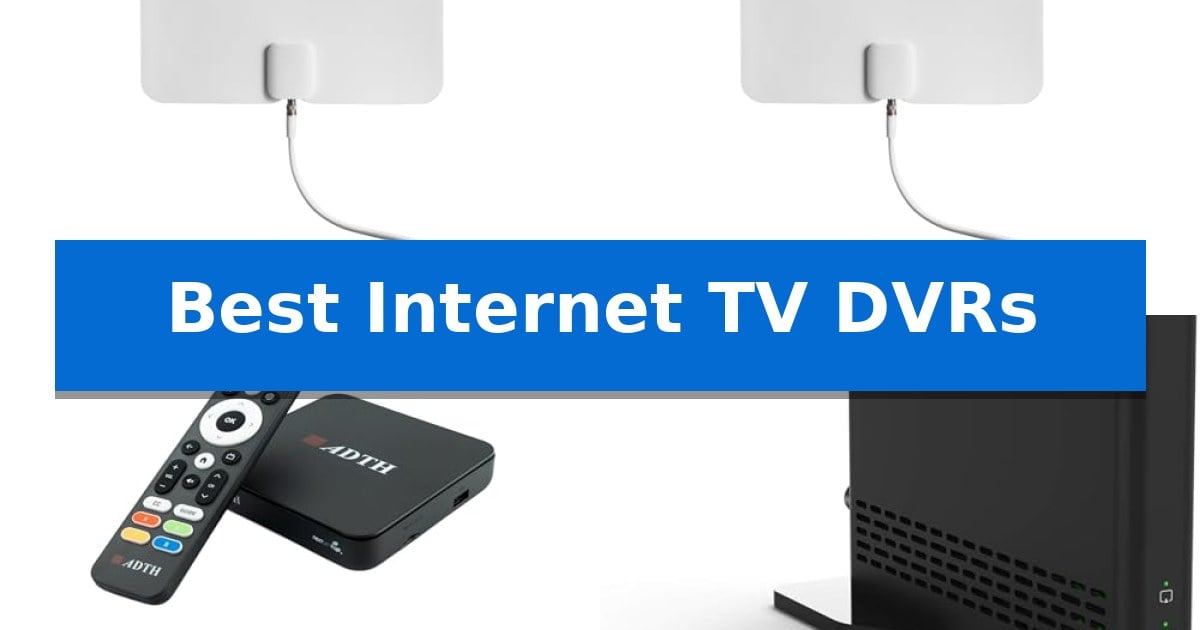
Best Internet TV DVRs

Finding a reliable way to record and manage local broadcast television without the burden of expensive cable contracts is a priority for many modern households. The Best Internet TV DVRs provide a bridge between traditional over-the-air signals and the convenience of digital streaming, allowing you to watch, pause, and record your favorite shows on your own terms.

Whether you are looking to cut the cord entirely or simply want to integrate local network programming into your existing streaming ecosystem, these devices offer diverse solutions. From multi-tuner systems designed for busy households to compact, future-ready tuners, we have evaluated the top options to help you find the right fit for your home entertainment setup.
Best Internet TV DVRs in 2026: Simplify Local Channel Access

Our Top Picks
  1. Best for Multi-Show Recording Tablo 4th Gen 4-Tuner DVR
  2. Best for Future-Proofing ADTH NextGen TV Box
  3. Best for Sling Integration Sling AirTV 2 Streamer
  4. Best for Cloud-Based Recording DIRECTV Gemini Air

Quick Comparison

Product Best For Key Strength Score
Tablo 4th Gen 2-Tuner DVR Best Overall No subscription fees or ongoing contracts required. 4.9
Tablo 4th Gen 4-Tuner DVR Best for Multi-Show Recording Four ATSC 1.0 tuners for simultaneous recording and viewing flexibility. 4.6
ADTH NextGen TV Box Best for Future-Proofing Dual-tuner support for both ATSC 3.0 and ATSC 1.0 broadcasts. 4.5
Sling AirTV 2 Streamer Best for Sling Integration Dual-tuner capability allows for recording two shows simultaneously. 4.8
DIRECTV Gemini Air Best for Cloud-Based Recording Compact HDMI dongle design that attaches directly to the TV. 4.3

How We Chose

  • Tuner Capacity: We assessed how many simultaneous recordings or streams each device supports to determine its suitability for different household sizes.
  • Network Integration: We prioritized devices that offer flexible connectivity options, including Wi-Fi and Ethernet, to ensure smooth streaming performance.
  • Storage Flexibility: We examined whether devices provide built-in storage or support external drives to accommodate varying recording needs.
  • Compatibility: We verified the range of supported streaming platforms and devices to ensure the DVR fits into your current home entertainment environment.
  • Subscription Requirements: We focused on the ongoing cost of ownership, favoring systems that do not require monthly fees for core DVR functionality.

1 Tablo 4th Gen 2-Tuner DVR — Best for Cord Cutting

The Tablo 4th Gen 2-Tuner DVR simplifies the cord-cutting experience by integrating live broadcast television with streaming content into a single, subscription-free interface. By utilizing its two ATSC 1.0 tuners, the device enables users to record one program while simultaneously watching another, providing essential flexibility for managing local network broadcasts like ABC, CBS, FOX, and NBC.

Designed for modern home networks, this DVR offers whole-home access by streaming content to multiple devices, including smart TVs, streaming players, and mobile platforms. The setup process is streamlined through a dedicated mobile app and a provided QR code, requiring only a connection to an indoor antenna and your existing Wi-Fi or Ethernet network to begin operation.

The included 35-mile range TV antenna provides the necessary hardware to capture local signals, while the internal storage capacity supports over 50 hours of recorded content. Because the system is designed to function without ongoing contracts or hidden fees, it serves as a straightforward solution for households looking to maintain access to local channels without recurring monthly costs.

Compatibility is a key consideration, as the device is specifically engineered for smart TVs and streaming devices like Roku, Amazon Fire TV, and Apple TV. It is important to note that the system is not compatible with non-smart TVs, standard computers, or Apple TV Voice over, necessitating a check of your existing hardware before integration.

Best for: Cord cutters who want to record and stream local broadcast TV across multiple smart devices without monthly subscription fees.

Skip if: Users who rely on non-smart televisions, desktop computers, or require compatibility with specific accessibility features like Apple TV Voice over.

PROS

  • No subscription fees or ongoing contracts required.
  • Dual ATSC 1.0 tuners allow for simultaneous recording and viewing.
  • Includes a 35-mile range TV antenna for immediate local signal reception.
  • Supports whole-home streaming to various smart TVs and mobile devices.

CONS

  • Compatibility limitations exclude non-smart TVs and standard computers.
  • Antenna performance is subject to local topography and signal obstructions.

2 Tablo 4th Gen 4-Tuner DVR — Best for Multi-Show Recording

The Tablo 4th Gen 4-Tuner DVR simplifies local broadcast management by integrating four ATSC 1.0 tuners into a single device, allowing users to record one live channel while simultaneously watching another. This setup provides the flexibility to manage multiple shows without the need for recurring service contracts or hidden monthly fees.

Designed for modern home networks, the unit connects via Wi-Fi or Ethernet to distribute content across various platforms. It supports whole-home access, enabling playback on smartphones, tablets, and streaming devices like Roku, Amazon Fire TV, and Apple TV. The inclusion of a 35-mile range TV antenna ensures that users have the necessary hardware to begin receiving over-the-air signals immediately upon setup.

Installation is streamlined through the Tablo app, which guides users through the process using a QR code. Once connected, the system provides access to major networks such as ABC, CBS, FOX, and NBC, alongside a curated selection of free live streaming TV channels. The device features a compact footprint, measuring approximately 5 by 5 inches, making it easy to integrate into existing entertainment centers.

While the system is robust for cord-cutters, it is important to note that it is designed specifically for smart TVs and streaming players. It is not compatible with non-smart TVs, standard computers, or Apple TV Voice over, so verifying device compatibility before purchase is essential for a seamless experience.

Best for: Users looking to record multiple over-the-air broadcast shows simultaneously without monthly subscription fees.

Skip if: Users who rely on non-smart TVs or desktop computers for their primary viewing, as this device requires specific smart platform compatibility.

PROS

  • Four ATSC 1.0 tuners for simultaneous recording and viewing flexibility.
  • No subscription fees or long-term contracts required.
  • Included 35-mile range antenna for immediate out-of-the-box functionality.
  • Broad device support across major streaming platforms and mobile devices.

CONS

  • Limited compatibility with non-smart TVs and desktop computers.
  • HDMI cable not included in the box.

3 ADTH NextGen TV Box — Best for Future-Proofing

Modernizing your home entertainment setup often involves balancing legacy hardware with the latest broadcast standards. The ADTH NextGen TV Box simplifies this transition by integrating an ATSC 3.0 and ATSC 1.0 tuner into a single, compact device, allowing users to access free over-the-air broadcasts without recurring cable or subscription fees.

Beyond its core tuning capabilities, this unit functions as a capable DVR. It features 64GB of built-in storage, enabling users to pause, rewind, and record live television directly out of the box. For those requiring more space, the device supports expanded capacity via external USB flash drives or microSD cards, providing flexibility for time-shifted viewing.

Designed for high-definition clarity, the receiver supports 4K HDR output, ensuring that compatible broadcasts are displayed with improved contrast and color depth. The inclusion of Dolby Digital Plus and AC-4 audio support further enhances the experience, delivering clearer dialogue and immersive sound when paired with an appropriate audio system.

Setup is straightforward, requiring only an HDMI connection to your display and a coaxial input for your antenna. The device also includes dual-band Wi-Fi and Bluetooth, which facilitate firmware updates and future-proofing for evolving broadcast enhancements. Its small footprint makes it a practical addition to various environments, from primary living rooms to secondary TVs or RVs.

Best for: Cord-cutters who want to access and record free over-the-air ATSC 3.0 and 1.0 broadcasts in 4K resolution.

Skip if: You do not have access to an over-the-air TV antenna or live in an area without broadcast coverage.

PROS

  • Dual-tuner support for both ATSC 3.0 and ATSC 1.0 broadcasts.
  • 64GB of onboard storage included for immediate DVR functionality.
  • Supports 4K HDR output for high-quality visual performance.
  • Compact, space-saving design suitable for diverse installation locations.

CONS

  • Requires a separate TV antenna for signal reception.
  • Smart TV required to utilize advanced audio formats like AC-4.

4 Sling AirTV 2 Streamer — Best for Sling Integration

The Sling AirTV 2 Dual-Tuner Local Channel Streamer bridges the gap between over-the-air broadcasting and modern streaming by connecting a single HD antenna to your home Wi-Fi network. This device enables the distribution of local channels like ABC, CBS, Fox, and NBC to various connected devices throughout your home, including Roku, Fire TV, and Android TV platforms.

Designed for those who want to consolidate their viewing experience, the Sling AirTV 2 Streamer allows users to integrate local channels directly into the Sling TV app interface. While the system is optimized for Sling, a subscription is not required to access and stream local content. The unit features a dual-tuner setup, allowing for the simultaneous recording of up to two shows when paired with an external hard drive.

Functionality extends beyond the living room with mobile support, enabling users to watch live or recorded content on iOS and Android devices even when away from home. Users can manage their library by setting single-episode or series recordings. When playing back recorded content, the system supports standard playback controls such as pausing, rewinding, and fast-forwarding.

To utilize this system, a stable broadband internet connection of at least 25Mbps is recommended. The setup requires an HD antenna and a compatible media streaming player. Because the DVR functionality relies on external storage, users must provide their own hard drive to enable recording capabilities.

Best for: Users who want to integrate over-the-air local channels into their existing streaming ecosystem and watch live or recorded TV on multiple devices.

Skip if: Users who do not have an HD antenna or those who prefer a traditional cable box experience without the need for external media players or hard drives.

PROS

  • Dual-tuner capability allows for recording two shows simultaneously.
  • Seamless integration of local channels into the Sling TV app interface.
  • Mobile access for watching live or recorded content away from home.
  • Wireless distribution of local channels to multiple streaming devices in the house.

CONS

  • External hard drive required for DVR functionality and sold separately.
  • HD antenna required for signal reception and sold separately.

5 DIRECTV Gemini Air — Best for Cloud-Based Recording

The DIRECTV Gemini Air simplifies home entertainment by consolidating live television, on-demand content, and major streaming applications into a single, compact HDMI dongle. Designed for internet-only customers, this device eliminates the need for a traditional satellite dish or a bulky cable box, allowing users to plug directly into a TV's HDMI port for immediate access to their subscription services.

Powered by Android TV 11, the device offers a familiar and customizable interface with full access to the Google Play Store. Users can navigate through live channels and streaming platforms like Netflix, Prime Video, and Max using the included voice-enabled remote, which also integrates Google Assistant for hands-free control of the TV and compatible smart home devices.

For those who prioritize time-shifted viewing, the hardware supports Cloud DVR functionality and a 72-hour lookback feature, ensuring that recorded shows and past broadcasts are easily accessible. The unit is engineered for high-definition playback, featuring support for 4K Ultra HD and High Dynamic Range (HDR) to provide clear visuals on compatible displays.

Setup is straightforward, requiring only a Wi-Fi connection to begin streaming. As an official product from an authorized dealer, it provides a streamlined alternative for viewers who want a unified interface for both cable-style live TV and modern streaming apps without the hardware footprint of legacy equipment.

Best for: Users who want to combine live TV and streaming apps in a single, compact device without installing a satellite dish.

Skip if: Users who do not have an active DIRECTV Stream subscription or those who prefer a dedicated, non-subscription-based streaming hardware platform.

PROS

  • Compact HDMI dongle design that attaches directly to the TV.
  • Unified interface for live TV, on-demand content, and streaming apps.
  • Voice remote with integrated Google Assistant.
  • Supports 4K HDR streaming for high-quality visuals.

CONS

  • Requires a DIRECTV Stream subscription to function.
  • Cloud DVR features are dependent on subscription service tiers.

Best Internet TV DVRs Buying Guide

Understanding Tuner Requirements

The number of tuners in your DVR directly dictates how many shows you can record or watch at the same time. A 2-tuner system is generally sufficient for smaller households, allowing you to record one program while watching another.

For larger families or those who frequently record multiple shows simultaneously, a 4-tuner device provides significantly more flexibility. Choosing the right tuner count prevents scheduling conflicts and ensures you never miss a broadcast.

Storage and Recording Capacity

DVRs manage your recorded content either through internal storage or by connecting to an external hard drive. Some devices come with a fixed amount of onboard memory, while others allow you to expand capacity as your library grows.

Consider how much high-definition content you typically store. If you frequently record long series or sports events, prioritizing a device with expandable storage options will provide better long-term value.

Network Connectivity and Streaming

Since these DVRs are designed to stream content to your devices, a stable home network connection is essential. Most units support Wi-Fi, but using an Ethernet cable is often recommended for the most consistent, high-bandwidth performance.

Ensure the device is compatible with your preferred streaming platform, such as Roku, Fire TV, or Apple TV. The ease of the setup process and the responsiveness of the dedicated app are critical factors for a frustration-free experience.

NextGen TV (ATSC 3.0) Compatibility

The transition to ATSC 3.0 technology promises improved signal quality and 4K capabilities for over-the-air broadcasts. If you want to future-proof your setup, look for devices that explicitly support this newer standard alongside legacy ATSC 1.0 signals.

While many current broadcasts still rely on older standards, investing in a NextGen TV-ready tuner ensures your hardware remains relevant as broadcasters upgrade their infrastructure.

Subscription-Free vs. Cloud-Based Models

One of the biggest trade-offs in the DVR market is between subscription-free hardware and cloud-based services. Subscription-free models require a higher upfront investment but eliminate monthly costs.

Cloud-based DVRs often integrate directly with streaming services like DIRECTV Stream, offering a seamless experience at the cost of a recurring subscription fee. Choose based on whether you prefer ownership or service-integrated convenience.

Frequently Asked Questions

Do I need an antenna for these DVRs?

Yes, almost all over-the-air DVRs require a compatible TV antenna to receive local broadcast signals. Some models include an antenna in the box, while others require a separate purchase.

Can I watch my recordings away from home?

Many modern DVRs, such as the Tablo and AirTV series, allow you to stream your recorded content to mobile devices, provided you have a stable internet connection.

Are these devices compatible with all TVs?

Most DVRs are designed for smart TVs and streaming players. They are generally not compatible with older, non-smart TVs unless you connect them through a compatible streaming device.

What is the difference between ATSC 1.0 and ATSC 3.0?

ATSC 1.0 is the current standard for digital TV. ATSC 3.0, or NextGen TV, is the newer standard that supports higher resolutions like 4K and improved audio, though its availability depends on your local broadcasters.

Do I need a high-speed internet connection?

Yes, a consistent, high-speed internet connection is required for the DVR to download program guides, manage recordings, and stream content to your various devices.

Conclusion: Our Top Pick

Selecting the right DVR depends on your specific household needs, such as the number of simultaneous recordings required and your preference for subscription-free hardware. For most users looking to balance performance and ease of use, the Tablo 4th Gen 2-Tuner DVR stands out as the most versatile choice for cord cutting.

This device offers a straightforward, subscription-free experience that integrates well with major streaming platforms. While it requires a stable network connection and a compatible antenna, its ability to pause and record local TV across multiple devices makes it a reliable foundation for any modern home entertainment system.
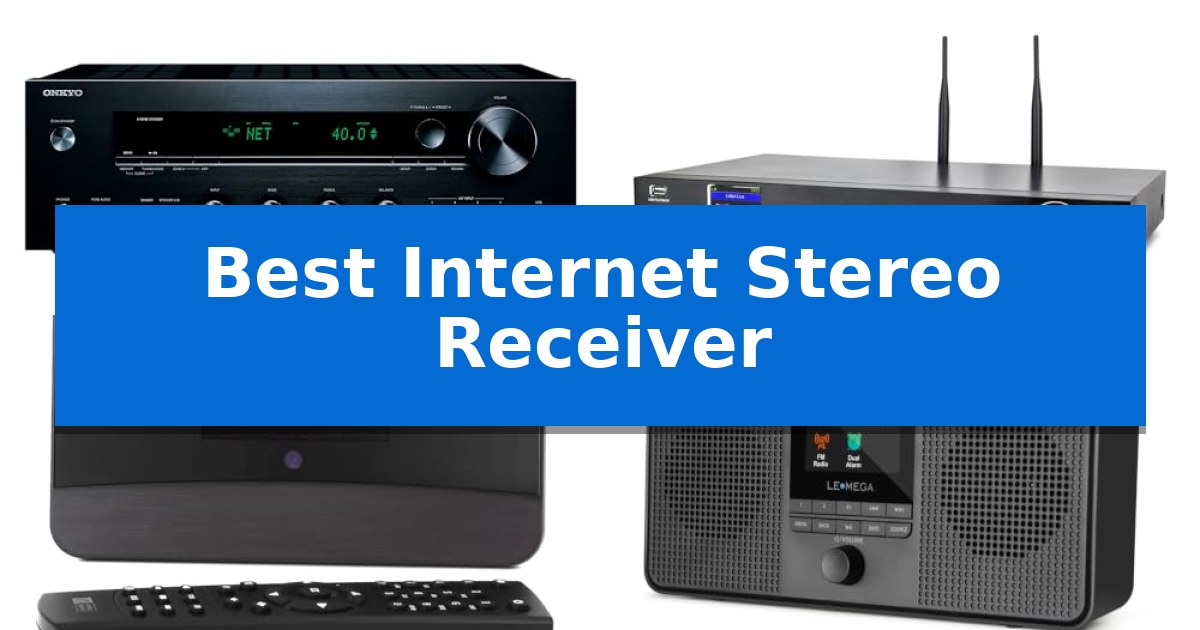
Best Internet Stereo Receiver in 2026

Best Internet Stereo Receiver

Finding the right audio hub for a modern home requires balancing traditional high-fidelity sound with the convenience of digital streaming. Whether you are looking to integrate a vintage vinyl setup with modern network capabilities or simply want to access thousands of global radio stations, the Best Internet Stereo Receiver serves as the central command for your listening experience.

We have analyzed the latest network-enabled audio components to help you navigate the choices available in 2026. From dedicated hi-fi tuners to full-featured stereo amplifiers, our guide focuses on the connectivity, build quality, and streaming flexibility that define these essential home audio devices.

Best Internet Stereo Receiver in 2026

Our Top Picks
  1. Component Style Internet Radio Ocean Digital WR-50 Internet Radio Tuner
  2. Portable Wireless Streaming LEMEGA IR4S Internet Radio
  3. Global Station Access C. Crane CC WiFi 3 Internet Radio

Quick Comparison

Product Best For Key Strength Score
Onkyo TX-8470 Network Stereo Receiver Best Overall Dedicated two-channel amplifier design optimized for refined audio fidelity. 4.9
Ocean Digital WR-50 Internet Radio Tuner Component Style Internet Radio Standard 17-inch width fits perfectly into traditional home stereo racks. 4.6
Ocean Digital WR-03M Internet Radio Receiver Flexible HiFi Integration Versatile connectivity including optical and line-out for seamless HiFi integration. 4.7
LEMEGA IR4S Internet Radio Portable Wireless Streaming Dual power options including mains and AA batteries for true portability. 4.5
C. Crane CC WiFi 3 Internet Radio Global Station Access Line-out connectivity for integration with external stereo receivers. 4.3

How We Chose

  • Connectivity Standards: We assessed the variety of inputs, including Wi-Fi, Ethernet, and Bluetooth, to ensure reliable streaming.
  • Audio Fidelity: We prioritized devices that support high-resolution audio formats and offer clean, low-distortion amplification.
  • Integration Flexibility: We looked for features like phono stages for vinyl, optical/coaxial outputs for external DACs, and UPnP/DLNA support for local media.
  • User Interface: We evaluated the ease of navigation, including remote control functionality, mobile app support, and display clarity.
  • Build Quality: We considered the physical construction, focusing on component-style designs that fit standard home audio stacks.

1 Onkyo TX-8470 Network Stereo Receiver — Audiophile Grade Streaming

Achieving high-fidelity sound in a modern home often requires balancing traditional audio quality with the convenience of digital streaming. The Onkyo TX-8470 Network Stereo Receiver addresses this by utilizing a dedicated two-channel amplifier design, which prioritizes refined audio output over the complex processing found in multi-channel systems.

Engineered for both analog and digital enthusiasts, the unit features an isolated MM/MC phono board with patented discrete op amp circuitry. This design choice specifically protects delicate signals from record players against unwanted distortion, ensuring clarity for vinyl collections. For digital playback, the receiver integrates audiophile streaming capabilities, offering native access to platforms like Tidal and Deezer while maintaining Roon Ready status.

The Onkyo TX-8470 Network Stereo Receiver incorporates high-quality components, including gold-plated terminals and audio-grade capacitors, to maintain signal integrity. Its high-current drive amplifier is built to maximize loudspeaker performance, providing a stable foundation for demanding audio setups.

Connectivity is a central focus, with built-in support for Apple and Google smart home assistants. This allows for seamless integration into existing entertainment ecosystems, providing a streamlined control experience for high-resolution audio playback.

Best for: Audiophiles and vinyl enthusiasts who prioritize high-fidelity two-channel sound and integrated network streaming in a single, modern unit.

Skip if: Users who require a multi-channel home theater setup with surround sound processing or those who need more than two channels of amplification.

PROS

  • Dedicated two-channel amplifier design optimized for refined audio fidelity.
  • Isolated MM/MC phono board provides specialized support for vinyl playback.
  • High-resolution streaming integration with Roon, Tidal, and Deezer.
  • Smart home compatibility with Apple and Google assistants for ecosystem integration.

CONS

  • Two-channel limitation restricts use for multi-channel surround sound home theater configurations.

2 Ocean Digital WR-50 Internet Radio Tuner — Component Style Internet Radio

Integrating a modern digital audio source into a traditional home stereo stack requires a component that matches standard rack dimensions. The Ocean Digital WR-50 Internet Radio Tuner is built with a 17-inch wide, full-size metal housing and an aluminum front panel, ensuring it sits flush with existing amplifiers and receivers. This design choice prioritizes a cohesive aesthetic for users who prefer a dedicated, rack-mountable audio component over smaller, portable streaming devices.

Beyond its physical build, the unit serves as a versatile hub for diverse audio sources. It provides access to over 30,000 internet radio stations and podcasts via Wi-Fi or a wired Ethernet connection. For those who prefer local media, the device supports UPnP/DLNA streaming from NAS drives or PC servers, and features a front-panel USB port for direct playback from flash drives. The inclusion of an FM tuner adds a layer of traditional broadcast radio functionality to the modern feature set.

Usability is centered on a 2.4-inch color display, which provides clear navigation through menus and station information. Users can manage the device using the included full-function IR remote or the front control dial. For advanced configuration, the system allows for web-based management, enabling users to store up to 150 custom presets or manually add specific station stream URLs directly through a browser, bypassing the need for mobile app dependencies.

Connectivity options are designed to integrate with various audio setups. The rear panel offers optical (Toslink), coaxial S/PDIF, and stereo RCA outputs, ensuring compatibility with both digital and analog inputs on existing receivers. Additionally, the integrated Bluetooth 5.0 receiver allows for wireless streaming from smartphones or tablets, while a front-mounted 3.5 mm headphone jack provides a convenient option for private listening sessions.

Best for: Audiophiles who want to add internet radio and network streaming capabilities to a traditional, full-sized home stereo component stack.

Skip if: Users seeking a compact, portable, or battery-powered streaming device will find the 17-inch width and stationary component design of this unit unnecessary for their needs.

PROS

  • Standard 17-inch width fits perfectly into traditional home stereo racks.
  • Versatile connectivity including optical, coaxial, and RCA outputs.
  • Web-based management allows for easy preset and URL stream configuration.
  • Multiple playback sources including internet radio, podcasts, FM, and UPnP/DLNA.

CONS

  • Stationary design requires a dedicated space in a component stack.
  • No built-in amplification requires connection to an external receiver or powered speakers.

3 Ocean Digital WR-03M Internet Radio Receiver — Flexible HiFi Integration

Integrating digital audio into an existing home sound system requires a versatile tuner that bridges modern streaming with traditional amplification. The Ocean Digital WR-03M Internet Radio Receiver functions as a dedicated component for this purpose, providing a centralized hub for global radio, podcasts, and network-stored media without the bulk of an integrated speaker.

Designed for audiophiles who already own an amplifier or stereo setup, this unit offers multiple output options, including stereo line-out and optical output. It connects to home networks via Wi-Fi or LAN, enabling access to thousands of stations through the Skytune platform. For those with local music libraries, the device supports UPnP and DLNA streaming, allowing for direct playback from networked PCs or NAS drives.

Usability is centered around a 3.2-inch color screen and an included full-function remote control. The interface allows for detailed management of EQ sound modes, station favorites, and alarm settings. Users can also utilize the Bluetooth functionality to stream audio directly from mobile devices, adding a layer of convenience to the HiFi component setup.

The Ocean Digital WR-03M Internet Radio Receiver is built with a compact footprint, measuring approximately 6.69 by 4.13 by 2.17 inches. It includes practical features such as a sleep timer, kitchen timer, and adjustable display dimmer, making it a functional addition to a home audio rack or shelf.

Best for: Audiophiles looking to add internet radio, podcast streaming, and network audio capabilities to an existing amplifier or stereo system.

Skip if: Users who require a standalone audio solution with built-in speakers, as this device is a pure tuner that must be connected to external amplification.

PROS

  • Versatile connectivity including optical and line-out for seamless HiFi integration.
  • Broad streaming support via Wi-Fi, LAN, Bluetooth, UPnP, and DLNA.
  • Dedicated remote control and color screen for intuitive station and playlist management.

CONS

  • No built-in speaker, requiring an external amplifier or active speakers to function.

4 LEMEGA IR4S Internet Radio — Portable Wireless Streaming

The LEMEGA IR4S Internet Radio provides a flexible audio solution by integrating traditional FM reception with extensive digital streaming capabilities. This compact unit grants access to over 30,000 internet radio stations and podcasts, while also featuring built-in Spotify Connect for direct music playback from your library. By utilizing a smartphone as a remote control, users can navigate these vast content libraries without the need for physical media.

Engineered for both stationary and mobile use, the device features an acoustically tuned enclosure housing two 2.5-inch full-range drivers. This configuration produces stereo sound, which can be further expanded by connecting external devices via Bluetooth or using the integrated headphone output for private listening sessions. The hardware supports flexible power options, including a standard mains plug or AA battery operation, ensuring the radio remains functional in various environments.

The device is equipped with a dual alarm clock system with snooze functionality, allowing for customized scheduling for weekdays or weekends. Users can manage their listening experience through 20 FM and 40 internet radio presets. For those seeking specific content, the radio supports adding custom stations directly via a valid URL and IP address, providing a high degree of control over the available broadcast sources.

Best for: Listeners who need a portable, multi-source audio device that functions as both a bedside alarm clock and a streaming radio player.

Skip if: Users requiring a high-fidelity home theater system or those who prefer a larger, non-portable unit with dedicated physical inputs for professional audio equipment.

PROS

  • Dual power options including mains and AA batteries for true portability.
  • Extensive connectivity with Spotify Connect, Bluetooth, and internet radio support.
  • Stereo sound output from dual 2.5-inch full-range drivers.
  • Customizable dual alarm clock with sleep timer and snooze functions.

CONS

  • Batteries are not included in the package.
  • Limited to 2.5-inch drivers, which may not satisfy users seeking deep bass performance.

5 C. Crane CC WiFi 3 Internet Radio — Global Station Access

Accessing global audio content requires a reliable bridge between digital streams and your existing home audio setup. The C. Crane CC WiFi 3 Internet Radio functions as a versatile gateway, offering direct connectivity to over 25,000 internet radio stations categorized by genre, location, and popularity. This compact device serves as a bridge for your home audio, allowing you to route digital broadcasts through your preferred speakers.

The unit is designed for integration, featuring a line-out connection that enables you to output audio to an amplified speaker system or any standard AM/FM stereo receiver. To ensure the audio profile matches your preferences, it includes an adjustable equalizer with five frequency bands centered at 105, 300, 850, 2400, and 6800 Hz, plus a dedicated 3D depth setting. This allows for fine-tuning the sound output before it reaches your main amplifier.

Connectivity options extend beyond internet streaming. The device includes Bluetooth receiving capabilities, letting you stream audio from a smartphone or tablet directly through the radio. A 5dBi external antenna is provided to maintain stable 2.4 GHz Wi-Fi reception throughout your home. For those who prefer a local listening experience, a dedicated stereo headphone jack is also built into the chassis.

Measuring 6.5 inches wide and weighing just over one pound, the device is built for convenience. It includes a large remote control for managing up to 100 presets, alongside a clock, dual alarm, and sleep timer. The adjustable backlight ensures the display remains readable in various lighting conditions, making it a functional addition to a bedside table or an equipment rack.

Best for: Users who want to integrate global internet radio streaming into an existing stereo receiver or amplified speaker system.

Skip if: Users seeking a high-power integrated amplifier with built-in speaker terminals, as this device requires an external amplification source.

PROS

  • Line-out connectivity for integration with external stereo receivers.
  • Access to 25,000+ internet radio stations via Wi-Fi.
  • Adjustable equalizer and 3D depth settings for sound customization.
  • Bluetooth receiving for streaming from mobile devices.

CONS

  • Requires external amplification to drive passive speakers.
  • Limited to 2.4 GHz Wi-Fi bands for network connectivity.

Best Internet Stereo Receiver Buying Guide

Understanding Connectivity Options

Modern receivers offer multiple ways to connect to your network. Wi-Fi provides the most flexibility for placement, while Ethernet (RJ45) ensures a stable, interference-free connection for high-resolution streaming. Many units also include Bluetooth for quick, ad-hoc playback from mobile devices.

For those with existing setups, look for optical or coaxial digital outputs. These allow you to bypass the internal DAC of the receiver if you prefer to use a dedicated high-end digital-to-analog converter, providing maximum flexibility for future upgrades.

The Importance of Amplification

A dedicated two-channel stereo receiver is often superior to a multi-channel AV receiver for music lovers. By focusing on only two channels, manufacturers can optimize the amplifier design and use higher-quality components, such as audio-grade capacitors, to deliver cleaner, more focused sound.

High-current drive capability is essential for driving demanding loudspeakers. Ensure your chosen receiver matches the impedance and sensitivity requirements of your speakers to get the most out of your audio system.

Vinyl and Analog Integration

If you own a record player, a built-in phono stage is a critical feature. Look for receivers that feature isolated phono boards and discrete op amp circuitry. These designs protect delicate signals from the turntable from electromagnetic interference, resulting in significantly improved clarity.

Some receivers offer support for both MM (Moving Magnet) and MC (Moving Coil) cartridges. This versatility is vital if you plan to upgrade your turntable or cartridge in the future, as it ensures your receiver remains compatible with higher-end analog gear.

Streaming Protocols and Local Media

Beyond internet radio, many receivers support UPnP and DLNA. These protocols allow you to stream your personal digital music library directly from a NAS drive or a networked PC. This is an excellent way to access high-bitrate files without needing a computer connected to the stereo.

Check for compatibility with major streaming services like Tidal, Deezer, or Roon. Native support for these platforms often results in a better user experience and higher audio quality compared to simply casting audio via Bluetooth.

Form Factor and Ergonomics

Consider the physical dimensions of the unit, especially if you are placing it in a traditional rack. Component-style receivers with a standard 17-inch width and metal housing offer a professional look and often provide better heat dissipation.

Ease of use is equally important. A clear, high-resolution color display makes browsing thousands of radio stations much simpler. Additionally, a robust IR remote control or web-based management interface can save you from having to rely solely on a smartphone app.

Frequently Asked Questions

Do I need an external amplifier with an internet radio tuner?

It depends on the model. Some units, like the Ocean Digital WR-03M, are designed as pure tuners and require an external amplifier or active speakers. Others, like the Onkyo TX-8470, have built-in amplification and can drive passive speakers directly.

Can I add my own radio stations if they aren't in the database?

Yes, many modern internet radios use services like Skytune, which allow you to manually add custom station stream URLs through a web browser interface.

What is the benefit of a 2-channel receiver over an AV receiver?

A 2-channel receiver is specifically optimized for music reproduction. By eliminating the complex processing required for surround sound, these units often feature better power supplies and cleaner signal paths for superior stereo imaging.

Is a wired Ethernet connection better than Wi-Fi for streaming?

Generally, yes. A wired connection is more stable and less susceptible to the interference that can cause buffering or dropouts when streaming high-resolution audio files.

Can I use these receivers with my existing vintage speakers?

Yes, as long as the receiver's power output and impedance ratings are compatible with your speakers. Most stereo receivers are designed to work with a wide range of standard passive loudspeaker configurations.

Conclusion: Our Top Pick

For those seeking the ultimate balance of modern streaming convenience and traditional audiophile performance, the Onkyo TX-8470 Network Stereo Receiver is our top recommendation. Its dedicated 2-channel architecture, high-current amplifier design, and specialized phono stage make it a versatile centerpiece for any serious home audio system.

While other options like the Ocean Digital tuners offer excellent flexibility for specific integration needs, the Onkyo provides a comprehensive, all-in-one solution that excels in both digital streaming and analog playback. It is an ideal choice for listeners who refuse to compromise on sound quality while embracing the world of high-resolution network audio.

Best Internet Signal Booster for USA in 2026

Best Internet Signal Booster for USA

Struggling with weak WiFi signals in distant rooms or outdoor spaces can disrupt your productivity and entertainment. Finding the Best Internet Signal Booster for USA requires identifying a device that effectively bridges the gap between your existing router and your connected devices without sacrificing stability.

Our guide focuses on practical solutions that prioritize signal reliability and ease of use. Whether you need to cover a multi-story home or ensure stable connections for numerous smart devices, these extenders offer various configurations to help eliminate dead zones and maintain a consistent network presence.

Best Internet Signal Booster for USA in 2026

Our Top Picks
  1. Easiest Mesh Integration TP-Link RE315 WiFi Range Extender
  2. Wide-Area Coverage Pick Techtex 2026 WiFi Extender
  3. Fastest Setup for Beginners AERVY 2026 WiFi Extender
  4. High-Capacity Device Support SxelBiv 2026 WiFi Extender

Quick Comparison

Product Best For Key Strength Score
TP-Link RE550 WiFi Range Extender Best Overall EasyMesh compatibility for seamless whole-home network expansion. 4.9
TP-Link RE315 WiFi Range Extender Easiest Mesh Integration Adaptive Path Selection for stable, automatic signal switching. 4.8
Techtex 2026 WiFi Extender Wide-Area Coverage Pick Extensive coverage area rated up to 15,588 square feet. 4.4
AERVY 2026 WiFi Extender Fastest Setup for Beginners Extensive coverage reaching up to 16,899 sq.ft. 4.3
SxelBiv 2026 WiFi Extender High-Capacity Device Support Dual-band hyperspeed technology for efficient bandwidth allocation. 4.4

How We Chose

  • Network Compatibility: We assessed how easily each extender pairs with standard routers and its support for mesh-like functionality.
  • Coverage Range: We analyzed the manufacturer-rated square footage to identify which units are best suited for large homes versus smaller apartments.
  • Device Capacity: We looked at the maximum number of simultaneous connections each unit can support to ensure it meets modern household demands.
  • Interface and Setup: We prioritized devices that offer intuitive mobile app management or simple one-touch pairing for quick installation.
  • Wired Connectivity: We checked for the presence of Gigabit or fast Ethernet ports to allow for stable, high-speed wired connections to stationary devices.

1 TP-Link RE550 WiFi Range Extender — Best for High-Speed Dual-Band

The TP-Link RE550 WiFi Range Extender utilizes three adjustable external antennas to provide coverage for up to 2200 square feet, effectively addressing dead zones in larger home environments. This device is designed to support up to 32 connected devices, making it a practical solution for households with multiple active users.

This dual-band unit delivers total bandwidth of up to 1.9 Gbps, split between 1300 Mbps on the 5 GHz band and 600 Mbps on the 2.4 GHz band. It features Smart Adaptive Roaming, which allows devices to automatically connect to the strongest signal as you move throughout your home, ensuring a consistent connection.

Integration is simplified through EasyMesh compatibility, allowing the extender to pair with any EasyMesh-compatible router to create a unified network. For users requiring a wired connection, the built-in Gigabit Ethernet port enables the device to function as a high-speed access point, turning a wired connection into a powerful Wi-Fi hotspot.

Setup and management are handled via the Tether app, which includes an intelligent signal indicator to help users find the optimal placement for the best connection. As a signatory of the CISA Secure-by-Design pledge, the TP-Link RE550 WiFi Range Extender prioritizes advanced security as a core requirement in its design and maintenance.

Best for: Users seeking to eliminate Wi-Fi dead zones in medium-to-large homes while maintaining compatibility with EasyMesh routers.

Skip if: Users who own a proprietary mesh Wi-Fi system like Deco, as this extender is not compatible with those specific ecosystems.

PROS

  • EasyMesh compatibility for seamless whole-home network expansion.
  • Gigabit Ethernet port allows for wired device connections or AP mode.
  • Smart Adaptive Roaming ensures devices stay connected to the strongest signal.
  • Tether app provides straightforward setup and firmware management.

CONS

  • Not compatible with proprietary mesh systems like TP-Link Deco.
  • Extender functionality does not increase the base speed of your existing internet service.

2 TP-Link RE315 WiFi Range Extender — Easiest Mesh Integration

Dealing with inconsistent wireless coverage often requires a targeted approach to eliminate dead zones throughout a home. The TP-Link RE315 WiFi Range Extender addresses this by utilizing Adaptive Path Selection to maintain a stable connection, ensuring that devices automatically link to the strongest available signal as you move between rooms.

This Dual-Band WiFi Extender provides a total bandwidth of 1.2 Gbps, splitting traffic between an 867 Mbps (5 GHz) band and a 300 Mbps (2.4 GHz) band. Designed for versatility, it supports up to 32 devices and features two adjustable external antennas to optimize signal reach across areas up to 1500 sq. ft.

For users requiring a stable connection for stationary hardware, the device includes a fast Ethernet port, allowing you to bridge wired devices into your wireless network. Setup is managed through the TP-Link Tether app, which includes an intelligent signal indicator to help identify the most effective placement for the unit.

Security and compatibility remain central to its design, as the TP-Link RE315 WiFi Range Extender is a signatory of the CISA Secure-by-Design pledge. It offers EasyMesh compatibility to integrate with existing mesh-capable routers, though it is not compatible with proprietary systems like Deco. It is designed to extend coverage rather than increase raw internet speed, focusing on reliability for everyday connectivity needs.

Best for: Home users seeking to eliminate Wi-Fi dead zones and extend network coverage using an EasyMesh-compatible setup.

Skip if: Users looking to increase their base internet speed or those currently operating a proprietary mesh system like TP-Link Deco.

PROS

  • Adaptive Path Selection for stable, automatic signal switching.
  • Dual-band connectivity with 1.2 Gbps total bandwidth.
  • EasyMesh compatibility for seamless network expansion.
  • Fast Ethernet port for reliable wired device connections.

CONS

  • Not compatible with Deco mesh WiFi systems.
  • Does not increase base internet speed.

3 Techtex 2026 WiFi Extender — Wide-Area Coverage Pick

The Techtex 2026 WiFi Extender is designed to address connectivity gaps by extending wireless coverage up to 15,588 square feet. This device functions as a signal booster intended to eliminate dead zones in multi-story homes, garages, and outdoor areas, ensuring a stable network connection through physical obstructions like walls and floors.

Equipped with 5 Powerful Modes, this unit offers versatile deployment options including Repeater, Bridge, Access Point, Router, and Client configurations. It is engineered to manage up to 65 connected devices simultaneously, providing compatibility with a wide range of hardware such as laptops, smartphones, IP cameras, and smart home accessories.

Installation is simplified through a Quick 1-Tap Setup process that utilizes a WPS button for immediate synchronization with existing routers. For security, the device includes an embedded encryption module supporting WPA2, WPA, and WEP protocols to monitor and mitigate potential network risks in real time.

The hardware features a compact design measuring 8.2 by 2.5 by 3.9 inches and includes an RJ45 Ethernet cable for wired connections. Techtex supports the product with a 24-month warranty and provides access to a US-based technical support team for assistance during standard business hours.

Best for: Users needing to extend wireless network coverage across large residential areas or through challenging physical barriers.

Skip if: Users who require advanced enterprise-grade mesh networking features or those whose primary router does not support WPS for the 1-tap setup process.

PROS

  • Extensive coverage area rated up to 15,588 square feet.
  • Five operational modes for flexible network integration.
  • Supports up to 65 devices simultaneously.
  • Integrated security encryption supporting WPA2/WPA/WEP protocols.

CONS

  • Requires WPS compatibility on the host router for the 1-tap setup feature.
  • Limited physical dimensions may obstruct adjacent wall outlets.

4 AERVY 2026 WiFi Extender — Fastest Setup for Beginners

The AERVY 2026 WiFi Extender employs an advanced central processing unit and two high-gain antennas to extend wireless coverage across areas reaching 16,899 sq.ft. This hardware is engineered to penetrate physical barriers like walls and floors, providing a solution for users aiming to eliminate dead zones in larger homes while supporting demanding activities such as 4K video streaming and online gaming.

At its core, the device utilizes a 2.4 GHz ultra-core processor designed to maximize network quality and minimize data transmission loss. It adheres to standard WPA/WPA2 security protocols and maintains compliance with FCC and IEEE802.11b/g/n standards, ensuring that connected devices remain protected under a consistent security shield.

Installation is streamlined for accessibility, featuring a dedicated WPS button that allows for a rapid handshake with existing routers. For those who prefer a manual approach, the setup process can be completed within three minutes using a mobile device's web browser. The unit is designed to work with all standard routers, gateways, and internet service providers, offering broad compatibility for varied home network environments.

While the device provides extensive range, practical performance is influenced by the placement of the extender relative to the primary router. It serves as a functional tool for users looking to expand their current wireless infrastructure without the need for a complete system overhaul.

Best for: Home users needing to extend Wi-Fi coverage across large areas or through physical barriers like walls and floors.

Skip if: Users requiring dual-band or tri-band performance for high-speed fiber connections may find the 2.4 GHz limit insufficient for their specific bandwidth needs.

PROS

  • Extensive coverage reaching up to 16,899 sq.ft.
  • Simple setup via WPS button or web browser interface.
  • Broad compatibility with all internet service providers and standard routers.
  • Enhanced security with WPA/WPA2 protocol support.

CONS

  • Limited to 2.4 GHz frequency, which may not support the higher speeds available on modern 5 GHz or 6 GHz networks.

5 SxelBiv 2026 WiFi Extender — High-Capacity Device Support

The SxelBiv 2026 WiFi Extender addresses connectivity gaps by utilizing dual-band hyperspeed technology, which allocates 300Mbps on the 2.4GHz band for IoT devices and 867Mbps on the 5GHz band for high-bandwidth tasks like 8K streaming. This device is engineered to support over 108 devices simultaneously, making it a candidate for environments with high traffic such as home offices or smart-home setups.

Designed for extensive reach, the unit provides coverage across 12,880 sq. ft. It incorporates signal penetration technology intended to bypass obstacles like reinforced walls and multiple floors. For users managing complex network layouts, the extender offers three distinct operational modes: Boost mode for signal amplification, AP mode for creating new networks, and Bridge mode, which utilizes dual gigabit ports to provide wired-speed connections to devices.

Security is managed through a bionic encryption module that supports WEP, WPA, and WPA2 protocols. The system is built to block brute-force attacks and includes automatic firmware updates to maintain security standards. Setup is designed for accessibility, featuring one-click WPS pairing or a browser-based configuration interface.

The hardware is built for continuous use, featuring industrial-grade heat dissipation to support 24/7 operation. While it offers broad compatibility with existing routers, its performance depends on the placement relative to the primary signal source and the physical layout of the home.

Best for: Large multi-story homes requiring simultaneous high-speed connectivity for over 100 devices and wired backhaul options.

Skip if: Users seeking a simple, plug-and-play solution for a small apartment where a basic single-band repeater would suffice.

PROS

  • Dual-band hyperspeed technology for efficient bandwidth allocation.
  • Dual gigabit ports enable stable, high-speed wired connections.
  • Enterprise-grade security with WPA/WPA2 encryption and automatic updates.
  • Extensive coverage rated for up to 12,880 sq. ft.

CONS

  • Physical size and wall-plug design may block adjacent outlets.
  • Setup complexity may vary depending on the existing router's compatibility.

Best Internet Signal Booster for USA Buying Guide

Understanding WiFi Standards and Compatibility

Before selecting a booster, verify your current router's WiFi standard. Most modern extenders are backward compatible, but matching your router's band capabilities—such as dual-band support—ensures you are not bottlenecking your connection speed.

Compatibility with EasyMesh or similar protocols is a significant advantage for those looking to build a more cohesive network. This allows the extender to work in tandem with your router rather than creating a separate, conflicting network name.

Evaluating Coverage Requirements

Coverage claims are often based on ideal conditions without physical obstructions. When choosing, consider the number of walls and floors between your router and the target area, as these materials significantly reduce signal strength.

For larger homes, a unit with adjustable external antennas often provides better signal penetration than internal antenna designs. Always place your extender roughly halfway between your router and the dead zone for the best results.

The Role of Ethernet Ports

An Ethernet port on your signal booster is more than just a secondary feature; it acts as a bridge for devices that require high stability, such as gaming consoles, smart TVs, or desktop computers.

Using a wired connection from the extender to a device can significantly reduce latency compared to a purely wireless connection. This is particularly useful in home offices where a stable connection is vital for video conferencing.

Security Protocols

Never overlook the security of your extended network. Ensure your chosen device supports modern encryption standards like WPA2 or WPA3 to protect your data from unauthorized access.

Many manufacturers now include automatic firmware updates. Keeping your device's software current is essential for patching vulnerabilities and maintaining the integrity of your home network.

Placement and Optimization

The effectiveness of any booster is highly dependent on its physical location. Avoid placing the unit inside cabinets or behind large metal objects, which can block the signal transmission.

Use the signal indicator lights found on many modern extenders to find the 'sweet spot.' A position that receives a strong signal from the router while still reaching the target area is key to optimal performance.

Frequently Asked Questions

Will a WiFi extender increase my internet speed?

No, an extender is designed to increase the coverage area of your existing signal. While it can improve the reliability of your connection in distant rooms, it cannot exceed the speed provided by your ISP.

Can I use an extender with any router?

Most extenders are designed for universal compatibility with standard wireless routers. However, features like EasyMesh are typically brand-specific and work best when paired with compatible hardware.

How many devices can a signal booster handle?

Capacity varies by model. High-capacity units can support 32 to over 100 devices, but performance may decrease if all devices are streaming high-bandwidth content simultaneously.

Is it difficult to set up a WiFi extender?

Most modern extenders feature one-touch WPS pairing or mobile app-guided setup, making the process straightforward even for those without technical expertise.

Where is the best place to install my extender?

Install the extender in an open area, roughly halfway between your router and the area with poor coverage, ensuring it is not obstructed by walls or large furniture.

Conclusion: Our Top Pick

After reviewing the available options, the TP-Link RE550 WiFi Range Extender stands out as the most balanced choice for most users. Its combination of dual-band performance, Gigabit Ethernet port, and EasyMesh compatibility makes it a versatile tool for extending reliable coverage across various home layouts.

While no extender can magically increase your base internet speed, the RE550 effectively minimizes signal loss and provides a stable connection for up to 32 devices. Its straightforward setup via the Tether app ensures that you can optimize your home network with minimal effort, making it our top recommendation for improving connectivity in hard-to-reach areas.

Best Internet Radio Tuner for Home Stereo in 2026

Best Internet Radio Tuner for Home Stereo

Integrating modern streaming capabilities into a traditional audio setup can be challenging, especially when you want to maintain high-fidelity sound quality. Finding the Best Internet Radio Tuner for Home Stereo requires balancing your existing amplifier's inputs with the digital convenience of global station access and wireless streaming protocols.

Whether you are looking to breathe new life into a vintage receiver or add versatile digital sources to a modern stack, the right tuner acts as a bridge between legacy hardware and the vast world of internet radio. This guide examines the most effective components available to help you achieve a seamless, high-quality listening experience.

Best Internet Radio Tuner for Home Stereo in 2026

Our Top Picks
  1. Component Design for Stereo Stacks Ocean Digital WR-50 Internet Radio Tuner
  2. Compact Audiophile Integration Ocean Digital WR-03M Internet Radio Receiver
  3. Clear Reception for Amplified Systems C. Crane CC WiFi 3 Radio
  4. Professional XLR Output Connectivity Rolls HRS84 FM Digital Tuner

Quick Comparison

Product Best For Key Strength Score
Grace Digital Link Internet Radio Tuner Best Overall Supports Hi-Res audio files up to 24-bit/192kHz for high-fidelity playback. 4.9
Ocean Digital WR-50 Internet Radio Tuner Component Design for Stereo Stacks Standard 17-inch component width fits seamlessly into existing hi-fi racks. 4.7
Ocean Digital WR-03M Internet Radio Receiver Compact Audiophile Integration Versatile output options including optical and stereo line-out for HiFi integration. 4.9
C. Crane CC WiFi 3 Radio Clear Reception for Amplified Systems Dedicated line-out for integration with external stereo receivers. 4.4
Rolls HRS84 FM Digital Tuner Professional XLR Output Connectivity Balanced XLR outputs for high-quality, low-noise audio transmission. 4.3

How We Chose

  • Connectivity options, including analog RCA, optical, and coaxial outputs.
  • Support for high-resolution audio files and streaming standards like UPnP/DLNA.
  • Physical design and form factor compatibility with standard stereo components.
  • Ease of navigation through station presets and web-based management tools.
  • Wireless and wired networking versatility for stable streaming performance.

1 Grace Digital Link Internet Radio Tuner — Hi-Fi Streaming for Existing Stereos

The Grace Digital Link Internet Radio Tuner integrates directly into your existing audio setup, providing a bridge between traditional home stereo systems and a vast library of digital audio content. Designed specifically for users who prefer to utilize their own high-quality speakers and amplifiers, this tuner bypasses the need for built-in speakers, focusing instead on delivering high-fidelity audio streams to your preferred output devices.

Equipped with Chromecast built-in, the device allows for seamless streaming from various mobile devices and laptops. It supports a wide range of services including Spotify Connect, Pandora, Amazon Music HD, and SiriusXM. Users can navigate these options via the 2.8-inch color display, the included infra-red remote, or the dedicated smartphone app, ensuring flexible control over 100,000 available internet radio stations.

Connectivity is a primary focus, featuring both analog and pure digital outputs to ensure compatibility with a variety of receivers and stereo systems. For those looking to integrate legacy hardware, the unit includes analog inputs, allowing you to stream audio from a turntable or CD player to other connected devices. It also supports Hi-Res files up to 24-bit/192kHz, catering to listeners who prioritize audio fidelity.

The device offers versatile networking and playback options, including a Bluetooth 5.0 receiver for wireless input and transmission to headphones. With an RJ45 jack for wired stability and dual-band Wi-Fi, it provides reliable connectivity for high-bandwidth streaming. A built-in 5-band equalizer allows for basic sound adjustments to suit your listening environment.

Best for: Audiophiles who want to add modern streaming capabilities and internet radio access to an existing high-quality stereo system.

Skip if: Users who require a standalone audio system with integrated speakers or those who do not own an external receiver or amplifier.

PROS

  • Supports Hi-Res audio files up to 24-bit/192kHz for high-fidelity playback.
  • Includes Chromecast built-in for easy streaming from mobile devices and laptops.
  • Features versatile connectivity with both analog and digital outputs for broad receiver compatibility.
  • Offers multiple control methods via app, remote, or front-panel display.

CONS

  • Requires an external stereo system as it lacks built-in speakers.
  • Subscription services like SiriusXM require separate paid accounts.

2 Ocean Digital WR-50 Internet Radio Tuner — Component Design for Stereo Stacks

Integrating digital streaming into a legacy audio setup requires hardware that respects traditional component dimensions while offering modern connectivity. The Ocean Digital WR-50 Internet Radio Tuner is built with a 17-inch wide, full-size chassis that matches standard hi-fi equipment, featuring an aluminum front panel and metal housing for a cohesive, professional aesthetic.

This tuner provides extensive access to digital audio through Wi-Fi or wired Ethernet, supporting over 30,000 internet radio stations and podcasts. Users can manage content directly via the 2.4-inch color display using the included IR remote or the front control dial, or utilize a web browser to organize up to 150 custom presets and stream URLs.

Versatility is a core focus of the Ocean Digital WR-50 Internet Radio Tuner, which includes optical (Toslink), coaxial S/PDIF, and stereo RCA outputs to interface with various amplifiers or DACs. For those with local digital libraries, the unit supports UPnP/DLNA streaming from network-attached storage and features a front-panel USB port for direct media playback.

Beyond internet-based sources, the device functions as a comprehensive media hub with built-in FM radio and Bluetooth 5.0 receiver capabilities. A dedicated 3.5 mm headphone jack is provided on the front panel, allowing for private listening sessions without disrupting the main speaker output.

Best for: Audiophiles looking to add internet radio and network streaming capabilities to a traditional, full-sized home stereo component stack.

Skip if: Users seeking a compact, portable, or battery-powered streaming solution will find this full-sized, stationary component too large and restrictive for their needs.

PROS

  • Standard 17-inch component width fits seamlessly into existing hi-fi racks.
  • Comprehensive output options including optical, coaxial, and RCA for flexible system integration.
  • Direct web management allows for easy preset and stream URL configuration without a smartphone app.
  • Multi-source playback supports internet radio, podcasts, FM, UPnP/DLNA, and local USB media.

CONS

  • Stationary design requires a permanent location and wired power, lacking portability.
  • No integrated amplification means it must be connected to an external receiver or powered speakers.

3 Ocean Digital WR-03M Internet Radio Receiver — Compact Audiophile Integration

Integrating global digital audio into a traditional home setup requires a specialized component that bridges network connectivity with analog or digital amplification. The Ocean Digital WR-03M Internet Radio Receiver serves this purpose by acting as a dedicated tuner that lacks internal speakers, focusing instead on providing high-fidelity signal routing to your existing audio equipment.

This device offers versatile connectivity options, including stereo line-out and optical output, ensuring compatibility with a wide range of amplifiers and home stereo systems. It supports Wi-Fi and LAN connections to access thousands of global stations via Skytune, while also providing Bluetooth functionality for direct streaming from mobile devices. For those managing local media, the unit is compatible with UPnP and DLNA protocols, allowing for seamless playback from networked PCs or NAS drives.

Usability is centered around a 3.2-inch color screen and an included full-function remote control, which simplifies navigation through station lists, EQ sound modes, and alarm settings. The interface also supports podcast playback with a resume function, making it a practical choice for listeners who follow episodic content. The compact chassis, measuring approximately 6.69 by 4.13 by 2.17 inches, is designed to integrate unobtrusively into an existing component stack.

The Ocean Digital WR-03M Internet Radio Receiver prioritizes flexibility for audiophiles who already own high-quality speakers. By excluding internal drivers, it avoids unnecessary bulk and focuses on its role as a pure signal source. Users can manage the device remotely via the Skytune website, providing an additional layer of control for those who prefer managing their favorites and playlists from a computer.

Best for: Audiophiles who want to add internet radio and network streaming capabilities to an existing high-quality home stereo system.

Skip if: Users who require an all-in-one radio with built-in speakers for standalone listening.

PROS

  • Versatile output options including optical and stereo line-out for HiFi integration.
  • Broad connectivity via Wi-Fi, LAN, and Bluetooth for diverse streaming sources.
  • UPnP/DLNA support for convenient playback from home network storage.
  • Dedicated remote control and clear 3.2-inch color display for easy navigation.

CONS

  • No built-in speaker, requiring an external amplifier or active speaker system.
  • Requires wired or wireless network access to function as an internet radio.

4 C. Crane CC WiFi 3 Radio — Clear Reception for Amplified Systems

Accessing global audio content through your home sound system requires a reliable bridge between digital streams and analog hardware. The C. Crane CC WiFi 3 Internet Radio serves this purpose by providing a dedicated line-out connection, allowing you to route thousands of internet radio stations directly into your existing amplified speaker system or stereo receiver.

This device simplifies the process of expanding your audio library by offering access to over 25,000 stations categorized by genre, location, and popularity. For those who prefer a personalized listening experience, the unit supports the submission of custom station URLs via Skytune. Connectivity is managed through a 2.4 GHz Wi-Fi connection, supported by an included 5dBi external antenna to maintain signal stability throughout your home.

Beyond its primary function as a tuner, the unit includes Bluetooth receiving capabilities, enabling you to stream audio from smartphones or tablets to your connected stereo setup. The hardware features an adjustable equalizer with settings centered at 105, 300, 850, 2400, and 6800 Hz, plus a 3D depth setting, allowing you to fine-tune the output to match your specific audio preferences before the signal reaches your amplifier.

Designed with a compact footprint of 6.5 inches wide and 3.9 inches high, the unit is suitable for placement on a shelf or bedside table. It includes practical utility features such as a dual alarm, sleep timer, and an adjustable backlight. Navigation is handled through an included large-format remote control, which provides quick access to your first 10 presets, while the system supports over 100 presets in a sequence list.

Best for: Users who want to integrate global internet radio streaming into an existing high-quality home stereo or amplified speaker system.

Skip if: Users who require a standalone, high-fidelity speaker system with integrated amplification, as this device is designed primarily as a tuner source for external equipment.

PROS

  • Dedicated line-out for integration with external stereo receivers.
  • Access to over 25,000+ internet radio stations via Wi-Fi.
  • Bluetooth receiver functionality for streaming from mobile devices.
  • Customizable audio via adjustable equalizer and 3D depth settings.

CONS

  • Requires an external amplified system for audio playback.
  • Limited to 2.4 GHz Wi-Fi connectivity.

5 Rolls HRS84 FM Digital Tuner — Professional XLR Output Connectivity

The Rolls HRS84 FM Digital Tuner provides a professional-grade solution for integrating radio broadcasts into a home stereo system, distinguished by its inclusion of both XLR and RCA outputs. This design choice allows for balanced audio connections, which are typically found in studio or high-end home audio environments to minimize interference over longer cable runs.

Designed for versatility in signal management, the unit supports both FM stereo and mono operation. This flexibility is useful for listeners who may need to switch to mono mode to improve signal clarity when dealing with weaker or distant radio stations, ensuring a more stable listening experience.

Usability is centered around the Output Level control, which gives the user direct command over the signal volume before it reaches an amplifier or pre-amp. This helps in matching the tuner's output gain with other components in a home audio chain, preventing distortion or volume imbalances when switching between sources.

With dimensions of 4 inches in height, 8.6 inches in width, and 14.6 inches in length, the Rolls HRS84 FM Digital Tuner maintains a compact footprint suitable for standard equipment racks or shelving. The inclusion of a 90-day parts and labor warranty from the manufacturer provides support for the hardware's operational integrity.

Best for: Audiophiles and home audio enthusiasts who require balanced XLR connectivity to integrate FM radio into a professional or high-fidelity sound system.

Skip if: Users who do not have equipment with balanced XLR inputs or those looking for an all-in-one receiver with built-in amplification and speakers.

PROS

  • Balanced XLR outputs for high-quality, low-noise audio transmission.
  • Output Level control for precise gain staging with existing stereo components.
  • Selectable FM stereo or mono operation to optimize signal reception.

CONS

  • Limited to FM radio with no integrated internet streaming or digital radio capabilities.
  • No internal amplification, requiring a separate amplifier or powered speakers.

Best Internet Radio Tuner for Home Stereo Buying Guide

Understanding Output Connectivity

The most critical factor when selecting a tuner is how it connects to your existing amplifier or receiver. If you prioritize pure digital signal paths, look for units offering optical or coaxial S/PDIF outputs, which allow your receiver's DAC to handle the conversion.

For those with vintage or analog-only systems, stereo RCA line-out connections are essential. Some specialized professional units may even offer XLR outputs for balanced connections, which are useful in reducing noise in complex or long-run audio setups.

Streaming Protocols and Versatility

Modern tuners often act as more than just radio receivers; they function as network media players. Features like Chromecast built-in or UPnP/DLNA support allow you to stream your own digital music libraries from NAS drives or PCs directly to your stereo.

Bluetooth connectivity is another vital feature, providing a quick way to send audio from a smartphone or tablet to your speakers without needing a complex network configuration. Always check if the device supports Bluetooth receiving to ensure it fits your specific playback workflow.

Form Factor and System Integration

The physical dimensions of the tuner determine how well it fits into your current stereo stack. Some models are designed as full-size 17-inch components to match standard audio equipment, while others are compact units that can be tucked away discreetly.

Consider the front panel interface as well. A high-resolution color display makes navigating thousands of stations much easier, especially when the device is used without a smartphone app. Remote control functionality is also a standard expectation for convenient operation from your listening position.

Network Stability and Station Access

Since these devices rely on your home network, the quality of the Wi-Fi and Ethernet implementation is paramount. A dedicated RJ45 LAN port is highly recommended for the most stable connection, particularly if your stereo is located far from your router.

Look for tuners that provide flexible ways to manage stations, such as web-based management portals where you can manually add custom stream URLs. This ensures that even if a specific app service changes, you retain access to your favorite niche radio stations.

Audio Quality and Equalization

While the source quality of internet radio varies, high-end tuners support Hi-Res audio files up to 24-bit/192kHz. This is essential if you plan to use the tuner for more than just compressed radio streams, such as playing high-quality local files.

An onboard 5-band equalizer or 3D sound settings can help compensate for room acoustics or speaker limitations. These adjustments allow you to fine-tune the output to match your personal listening preferences and the specific characteristics of your speakers.

Frequently Asked Questions

Do these tuners have built-in speakers?

Most dedicated internet radio tuners for home stereo systems, such as the Grace Digital Link or Ocean Digital WR-03M, do not have built-in speakers. They are designed specifically to be connected to an external amplifier or active speaker system.

Can I use these tuners with a vintage receiver?

Yes, as long as your vintage receiver has an available auxiliary (AUX) or line-level input. You would connect the tuner's RCA analog outputs to these inputs to play the audio through your vintage system.

What is the benefit of a full-size component tuner?

A full-size component tuner, like the Ocean Digital WR-50, is designed to match the width of standard stereo equipment. This provides a cohesive, professional aesthetic in your audio rack and often offers more robust physical controls.

How do I add stations that aren't in the default list?

Many of these devices support custom URL entry. You can typically use a web-based management portal provided by the manufacturer or the radio service (like Skytune) to submit the stream URL of your preferred station.

Is a wired Ethernet connection better than Wi-Fi?

For streaming high-bitrate audio, a wired Ethernet connection is generally more stable and less prone to interference than Wi-Fi. If your stereo setup is near your router, using the RJ45 port is recommended for the most reliable performance.

Conclusion: Our Top Pick

Choosing the right tuner depends on your existing equipment and how you intend to manage your music. For those seeking the most comprehensive integration, the Grace Digital Link Internet Radio Tuner stands out by offering a wide array of built-in apps, Chromecast support, and high-resolution audio compatibility, making it a versatile hub for any modern or legacy stereo system.

If your priority is a traditional aesthetic that matches your existing stereo stack, the full-size component options provide a cleaner look and dedicated physical controls. Regardless of your choice, ensure the device offers the specific output types—whether analog or digital—required to maintain the sound quality your current amplifier is capable of delivering.

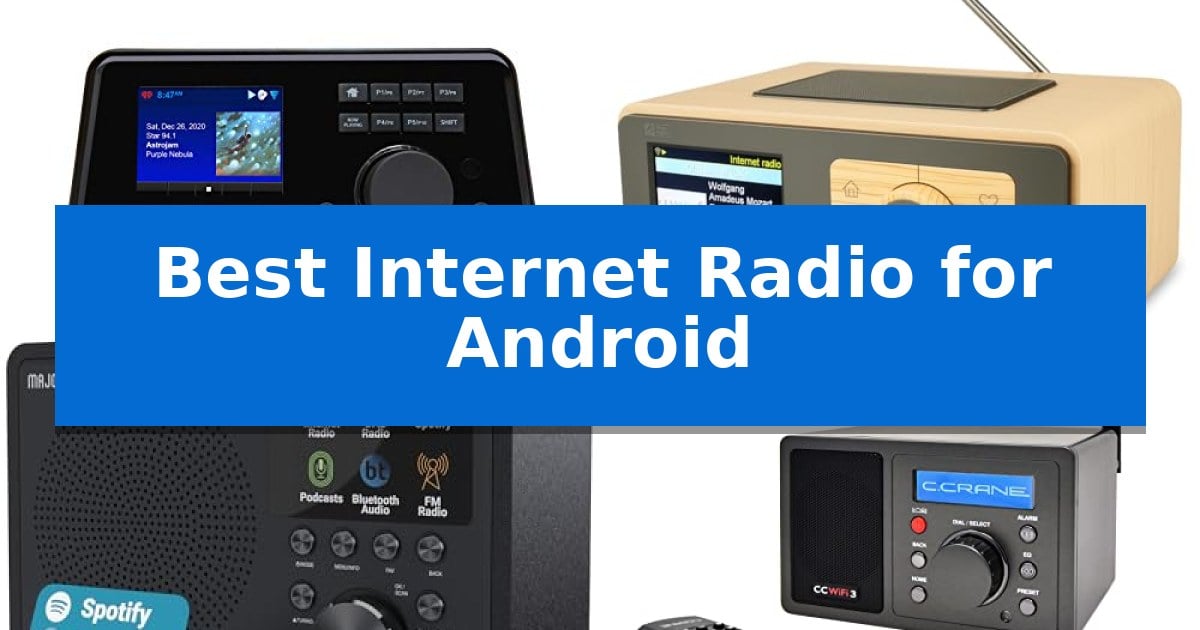
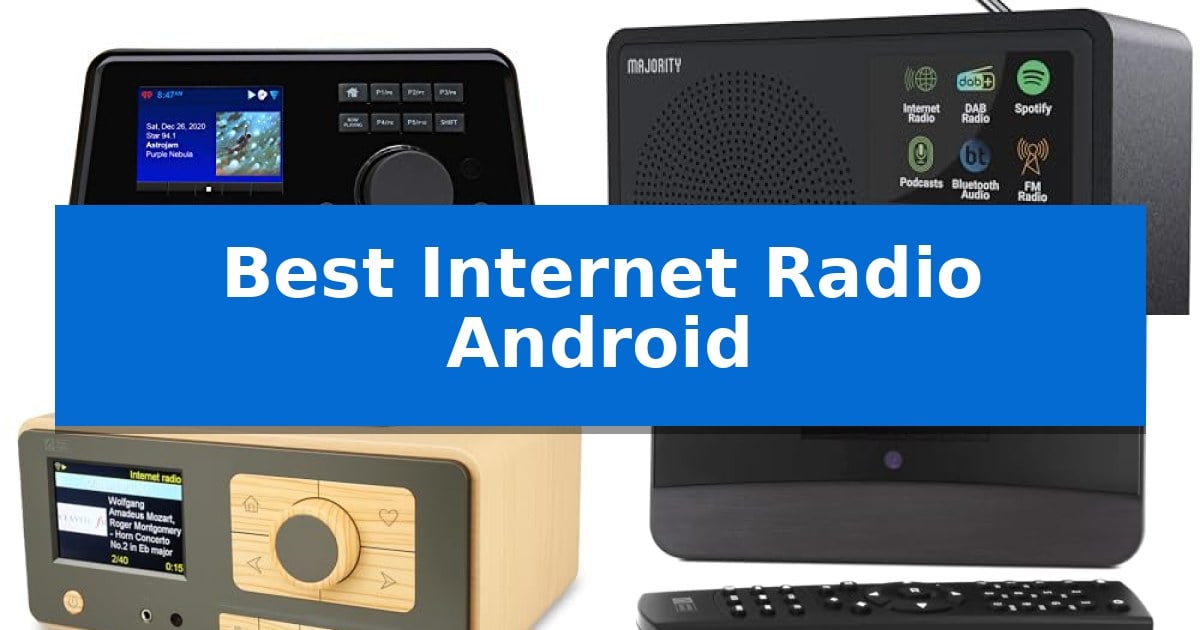
Best Internet Radio for Android in 2026

Best Internet Radio for Android

Finding the right hardware to bridge your mobile device with high-fidelity home audio can transform how you experience global broadcasts. If you are looking for the Best Internet Radio for Android to integrate into your existing sound system or bedside setup, the market offers diverse solutions ranging from dedicated network tuners to versatile desktop streaming receivers.

Selecting the right unit depends on whether you need a standalone speaker or a component designed to feed your high-end amplifier. We have analyzed the latest internet radio options to help you identify which device provides the seamless connectivity, app control, and audio output options necessary for your specific home environment.

Best Internet Radio for Android in 2026

Our Top Picks
  1. Versatile Desktop Streaming Pick Ocean Digital WR-393 Internet Radio
  2. App-Controlled Bedroom Essential Majority Touro Internet Radio
  3. Superior Bedside Audio Clarity C. Crane CC WiFi 3 Radio
  4. Audiophile Component for Home Audio Ocean Digital WR-03M Radio Receiver

Quick Comparison

Product Best For Key Strength Score
Grace Digital Link Internet Radio Tuner Best Overall Versatile connectivity with both analog and pure digital outputs for legacy stereo integration. 4.9
Ocean Digital WR-393 Internet Radio Versatile Desktop Streaming Pick Bluetooth V5.3 connectivity for wireless streaming 4.9
Majority Touro Internet Radio App-Controlled Bedroom Essential Frontier OkTiv app control for wireless management via Android devices. 4.7
C. Crane CC WiFi 3 Radio Superior Bedside Audio Clarity Extensive station access with over 25,000 global options. 4.7
Ocean Digital WR-03M Radio Receiver Audiophile Component for Home Audio Versatile output options including optical and stereo line-out for HiFi integration. 4.7

How We Chose

  • Connectivity Standards: We assessed support for Wi-Fi, Bluetooth, and wired Ethernet to ensure stable streaming.
  • App Ecosystem: We prioritized devices that offer robust Android app support or universal standards like Chromecast built-in.
  • Audio Output Versatility: We examined the availability of analog and digital outputs for integration with external amplifiers or stereo systems.
  • Control Interface: We evaluated the ease of navigation through station presets, physical controls, and remote functionality.
  • Form Factor and Use Case: We categorized devices based on whether they serve as dedicated tuners or all-in-one desktop audio solutions.

1 Grace Digital Link Internet Radio Tuner — Best for Existing Stereo Systems

Integrating high-fidelity streaming into a legacy audio setup requires a bridge that prioritizes signal integrity and source versatility. The Grace Digital Link Internet Radio Tuner functions as a dedicated network-to-analog interface, designed to bring modern streaming services and global radio access to traditional stereo systems that lack built-in smart capabilities.

This tuner provides extensive connectivity options, including analog and pure digital outputs, allowing it to integrate seamlessly with existing receivers or amplifiers. It supports Hi-Res audio files up to 24-bit/192kHz, ensuring that high-quality source material is processed accurately. For users who prefer a wired connection, the device includes an RJ45 Ethernet jack alongside dual-band Wi-Fi for flexible network placement.

Control is managed through a 2.8-inch color display on the front panel, an included infra-red remote control, or the dedicated Grace smartphone app. With Chromecast built-in, the unit acts as a receiver for audio streams from Android devices, tablets, and laptops. Additionally, the Bluetooth 5.0 receiver allows for direct playback from mobile devices or transmission to wireless headphones.

The system supports a wide range of platforms, including Spotify Connect, Pandora, Amazon Music HD, and SiriusXM. Beyond streaming, the device features analog inputs, enabling users to digitize and stream audio from turntables or CD players to other compatible devices on the network. A built-in 5-band equalizer provides basic sound shaping to match the output to specific speaker configurations.

Best for: Users looking to add modern streaming services and internet radio functionality to an existing high-quality stereo system or receiver.

Skip if: Users who require a standalone audio system with built-in speakers or those who do not own an external amplifier or stereo receiver.

PROS

  • Versatile connectivity with both analog and pure digital outputs for legacy stereo integration.
  • High-resolution audio support up to 24-bit/192kHz for detailed sound reproduction.
  • Chromecast built-in enables seamless streaming from Android and other mobile devices.
  • Multi-source input capability allows streaming from connected turntables or CD players.

CONS

  • No built-in speakers, requiring an external amplifier or powered speaker setup.
  • SiriusXM subscription is sold separately, adding to the total cost of service.

2 Ocean Digital WR-393 Internet Radio — Versatile Desktop Streaming Pick

The Ocean Digital WR-393 Internet Radio offers a versatile audio solution by combining global streaming access with traditional FM reception in a single desktop unit. Featuring a 3.5-inch color display, it provides clear visibility of station logos, artist information, and clock settings, making it a functional addition to kitchens or bedrooms.

Connectivity is a primary focus, as the device includes Bluetooth V5.3 technology, allowing it to function as a wireless speaker for smartphones and tablets. It also supports UPnP/DLNA streaming, enabling users to play audio files directly from network-connected devices or PCs. For stable internet reception, the radio includes an external WiFi antenna socket to improve signal strength.

Navigation is streamlined through dual control knobs and 5 dedicated preset keys for immediate access to favorite stations. Users can store up to 150 favorites and organize them into custom categories. For advanced management, the radio supports web browser control, allowing users to add custom URLs and manage settings remotely via a PC or smartphone.

Designed for daily utility, the unit includes dual alarms with multiple wake-up options, a sleep timer of up to 180 minutes, and a dedicated kitchen timer. The inclusion of a full-function remote control ensures that all features remain accessible from a distance, rounding out a comprehensive feature set for home audio enthusiasts.

Best for: Users seeking a versatile desktop radio that combines global internet streaming, FM reception, and Bluetooth speaker functionality in one compact device.

Skip if: Users who require a battery-operated portable radio, as this model is strictly mains-powered and lacks an internal battery.

PROS

  • Bluetooth V5.3 connectivity for wireless streaming
  • 3.5-inch color display for clear information
  • Web browser control for easy station management
  • Dual alarm and kitchen timer functionality

CONS

  • Mains powered only, limiting portability
  • External antenna required for optimal WiFi range

3 Majority Touro Internet Radio — App-Controlled Bedroom Essential

The Majority Touro Internet Radio simplifies home audio integration by combining WiFi connectivity with the Frontier VX chipset, allowing for seamless access to thousands of global internet radio stations and podcasts. Its design prioritizes versatility, featuring a DSP speaker and an integrated bass port to deliver balanced, dynamic sound in compact spaces like bedrooms or kitchens.

Control is centralized through the Frontier OkTiv app, which provides a wireless interface for managing playback directly from your Android device. For those who prefer streaming, the unit includes Spotify Connect integration, ensuring high-quality audio streaming without needing to tether your phone to the speaker via cables.

Beyond its streaming capabilities, the device functions as a practical household tool with multi-alarm functionality, sleep timers, and snooze options. It also includes a traditional FM radio tuner, providing a reliable backup for local broadcasts when you prefer not to rely on an internet connection.

Measuring 7.8 x 11.4 x 5.15 inches and weighing 2.53 lbs, the Majority Touro Internet Radio is built for placement on nightstands or countertops. The package includes the radio, a mains power cable, and a user manual, with a 3-year extended warranty available upon registration.

Best for: Users seeking a compact, app-controlled audio solution for bedrooms or kitchens that bridges internet streaming services with traditional FM radio.

Skip if: Users who require a portable, battery-powered radio for outdoor use, as this model relies on a mains power connection.

PROS

  • Frontier OkTiv app control for wireless management via Android devices.
  • Spotify Connect integration for direct, high-quality streaming.
  • DSP speaker with integrated bass port for enhanced audio output.
  • Multi-alarm and sleep timer features tailored for bedroom use.

CONS

  • Mains power required, limiting placement to areas near electrical outlets.

4 C. Crane CC WiFi 3 Radio — Superior Bedside Audio Clarity

The C. Crane CC WiFi 3 Radio provides a dedicated hardware solution for accessing over 25,000 internet radio stations without relying on a smartphone interface. By utilizing a 5dBi external antenna for 2.4 GHz Wi-Fi, it ensures stable connectivity for streaming global content categorized by location, genre, and popularity.

Designed for versatility, this unit functions as more than a standard receiver. It includes Bluetooth receiving capabilities, allowing users to stream audio from tablets or phones directly through the radio. For those seeking higher fidelity, the line-out jack enables connection to external amplified speaker systems or stereo receivers, supported by an adjustable equalizer with specific frequency bands and a 3D depth setting.

As a bedside companion, the device features a dual alarm system, a sleep timer with multiple intervals, and an adjustable backlight. Users can manage their listening experience via the included large remote control, which provides quick access to 10 primary presets, while a broader sequence list supports over 100 stations.

The C. Crane CC WiFi 3 Radio balances compact dimensions of 6.5” W x 3.9” H x 3.9” D with a functional design that includes a stereo headphone jack for private listening. It is powered by a 5-volt AC adapter and comes with a 2-year limited warranty, offering a stable, standalone alternative to mobile app-based streaming.

Best for: Listeners who prefer a dedicated, physical radio interface for global streaming and bedside utility over using a smartphone app.

Skip if: Users who require a portable, battery-operated device for outdoor use or those who prefer the convenience of a touchscreen interface.

PROS

  • Extensive station access with over 25,000 global options.
  • Flexible audio output via line-out for external amplification.
  • Dedicated remote control for quick navigation and preset management.
  • Customizable sound through an adjustable equalizer and 3D depth settings.

CONS

  • Lacks internal battery, requiring a constant AC power connection.
  • Fixed physical footprint which may not suit users prioritizing extreme portability.

5 Ocean Digital WR-03M Radio Receiver — Audiophile Component for Home Audio

Integrating global radio access into an existing home audio setup requires a dedicated tuner that prioritizes connectivity over built-in amplification. The Ocean Digital WR-03M Internet Radio Receiver functions as a specialized component designed to bridge the gap between internet-based streaming services and high-fidelity sound systems. By omitting internal speakers, this device focuses its resources on providing versatile output options, including optical and stereo line-out, for seamless integration with external amplifiers or powered speakers.

Navigation and control are managed through a 3.2-inch color screen and an included full-function remote. Users can browse thousands of global stations via the Skytune platform, manage local FM radio, or stream personal music libraries from networked PCs and NAS drives using UPnP and DLNA support. The interface also allows for granular control over EQ sound modes, alarm settings, and sleep timers, providing a tailored listening experience.

For those who prefer wireless convenience, the unit features Bluetooth connectivity for direct streaming from mobile devices. Alternatively, the inclusion of a LAN port ensures a stable, wired connection for high-bitrate streaming. The device also offers remote web control via the Skytune website, allowing for management of favorites and playlists from a browser.

This receiver is built for audiophiles who already own a preferred speaker system and require a flexible, compact source component. Measuring approximately 6.69 by 4.13 by 2.17 inches, it occupies minimal space while providing comprehensive access to diverse audio sources, from podcasts to international broadcasts.

Best for: Audiophiles looking to add internet radio and network streaming capabilities to an existing home audio system.

Skip if: Users who require a standalone, all-in-one radio with built-in speakers for portable or immediate listening.

PROS

  • Versatile output options including optical and stereo line-out for HiFi integration.
  • Comprehensive streaming support via Wi-Fi, LAN, Bluetooth, UPnP, and DLNA.
  • Enhanced user control with a 3.2-inch color display and dedicated remote.
  • Flexible playback modes including podcasts, FM, and network-attached storage access.

CONS

  • Requires external speakers or an amplifier as it lacks a built-in speaker driver.

Best Internet Radio for Android Buying Guide

Understanding Audio Output Options

When choosing an internet radio, you must decide between a unit with built-in speakers and a dedicated tuner. A dedicated tuner lacks internal drivers, meaning it is designed to connect directly to your existing stereo system or amplifier via analog or digital outputs.

If you prefer an all-in-one solution, look for units that include a DSP speaker and integrated bass port. These are ideal for smaller spaces like kitchens or bedrooms where you want a compact, self-contained audio experience without needing extra equipment.

Connectivity and Streaming Protocols

Reliable streaming requires stable network connectivity. Devices that support dual-band Wi-Fi or include an external antenna often provide better signal stability, especially in homes with multiple connected devices.

For Android users, Chromecast built-in or Spotify Connect are essential features. These protocols allow you to cast audio directly from your smartphone apps, bypassing the need for complex menu navigation on the radio itself.

Control and Navigation

How you interact with your radio matters for daily use. Many modern units feature color displays that show station logos and track information, which is significantly more intuitive than older text-only screens.

Look for devices that offer app-based control alongside physical knobs or a remote control. Having multiple ways to manage your presets and volume ensures you can adjust your audio whether you are across the room or right next to the device.

Alarm and Utility Features

If you plan to use your internet radio in a bedroom, look for multi-alarm functionality and a sleep timer. These features allow you to wake up to your favorite station or drift off to music without worrying about the unit staying on all night.

Some models also include a kitchen timer or adjustable backlight settings, which are practical additions for specific rooms where you need the device to serve multiple roles throughout the day.

Compatibility with Media Servers

Advanced users may want to stream files from a local network. Devices supporting UPnP and DLNA allow you to browse and play audio files stored on your PC or network-attached storage (NAS) drives.

This feature turns your internet radio into a central hub for your personal digital music collection, providing a high-fidelity alternative to streaming services when you want to access your own library.

Frequently Asked Questions

Can I connect these radios to my existing stereo?

Yes, many models like the Grace Digital Link or Ocean Digital WR-03M are specifically designed as tuners with line-out or optical outputs to connect to external amplifiers.

Do I need a smartphone to use these devices?

While many offer app control for convenience, most units include physical buttons, knobs, or a remote control, allowing you to operate them without a phone.

Will these work with my Android phone?

Yes, devices with Bluetooth or Chromecast built-in are highly compatible with Android, allowing for seamless audio streaming from your favorite mobile apps.

Can I listen to local FM radio on these?

Many internet radios, such as the Ocean Digital WR-393, include a telescopic antenna for traditional FM reception alongside their internet streaming capabilities.

How many stations can I access?

Most of these devices utilize platforms like Skytune or built-in apps to provide access to tens of thousands of global internet radio stations and podcasts.

Conclusion: Our Top Pick

For those seeking the most versatile integration with a high-fidelity home audio setup, the Grace Digital Link Internet Radio Tuner stands out as the premier choice. Its ability to act as a dedicated tuner with both analog and digital outputs, combined with Chromecast built-in, makes it an excellent bridge between your Android device and your existing stereo system.

While other models offer built-in speakers for casual listening, the Grace Digital Link provides the audiophile-grade flexibility required to stream Hi-Res files and manage your music through a familiar app interface. It is the most robust solution for users who prioritize sound quality and seamless network integration.

Best Internet Radio App in 2026: Stream Global Stations Instantly

Best Internet Radio App

Finding the right way to access global broadcasts can be overwhelming given the sheer number of digital platforms available today. Whether you are searching for local news, international music genres, or specific talk radio programs, the Best Internet Radio App serves as your primary gateway to high-quality audio streaming.

Our guide evaluates top-rated applications based on their station libraries, playback stability, and unique features like offline listening or station customization. We aim to help you identify which platform aligns best with your daily listening habits and device preferences.

Best Internet Radio App in 2026: Stream Global Stations Instantly

Our Top Picks
  1. Best Overall TuneIn Radio App
  2. Best for Offline Podcast Listening myTuner Radio App
  3. Customizable Management Features Demo Internet Radio App
  4. Simple International Station Access Online Internet Radio App
  5. Diverse Music Genre Selection 100% Internet Radio App

Quick Comparison

Product Best For Key Strength Score
TuneIn Radio App Best Overall Access to over 100,000 radio stations globally. 4.9
myTuner Radio App Best for Offline Podcast Listening Offline podcast listening capability for on-the-go access. 4.5
Demo Internet Radio App Customizable Management Features Supports SHOUTcast and Icecast radio protocols 4.5
Online Internet Radio App Simple International Station Access Provides International Radio access for global content discovery. 4.4
100% Internet Radio App Diverse Music Genre Selection Totally free access to all content. 4.6

How We Chose

  • Station Library Diversity: Assessing the total volume and geographical range of available radio stations.
  • Playback Reliability: Checking for stable streaming capabilities across different network conditions.
  • Feature Set: Identifying value-added tools like sleep timers, alarm clocks, and offline podcast access.
  • Interface Usability: Evaluating how easily users can search for, save, and manage their favorite stations.
  • Customization Options: Reviewing the ability to add custom streams or organize personal listening lists.

1 TuneIn Radio App — Massive Global Station Library

Accessing a vast library of global audio content is simplified with the TuneIn Radio App, which provides a centralized gateway to over 100,000 radio stations. This application serves as a comprehensive digital tuner, allowing users to browse and listen to a diverse range of content including music, sports, news, weather, and talk radio.

The platform is designed for broad utility, offering access to major national networks such as BBC, NPR, and TEDTalks. Beyond live broadcasts, the interface enables users to organize their listening experience by adding specific stations, songs, and shows to a Favorites list for quick retrieval.

By consolidating various media types—from live DJ sets to specialized podcasts—into a single mobile interface, the TuneIn Radio App functions as a versatile tool for those who consume varied audio formats. Its lightweight design ensures it remains a practical utility for daily media consumption without requiring complex hardware setups.

While the app excels at providing a massive breadth of content, users should note that the experience is primarily focused on streaming live and on-demand audio. It is a highly effective solution for listeners who prioritize variety and the ability to curate a personal collection of global broadcasts.

Best for: Listeners who want a single, consolidated app to access a massive variety of global live radio, podcasts, and news networks.

Skip if: Users who prefer a dedicated hardware radio tuner or those looking for an offline-only audio player.

PROS

  • Access to over 100,000 radio stations globally.
  • Includes major networks like BBC, NPR, and TEDTalks.
  • Convenient Favorites feature for organizing shows and stations.
  • Supports a wide range of content including music, sports, and podcasts.

CONS

  • Requires an active internet connection for live streaming.

2 myTuner Radio App — Best for Offline Podcast Listening

Accessing a diverse range of global broadcasts requires a streamlined interface that keeps your audio stream active even while navigating other mobile tasks. The myTuner Radio App simplifies this by allowing users to continue listening to live radio while using other apps, ensuring your audio experience remains uninterrupted during daily routines.

Beyond live streaming, the myTuner Radio App offers a smart search bar to locate specific stations or podcasts quickly. For those who prefer a curated experience, the application supports the creation of customized favorite lists for both radio stations and podcasts. Users can also manually add their own radio stations, providing flexibility for niche or local content that may not be in the default directory.

The app integrates with modern hardware through Bluetooth and Chromecast support, enabling playback through external speakers or home audio systems. For listeners who enjoy falling asleep or waking up to specific content, the software includes a radio alarm clock and a sleep timer to manage playback automatically.

A notable feature for mobile users is the ability to listen to podcasts offline, which is ideal for areas with limited connectivity. The interface also provides real-time metadata, allowing you to know which song is playing or has recently aired on the station you are currently tuned into.

Best for: Users who want a versatile radio player that supports offline podcast listening and integration with external speakers via Bluetooth or Chromecast.

Skip if: Users who require a purely desktop-based radio solution or those who do not need podcast management features.

PROS

  • Offline podcast listening capability for on-the-go access.
  • Bluetooth and Chromecast integration for external audio playback.
  • Smart search bar for efficient station and podcast discovery.
  • Customizable favorite lists and ability to add personal radio stations.

CONS

  • Mobile-centric design may not suit users looking for a dedicated desktop interface.

3 Demo Internet Radio App — Customizable Management Features

The Demo Internet Radio App provides a centralized hub for streaming audio by supporting both SHOUTcast and Icecast protocols. It is built for users who require a high degree of control over their listening experience, featuring a dedicated online App Management Panel that allows for deep customization of the interface and content delivery.

Beyond standard playback, the application integrates News, Podcasts, and Offline Podcasts sections, catering to users who want to switch between live broadcasts and on-demand content. The inclusion of background play mode ensures that audio continues to stream while you navigate other applications, while the auto mute for calls feature prevents audio interruptions during incoming phone conversations.

Engagement and utility are prioritized through functional UI elements, including buttons for social media, email, and calling, as well as custom webpage links. The app also utilizes OneSignal for push notifications, keeping listeners informed of updates or new content, while AdMob advertisements are integrated into the platform's structure.

For those managing the stream, the app displays cover art and stream info to provide a visual reference for the current broadcast. This combination of broadcast support, management tools, and communication features makes it a versatile utility for those looking to deploy or manage a custom internet radio presence.

Best for: Users who need a customizable, feature-rich internet radio interface with support for SHOUTcast and Icecast streams.

Skip if: Users who prefer a minimalist, ad-free listening experience without the need for custom management panels or integrated social and communication buttons.

PROS

  • Supports SHOUTcast and Icecast radio protocols
  • Includes a customizable online App Management Panel
  • Features background play mode and auto mute for calls
  • Integrated push notifications via OneSignal

CONS

  • Includes AdMob advertisements within the interface
  • Requires setup via the online management panel for full customization

4 Online Internet Radio App — Simple International Station Access

Accessing global audio content requires a streamlined interface that prioritizes connectivity over complex menus. The Online Internet Radio App provides a direct gateway to International Radio stations, allowing listeners to explore diverse broadcasts from around the world through a simplified, user-focused design.

This application is built for those who value accessibility and ease of use. Being a Free service, it removes the barrier to entry for users looking to expand their listening habits beyond local terrestrial signals. The interface is designed to facilitate quick navigation, ensuring that finding and tuning into a station is a straightforward process.

Organization is handled through a Save to favorites feature, which enables users to curate a personalized list of their preferred streams. This functionality ensures that once a listener discovers a station that aligns with their tastes, they can return to it instantly without searching through global directories again.

While the app excels in providing broad access to international content, it maintains a lean profile to ensure it remains a lightweight utility on your mobile device. It is an ideal choice for listeners who want a no-frills, reliable way to maintain a connection to global radio broadcasts.

Best for: Listeners who want a free, straightforward way to discover and save international radio stations.

Skip if: Users who require advanced features like station recording, alarm clock functionality, or high-fidelity streaming options.

PROS

  • Provides International Radio access for global content discovery.
  • Completely Free to use, offering high accessibility.
  • Includes a Save to favorites feature for quick station recall.

CONS

  • Lacks advanced playback or recording features.
  • Functionality is limited to basic station streaming.

5 100% Internet Radio App — Diverse Music Genre Selection

Accessing a wide variety of audio content requires a reliable interface, and the 100% Internet Radio App simplifies this by providing instant access to 30+ channels. This application is designed for users who want a straightforward way to explore different audio streams without complex configurations.

The core appeal of the 100% Internet Radio App lies in its focus on musical diversity. It features all kinds of music genres, ensuring that listeners can switch between various styles depending on their mood. Because the service is totally free, it serves as an accessible tool for those looking to expand their listening habits without recurring subscription costs.

Usability is prioritized through a streamlined design that avoids unnecessary clutter. By focusing on a curated selection of channels, the app allows for quick navigation, making it a practical choice for listeners who prefer immediate playback over managing large, overwhelming libraries of content.

While the app excels at providing a broad range of genres, it is best suited for users who value simplicity and a fixed selection of established channels. It is a lightweight solution that fits well on mobile devices for casual listening throughout the day.

Best for: Listeners who want a free, straightforward app with a diverse selection of music genres and pre-set channels.

Skip if: Users who require advanced features like custom station creation, offline playback, or a massive library of on-demand podcasts.

PROS

  • Totally free access to all content.
  • Includes 30+ channels for immediate listening.
  • Covers all kinds of music genres for varied tastes.

CONS

  • Fixed channel selection limits personalization options.

Best Internet Radio App Buying Guide

Understanding Station Variety

The primary appeal of any radio application is the access it provides to global content. A robust library should include not only local FM stations but also international networks, niche music genres, and diverse talk radio formats.

When choosing an app, consider whether you prefer a curated experience or a platform that allows you to browse thousands of stations manually. Apps with extensive databases often provide better search filters to help you navigate this volume efficiently.

Playback Features and Convenience

Modern radio apps offer more than just live streaming. Features like sleep timers allow you to fall asleep to audio without draining your device battery, while integrated alarm clocks turn your phone into a personalized morning radio.

Look for apps that support background playback, which enables you to continue listening while using other applications on your device. This is essential for users who multitask throughout the day.

Offline Listening Capabilities

Not every listening session occurs where a stable internet connection is available. Some applications provide the ability to download podcasts or specific programs for offline playback, which is a significant advantage for commuters or travelers.

If you frequently find yourself in areas with limited connectivity, prioritizing an app with robust offline storage features will ensure your audio content remains accessible regardless of your network status.

Device Compatibility and Integration

The best streaming experience often involves connecting your app to external hardware. Ensure your chosen app supports casting technologies like Chromecast or Bluetooth connectivity to stream audio directly to your home speakers or car audio system.

Seamless integration with your existing ecosystem makes it easier to transition from mobile listening to a high-fidelity home audio setup without losing your place or your favorite station lists.

Customization and Management

Advanced users often want the ability to add their own stream URLs or organize stations into specific categories. Apps that offer a management panel or a simple 'favorites' system allow you to curate your own listening environment.

Effective station management ensures that your most-listened-to content is always just a tap away, reducing the time spent searching and increasing the time spent enjoying your preferred audio.

Frequently Asked Questions

Can I listen to radio stations from other countries?

Yes, most internet radio apps provide access to a global database of stations, allowing you to stream content from virtually any country with an active internet connection.

Do these apps require a paid subscription?

Many radio apps offer free access to their primary streaming features, though some may include advertisements or offer premium tiers for ad-free listening and advanced tools.

Can I use these apps while using other phone features?

Most modern radio apps support background playback, meaning you can continue listening to your station while browsing the web, checking emails, or using other apps.

Is it possible to record radio broadcasts?

While some apps allow for offline podcast listening, live recording features vary by app. Check the specific feature list of your chosen application to see if live recording is supported.

How do I connect the app to my car speakers?

You can typically connect your radio app to your car audio system using Bluetooth, an auxiliary cable, or through smartphone integration platforms like Apple CarPlay or Android Auto.

Conclusion: Our Top Pick

When selecting the right tool for your audio streaming needs, the TuneIn Radio App stands out as a comprehensive solution. Its massive library of over 100,000 stations ensures that you have access to a vast array of music, sports, news, and talk radio from around the world.

While other apps offer specific benefits like offline podcast management or customization, the sheer breadth of content and the ease of organizing your favorites make it a reliable choice for most listeners. It provides a balanced experience that caters to both casual listeners and those seeking specific international broadcasts.

Best Internet Radio Android in 2026

Best Internet Radio Android

Finding the right way to access global broadcasts on your mobile device or home audio system can be challenging with so many streaming platforms available. Whether you want to integrate high-fidelity audio into your existing stereo or simply need a reliable way to wake up to international stations, the Best Internet Radio Android solutions offer diverse ways to bridge the gap between digital content and your speakers.

We have analyzed several hardware tuners, dedicated receivers, and mobile applications to help you determine which setup best fits your listening habits. From app-controlled wireless systems to audiophile-grade components, these options provide varying levels of control and connectivity to suit different home environments.

Best Internet Radio Android in 2026

Our Top Picks
  1. App-Controlled Wireless Listening Majority Touro Internet Radio
  2. Versatile Global Station Access Ocean Digital WR-393 Internet Radio
  3. Audiophile Component for Home Systems Ocean Digital WR-03M Internet Radio Receiver
  4. Mobile Streaming and Alarm Utility myTuner Radio App

Quick Comparison

Product Best For Key Strength Score
Grace Digital Link Internet Radio Tuner Best Overall Hi-Res audio support up to 24-bit/192kHz 4.9
Majority Touro Internet Radio App-Controlled Wireless Listening Frontier OkTiv app control for wireless management. 4.8
Ocean Digital WR-393 Internet Radio Versatile Global Station Access Bluetooth V5.3 for high-quality wireless streaming. 4.3
Ocean Digital WR-03M Internet Radio Receiver Audiophile Component for Home Systems Versatile connectivity including optical and line-out for high-fidelity integration. 4.8
myTuner Radio App Mobile Streaming and Alarm Utility Background playback allows for multitasking while listening. 4.8

How We Chose

  • Connectivity and Integration: We assessed how each device connects to existing home audio systems, including support for Wi-Fi, Bluetooth, and wired outputs.
  • Streaming Versatility: We looked at the range of supported services, such as Spotify Connect, podcasts, and the total number of accessible internet radio stations.
  • Control and Interface: We evaluated the ease of use provided by dedicated apps, physical remotes, and front-panel displays.
  • Audio Quality and Hardware: We considered the support for high-resolution audio files and the presence of features like equalizers or DSP speakers.
  • System Compatibility: We verified how well each solution integrates with Android-based control ecosystems and mobile devices.

1 Grace Digital Link Internet Radio Tuner — Stream Hi-Fi to Existing Stereos

Integrating high-fidelity streaming into a traditional home audio setup is simplified with the Grace Digital Link Internet Radio Tuner. This compact device functions as a dedicated network bridge, allowing users to bypass the need for a computer or mobile device to play audio directly through their existing stereo system or receiver.

The Grace Digital Link Internet Radio Tuner offers extensive connectivity options, including both analog and pure digital outputs. It supports Hi-Res audio files up to 24-bit/192kHz, ensuring that high-quality digital sources are processed accurately. For users who prefer a wired network connection, the unit includes an RJ45 jack, alongside dual-band Wi-Fi for wireless flexibility.

Versatility is a core feature, as the device acts as a Bluetooth 5.0 receiver for streaming from phones or as a transmitter for private listening via headphones. With Chromecast built-in, the tuner integrates seamlessly with familiar mobile applications on Android and other platforms, enabling easy control over a vast library of services like Spotify Connect, Amazon Music HD, and SiriusXM.

Management of the device is handled through the Grace smartphone app, an included infra-red remote, or the front-mounted 2.8-inch color display. The unit also features analog inputs, allowing users to stream audio from legacy sources like turntables or CD players to other compatible devices throughout the home, making it a central hub for multi-room audio distribution.

Best for: Audiophiles looking to add modern high-fidelity streaming and multi-room audio capabilities to an existing traditional stereo system.

Skip if: Users who require a standalone device with built-in speakers, as this unit is designed exclusively as a tuner for external audio systems.

PROS

  • Hi-Res audio support up to 24-bit/192kHz
  • Chromecast built-in for broad app compatibility
  • Dual-band Wi-Fi and RJ45 Ethernet connectivity
  • Bluetooth 5.0 for both receiving and transmitting audio

CONS

  • No built-in speakers, requiring an external amplifier or active speakers
  • Subscription services like SiriusXM require separate accounts

2 Majority Touro Internet Radio — App-Controlled Wireless Listening

The Majority Touro Internet Radio integrates modern wireless control directly into your home audio setup, utilizing the Frontier OkTiv app to manage playback across thousands of global internet radio stations and podcasts. This device is designed for seamless placement in bedrooms, kitchens, or living rooms, offering a compact footprint of 7.8 x 11.4 x 5.15 inches.

Engineered with the Frontier VX chipset, the unit ensures stable connectivity for streaming. Audio performance is supported by a dedicated DSP speaker and an integrated bass port, which work together to produce balanced sound output. The system also includes Spotify Connect, allowing users to stream playlists directly from their mobile devices over Wi-Fi.

Beyond its streaming capabilities, the radio features FM radio functionality and a suite of utility tools including multi-alarm settings, sleep timers, and snooze options. These features allow the device to serve as a functional bedside or kitchen companion that fits into daily routines.

The package includes the radio, a mains power cable, and a user manual. With a weight of 2.53 lbs, it remains portable enough to move between rooms while maintaining a sturdy build. The manufacturer provides a 3-year extended warranty upon registration, supporting the long-term utility of the device.

Best for: Users seeking a compact, app-controlled radio that combines internet streaming, Spotify Connect, and traditional FM functionality for home use.

Skip if: Users who require a battery-powered portable device for outdoor use or those who prefer a high-fidelity multi-speaker system for large rooms.

PROS

  • Frontier OkTiv app control for wireless management.
  • Spotify Connect integration for direct playlist streaming.
  • DSP speaker with integrated bass port for balanced audio.
  • Multi-alarm and sleep timer functionality for daily routines.

CONS

  • Mains power required, limiting placement to areas with electrical outlets.

3 Ocean Digital WR-393 Internet Radio — Versatile Global Station Access

The Ocean Digital WR-393 Internet Radio provides a versatile audio solution by combining global streaming access with traditional FM reception in a compact, mains-powered unit. It features a 3.5-inch color display that presents station logos and track information, while the inclusion of dual navigation knobs and five dedicated preset keys ensures straightforward control over your listening experience.

Equipped with Bluetooth V5.3 technology, this device functions as a high-quality wireless speaker, allowing for direct streaming from smartphones or tablets. It also supports UPnP/DLNA streaming, enabling users to play audio files stored on network-connected devices or PCs. For those requiring enhanced reception, the radio includes an external WiFi antenna socket to maintain signal stability.

The system offers extensive organizational tools, allowing users to store up to 150 favorite stations and categorize them into custom groups. Power users can take advantage of web browser control via a PC or smartphone to manage favorites and add custom URLs remotely. The Skytune platform provides access to thousands of stations and podcasts worldwide, with a local radio setting for quick access to regional content.

Designed for versatility, the unit includes a dual alarm clock with options to wake to a tone, a favorite station, or FM radio. It also features a sleep timer of up to 180 minutes and a dedicated kitchen timer, making it a practical addition to bedrooms or kitchens. A full-function remote control is included to manage all settings from a distance.

Best for: Users seeking a dedicated, mains-powered device for global internet radio, podcasts, and local FM listening with physical controls.

Skip if: Users who require a battery-operated, portable device for outdoor use or those who prefer a purely software-based streaming solution on their existing smartphone.

PROS

  • Bluetooth V5.3 for high-quality wireless streaming.
  • 3.5-inch color display for clear visual information.
  • Web browser control for advanced station management.
  • Dual alarm and kitchen timer functionality.

CONS

  • Mains powered only, limiting placement options to areas with electrical outlets.

4 Ocean Digital WR-03M Internet Radio Receiver — Audiophile Component for Home Systems

Integrating global audio streams into a high-fidelity home setup requires a dedicated tuner rather than a standalone speaker. The Ocean Digital WR-03M Internet Radio Receiver functions as a specialized component designed to bridge the gap between internet-based content and traditional audio systems, offering a versatile solution for those who already own amplifiers or powered speakers.

This device provides extensive connectivity options, including stereo line-out and optical output, ensuring compatibility with a wide range of home audio equipment. It supports Wi-Fi and LAN connections for stable access to thousands of global stations via Skytune, while also incorporating Bluetooth for wireless streaming from mobile devices. The inclusion of UPnP and DLNA support allows users to stream music directly from networked PCs or NAS drives, making it a central hub for digital music libraries.

Usability is managed through a 3.2-inch color screen and an included full-function remote control. The interface allows for intuitive navigation of stations, management of favorites, and adjustment of EQ sound modes. Practical features such as multiple alarm settings, a sleep timer, and a kitchen timer add utility, while the adjustable dimmer on the display ensures the unit remains unobtrusive in various home environments.

Designed as a pure tuner, the Ocean Digital WR-03M Internet Radio Receiver prioritizes flexibility for audiophiles. Because it lacks an internal speaker driver, it is best suited for users who have an existing sound system. This design choice allows for a compact footprint of approximately 6.69 x 4.13 x 2.17 inches, making it easy to integrate into an existing equipment rack or shelf.

Best for: Audiophiles looking to add internet radio, podcast streaming, and network audio capabilities to an existing home stereo or amplifier system.

Skip if: Users seeking an all-in-one radio with a built-in speaker for standalone listening without external audio equipment.

PROS

  • Versatile connectivity including optical and line-out for high-fidelity integration.
  • Broad streaming support via Wi-Fi, LAN, Bluetooth, UPnP, and DLNA.
  • Comprehensive control with a 3.2-inch color screen and full-function remote.
  • Compact design that fits easily into existing home audio racks.

CONS

  • No built-in speaker, requiring an external amplifier or powered speakers for sound output.

5 myTuner Radio App — Mobile Streaming and Alarm Utility

The myTuner Radio App transforms your Android device into a versatile audio hub by enabling live radio streaming through smartphone loudspeakers, Bluetooth, or Chromecast. This application provides a comprehensive interface for accessing global broadcasts, allowing users to search through stations using a smart search bar or organize their preferred content into a personalized list.

Beyond simple playback, the app supports background listening, meaning you can continue to stream audio while navigating other applications on your device. It also includes a radio alarm clock feature to wake you up with your favorite station and a sleep timer to manage automatic shut-off, making it a functional utility for daily routines.

The platform offers flexibility for both live and offline consumption. Users can listen offline to favorite podcasts and even add customized radio stations to their library. The player includes metadata functionality, allowing you to know which song is playing or has recently aired, ensuring you stay informed about the tracks you hear.

Designed for seamless integration with modern mobile setups, the app facilitates easy output to external speakers. Whether you are managing a curated list of free stations or catching up on recorded podcast episodes, the software maintains a consistent connection while you use your phone for other tasks.

Best for: Users seeking an all-in-one mobile solution for streaming live radio, managing podcasts, and utilizing alarm or sleep timer functions on an Android device.

Skip if: Users who require a dedicated hardware radio receiver or those who do not have a stable internet connection for streaming.

PROS

  • Background playback allows for multitasking while listening.
  • Chromecast and Bluetooth support for external audio output.
  • Integrated alarm clock and sleep timer for automated control.
  • Smart search functionality for finding live radio and podcasts.

CONS

  • Requires active internet connection for live streaming functionality.

Best Internet Radio Android Buying Guide

Understanding Audio Integration

When selecting a radio solution, consider whether you need a standalone unit with built-in speakers or a tuner designed to connect to an existing amplifier. A tuner or receiver typically offers better sound quality by allowing you to use your own high-end speakers, whereas an all-in-one unit provides a compact, space-saving solution for areas like kitchens or bedrooms.

Check for analog and digital output options if you plan to integrate the device into a larger home theater or stereo system. Optical outputs can provide a cleaner signal path, while standard RCA jacks ensure compatibility with older, traditional receivers.

Connectivity Standards

Reliable Wi-Fi connectivity is essential for uninterrupted streaming of global stations. Look for devices that support dual-band Wi-Fi to minimize interference in crowded network environments. Some units also include an RJ45 Ethernet jack for a more stable, wired connection.

Bluetooth 5.0 or higher is a valuable feature, allowing you to use the radio as a wireless speaker for your phone or tablet. This adds a layer of flexibility, enabling you to stream content directly from apps that might not be natively supported by the radio's firmware.

Software and App Control

The user interface significantly impacts your daily experience. Devices that offer a dedicated smartphone app allow for easier station management, playlist creation, and volume control from anywhere in the room. This is particularly useful for managing large lists of favorites.

Ensure the device supports Chromecast built-in or similar casting protocols if you prefer using your Android phone as the primary controller. This allows you to leverage the familiar interfaces of apps you already use, streamlining the process of switching between stations and podcasts.

Station Access and Presets

The number of available stations varies by service and device. Some radios provide access to over 100,000 stations, while others focus on curated lists. Look for devices that allow you to easily save your most-listened-to channels into a 'My Favorites' folder for quick access.

Advanced users may appreciate the ability to add custom URLs for specific streams. This ensures that even if a station is not in the default database, you can still tune in by manually entering the stream address via a web-based management portal.

Alarm and Utility Features

If you plan to use your internet radio in the bedroom, multi-alarm functionality and sleep timers are critical. These features allow you to wake up to your favorite station or a specific tone, and set the radio to turn off automatically after you fall asleep.

Some models also include kitchen timers or adjustable display dimmers, which are useful for maintaining a comfortable environment. A clear, high-resolution color display that shows station logos and song information adds to the overall usability of the device.

Frequently Asked Questions

Can I use these internet radios without a smartphone?

Yes, most hardware-based internet radios include a physical remote control and front-panel buttons, allowing you to browse stations and adjust settings without needing a smartphone.

Do I need a subscription for internet radio?

Most internet radio stations are free to access. However, specific services like SiriusXM or premium tiers of music streaming platforms may require a separate subscription.

What is the benefit of a tuner over a standard radio?

A tuner is designed to be connected to an external amplifier and speakers, allowing you to utilize your existing high-quality audio equipment rather than relying on the small, built-in drivers found in portable radios.

How do I add my own radio stations?

Many internet radios provide a web-based interface where you can log in via your PC or smartphone to add custom stream URLs to your favorites list.

Can I stream audio from my Android phone to these devices?

Yes, most modern internet radios support Bluetooth or Chromecast, enabling you to stream audio directly from your Android device to the radio's speakers.

Conclusion: Our Top Pick

For those looking to integrate high-fidelity streaming into an existing home audio setup, the Grace Digital Link Internet Radio Tuner stands out as the most versatile choice. Its support for a wide range of streaming services, combined with both analog and digital outputs, makes it a robust component for any serious audio system.

While other options like the Majority Touro or Ocean Digital models offer excellent all-in-one convenience for smaller rooms, the Grace Digital unit provides the necessary flexibility for audiophiles. Ensure your home network is stable to take full advantage of its high-resolution streaming capabilities.

Best Internet Only Modem for Spectrum in 2026

Best Internet Only Modem for Spectrum

Managing your home network starts with choosing the right hardware to bridge your service provider's connection to your personal devices. If you are tired of monthly equipment rental fees, transitioning to your own hardware is a practical step toward long-term savings. Finding the Best Internet Only Modem for Spectrum requires identifying a device that is fully certified for their network while supporting the specific speed tier of your current plan.

Because these devices function strictly as modems, they do not include built-in wireless capabilities. This design choice allows you to pair the unit with a high-performance router or mesh system tailored to your home's layout. By selecting a modem that aligns with your ISP's requirements, you ensure a stable foundation for your streaming, gaming, and remote work needs without unnecessary complexity.

Best Internet Only Modem for Spectrum in 2026

Our Top Picks
  1. High-Speed 2.5 Gbps Performance Hitron CODA56 Cable Modem
  2. Reliable Multi-Gig Connectivity NETGEAR Nighthawk CM2500 Cable Modem
  3. Proven Gigabit Reliability NETGEAR Nighthawk CM1000 Cable Modem
  4. Solid DOCSIS 3.1 Standard ARRIS SURFboard SB8200 Cable Modem

Quick Comparison

Product Best For Key Strength Score
ARRIS Surfboard S33 Cable Modem Best Overall Supports multi-gigabit speeds up to 2.5 Gbps via DOCSIS 3.1. 4.9
Hitron CODA56 Cable Modem High-Speed 2.5 Gbps Performance DOCSIS 3.1 technology for low-latency performance. 4.4
NETGEAR Nighthawk CM2500 Cable Modem Reliable Multi-Gig Connectivity DOCSIS 3.1 support for internet plans up to 2 Gbps. 4.9
NETGEAR Nighthawk CM1000 Cable Modem Proven Gigabit Reliability Supports DOCSIS 3.1 for Gigabit speed compatibility. 4.3
ARRIS SURFboard SB8200 Cable Modem Solid DOCSIS 3.1 Standard DOCSIS 3.1 support for high-speed cable plans up to 2 Gbps. 4.3

How We Chose

  • DOCSIS 3.1 Certification: Ensuring the hardware supports the latest industry standard for high-speed data transmission.
  • ISP Compatibility: Verifying that each model is officially approved for use on Spectrum's cable network infrastructure.
  • Port Configuration: Assessing the availability of multi-gigabit Ethernet ports to prevent bottlenecks between the modem and your router.
  • Future-Proofing: Prioritizing devices capable of handling multi-gigabit speed tiers to accommodate potential future plan upgrades.
  • Design and Footprint: Considering the physical size and heat management to ensure the unit fits comfortably in your home office or utility closet.

1 ARRIS Surfboard S33 Cable Modem — Best for Multi-Gigabit Plans

Maximizing your home network performance often starts at the entry point, where the ARRIS Surfboard S33 Cable Modem serves as a high-capacity gateway for modern internet plans. By utilizing DOCSIS 3.1 technology, this device is engineered to handle high-bandwidth demands, supporting speeds up to 2.5 Gbps. This makes it a capable foundation for households that prioritize ultra-fast streaming, competitive gaming, and frequent large file transfers.

The hardware is distinguished by its connectivity options, featuring both a 2.5 GbE port and a standard 1 GbE port. This dual-port configuration allows users to take full advantage of multi-gigabit service tiers by connecting a high-performance router directly to the faster port. Because this is a modem-only device, it requires a separate Wi-Fi router or mesh system to distribute wireless signals throughout your home, providing flexibility to upgrade your networking gear independently of your modem.

Designed for efficiency, the unit features a compact, space-saving footprint that integrates easily into crowded media centers or home offices. Clear LED indicators on the front panel provide immediate visual confirmation of power, upstream and downstream connectivity, and overall online status, which simplifies the initial setup and ongoing troubleshooting. The installation process is straightforward: connect the coaxial cable, power the unit, and complete the activation process with your service provider.

Investing in your own hardware is a practical strategy to reduce monthly equipment rental fees often bundled with internet service plans. With a two-year limited warranty, the ARRIS Surfboard S33 Cable Modem offers a reliable, long-term solution for users who want to own their equipment while ensuring their hardware is ready for high-speed connectivity requirements.

Best for: Users with high-speed gigabit internet plans who want to avoid monthly equipment rental fees and require multi-gigabit port support.

Skip if: Users who prefer an all-in-one device that includes built-in Wi-Fi functionality, as this model requires a separate router.

PROS

  • Supports multi-gigabit speeds up to 2.5 Gbps via DOCSIS 3.1.
  • Includes a 2.5 GbE port for high-performance wired connections.
  • Helps reduce monthly equipment rental fees by owning your hardware.
  • Features a compact design that fits easily into limited spaces.

CONS

  • Functions as a modem only, necessitating the purchase of a separate Wi-Fi router.

2 Hitron CODA56 Cable Modem — High-Speed 2.5 Gbps Performance

Managing your home network efficiency starts with selecting hardware that matches your service provider's capabilities. The Hitron CODA56 Cable Internet Modem is engineered specifically for cable internet subscribers, utilizing DOCSIS 3.1 technology to support high-speed plans of 1 Gbps and faster. By opting for a dedicated modem, you may be able to eliminate monthly equipment rental fees charged by your ISP.

This device is strictly a modem, meaning it does not include built-in wireless capabilities. To establish a home network, you must connect a separate WiFi router to the unit's 2.5 Gbps Ethernet port. This configuration ensures that you can take full advantage of multi-gig performance for bandwidth-intensive tasks like 4K streaming, online gaming, and high-definition video conferencing.

Compatibility is a primary consideration for this hardware. The Hitron CODA56 Cable Internet Modem is designed exclusively for cable internet providers such as Spectrum, Xfinity, and Cox. It is not compatible with fiber, DSL, satellite, or fixed wireless services. Before installation, you must contact your ISP to confirm that this model is supported on your specific account and service plan.

Setup requires an active cable internet subscription and a compatible router. Because this unit lacks integrated WiFi, it is best suited for users who prefer to manage their own networking equipment or those who already own a high-performance router. With over 30 years of networking expertise, the manufacturer provides 7-day technical support to assist with the activation process.

Best for: Users with cable internet plans of 1 Gbps or higher who want to use their own high-performance router to manage their home network.

Skip if: You have fiber, DSL, or satellite internet, or you require an all-in-one device that provides both modem and WiFi functionality in a single unit.

PROS

  • DOCSIS 3.1 technology for low-latency performance.
  • 2.5 Gbps Ethernet port supports high-speed internet plans.
  • Potential cost savings by removing ISP modem rental fees.
  • Dedicated support with 7-day technical assistance.

CONS

  • No built-in WiFi, requiring the purchase of a separate router.
  • Cable-only compatibility prevents use with fiber or DSL services.

3 NETGEAR Nighthawk CM2500 Cable Modem — Reliable Multi-Gig Connectivity

Managing your home network requires hardware that keeps pace with modern internet plans, and the NETGEAR Nighthawk DOCSIS 3.1 Cable Modem CM2500 is built to handle high-bandwidth needs. By utilizing DOCSIS 3.1 technology, this modem supports internet plans up to 2 Gbps, ensuring your connection is ready for demanding tasks like large file transfers and high-definition streaming.

This device functions as a dedicated modem, providing the flexibility to pair it with any WiFi router or mesh system of your choice. This separation allows you to upgrade your wireless networking hardware in the future without needing to replace the modem itself. It features two Gigabit Ethernet ports that support Link Aggregation, enabling you to combine the ports to achieve the full 2 Gbps speed potential of your service plan.

Designed specifically for compatibility with major US cable providers including Spectrum, Xfinity, and Cox, the unit simplifies the installation process. Owners can utilize the Nighthawk app on iOS or Android devices for guided setup, status monitoring, and firmware management. The inclusion of Active Queue Management is a notable technical feature, as it works to prevent network slowdowns during periods of high traffic or peak-hour congestion.

While this modem offers robust performance for high-speed cable internet, it is strictly a modem-only device and does not include built-in WiFi functionality or support for bundled voice services. It is engineered exclusively for US cable internet providers and is not compatible with fiber or DSL services like Verizon or AT&T.

Best for: Users on high-speed cable internet plans who want a dedicated, future-ready modem that allows them to choose their own separate WiFi router or mesh system.

Skip if: Users who require an all-in-one gateway device with built-in WiFi or those who subscribe to bundled voice services through their ISP.

PROS

  • DOCSIS 3.1 support for internet plans up to 2 Gbps.
  • Two Gigabit Ethernet ports with Link Aggregation capability.
  • Guided setup and management via the Nighthawk mobile app.
  • Active Queue Management to reduce congestion-related slowdowns.

CONS

  • No built-in WiFi functionality.
  • Not compatible with bundled voice plans or non-cable internet providers.

4 NETGEAR Nighthawk CM1000 Cable Modem — Proven Gigabit Reliability

The NETGEAR Nighthawk CM1000 Cable Modem utilizes DOCSIS 3.1 technology to support high-speed internet plans up to 1 Gbps, providing a dedicated hardware foundation for your home network. By separating the modem from your router, this device allows you to select and upgrade your own WiFi or mesh system independently, ensuring your network setup remains flexible as your connectivity needs evolve.

Engineered for compatibility with major providers, this unit is approved for Spectrum plans up to 1 Gbps and Xfinity plans up to 800 Mbps. It integrates OFDM and OFDMA channel technology, which is designed to improve response times and maintain steady performance during high-demand periods, such as simultaneous 4K streaming, online gaming, and video conferencing.

The physical design features a single Gigabit Ethernet port for a direct, high-speed connection to your router or computer. Measuring 8.8 inches in height and weighing 0.84 pounds, the unit is compact enough to fit into standard networking setups. The installation process is streamlined through a guided online setup, which includes self-activation options for specific providers to minimize the need for service calls.

This modem is strictly for cable internet use and is not compatible with DSL or fiber services like Verizon or AT&T, nor does it support bundled voice plans. It serves as a future-ready solution that bridges current DOCSIS 3.0 networks with the higher capacity of DOCSIS 3.1 standards, ensuring the hardware remains relevant for upcoming Gigabit infrastructure upgrades.

Best for: Users looking to replace an ISP-provided rental modem with a dedicated, high-performance DOCSIS 3.1 device to support Gigabit internet plans.

Skip if: You require a modem with integrated WiFi, built-in telephone ports for bundled voice services, or use a non-cable internet provider like DSL or fiber.

PROS

  • Supports DOCSIS 3.1 for Gigabit speed compatibility.
  • Flexible networking allows you to pair with any preferred WiFi router.
  • Guided online setup simplifies the activation process.
  • OFDM/OFDMA technology helps stabilize performance under heavy load.

CONS

  • No integrated WiFi or router functionality.
  • Not compatible with DSL, fiber, or bundled voice services.

5 ARRIS SURFboard SB8200 Cable Modem — Solid DOCSIS 3.1 Standard

Managing your home network efficiency often begins with the hardware you choose to lease or own, and the ARRIS SURFboard SB8200 Cable Modem provides a direct path to eliminating monthly equipment rental fees. By utilizing the DOCSIS 3.1 standard, this device is engineered to support cable internet plans reaching up to 2 Gbps, making it a capable choice for high-bandwidth activities like streaming and gaming.

The hardware features a compact, modern design that fits easily into most home office setups. It includes two 1 Gigabit Ethernet ports, which allow for wired aggregate speeds up to 2 Gbps when connected to compatible networking equipment. This modem is specifically designed to work with major US providers, including Spectrum, Xfinity, and Cox, ensuring broad compatibility for those looking to transition away from ISP-provided hardware.

Installation is straightforward: users connect the coaxial cable, power on the unit, and complete the activation process through their service provider. Because this is a modem-only device, it does not provide built-in Wi-Fi. Users must connect a separate router or mesh system to the Ethernet port to establish a wireless home network.

While the ARRIS SURFboard SB8200 Cable Modem offers robust performance for cable internet subscribers, it is important to note that it is not compatible with fiber, DSL, or satellite services. Its focus remains strictly on providing a reliable, high-speed bridge between the cable plant and your personal router.

Best for: Users on high-speed cable plans who want to eliminate monthly rental fees by owning their own DOCSIS 3.1 hardware.

Skip if: Users who require an all-in-one device with built-in Wi-Fi or those who subscribe to fiber, DSL, or satellite internet services.

PROS

  • DOCSIS 3.1 support for high-speed cable plans up to 2 Gbps.
  • Two 1 GbE ports allow for flexible wired connectivity.
  • Eliminates monthly rental fees by allowing users to own their modem.
  • Compact, space-saving design with clear LED status indicators.

CONS

  • Modem-only functionality requires the purchase of a separate router.
  • Not compatible with fiber, DSL, or satellite internet services.

Best Internet Only Modem for Spectrum Buying Guide

Understanding DOCSIS Standards

The Data Over Cable Service Interface Specification (DOCSIS) is the protocol that allows high-bandwidth data transfer over your existing coaxial cable lines. Most modern plans now require DOCSIS 3.1, which is significantly more efficient than the older 3.0 standard. It utilizes OFDM (Orthogonal Frequency Division Multiplexing) to manage traffic more effectively, reducing latency and preventing slowdowns during peak hours.

When shopping for a modem, always verify that it supports DOCSIS 3.1. While many of these devices are backward compatible with 3.0, choosing a 3.1-capable unit ensures you are not artificially limiting the performance of your high-speed internet subscription.

The Importance of Modem-Only Hardware

An internet-only modem is a dedicated device that translates the signal from your ISP into a format your router can understand. Unlike a gateway—which combines a modem and a router in one box—a standalone modem offers greater flexibility. You can replace your router whenever you need better Wi-Fi coverage or newer features without having to re-activate a new modem with your provider.

This separation also simplifies troubleshooting. If you experience connectivity issues, you can easily determine whether the problem lies with your wireless network or the incoming cable signal, making it easier to manage your home infrastructure.

Evaluating Ethernet Port Speeds

The connection between your modem and your router is a critical link. If you pay for a gigabit plan or higher, a standard 1 GbE port may become a bottleneck. Many modern modems now include a 2.5 GbE port, which allows you to take full advantage of speeds exceeding 1 Gbps.

When selecting your hardware, check the port specifications on both your modem and your router. To achieve the full potential of your service, both devices should ideally support the same high-speed Ethernet standard to prevent data throttling at the physical connection point.

ISP Activation and Compatibility

Before purchasing any modem, you must confirm that the specific model is on your provider's approved device list. Even if a modem meets all technical requirements, it will not function if the ISP has not certified it for their specific network infrastructure.

Once you have confirmed compatibility, the setup process typically involves connecting the coaxial cable, powering on the unit, and using the ISP's mobile app or web portal to register the modem's MAC address. This activation step is mandatory to authorize the device on their network.

Managing Rental Fees

One of the primary drivers for buying your own modem is the elimination of monthly equipment rental fees. While the initial investment for a high-quality modem may seem significant, it often pays for itself within the first year or two of service.

Always keep your purchase receipt and the modem's serial number in a safe place. If you ever need to contact customer support, having this information readily available can expedite the troubleshooting process and ensure your service remains active without unnecessary delays.

Frequently Asked Questions

Do I need a separate router with these modems?

Yes. Every model listed here is a modem-only device. You must connect a separate Wi-Fi router or mesh system to the Ethernet port to create a wireless network for your home.

Will these modems work with fiber or DSL internet?

No. These modems are designed exclusively for cable internet (DOCSIS) services. They are not compatible with fiber-optic, DSL, satellite, or fixed wireless internet connections.

Can I use these modems for bundled voice plans?

Most internet-only modems do not support telephone service. If your Spectrum plan includes a landline phone, you will likely need a specific telephony-enabled modem provided or approved by the ISP.

How do I activate my new modem?

After connecting the coaxial cable and power, you typically need to visit your ISP's official activation website or use their mobile app. You will be prompted to enter the modem's MAC address to register it on your account.

What happens if my internet speed plan changes?

If you upgrade to a faster speed tier, ensure your modem's DOCSIS standard and Ethernet port speed can support the new bandwidth. If your current modem is already DOCSIS 3.1, it should handle most high-speed plans without requiring an upgrade.

Conclusion: Our Top Pick

Selecting the right hardware is essential for maintaining a stable and fast connection. For most users, the ARRIS Surfboard S33 Cable Modem stands out as the most versatile choice due to its support for multi-gigabit speeds and its reliable 2.5 GbE port, which ensures you are ready for future plan upgrades.

While other models offer excellent reliability for standard gigabit plans, the S33 provides the best balance of performance and future-proofing. Before finalizing your purchase, always verify that your specific service address and plan are compatible with this model to ensure a seamless transition away from rental equipment.

Best Internet Modems for Netgear Nighthawk in 2026

Best Internet Modems for Netgear Nighthawk

Finding the right hardware to pair with your existing networking gear is essential for maintaining a stable, high-speed connection. When you are looking for the Best Internet Modems for Netgear Nighthawk routers, the primary goal is to ensure seamless communication between your service provider's signal and your home network equipment.

A dedicated modem allows you to maintain control over your WiFi environment, giving you the flexibility to upgrade your router independently as technology evolves. Whether you require multi-gig support for heavy data usage or a reliable integrated solution, selecting the correct hardware ensures your internet plan performs at its full potential.

Best Internet Modems for Netgear Nighthawk in 2026

Our Top Picks
  1. Reliable Multi-Gig Connectivity NETGEAR Nighthawk CM2500 Cable Modem
  2. All-in-One Networking Solution NETGEAR Nighthawk CAX30 Modem Router
  3. High-Speed Combined Performance NETGEAR Nighthawk CAX80 Modem Router
  4. Budget-Friendly Integrated Setup NETGEAR Nighthawk C7000 Modem Router

Quick Comparison

Product Best For Key Strength Score
NETGEAR Nighthawk CM3000 Cable Modem Best Overall Supports high-speed DOCSIS 3.1 standards for multi-gig plans. 4.9
NETGEAR Nighthawk CM2500 Cable Modem Reliable Multi-Gig Connectivity DOCSIS 3.1 support for speeds up to 2 Gbps. 4.5
NETGEAR Nighthawk CAX30 Modem Router All-in-One Networking Solution All-in-one design reduces hardware clutter by combining a DOCSIS 3.1 modem and WiFi 6 router. 4.4
NETGEAR Nighthawk CAX80 Modem Router High-Speed Combined Performance DOCSIS 3.1 support for gigabit-plus cable internet speeds. 4.8
NETGEAR Nighthawk C7000 Modem Router Budget-Friendly Integrated Setup Integrated two-in-one design saves space by combining modem and router functions. 4.4

How We Chose

  • Compatibility with major US cable providers including Xfinity, Spectrum, and Cox.
  • Support for DOCSIS 3.1 or 3.0 standards to match your specific internet service tier.
  • Availability of multi-gig Ethernet ports to prevent bottlenecks between the modem and router.
  • Ease of setup and management through dedicated mobile applications.
  • Physical dimensions and port configuration for integration into existing home setups.

1 NETGEAR Nighthawk CM3000 Cable Modem — Best for Multi-Gig Plans

Maximizing your home network performance requires a modem that can keep pace with modern multi-gigabit service plans. The NETGEAR Nighthawk CM3000 Cable Modem is built for this purpose, featuring a 2.5 Gig Ethernet port that ensures your connection is not bottlenecked by older hardware standards.

Designed specifically for high-speed cable internet, this modem utilizes DOCSIS 3.1 technology to support download speeds up to 2.5 Gbps and upload speeds up to 1 Gbps. It includes Active Queue Management, which helps maintain consistent performance even during periods of high network traffic, preventing the common slowdowns experienced during peak hours.

The device simplifies the installation process through the Nighthawk app, which provides guided setup and allows for ongoing management, including status checks and firmware updates. Its physical design is compact, measuring 9.21 by 8.74 by 4.8 inches, making it easy to integrate into existing home office or media setups.

By acting as a dedicated modem, the NETGEAR Nighthawk CM3000 Cable Modem offers the flexibility to pair with any preferred WiFi router or mesh system. This modular approach allows you to upgrade your wireless networking hardware independently as your needs evolve, without needing to replace the modem itself.

Best for: Users with high-speed cable internet plans up to 2 Gbps who want to pair their own high-performance router or mesh system.

Skip if: Users with fiber, DSL, or satellite internet services, or those who require a modem with a built-in telephone voice port.

PROS

  • Supports high-speed DOCSIS 3.1 standards for multi-gig plans.
  • Includes a 2.5 Gig Ethernet port to prevent speed bottlenecks.
  • Offers flexible compatibility with most major US cable providers.
  • Managed via the Nighthawk app for convenient setup and monitoring.

CONS

  • Not compatible with bundled voice plans or non-cable internet providers.
  • Requires a separate router for WiFi connectivity.

2 NETGEAR Nighthawk CM2500 Cable Modem — Reliable Multi-Gig Connectivity

The NETGEAR Nighthawk CM2500 Cable Modem serves as a specialized networking foundation for high-speed home setups, utilizing DOCSIS 3.1 technology to support internet plans up to 2 Gbps. This device prioritizes flexibility by functioning as a standalone modem, allowing users to pair it with their preferred WiFi router or mesh system to build a custom network environment.

Engineered for performance consistency, the unit features Active Queue Management to mitigate slowdowns during peak network congestion. Connectivity is handled through two Gigabit Ethernet ports, which support Link Aggregation to combine bandwidth for high-speed requirements. This design ensures the hardware remains relevant for current multi-gig service tiers and potential future upgrades.

Setup and ongoing maintenance are streamlined through the Nighthawk app, which provides guided installation, status monitoring, and integrated speed testing. The modem is specifically optimized for US cable providers, including Xfinity, Spectrum, and Cox, ensuring compatibility with major regional infrastructure while maintaining a dedicated focus on cable internet performance.

By separating the modem from the router, this unit offers a distinct advantage for users who wish to upgrade their wireless capabilities independently without replacing their core internet hardware. It provides a reliable, dedicated bridge between the ISP connection and the home network, backed by FCC certification for domestic use.

Best for: Users seeking a dedicated, high-performance DOCSIS 3.1 modem to pair with a separate, high-end mesh or WiFi router system.

Skip if: Users who require a bundled voice plan or those who prefer an all-in-one modem-router gateway device.

PROS

  • DOCSIS 3.1 support for speeds up to 2 Gbps.
  • Link Aggregation capability via dual Gigabit ports.
  • Nighthawk app integration for simplified setup and management.
  • Active Queue Management to maintain steady performance.

CONS

  • Not compatible with bundled voice plans or non-cable providers like Verizon or AT&T.
  • Standalone modem only, requiring a separate router for WiFi connectivity.

3 NETGEAR Nighthawk CAX30 Modem Router — All-in-One Networking Solution

Managing your home network requires a balance of speed and reliability, and the NETGEAR Nighthawk CAX30 Modem Router simplifies this by combining a high-performance DOCSIS 3.1 cable modem with a robust WiFi 6 router in one unit. This two-in-one device eliminates the need for separate hardware, allowing you to manage your network settings, guest access, and device connections directly through the Nighthawk app.

Designed for modern households, this unit supports Gigabit+ cable internet plans, utilizing DOCSIS 3.1 OFDMA technology to maintain steady performance during peak usage hours. The dual-band AX2700 WiFi 6 coverage spans up to 2,000 square feet, providing enough capacity for over 25 connected devices simultaneously. For users who prioritize stability for gaming or streaming, the device includes four Gigabit Ethernet ports for hardwired connections.

Security is integrated into the system with WPA3 WiFi encryption and firewall protection to secure your home network. Users also have access to a 30-day trial of NETGEAR Armor, which offers additional layers of protection against malware and identity theft. Setup is streamlined through the Nighthawk app, which provides guided instructions and tools for running speed tests or pausing device access.

Compatibility is a key consideration, as this modem is specifically engineered for US cable internet providers, including Xfinity, Spectrum, and Cox. It is important to note that it is not compatible with fiber or DSL services like Verizon or AT&T, nor does it support bundled voice plans. This device serves as a comprehensive solution for users looking to consolidate their networking hardware while maintaining support for high-speed internet tiers.

Best for: Users seeking an all-in-one networking solution to replace separate modem and router hardware for cable internet plans up to 1Gbps.

Skip if: Users with fiber, DSL, or satellite internet services, or those who require support for bundled voice plans.

PROS

  • All-in-one design reduces hardware clutter by combining a DOCSIS 3.1 modem and WiFi 6 router.
  • Four Gigabit Ethernet ports provide stable, low-latency connections for gaming consoles and desktop computers.
  • Guided setup and management via the Nighthawk app simplifies network configuration and device monitoring.
  • DOCSIS 3.1 OFDMA support helps maintain consistent speeds during high-traffic periods.

CONS

  • Limited compatibility as it is designed exclusively for specific US cable internet providers.
  • No support for bundled voice plans or non-cable internet technologies like fiber or DSL.

4 NETGEAR Nighthawk CAX80 Modem Router — High-Speed Combined Performance

Integrating a high-performance cable modem and WiFi router into a single unit, the NETGEAR Nighthawk CAX80 Modem Router streamlines home network management by combining DOCSIS 3.1 technology with AX6000 WiFi 6 capabilities. This device is engineered for households requiring multi-gigabit throughput, offering support for Xfinity plans up to 2.37Gbps, alongside Spectrum and Cox plans up to 1Gbps.

The system provides extensive coverage for up to 2,500 square feet, maintaining stable connections for over 30 devices simultaneously. To ensure low-latency performance for bandwidth-heavy tasks like gaming and 4K streaming, it features one 2.5 Gig Multi-Gig port and four dedicated Gigabit Ethernet ports for wired devices.

Network administration is handled through the Nighthawk app, which provides guided setup, speed testing, and guest network configuration. Security is prioritized through WPA3 encryption, firewall protection, and a 30-day trial of NETGEAR Armor, which offers defense against malware and identity theft.

Designed specifically for US cable internet providers, this unit is not compatible with fiber or DSL services like Verizon or AT&T. Users benefit from DOCSIS 3.1 OFDMA technology, which is intended to maintain steady speeds during peak hours by reducing congestion.

Best for: Households with multi-gigabit cable internet plans seeking a consolidated, high-performance modem and WiFi 6 router solution.

Skip if: Users subscribed to fiber, DSL, or satellite internet services, as this device is exclusively designed for cable internet infrastructure.

PROS

  • DOCSIS 3.1 support for gigabit-plus cable internet speeds.
  • Multi-Gig wired connectivity via a dedicated 2.5 Gig port.
  • AX6000 WiFi 6 coverage for up to 2,500 square feet.
  • Integrated security features including WPA3 and NETGEAR Armor.

CONS

  • Limited compatibility restricted to US cable internet providers only.
  • Subscription required for continued NETGEAR Armor protection after the trial.

5 NETGEAR Nighthawk C7000 Modem Router — Budget-Friendly Integrated Setup

Managing your home network requires a reliable connection between your service provider and your devices, and the NETGEAR Nighthawk C7000 Modem Router provides an integrated solution by combining a cable modem and WiFi router into a single unit. This device is specifically engineered for US cable internet providers, offering a streamlined approach to network management without the need for separate hardware components.

The unit supports DOCSIS 3.0 technology with 24×8 channel bonding, which is designed to handle internet plans up to 800Mbps for Xfinity and 500Mbps for Cox. This capacity supports high-bandwidth activities like 4K streaming and online gaming. For wired connections, the device includes four Gigabit Ethernet ports, allowing for stable, low-latency links to desktops, gaming consoles, or streaming boxes.

Wireless connectivity is provided through AC1900 dual-band WiFi, which utilizes Beamforming+ to focus signal strength toward mobile devices, covering up to 1,800 square feet. The setup and ongoing management are handled through the Nighthawk app, which allows users to perform speed tests, set up guest networks, and pause devices directly from a smartphone.

Security is integrated into the system via WPA2 wireless encryption and built-in firewall protection. While this device offers a compact two-in-one design, it is important to note that it is not compatible with fiber or DSL providers like Verizon or AT&T, nor does it support bundled voice plans, making it a specialized choice for specific cable internet subscribers.

Best for: This device is best for users with Xfinity or Cox cable internet plans who want a space-saving, all-in-one modem and router combination.

Skip if: Skip this device if you use fiber, DSL, or satellite internet providers, or if you require support for bundled voice services.

PROS

  • Integrated two-in-one design saves space by combining modem and router functions.
  • Four Gigabit Ethernet ports provide stable, high-speed wired connections.
  • Nighthawk app enables convenient remote network management and setup.
  • Beamforming+ technology improves signal strength for mobile devices.

CONS

  • Limited provider compatibility restricted to specific US cable internet services.
  • No support for bundled voice plans or non-cable internet technologies.

Best Internet Modems for Netgear Nighthawk Buying Guide

Understanding DOCSIS Standards

The DOCSIS standard determines how your modem communicates with your cable provider's infrastructure. DOCSIS 3.1 is the current industry standard, offering significantly higher bandwidth and Active Queue Management to reduce latency during peak usage times.

While DOCSIS 3.0 remains functional for lower-tier plans, upgrading to a 3.1 device is recommended if you have a high-speed plan. This ensures your hardware can handle the data throughput required for 4K streaming, online gaming, and large file transfers without unnecessary slowdowns.

The Importance of Multi-Gig Ports

A multi-gig Ethernet port is a critical feature if your internet plan exceeds 1 Gbps. Without this, your modem may bottleneck the connection, preventing your router from delivering the full speed you are paying for.

Look for modems that feature 2.5 Gig Ethernet ports to ensure your wired connection is ready for modern high-speed tiers. This future-proofs your network, allowing you to take full advantage of future speed increases from your provider.

Modem vs. Modem-Router Combo

Choosing between a standalone modem and an all-in-one combo depends on your preference for network management. A standalone modem gives you the freedom to choose any high-performance router, allowing you to upgrade your WiFi capabilities without replacing the modem.

An all-in-one modem-router combo simplifies your setup by reducing the number of devices on your shelf. This is often a more space-efficient solution, though it may limit your ability to upgrade specific wireless features later without replacing the entire unit.

ISP Compatibility and Activation

Before purchasing, always verify that the modem is approved for your specific internet provider and plan. Most manufacturers provide compatibility lists, but it is wise to check your ISP's website to ensure the device is supported in your area.

Remember that all cable modems require ISP activation after installation. This process typically involves providing the device's MAC address to your provider, which can often be managed through their official app or customer support.

Network Management and Security

Modern networking equipment often includes mobile app support for guided setup and status monitoring. Features like remote speed tests and firmware management help you keep your connection optimized without needing to be physically present at the device.

Security is another vital consideration, especially for combo units. Look for devices that support WPA3 encryption and provide firewall protection to keep your home network safe from unauthorized access and common cyber threats.

Frequently Asked Questions

Can I use any modem with my Netgear Nighthawk router?

You can use any compatible cable modem with a Netgear Nighthawk router, provided the modem is approved by your specific cable internet provider for your service plan.

What is the benefit of a DOCSIS 3.1 modem?

DOCSIS 3.1 offers higher bandwidth capacity and better congestion management compared to older standards, resulting in more stable speeds during peak hours.

Do I need a multi-gig port if my plan is under 1 Gbps?

If your internet plan is 1 Gbps or lower, a standard Gigabit Ethernet port is sufficient. Multi-gig ports are primarily beneficial for plans exceeding 1 Gbps.

How do I activate my new modem?

Activation is handled by your internet service provider. You will typically need to contact them or use their official app to register the modem's MAC address on your account.

Are modem-router combos better than separate devices?

Combos are more convenient and save space, but separate devices offer more flexibility, allowing you to upgrade your router's wireless technology independently.

Conclusion: Our Top Pick

Selecting the right modem is the foundation of a high-performance home network. For those seeking the best balance of speed, future-proofing, and compatibility, the NETGEAR Nighthawk CM3000 Cable Modem stands out as the top choice. Its support for multi-gig plans and 2.5 Gig Ethernet connectivity ensures that your network remains fast and responsive for years to come.

While other options like the CAX80 or CM2500 offer excellent performance for specific needs, the CM3000 provides the most versatile platform for pairing with your preferred router. By choosing a device that matches your provider's requirements and your bandwidth needs, you can ensure a reliable and efficient internet experience for every device in your home.

Best Internet Modems for 2.5 Gbps Speed in 2026

Best Internet Modems for 2.5 Gbps Speed

Upgrading to a multi-gigabit internet plan requires hardware capable of handling the increased data throughput. If you are looking to take full advantage of your ISP's high-speed tiers, identifying the Best Internet Modems for 2.5 Gbps Speed is the most critical step in your network configuration.

These specialized devices act as the gateway for your home, translating the signal from your provider into a format your router can manage. Because they lack built-in wireless functionality, they offer a dedicated, streamlined approach to connectivity that allows you to choose the exact router or mesh system that fits your specific coverage needs.

Best Internet Modems for 2.5 Gbps Speed in 2026

Our Top Picks
  1. Future-Proofing Your Home Network NETGEAR Nighthawk CM3000 Cable Modem
  2. Streamlined Setup for Gigabit Speeds ARRIS Surfboard S33 Cable Modem
  3. Budget-Friendly Multi-Gig Performance ARRIS Surfboard S33 Renewed Cable Modem

Quick Comparison

Product Best For Key Strength Score
Hitron CODA56 Cable Modem Best Overall Supports multi-gigabit internet plans up to 2.5 Gbps. 4.9
NETGEAR Nighthawk CM3000 Cable Modem Future-Proofing Your Home Network Supports high-speed plans up to 2.5 Gbps via a dedicated 2.5 Gig Ethernet port. 4.5
ARRIS Surfboard S33 Cable Modem Streamlined Setup for Gigabit Speeds Supports high-speed plans up to 2.5 Gbps via DOCSIS 3.1. 4.5
ARRIS Surfboard S33 Renewed Cable Modem Budget-Friendly Multi-Gig Performance Features a dedicated 2.5 Gbps port for high-speed throughput. 4.6

How We Chose

  • DOCSIS 3.1 certification for compatibility with major cable providers.
  • Presence of a 2.5 Gbps Ethernet port to prevent bottlenecking at the modem-to-router connection.
  • Physical design and footprint for placement efficiency in home media centers.
  • Ease of activation and compatibility with standard ISP provisioning processes.
  • Value proposition regarding potential savings on monthly equipment rental fees.

1 Hitron CODA56 Cable Modem — Best for Multi-Gigabit Cable Plans

The Hitron CODA56 Cable Modem is engineered to support high-bandwidth internet plans up to 2.5 Gbps, making it a specialized choice for users looking to maximize their multi-gigabit cable service. By utilizing DOCSIS 3.1 technology, this device provides the necessary infrastructure for demanding tasks like 4K streaming and low-latency gaming, while maintaining backward compatibility with DOCSIS 3.0 networks.

This unit functions strictly as a modem and does not include built-in wireless networking capabilities. To establish a home network, you must pair the Hitron CODA56 Cable Modem with a separate WiFi router or mesh system. It features a single 2.5 Gbps Ethernet port, which serves as the primary connection point for your router to ensure the full speed of your internet plan is delivered to your network hardware.

Compatibility is a primary consideration for this device, as it is designed exclusively for cable internet providers such as Xfinity, Spectrum, and Cox. It will not function with fiber, DSL, satellite, or fixed wireless connections. Before installation, users must confirm that their specific ISP supports customer-owned modems and that their service plan is compatible with the hardware's specifications.

Designed for straightforward integration, the modem requires ISP activation to begin service. By owning your own equipment, you may be able to eliminate monthly modem rental fees charged by your service provider. The manufacturer supports the device with 7-day technical support and warranty coverage to assist with the setup process.

Best for: Users with 1 Gbps or faster cable internet plans who want to avoid rental fees and have a separate high-performance WiFi router.

Skip if: You require an all-in-one device with integrated WiFi or use a non-cable internet service like fiber or DSL.

PROS

  • Supports multi-gigabit internet plans up to 2.5 Gbps.
  • Features a dedicated 2.5 Gbps Ethernet port for high-speed data transfer.
  • Utilizes DOCSIS 3.1 technology for optimized streaming and gaming performance.
  • Potential to eliminate monthly modem rental fees.

CONS

  • No built-in WiFi, requiring a separate router for wireless connectivity.
  • Limited to cable internet providers; incompatible with fiber or DSL.

2 NETGEAR Nighthawk CM3000 Cable Modem — Future-Proofing Your Home Network

Maximizing your home network performance starts with a dedicated modem capable of handling modern multi-gigabit plans. The NETGEAR Nighthawk CM3000 Cable Modem is built specifically for this purpose, featuring a 2.5 Gig Ethernet port that ensures your high-speed internet plan reaches your router without bottlenecks.

This device utilizes DOCSIS 3.1 technology to support download speeds up to 2.5 Gbps and upload speeds up to 1 Gbps. By focusing on modem functionality alone, it allows you to pair your preferred WiFi router or mesh system, providing the flexibility to upgrade your wireless network independently as technology evolves.

Reliability is managed through Active Queue Management, which helps prevent slowdowns during peak hours by maintaining steady performance. The unit is designed for straightforward integration, offering a guided setup process via the Nighthawk app, which also allows for monitoring status and managing firmware updates.

Compatibility is a primary consideration, as this modem is approved for use with major providers including Xfinity, Spectrum, and Cox. It is important to note that this unit is intended for US cable internet only and is not compatible with fiber or DSL services like Verizon or AT&T.

Best for: Users on high-speed cable internet plans who want to pair a specific high-performance router or mesh system to achieve 2.5 Gbps speeds.

Skip if: Users who have fiber, DSL, or satellite internet services, or those who require a built-in WiFi router or voice-bundled service plan.

PROS

  • Supports high-speed plans up to 2.5 Gbps via a dedicated 2.5 Gig Ethernet port.
  • DOCSIS 3.1 technology with Active Queue Management for consistent performance.
  • Compatible with major US cable providers like Xfinity, Spectrum, and Cox.
  • Offers flexibility to choose and upgrade your own WiFi router or mesh system.

CONS

  • Not compatible with non-cable internet providers such as Verizon, AT&T, or CenturyLink.
  • Does not support bundled voice plans.

3 ARRIS Surfboard S33 Cable Modem — Streamlined Setup for Gigabit Speeds

Maximizing your home network performance starts with hardware capable of handling modern multi-gigabit plans. The ARRIS Surfboard S33 Cable Modem is built to support high-bandwidth activities by utilizing DOCSIS 3.1 technology, which enables cable internet plans up to 2.5 Gbps. This allows for efficient data throughput for demanding tasks like 4K streaming, competitive gaming, and large file downloads.

Designed for versatility, the device features both a 2.5 GbE port and a 1 GbE port. This dual-port configuration provides flexibility for connecting high-speed networking equipment. Because this is a modem-only unit, it requires a separate Wi-Fi router or mesh system to broadcast a wireless signal, making it a strategic choice for users who prefer to select their own dedicated networking hardware.

The ARRIS Surfboard S33 Cable Modem maintains a compact, modern design with a small footprint, ensuring it fits easily into most home office setups. It includes intuitive LED indicators that provide clear status updates for power, upstream and downstream channels, and online connectivity, simplifying the troubleshooting process.

Investing in your own equipment can help eliminate monthly rental fees often charged by service providers. With a straightforward setup process—connecting the cable, powering the unit, and activating it through your provider—this modem offers a practical way to manage your home infrastructure while maintaining compatibility with major gigabit plans from providers like Xfinity, Cox, and Spectrum.

Best for: Users looking to leverage multi-gigabit internet plans by pairing a high-performance modem with their own preferred Wi-Fi router or mesh system.

Skip if: Users who prefer an all-in-one device that combines modem and Wi-Fi router functionality in a single unit.

PROS

  • Supports high-speed plans up to 2.5 Gbps via DOCSIS 3.1.
  • Includes a 2.5 GbE port for high-bandwidth connectivity.
  • Helps reduce monthly equipment rental fees.
  • Features a compact, space-saving design for easy placement.

CONS

  • Requires a separate Wi-Fi router for wireless network coverage.

4 ARRIS Surfboard S33 Renewed Cable Modem — Budget-Friendly Multi-Gig Performance

Maximizing your home network throughput requires hardware capable of handling modern multi-gigabit connections. The Arris (S33-RB) – Cable Modem – DOCSIS 3.1 Multi-Gigabit Cable Modem is built to address this by providing a dedicated 2.5 Gbps port, allowing users to bypass the traditional bottlenecks associated with standard gigabit-only hardware.

This modem utilizes DOCSIS 3.1 technology, which is designed to be significantly faster and more secure than previous standards. By supporting 4 OFDM channels, it effectively reduces lag during high-bandwidth activities like gaming and enables the consistent multi-gig networking necessary for high-speed copper cable internet plans.

Setup is streamlined through the SURFboard Central App, which guides users through the activation process. It is important to note that this is a dedicated modem; it does not include Wi-Fi or support cable digital voice services. Users will need to connect their own separate Wi-Fi router to complete their home networking setup.

Choosing to own your modem can lead to long-term savings by eliminating monthly rental fees from service providers. This model is specifically approved for use with major providers including Cox, Spectrum, and Xfinity, though it is not compatible with fiber optic, DSL, or satellite services.

Best for: Users on high-speed cable plans who want to utilize a 2.5 Gbps connection and avoid monthly equipment rental fees.

Skip if: You require an all-in-one device with built-in Wi-Fi or need support for fiber optic, DSL, or satellite internet services.

PROS

  • Features a dedicated 2.5 Gbps port for high-speed throughput.
  • Utilizes DOCSIS 3.1 technology for improved security and reduced lag.
  • Helps reduce cable bills by eliminating monthly modem rental fees.
  • Simple activation process via the SURFboard Central App.

CONS

  • Does not include Wi-Fi functionality.
  • Not compatible with fiber, DSL, or satellite internet providers.

Best Internet Modems for 2.5 Gbps Speed Buying Guide

Understanding DOCSIS 3.1 Standards

The DOCSIS 3.1 standard is the backbone of modern high-speed cable internet. Unlike older protocols, it utilizes advanced modulation techniques to deliver significantly higher data rates and lower latency, which is essential for bandwidth-intensive tasks like 4K streaming and competitive gaming.

When shopping for a new modem, ensure it is explicitly certified for DOCSIS 3.1. This ensures that your hardware can communicate effectively with your ISP's infrastructure, providing the stability and speed required for plans exceeding 1 Gbps.

The Importance of the 2.5 Gbps Port

A common mistake in high-speed networking is using a modem with a 1 Gbps Ethernet port on a plan that offers 2 Gbps or higher. This creates a physical bottleneck, effectively capping your internet speed at 1 Gbps regardless of what your ISP provides.

Selecting a modem with a 2.5 Gbps Ethernet port is vital. This interface provides the necessary overhead to deliver the full speed of your subscription to your router, ensuring that your network hardware is not the limiting factor in your connection.

Modem-Only vs. Gateway Units

Choosing a modem-only device offers significant flexibility. By separating the modem from the wireless router, you gain the ability to upgrade your WiFi technology—such as moving to a newer WiFi 7 mesh system—without needing to replace your modem.

While gateway units (modem/router combos) are convenient, they often lock you into older wireless standards. A standalone modem provides a more modular and reliable foundation for your home network, allowing you to optimize your wireless coverage independently.

ISP Compatibility and Activation

Before finalizing your purchase, always verify that the modem is compatible with your specific ISP. Most providers maintain a list of approved customer-owned equipment on their websites, which is essential for successful activation.

Activation typically involves contacting your provider or using their mobile app to register the modem's MAC address. Ensure you have your account information ready, as the ISP must provision the device to recognize it on their network.

Cost Savings and Rental Fees

Purchasing your own modem is a proven way to reduce your monthly internet bill. Many cable providers charge a recurring modem rental fee, which can add up to hundreds of dollars over the lifespan of the device.

By owning your hardware, you eliminate these monthly charges. While there is an upfront cost, the investment often pays for itself within the first year or two of service, depending on your provider's current rental rates.

Frequently Asked Questions

Do these modems provide WiFi?

No, these are cable modems only. They do not have built-in wireless capabilities and must be connected to a separate WiFi router or mesh system to provide wireless internet access.

Will these work with fiber or DSL internet?

No, these devices are designed exclusively for cable internet (DOCSIS) services. They are not compatible with fiber, DSL, satellite, or fixed wireless internet providers.

What happens if I connect a device directly to the modem?

If you connect a single device via Ethernet, it will receive an internet connection. However, you will not have a firewall or wireless network, and most ISPs will only assign one public IP address, limiting your ability to connect multiple devices.

Why do I need a 2.5 Gbps port?

A 2.5 Gbps port is necessary to prevent a bottleneck. If your internet plan is faster than 1 Gbps, a standard 1 Gbps port will limit your maximum throughput to 1 Gbps, preventing you from utilizing your full plan speed.

Can I use these with any cable provider?

You must check your provider's approved equipment list. While most of these models are certified for major providers like Xfinity, Spectrum, and Cox, compatibility can vary by region and specific service plan.

Conclusion: Our Top Pick

Selecting the right hardware is essential for maintaining a stable, high-speed connection in a modern home. For those looking to maximize their multi-gigabit plans, the Hitron CODA56 Cable Modem stands out as a reliable choice, offering robust DOCSIS 3.1 performance and a 2.5 Gbps Ethernet port to ensure your network is ready for high-bandwidth demands.

Remember that because this is a modem-only device, you will need to pair it with a high-performance router to distribute your connection throughout your home. Always confirm your ISP's compatibility list before purchase to ensure a smooth activation process.