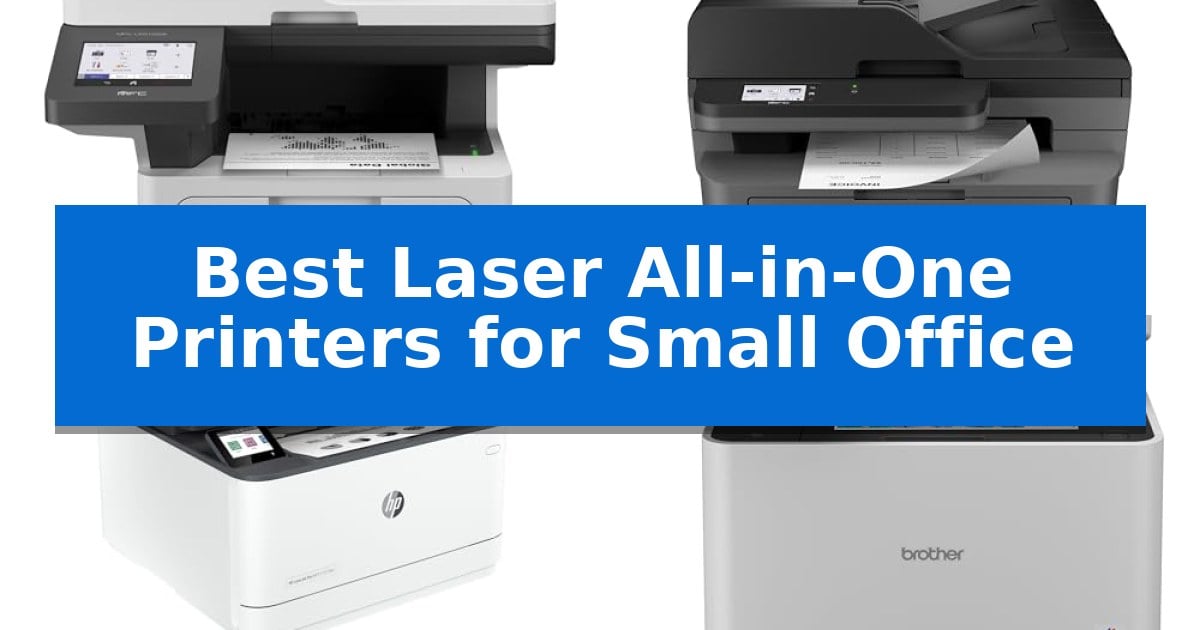
Best Laser All-in-One Printers for Small Office in 2026

Best Laser All-in-One Printers for Small Office

Finding the right equipment for a growing business requires balancing performance with physical constraints. The Best Laser All-in-One Printers for Small Office environments must handle high-volume document tasks while maintaining a footprint that does not overwhelm limited workspace.

Selecting a machine involves evaluating print speeds, scanning capabilities, and connectivity options that support multiple users. We have analyzed five laser all-in-one printers to help you identify which features align with your specific daily workflow demands.
Best Laser All-in-One Printers for Small Office in 2026

Our Top Picks
  1. Compact Footprint for Small Offices Brother MFC-L2820DW Laser All-in-One Printer
  2. Fast Multi-User Productivity HP LaserJet Pro 3101fdw All-in-One Printer
  3. Advanced Security and Color Output Brother MFC-L8930CDW Color Laser All-in-One
  4. Vivid Professional Color Results HP Color LaserJet Pro 3301sdw Printer

Quick Comparison

Product Best For Key Strength Score
Brother MFC-L5915DW Laser All-in-One Printer Best Overall 50ppm print speed for rapid document production. 4.9
Brother MFC-L2820DW Laser All-in-One Printer Compact Footprint for Small Offices Compact footprint ideal for space-constrained office environments. 4.5
HP LaserJet Pro 3101fdw All-in-One Printer Fast Multi-User Productivity Fast print speeds of up to 35 pages per minute for efficient document production. 4.3
Brother MFC-L8930CDW Color Laser All-in-One Advanced Security and Color Output High-speed duplex scanning at 104ipm with an 80-page feeder. 4.4
HP Color LaserJet Pro 3301sdw Printer Vivid Professional Color Results Fast print speeds of up to 26 ppm for both color and black documents. 4.5

How We Chose

  • Print and copy speeds measured in pages per minute (ppm) for high-volume tasks.
  • Scanning efficiency, specifically the capacity and speed of the automatic document feeder (ADF).
  • Connectivity options including Gigabit Ethernet and dual-band wireless networking for multi-user environments.
  • Operational cost considerations based on toner yield and replacement cartridge options.
  • Physical dimensions and footprint to ensure suitability for varied office layouts.

1 Brother MFC-L5915DW Laser All-in-One Printer — High-Speed Volume Printing

Maintaining document throughput in a busy office requires hardware that balances rapid output with operational efficiency. The Brother MFC-L5915DW Laser All-in-One Printer is engineered to meet these demands by delivering print and copy speeds of up to 50ppm, ensuring that large batches of documents are processed quickly to keep workflows moving without interruption.

Beyond raw speed, this machine focuses on managing long-term operating costs. It supports the Brother Genuine TN920UXXL ultra high-yield toner cartridge, which is rated for up to 18,000 pages. This high capacity significantly reduces the frequency of supply replacements, offering a practical solution for offices that handle high-volume printing tasks daily.

The device is equipped with a robust scanning suite, featuring a 70-page capacity auto document feeder. This component supports single-pass, two-sided scanning at speeds up to 56ipm, allowing for the efficient digitization of multi-page reports or legal-sized documents via the integrated document glass. This capability is particularly beneficial for offices that frequently convert physical archives into digital files.

Connectivity is managed through built-in Gigabit Ethernet and dual-band wireless networking. These options provide flexible integration into existing office infrastructures, ensuring reliable access for multiple users across a workspace. While the unit offers significant performance, its physical footprint of 19.5" x 18.6" x 19.1" requires a dedicated space, and its monochrome-only output means it is best suited for text-heavy business documentation rather than color-critical materials.

Best for: Small to medium-sized offices that require high-speed monochrome printing and efficient, high-volume document scanning.

Skip if: Users who require color printing or those with limited desk space, as the unit measures 19.5" x 18.6" x 19.1".

PROS

  • 50ppm print speed for rapid document production.
  • Ultra high-yield toner support to minimize operating costs.
  • Single-pass duplex scanning for efficient digitization.
  • Dual-band wireless and Gigabit Ethernet connectivity.

CONS

  • Monochrome-only output limits document versatility.
  • Large physical footprint requires dedicated office space.

2 Brother MFC-L2820DW Laser All-in-One Printer — Compact Footprint for Small Offices

Maximizing desk space while maintaining high-volume document handling is the primary challenge for any growing workspace. The Brother MFC-L2820DW Laser All-in-One Printer addresses this by integrating print, copy, scan, and fax capabilities into a compact 12.5-inch tall chassis, ensuring that essential office tasks do not dominate your limited surface area.

Efficiency is central to this model's design, featuring print speeds of up to 36 ppm and a 50-page auto document feeder that streamlines the processing of multi-page reports and contracts. For digital workflows, the device supports direct scanning to cloud services like Google Drive and Dropbox, which can be managed directly through the 2.7-inch touchscreen interface.

Connectivity remains flexible to suit various network environments, offering dual-band wireless (2.4GHz/5GHz), Ethernet, and USB options. Users can also leverage the Brother Mobile Connect App to manage print jobs, monitor toner levels, and initiate scans from mobile devices, providing a degree of mobility for those working away from their primary desk.

To manage ongoing operational costs, the printer is compatible with the Refresh EZ Print Subscription Service, which automates toner replacement. By utilizing genuine TN830 or TN830XL toner cartridges, offices can maintain consistent monochrome output quality while potentially reducing supply expenses through the subscription model.

Best for: Small offices requiring a compact, multi-functional monochrome laser printer with robust cloud-integrated scanning and mobile management capabilities.

Skip if: Users who require high-volume color printing or large-format document handling will find the monochrome-only, compact design of this model insufficient for their needs.

PROS

  • Compact footprint ideal for space-constrained office environments.
  • Fast print speeds up to 36 ppm for increased productivity.
  • Dual-band wireless and Ethernet connectivity for versatile network integration.
  • Cloud-integrated scanning via an intuitive 2.7-inch touchscreen.

CONS

  • Monochrome-only printing limits output to black and white documents.
  • Subscription-dependent toner savings require enrollment in the Refresh EZ Print service.

3 HP LaserJet Pro 3101fdw All-in-One Printer — Fast Multi-User Productivity

Maintaining productivity in a busy workspace requires equipment that balances high-volume output with a space-saving design. The HP LaserJet Pro 3101fdw All-in-One Printer is engineered to serve teams of up to seven people by consolidating printing, scanning, copying, and faxing into a single, efficient unit. Its compact footprint ensures it fits into shared office environments without dominating valuable desk space.

For high-output requirements, the device delivers print speeds of up to 35 pages per minute, allowing teams to process documents quickly. To minimize manual intervention and paper usage, the printer includes an automatic document feeder for batch scanning and copying, alongside auto 2-sided printing capabilities. These features are designed to streamline repetitive document tasks and reduce overall paper consumption.

Connectivity is essential for modern, flexible workspaces. This model features intelligent Wi-Fi that actively monitors for the most stable network signal, ensuring the printer remains online and ready for use. It supports a variety of connection methods, including Ethernet, Bluetooth, and AirPrint, enabling seamless printing from PCs, tablets, and smartphones across different operating systems.

Security is integrated directly into the hardware through HP Wolf Pro Security. This suite provides customizable settings that help protect sensitive business data and maintain network integrity. By securing the printer's access points, the device provides a reliable foundation for daily operations, ensuring that document workflows remain protected against unauthorized access.

Best for: Small teams of up to seven people who require a fast, reliable, and secure monochrome laser printer for high-volume document tasks.

Skip if: Users who require high-quality color printing or those with extremely limited desk space who do not need integrated fax and automatic document feeder capabilities.

PROS

  • Fast print speeds of up to 35 pages per minute for efficient document production.
  • Comprehensive all-in-one functionality including print, scan, copy, and fax capabilities.
  • HP Wolf Pro Security for customizable data and device protection.
  • Flexible connectivity options including intelligent Wi-Fi, Ethernet, and mobile printing support.

CONS

  • Monochrome-only printing limits the device to black-and-white output.
  • Footprint size may be substantial for smaller individual workstations.

4 Brother MFC-L8930CDW Color Laser All-in-One — Advanced Security and Color Output

The Brother MFC-L8930CDW Color Laser All-in-One is engineered for high-volume office environments, featuring a 7-inch color touchscreen that supports up to 64 customized shortcuts for frequently used tasks. This interface simplifies complex workflows, allowing users to navigate menus and preview scans directly at the device.

Designed to boost productivity, the unit delivers print and copy speeds of up to 33ppm. It includes an 80-page auto document feeder capable of high-speed, two-sided scanning at up to 104ipm. The inclusion of dual-band wireless networking and Gigabit Ethernet ensures flexible connectivity options for various office network setups.

To manage operational costs, the printer supports TN635XXL super high yield toner cartridges, which provide a capacity of 7,500 pages for black and 6,500 pages for color. The multipurpose tray adds versatility for custom printing needs, while the overall design is 25% smaller than the previous model to save office space.

Security and sustainability are integrated into the hardware. The device features Triple Layer Security to protect documents and networks, including an integrated NFC card reader for badge authentication. It is EPEAT Gold rated and ENERGY STAR certified, utilizing EPS-free packaging and 11% post-consumer recycled materials.

Best for: Small offices requiring high-speed, secure color printing and efficient two-sided document scanning.

Skip if: Users who require a compact, lightweight device or those who do not need high-volume laser printing capabilities.

PROS

  • High-speed duplex scanning at 104ipm with an 80-page feeder.
  • Advanced security features including integrated NFC card reader.
  • Lower printing costs via super high yield toner compatibility.
  • Flexible connectivity with dual-band Wi-Fi and Gigabit Ethernet.

CONS

  • Large physical footprint and weight of 71.2 pounds may limit placement options.

5 HP Color LaserJet Pro 3301sdw Printer — Vivid Professional Color Results

Maintaining professional document workflows requires hardware that balances speed with consistent output quality. The HP Color LaserJet Pro MFP 3301sdw addresses this need by incorporating next-generation TerraJet toner, which is engineered to produce more vivid colors for business reports and professional presentations.

This all-in-one device serves as a central hub for small teams, offering print speeds up to 26 ppm for both black and color documents. To streamline daily operations, it includes an auto document feeder and auto 2-sided printing, reducing the manual effort required for high-volume tasks.

Designed for integration into busy office environments, the unit features a 250-sheet input tray and wireless connectivity. It is built to handle the high demands of business environments, providing a reliable solution for printing, scanning, and copying within a compact footprint of approximately 16.5 inches in height.

The printer is optimized for use with Original HP 218A standard and 218X high yield LaserJet toner cartridges. Users should note that the system is designed to work exclusively with cartridges containing HP chips or circuitry, and it will block the use of non-HP alternatives to maintain print effectiveness.

Best for: Small teams that require a compact, reliable all-in-one solution for high-quality color printing and document scanning.

Skip if: Offices that rely on third-party or non-HP toner cartridges, as this device is restricted to official HP supplies.

PROS

  • Fast print speeds of up to 26 ppm for both color and black documents.
  • Integrated auto document feeder and automatic 2-sided printing for efficient workflows.
  • TerraJet toner technology designed for vivid, professional-quality color output.
  • Compact design suitable for small office spaces.

CONS

  • Strict cartridge compatibility requiring the use of Original HP chips and circuitry.
  • Limited to HP-branded toner, which may impact supply procurement flexibility.

Best Laser All-in-One Printers for Small Office Buying Guide

Connectivity and Multi-User Support

In a small office, the ability to share a printer across multiple workstations is essential. Look for models that offer both Gigabit Ethernet for stable wired connections and dual-band wireless networking to accommodate modern office layouts without requiring bulky cabling.

Advanced models often include mobile app integration, allowing team members to print or scan directly from mobile devices. This flexibility is crucial for teams that frequently transition between desktop and mobile workflows.

Print Speed and Volume Capacity

The primary advantage of a laser printer is its ability to produce high-quality text documents rapidly. For busy offices, a print speed of at least 30-50 ppm ensures that large reports or multi-page documents do not create bottlenecks.

Consider the automatic document feeder (ADF) capacity if your office handles frequent scanning or copying. A higher capacity feeder reduces the time spent manually loading pages, allowing staff to focus on other tasks while the machine processes documents.

Operational Costs and Toner Yield

The total cost of ownership is heavily influenced by toner consumption. Many professional laser printers offer ultra high-yield replacement toner cartridges, which significantly lower the cost per page over the life of the machine.

When evaluating options, compare the standard yield versus high-yield cartridge capacities. Investing in a machine that supports high-capacity toner can reduce the frequency of supply changes and lower long-term expenses.

Physical Footprint and Design

Small offices often face space limitations, making the physical dimensions of the printer a critical factor. Compact designs are ideal, but ensure that the machine still provides easy access to the paper tray and the document glass.

Some models feature a vertical design or reduced width to save desk or floor space. Always verify the clearance required for opening trays and accessing the rear of the unit for maintenance or paper jams.

Security Features

Protecting sensitive business data is a priority for any office. Look for printers that offer advanced security features, such as integrated card readers for badge authentication or secure print settings that prevent unauthorized access to documents.

These features help safeguard your network and ensure that confidential reports remain private, even in shared office environments where multiple users access the same hardware.

Frequently Asked Questions

Why choose a laser printer over an inkjet for a small office?

Laser printers typically offer faster print speeds and a lower cost-per-page for monochrome text documents, making them more efficient for high-volume business printing.

What is the benefit of an automatic document feeder (ADF)?

An ADF allows you to scan or copy multiple pages automatically without having to place each sheet on the glass individually, which saves significant time during document processing.

Can these printers handle legal-sized documents?

Most professional all-in-one laser printers include a document glass large enough to accommodate up to legal-sized documents, though you should verify the specific model's scanning specifications.

How do I reduce printing costs?

Using high-yield or ultra high-yield toner cartridges is the most effective way to lower your cost per page and reduce the frequency of maintenance tasks.

Are these printers compatible with mobile devices?

Yes, most modern laser all-in-one printers include wireless connectivity and support for mobile apps, enabling printing and scanning directly from smartphones and tablets.

Conclusion: Our Top Pick

For offices requiring a balance of speed, high-volume capacity, and professional document handling, the Brother MFC-L5915DW Laser All-in-One Printer stands out as the most capable choice. Its 50 ppm print speed and high-capacity scanning make it well-suited for demanding environments where efficiency is paramount.

While it offers robust performance, ensure your office has the necessary floor space for its dimensions before purchase. For smaller teams with lower volume needs, other compact models in this list may provide a more space-efficient alternative.
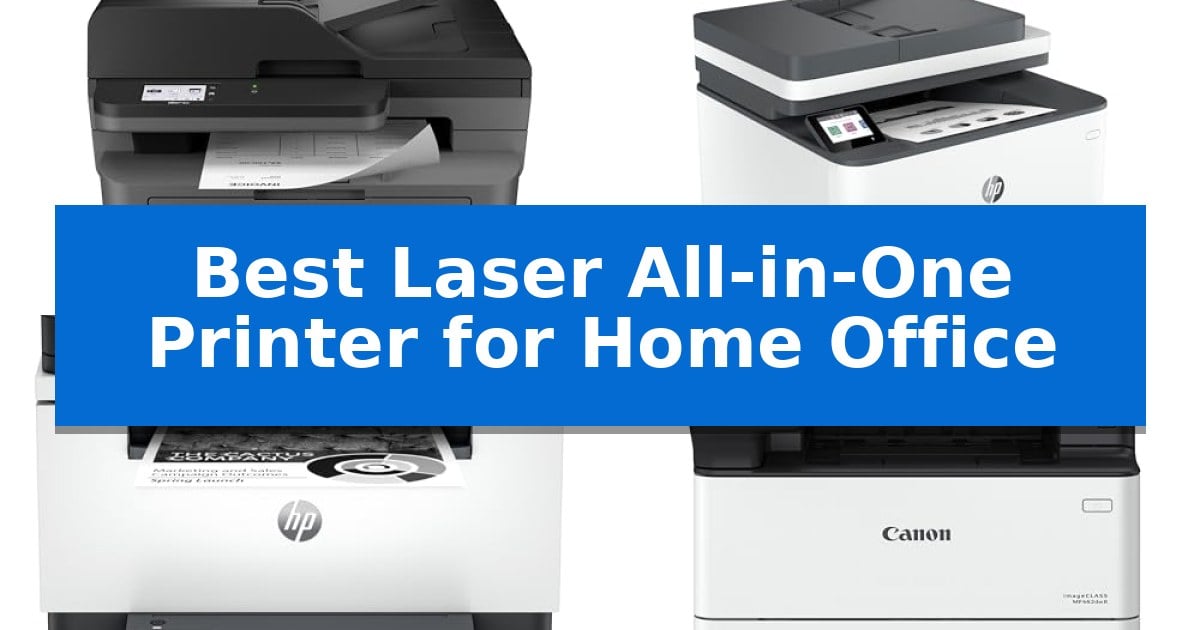
Best Laser All-in-One Printer for Home Office in 2026

Best Laser All-in-One Printer for Home Office

Finding the right machine for your workspace requires balancing physical size with the heavy-duty demands of daily documentation. A reliable Best Laser All-in-One Printer for Home Office should handle your printing, scanning, and copying needs without monopolizing your desk or requiring constant maintenance.

Whether you are managing a small team or handling high-volume personal projects, the right laser printer offers consistent output and sharp text quality. We have analyzed current models to help you identify which features—from wireless connectivity to automatic duplexing—truly matter for your specific workflow.

Best Laser All-in-One Printer for Home Office in 2026

Our Top Picks
  1. High-Speed Output for Small Teams HP LaserJet Pro 3101fdw Printer
  2. Fastest Two-Sided Printing HP LaserJet MFP M235sdw Printer
  3. High-Volume Monochrome Productivity Canon imageCLASS MF462dw II Printer
  4. Reliable Color for Professional Docs Canon Color imageCLASS MF665Cdw Printer

Quick Comparison

Product Best For Key Strength Score
Brother MFC-L2820DW Laser Printer Best Overall Compact footprint ideal for small office desks. 4.9
HP LaserJet Pro 3101fdw Printer High-Speed Output for Small Teams High-speed monochrome output reaching 35 pages per minute. 4.3
HP LaserJet MFP M235sdw Printer Fastest Two-Sided Printing Fastest two-sided printing in its class for efficient document handling. 4.6
Canon imageCLASS MF462dw II Printer High-Volume Monochrome Productivity Fast 37 PPM print speed with a 5-second first print time. 4.7
Canon Color imageCLASS MF665Cdw Printer Reliable Color for Professional Docs One-pass duplex scanning via the 50-sheet automatic document feeder. 4.8

How We Chose

  • Print speed and document handling capabilities
  • Connectivity options including wireless and mobile app support
  • Physical dimensions and overall desk footprint
  • Efficiency features like automatic document feeders and duplex printing
  • Ease of navigation through integrated touchscreens

1 Brother MFC-L2820DW Laser Printer — Compact Footprint for Small Desks

The Brother MFC-L2820DW Laser Printer is engineered for small office environments where desk space is at a premium, offering a compact footprint without sacrificing essential multi-function capabilities. This monochrome laser unit integrates printing, copying, scanning, and faxing into a single device, providing a streamlined solution for high-volume document handling.

Efficiency is central to its design, featuring print speeds of up to 36 ppm and a 50-page auto document feeder that facilitates rapid multi-page processing. Users can navigate settings and manage workflows through an intuitive 2.7-inch touchscreen, which also supports direct interaction with cloud-based services like Google Drive, Dropbox, and OneNote.

Connectivity options are versatile, supporting dual-band wireless (2.4GHz/5GHz), Ethernet, and local USB connections. The Brother Mobile Connect App further extends functionality, allowing for remote management of print and scan tasks from mobile devices, alongside tracking toner usage and ordering supplies.

To maintain consistent output, the device utilizes Brother Genuine TN830 or TN830XL toner cartridges. Integration with the Refresh EZ Print Subscription Service provides an automated approach to toner replenishment, helping to manage supply costs while ensuring the printer remains operational for daily office demands.

Best for: Small office users requiring a compact, high-speed monochrome laser printer with robust cloud integration and mobile management capabilities.

Skip if: Users who require color printing or those with limited space who do not need the integrated fax and auto document feeder functionality.

PROS

  • Compact footprint ideal for small office desks.
  • Fast print speeds up to 36 ppm for efficient document production.
  • Dual-band wireless and Ethernet connectivity for flexible networking.
  • Cloud-ready interface for direct scanning and printing.

CONS

  • Monochrome only output limits printing to black and white documents.
  • Requires specific toner (TN830/TN830XL) for optimal performance.

2 HP LaserJet Pro 3101fdw Printer — High-Speed Output for Small Teams

Maintaining a high-volume document workflow requires hardware that balances speed with reliable connectivity. The HP LaserJet Pro 3101fdw Printer is engineered to handle the demands of small teams, offering an integrated approach to printing, copying, scanning, and faxing within a single, compact footprint.

Efficiency is central to this model's design, featuring super-fast print speeds of up to 35 pages per minute for single-sided documents. To streamline repetitive tasks, the device includes auto 2-sided printing and an integrated auto document feeder, which significantly reduces manual intervention during high-volume scan or copy jobs.

Connectivity and security are prioritized to ensure the printer remains a stable asset in a busy environment. The unit utilizes intelligent Wi-Fi that actively monitors for the most stable connection, alongside standard Ethernet and Bluetooth options. For data protection, it incorporates HP Wolf Pro Security, allowing users to customize settings to safeguard sensitive information.

Designed for versatility, the printer supports wireless workflows from mobile devices, PCs, and tablets, ensuring compatibility across Microsoft, Mac, AirPrint, Android, and Chromebook platforms. With its robust feature set, the HP LaserJet Pro 3101fdw Printer serves as a centralized hub for up to seven users, balancing high-speed output with modern administrative controls.

Best for: Small teams of up to seven people requiring high-speed monochrome printing and integrated document management.

Skip if: Users who require color printing or those with very limited desk space who do not need the integrated fax and document feeder capabilities.

PROS

  • High-speed monochrome output reaching 35 pages per minute.
  • Integrated auto document feeder and auto 2-sided printing for efficient multitasking.
  • Robust HP Wolf Pro Security features for data protection.
  • Versatile wireless connectivity supporting mobile, tablet, and PC platforms.

CONS

  • Monochrome-only printing limits use for color-dependent documents.
  • Larger physical footprint compared to single-function desktop printers.

3 HP LaserJet MFP M235sdw Printer — Fastest Two-Sided Printing

Efficiency in a home office often hinges on how quickly you can move from digital documents to physical copies. The HP LaserJet MFP M235sdw Printer is engineered to streamline this workflow, offering the fastest two-sided printing in its class to help you manage multipage projects without unnecessary downtime.

Designed for small teams of 1-5 people, this all-in-one device handles printing, scanning, and copying with a focus on monochrome business documents. It features dual-band Wi-Fi with self-reset technology, which works to proactively detect and resolve connectivity interruptions, ensuring your printer remains accessible when you need it most.

Security and versatility are central to its design. The unit includes built-in security features to protect against potential network attacks and supports wireless printing from a wide range of devices, including PCs, tablets, and mobile phones via platforms like AirPrint and Chromebook. An Ethernet port is also included for those who prefer a wired network connection.

Measuring approximately 16.46 inches wide and 11.59 inches high, the HP LaserJet MFP M235sdw Printer provides a compact footprint suitable for shared workspaces. It balances high-speed, two-sided output with the essential tools required for daily administrative tasks, making it a reliable choice for professional environments.

Best for: Small offices or home-based teams of 1-5 people who require high-speed, reliable monochrome document management.

Skip if: Users who require high-volume color printing or large-format media handling will find this monochrome-only laser printer insufficient for their needs.

PROS

  • Fastest two-sided printing in its class for efficient document handling.
  • Dual-band Wi-Fi with self-reset for consistent wireless connectivity.
  • Built-in security features to safeguard the device from network threats.
  • Compact all-in-one functionality for printing, scanning, and copying.

CONS

  • Monochrome-only output limits the device to black-and-white documents.
  • Limited to small workgroups of 1-5 people.

4 Canon imageCLASS MF462dw II Printer — High-Volume Monochrome Productivity

Efficiency in a home office often hinges on minimizing downtime, and the Canon imageCLASS MF462dw II addresses this with a quick first print time of approximately 5 seconds. This monochrome laser printer is engineered to handle high-volume demands, offering print speeds reaching 37 pages per minute to keep workflows moving without significant delays.

The device functions as a versatile 4-in-1 unit, capable of printing, scanning, copying, and faxing. It streamlines document management through a 50-sheet duplex automatic document feeder that supports one-pass, two-sided scanning, ensuring that multi-page reports are processed efficiently. Users can manage these tasks via a 5-inch color touchscreen that features an intuitive interface for accessing frequently used functions.

Connectivity and paper management are central to its design. The printer supports mobile workflows through the Canon PRINT app, Apple AirPrint, and Mopria Print Service, allowing for direct printing from compatible mobile devices. To reduce the frequency of maintenance, the unit includes a 250-sheet standard cassette and a 100-sheet multipurpose tray, with the option to expand capacity further using an additional 550-sheet cassette.

Operational costs and sustainability are addressed through automatic 2-sided printing, which helps conserve paper. The system is designed to work with Canon Genuine Toner 070 or the 070 high-capacity toner cartridges, which are built to provide high page yields and consistent output quality. The unit is backed by a 3-year limited warranty, providing long-term support for home office environments.

Best for: Home offices requiring high-speed monochrome document production and multi-function versatility.

Skip if: Users who require color printing or those with limited desk space who do not need high-volume paper handling capabilities.

PROS

  • Fast 37 PPM print speed with a 5-second first print time.
  • Duplex 4-in-1 functionality including one-pass two-sided scanning.
  • Expandable paper capacity up to 900 sheets with optional accessories.
  • Mobile-ready connectivity via AirPrint, Mopria, and the Canon PRINT app.

CONS

  • Monochrome-only output limits use for color-dependent documents.
  • Large physical footprint may be challenging for compact workspaces.

5 Canon Color imageCLASS MF665Cdw Printer — Reliable Color for Professional Docs

Managing high-volume document workflows requires hardware that minimizes downtime, and the Canon Color imageCLASS MF665Cdw Printer addresses this with a 50-sheet duplex automatic document feeder. This feature enables one-pass, two-sided scanning and copying, allowing users to digitize double-sided documents without manual intervention.

Designed for efficiency, this unit delivers print speeds of up to 26 ppm in both color and monochrome. The quick first print time of approximately 10.3 seconds ensures that short, urgent documents are ready almost immediately. Integration into a home office is streamlined through easy wireless setup and support for mobile printing via the Canon PRINT app, Apple AirPrint, and Mopria Print Service.

The interface centers on a 5-inch color touchscreen that utilizes the Application Library, allowing for the customization of frequently used workflows. To maintain productivity, the printer supports Canon Genuine Toner 075 high-capacity cartridges, which are engineered to provide high page yields and reduce the frequency of replacements. Paper handling is managed by a 250-sheet standard cassette and a 1-sheet multipurpose tray.

Built for longevity and peace of mind, the device includes a 3-year limited warranty. It is also Chromebook compatible, ENERGY STAR certified, and EPEAT Silver rated, making it a practical choice for professional environments that prioritize energy efficiency and reliable document management.

Best for: Home offices requiring high-volume, two-sided document scanning and efficient color printing with mobile connectivity.

Skip if: Users with limited desk space or those who only require basic, single-function monochrome printing will find this 4-in-1 unit unnecessarily large and feature-heavy.

PROS

  • One-pass duplex scanning via the 50-sheet automatic document feeder.
  • Fast print speeds of 26 ppm for both color and monochrome.
  • Customizable 5-inch touchscreen interface for streamlined workflows.
  • 3-year limited warranty for long-term support.

CONS

  • Large physical footprint requires significant dedicated desk or shelf space.
  • Single-sheet multipurpose tray limits capacity for specialized media handling.

Best Laser All-in-One Printer for Home Office Buying Guide

Understanding Print Speed and Volume

Print speed, measured in pages per minute (ppm), is a critical factor for those who frequently produce long reports or high-volume business documents. A faster printer reduces downtime, allowing you to focus on your work rather than waiting for pages to emerge from the tray.

Consider the volume of your typical print jobs. If you only print occasionally, a moderate speed is sufficient. However, for those who regularly print multi-page documents, selecting a model with a higher ppm rating and a robust automatic document feeder (ADF) can significantly improve your daily efficiency.

Connectivity and Mobile Integration

Modern home offices rely on seamless integration between devices. Look for printers that offer dual-band wireless connectivity or Ethernet options to ensure a stable connection across your network. This allows you to print from various locations in your home or office without needing a direct cable connection.

Mobile app support is another essential feature. Printers that allow you to scan directly to cloud-based services like Google Drive or Dropbox from a mobile device provide a flexible workflow. This capability is particularly useful for digitizing physical receipts or contracts while on the go.

The Importance of Duplex Printing

Automatic duplex printing, or two-sided printing, is a simple yet effective way to reduce paper consumption and lower your office supply costs. It also saves time by eliminating the need to manually flip pages during large print jobs.

When evaluating a printer, check if the duplexing feature applies to both printing and scanning. A one-pass duplex scanner can significantly speed up the process of digitizing double-sided documents, making it a valuable asset for anyone dealing with heavy paperwork.

Physical Footprint and Workspace Constraints

Home offices often have limited space, making the physical dimensions of your printer a primary concern. A compact laser printer allows you to keep your desk organized without sacrificing the functionality of an all-in-one unit.

Before purchasing, measure your available desk or shelf space. Remember to account for the clearance needed to open the paper tray or access the scanner bed. Some models offer expandable paper capacity, which is a great trade-off if you have the vertical space but limited horizontal surface area.

Security and Data Protection

As home offices become more connected, printer security is increasingly important. Look for models that include built-in security features designed to protect your network and sensitive information from unauthorized access.

Customizable security settings allow you to manage who can access the printer and how data is transmitted. These features provide peace of mind, ensuring that your professional documents remain private and secure within your home network environment.

Frequently Asked Questions

What is the main advantage of a laser printer over an inkjet for a home office?

Laser printers are typically faster and provide sharper, more smudge-resistant text, making them ideal for high-volume document printing and professional reports.

Can I print from my smartphone with these printers?

Yes, most modern laser all-in-one printers support mobile printing via dedicated apps, Apple AirPrint, or Mopria, allowing you to print directly from your phone or tablet.

Is an automatic document feeder (ADF) necessary?

An ADF is highly recommended if you frequently scan or copy multi-page documents, as it automates the process and saves significant time compared to manual scanning.

Do I need a color laser printer for my home office?

If your work involves printing charts, graphs, or marketing materials, a color laser printer is beneficial. If you primarily print text-based documents, a monochrome laser printer is often more cost-effective.

How do I ensure my printer stays connected to Wi-Fi?

Many newer laser printers feature self-resetting Wi-Fi or dual-band connectivity, which helps the device automatically detect and resolve minor network issues to stay online.

Conclusion: Our Top Pick

For most home office environments, the Brother MFC-L2820DW Laser Printer stands out as the most balanced option. It combines a compact footprint with fast monochrome printing and versatile scanning capabilities, making it highly suitable for small desks where space is at a premium.

While other models offer higher speeds or color printing, the Brother unit provides the most reliable set of features for standard office tasks. Its integration with cloud services and mobile apps ensures that it fits well into a modern, digital-first workflow without requiring complex setup or excessive maintenance.

Best Laser AIO Printer in 2026: Streamline Your Office Workflow

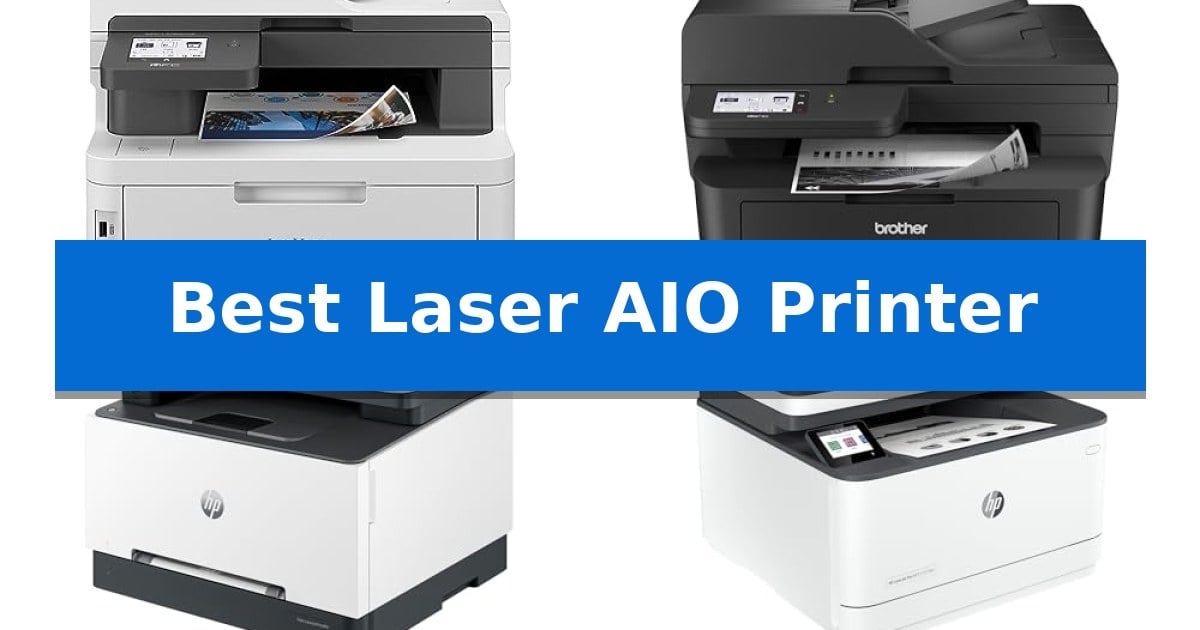
Best Laser AIO Printer

Finding the right Best Laser AIO Printer is essential for maintaining a productive workspace, whether you are managing a busy small business or a high-volume home office. These versatile machines combine printing, scanning, and copying into a single footprint, helping you save both space and time while ensuring professional-grade document quality.

With various models offering different speeds, connectivity options, and color capabilities, selecting the right device depends on your specific daily volume and document needs. We have analyzed the latest laser-based multifunction units to help you identify which printer aligns with your operational requirements and connectivity preferences.

Best Laser AIO Printer in 2026: Streamline Your Office Workflow

Our Top Picks
  1. High-Speed Monochrome Productivity Brother MFC-L2900DW Monochrome Laser AIO Printer
  2. Vivid Color for Professional Reports HP Color LaserJet Pro MFP 3301sdw
  3. Robust Security for Small Teams HP LaserJet Pro 3101fdw Monochrome AIO Printer

Quick Comparison

Product Best For Key Strength Score
Brother MFC-L3780CDW Color Laser AIO Printer Best Overall Single-pass duplex scanning and copying for increased efficiency. 4.9
Brother MFC-L2900DW Monochrome Laser AIO Printer High-Speed Monochrome Productivity High-speed 36 ppm output for rapid document production. 4.4
HP Color LaserJet Pro MFP 3301sdw Vivid Color for Professional Reports High-speed output of up to 26 ppm for both black and color documents. 4.6
HP LaserJet Pro 3101fdw Monochrome AIO Printer Robust Security for Small Teams High-speed monochrome printing reaching up to 35 pages per minute. 4.6
Canon imageCLASS MF273dw Monochrome AIO Printer Quick First-Print Performance Fast 5.3-second first print out time for immediate document access. 4.7

How We Chose

  • Print Speed and Efficiency: We assessed pages-per-minute (ppm) ratings to ensure the device can handle your team's specific document volume.
  • Document Handling Features: We prioritized models with automatic duplex printing and high-capacity document feeders to minimize manual intervention.
  • Connectivity Versatility: We looked for dual-band Wi-Fi, Gigabit Ethernet, and mobile printing support to ensure seamless integration into existing network infrastructures.
  • Output Quality and Toner Management: We considered the consistency of laser-quality text and graphics, alongside the availability of high-yield toner options for long-term cost management.
  • Security and Interface: We evaluated the presence of built-in security protocols and user-friendly touchscreens that simplify complex scan-to-cloud workflows.

1 Brother MFC-L3780CDW Color Laser AIO Printer — Fastest Color Output for Teams

Managing high-volume document workflows requires hardware that balances speed with consistent output quality. The Brother MFC-L3780CDW Color Laser AIO Printer is engineered for small business environments, offering a robust suite of copy, scan, and fax capabilities within a single, compact footprint.

This device achieves print speeds of up to 31 ppm, ensuring that professional documents are produced without significant downtime. For digital workflows, the unit features single-pass duplex copy and scan functionality, which significantly reduces the time required to process double-sided materials by scanning both sides of a page simultaneously.

Connectivity is a primary focus for modern office integration. The printer includes dual-band Wi-Fi (2.4GHz / 5GHz), Gigabit Ethernet, and Wi-Fi Direct, providing flexible options for both wired and wireless network setups. An integrated NFC reader further streamlines mobile printing tasks, while compatibility with Alexa allows for hands-free command execution.

To maintain consistent performance, the system is designed for use with Brother Genuine TN229 toner cartridges, available in standard, high-yield, and super high-yield capacities. Users can also utilize the Refresh EZ Print Subscription Service to automate toner replenishment, ensuring that the printer remains ready for continuous operation.

Best for: Small businesses requiring fast, high-volume color document production and efficient double-sided scanning.

Skip if: Users with limited desk space or those who do not require integrated fax and high-speed duplex scanning capabilities.

PROS

  • Single-pass duplex scanning and copying for increased efficiency.
  • Flexible connectivity including dual-band Wi-Fi and Gigabit Ethernet.
  • High print speeds of up to 31 ppm for professional documents.
  • NFC reader support for convenient mobile printing.

CONS

  • Large physical footprint measuring 18.2 inches in width and 15.8 inches in height.
  • Heavy chassis weighing 47.8 pounds, requiring a sturdy surface.

2 Brother MFC-L2900DW Monochrome Laser AIO Printer — High-Speed Monochrome Productivity

Efficiency in a busy office environment often hinges on the speed and reliability of document handling. The Brother Professional Laser Printer with Scanner (MFC-L2900DW) addresses this by offering a 36 ppm print speed alongside advanced single-pass scanning, ensuring that high-volume monochrome tasks are completed without unnecessary delays.

Designed for versatility, this all-in-one laser printer integrates seamlessly into modern networks through dual-band wireless (2.4GHz/5GHz), Ethernet, or USB connectivity. Users can manage complex workflows directly from the 3.5-inch touchscreen display, which provides intuitive access to cloud services like Google Drive, Dropbox, and OneNote, facilitating a streamlined digital transition for paper-heavy processes.

Productivity is further enhanced by the 50-page auto document feeder and automatic duplex printing, which minimize manual intervention during multi-page jobs. The inclusion of single-pass two-sided scanning allows for rapid digitization of double-sided documents, a significant advantage for businesses focused on maintaining organized digital archives.

Sustainability and operational costs are addressed through an enhanced fuser design that contributes to a 22% reduction in electricity consumption compared to previous iterations. This energy-efficient approach, combined with faster warm-up times from sleep mode, ensures that the device is ready when needed while maintaining a focus on long-term resource management.

Best for: Small businesses requiring high-speed monochrome printing and efficient, automated document scanning.

Skip if: Users who require high-quality color printing or large-format media handling will need a different class of printer.

PROS

  • High-speed 36 ppm output for rapid document production.
  • Single-pass two-sided scanning for efficient digitization.
  • Dual-band wireless connectivity for flexible network integration.
  • Energy-efficient fuser design reduces power consumption.

CONS

  • Monochrome-only output limits use to text and black-and-white documents.

3 HP Color LaserJet Pro MFP 3301sdw — Vivid Color for Professional Reports

Maintaining professional document standards in a small team environment requires equipment that balances speed with consistent output quality. The HP Color LaserJet Pro MFP 3301sdw addresses this by integrating high-speed printing capabilities with advanced color toner technology, specifically designed to handle the demands of busy office workflows.

This all-in-one device streamlines administrative tasks through its auto 2-sided printing and integrated auto document feeder, which simplify the processing of multi-page reports. It utilizes next-generation TerraJet toner to produce vivid color documents, ensuring that business presentations and internal reports maintain a professional appearance.

Efficiency is central to the design, with print speeds reaching up to 26 ppm for both black and color documents. The unit includes a 250-sheet input tray to minimize the frequency of paper refills, supporting continuous productivity during high-demand periods.

Compatibility is a primary consideration for this model, as it is engineered to function exclusively with Original HP 218A standard and 218X high yield LaserJet toner cartridges. The system includes built-in security measures that block cartridges using non-HP chips or circuitry, with periodic firmware updates provided to maintain these operational standards.

Best for: Small teams requiring a reliable, high-speed all-in-one printer for frequent color document and report production.

Skip if: Users who require the flexibility to use third-party or remanufactured toner cartridges will find the chip-based security restrictions limiting.

PROS

  • High-speed output of up to 26 ppm for both black and color documents.
  • Integrated auto document feeder and duplex printing for efficient paper handling.
  • TerraJet toner technology designed for vivid and professional color quality.
  • Compact all-in-one design that combines printing, scanning, and copying.

CONS

  • Proprietary cartridge requirement restricts the use of non-HP or third-party toner supplies.

4 HP LaserJet Pro 3101fdw Monochrome AIO Printer — Robust Security for Small Teams

Managing high-volume document workflows requires a device that balances speed with consistent output. The HP LaserJet Pro 3101fdw Monochrome AIO Printer is engineered for small teams of up to seven people, providing a comprehensive suite of functions including printing, scanning, copying, and faxing in a single, space-efficient footprint.

Performance is driven by a print engine capable of reaching speeds up to 35 pages per minute for single-sided documents. To streamline repetitive tasks, the unit features auto 2-sided printing and an integrated auto document feeder, which significantly reduces manual intervention when digitizing or duplicating multi-page reports.

Connectivity is a primary focus for modern office environments. The printer utilizes Intelligent Wi-Fi to maintain a stable connection and supports wireless printing from a wide range of platforms, including AirPrint, Chromebook, Microsoft, and Mac devices. For wired environments, it includes standard Ethernet and Bluetooth capabilities to ensure reliable integration into existing network infrastructures.

Security is addressed through HP Wolf Pro Security, which offers customizable settings to protect sensitive data and device integrity. This focus on security, combined with its robust feature set, makes the HP LaserJet Pro 3101fdw Monochrome AIO Printer a practical choice for professional settings that prioritize data protection and operational efficiency.

Best for: Small teams of up to seven users requiring a reliable, high-speed monochrome multifunction printer with robust security features.

Skip if: Users who require high-quality color printing or those with very limited desk space who do not need the integrated fax and document feeder functionality.

PROS

  • High-speed monochrome printing reaching up to 35 pages per minute.
  • Includes HP Wolf Pro Security for customizable data protection.
  • Versatile connectivity options including Intelligent Wi-Fi, Ethernet, and Bluetooth.
  • Integrated auto document feeder and auto 2-sided printing for efficient document handling.

CONS

  • Monochrome-only output limits the device to black-and-white documents.
  • Requires a dedicated footprint due to its all-in-one design and integrated feeder.

5 Canon imageCLASS MF273dw Monochrome AIO Printer — Quick First-Print Performance

Efficiency in a home or small office environment often hinges on how quickly a document moves from a digital file to a physical page. The Canon imageCLASS MF273dw addresses this with a first print out time of approximately 5.3 seconds, ensuring that single-page documents are ready almost instantly.

This wireless 3-in-1 device consolidates printing, copying, and scanning into a single footprint measuring 15.4 by 14.6 inches. It is designed to handle high-volume tasks with a print speed of up to 30 pages per minute, making it a practical choice for users who need consistent output without waiting for a machine to warm up.

For those looking to reduce paper waste, the unit features auto 2-sided printing as a standard capability. This functionality allows for efficient document management, automatically handling double-sided jobs without manual intervention. The printer is compatible with Toner 071 and 071 High-Capacity cartridges, providing options for managing supply costs based on print volume.

The Canon imageCLASS MF273dw balances its multifunctionality with a compact design that fits into tight workspaces. While it focuses on monochrome laser output, its combination of rapid startup and integrated scanning tools makes it a reliable workhorse for administrative tasks.

Best for: Small office or home users who prioritize rapid first-page output and need a compact, reliable monochrome laser printer for daily document tasks.

Skip if: Users who require color printing or high-resolution photo reproduction, as this is a dedicated monochrome laser device.

PROS

  • Fast 5.3-second first print out time for immediate document access.
  • Auto 2-sided printing reduces paper consumption and manual effort.
  • Compact 3-in-1 design saves desk space by combining print, copy, and scan functions.
  • 30 pages per minute throughput supports efficient document workflows.

CONS

  • Monochrome-only output limits the device to black-and-white printing.
  • No color scanning or printing capabilities.

Best Laser AIO Printer Buying Guide

Understanding Print Technology

Laser printers utilize a toner-based process that is generally faster and more durable for text-heavy documents compared to inkjet alternatives. This technology is ideal for businesses that require crisp, smudge-resistant output on a daily basis.

When selecting your device, consider whether you need color output for presentations or if a monochrome model will suffice for internal reports. Monochrome units often offer a lower cost-per-page, making them a practical choice for high-volume text printing.

Connectivity and Network Integration

Modern office environments rely on flexible connectivity. Look for printers that support dual-band Wi-Fi and Gigabit Ethernet to ensure stable connections across your network.

Many current models also feature mobile printing apps and cloud integration, allowing team members to print or scan directly from tablets and smartphones, which is vital for agile, modern workflows.

Efficiency and Document Handling

An Automatic Document Feeder (ADF) is a critical feature for anyone frequently scanning or copying multi-page contracts and reports. This allows you to process stacks of paper without manual feeding.

Automatic duplexing is another essential efficiency feature, as it enables the printer to print on both sides of the paper automatically, reducing paper waste and storage space for your physical files.

Security for Small Teams

As printers become more connected, they also become potential entry points for network threats. Selecting a device with built-in security features—such as customizable settings or data encryption—helps protect your sensitive business information.

Always check if the manufacturer provides regular firmware updates, as these are necessary to maintain the effectiveness of your printer's security measures against evolving risks.

Toner Management and Sustainability

Consider the availability and yield of toner cartridges before purchasing. High-yield toner cartridges can significantly lower your total cost of ownership by reducing the frequency of replacements.

Some printers also feature energy-efficient designs, such as faster warm-up times and reduced power consumption during sleep mode, which contributes to more sustainable office operations over time.

Frequently Asked Questions

What is the main advantage of a laser AIO printer over an inkjet?

Laser printers are typically faster, produce more durable text, and are generally more cost-effective for high-volume printing tasks.

Do I need a color laser printer for my office?

If your documents include charts, graphs, or branding that require color, a color laser printer is necessary. If you only print text-based documents, a monochrome printer is usually more economical.

What does single-pass duplex scanning mean?

Single-pass duplex scanning allows the printer to scan both sides of a document simultaneously, which significantly increases the speed of digitizing multi-page reports.

Are third-party toner cartridges safe to use?

Many manufacturers design their printers to work best with their own branded toner. Using non-branded cartridges may sometimes be blocked by firmware or result in lower print quality.

How do I ensure my printer stays secure?

Keep your printer's firmware updated, use strong network passwords, and utilize any built-in security features provided by the manufacturer to protect your data.

Conclusion: Our Top Pick

For teams requiring a balance of speed, color capability, and advanced document handling, the Brother MFC-L3780CDW Color Laser AIO Printer stands out as a highly efficient choice. Its single-pass duplex scanning and fast print speeds make it well-suited for professional environments that demand consistent, high-quality output.

While other models offer specific advantages for monochrome-only workflows or tighter security requirements, this unit provides the most comprehensive feature set for small businesses looking to upgrade their printing infrastructure. Its robust connectivity options ensure it fits easily into most modern office networks.

Best Large-Size Bluetooth Speakers in 2026

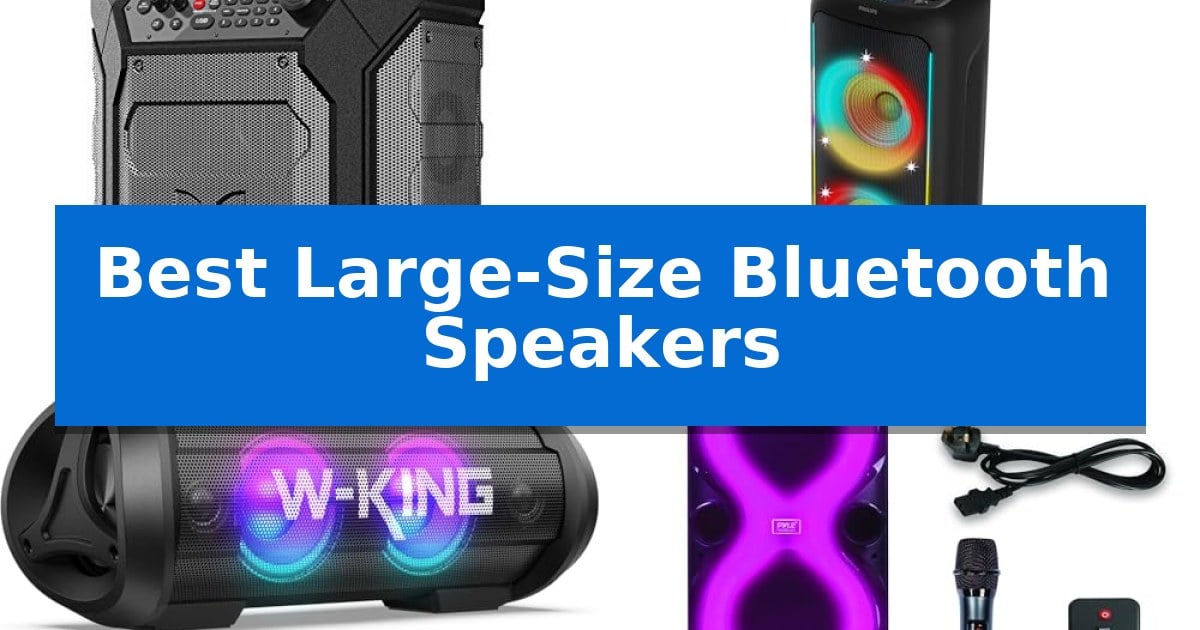
Best Large-Size Bluetooth Speakers

Finding the right audio equipment for open spaces requires balancing raw output with portability. When you need to fill a large area with sound, standard portable units often fall short, leaving you searching for a more robust solution that can handle the demands of outdoor environments.

Our guide explores the Best Large-Size Bluetooth Speakers to help you identify which models deliver the volume, battery longevity, and weather resistance necessary for your specific events. We focus on clear audio projection and practical design to ensure your next gathering has the sound quality it deserves.

Best Large-Size Bluetooth Speakers in 2026

Our Top Picks
  1. Ideal for Karaoke and Live Audio Philips TAX5000 Party Speaker
  2. Best Sound Projection for Parties W-KING D10 Portable Speaker
  3. High-Volume Output for Large Spaces Pyle Audio PPHP1028 Party Speaker
  4. Rugged Build for Rough Environments W-KING D8 Portable Speaker

Quick Comparison

Product Best For Key Strength Score
Monster Rockin' Roller 270 Speaker Best Overall 100 hours of playtime for long-lasting performance. 4.9
Philips TAX5000 Party Speaker Ideal for Karaoke and Live Audio 200W Max power with dual 8-inch woofers for impactful bass. 4.5
W-KING D10 Portable Speaker Best Sound Projection for Parties 30° tilt design improves sound projection and imaging. 4.9
Pyle Audio PPHP1028 Party Speaker High-Volume Output for Large Spaces True Wireless Stereo system for expanded sound. 4.9
W-KING D8 Portable Speaker Rugged Build for Rough Environments 40-hour battery life with integrated power bank capability. 4.5

How We Chose

  • Audio Output and Power: Assessing the wattage and driver configuration to ensure sufficient volume for large spaces.
  • Battery Capacity: Reviewing playtime specifications to confirm the speaker can last through extended events.
  • Durability and Weather Resistance: Checking for IP-rated protection against splashes or outdoor conditions.
  • Connectivity and Versatility: Evaluating input options like Bluetooth, AUX, and microphone support for diverse use cases.
  • Portability Features: Considering the inclusion of wheels, handles, or rugged designs for easier transport.

1 Monster Rockin' Roller 270 Speaker — Best for Extended Outdoor Events

When hosting large-scale events, having a reliable audio solution that handles both power and longevity is essential. The Monster Rockin' Roller 270 Speaker is engineered for these demanding scenarios, featuring an impressive 200 watts of power that delivers 270-degree sound to ensure consistent coverage across indoor or outdoor spaces.

Designed for endurance, this speaker boasts up to 100 hours of playtime on a single charge, removing the need for frequent power management during long weekends or extended gatherings. Its IPX4 weather-resistant exterior provides a layer of protection against the elements, making it a practical choice for outdoor environments where exposure to light rain or moisture is a concern.

Functionality extends beyond just audio output. The unit includes a built-in Qi wireless fast charger, allowing users to top up compatible mobile devices directly from the speaker. For those looking to scale their audio setup, the TWS pairing capability enables the connection of two units to effectively double the sound output for larger venues.

Measuring approximately 18.6 inches in height and weighing 28.6 pounds, the Monster Rockin' Roller 270 Speaker is built for portability despite its substantial output. It balances high-wattage performance with user-centric features like wireless charging and weather resistance, providing a robust tool for event organizers and outdoor enthusiasts.

Best for: The Monster Rockin' Roller 270 Speaker is best for users requiring high-power audio and extended battery life for large, multi-day outdoor events.

Skip if: Skip this model if you require a lightweight, compact speaker for casual, short-duration use or indoor-only settings where such high wattage and weather resistance are unnecessary.

PROS

  • 100 hours of playtime for long-lasting performance.
  • 200 watts of power with 270-degree sound distribution.
  • Qi wireless fast charging for mobile devices.
  • IPX4 weather-resistant construction.

CONS

  • Substantial weight of over 28 pounds may limit portability for some users.

2 Philips TAX5000 Party Speaker — Ideal for Karaoke and Live Audio

Delivering a robust 200W Max/100W RMS audio output, the Philips TAX5000 Party Speaker is engineered for high-energy environments where deep bass and clear vocal projection are essential. Its dual 8-inch woofers, paired with dedicated 2-inch tweeters and Bass+ technology, provide a balanced sound profile designed to minimize distortion even at higher volumes.

Beyond its primary audio capabilities, the unit functions as a versatile hub for live entertainment. It features dual microphone inputs and a dedicated 6.3mm guitar jack, each equipped with independent volume and echo controls. This setup allows for simultaneous vocal and instrumental performances, making it a practical choice for karaoke or impromptu jam sessions.

The speaker is built for mobility and durability, featuring a built-in handle and wheels for easier transport between venues. Its IPX4 splash-resistant rating provides protection against minor liquid exposure, while the integrated RGB LED light system offers 13 dynamic modes to enhance the visual atmosphere of a gathering, all controllable via the Philips Entertainment app.

Connectivity options are extensive, supporting both TWS (True Wireless Stereo) for pairing two units and Auracast for broadcasting audio to an unlimited number of compatible speakers. With up to 14 hours of battery life and the option for continuous AC power, it offers flexibility for both indoor and outdoor use.

Best for: Users who require a portable, high-output speaker system with integrated inputs for karaoke and live instrument performances.

Skip if: Users seeking a compact, lightweight speaker for casual listening, as the large footprint and weight of this unit are optimized for high-volume party environments.

PROS

  • 200W Max power with dual 8-inch woofers for impactful bass.
  • Integrated karaoke and live performance inputs with independent controls.
  • Versatile multi-speaker connectivity via TWS and Auracast.
  • Portable design with built-in wheels and handle.

CONS

  • Large physical footprint may be difficult to store or transport in small vehicles.
  • IPX4 rating offers only basic splash resistance, not full waterproofing.

3 W-KING D10 Portable Speaker — Best Sound Projection for Parties

The W-KING D10 Portable Speaker distinguishes itself with a specialized 30° tilt design that angles the audio upward, effectively widening the soundstage and directing high-frequency details toward the listener without requiring external stands. This physical orientation, combined with a 2+2 stereo driver array consisting of dual 45W woofers and dual 15W tweeters, ensures that audio imaging remains clear whether the speaker is placed on the ground or a tabletop.

Engineered for high-output environments, the unit utilizes WDSP 2.0 technology to manage its 120W peak power and 90W RMS output. This processing maintains frequency separation and prevents distortion, even when pushing the speaker to its 110dB SPL limit. For those requiring even greater coverage, the system supports 240W stereo pairing by linking two units wirelessly, creating a broader sound field suitable for larger outdoor gatherings.

The device prioritizes versatility through multiple playback options, including Bluetooth 5.4 for stable, long-range connectivity, an AUX-in port for wired sources like televisions or laptops, and a TF card slot for direct MP3/WAV playback. The IPX6 waterproof rating provides protection against heavy rain and splashes, provided the silicone seal covering the ports is fully secured. A built-in high-capacity battery provides up to 42 hours of playtime at minimum volume, with an integrated USB output for charging mobile devices.

Usability is enhanced by dedicated physical controls, including two EQ modes—Bass Boost and Standard—that allow for immediate sound adjustments without the need for a companion app. The inclusion of a 0.25-inch microphone jack enables karaoke functionality, while dynamic RGB lighting provides visual feedback that pulses in sync with the audio output.

Best for: Users needing a high-output, weather-resistant portable speaker for outdoor parties and large gatherings.

Skip if: Users seeking a lightweight, ultra-compact speaker for hiking or minimalist travel will find the 6.6-pound weight and large footprint cumbersome.

PROS

  • 30° tilt design improves sound projection and imaging.
  • 120W peak power with WDSP 2.0 ensures clear, distortion-free audio at high volumes.
  • Versatile connectivity including Bluetooth 5.4, AUX, and TF card support.
  • IPX6 waterproof rating and long-lasting battery for outdoor reliability.

CONS

  • Substantial weight of 6.6 pounds limits portability compared to smaller devices.
  • Requires manual sealing of the port cover to maintain IPX6 water resistance.

4 Pyle Audio PPHP1028 Party Speaker — High-Volume Output for Large Spaces

The Pyle Audio PPHP1028 Party Speaker is designed for high-volume audio needs, featuring a 60W RMS output and a True Wireless Stereo system that allows for expanded sound coverage. Its physical design prioritizes mobility with a sturdy extendable handle and a footprint of 13" x 13.2" x 39", making it a practical choice for users who need to transport a large-format speaker between indoor and outdoor venues.

Operation is centered around a bright LED display that provides clear visibility for adjusting volume and switching between inputs, even in low-light environments. The speaker offers versatile connectivity, including Bluetooth, USB, Micro SD, and FM radio, alongside a 6.5mm microphone input for vocal applications. Users can further tailor the audio output using dedicated bass and treble controls to adjust the sound profile to their preference.

This unit is built for varied event types, from karaoke nights to general outdoor gatherings, and comes with a 1-year warranty. By combining multiple playback sources with physical tone adjustments, the Pyle Audio PPHP1028 Party Speaker provides a flexible solution for those requiring a self-contained, portable sound system for large spaces.

Best for: Users needing a portable, high-volume speaker with multiple input options and manual tone controls for events.

Skip if: Users requiring a compact, bookshelf-sized speaker or those who do not need microphone inputs and large-scale portability.

PROS

  • True Wireless Stereo system for expanded sound.
  • Multiple input options including Bluetooth, USB, and 6.5mm mic input.
  • Extendable handle for easier transport of the 28 lb unit.
  • Dedicated bass and treble controls for audio adjustment.

CONS

  • Large physical footprint may be difficult to store in small spaces.
  • Weight of 28 lbs requires use of the handle for mobility.

5 W-KING D8 Portable Speaker — Rugged Build for Rough Environments

When outdoor gatherings demand reliable audio, the W-KING D8 Portable Speaker provides a robust solution with its 90W Peak 50W RMS sound output. Designed for durability, this speaker features a mechanical casing that is both IPX7 waterproof and shockproof, ensuring it remains functional during pool parties, beach trips, or camping excursions.

The audio profile is driven by two 25W subwoofers and two 5W tweeters, supported by double passive bass radiators to deliver punchy low-end frequencies. Users can toggle between indoor and outdoor equalizer modes to optimize the sound signature for different environments, while the built-in microphone enables hands-free calling or use as a temporary conference speaker.

For extended events, the unit houses a massive battery capable of up to 40 hours of playtime. It also functions as a power bank, allowing you to charge mobile devices on the go. Connectivity is versatile, offering Bluetooth 5.0 with a 100ft range, alongside AUX, TF card, and U-Disk support for various playback sources.

If you require even more coverage, the W-KING D8 Portable Speaker supports a pairing function that links two units to create a 100W RMS stereo surround sound system. This setup enhances clarity and detail for larger outdoor spaces, making it a practical choice for backyard barbecues or tailgating events.

Best for: Outdoor enthusiasts and party hosts who need a rugged, long-lasting speaker with multiple input options and power bank functionality.

Skip if: Users seeking a lightweight or compact speaker for travel will find the 5.3-pound weight and large dimensions less convenient for portability.

PROS

  • 40-hour battery life with integrated power bank capability.
  • IPX7 waterproof and shockproof construction for outdoor use.
  • Multiple connectivity options including Bluetooth, AUX, TF card, and U-Disk.
  • Stereo pairing capability for expanded 100W RMS sound.

CONS

  • Heavy 5.3-pound design may be cumbersome for frequent transport.
  • Larger physical footprint compared to standard portable Bluetooth speakers.

Best Large-Size Bluetooth Speakers Buying Guide

Understanding Power and Sound Projection

The primary advantage of a large-size speaker is its ability to push air and maintain sound pressure levels over a wider area. Look for models that specify RMS power rather than just peak wattage, as RMS provides a more accurate representation of continuous, distortion-free output.

Consider the driver array, such as the use of dedicated woofers for bass and tweeters for high-frequency clarity. A well-designed crossover network ensures that these components work together, preventing the audio from becoming muddy when you increase the volume.

Battery Life and Power Management

For outdoor events, battery life is a critical constraint. High-capacity batteries allow for longer playback, but remember that actual performance often depends on the volume level used. Some models offer USB charging outputs, which turn the speaker into a power bank for your mobile devices.

Always check if the speaker supports AC power in addition to battery operation. This flexibility allows you to keep the music going indefinitely if you have access to a standard power outlet, making it a reliable choice for backyard parties.

Weather Resistance and Ruggedness

Outdoor environments expose equipment to moisture, dust, and accidental impacts. An IPX4 or IPX6 rating indicates that the device can withstand splashes or heavy rain, which is essential for beach or poolside use.

Beyond water resistance, look for a durable exterior casing. Reinforced corners and sturdy grilles protect the internal components from the wear and tear of frequent transport and setup in rough environments.

Connectivity and Input Versatility

Modern speakers should offer more than just basic Bluetooth. Features like True Wireless Stereo (TWS) allow you to pair two identical units for a wider soundstage, effectively doubling your output for larger crowds.

If you plan to use the speaker for events, check for microphone and guitar inputs. These ports allow the speaker to function as a portable PA system, providing independent volume and echo controls for live performances or karaoke.

Portability and Ease of Transport

Large speakers can be heavy, often exceeding 20 pounds. Features like integrated wheels and telescoping handles are significant advantages, transforming a cumbersome piece of equipment into a manageable, mobile unit.

Assess the weight and dimensions relative to your storage space and vehicle capacity. A speaker that is difficult to move will likely see less use, so prioritize models that balance high-volume output with a design that fits your lifestyle.

Frequently Asked Questions

What does TWS pairing mean for these speakers?

TWS, or True Wireless Stereo, allows you to wirelessly connect two compatible speakers to create a synchronized left and right channel system, providing a more immersive and louder sound experience.

Can I use these speakers for live performances?

Yes, many large-size Bluetooth speakers include dedicated microphone and instrument inputs, making them suitable for karaoke, small jam sessions, or public announcements.

How important is the IP rating for outdoor use?

An IP rating is crucial if you plan to use the speaker near water or in unpredictable weather. An IPX4 rating protects against splashes, while an IPX6 rating offers more robust protection against heavy rain.

Do these speakers require an app for full functionality?

While some models offer companion apps for advanced light show customization or EQ settings, most are designed to function fully using the onboard physical controls.

Can I charge my phone using the speaker's battery?

Many large-size speakers feature a built-in USB output or Qi wireless charging pad, allowing you to use the speaker's internal battery to top up your mobile devices while you listen.

Conclusion: Our Top Pick

When selecting among the Best Large-Size Bluetooth Speakers, the Monster Rockin' Roller 270 Speaker stands out for its combination of high power output and exceptional battery life. Its ability to provide up to 100 hours of playtime makes it a reliable choice for long-duration events where power access might be limited.

While other models offer specific advantages like karaoke-ready inputs or ruggedized designs, the Monster Rockin' Roller 270 provides a versatile, weather-resistant solution that effectively balances volume and longevity for most outdoor scenarios.

Best Large-Screen Portable PCs in 2026: Expand Your Workspace Anywhere

Best Large-Screen Portable PCs

Finding the right screen real estate while working remotely or traveling can be a significant challenge. Many professionals and gamers find themselves limited by the cramped displays of their laptops, which can hinder multitasking and reduce overall efficiency. The Best Large-Screen Portable PCs—or more accurately, large-format portable monitors—provide a practical solution by offering expansive, high-resolution viewing areas that fit easily into a backpack.

These devices bridge the gap between a stationary desktop experience and the flexibility of a mobile lifestyle. Whether you need extra room for complex spreadsheets, a dedicated secondary screen for creative projects, or a smooth display for gaming on the go, these monitors offer the necessary screen space without the bulk of traditional hardware. We have reviewed the leading models to help you identify which display best fits your specific workflow and connectivity needs.

Best Large-Screen Portable PCs in 2026: Expand Your Workspace Anywhere

Our Top Picks
  1. Vibrant QLED for creative tasks UPERFECT 24 Inch Portable Monitor
  2. Ultra-smooth visuals for multitasking Maovz 18.5 Inch Portable Monitor
  3. Expansive screen in slim profile VisionOwl 18.5 Inch Portable Monitor
  4. Essential secondary display for travel VILVA 15.6 Inch Portable Monitor

Quick Comparison

Product Best For Key Strength Score
LUMIPIX 23.8 Inch Portable Monitor Best Overall Spacious 23.8-inch display for enhanced multitasking. 4.9
UPERFECT 24 Inch Portable Monitor Vibrant QLED for creative tasks Large 24-inch QLED display for enhanced color depth and contrast. 4.3
Maovz 18.5 Inch Portable Monitor Ultra-smooth visuals for multitasking 18.5-inch large display for expansive multitasking. 4.7
VisionOwl 18.5 Inch Portable Monitor Expansive screen in slim profile 18.5-inch large screen provides significant workspace in a portable form factor. 4.7
VILVA 15.6 Inch Portable Monitor Essential secondary display for travel Dual connectivity via USB-C and HDMI for broad device compatibility. 4.7

How We Chose

  • Display size and resolution clarity for detailed tasks.
  • Refresh rate performance for smooth motion in video and gaming.
  • Connectivity options including USB-C and HDMI compatibility.
  • Mounting versatility through VESA compatibility and integrated stands.
  • Physical build quality and overall weight for travel convenience.

1 LUMIPIX 23.8 Inch Portable Monitor — Desktop-like workspace on the go

Expanding your digital workspace often requires more than just a standard laptop display, and the LUMIPIX 23.8 Inch Portable Monitor provides a significant 23.8-inch Full HD screen designed to offer a desktop-like experience on the go. This large-format portable display is engineered to boost productivity and comfort, making it a practical choice for those who need to manage multiple windows or require a more expansive view while traveling or working remotely.

The monitor features a 120Hz refresh rate, which facilitates smoother motion for scrolling, video playback, and responsive interaction. With a 1920×1080 resolution, HDR support, and a 400-nit brightness rating, it delivers clear visuals suitable for various media tasks. The inclusion of a 1300:1 contrast ratio further aids in maintaining image depth and clarity during extended use.

Connectivity is handled through dual USB-C and Mini HDMI ports, ensuring broad compatibility with devices ranging from MacBooks and Windows PCs to gaming consoles like the PS5, Xbox, and Switch. This plug-and-play design allows for quick setup in diverse environments, whether you are in a home office, a hybrid workspace, or a temporary travel setup.

For those with specialized desk requirements, the unit is VESA mount compatible (100x100mm), allowing it to be attached to monitor arms or wall mounts for a more permanent or ergonomic configuration. The package includes an HDMI cable and power adapter, providing the necessary components to integrate the screen into your existing hardware ecosystem immediately.

Best for: Professionals and gamers who need a large, high-refresh-rate secondary display that remains portable for travel or hybrid office setups.

Skip if: Users who prioritize ultra-lightweight, compact gear for frequent transit may find the 23.8-inch form factor and 5.9-pound weight less convenient than smaller, more portable alternatives.

PROS

  • Spacious 23.8-inch display for enhanced multitasking.
  • 120Hz refresh rate for smooth motion and responsive visuals.
  • VESA mount compatibility for flexible workspace integration.
  • Versatile connectivity via dual USB-C and Mini HDMI ports.

CONS

  • Larger physical footprint compared to standard 13-15 inch portable monitors.
  • Heavier design at 5.9 pounds may impact portability for some users.

2 UPERFECT 24 Inch Portable Monitor — Vibrant QLED for creative tasks

The UPERFECT 24 Inch Portable Monitor distinguishes itself with a large-format 24-inch QLED display, providing a expansive workspace that bridges the gap between desktop-grade screen real estate and portable convenience. This monitor is engineered for users who require high color accuracy and contrast for professional tasks like photo editing, while its sleek, slim profile ensures it remains manageable for transport.

Performance is anchored by a 144Hz high refresh rate, which effectively minimizes motion blur during fast-paced visual tasks. The integration of QLED technology enhances color depth and contrast, resulting in vibrant, true-to-life imagery. Connectivity is streamlined through HDMI and Type-C plug-and-play support, allowing for rapid integration with laptops, game consoles, and other peripherals without complex configuration.

Designed with mobility in mind, the unit weighs only 5.37 pounds, making it a viable solution for creating a dual-screen workstation in various environments. The inclusion of VESA mount compatibility and an integrated stand offers flexible placement options, though users should ensure the monitor is positioned at or slightly below eye level to maintain stability and ergonomic comfort.

This monitor serves as a versatile tool for both creative professionals and entertainment enthusiasts who demand a larger viewing area than standard portable displays offer. While its size provides significant productivity benefits, users should be mindful of the physical footprint when selecting travel bags or workspace surfaces.

Best for: Creative professionals and gamers who need a large, high-refresh-rate secondary display that remains portable enough for travel.

Skip if: Users with extremely limited desk space or those who require a smaller, ultra-lightweight display that fits into compact laptop sleeves.

PROS

  • Large 24-inch QLED display for enhanced color depth and contrast.
  • 144Hz refresh rate for smooth motion and reduced blur.
  • Versatile connectivity via HDMI and Type-C ports.
  • Lightweight design at 5.37 pounds for improved portability.

CONS

  • Large physical footprint may require more desk space than smaller portable monitors.
  • Stand stability requires careful positioning to avoid steep downward angles.

3 Maovz 18.5 Inch Portable Monitor — Ultra-smooth visuals for multitasking

The Maovz 18.5 Inch Portable Monitor provides a substantial 18.5-inch viewing area, making it a standout choice for users who require extra screen real estate without sacrificing mobility. This display features a 100Hz refresh rate and 1080p FHD resolution, ensuring smooth motion and crisp visuals for both professional multitasking and entertainment.

Designed for versatility, the monitor includes a built-in kickstand that supports both portrait and landscape orientations, allowing for flexible workspace configurations. Its 3-sided frameless design and slim 0.59-inch profile keep the weight at a manageable 2.45 lbs, facilitating easy transport in the included storage bag.

Connectivity is streamlined through dual USB-C ports and an HDMI interface, enabling plug-and-play compatibility with a wide range of devices including laptops, gaming consoles, and tablets. The display covers 125% of the sRGB color gamut, delivering vibrant color reproduction for color-sensitive tasks.

To support extended usage, the unit incorporates eye-care technologies such as blue light reduction and an anti-glare coating. For those requiring a permanent or semi-permanent setup, the monitor is VESA-compatible, allowing it to be mounted on standard arms or wall brackets for a clutter-free desk environment.

Best for: Users needing a large, high-refresh-rate secondary display for travel, remote work, or gaming.

Skip if: Users who require a smaller, ultra-compact screen or those whose devices lack a full-featured USB-C port or external power source for stable operation.

PROS

  • 18.5-inch large display for expansive multitasking.
  • 100Hz refresh rate for smooth motion.
  • Versatile VESA mounting and built-in kickstand.
  • Broad compatibility via USB-C and HDMI.

CONS

  • Requires external power for stable performance on some devices.
  • Larger footprint compared to standard 13-15 inch portable monitors.

4 VisionOwl 18.5 Inch Portable Monitor — Expansive screen in slim profile

Expanding your digital workspace requires a display that balances screen real estate with physical portability. The VisionOwl 18.5 Inch Portable Monitor addresses this need by offering a large 18.5-inch FHD IPS panel that maintains a slim 0.24-inch minimum thickness, making it a viable solution for users who require a secondary screen without sacrificing mobility.

Designed for both productivity and entertainment, this monitor features a 100Hz high refresh rate and 125% sRGB color gamut, which helps reduce motion blur during fast-paced tasks. The inclusion of an integrated metal stand and a robust metal back panel provides a stable viewing experience, while the VESA mountable design allows for flexible placement on walls or tabletops in permanent office setups.

Connectivity is streamlined through two USB-C ports and a standard HDMI port. Devices equipped with a Thunderbolt 3/4/5 or Full-Featured USB-C port can utilize a single-cable connection for both power and signal transmission, reducing cable clutter. This wide compatibility ensures the monitor functions effectively with MacBooks, Surface devices, PCs, and gaming consoles like the PS5 or Xbox.

Weighing only 2.7 lbs, the monitor is built for relocation and travel. Its combination of a large viewing area and lightweight construction makes it a practical tool for professionals or gamers who need a secondary display that can be easily packed and deployed in various environments.

Best for: Users who need a large, high-refresh-rate secondary display for travel, gaming, or expanded productivity that supports single-cable USB-C connectivity.

Skip if: Users who require a smaller, ultra-compact form factor or those whose devices lack a Full-Featured USB-C or HDMI port.

PROS

  • 18.5-inch large screen provides significant workspace in a portable form factor.
  • 100Hz high refresh rate reduces motion blur for smoother visuals.
  • Single-cable USB-C connectivity simplifies setup with compatible devices.
  • Durable metal construction with an integrated stand and VESA mounting options.

CONS

  • Large 18.5-inch footprint may be less portable than smaller 13-15 inch alternatives.

5 VILVA 15.6 Inch Portable Monitor — Essential secondary display for travel

Expanding your digital workspace while on the move requires a reliable secondary display, and the VILVA 15.6 Inch Portable Monitor provides a straightforward solution for those needing extra screen real estate. This device features a 15.6-inch FHD IPS screen with a 1920 x 1080 resolution, offering a crisp visual experience for both professional tasks and entertainment.

Connectivity is a primary focus for this model, as it includes both USB-C and HDMI ports. This versatility allows for a stable connection to a wide range of devices, including laptops, PCs, Macs, tablets, phones, and gaming consoles like the Xbox, Switch, and PlayStation. The inclusion of built-in dual stereo speakers adds an integrated audio component, which is useful for travel or home entertainment setups where space is limited.

The monitor is built with a durable metal material that provides a high-strength, fine texture. To enhance portability and protection, it comes with a magnetic leather smart cover that serves a dual purpose: safeguarding the screen during transport and acting as a stand for viewing. The package includes the necessary cables, specifically a USB-C to USB-C cable and a Mini HDMI to HDMI cable, ensuring you have the required components to get started immediately.

Measuring just 0.3 inches in height, the monitor is designed to be thin and lightweight, weighing approximately 3.84 pounds. This form factor makes it a practical addition to a laptop bag for business trips or remote work setups. With a 2-year warranty included, it offers a level of support for users looking for a long-term portable display solution.

Best for: Travelers and remote workers who need a lightweight, secondary FHD display for multi-device connectivity.

Skip if: Users requiring specialized color accuracy for professional creative work or those who need a higher refresh rate for competitive gaming.

PROS

  • Dual connectivity via USB-C and HDMI for broad device compatibility.
  • Integrated dual stereo speakers for portable audio.
  • Magnetic leather smart cover included for screen protection and stand functionality.
  • Slim 0.3-inch profile for easy transport.

CONS

  • Standard 60Hz refresh rate may not satisfy high-end gaming requirements.
  • Requires external power or host device power to operate.

Best Large-Screen Portable PCs Buying Guide

Understanding Screen Size and Resolution

When selecting from the Best Large-Screen Portable PCs, the physical dimensions and resolution are paramount. A 23-inch or 24-inch display offers a true desktop-like experience, which is ideal for side-by-side window management. However, these larger screens require more space in your bag and may be heavier to transport.

Most high-quality portable monitors feature a 1920×1080 Full HD resolution. While this is standard, the clarity can vary based on the panel technology used. IPS panels generally provide better color accuracy and wider viewing angles, making them a preferred choice for creative professionals who need consistent visuals.

Connectivity and Power Requirements

Modern portable monitors rely heavily on USB-C connectivity for both power and data transmission. This single-cable solution is highly convenient, but it requires your laptop to have a full-featured USB-C port that supports DisplayPort Alt Mode. Always verify your laptop's port capabilities before purchasing.

For devices that do not support single-cable solutions, HDMI ports are essential. Many monitors include both USB-C and HDMI to ensure broad compatibility with gaming consoles, tablets, and older computers. Keep in mind that using HDMI often requires an additional power source, which can add complexity to your mobile setup.

Refresh Rates and Motion Handling

A higher refresh rate, such as 100Hz, 120Hz, or 144Hz, significantly improves the fluidity of motion on screen. This is particularly noticeable when scrolling through documents, editing video, or playing fast-paced games. If your work involves frequent motion or gaming, prioritizing a higher refresh rate is a wise investment.

While standard 60Hz displays are sufficient for basic office tasks, they may feel sluggish compared to the smoother experience provided by high-refresh-rate panels. The trade-off is often a slightly higher price point, but the benefit to visual comfort and responsiveness is substantial.

Mounting and Ergonomics

Ergonomics are often overlooked in portable setups. Look for monitors that include VESA mount compatibility, which allows you to attach the screen to a monitor arm or desk stand. This is a game-changer for creating a permanent-feeling workstation in a temporary space.

Integrated kickstands or smart covers are also vital for stability. A monitor that can easily switch between landscape and portrait orientations provides extra flexibility for coding, reading long documents, or viewing social media feeds.

Portability and Build Quality

The weight and thickness of a monitor determine how often you will actually take it with you. A monitor that is under 3 pounds is generally considered highly portable, while larger 24-inch models may weigh closer to 5 or 6 pounds.

Consider the materials used in the construction. Metal back panels and reinforced frames offer better durability against the bumps and scrapes of travel. Always use a protective sleeve or the included storage bag to prevent screen scratches during transit.

Frequently Asked Questions

Do I need a special driver to use these portable monitors?

Most modern portable monitors are plug-and-play devices. Once connected via a compatible USB-C or HDMI cable, your operating system should automatically detect the display without the need for additional drivers.

Can I power these monitors using only my laptop's USB-C port?

Yes, if your laptop's USB-C port provides sufficient power delivery. If the screen flickers or fails to turn on, it is likely that your laptop is not outputting enough power, and you should use the included external power adapter.

Are these monitors compatible with gaming consoles like the PS5 or Xbox?

Yes, most portable monitors with an HDMI port are compatible with gaming consoles. Ensure the monitor's resolution and refresh rate meet your console's requirements for the best gaming experience.

What is the benefit of a VESA-compatible portable monitor?

VESA compatibility allows you to mount the monitor to a standard desk arm or wall mount. This is ideal for users who want to elevate their screen to eye level to improve posture and save desk space.

How do I protect the screen while traveling?

Most portable monitors come with a protective smart cover or a dedicated storage bag. Always use these accessories to protect the display panel from pressure and scratches when the monitor is packed in your bag.

Conclusion: Our Top Pick

Choosing the right display depends on balancing your need for screen real estate with the practicalities of travel. For those who prioritize a large, immersive workspace that mimics a desktop environment, the LUMIPIX 23.8 Inch Portable Monitor stands out as a top choice. Its expansive 23.8-inch screen, combined with a 120Hz refresh rate and VESA mounting support, provides a versatile and high-performance solution for both work and play.

While larger monitors offer undeniable productivity benefits, ensure your travel bag can accommodate the dimensions of a 23.8-inch or 24-inch device. If you frequently move between locations, the added weight of these larger models is a trade-off for the superior visual experience they provide. For most users, the combination of screen size, smooth motion, and flexible connectivity makes the LUMIPIX an excellent investment for a mobile-first lifestyle.

Best Large-Format Gaming Monitor in 2026

Best Large-Format Gaming Monitor

Finding the right display for an expansive gaming setup requires balancing screen real estate with technical performance. Whether you are looking for a massive canvas for racing simulations or a high-refresh-rate panel for competitive play, selecting the Best Large-Format Gaming Monitor depends on how you prioritize resolution, curvature, and connectivity.

A larger display can fundamentally change your interaction with digital environments, offering deeper immersion through wider fields of view. We have analyzed the latest models to help you navigate the trade-offs between screen size, refresh rates, and panel technology, ensuring your next upgrade aligns with your specific gaming and productivity needs.

Best Large-Format Gaming Monitor in 2026

Our Top Picks
  1. Massive screen for seamless multitasking INNOCN 49-inch Curved Gaming Monitor
  2. Fluid visuals for marathon sessions Alienware 34 Curved Gaming Monitor
  3. Expansive workspace for racing sims Deco Gear 39-inch Gaming Monitor
  4. High-speed refresh for competitive play SANSUI 32-inch Curved Gaming Monitor

Quick Comparison

Product Best For Key Strength Score
Samsung Odyssey G7 Gaming Monitor Best Overall 1000R curvature provides an immersive, wrap-around viewing experience. 4.9
INNOCN 49-inch Curved Gaming Monitor Massive screen for seamless multitasking 65W USB-C Power Delivery for simplified device connectivity. 4.8
Alienware 34 Curved Gaming Monitor Fluid visuals for marathon sessions 180Hz refresh rate for fluid motion in fast-paced games. 4.5
Deco Gear 39-inch Gaming Monitor Expansive workspace for racing sims 65W USB-C power delivery for streamlined laptop connectivity. 4.7
SANSUI 32-inch Curved Gaming Monitor High-speed refresh for competitive play 240Hz high refresh rate for smooth motion handling 4.8

How We Chose

  • Panel resolution and aspect ratio suitability for immersive gaming.
  • Refresh rate and response time consistency to minimize motion blur.
  • Curvature radius and its impact on peripheral viewing comfort.
  • Connectivity options including USB-C power delivery and high-bandwidth ports.
  • HDR certification and color gamut coverage for visual depth.

1 Samsung Odyssey G7 Gaming Monitor — Ultrawide immersion for epic gameplay

The Samsung 40” Odyssey G7 (G75F) Series WUHD Curved Gaming Monitor centers its design around a massive 40-inch 1000R curved display, engineered to wrap around the user's field of vision for total immersion. By utilizing a 21:9 aspect ratio and Ultrawide 4K resolution, this monitor provides a expansive canvas that enhances the sense of realism in high-fidelity gaming environments.

Performance is driven by a 180Hz refresh rate paired with a 1ms (GtG) response time, which work together to maintain fluid motion during fast-paced sequences. To ensure visual fidelity, the display incorporates VESA DisplayHDR 600, enabling deeper contrast between dark shadows and bright highlights, which is particularly beneficial for maintaining clarity in atmospheric or dimly lit game scenes.

Compatibility with AMD FreeSync Premium Pro further refines the experience by synchronizing the display output with the GPU to reduce visual stutter. The monitor's physical dimensions of 36.56 inches in width and 23.58 inches in height reflect its large-format nature, requiring a substantial desk footprint for proper placement.

While the curved design is intended to draw the player into the action, it is a specialized form factor that prioritizes gaming and media consumption over traditional flat-screen productivity tasks. This monitor is a dedicated solution for those seeking to maximize their peripheral engagement through a single, expansive display.

Best for: Gamers seeking an expansive, immersive field of view with high-refresh-rate performance for ultrawide gaming.

Skip if: Users who require a flat screen for professional graphic design or those with limited desk space for a 40-inch curved unit.

PROS

  • 1000R curvature provides an immersive, wrap-around viewing experience.
  • 180Hz refresh rate and 1ms response time support smooth motion.
  • VESA DisplayHDR 600 enhances contrast and visual depth.
  • Ultrawide 4K resolution offers high pixel density for detailed imagery.

CONS

  • Large 40-inch footprint requires significant desk space.
  • Curved display may not be ideal for users needing a perfectly flat surface for precision design work.

2 INNOCN 49-inch Curved Gaming Monitor — Massive screen for seamless multitasking

The INNOCN 49-inch Curved Gaming Monitor features an expansive 32:9 aspect ratio and a 5120 x 1440 resolution, providing a massive workspace that effectively replaces dual-monitor setups. Its 1800R curvature is engineered to improve viewing comfort by limiting eye strain, making it a practical choice for users who spend long hours in front of a screen.

Performance-oriented features include a 120Hz refresh rate via DisplayPort 1.4 and Adaptive-Sync technology, which work together to deliver smooth visuals. The monitor utilizes a VA panel with a 3000:1 contrast ratio and HDR400 support, ensuring deep blacks and vibrant color reproduction that meets 99% sRGB standards for accurate content creation.

Connectivity is a major strength, highlighted by a 65W USB Type-C port that allows for single-cable power delivery and data transfer to compatible laptops. The inclusion of HDMI 2.1, DisplayPort, and an RJ45 Ethernet port provides versatile options for connecting gaming consoles, workstations, and peripherals simultaneously.

Multitasking is streamlined through built-in PIP (Picture-in-Picture) and PBP (Picture-by-Picture) split-screen technology. These tools allow users to display content from two separate input sources on a single panel, offering significant flexibility for professionals who need to monitor multiple devices or streams at once.

Best for: Content creators and gamers who require a massive, immersive display with integrated multitasking capabilities and single-cable connectivity.

Skip if: Users with limited desk space or those who prefer a traditional 16:9 aspect ratio for standard productivity tasks.

PROS

  • 65W USB-C Power Delivery for simplified device connectivity.
  • Dual QHD resolution provides extensive screen real estate.
  • PIP/PBP split-screen functionality for multi-source workflows.
  • 1800R curvature designed to reduce eye fatigue.

CONS

  • Large footprint requires significant desk space.
  • VA panel technology may not suit users requiring specific viewing angles found in IPS displays.

3 Alienware 34 Curved Gaming Monitor — Fluid visuals for marathon sessions

Immersive gaming requires more than just high frame rates; it demands a display that pulls you into the environment. The Alienware 34 Curved Gaming Monitor – AW3425DWM achieves this through a 34-inch ultrawide panel paired with a 1500R curve, designed to wrap the game world around your field of vision. This curvature is specifically engineered to maintain a consistent distance from your eyes to the edges of the screen, which helps minimize distortion during expansive open-world exploration.

Performance is anchored by a smooth 180Hz refresh rate and a 1ms gray-to-gray response time, ensuring that fast-paced action remains fluid. To maintain visual integrity, the monitor integrates AMD FreeSync Premium and VESA AdaptiveSync technology, which work to align the display output with your hardware for consistent, tear-free motion. These features are critical for competitive play where every millisecond of input and frame delivery impacts accuracy.

Color accuracy and clarity are central to the experience, supported by 95% DCI-P3 color coverage and VESA DisplayHDR 400 certification. These specifications provide vibrant, high-contrast visuals that help distinguish details in both dark and bright scenes during gameplay. The WQHD resolution ensures that textures and fine details remain sharp across the expansive 34-inch surface, preventing the pixelated look that can occur on lower-resolution large displays.

For those who engage in long-term play, the monitor includes a hardware-based low blue light solution to manage eye strain without compromising color output. Additionally, a dedicated console mode allows for versatile connectivity, making it a functional choice for diverse gaming setups. This ensures that whether you are using a high-end PC or a console, the monitor adapts its signal processing to suit the specific requirements of your hardware.

Best for: Gamers seeking an immersive, high-refresh-rate ultrawide experience for both PC and console play.

Skip if: Users who require a flat screen for professional color-critical editing or those with limited desk space for a 34-inch ultrawide footprint.

PROS

  • 180Hz refresh rate for fluid motion in fast-paced games.
  • 1500R curvature enhances immersion by wrapping the display around the user.
  • Hardware-based low blue light solution reduces eye strain during long sessions.
  • DCI-P3 95% color coverage ensures vibrant and accurate visual reproduction.

CONS

  • Large 34-inch ultrawide form factor requires significant desk real estate.
  • Curved display may not be preferred by users who prioritize flat panels for non-gaming productivity tasks.

4 Deco Gear 39-inch Gaming Monitor — Expansive workspace for racing sims

The Deco Gear 39-inch Gaming Monitor provides an expansive 39-inch QHD workspace with a 2560×1440 resolution, offering significant screen real estate for racing simulations, data-heavy dashboards, and multi-window creative workflows. Its 3000R curvature and VA panel technology are engineered to deliver a 3000:1 contrast ratio, balancing deep dark tones with clear text for mixed-use environments.

Designed for fluid motion, the display features a 165Hz refresh rate and 1ms MPRT, which assist in maintaining visual clarity during fast-paced action. The inclusion of Adaptive-Sync helps manage screen tearing when paired with compatible hardware, while the 99% sRGB and 88% DCI-P3 color coverage ensure accurate color reproduction for media and photo review tasks.

Connectivity and multi-device management are central to its design, featuring a 65W USB-C port that allows for single-cable laptop connection and power delivery. Users can leverage PIP/PBP (Picture-in-Picture/Picture-by-Picture) functionality to display two distinct sources simultaneously, making it a practical choice for hybrid work setups that require switching between personal and professional systems.

The monitor includes HDMI 2.0, DP 1.4, and USB-C inputs, providing the flexibility to connect various gaming consoles, PCs, and streaming devices. Integrated speakers provide basic audio output, and the non-glare screen surface helps mitigate reflections in bright office or studio settings.

Best for: Users requiring a large, curved ultrawide display for mixed-use productivity, racing simulations, and multi-source workflows.

Skip if: Users who require higher than 1440p resolution for professional-grade 4K video editing or those with limited desk space for a 39-inch footprint.

PROS

  • 65W USB-C power delivery for streamlined laptop connectivity.
  • 165Hz refresh rate with 1ms MPRT for smooth motion.
  • PIP/PBP support for efficient multi-device multitasking.
  • 3000:1 contrast ratio provides strong visual depth.

CONS

  • VA panel may not meet the specific color-critical needs of professional print designers.
  • Large 39-inch form factor requires significant desk footprint.

5 SANSUI 32-inch Curved Gaming Monitor — High-speed refresh for competitive play

The SANSUI 32-inch Curved Gaming Monitor centers its design around a pronounced 1500R curvature, intended to provide a more immersive field of view during extended gaming sessions. With a native 240Hz refresh rate and a 1ms MPRT response time, this display is engineered to handle fast-paced visual transitions, making it a viable candidate for those seeking a high-speed monitor for competitive play.

Beyond its speed, the monitor features a Full HD 1920x1080P resolution and covers 125% of the sRGB color gamut. It incorporates FreeSync technology to assist with frame synchronization and includes HDR support to enhance contrast, which is rated at 3500:1. The panel is housed in a frame that supports VESA mounting (100 x 100mm) and offers a tilt adjustment range of -5° to 15°.

Connectivity options include HDMI and DP 1.4 ports, both capable of supporting the full 240Hz refresh rate. The package includes a DisplayPort cable to facilitate immediate setup. While the monitor features an earphone jack for audio output, it does not contain built-in speakers, requiring users to rely on external sound solutions.

To maintain visual comfort, the display is equipped with anti-flicker and low blue light settings. The manufacturer recommends a viewing distance of approximately 1.2 meters to optimize the experience provided by the 32-inch curved panel. This monitor is backed by a 1-year quality warranty and includes a 30-day money-back and replacement policy.

Best for: Gamers who prioritize a high 240Hz refresh rate and immersive curved screen design for competitive play.

Skip if: Users who require a higher pixel density than 1080P for productivity or professional creative work, or those who prefer built-in speakers.

PROS

  • 240Hz high refresh rate for smooth motion handling
  • 1500R curvature for an immersive viewing experience
  • 1ms MPRT response time reduces motion blur
  • 125% sRGB color gamut provides vibrant color reproduction

CONS

  • No built-in speakers require external audio hardware
  • 1080P resolution may appear less sharp on a large 32-inch screen

Best Large-Format Gaming Monitor Buying Guide

Understanding Screen Curvature

The curvature rating, such as 1000R or 1500R, indicates the radius of the circle the screen would form if it were a complete loop. A lower number means a tighter curve, which is often preferred for large-format monitors to ensure the edges of the screen remain within your natural field of vision.

For ultrawide displays, this curvature helps reduce eye strain during long sessions by maintaining a consistent focal distance across the entire panel. If you sit close to your desk, a tighter curve can significantly improve your immersion compared to a flat panel of the same width.

Resolution and Aspect Ratio Trade-offs

Large-format monitors often utilize 21:9 or 32:9 aspect ratios, which provide significantly more horizontal space than standard 16:9 displays. While this is excellent for racing sims and multitasking, it requires a powerful graphics card to maintain high frame rates at these resolutions.

Ensure your system can handle the pixel count of your chosen monitor. A 5K2K or WUHD display offers incredible detail, but it demands more from your hardware than a standard QHD or FHD monitor, especially when pushing for high refresh rates.

Refresh Rate vs. Response Time

A high refresh rate, such as 180Hz or 240Hz, is essential for fluid motion in fast-paced games. However, a high refresh rate is only effective if the monitor also features a fast response time, typically measured in milliseconds (GtG or MPRT).

Look for monitors that offer near-instant response times to prevent ghosting or trailing behind fast-moving objects. This balance is critical for competitive play where every millisecond of clarity matters.

Connectivity and Workflow Integration

Modern gaming monitors often double as productivity hubs. Features like USB-C power delivery allow you to connect a laptop with a single cable, charging the device while transmitting video and data.

If you use multiple devices, look for Picture-in-Picture (PIP) or Picture-by-Picture (PBP) functionality. These tools allow you to view inputs from two different sources simultaneously, which is highly beneficial for streamers or professionals who need to monitor a second system.

HDR and Color Accuracy

High Dynamic Range (HDR) certification, such as DisplayHDR 600 or 400, indicates the monitor's ability to produce a wider range of contrast and color brightness. This adds depth to dark scenes and makes highlights pop, enhancing the realism of modern game titles.

Check the color gamut coverage, such as sRGB or DCI-P3, if you also plan to use the monitor for creative work. A monitor with high color accuracy ensures that the vibrant worlds you explore in games look as intended by the developers.

Frequently Asked Questions

Does a curved monitor help with eye strain?

Yes, for large-format displays, a curved screen can reduce eye strain by keeping the corners of the monitor at a similar distance from your eyes as the center, limiting the need for constant refocusing.

Can I use a 32:9 monitor for standard 16:9 gaming?

Most ultrawide monitors support windowed modes or PBP features that allow you to run content in a standard 16:9 aspect ratio, though you may see black bars on the sides.

What is the benefit of USB-C power delivery on a monitor?

USB-C power delivery allows you to connect and charge compatible laptops or tablets using a single cable, reducing desk clutter and simplifying your setup.

Is 1440p resolution enough for a 49-inch monitor?

While 1440p (QHD) provides good clarity, some users prefer higher resolutions like 5K2K on 49-inch panels for sharper text and image detail, depending on your viewing distance.

Do I need a special cable for high refresh rates?

Yes, to achieve maximum refresh rates and resolutions, you should use the DisplayPort or HDMI cables provided with the monitor, ensuring they meet the required version standards (e.g., DP 1.4 or HDMI 2.1).

Conclusion: Our Top Pick

Choosing the right display requires balancing your need for screen space with your hardware's capabilities. For those seeking the most immersive experience, the Samsung Odyssey G7 Gaming Monitor stands out due to its combination of a 1000R curve, high 180Hz refresh rate, and VESA DisplayHDR 600 certification, which together provide a highly responsive and visually rich gaming environment.

While other models offer specific advantages like wider 32:9 aspect ratios or higher refresh rates, the Samsung Odyssey G7 provides a well-rounded feature set that excels in both visual depth and performance, making it a top choice for gamers who want to upgrade their primary display.

Best Large-Build 3D Printers Under $1000 in 2026: Scale Up Your Prints

Best Large-Build 3D Printers Under $1000

Finding a reliable machine that handles expansive projects without breaking your budget is a common challenge for makers and small-business owners. When you need to print large prototypes, cosplay props, or functional parts in a single piece, the Best Large-Build 3D Printers Under $1000 offer the necessary volume and stability to get the job done.

These printers are designed to balance high-speed output with the structural integrity required for massive prints. Whether you are looking for an enclosed chamber for engineering materials or a high-speed open-frame system for rapid prototyping, this guide breaks down the top options currently available to help you maximize your production capabilities.

Best Large-Build 3D Printers Under $1000 in 2026: Scale Up Your Prints

Our Top Picks
  1. Large Format with High-Speed Precision Creality Ender 3 V3 Mega
  2. Stable Frame for Tall Models Creality Ender 5 Max
  3. Enclosed Chamber for Engineering Materials Anycubic Kobra S1 Max Combo
  4. Advanced Multicolor Production Power Creality K2 Pro Combo

Quick Comparison

Product Best For Key Strength Score
Anycubic Kobra 3 Max V2 Best Overall Expansive 88L build volume for large-scale creations. 4.9
Creality Ender 3 V3 Mega Large Format with High-Speed Precision Massive 420mm⊃3 build volume for large-format projects. 4.6
Creality Ender 5 Max Stable Frame for Tall Models Expansive 400mm³ build volume for oversized prototypes. 4.6
Anycubic Kobra S1 Max Combo Enclosed Chamber for Engineering Materials Massive 350x350x350mm build volume for large-scale projects. 4.4
Creality K2 Pro Combo Advanced Multicolor Production Power 300x300x300mm build volume for large-scale projects. 4.9

How We Chose

  • Build Volume: We prioritized machines offering at least 300mm in all dimensions to accommodate large-scale, single-piece printing.
  • Material Compatibility: We assessed the hotend temperature and chamber design to see which printers handle advanced filaments like TPU, ABS, or ASA.
  • Speed and Acceleration: We reviewed the rated print speeds and acceleration capabilities to identify machines that minimize downtime on long, complex prints.
  • Structural Stability: We looked for reinforced frames, linear rails, and CoreXY systems that maintain precision despite the increased mass of large models.
  • Automation Features: We considered the inclusion of auto-leveling, flow control, and filament management systems that simplify the workflow for large-scale production.

1 Anycubic Kobra 3 Max V2 — Massive Volume for Oversized Projects

The Anycubic Kobra 3 Max V2 provides an expansive 88L build volume, measuring 16.5"x16.5"x19.7", which allows for the creation of large-scale props, reliefs, and functional parts in fewer individual pieces. This printer is engineered for efficiency, featuring a high-speed capability of up to 600mm/s and 10,000mm/s² acceleration, significantly reducing the time required to complete large projects.

Equipped with a 300°C full-metal hotend, this machine offers versatility across various materials including PLA, PETG, and TPU. The optimized extrusion path is designed to ensure consistent filament feeding and retraction, which is critical for maintaining reliability during long, complex print jobs.

Precision is managed through one-click calibration and smart flow adjustment, which work to minimize vibration marks and excess material. These features help produce smoother surfaces and cleaner details on finished models, while the Anycubic Slicer Next software provides preset parameters to simplify the preparation process.

For those looking to expand their creative capabilities, the system supports multicolor printing when paired with one or two Anycubic ACE 2 Pro units, enabling up to 8-color output. Users can also monitor and adjust their prints remotely using the Anycubic App, providing flexibility in managing the printing workflow.

Best for: Users requiring a large-format build volume for oversized projects who want high-speed performance and the option for multicolor printing.

Skip if: Users with limited workspace or those who only print small, simple objects that do not require an 88L build capacity.

PROS

  • Expansive 88L build volume for large-scale creations.
  • High-speed printing up to 600mm/s.
  • 300°C full-metal hotend for material versatility.
  • Multicolor printing support with optional ACE 2 Pro units.

CONS

  • Large physical footprint requires significant dedicated workspace.

2 Creality Ender 3 V3 Mega — Large Format with High-Speed Precision

The Creality Ender 3 V3 Mega provides a massive 420 × 420 × 420mm build volume, allowing for the production of large-scale prototypes, cosplay props, and functional parts in a single piece. This expansive workspace reduces the need for splitting models, which minimizes assembly time and eliminates visible seams on large prints.

Engineered for versatility, the printer supports 85A, 90A, and 95A TPU flexible filaments alongside standard materials like PLA and PETG. An optimized extrusion system ensures reliable feeding for flexible components, while the dual gear extruder promotes consistent material flow. For high-speed requirements, the unit achieves print speeds up to 500mm/s with 8,000mm/s⊃2 acceleration, supported by vibration compensation to maintain surface quality.

Operational efficiency is managed through 81-point auto leveling, which establishes a consistent first layer across the large platform. Maintenance is simplified by a quick-swap hotend design, facilitating rapid nozzle changes or repairs. The printer also includes smart filament management, featuring an automatic relay that switches to a secondary spool when the primary runs out, as well as sensors for filament runout and tangle detection.

Connectivity and control are handled via WLAN multi-printer control, allowing for streamlined management in workshop or small-batch production environments. With a weight of approximately 46.7 pounds and a robust frame, this machine is built to handle extended print cycles for demanding projects.

Best for: Makers and small-batch producers who require a large build volume for printing functional parts, cosplay props, or flexible TPU components.

Skip if: Users with limited workspace or those who only print small-scale items will find the 420mm footprint and overall machine size unnecessary for their needs.

PROS

  • Massive 420mm⊃3 build volume for large-format projects.
  • High-speed printing capabilities up to 500mm/s with vibration compensation.
  • Flexible filament support for 85A–95A TPU materials.
  • Smart filament management with automatic spool relay and tangle detection.
  • 81-point auto leveling for consistent first-layer adhesion.

CONS

  • Large physical footprint requires significant dedicated workspace.
  • Heavier unit weight compared to standard-sized desktop 3D printers.

3 Creality Ender 5 Max — Stable Frame for Tall Models

Achieving consistent results across large-scale projects requires a machine that balances volume with structural stability. The Creality Ender 5 Max addresses this by offering an expansive 400×400×400 mm build volume housed within a rigid, die-cast aluminum frame designed to minimize vibration during high-speed operation.

Engineered for efficiency, the printer utilizes a CoreXY structure capable of reaching speeds up to 700 mm/s. This performance is supported by a 1000W rapid-heating bed that reaches operational temperatures in minutes, ensuring that large prints or batch production runs can begin with minimal downtime.

Reliability in continuous production is managed through a direct-drive dual-gear extruder with hardened gears, which provides the consistent feeding force necessary to reduce clogging during long print cycles. The machine also integrates a 64-point auto-leveling system with an automatic Z-offset, removing the need for manual first-layer calibration.

For studio environments, the Creality Ender 5 Max supports WLAN multi-printer control and grouped management, allowing users to monitor multiple units simultaneously via a tri-color status indicator. This connectivity, paired with a precise X-axis linear rail, makes it a practical choice for those scaling up their 3D printing output.

Best for: Businesses and creators requiring high-speed, large-format production with multi-printer management capabilities.

Skip if: Users with limited workspace or those who only require small-scale, hobbyist-level printing will find the large footprint and industrial feature set unnecessary.

PROS

  • Expansive 400mm³ build volume for oversized prototypes.
  • High-speed CoreXY system supporting up to 700 mm/s.
  • Automated 64-point leveling for consistent first-layer adhesion.
  • WLAN-based multi-printer control for farm management.

CONS

  • Large physical footprint requires significant dedicated workspace.

4 Anycubic Kobra S1 Max Combo — Enclosed Chamber for Engineering Materials

The Anycubic Kobra S1 Max Combo provides a massive 350x350x350mm build volume, enabling the production of full-scale industrial prototypes and large enclosures in a single piece without the need for splitting or gluing. This expansive workspace is supported by a fully-enclosed CoreXY structure, which utilizes a solid all-metal frame to maintain stability and eliminate wobbling during high-speed operations.

Engineered for efficiency, this system supports print speeds up to 600mm/s and 20,000mm/s² acceleration, significantly reducing project timelines. The inclusion of the ACE 2 Pro allows for native 4-color printing, with the potential to expand to 16 colors, eliminating the need for manual filament swaps during complex multi-color builds.

For advanced material compatibility, the printer features a 65°C heated chamber and a 350°C hotend. This thermal management system is designed to prevent warping and cracking when working with engineering-grade filaments such as ABS, ASA, and TPU. The setup is further refined by LeviQ 3.0 49-point auto-leveling, which works in tandem with real-time flow dynamics calibration to ensure consistent first-layer adhesion.

As a comprehensive solution for professional and hobbyist needs, the Anycubic Kobra S1 Max Combo balances high-speed output with the structural integrity required for functional parts. It is a suitable choice for those prioritizing large-format production and multi-material capabilities within an enclosed environment.

Best for: Engineers and designers requiring a large, enclosed build volume for high-speed, multi-color functional prototyping.

Skip if: Users with limited workspace or those who do not require an enclosed chamber for advanced engineering materials.

PROS

  • Massive 350x350x350mm build volume for large-scale projects.
  • Native 4-color printing capability with ACE 2 Pro integration.
  • 65°C heated chamber for reliable printing of advanced materials.
  • 600mm/s high-speed printing to reduce project completion time.

CONS

  • Large physical footprint may be restrictive for smaller work areas.

5 Creality K2 Pro Combo — Advanced Multicolor Production Power

Achieving large-scale 3D printing projects requires a machine capable of balancing speed with structural precision. The Creality K2 Pro Combo addresses this with a substantial 300x300x300mm build volume, providing the necessary space for ambitious prototypes or high-volume batch production without sacrificing stability.

Engineered for high-performance workflows, this system utilizes FOC step-servo motors and linear rails to reach print speeds of up to 600mm/s with 20,000mm/s² acceleration. To maintain consistency during long prints, it features active chamber heating that reaches up to 60°C, which is essential for preventing warping when working with professional-grade materials like ASA, PPA-CF, and PET-CF.

The integration of the CFS Smart Filament System enables advanced multicolor and multi-material printing with support for up to 16 colors. This system automates filament identification and feeding, while the high-performance direct drive extruder—equipped with hardened steel gears—ensures reliable extrusion for abrasive carbon-fiber composites. Maintenance is simplified through a quick-swap hotend design.

Precision is further supported by Smart Dual AI Cameras. The chamber camera provides 24-hour monitoring and failure detection, while the nozzle-mounted AI camera performs real-time flow rate optimization and pressure advance tuning. Combined with intelligent auto-leveling that probes only the active print area, the Creality K2 Pro Combo is built to minimize setup time and ensure reliable first-layer adhesion.

Best for: Professional creators and engineers requiring high-speed, multicolor, and large-format printing with advanced material compatibility.

Skip if: Users seeking a compact, entry-level machine for simple PLA projects will find the complex multi-material system and large footprint unnecessary.

PROS

  • 300x300x300mm build volume for large-scale projects.
  • 600mm/s high-speed printing with FOC step-servo motors.
  • Active chamber heating up to 60°C for professional materials.
  • 16-color capability via the integrated CFS Smart Filament System.
  • Dual AI cameras for real-time flow tuning and failure detection.

CONS

  • Large physical footprint requires significant dedicated workspace.
  • High-speed operation necessitates a stable, vibration-free surface.

Best Large-Build 3D Printers Under $1000 Buying Guide

Understanding Build Volume Requirements

The primary reason to invest in these machines is the build volume. A larger workspace allows you to print oversized items without the need for cutting, gluing, or post-processing multiple smaller parts. This not only saves time but also results in structurally stronger finished models.

When selecting a printer, consider the specific dimensions of your most common projects. While a 300mm cube is standard for many, some models offer even greater depth or height, which can be critical for tall vertical prints or long horizontal prototypes.

Material Versatility and Thermal Management

Not all filaments behave the same way, especially when printing large objects. High-temperature hotends are essential for working with materials like PETG or TPU, which require specific heat profiles to prevent clogging and ensure layer adhesion.

For advanced materials like ABS or ASA, an enclosed chamber or active heating is highly recommended. These features maintain a stable environment, significantly reducing the risk of warping or cracking during long print cycles.

The Importance of Structural Rigidity

As a print grows in size and height, the mechanical stresses on the printer increase. A rigid all-metal frame and high-quality linear rails are vital to minimize vibrations that can cause surface artifacts or layer shifts.

Printers utilizing a CoreXY structure often provide better stability at high speeds compared to traditional bed-slingers. This design keeps the build plate moving only on the Z-axis, which is crucial for maintaining precision on heavy, tall models.

Automation and Workflow Efficiency

Large prints can take days to complete, making filament runout detection and automatic filament relay essential features. These tools allow the printer to pause or switch spools automatically, preventing failed prints due to empty material rolls.

Additionally, auto-leveling systems are non-negotiable for large build plates. Achieving a perfect first layer across a 400mm surface manually is nearly impossible, so a reliable multi-point leveling sensor is a key productivity booster.

Speed vs. Quality Trade-offs

While high-speed printing (up to 600mm/s) is a major selling point, it is important to balance speed with the desired surface finish. High-speed settings often require vibration compensation and smart flow control to ensure that the increased speed does not compromise the structural integrity of the part.

For functional parts where strength is more important than aesthetics, you may find that slightly lower speeds provide more consistent results. Always check if the printer offers software presets that allow you to toggle between speed-focused and quality-focused modes.

Frequently Asked Questions

Do I need an enclosed printer for large prints?

It depends on the material. If you are printing with PLA, an open frame is usually sufficient. However, for materials prone to warping like ABS, ASA, or PPA, an enclosed chamber is necessary to maintain consistent temperatures.

How does build volume affect print time?

Larger prints naturally take longer due to the volume of material being deposited. High-speed printers help mitigate this, but the total time is primarily determined by the model's geometry and the layer height settings you choose.

Is auto-leveling accurate on large beds?

Yes, modern printers use multi-point leveling (ranging from 49 to 81 points) to map the bed surface. This ensures that even if the bed has slight variations, the printer compensates to maintain a consistent first layer.

Can I print flexible materials on these large printers?

Many of these models feature direct-drive extruders specifically designed to handle flexible filaments like TPU. Check the specifications for the supported Shore hardness range to ensure compatibility with your specific filament.

What is the benefit of a CoreXY system?

A CoreXY system provides superior stability and speed by keeping the build plate stationary on the X and Y axes. This reduces the moving mass, allowing for faster, more precise movements, which is especially beneficial for tall, heavy prints.

Conclusion: Our Top Pick

When evaluating the options for large-scale production, the Anycubic Kobra 3 Max V2 stands out as the most versatile choice for those needing a massive 88L build volume. Its combination of a 300°C hotend and high-speed capabilities makes it well-suited for a wide range of projects, from oversized props to functional engineering parts.

While other models offer specific advantages like enclosed chambers or multi-color systems, the Kobra 3 Max V2 provides the best balance of size, speed, and ease of use for the price. It is a reliable workhorse for any maker looking to scale up their creative output without the complexity of more expensive industrial machines.

Best Large Woodworking CNC Router in 2026: Scale Up Your Shop Projects

Best Large Woodworking CNC Router

When your creative ambitions outgrow standard desktop machines, you need a Best Large Woodworking CNC Router capable of handling full-sized panels and complex, multi-part designs. Stepping up to a larger footprint allows you to move beyond small trinkets and into furniture making, large-scale signage, and batch production without the constant need for tiling or repositioning your stock.

Selecting the right machine requires balancing your available shop space against the rigidity needed for precise cuts. Whether you are prioritizing a massive cutting area for ambitious furniture builds or seeking a stable, reinforced gantry for consistent depth, finding the right balance of motor torque and structural integrity is essential for your long-term woodworking success.

Best Large Woodworking CNC Router in 2026: Scale Up Your Shop Projects

Our Top Picks
  1. High-Power Spindle for Deeper Cuts Axiscreat 6060 CNC Router
  2. Intuitive Touch Control for Batch Work Twotrees TTC450 Pro CNC Router
  3. Reinforced Gantry for Stable Routing LUNYEE 4040 Pro Max CNC Router
  4. Consistent Depth Across Larger Surfaces Genmitsu 4040-PRO CNC Router

Quick Comparison

Product Best For Key Strength Score
FoxAlien XE-Ultra 8080 CNC Router Best Overall Mega-Scale 33"x33"x4.72" workspace for large projects. 4.9
Axiscreat 6060 CNC Router High-Power Spindle for Deeper Cuts Generous 23.6 x 23.6 inch work area for larger projects. 4.7
Twotrees TTC450 Pro CNC Router Intuitive Touch Control for Batch Work High-precision Z-axis with 0.0025 mm positioning accuracy. 4.9
LUNYEE 4040 Pro Max CNC Router Reinforced Gantry for Stable Routing Reinforced gantry and ball screw drive for improved routing stability. 4.5
Genmitsu 4040-PRO CNC Router Consistent Depth Across Larger Surfaces Reinforced hybrid spoilboard with center support to prevent bed sagging. 4.8

How We Chose

  • Working Area Dimensions: Assessing the maximum XYZ travel to ensure the machine accommodates your specific project scale.
  • Structural Rigidity: Examining frame materials, rail types, and drive systems like ball screws versus belts for consistent motion.
  • Spindle Versatility: Checking for compatibility with various router motors and the ability to handle different material densities.
  • Control and Connectivity: Reviewing the ease of use for offline controllers and compatibility with standard design software.
  • Ease of Setup: Considering the modularity and assembly requirements for getting your shop up and running quickly.

1 FoxAlien XE-Ultra 8080 CNC Router — Expansive Workspace for Ambitious Projects

The FoxAlien XE-Ultra 8080 CNC Router provides a substantial 33"x33"x4.72" workspace, allowing users to tackle large-scale woodworking, aluminum, and acrylic projects without the constraints of smaller benchtop machines. This expansive area is supported by a heavy-duty 46x80mm aluminum frame, ensuring the structural stability required for complex designs and larger material sheets.

Precision is maintained through the integration of 16mm ball screws on the XY axes and 12mm ball screws on the Z axis, paired with HG-15 linear rails. These components work in tandem to facilitate smooth, high-accuracy movement across the entire bed. The machine is powered by 2.6 N.m closed-loop stepper motors, which feature intelligent step-loss protection to maintain performance consistency even at speeds reaching 5,000mm/min.

Designed for versatility, the FoxAlien XE-Ultra 8080 CNC Router features an open spindle ecosystem. This allows operators to choose between 65mm routers, the FoxAlien 1.5kW VFD spindle, or various engraving modules, providing flexibility for different cutting and etching requirements. The included 65mm clamp simplifies the installation of your preferred spindle setup.

Safety and diagnostics are prioritized with the inclusion of industrial inductive limit switches on all axes, offering a rapid 0.5ms response time and anti-interference capabilities. The smart 32-bit control box further assists the user by providing real-time stepper motor diagnostics via malfunction indicator lights, streamlining the troubleshooting process during operation.

Best for: Woodworkers and makers who require an expansive cutting area for large-format projects and desire a flexible, modular spindle setup.

Skip if: Users with limited workshop space or those who only perform small-scale, desktop-sized engraving tasks may find the footprint of this machine unnecessarily large.

PROS

  • Mega-Scale 33"x33"x4.72" workspace for large projects.
  • Industrial-grade ball screws and linear rails for high precision.
  • Closed-loop stepper motors with intelligent step-loss protection.
  • Open spindle ecosystem supports multiple router and module options.

CONS

  • Large physical footprint requires significant dedicated bench space.
  • Spindle not included, requiring a separate purchase to complete the setup.

2 Axiscreat 6060 CNC Router — High-Power Spindle for Deeper Cuts

Achieving precise, automated cuts over a wide surface area is the primary advantage of the Axiscreat 6060 CNC Router, which offers a generous 23.6 x 23.6 x 2.95 inch working space. This machine is engineered for those who need to move beyond smaller desktop engravers to accommodate larger, more complex woodworking or acrylic projects without sacrificing workspace.

At the heart of the system is an upgraded 710W trim router spindle, featuring an adjustable range of 6000-30000 RPM across six preset speeds. This power allows for efficient carving and deeper cuts in various materials. The structural integrity is maintained through a combination of belt-driven X/Y axes and a linear rail Z axis, which work together to ensure smooth and reliable operation during production.

Usability is a central focus, highlighted by a modular design that facilitates a quick 20-minute setup. The inclusion of an automatic tool setter and optical touch signal allows for accurate tool calibration without needing to power the spindle. Users can manage operations through a 4.3-inch touchscreen offline controller, or via a PC application, smartphone, or tablet, providing flexibility in how the machine is controlled.

The power box includes two 110V sockets that are directly controllable via the offline controller, simplifying the management of peripheral equipment like vacuums. While the machine is designed for accessibility, it is important to note that it is an entry-level system; users should monitor feed rates to avoid positional deviations and perform regular maintenance on the 2GT 6mm timing belts to keep the system running optimally.

Best for: Beginner woodworkers and hobbyists who need a larger workspace for complex carving projects on wood, acrylic, or MDF.

Skip if: Professional workshops requiring high-speed production or heavy-duty industrial materials that exceed the capabilities of a belt-driven entry-level machine.

PROS

  • Generous 23.6 x 23.6 inch work area for larger projects.
  • Powerful 710W spindle with 6 adjustable speed presets.
  • Automatic tool setter for efficient and accurate calibration.
  • Modular design allows for a quick 20-minute assembly.

CONS

  • Belt-driven system requires regular tension checks and maintenance.
  • Entry-level performance necessitates careful feed rate management to prevent missed steps.

3 Twotrees TTC450 Pro CNC Router — Intuitive Touch Control for Batch Work

Precision in large-scale fabrication requires a robust foundation, and the Twotrees TTC450 Pro CNC Router addresses this with an industrial-grade structure built from aluminum alloy and stainless steel. This machine is engineered to minimize vibration during high-load machining, ensuring consistent repeat positioning accuracy for furniture panels, large signage, and batch production.

At the heart of its operation is a 3.5-inch IPS capacitive touch screen, which provides an intuitive interface for managing complex carving tasks. The control box is designed for versatility, featuring dedicated ports for a 4th-axis rotation module, a laser module, and 500W spindle speed control, allowing users to expand the machine's capabilities as their creative requirements grow.

The Twotrees TTC450 Pro CNC Router offers a substantial working area of 18.1 x 18.1 inches (460 x 460 mm). Its Z-axis is driven by a high-precision NEMA 57 stepping motor, achieving a positioning accuracy of 0.0025 mm. This level of control is essential for intricate relief work and multi-layer engraving across materials including wood, acrylic, carbon fiber, and aluminum.

Compatibility is a primary focus, as the system utilizes the open-source GRBL control system. This ensures seamless integration with industry-standard design software such as ArtCam, Fusion 360, and Carveco Maker across Windows, macOS, and Linux platforms. The machine arrives with a comprehensive accessory set, including 10 cutting tools and 6 clamping plates, providing a ready-to-use foundation for professional makerspaces and small workshops.

Best for: Small workshops and makerspaces requiring a versatile, expandable CNC router for batch production and large-format wood or metal carving.

Skip if: Users who require a pre-assembled, plug-and-play solution without the need for initial driver installation or assembly, or those needing a larger working area than 18.1 inches.

PROS

  • High-precision Z-axis with 0.0025 mm positioning accuracy.
  • Expandable control box with dedicated ports for laser and 4th-axis upgrades.
  • Sturdy all-metal construction designed to suppress vibration during long-hour operation.
  • Wide software compatibility via the open-source GRBL system.

CONS

  • Requires driver installation (CH340/CH341) for computer connectivity.
  • Assembly required before initial operation.

4 LUNYEE 4040 Pro Max CNC Router — Reinforced Gantry for Stable Routing

Precision in a home workshop often hinges on the rigidity of the machine frame, and the LUNYEE 4040 Pro Max CNC Router addresses this with a reinforced gantry structure designed to maintain stability during complex routing tasks. By integrating a dual linear-guide Z axis and a ball screw drive, this machine provides the mechanical support necessary for consistent movement across a variety of materials, including wood, MDF, acrylic, and light aluminum.

The LUNYEE 4040 Pro Max CNC Router features a spacious 400 x 400mm work area, offering enough surface capacity for larger projects like custom signs, trays, and panels. With a 90mm Z-axis travel distance, it accommodates thicker stock, providing versatility for makers who need to move beyond flat engravings into three-dimensional milling.

Usability is a core focus, as the machine arrives with pre-assembled modules and quick-connect wiring to simplify the initial setup process. It is compatible with GRBL 1.1F, allowing users to integrate it into standard CNC software workflows without the need for proprietary interfaces.

To maintain a cleaner workspace, the unit includes magnetic acrylic baffles and dedicated X/Y axis dust protection. These design choices help contain scattered chips and debris, protecting key motion components from buildup during extended operation.

Best for: Makers and woodworkers who require a stable, mid-sized desktop CNC for diverse materials like wood, acrylic, and light aluminum.

Skip if: Users who need a professional-grade industrial machine for high-volume production or those who require a significantly larger cutting area than 400 x 400mm.

PROS

  • Reinforced gantry and ball screw drive for improved routing stability.
  • Spacious 400 x 400mm work area with 90mm Z-axis clearance.
  • Pre-assembled modules for faster setup times.
  • Integrated dust-protection design with magnetic baffles.

CONS

  • Desktop footprint may be large for limited workshop spaces.
  • Limited to light aluminum rather than heavy-duty metal milling.

5 Genmitsu 4040-PRO CNC Router — Consistent Depth Across Larger Surfaces

Achieving precise, consistent results in a workshop requires a stable foundation, and the Genmitsu 4040-PRO CNC Router addresses this with a reinforced hybrid spoilboard. By incorporating a center aluminum support bar, this design minimizes bed flex, ensuring that your cutting and carving depths remain uniform across larger projects.

The machine is built for rigid motion, utilizing dual 16mm HSS steel tubes on every axis paired with lead-screw drives. This mechanical setup, combined with a 32-bit controller and silent Toshiba drivers, facilitates smooth and stable operation for detailed milling, engraving, and carving tasks. Whether you are working with wood, acrylic, MDF, nylon, or carbon fiber composites, the system is engineered to maintain accuracy.

With a generous working area of 17.13 x 15.75 x 3.15 inches, this desktop unit provides ample space for reliefs, signs, and prototypes. The Genmitsu 4040-PRO CNC Router is designed for a streamlined workflow, featuring pre-assembled modules that allow for a quick 15-minute setup. The inclusion of a relocated Z-probe port simplifies the calibration process, while the widely supported GRBL control system offers flexibility for those learning CNC operations.

As your technical skills advance, the machine remains relevant through its modular upgrade path. The Z-axis carriage is compatible with 65mm or 69mm spindle mounts, and dedicated 3-pin ports allow for the integration of accessories like air assistance or MPG controllers. This approach ensures you can expand the machine's capabilities to suit more complex projects rather than needing to replace the entire system.

Best for: Makers and woodworkers requiring a stable, upgradeable desktop CNC platform for consistent cutting across medium-sized projects.

Skip if: Users who require a massive industrial-grade work area or those who prefer a fully enclosed machine for dust containment.

PROS

  • Reinforced hybrid spoilboard with center support to prevent bed sagging.
  • Silent Toshiba drivers and 32-bit controller for stable, quiet operation.
  • Modular upgrade path supporting various spindle mounts and advanced accessories.
  • Pre-assembled modules for faster initial setup.

CONS

  • Limited vertical clearance of 3.15 inches may restrict deep 3D carving projects.

Best Large Woodworking CNC Router Buying Guide

Understanding Workspace Requirements

The primary advantage of a large CNC is the working area. Before purchasing, measure your shop space not just for the machine's footprint, but for the clearance needed to load large sheets of material. A larger XYZ working area allows you to process furniture panels and signs in a single pass, which significantly improves efficiency.

Consider the pass height or Z-travel as well. If you plan to work with thicker stock or use tall jigs for joinery, ensure the machine provides enough clearance. A machine with a limited Z-axis may restrict you to flat relief carvings, while a higher pass height opens up 3D milling possibilities.

The Importance of Structural Rigidity

CNC routing is an exercise in vibration management. A heavy-duty aluminum frame is the foundation of a stable machine. When the frame flexes during a cut, you lose precision and surface finish quality. Look for machines that utilize linear rails and ball screws rather than belt drives if you require high-accuracy, repeatable results over long periods.

Bed flex is another common issue in larger machines. A reinforced hybrid spoilboard or center support bars can prevent the bed from sagging under the weight of heavy materials. This ensures that your bit maintains a consistent depth across the entire surface of your workpiece.

Spindle Power and Ecosystem

The spindle is the heart of your CNC. For softwoods, a standard trim router may suffice, but for hardwoods, aluminum, or carbon fiber, you need higher torque. An open spindle ecosystem is a major benefit, as it allows you to upgrade to a more powerful VFD spindle later without replacing the entire machine.

Check the spindle clamp diameter to ensure it supports the routers or modules you intend to use. Flexibility here means you can swap between high-speed engraving bits and larger end mills depending on the task at hand, making your machine more versatile for different types of projects.

Motor Torque and Precision

Stepper motors drive the movement of your gantry. Closed-loop stepper motors are superior to standard open-loop versions because they include intelligent step-loss protection. This means the machine monitors its own position and corrects itself if it encounters resistance, preventing ruined projects due to skipped steps.

High torque, such as 2.6Nm, allows for faster feed rates and deeper cuts without stalling. When combined with robust drive components, these motors ensure that your machine can handle the increased mass of a larger gantry while maintaining the precision required for intricate joinery.

Software and Workflow Integration

Your CNC is only as good as the G-code it receives. Most desktop routers utilize the GRBL control system, which is widely supported by industry-standard design software like Fusion 360 and Easel. This compatibility ensures you can easily transition from digital design to physical production.

Look for machines that offer offline controllers with touchscreens. These allow you to run jobs without keeping a computer tethered to the machine, which is safer and more convenient in a dusty workshop environment. Reliable limit switches are also a must-have for safe, automated homing and collision protection.

Frequently Asked Questions

Do I need a dedicated dust collection system for a large CNC?

Yes. Large CNC routers generate significant amounts of chips and dust. A dedicated dust shoe and vacuum system are essential to keep the rails clean and ensure the longevity of your motion components.

Can I cut metal on these woodworking CNC routers?

Many of these machines are capable of light aluminum or copper milling, provided you use the correct bits, appropriate feed rates, and a rigid setup. Always check the manufacturer's recommendations for specific material compatibility.

What is the benefit of a ball screw drive over a belt drive?

Ball screws offer higher precision, greater rigidity, and better load-bearing capacity compared to belt drives. They are generally preferred for machines where accuracy and heavy-duty cutting are the priorities.

How much space should I leave around the machine?

You should aim for at least 2-3 feet of clearance on all sides to allow for material loading, maintenance, and the movement of the gantry. Ensure your workbench is sturdy enough to support the weight of the machine.

Is assembly difficult for these large machines?

Most modern large CNC routers use a modular design that can be assembled in a few hours. Many manufacturers provide detailed video tutorials to guide you through the process, making it manageable for most DIY enthusiasts.

Conclusion: Our Top Pick

After reviewing the available options, the FoxAlien XE-Ultra 8080 CNC Router stands out as the best choice for those needing a reliable, large-scale workspace. Its combination of a massive 33-inch square working area, industrial-grade linear rails, and powerful closed-loop stepper motors provides the stability and precision required for ambitious woodworking projects.

While it requires a larger initial investment and dedicated shop space, the structural rigidity and the flexibility of its open spindle ecosystem make it a future-proof solution for makers who plan to grow their skills. It effectively bridges the gap between hobbyist desktop machines and professional-grade equipment, ensuring your creative potential is not limited by your hardware.

Best Large Wireless Mouse in 2026: Ergonomic Comfort for Larger Hands

Best Large Wireless Mouse

Finding a peripheral that fits your hand size is essential for maintaining comfort during long work sessions or intense gaming. A mouse that is too small can lead to cramping and fatigue, whereas a properly sized device provides the necessary support for your palm and fingers.

Our guide explores the Best Large Wireless Mouse options currently available, focusing on ergonomic shapes, connectivity, and battery efficiency. Whether you need a high-performance tool for your desk or a reliable companion for daily tasks, these selections prioritize comfort and usability for users with larger hands.

Best Large Wireless Mouse in 2026: Ergonomic Comfort for Larger Hands

Our Top Picks
  1. Customizable Buttons for Large Hands Logitech Signature M650 L Wireless Mouse
  2. Full-Size Ergonomic Gaming Support Redragon Large Wireless Gaming Mouse
  3. Extended Battery for Heavy Users Logitech M705 Marathon Wireless Mouse
  4. Contoured Support for All-Day Use Logitech M510 Wireless Mouse

Quick Comparison

Product Best For Key Strength Score
Logitech Signature M550 L Wireless Mouse Best Overall Full-size contoured design specifically optimized for larger hands. 4.9
Logitech Signature M650 L Wireless Mouse Customizable Buttons for Large Hands Large-sized ergonomic shape with rubber side grips for enhanced comfort. 4.3
Redragon Large Wireless Gaming Mouse Full-Size Ergonomic Gaming Support Ergonomic full-size shape designed specifically for larger hands. 4.6
Logitech M705 Marathon Wireless Mouse Extended Battery for Heavy Users Three-year battery life reduces the frequency of maintenance. 4.8
Logitech M510 Wireless Mouse Contoured Support for All-Day Use Contoured ergonomic design with soft rubber grips for all-day comfort. 4.6

How We Chose

  • Ergonomic shape and palm support for larger hand sizes.
  • Connectivity options including Bluetooth and dedicated USB receivers.
  • Battery longevity and power management features.
  • Button customization and software compatibility.
  • Click noise reduction and overall build quality.

1 Logitech Signature M550 L Wireless Mouse — Optimized for Larger Hands

Finding a peripheral that accommodates a larger hand size without sacrificing functionality is essential for sustained comfort during long work sessions. The Logitech Signature M550 L Wireless Mouse is specifically engineered to address this need, featuring a full-size, contoured shape that provides a more substantial grip for users with larger hands.

Beyond its physical dimensions, this mouse integrates SilentTouch technology, which is designed to reduce click noise by 90 percent, making it a suitable choice for quiet office environments or home workspaces. The device includes a SmartWheel that enables users to switch between line-by-line precision for detailed document navigation and super-fast scrolling for quickly moving through long web pages.

Connectivity is handled through either Bluetooth Low Energy or the included Logi Bolt USB receiver, providing flexibility for different workstation setups. The mouse is built for longevity, boasting a 24-month battery life on a single AA battery, which helps minimize maintenance. Its design also incorporates rubber side grips and a soft thumb area to enhance ergonomics during extended use.

Compatibility is broad, supporting Windows, macOS, Linux, Chrome OS, ipadOS, and Android. Furthermore, the construction reflects a focus on sustainability, with the graphite model containing 66 percent certified post-consumer recycled plastic. This combination of ergonomic sizing, quiet operation, and multi-platform support makes it a practical tool for daily productivity.

Best for: Users with larger hands who require a quiet, full-size wireless mouse for multi-device productivity across different operating systems.

Skip if: Users who prefer a compact, travel-sized mouse or those who require advanced gaming-grade sensors and programmable side buttons.

PROS

  • Full-size contoured design specifically optimized for larger hands.
  • SilentTouch technology significantly reduces click noise for quieter operation.
  • SmartWheel allows for both precise and high-speed scrolling modes.
  • Multi-platform compatibility across Windows, macOS, Linux, and mobile operating systems.
  • Long battery life of up to 24 months on a single AA battery.

CONS

  • Lack of advanced customization or additional programmable buttons found on professional-grade mice.
  • Fixed size may be too large for users who prefer low-profile or portable peripherals.

2 Logitech Signature M650 L Wireless Mouse — Customizable Buttons for Large Hands

Finding a peripheral that accommodates larger hands while maintaining a quiet, distraction-free environment is essential for long-term productivity. The Logitech Signature M650 L Wireless Mouse is engineered specifically for this purpose, featuring a contoured, full-sized frame that provides a natural resting position for the hand. By incorporating a soft thumb area and rubber side grips, the design aims to minimize physical strain during extended work sessions.

The mouse integrates SilentTouch technology, which is designed to reduce click noise by 90 percent compared to standard mice, making it a practical choice for shared office spaces or quiet home environments. Navigation is managed through the SmartWheel, a versatile scrolling mechanism that automatically toggles between line-by-line precision for detailed document review and high-speed scrolling for navigating lengthy web pages with a simple flick.

Connectivity is handled via Bluetooth Low Energy or the included Logi Bolt USB receiver, ensuring reliable performance across Windows, macOS, Linux, ChromeOS, iPadOS, and Android platforms. Users can further personalize their workflow by using Logitech Options+ software to map specific shortcuts to the customizable side buttons, such as back/forward navigation or copy/paste functions.

Built for efficiency, the device operates on a single AA battery that provides up to 24 months of battery life, reducing the frequency of maintenance. The construction also reflects a commitment to sustainability, with the black model utilizing at least 65 percent certified post-consumer recycled plastic.

Best for: Users with larger hands who require a quiet, ergonomic, and long-lasting wireless mouse for multi-platform productivity.

Skip if: Users who prefer an ambidextrous shape, require a high-performance gaming sensor, or prioritize an integrated rechargeable battery over replaceable power.

PROS

  • Large-sized ergonomic shape with rubber side grips for enhanced comfort.
  • SilentTouch technology for significantly reduced click noise.
  • SmartWheel scrolling for efficient navigation between precision and speed.
  • 24-month battery life on a single AA battery.
  • Customizable side buttons via Logitech Options+ software.

CONS

  • Requires AA battery replacement rather than integrated rechargeable power.
  • Size-specific design may not be suitable for users with smaller hands.

3 Redragon Large Wireless Gaming Mouse — Full-Size Ergonomic Gaming Support

Finding a peripheral that accommodates a larger palm without sacrificing precision is a common challenge for many users. The Redragon Large Wireless Gaming Mouse addresses this by utilizing a contoured, full-size chassis specifically engineered for medium to larger hands, complete with dedicated finger rests and rubber side grips to maintain a secure, comfortable hold during extended use.

This device offers versatile connectivity through tri-mode support, allowing users to toggle between Bluetooth, a 2.4G USB receiver, and a Type-C wired connection. This multi-device capability enables seamless switching between hardware like a PC, laptop, or tablet. For those focused on responsiveness, the mouse features a 1000Hz polling rate and an adjustable sensor that can reach up to 12800 DPI via the driver, aiming to minimize latency during intensive tasks.

Customization is a core component of the design, featuring programmable buttons that can be mapped to macros and complex key combinations to streamline workflows or gaming actions. The hardware is built for durability, with switches rated for 10 million clicks. To manage power, the mouse includes a 1000mAh rechargeable battery and an integrated smart sleep mode that activates after two minutes of inactivity to preserve energy.

The aesthetic and functional experience is further enhanced by 16.8 million color RGB backlighting with six switchable effects, which can be further customized through the software. While the driver-based customization is limited to Windows systems using 2.4G or wired modes, the mouse maintains broad compatibility across Windows, iOS, Android, Linux, and Chrome OS, making it a flexible tool for diverse computing environments.

Best for: Users with larger hands seeking a multi-device wireless mouse that combines ergonomic support with programmable macro functionality.

Skip if: Users who require full software-based button customization on macOS or those who prefer a lightweight, minimalist design.

PROS

  • Ergonomic full-size shape designed specifically for larger hands.
  • Tri-mode connectivity for easy switching between Bluetooth, 2.4G, and wired modes.
  • High-capacity 1000mAh rechargeable battery with power-saving smart sleep mode.
  • Programmable buttons for custom macro and key combination mapping.

CONS

  • Driver software is limited to Windows systems and specific connection modes.
  • Larger physical footprint may not suit users with smaller hands or limited desk space.

4 Logitech M705 Marathon Wireless Mouse — Extended Battery for Heavy Users

The Logitech M705 Marathon Wireless Mouse is engineered for longevity, featuring a power-efficient design that allows for up to three years of use between battery changes. This longevity makes it a practical choice for users who want to minimize maintenance and frequent battery replacements.

Designed with a sculpted, right-hand shape, the mouse provides a natural grip for extended work sessions. It includes a hyper-fast scroll wheel that allows for quick navigation through long documents or web pages with a single spin, alongside five customizable buttons that can be programmed to streamline common tasks.

Connectivity is handled by the Logitech Unifying receiver, a compact USB-A nano receiver that can remain plugged into a laptop without risk of damage or loss. This receiver also supports the connection of multiple compatible Logitech peripherals, helping to keep your workspace organized by using a single USB port for several devices.

For precision, the mouse utilizes laser-grade tracking, which is designed to maintain responsive cursor control on surfaces that often challenge standard optical mice, such as polished wood or reflective tabletops. This capability ensures consistent performance across various desk environments.

Best for: Users who prioritize long battery life and a comfortable, ergonomic shape for daily productivity.

Skip if: Users who require a symmetrical or ambidextrous design, or those who prefer a lightweight, compact travel mouse.

PROS

  • Three-year battery life reduces the frequency of maintenance.
  • Hyper-fast scroll wheel enables rapid navigation of long documents.
  • Laser-grade tracking works effectively on difficult surfaces like polished wood.
  • Unifying receiver allows for multiple device connections through one USB port.

CONS

  • Right-handed ergonomic design is not suitable for left-handed users.
  • USB-A receiver requires an adapter for laptops that only feature USB-C ports.

5 Logitech M510 Wireless Mouse — Contoured Support for All-Day Use

Maintaining a comfortable grip during extended computer sessions is essential for productivity, and the Logitech M510 Wireless Mouse addresses this with a contoured shape featuring soft rubber grips. This design is specifically engineered to provide broad palm support, helping to reduce strain when navigating through long documents or complex spreadsheets.

Beyond its physical form, this mouse offers versatile control options for right-handed users. It includes three standard buttons along with programmable Back/Forward buttons that can be configured to switch applications or toggle full-screen modes. The inclusion of tilt-to-scroll functionality allows for both horizontal and vertical navigation, which is particularly useful for managing large music libraries or wide budget spreadsheets.

Efficiency is further supported by the Logitech Unifying receiver, a tiny USB-A nano receiver that can remain plugged into a laptop without needing removal during transit. This receiver also supports the addition of other compatible wireless peripherals, simplifying your desk setup. The device is compatible with Windows, Mac, and Linux systems, and is certified for Chrome.

Power management is a key consideration for wireless peripherals, and this model is rated for 2-year battery life. To maximize this duration, it features an On/Off switch and a smart sleep mode. An integrated indicator light helps prevent unexpected power loss, ensuring the mouse remains ready for use when needed.

Best for: Users seeking an ergonomic, full-sized mouse with programmable buttons and long-lasting battery life for daily office or home productivity.

Skip if: Users who require a specialized gaming sensor or a strictly symmetrical design for left-handed use may find other options more suitable.

PROS

  • Contoured ergonomic design with soft rubber grips for all-day comfort.
  • Programmable buttons and tilt-to-scroll for enhanced navigation control.
  • 2-year battery life with power-saving smart sleep mode.
  • Logitech Unifying receiver allows for a clutter-free, multi-device wireless setup.

CONS

  • Right-handed optimization limits button functionality for left-handed users.
  • Requires software installation for full customization of programmable buttons.

Best Large Wireless Mouse Buying Guide

Ergonomics and Hand Size

The primary advantage of a large wireless mouse is the support it provides to the palm and wrist. A full-size design allows for a more natural grip, reducing the tension that often occurs when using smaller, flatter devices that force the hand into a claw-like position.

When selecting your device, consider the contour of the mouse. Features like rubber side grips and a contoured shape help keep your hand stable and comfortable, which is critical for preventing strain during extended use.

Connectivity and Multi-Device Use

Modern wireless mice offer versatile connection methods, typically utilizing Bluetooth Low Energy or a USB receiver. For users who switch between a desktop, laptop, or tablet, the ability to connect via Bluetooth is a significant convenience.

Some models include proprietary receivers, such as the Logi Bolt or Unifying receiver, which provide a stable, low-latency connection. Ensure your chosen mouse supports the connection types required by your specific workstation setup.

Battery Life and Power Efficiency

Battery longevity is a key factor for any wireless peripheral. Many high-quality mice now feature smart sleep modes and low-power sensors that allow for up to two years of battery life on a single AA battery.

If you are a heavy user, look for models that include an on/off switch or indicator lights to help manage power consumption. These features ensure your mouse is ready when you need it and prevent unexpected downtime.

Customization and Productivity

Programmable buttons can significantly enhance your workflow by allowing you to map shortcuts for common tasks. Whether you need to copy/paste, navigate web pages, or switch applications, having customizable side buttons puts control at your fingertips.

Check if the manufacturer provides software, such as Logitech Options+, which allows you to tailor button functions to your specific needs. This level of personalization is particularly useful for power users and creative professionals.

Precision and Scrolling

The scroll wheel is one of the most frequently used components of a mouse. Features like SmartWheel technology or hyper-fast scrolling allow you to switch between line-by-line precision for detailed documents and rapid scrolling for long web pages.

Additionally, tracking precision is vital. Laser-grade tracking or high-DPI optical sensors ensure the cursor responds accurately on various surfaces, including wood-grain tables or polished desks, where standard sensors might struggle.

Frequently Asked Questions

How do I know if a mouse is large enough for my hand?

Look for products specifically labeled as 'full-size' or 'large'. These models typically feature increased height and length to accommodate a full palm grip rather than a fingertip grip.

Can I use a wireless mouse with multiple devices?

Yes, many modern wireless mice support multi-device connectivity. Check the specifications to see if the model supports Bluetooth pairing with multiple systems or if it includes a receiver that can be shared across devices.

Are silent clicks standard on these mice?

Not all mice feature silent clicks. If you work in a quiet environment, look for models that explicitly mention SilentTouch technology or noise-reduction features in their product descriptions.

What is the benefit of a USB receiver over Bluetooth?

A USB receiver often provides a more stable, dedicated connection that is less prone to interference. It is also useful for devices that do not have built-in Bluetooth capabilities.

Do these mice work on all operating systems?

Most wireless mice are compatible with Windows, macOS, ChromeOS, and Linux. However, advanced features like button customization software may be limited to specific platforms like Windows or macOS.

Conclusion: Our Top Pick

Selecting the right peripheral for your workspace is a balance of comfort and functionality. For those seeking a reliable, full-size option that prioritizes both ergonomic support and quiet operation, the Logitech Signature M550 L Wireless Mouse stands out as a highly capable choice.

Its design is specifically optimized for larger hands, featuring a contoured shape and rubber grips that promote long-term comfort. With the inclusion of SilentTouch technology and versatile connectivity options, it provides a seamless experience for a wide range of computing tasks.

Best Large Venue Projector Under $1,000 in 2026: Brighten Any Space

Best Large Venue Projector Under $1,000

Finding a high-performance display for expansive areas often feels like a trade-off between clarity and budget. When you need to fill a large wall or screen without spending thousands, identifying the Best Large Venue Projector Under $1,000 requires focusing on real-world brightness and smart calibration tools that handle non-ideal environments.

Whether you are setting up a backyard cinema, a garage workshop, or a spacious living room, the right hardware must overcome ambient light while maintaining color accuracy. We have analyzed current market offerings to highlight projectors that deliver reliable, high-resolution visuals and seamless connectivity for diverse viewing needs.

Best Large Venue Projector Under $1,000 in 2026: Brighten Any Space

Our Top Picks
  1. Distraction-Free Cinematic Performance Blackview PV1000 MAX Smart Projector
  2. Versatile Setup for Large Rooms XENPONAD H7 Smart Projector

Quick Comparison

Product Best For Key Strength Score
Futuzen W1 Ultra 4K Projector Best Overall 1500 ANSI lumens brightness for daylight viewing 4.9
Blackview PV1000 MAX Smart Projector Distraction-Free Cinematic Performance Sealed optical engine prevents dust buildup and image degradation. 4.3
XENPONAD H7 Smart Projector Versatile Setup for Large Rooms Automated setup with auto focus and auto keystone correction. 4.9

How We Chose

  • Brightness output measured in ANSI lumens to ensure visibility in well-lit environments.
  • Smart calibration capabilities, including auto-focus and keystone correction for rapid setup.
  • Connectivity options such as integrated streaming platforms, Wi-Fi, and Bluetooth for cable-free operation.
  • Build quality and optical engine design to ensure long-term performance and dust resistance.
  • Audio performance and the ability to integrate with external sound systems for immersive experiences.

1 Futuzen W1 Ultra 4K Projector — Brightest for Well-Lit Spaces

Achieving a cinematic experience in a sun-drenched living room or a bright outdoor patio often requires high-intensity projection, a challenge the Futuzen W1 Ultra 4K Projector addresses with its 1500 ANSI lumens brightness. This projector is engineered to maintain image clarity in well-lit environments, allowing for daytime use without the need to draw blinds or wait for sunset.

The device simplifies setup through 6D auto-calibration, which handles focus, keystone correction, and obstacle avoidance in approximately six seconds. This automated process ensures a squared, sharp image whether you are projecting onto a flat wall, a ceiling, or a textured outdoor surface, making it accessible for quick family movie nights.

Audio performance is managed by dual 10W drivers with integrated bass diaphragms, designed to provide room-filling sound without requiring external speakers. For larger gatherings, the system supports wireless pairing of two units to achieve 40W of combined audio output, while the Google TV platform offers integrated access to over 800 apps with personalized profiles for different family members.

Durability is a core focus, featuring a fully sealed optical engine and a heat-resistant lens designed to prevent dust accumulation and yellowing over time. The unit is built to withstand extended operation in temperatures up to 95°F, supported by reinforced M5 screw ports for versatile mounting on tripods or ceilings.

Best for: Families and outdoor enthusiasts who need a bright, easy-to-setup projector that functions well in ambient light conditions.

Skip if: Users who require a highly portable, battery-powered device or those who prefer a traditional, non-smart projection system without integrated streaming platforms.

PROS

  • 1500 ANSI lumens brightness for daylight viewing
  • 6D AI auto-calibration for rapid setup
  • Sealed optical engine for long-term dust protection
  • Dual 10W speakers with bass diaphragms

CONS

  • Requires external power source as it lacks an internal battery
  • Fixed lens design limits manual optical adjustments

2 Blackview PV1000 MAX Smart Projector — Distraction-Free Cinematic Performance

The Blackview PV1000 MAX Smart Projector distinguishes itself with a horizontally sealed optical engine designed to prevent dust ingress, effectively eliminating common projection issues like black spots and yellowing over time. This engineering choice ensures consistent, long-term image quality without requiring manual maintenance or internal cleaning.

Equipped with 1000 ANSI lumens and 4K video decoding, this projector provides stable brightness and sharp detail for home or outdoor use. Its Smart TOF Calibrations system automates focus, keystone, and screen alignment, while Wall Color Adaptation adjusts color output to maintain accurate tones even when projecting onto non-white surfaces.

For flexible placement, the unit features a 360° rotating gimbal stand, allowing for projection onto ceilings or walls without needing external mounts. The system operates at under 30dB, ensuring that the cooling fan remains unobtrusive during quiet scenes, while the integrated Dolby Audio speakers provide sound output suitable for personal theaters.

The projector runs on the VIDAA OS, which supports native streaming apps and adheres to strict data privacy standards, including GDPR and COPPA compliance. Parents can utilize built-in smart locks and content filtering to manage viewing habits, and the entire system is backed by a 3-year warranty for long-term support.

Best for: Users seeking a low-maintenance, portable 4K-capable projector with automated setup features for home or outdoor entertainment.

Skip if: Users who require a high-lumen output projector for large, brightly lit commercial venues or those who prefer an Android-based ecosystem for custom app sideloading.

PROS

  • Sealed optical engine prevents dust buildup and image degradation.
  • 360° rotating gimbal allows for versatile projection angles without extra hardware.
  • Smart TOF calibration automates focus and keystone adjustments.
  • VIDAA OS provides a secure, ad-free, and privacy-focused streaming experience.

CONS

  • Fixed 1080P native resolution despite 4K decoding support.
  • 3.5kg weight may be less portable than ultra-compact pocket projectors.

3 XENPONAD H7 Smart Projector — Versatile Setup for Large Rooms

The XENPONAD H7 Smart Projector simplifies large-venue setups by integrating auto focus and ±40° auto keystone correction, allowing for an instant, rectangular image without manual calibration. This portability-focused device weighs just 1.8kg and includes a carry bag, making it a practical choice for those who need to move between rooms or transport the unit for presentations and outdoor gatherings.

Equipped with native 1080P resolution and 4K decoding support, this projector utilizes an LED light source rated for a 30,000-hour lifespan, which supports long-term use. The device features 1000 ANSI lumens of brightness, designed to maintain visibility in various lighting conditions, while the advanced LCD projection technology aims to provide uniform light distribution.

The built-in Google TV operating system provides direct access to streaming applications, supported by dual-band WiFi for stable wireless screen mirroring. For audio, it includes Dolby Audio certified high-fidelity speakers, with Bluetooth 5.0 available for connecting external soundbars or headphones to enhance the theater-like experience.

Connectivity options include HDMI, USB, AV, and 3.5mm ports, ensuring compatibility with game consoles, set-top boxes, and external storage devices. The unit is backed by a 2-year warranty, providing a reliable foundation for both home entertainment and professional presentation needs.

Best for: Users seeking a portable, all-in-one projection solution with built-in streaming and automated setup features for home or mobile use.

Skip if: Users requiring high-end cinema-grade brightness or native 4K resolution for professional-grade large-scale auditorium installations.

PROS

  • Automated setup with auto focus and auto keystone correction.
  • Built-in Google TV for seamless streaming without external devices.
  • Portable design weighing only 1.8kg with an included carry bag.
  • Long-lasting LED light source rated for 30,000 hours.

CONS

  • 1000 ANSI lumens may be limited in very bright, sunlit environments.
  • Native 1080P resolution relies on decoding for 4K content rather than native 4K output.

Best Large Venue Projector Under $1,000 Buying Guide

Understanding ANSI Lumens and Brightness

Brightness is the most critical factor when selecting a projector for a large venue. Unlike home theater projectors designed for pitch-black rooms, a large venue model must combat ambient light from windows or overhead fixtures. ANSI Lumens provide a standardized measurement of light output, and for well-lit spaces, you should prioritize models that offer at least 1,000 to 1,500 ANSI lumens to keep images vibrant and watchable.

It is important to be wary of inflated brightness claims. Look for ISO-certified ratings, which provide a more accurate representation of how the projector will perform in your specific environment. A higher lumen count allows you to project larger images without the picture appearing washed out or faded.

The Importance of Smart Calibration

Large venue setups often involve irregular surfaces or off-center placement. Auto-focus and auto-keystone correction are essential features that save time and frustration. These technologies use sensors to detect the projection surface and automatically adjust the image to ensure it is perfectly rectangular and sharp within seconds, even if the projector is placed at an angle.

Advanced models also include obstacle avoidance and wall color adaptation. These features intelligently shift the image to avoid wall switches or frames and calibrate the color output to match the wall's tone, ensuring that you do not necessarily need a dedicated white screen to achieve a high-quality visual experience.

Connectivity and Smart Ecosystems

Modern projectors function as all-in-one entertainment hubs. Built-in operating systems like Google TV or VIDAA OS provide direct access to popular streaming services without the need for external hardware like a streaming stick. This simplifies your setup and reduces cable clutter, which is particularly beneficial in large rooms where running long HDMI cables is impractical.

Reliable dual-band Wi-Fi and Bluetooth 5.0 are vital for stable streaming and connecting to external audio devices. If you plan to use the projector for presentations or gaming, ensure the device supports seamless screen mirroring from your smartphone, tablet, or laptop to maintain a flexible and responsive entertainment environment.

Optical Engine Durability

Projectors are susceptible to dust accumulation, which can cause black spots or yellowing on the projected image over time. A sealed optical engine is a significant design advantage, as it prevents dust ingress and protects the internal components from heat. This design choice is crucial for long-term reliability, especially if the projector is used in outdoor or garage environments where dust and temperature fluctuations are common.

Look for lenses with nano-coatings that resist yellowing. These materials maintain color accuracy and brightness for years, ensuring that your investment continues to provide a clear, high-contrast image long after the initial purchase.

Audio Integration

While many projectors feature built-in speakers, large venues often require more robust sound. Check for the wattage of the internal drivers; models with 20W speakers and bass diaphragms can provide sufficient audio for smaller gatherings. However, for larger spaces, the ability to pair with external soundbars or wireless speakers via Bluetooth is a must.

Some advanced projectors even allow for the wireless pairing of two units to create a wider, more immersive soundstage. This flexibility ensures that your audio experience can scale with the size of your venue, providing clear dialogue and deep bass without needing a complex wired receiver setup.

Frequently Asked Questions

Can I use these projectors in a room with windows?

Yes, provided the projector has a high ANSI lumen rating. Models with 1,000 to 1,500 ANSI lumens are designed to maintain visibility even in moderately lit rooms.

Do I need a special screen for these projectors?

While a dedicated screen provides the best contrast, many modern projectors feature wall color adaptation technology that allows them to project onto painted walls while maintaining accurate color tones.

How do I handle audio for a large outdoor space?

If the built-in speakers are insufficient, you can use the projector's Bluetooth connectivity to pair with external soundbars or portable speakers to fill the area with sound.

Are these projectors difficult to set up?

Most smart projectors under $1,000 now include AI-driven auto-focus and auto-keystone correction, allowing for a plug-and-play experience that takes only seconds to calibrate.

How long will the light source last?

Many LED-based projectors offer lifespans of 30,000 hours or more, which translates to several years of daily use without needing maintenance or bulb replacements.

Conclusion: Our Top Pick

When evaluating the options for a large venue, the Futuzen W1 Ultra 4K Projector stands out for its combination of high brightness and user-friendly smart features. Its 1500 ANSI lumens rating makes it particularly effective in well-lit spaces where other projectors might struggle, and the 6D auto-calibration ensures a perfect image in seconds.

For those seeking a reliable, low-maintenance solution that integrates easily into a family home, this model provides the necessary performance to handle everything from casual movie nights to outdoor gatherings. Its sealed optical engine and robust 20W audio system further solidify its position as a versatile choice for any large room.