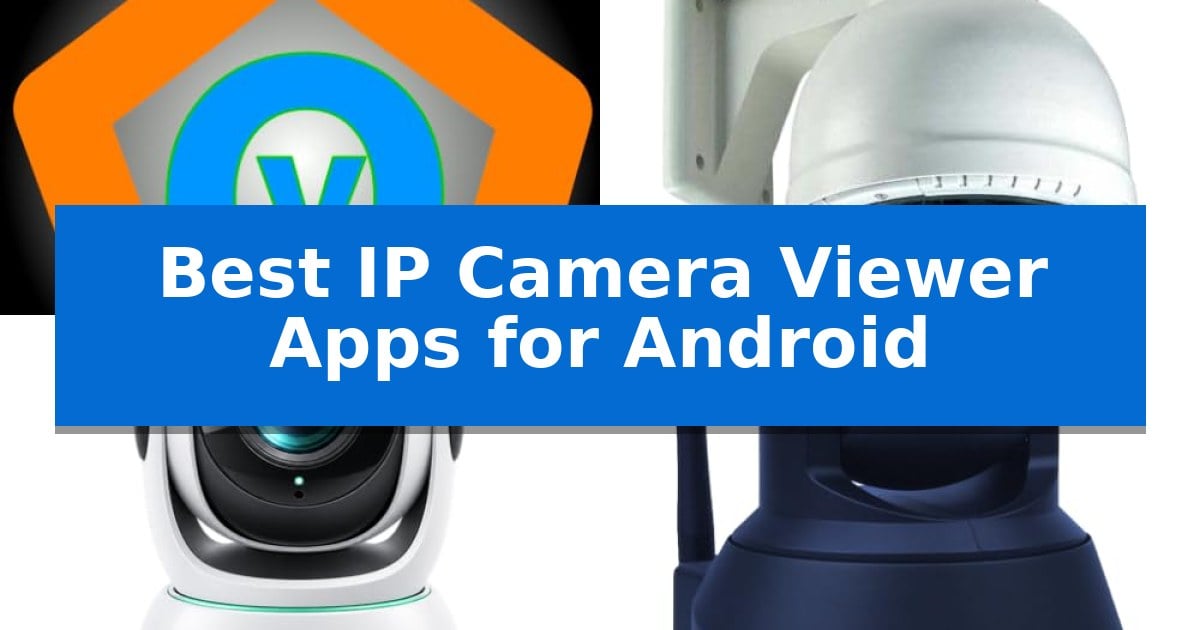
Managing multiple security cameras from different manufacturers often leads to a cluttered digital experience. Finding the Best IP Camera Viewer Apps for Android is essential for homeowners and professionals who need a unified dashboard to monitor, record, and control their surveillance hardware without switching between proprietary apps.
Whether you are looking to integrate legacy ONVIF devices or require advanced NVR functionality, the right software can transform your smartphone or tablet into a powerful command center. We have analyzed the leading options to help you identify which viewer best fits your specific camera ecosystem and monitoring requirements.
Best IP Camera Viewer Apps for Android in 2026
Quick Comparison
| Product | Best For | Key Strength | Score |
|---|---|---|---|
| Biyee SciTech Onvier IP Camera Monitor | Best Overall | Broad device compatibility with over 10,000 ONVIF-compliant cameras. | 4.9 |
| NibblesNBits IP Cam Viewer Full | Advanced NVR Functionality | Extensive protocol support including ONVIF, H.265, and HTTPS. | 4.4 |
| Ellis IP Camera Viewer | Optimized for TV Remote Control | Multi-camera support with a 2×2 layout for up to four feeds. | 4.9 |
| IPCamSoft Foscam IP Camera Viewer | Dedicated Brand-Specific Support | Dedicated support for all Foscam IP camera models. | 4.9 |
| NibblesNBits IP Cam Viewer Free | Essential Multi-View Monitoring | Matrix and gallery view for efficient multi-camera monitoring. | 4.5 |
How We Chose
- Protocol Support: Verification of ONVIF, RTSP, and H.264/H.265 compatibility for broad device integration.
- Multi-View Capabilities: Assessment of matrix layout options and the ability to stream multiple camera feeds simultaneously.
- Control Features: Evaluation of PTZ (pan, tilt, zoom) support and remote device management tools.
- Recording and Storage: Analysis of NVR-like functionality, including local recording and snapshot capabilities.
- Interface and Accessibility: Focus on ease of setup, widget availability, and remote access reliability.
1 Biyee SciTech Onvier IP Camera Monitor — Broadest Device Compatibility
Managing multiple surveillance feeds requires a robust interface capable of handling diverse hardware standards. The Biyee SciTech Onvier IP Camera Monitor addresses this by providing a unified platform that supports over 10,000 different NVT devices, ensuring broad compatibility for users with mixed-brand security setups.
The application prioritizes efficient data handling through H.264/H.265 video encoding, which allows for high-quality streaming while maintaining lower bandwidth requirements. To simplify network integration, it utilizes RTSP over HTTP, a feature that assists in traversing firewalls and eliminates the need for complex port configurations on your router.
Usability is enhanced through a multi-view interface that lets you monitor several cameras simultaneously on a single screen. For precise control, the app includes PTZ (Pan/Tilt/Zoom) functionality, supporting both digital and opto-mechanical adjustments, allowing you to focus on specific areas of interest with a simple tap or flick.
Integration with the Android ecosystem is streamlined via a customizable widget, which provides snapshot previews directly on your home screen for immediate access. When recording is necessary, the app captures footage in the standard MP4 format, ensuring high compatibility with external media players and devices.
Best for: Users who need a centralized, high-compatibility application to manage a large, mixed-brand network of IP cameras.
Skip if: Users who require advanced cloud-based storage features or proprietary AI-driven analytics not supported by standard ONVIF protocols.
PROS
- Broad device compatibility with over 10,000 ONVIF-compliant cameras.
- Efficient bandwidth usage via H.264/H.265 encoding support.
- Simplified network setup using RTSP over HTTP to bypass firewall issues.
- Flexible control options including both digital and opto-mechanical PTZ.
CONS
- Protocol-dependent functionality relies on the camera's native ONVIF implementation.
2 NibblesNBits IP Cam Viewer Full — Advanced NVR Functionality
Transforming an Android device into a centralized security hub is simplified with IP Cam Viewer Full, which supports a vast array of protocols including SSL, HTTPS, RTSP, ONVIF, H.264, H.265, MPEG4, and MJPEG. This versatility allows users to integrate diverse camera brands into a single, cohesive interface without needing proprietary software for every unit.
The application excels in organization and control, offering grouping of cameras for quick recall and a matrix view that displays multiple feeds simultaneously. Users can manage complex setups using PTZ (Pan-Tilt-Zoom) controls, presets, and relay commands. For those requiring constant monitoring, the 24×7 record mode and in-app motion detection effectively turn a spare Android device into a dedicated solid-state NVR.
Usability is enhanced through home screen widgets for instant access and intuitive gestures like double tap for digital pinch to zoom. Security is maintained via an app password to protect access to sensitive feeds, while data management is streamlined through export/import and sharing capabilities. The inclusion of built-in traffic cams adds a layer of utility beyond private surveillance.
While the app provides robust functionality, it is best suited for users comfortable with configuring network protocols. The 2-way audio support is limited to specific camera models, so verification of hardware compatibility is recommended for those prioritizing voice communication.
Best for: Users who need to consolidate multiple camera brands and protocols into a single, NVR-capable Android interface.
Skip if: Users seeking a plug-and-play experience for proprietary cloud-based systems that do not support standard protocols like ONVIF or RTSP.
PROS
- Extensive protocol support including ONVIF, H.265, and HTTPS.
- Turns Android hardware into a solid-state NVR with 24×7 recording.
- Advanced control features like PTZ, presets, and matrix view.
- Enhanced security with app password protection.
CONS
- 2-way audio compatibility is restricted to specific camera models.
- Requires manual configuration of network settings for optimal performance.
3 Ellis IP Camera Viewer — Optimized for TV Remote Control
Managing multiple surveillance feeds on a large screen is simplified by the Ellis IP Camera Viewer, which is specifically engineered to operate on Fire TV and tablet interfaces. This application allows users to monitor their environment by displaying either a single camera feed or up to four H.264 substreams simultaneously in a structured 2×2 layout.
The software prioritizes ease of use by supporting navigation via standard TV remote controls or tablet touch interfaces. To ensure reliable monitoring, it includes readable troubleshooting messages and connection status details. Users can utilize a Stable mode to select specific camera profiles and automatically retry interrupted connections, helping to maintain a consistent view of their surroundings.
Security and setup are handled with practical considerations for local network environments. Camera settings and sign-in credentials are stored directly on the device and secured using Android Keystore encryption. Initial configuration for TV-based setups is streamlined through a temporary page accessible via a phone connected to the same trusted local network.
While the application is robust for visual monitoring, it is important to note that this release is limited to video-only viewing, meaning audio playback is currently unavailable. The interface supports multiple languages, including English, German, and Japanese, catering to a variety of user preferences.
Best for: Users who need to view multiple ONVIF or RTSP camera feeds on a television or tablet using a remote control.
Skip if: Users who require audio monitoring or two-way talk features, as this application is restricted to video-only playback.
PROS
- Multi-camera support with a 2×2 layout for up to four feeds.
- Optimized for TV remotes and tablet touch navigation.
- Android Keystore encryption for secure credential storage.
- Stable mode with automatic reconnection logic.
CONS
- No audio playback support in the current version.
- Video-only viewing limits functionality for cameras requiring two-way communication.
4 IPCamSoft Foscam IP Camera Viewer — Dedicated Brand-Specific Support
Managing multiple security feeds requires a reliable interface, and the IPCamSoft Foscam IP Camera Viewer is built specifically to streamline this process for Android users. By offering a dedicated platform for Foscam hardware, it removes the complexity often associated with generic surveillance software, allowing for fast loading and a user-friendly interface that works on both phones and tablets.
The application provides robust control over your surveillance setup, including the ability to remotely view and control all Foscam IP camera models. For users with advanced hardware, the app supports Pan, Tilt, Zoom (PTZ) functionality on compatible devices, ensuring you can adjust your field of view directly from your mobile screen without needing a secondary controller.
Versatility is a core component of this viewer, which supports an unlimited number of cameras and allows you to view up to 4 cameras on screen at a time. This multi-view capability is particularly useful for monitoring home security, pet activity, or workplace environments simultaneously. Additionally, the app includes integrated tools to record videos and take snapshots, which can be shared instantly via email for quick documentation.
Developed by third-party developers, the app focuses on a streamlined experience for Foscam owners. It includes a satisfaction guarantee, ensuring that users have a clear path for support if the software does not meet their specific integration needs. This focus on a single brand ecosystem ensures that the features provided are optimized for the specific communication protocols used by Foscam hardware.
Best for: Foscam IP camera owners who need a dedicated, multi-camera mobile interface for remote monitoring and PTZ control.
Skip if: Users who own non-Foscam cameras or require a universal app that supports a wide variety of third-party camera brands.
PROS
- Dedicated support for all Foscam IP camera models.
- Multi-camera viewing with up to 4 feeds on one screen.
- PTZ control support for compatible camera models.
- Integrated sharing tools for snapshots and video recordings.
CONS
- Brand-specific limitation prevents use with other camera manufacturers.
- Third-party development means it is not officially endorsed by Foscam Corp.
5 NibblesNBits IP Cam Viewer Free — Essential Multi-View Monitoring
Managing multiple security feeds on a mobile device requires a streamlined interface, and the NibblesNBits IP Cam Viewer Free provides a specialized approach to this task. By offering a dedicated matrix view and gallery view, it allows users to organize and monitor several camera streams simultaneously on an Android device. This layout is particularly useful for those overseeing multiple zones, as it provides a consolidated dashboard rather than requiring users to switch between individual feeds manually.
Beyond basic viewing, the application includes a digital zoom mode to inspect specific areas of a frame more closely, which is helpful for identifying details in a live feed. For users who manage complex camera setups, the ability to export settings to an SD card simplifies the process of backing up configurations or transferring them between devices, ensuring that your monitoring preferences are preserved across hardware changes.
The software also prioritizes accessibility through browser integration and a built-in option to share cameras, which facilitates easier management for those who need to grant access or view feeds across different platforms. These features are contained within a compact application footprint, measuring 5 by 5 by 5 inches, making it a lightweight utility for your mobile device.
While it provides essential tools for multi-view monitoring, users should ensure their specific camera hardware supports the necessary protocols for integration. The application is designed for those who need a functional, straightforward interface for ongoing surveillance tasks without the complexity of cloud-dependent ecosystems.
Best for: Users who need to monitor multiple IP camera feeds simultaneously on an Android device using a matrix or gallery layout.
Skip if: Users seeking advanced AI-driven analytics or cloud-based storage solutions, as this app focuses primarily on direct stream viewing and local configuration management.
PROS
- Matrix and gallery view for efficient multi-camera monitoring.
- Digital zoom mode for detailed inspection of live feeds.
- Export settings to SD card for easy configuration backups.
- Browser integration for flexible viewing options.
CONS
- Limited to local stream viewing without built-in cloud storage features.
- Compatibility dependent on the user's specific camera hardware protocols.
Best IP Camera Viewer Apps for Android Buying Guide
Understanding Camera Compatibility
The foundation of any effective surveillance setup is the communication protocol. Most modern cameras utilize ONVIF (Open Network Video Interface Forum) standards, which allow different brands to talk to one another. When choosing an app, ensure it supports the specific protocols your cameras use, such as RTSP or MJPEG.
Compatibility is not just about video; it also extends to audio and control commands. If your cameras feature two-way audio or motorized lenses, verify that the application supports these specific functions to avoid losing critical features after installation.
The Role of NVR Functionality
Some advanced viewer apps can turn your Android device into a solid-state NVR (Network Video Recorder). This allows you to record footage directly to your device or external storage, providing a backup solution if your primary recording hardware fails or is compromised.
Consider whether you need 24/7 continuous recording or if motion-triggered snapshots are sufficient. Apps that support H.265 compression are particularly beneficial here, as they maintain high video quality while significantly reducing the storage footprint on your mobile device.
Optimizing for Multi-View Monitoring
If you manage more than two cameras, a matrix view is indispensable. This layout allows you to see multiple feeds on a single screen, enabling you to scan your entire property at a glance rather than tapping through individual camera streams.
Look for apps that offer customizable grouping. Being able to categorize cameras by location—such as 'Front Yard,' 'Garage,' or 'Indoor'—streamlines the monitoring process and makes it much faster to recall specific feeds during an event.
Remote Access and Security
Remote viewing requires traversing firewalls and network configurations. Apps that support RTSP over HTTP simplify this process, saving you from complex port forwarding on your router. This is a critical feature for users who are not network experts but need reliable access while away from home.
Security should never be an afterthought. Ensure the app you choose supports app-level password protection or Android Keystore encryption to keep your camera credentials safe from unauthorized access, even if your phone is unlocked.
Interface and Usability
A feature-rich app is only useful if it is intuitive. Features like home screen widgets can save significant time, allowing you to view a snapshot or trigger a live stream with a single tap without opening the full application.
For users utilizing tablets or Android-based TV boxes, look for apps optimized for remote control navigation or touch interfaces. A clean, responsive UI ensures that you can quickly pan, tilt, or zoom your cameras when seconds count.
Frequently Asked Questions
What is the difference between ONVIF and RTSP?
ONVIF is a standard that allows devices to discover and communicate with each other, while RTSP is a streaming protocol used to deliver the actual video data. Most viewer apps require both to function correctly.
Can I use these apps with cameras from different brands?
Yes, provided the cameras support the same open standards like ONVIF. Apps with broad compatibility, such as the Biyee SciTech Onvier, are designed specifically to handle mixed-brand environments.
Do these apps require a constant internet connection?
They require a network connection to reach your cameras. If you are viewing cameras on your local network, you do not need an active internet connection, but remote viewing requires internet access for both your phone and the camera's network.
Will these apps drain my phone battery?
Continuous video streaming is resource-intensive. Using apps that support efficient codecs like H.265 can help, but expect higher battery usage when monitoring multiple live feeds for extended periods.
Are these apps secure?
Security depends on the app's features and your network setup. Look for apps that support encrypted credentials and password protection to ensure your camera feeds remain private.
Conclusion: Our Top Pick
For users seeking the most versatile and reliable monitoring experience, the Biyee SciTech Onvier IP Camera Monitor stands out as the premier choice. Its extensive compatibility with over 10,000 devices and support for modern H.265 encoding make it a robust solution for complex, multi-brand security setups.
While other apps offer specialized features like dedicated brand support or TV-optimized interfaces, the Onvier app provides the best balance of performance, ease of discovery, and advanced control. It effectively centralizes your surveillance, making it our top recommendation for managing IP cameras on Android.