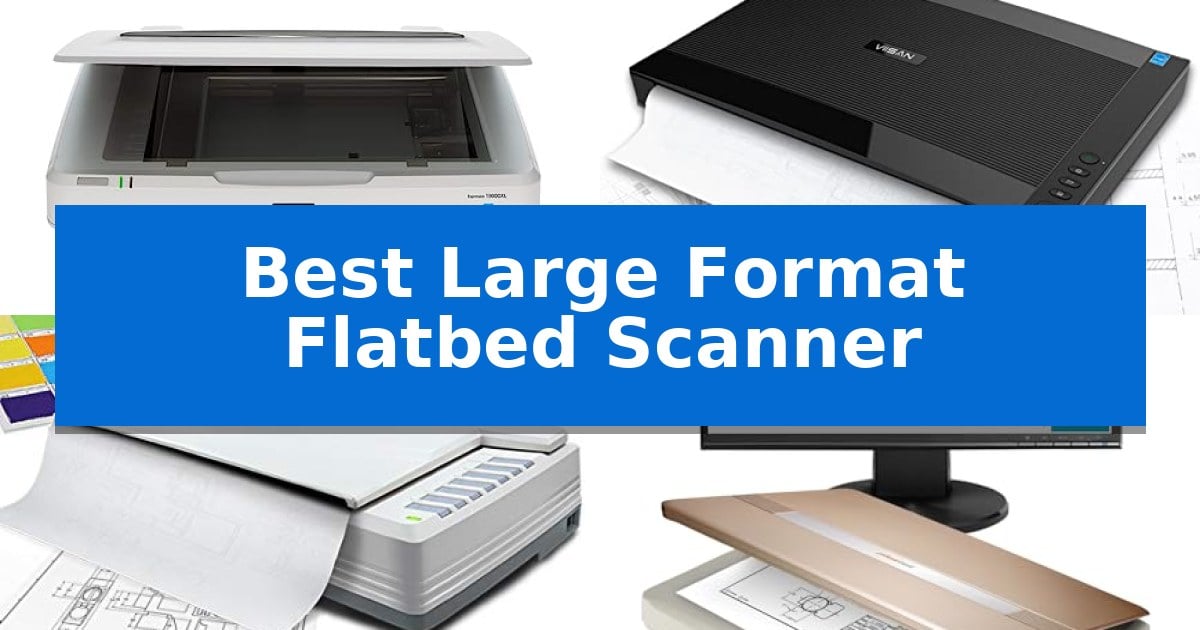
Best Large Format Flatbed Scanner in 2026: Digitize Oversized Media

Best Large Format Flatbed Scanner

Digitizing oversized documents like architectural blueprints, fine art, or large-format film requires specialized hardware that standard office scanners simply cannot accommodate. When you need to capture high-resolution detail across a tabloid or A3 surface area without stitching multiple images together, the Best Large Format Flatbed Scanner becomes an essential tool for your workflow.

Selecting the right unit involves balancing optical resolution, scan speed, and software compatibility to ensure your digital archives remain true to the original. Whether you are managing a library collection or digitizing professional CAD drawings, understanding the trade-offs between sensor technology and scanning area is critical to achieving professional results.
Best Large Format Flatbed Scanner in 2026: Digitize Oversized Media

Our Top Picks
  1. Fastest High-Resolution Workflow VIISAN VF3240 A3 Flatbed Scanner
  2. Optimized for Color Accuracy Plustek OpticPro A320E Flatbed Scanner
  3. Compact Design for Large Media Plustek OpticSlim 1680 Flatbed Scanner
  4. Efficient Library and School Use Plustek OS1180 A3 Flatbed Scanner

Quick Comparison

Product Best For Key Strength Score
Epson Expression 13000XL Flatbed Scanner Best Overall Large 12.2" x 17.2" scanning area eliminates the need for image stitching. 4.9
VIISAN VF3240 A3 Flatbed Scanner Fastest High-Resolution Workflow Frameless design enables edge-to-edge scanning of oversized documents. 4.9
Plustek OpticPro A320E Flatbed Scanner Optimized for Color Accuracy Large 12" x 17" scan area for oversized documents. 4.4
Plustek OpticSlim 1680 Flatbed Scanner Compact Design for Large Media Large 11.7×17 inch scanning area for tabloid and A3 documents. 4.8
Plustek OS1180 A3 Flatbed Scanner Efficient Library and School Use Large format 11.7" x 17" scanning area for A3 documents. 4.5

How We Chose

  • Optical Resolution: Assessing the DPI capabilities to ensure fine lines and textures are captured without pixelation.
  • Scanning Surface Area: Verifying the maximum dimensions supported to ensure compatibility with A3, tabloid, and ledger-sized media.
  • Scan Speed: Measuring the time required to complete a full-size scan at standard resolution settings.
  • Software Integration: Checking for TWAIN and ICA driver compliance to ensure seamless operation with existing imaging and CAD software.
  • Sensor Technology: Analyzing the light source and sensor type to determine suitability for reflective documents versus specialized media.

1 Epson Expression 13000XL Flatbed Scanner — Professional Archival Quality

Digitizing large-scale archives requires precision and a substantial scanning surface, which is exactly what the Epson Expression 13000XL Large Format Flatbed Photo Scanner provides. Designed for professionals who need to capture reflective media up to 12.2" x 17.2", this device eliminates the need for stitching smaller scans together, ensuring high-fidelity results for oversized photos, maps, or documents.

The scanner leverages Epson MatrixCCD and ReadyScan LED technologies to achieve 2400 x 4800 dpi resolution, paired with a 3.8 Dmax for deep shadow detail and clarity. To streamline the archival process, the unit includes Epson’s Easy Photo Fix technology, which enables one-touch color restoration and automatic dust removal, significantly reducing post-processing time for aged or faded originals.

Workflow efficiency is a core focus, supported by batch scanning capabilities that allow users to process multiple images simultaneously. For those working with film, the scanner is compatible with an optional Transparency Unit (sold separately), extending its utility to handle film up to 12" x 16.5". The inclusion of LaserSoft Imaging SilverFast Ai software with calibration targets ensures that color accuracy remains consistent across professional projects.

Integration is straightforward thanks to the included TWAIN driver, allowing the hardware to communicate seamlessly with a wide range of imaging software on both PC and Mac platforms. While its robust build and large footprint require a dedicated workspace, the Epson Expression 13000XL is a specialized tool built for high-volume, high-quality digital preservation.

Best for: Professional archivists and photographers who need to digitize large-format reflective media or film with high color accuracy.

Skip if: Users with limited desk space or those who only require standard letter-sized document scanning will find this large-format unit unnecessarily bulky and expensive.

PROS

  • Large 12.2" x 17.2" scanning area eliminates the need for image stitching.
  • High 2400 x 4800 dpi resolution ensures professional-grade detail.
  • Easy Photo Fix technology provides automated restoration for faded photos.
  • Included SilverFast Ai software supports advanced color calibration.

CONS

  • Large physical footprint requires significant dedicated workspace.
  • Transparency unit sold separately, increasing total cost for film scanning.

2 VIISAN VF3240 A3 Flatbed Scanner — Fastest High-Resolution Workflow

Digitizing oversized blueprints, engineering drawings, and archival documents requires a specialized tool capable of handling large media without sacrificing detail. The VIISAN VF3240 A3 Flatbed Scanner addresses this need with a frameless design that allows for edge-to-edge scanning of materials up to A3 size, ensuring that large-format content is captured in its entirety.

Efficiency is central to the device's operation, featuring a 4-second scan speed at 200 DPI for color documents. This performance is supported by a high-resolution 2400 x 2400 DPI optical resolution capability, which produces up to 196 million effective pixels per image. Users can streamline their workflow further using the Intelligent Auto-Scan function, which triggers the scanning process as soon as the lid is closed.

The scanner is built for versatility in professional and educational environments, offering a four-button control panel for quick access to Scan, Email, Print, and PDF functions. It maintains broad compatibility across operating systems, supporting Windows 7 through 11 via TWAIN/WIA drivers and MacOS 10.15+ via the ICA driver. The included universal power adapter ensures the unit is ready for global use without requiring additional converters.

Designed specifically for flat paper documents, the CIS sensor provides consistent lighting without requiring a warm-up period. While it excels at digitizing textbooks, financial records, and architectural plans, the unit is strictly intended for flat materials and is not suitable for 3D objects or textured items. Each unit is backed by a 1-year limited warranty to support long-term document management needs.

Best for: Professionals and educators requiring high-resolution, edge-to-edge digitization of large-format flat documents like blueprints and architectural drawings.

Skip if: Users who need to scan 3D objects, thick books with uneven spines, or items that are not perfectly flat, as the CIS sensor is optimized strictly for flat paper media.

PROS

  • Frameless design enables edge-to-edge scanning of oversized documents.
  • Fast 4-second scanning at 200 DPI improves productivity for high-volume tasks.
  • High 2400 DPI optical resolution captures fine details for professional-grade output.
  • Intelligent Auto-Scan simplifies continuous workflows by triggering automatically upon lid closure.

CONS

  • CIS sensor technology is limited to flat materials and cannot accommodate 3D objects.
  • Driver-dependent resolution limits exist on Windows (1200 DPI) and WIA (600 DPI) compared to MacOS capabilities.

3 Plustek OpticPro A320E Flatbed Scanner — Optimized for Color Accuracy

The Plustek OpticPro A320E Large Format Flatbed Scanner provides a generous 12" x 17" scan area, specifically engineered to capture A3-sized documents, maps, technical drawings, and large bound books in a single pass. This wide-format capability eliminates the need for stitching multiple smaller scans, making it a practical choice for digitizing oversized physical media.

Equipped with CCD sensors, this scanner is optimized for high-quality color reproduction. It delivers a fast 7.8-second scan speed for a full 12" x 17" area, balancing efficiency with the precision required for professional-grade document archiving. The inclusion of TWAIN and WIA support ensures broad compatibility with existing document management and imaging software suites.

Workflow integration is streamlined through the Doc Action software, which facilitates direct saving to various file formats and provides quick-access destinations like email, FTP, and local folders. The built-in OCR function adds further utility by converting scanned PDFs into searchable content, which is essential for maintaining organized digital libraries.

Designed for versatility, the device supports batch scanning, allowing users to process multiple images simultaneously and save them as individual files. It maintains broad system compatibility, supporting Windows 7 through 11 (64-bit) and Mac OS X 10.13 to 13.x, with specific driver availability for Linux users upon request.

Best for: Professionals and archivists who need to digitize large-format documents, maps, or bound books up to A3 size efficiently.

Skip if: Users who primarily scan standard letter-sized documents and require a compact, space-saving footprint on their desk.

PROS

  • Large 12" x 17" scan area for oversized documents.
  • Fast 7.8-second scan speed for high-productivity workflows.
  • OCR functionality for creating searchable PDF documents.
  • Industry-standard TWAIN/WIA support for software compatibility.

CONS

  • Large physical footprint requires significant desk space.
  • 64-bit Windows only for the latest OS versions.

4 Plustek OpticSlim 1680 Flatbed Scanner — Compact Design for Large Media

Digitizing large-scale documents requires hardware that balances expansive scanning areas with efficient processing speeds. The Plustek OpticSlim 1680 addresses this need by offering a generous 11.7×17 inch scanning bed, specifically engineered to handle tabloid, ledger, and A3 size papers without the need for stitching multiple smaller scans together.

Performance is defined by its rapid throughput, capable of processing tabloid-sized documents in just 3 seconds when operating in 300 DPI grayscale mode, or 5 seconds for color. This efficiency is paired with a Dual View Design, which provides an intuitive interface for users to verify image adjustments in real-time, ensuring that settings are optimized before final output.

Workflow integration is streamlined through 4 pre-configured buttons that allow for one-touch operation. Users can customize these buttons to handle specific destinations, file types, and naming conventions, significantly reducing the time spent navigating software menus. The device maintains broad utility through TWAIN and ICA compliance, ensuring seamless connectivity with a wide variety of professional software applications on both Windows and macOS systems.

With a compact footprint measuring 23 inches in width and 3 inches in height, the scanner fits into professional environments where desk space is at a premium. While it provides a robust solution for large-format media, its design focuses on high-speed, flatbed-specific tasks, making it a specialized tool for those who prioritize document size and rapid digitization over multi-page document feeding.

Best for: Professionals and offices requiring high-speed digitization of large-format media like A3, ledger, or tabloid documents.

Skip if: Users who require an Automatic Document Feeder (ADF) for high-volume, multi-page scanning will find this flatbed-only model less efficient for their specific workflow.

PROS

  • Large 11.7×17 inch scanning area for tabloid and A3 documents.
  • High-speed performance with 3-second scan times at 300 DPI.
  • Customizable one-key operation for streamlined workflow management.
  • TWAIN and ICA compatibility for broad software integration.

CONS

  • Flatbed-only design lacks an automatic document feeder for batch processing.
  • Manual placement required for every scan.

5 Plustek OS1180 A3 Flatbed Scanner — Efficient Library and School Use

Digitizing large-scale documents or artwork requires a specific footprint that standard office hardware often lacks. The Plustek OS1180 A3 Flatbed Scanner addresses this by providing a dedicated 11.7" x 17" scanning area, specifically engineered to capture tabloid or A3-sized materials in a single pass without the need for complex stitching software.

Efficiency is central to its design, utilizing an LED light source that eliminates warm-up time, allowing users to begin scanning immediately upon activation. This hardware choice not only saves energy but also ensures that the device is ready for intermittent use in environments like schools or libraries where quick, on-demand document capture is frequent.

Usability is streamlined through a one-touch button interface, which allows for pre-set functions that simplify repetitive tasks. For those managing digital archives, the included software bundle provides enhanced OCR accuracy via ABBYY, facilitating the conversion of scanned documents into searchable, shareable files.

The device is capable of 48-bit color and 16-bit gray-scale scanning, providing the depth required for high-quality art reproduction or detailed document preservation. Weighing approximately 9.5 pounds with a slim 2.67-inch height, it offers a stable, low-profile footprint that fits easily on shared workstations or library desks.

Best for: Users who need to scan large-format A3 or tabloid-sized documents and artwork in a single pass.

Skip if: Users requiring a high-speed automatic document feeder (ADF) for scanning multi-page stacks of standard letter-sized paper.

PROS

  • Large format 11.7" x 17" scanning area for A3 documents.
  • LED light source enables instant scanning with no warm-up time.
  • One-touch button operation for streamlined workflow.
  • Powerful software bundle includes OCR and file-sharing tools.

CONS

  • Flatbed-only design requires manual placement for each page.
  • Lacks an automatic document feeder for batch processing.

Best Large Format Flatbed Scanner Buying Guide

Understanding Optical Resolution

Optical resolution, measured in DPI (dots per inch), determines the level of detail a scanner can capture. For technical drawings or blueprints, a higher DPI is essential to ensure that fine lines remain sharp and legible when zoomed in.

While many scanners offer interpolated resolution, always prioritize the optical resolution specification. Higher optical counts allow for larger print enlargements without losing structural integrity or clarity in complex illustrations.

The Importance of Driver Compatibility

A scanner is only as effective as the software it communicates with. Look for TWAIN and ICA compliance, as these industry-standard drivers ensure that your hardware will work with a wide range of professional imaging applications, including Adobe Photoshop and CAD suites.

Before purchasing, verify that the manufacturer provides updated drivers for your specific operating system, whether you are using Windows or macOS, to avoid connectivity issues during your digitization projects.

Sensor Types and Media Suitability

Most large-format scanners utilize either CCD (Charge-Coupled Device) or CIS (Contact Image Sensor) technology. CCD sensors are generally preferred for color accuracy and depth of field, making them ideal for artwork and photography.

CIS sensors are often more compact and energy-efficient, making them suitable for high-volume document scanning. However, they are typically designed for flat materials and may struggle with depth, so choose based on whether you are scanning flat paper or textured media.

Workflow Efficiency Features

Features like one-touch scanning and batch processing can significantly reduce the time spent on repetitive tasks. These allow you to pre-configure scan destinations, file formats, and naming conventions, streamlining the transition from physical document to digital file.

Consider the physical design of the scanner, such as a frameless glass edge, which simplifies the placement and removal of oversized documents that might otherwise be obstructed by a bulky scanner housing.

Archival Considerations

If your goal is long-term preservation, look for scanners that include color restoration software or specialized calibration targets. These tools help reverse the effects of aging, such as fading or yellowing, on old photographs and documents.

Additionally, check if the unit supports transparency scanning via an optional unit, which is necessary if you need to digitize film negatives or slides alongside your reflective paper documents.

Frequently Asked Questions

Can these scanners handle 3D objects?

Most large-format flatbed scanners use CIS or CCD sensors optimized for flat documents. They are generally not recommended for scanning 3D objects, as the depth of field is limited.

What is the difference between TWAIN and WIA drivers?

TWAIN is a universal standard for scanner communication, offering more control over settings, while WIA (Windows Image Acquisition) is a Windows-specific driver that is often simpler but may have more limited resolution or feature support.

Do I need a special computer to run these scanners?

While most scanners are compatible with standard PCs and Macs, ensure your computer meets the minimum OS requirements listed by the manufacturer, especially regarding 64-bit driver support.

How do I clean the scanner glass?

Use a soft, lint-free cloth and a non-abrasive glass cleaner. Avoid spraying liquid directly onto the glass; instead, spray the cloth first to prevent moisture from seeping into the internal components.

Can I scan larger than A3 size?

If your document exceeds the maximum scanning area, you may need to use software to stitch multiple scans together. Always check the specific dimensions of the scanner bed before attempting to scan oversized media.

Conclusion: Our Top Pick

For users requiring the highest level of detail and color fidelity for professional archiving, the Epson Expression 13000XL Flatbed Scanner stands out as the premier choice. Its combination of high optical resolution, advanced color restoration technology, and support for large-format reflective media makes it a reliable workhorse for serious digitization projects.

While other models offer faster speeds or more compact footprints for office tasks, the Epson provides the necessary precision for delicate or high-value documents. By investing in a unit with robust driver support and high-quality sensors, you ensure that your digital archives remain accurate and usable for years to come.
Best Large Format 11×17 Scanner for Artwork in 2026

Best Large Format 11x17 Scanner for Artwork

Capturing the intricate details of large-scale illustrations, maps, and paintings requires hardware that balances resolution with color fidelity. Finding the Best Large Format 11×17 Scanner for Artwork is essential for artists and archivists who need to digitize oversized media without the distortion often found in stitched images.

Whether you are scanning delicate watercolors or technical CAD drawings, the right flatbed scanner ensures your digital files remain true to the original. We have analyzed the current market to identify the most reliable options for high-resolution reproduction and efficient professional workflows.

Best Large Format 11×17 Scanner for Artwork in 2026

Our Top Picks
  1. Reliable Professional Choice Epson DS-50000 Flatbed Scanner
  2. Fastest Scan Speeds HMWOKPOT A3 Flatbed Scanner
  3. High Definition Detail Piefeak A3 Flatbed Scanner
  4. Budget Friendly Option Generic A3 Flatbed Scanner

Quick Comparison

Product Best For Key Strength Score
Plustek OpticPro A320E Flatbed Scanner Best Overall 12" x 17" large-format scanning area for A3 documents. 4.9
Epson DS-50000 Flatbed Scanner Reliable Professional Choice Large-format 11.7" x 17" scanning area for oversized media. 4.5
HMWOKPOT A3 Flatbed Scanner Fastest Scan Speeds 12" x 17" large-format scanning area for oversized artwork and documents. 4.4
Piefeak A3 Flatbed Scanner High Definition Detail 12" x 17" scanning area accommodates large artwork and CAD documents. 4.8
Generic A3 Flatbed Scanner Budget Friendly Option Large 12" x 17" scanning area eliminates the need for image stitching. 4.9

How We Chose

  • Scan Area Capacity: Verification of true 11×17 or A3 support to ensure oversized documents fit without cropping.
  • Color Depth and Sensor Quality: Assessment of CCD sensor technology and bit-depth for accurate color reproduction.
  • Driver Compatibility: Evaluation of TWAIN, WIA, and ICA support for seamless integration with professional design software.
  • Workflow Efficiency: Consideration of scan speeds and automated features like batch processing or one-touch file management.
  • Build and Design: Analysis of physical dimensions and lid design to accommodate bound books or thick materials.

1 Plustek OpticPro A320E Flatbed Scanner — Best for Color Accuracy

Digitizing large-scale artwork, maps, or bound books requires a specialized tool capable of handling expansive dimensions without compromising image fidelity. The Plustek OpticPro A320E Flatbed Scanner is engineered specifically for this purpose, featuring a generous 12" x 17" scan area that accommodates A3-sized documents and odd-shaped originals that standard letter-sized scanners simply cannot capture.

Performance is driven by CCD sensors, which are uniquely suited for high-quality color scanning, ensuring that intricate details and color nuances in artwork are preserved. The device is designed for efficiency, boasting a rapid 7.8-second scan speed for a full 12" x 17" area, allowing creators to digitize multiple pieces of work in a single session.

Workflow integration is streamlined through the included Doc Action software. This utility provides direct access to post-scan destinations such as email, print, and FTP folders, while the integrated OCR function enables the creation of searchable PDFs. For those managing high volumes, the unit supports batch scanning, enabling users to process multiple images and save them as individual files to a PC or Mac.

Compatibility is a core strength of this model, as it supports TWAIN and WIA drivers, ensuring it works seamlessly with a wide range of professional imaging software. The scanner is compatible with Windows, Mac, and Linux systems, providing a versatile solution for diverse studio environments. With its 1-year limited warranty, it offers a reliable foundation for professional scanning needs.

Best for: Artists, archivists, and professionals who need to digitize large-format artwork or A3-sized documents with high color accuracy.

Skip if: Users who only require standard letter-sized scanning or those with limited desk space, as the 31.25-inch length requires a significant footprint.

PROS

  • 12" x 17" large-format scanning area for A3 documents.
  • CCD sensors optimized for superior color reproduction.
  • Fast 7.8-second scan speed for large originals.
  • TWAIN and WIA support for broad software compatibility.

CONS

  • Large physical footprint requires substantial dedicated workspace.
  • 64-bit OS requirement may limit use on legacy computer systems.

2 Epson DS-50000 Flatbed Scanner — Reliable Professional Choice

Capturing high-resolution detail from large-scale artwork requires a device capable of handling expansive dimensions without compromising image fidelity. The Epson DS-50000 Large-Format Document Scanner provides an 11.7" x 17" flatbed surface, specifically engineered to accommodate oversized documents and artistic prints in a single pass.

Equipped with a 4-line CCD sensor, this scanner processes both RGB and black-and-white data to produce vivid color reproduction and sharp text clarity. The hardware is designed for professional environments, offering broad software integration through native TWAIN and ISIS drivers, which ensures compatibility with a wide range of existing document management and imaging applications.

Reliability is a core component of its design, underscored by a 3-year limited warranty that includes Advance Exchange and Next-Business-Day Replacement. This service model is intended to minimize operational downtime for busy studios or offices. For teams requiring centralized access, the unit can be upgraded to a secure networked workgroup scanner by installing the optional Epson Network Scan module.

While the device offers a robust scanning area, users should note its physical footprint. Measuring approximately 25.2 inches in length and weighing over 32 pounds, the scanner requires a dedicated, stable workspace. It is a specialized tool focused on high-capacity flatbed performance rather than portable or multi-function utility.

Best for: Professional studios and offices requiring consistent, high-fidelity scanning of large-format artwork and documents up to 11.7" x 17".

Skip if: Users seeking a portable, lightweight device or those who require integrated document feeding features for high-speed batch processing.

PROS

  • Large-format 11.7" x 17" scanning area for oversized media.
  • 4-line CCD sensor for high-quality color and text reproduction.
  • 3-year warranty with Next-Business-Day Replacement service.
  • TWAIN and ISIS driver compatibility for seamless software integration.

CONS

  • Substantial physical footprint and weight may limit placement options.
  • Network capability requires the purchase of an optional module.

3 HMWOKPOT A3 Flatbed Scanner — Fastest Scan Speeds

The HMWOKPOT A3 Flatbed Scanner simplifies the digitization of oversized materials by providing a generous 12" x 17" scanning area, specifically engineered for documents that exceed standard letter-size capabilities. This device is designed to handle diverse media, including artworks, CAD drawings, and large-format books, without requiring complex stitching software.

Efficiency is central to its operation, featuring a rapid scan speed of 4 seconds per A3-size page at 200dpi. The integrated LED light source eliminates the need for warm-up time, allowing for immediate use. Users can achieve high-fidelity results with a maximum optical resolution of 2400 x 2400 dpi and 48-bit color depth, ensuring that fine details in illustrations and technical drawings are captured accurately.

The hardware includes a frameless, narrow-bezel design that facilitates the placement of large items on the glass surface. Workflow is further streamlined by four intuitive panel buttons, which provide direct control over scanning, emailing, printing, and PDF creation. The inclusion of an Auto-Scan function, which triggers the process automatically upon closing the lid, reduces manual interaction during high-volume tasks.

Compatibility is maintained through support for Windows 7/8.1/10/11 and macOS 10.15 or later via the ICA driver. This ensures the scanner integrates into standard professional and educational computing environments. While it offers significant utility for large-format needs, potential users should verify their specific OS version to ensure full driver functionality.

Best for: Artists, designers, and educators who require high-resolution, rapid digitization of oversized documents up to 12" x 17".

Skip if: Users who primarily scan standard letter-sized documents or those who require specialized TWAIN driver support on older operating systems.

PROS

  • 12" x 17" large-format scanning area for oversized artwork and documents.
  • High-speed performance with 4-second scan times at 200dpi.
  • 2400 x 2400 dpi optical resolution for detailed image reproduction.
  • Auto-Scan functionality for streamlined continuous operation.

CONS

  • macOS compatibility limited to ICA driver, which may restrict advanced software features.
  • Large physical footprint necessitated by the 12" x 17" scanning bed.

4 Piefeak A3 Flatbed Scanner — High Definition Detail

Achieving high-fidelity digital reproductions of large-scale artwork requires a device capable of handling expansive dimensions without sacrificing image clarity. The Piefeak Large Format Flatbed Scanner addresses this need by providing a dedicated scanning area of 12" x 17", making it a practical choice for digitizing CAD drawings, newspapers, and professional artwork.

Equipped with a maximum optical resolution of 2400 x 2400 dpi, this scanner captures fine details with a 48-bit color depth, ensuring smooth gradients and accurate color reproduction. The unit is engineered for efficiency, featuring an Auto-Scan function that initiates the capture process as soon as the lid is closed, which helps streamline workflows for high-volume projects.

The hardware design emphasizes a frameless and narrow boundary aesthetic, which facilitates the handling of oversized documents. Users can manage tasks directly through four integrated panel buttons that support immediate scanning, printing, emailing, and the creation of single or multipage PDFs. Additionally, the LED light source eliminates warm-up time, allowing for immediate operation upon activation.

Compatibility is centered on Windows 7, 8.1, 10, and 11, alongside support for macOS 10.15 or later via the Image Capture (ICA) driver. This scanner is built to serve environments ranging from graphic design studios to educational institutions, providing a specialized tool for those who require consistent, high-resolution output for large-format media.

Best for: Graphic designers and educators who need to digitize large-format artwork or technical drawings up to 12" x 17" at high resolutions.

Skip if: Users who require compatibility with older operating systems or those who need a compact, portable scanner for small-format documents.

PROS

  • 12" x 17" scanning area accommodates large artwork and CAD documents.
  • 2400 x 2400 dpi optical resolution ensures high-definition detail.
  • Auto-Scan functionality improves efficiency for continuous scanning tasks.
  • LED light source provides instant-on capability with no warm-up time.

CONS

  • Limited driver support restricted to Windows and specific macOS versions.
  • Large physical footprint required for the 12" x 17" scanning bed.

5 Generic A3 Flatbed Scanner — Budget Friendly Option

Capturing fine details in large-scale artwork requires a device that balances expansive surface area with high-resolution output. The Generic A3 Flatbed Scanner addresses this by providing a 12" x 17" scanning bed, specifically engineered to accommodate oversized documents, CAD drawings, and books without the need for stitching smaller images together.

Efficiency is central to this model's design, featuring an LED light source that eliminates warm-up time, allowing for immediate operation. When handling high-volume tasks, the Auto-Scan function streamlines the workflow by initiating the capture process the moment the lid is closed. This is complemented by a rapid scanning speed of 4 seconds per A3 page at 200dpi, which helps maintain productivity during intensive digitization projects.

The hardware is built for clarity, supporting a maximum optical resolution of 2400 x 2400 dpi and 48-bit color depth. This ensures that fine lines in technical drawings and subtle color gradients in illustrations are preserved with high fidelity. The unit also incorporates a frameless, narrow-bezel design, which simplifies the placement and removal of large, delicate items.

Operation is managed through four intuitive panel buttons that provide quick access to essential functions, including emailing, printing, and direct PDF creation. Compatibility is maintained across modern Windows and macOS environments, ensuring the scanner integrates into standard professional and educational setups without requiring complex software workarounds.

Best for: Artists, designers, and office professionals who need a dedicated, high-resolution solution for digitizing oversized documents up to 12" x 17".

Skip if: Users who require portable scanning solutions or those who need advanced network-attached storage integration, as this is a stationary, USB-connected flatbed device.

PROS

  • Large 12" x 17" scanning area eliminates the need for image stitching.
  • High 2400 dpi optical resolution captures fine details and textures.
  • Instant-on LED lighting removes wait times for warm-up.
  • Fast 4-second scan speed at 200dpi for efficient batch processing.

CONS

  • Stationary flatbed design occupies significant desk space.
  • Limited to ICA drivers for macOS, which may restrict some advanced software features.

Best Large Format 11×17 Scanner for Artwork Buying Guide

Understanding Scan Sensors

Most large-format scanners utilize either CCD or CIS sensors. CCD (Charge-Coupled Device) sensors are generally preferred for artwork because they provide greater depth of field, which is crucial when scanning textured paper or slightly raised media.

While CIS sensors are often more compact and energy-efficient, they may struggle with focus if the artwork is not perfectly flat against the glass. For professional art reproduction, prioritizing a CCD-based scanner is a key step toward achieving professional results.

The Importance of TWAIN Compatibility

TWAIN is an industry-standard interface that allows your scanner to communicate directly with image editing software like Photoshop or GIMP. Having a TWAIN-compliant scanner means you can initiate scans from within your preferred application, streamlining your creative workflow.

Always verify that the scanner supports the specific operating system version you are using, as some older professional scanners may require specific driver updates or legacy support to function correctly on modern Windows or macOS environments.

Resolution and DPI Requirements

For most artwork, an optical resolution of 2400 DPI is more than sufficient to capture fine brushstrokes and paper texture. Higher DPI settings create massive file sizes that can slow down your computer without necessarily adding visible detail to the final print.

When scanning for archival purposes, aim for the highest optical resolution the scanner offers, but be prepared to manage large file sizes. For web display or standard printing, scanning at 300 to 600 DPI is usually the sweet spot for balance.

Managing Large-Format Media

Scanning oversized documents requires a scanner with a frameless or narrow-bezel design. This allows you to slide larger items across the glass if they exceed the 11×17 inch limit, though this is a last resort compared to using a dedicated large-format bed.

Consider the physical footprint of the scanner on your desk. These units are significantly larger than standard letter-sized scanners, so ensure you have adequate clearance for the lid to open fully and for the device to sit securely.

Color Depth and Accuracy

A 48-bit color depth is standard for high-quality art scanning, as it allows for a wider range of color gradients and more accurate shadow detail. This is particularly important for artists working with watercolors or complex mixed media.

If you are scanning for professional print reproduction, you may also want to use color calibration targets to ensure that the colors captured by the scanner match the colors on your monitor and final print output.

Frequently Asked Questions

Can I scan bound books with these scanners?

Yes, many flatbed scanners designed for 11×17 media feature lids that can be adjusted or removed to accommodate the thickness of bound books.

Do I need special software to use these scanners?

Most scanners come with basic scanning software, but their TWAIN/ICA compliance allows them to work with almost any image editing software that supports standard scanning protocols.

What is the difference between optical and interpolated resolution?

Optical resolution is the actual physical detail the sensor can capture, while interpolated resolution uses software to guess and fill in extra pixels, which often results in lower image quality.

Are these scanners compatible with Mac and Windows?

Most modern large-format scanners support both platforms, though you should check the manufacturer's website for the latest driver downloads to ensure compatibility with your specific OS version.

How do I maintain the scanner glass?

Use a soft, lint-free microfiber cloth and a non-abrasive glass cleaner. Avoid spraying cleaner directly onto the glass to prevent liquid from seeping into the scanner housing.

Conclusion: Our Top Pick

Selecting the right equipment for digitizing your portfolio is a significant investment in your creative process. The Plustek OpticPro A320E Flatbed Scanner stands out as our top recommendation due to its specialized CCD sensors, which are uniquely suited for capturing the nuanced color gradients and textures essential in fine art reproduction.

With its robust 12" x 17" scan area and reliable driver support, it provides the consistency needed for professional projects. While it requires a dedicated space on your desk, the quality of output and the efficiency of its file management tools make it an invaluable asset for any serious artist or designer.

Best Large Format 4K Monitors in 2026

Best Large Format 4K Monitors

Finding the right display for a demanding workspace often requires balancing screen real estate with pixel density. When you need to manage multiple windows, complex timelines, or high-resolution creative projects, the Best Large Format 4K Monitors provide the necessary canvas to streamline your workflow without the clutter of a multi-monitor setup.

Selecting a display of this size involves more than just measuring the diagonal length. Factors such as connectivity, panel technology, and ergonomic features play a critical role in how well a monitor integrates into your existing environment. We have evaluated the latest options to help you determine which display aligns with your specific professional or entertainment requirements.

Best Large Format 4K Monitors in 2026

Our Top Picks
  1. Immersive Curved Gaming Experience Samsung Odyssey G7 Curved Monitor
  2. Smooth Visuals for Daily Work Dell S3225QS Monitor
  3. Productivity Focused Large Display Samsung ViewFinity S70H Monitor
  4. Budget Friendly Wide Workspace Sceptre U325W-UPT Monitor

Quick Comparison

Product Best For Key Strength Score
ViewSonic VX4381U-4K Monitor Best Overall 65W USB-C connectivity simplifies workstation setups by providing power, data, and video through one c… 4.9
Samsung Odyssey G7 Curved Monitor Immersive Curved Gaming Experience 1000R curvature provides an immersive, wrap-around visual experience. 4.5
Dell S3225QS Monitor Smooth Visuals for Daily Work 120Hz refresh rate with AMD FreeSync Premium for fluid motion. 4.8
Samsung ViewFinity S70H Monitor Productivity Focused Large Display 4K UHD resolution provides high pixel density for detailed work. 4.8
Sceptre U325W-UPT Monitor Budget Friendly Wide Workspace Expansive 32-inch display eliminates the need for dual-monitor setups. 4.8

How We Chose

  • Resolution and Pixel Density: Ensuring the 3840 x 2160 output provides sharp, usable text and imagery at larger screen sizes.
  • Connectivity Standards: Assessing the availability of modern ports like HDMI 2.1, DisplayPort, and USB-C for seamless integration with laptops and workstations.
  • Multitasking Capabilities: Evaluating built-in features such as Picture-in-Picture (PIP) and Picture-by-Picture (PBP) for managing multiple input sources.
  • Ergonomics and Mounting: Checking for VESA compatibility and design features that support comfortable viewing angles during extended sessions.
  • Visual Performance: Reviewing panel specifications including HDR support, contrast ratios, and color coverage for accurate content representation.

1 ViewSonic VX4381U-4K Monitor — Expansive Canvas for Multitasking

Managing complex workflows requires a display that balances resolution with physical real estate. The ViewSonic VX4381U-4K Monitor provides a massive 43-inch canvas with a 3840 x 2160 resolution, offering the space necessary to organize multiple dashboards, documents, and creative applications simultaneously.

Connectivity is streamlined through a single USB-C port that handles data, display, and up to 65W power delivery, reducing cable clutter for compatible laptops. The inclusion of HDMI 2.1 and DisplayPort ensures broad compatibility with various workstations, Macs, and streaming devices, while HDR10 support enhances the detail of supported content.

For users juggling different systems, the monitor features advanced multi-picture viewing, including Picture-in-Picture (PIP) and Picture-by-Picture (PBP) functions. These tools allow for the simultaneous display of multiple sources, making it easier to monitor different workflows or systems on a single screen without needing extra hardware.

The integration of dual built-in speakers provides a convenient audio solution for home offices or multimedia setups, maintaining a clean aesthetic by reducing the need for external peripherals. With a 3-year limited warranty covering parts, labor, and the backlight, this large-format display is built to serve as a central hub for professional and creative environments.

Best for: Professionals and creators who require a large, single-screen workspace to manage multiple applications or systems simultaneously.

Skip if: Users who require high-refresh-rate gaming performance or those with limited desk space who cannot accommodate a 43-inch display.

PROS

  • 65W USB-C connectivity simplifies workstation setups by providing power, data, and video through one cable.
  • Multi-picture functionality (PIP/PBP) allows for efficient organization of multiple source systems.
  • 43-inch 4K UHD resolution provides an expansive desktop canvas for multitasking.
  • HDMI 2.1 and DisplayPort offer flexible connectivity options for modern devices.

CONS

  • Large physical footprint requires significant desk space for proper placement.
  • Built-in speakers may not match the audio quality of dedicated external sound systems.

2 Samsung Odyssey G7 Curved Monitor — Immersive Curved Gaming Experience

A 1000R curvature radius defines the Samsung 37” Odyssey G7 (G75F) Series 4K UHD Curved Gaming Monitor, creating a wrap-around field of vision that prioritizes immersion for high-stakes gaming environments. This display combines a large 37-inch form factor with 4K UHD resolution, ensuring that visual fidelity remains sharp even as the screen fills the user's peripheral sight.

Performance is anchored by a high 165Hz refresh rate and a 1ms (GtG) response time, which work in tandem to minimize motion blur and input lag during fast-paced sequences. The integration of VESA DisplayHDR 600 provides a significant boost to contrast, enabling the monitor to render deeper blacks and brighter whites, which enhances clarity in high-contrast or dimly lit scenes.

For gamers requiring tear-free visuals, the monitor includes AMD FreeSync Premium Pro support. This technology synchronizes the display's refresh rate with the GPU, reducing stuttering and screen tearing. The physical design measures 32.1 inches in width and 26.6 inches in height, necessitating a stable desk space to accommodate its substantial footprint.

While the 1000R curve is engineered for an enveloping experience, it is a specialized design choice that may not suit users who prefer flat panels for professional design or color-critical work. The inclusion of a 1-year manufacturer warranty provides baseline support for this high-resolution gaming hardware.

Best for: Gamers seeking an immersive, high-refresh-rate 4K experience on a large, curved display.

Skip if: Users who require a flat screen for precision graphic design or those with limited desk space for a 37-inch curved unit.

PROS

  • 1000R curvature provides an immersive, wrap-around visual experience.
  • 165Hz refresh rate and 1ms response time ensure smooth motion.
  • VESA DisplayHDR 600 certification enhances contrast and brightness.
  • AMD FreeSync Premium Pro support reduces screen tearing.

CONS

  • Large 37-inch footprint requires significant desk space.
  • Curved design may not be ideal for professional flat-panel workflows.

3 Dell S3225QS Monitor — Smooth Visuals for Daily Work

Achieving a expansive workspace requires a display that balances screen real estate with visual clarity. The Dell S3225QS Monitor provides a 31.5-inch 4K UHD canvas that prioritizes both productivity and comfort through its integrated Improved ComfortView Plus technology, which limits harmful blue light emissions to 35% without compromising color accuracy.

Designed for versatility, this monitor features a VA panel that delivers a 3000:1 contrast ratio, ensuring deep blacks and vivid detail for creative tasks or media consumption. With 99% sRGB and 95% DCI-P3 color coverage, it offers the color precision necessary for professional workflows, while the ultra-thin bezel design maintains a clean, minimalist aesthetic on any desk.

The display is engineered to support fluid motion, utilizing AMD FreeSync Premium to reach a 120Hz refresh rate. This capability, paired with a 4ms response time, provides a smooth visual experience for both high-motion work applications and casual gaming. Connectivity is handled through standard HDMI and DisplayPort interfaces, ensuring compatibility with most modern workstations.

Beyond visuals, the Dell S3225QS Monitor includes re-engineered internal audio components that offer increased output power and a broader frequency response compared to previous generations. This integrated sound solution reduces the need for external speakers, keeping the workspace uncluttered while providing sufficient audio range for daily tasks.

Best for: Professionals and creators who require a large, color-accurate 4K workspace with high refresh rate capabilities for smooth navigation.

Skip if: Users with limited desk space or those who require specialized high-speed professional gaming panels with sub-1ms response times.

PROS

  • 120Hz refresh rate with AMD FreeSync Premium for fluid motion.
  • Improved ComfortView Plus reduces blue light while maintaining color accuracy.
  • High 3000:1 contrast ratio provides excellent depth in dark scenes.
  • Wide color gamut with 99% sRGB coverage for reliable color reproduction.

CONS

  • VA panel response times may not match the speed of dedicated high-end gaming monitors.
  • Large 31.5-inch footprint requires significant desk surface area.

4 Samsung ViewFinity S70H Monitor — Productivity Focused Large Display

Maximizing a high-density workspace requires a display that balances expansive screen real estate with precise visual clarity. The Samsung 32" ViewFinity S7 (S70H) High-Resolution Monitor addresses this demand by pairing a large 32-inch panel with 4K UHD (3840×2160) resolution, which provides the high pixel density necessary for rendering complex documents, creative projects, and detailed data sets with sharp definition.

Designed for professional environments, this monitor integrates HDR10 to optimize contrast, delivering a wider range of accurate colors with deeper blacks and brighter highlights. The 178° wide viewing angle ensures that image quality remains consistent even when viewed from off-center positions, a practical necessity for collaborative desk setups where multiple people may need to reference the screen simultaneously.

Usability is streamlined through the Samsung Display Manager, a software utility that provides centralized control over productivity-enhancing features. Users can manage complex workflows using split-screen layouts, Picture-in-Picture (PIP), and Picture-by-Picture (PBP) modes. Connectivity is handled via integrated HDMI and DP ports, allowing for a flexible interface with various professional workstations.

Prioritizing long-term comfort, the display is certified with TÜV-rated Eye Comfort Technology. This includes an Eye Saver Mode specifically engineered to reduce blue light emissions and eliminate screen flickering, which helps mitigate visual fatigue during extended work sessions. This combination of high-resolution performance and ergonomic support makes the Samsung 32" ViewFinity S7 (S70H) High-Resolution Monitor a capable tool for sustained professional output.

Best for: Professionals and creators who require a large, high-resolution workspace with integrated multitasking tools and eye-comfort features.

Skip if: Users who require specialized high-refresh-rate gaming features or those with limited desk space who would find a 32-inch footprint too large.

PROS

  • 4K UHD resolution provides high pixel density for detailed work.
  • Samsung Display Manager enables efficient multitasking with split-screen and PIP/PBP functionality.
  • Eye Comfort Technology reduces blue light and flickering for extended use.
  • HDR10 support improves contrast and color accuracy.

CONS

  • Large 32-inch form factor requires significant desk space.
  • Standard 60Hz refresh rate is optimized for productivity rather than high-speed gaming.

5 Sceptre U325W-UPT Monitor — Budget Friendly Wide Workspace

Maximizing your digital workspace often requires more than just high resolution; it demands physical screen real estate. The Sceptre 32-inch 4K UHD Monitor addresses this by providing an expansive 32-inch canvas that allows users to manage multiple windows, complex timelines, or large-scale designs simultaneously without the need for a dual-monitor setup.

Beyond its size, the display delivers 3840 x 2160 resolution, offering four times the pixel density of standard Full HD. This level of detail is paired with a 70Hz refresh rate, which provides smoother image transitions compared to standard 60Hz panels. To support diverse workflows, the unit includes multi-port connectivity with both DisplayPort and HDMI inputs, facilitating seamless switching between workstations, laptops, and consoles.

For extended sessions, the monitor integrates Blue Light Shift and Flicker-Free technology to help reduce eye strain. The design is finished in a professional Machine Black and includes built-in speakers for clear audio during video conferencing or media consumption, eliminating the need for additional desk clutter.

Installation is straightforward thanks to the 100mm x 100mm VESA mount pattern, which allows for easy attachment to wall mounts or articulating monitor arms. This flexibility ensures the display can be positioned to suit various ergonomic preferences, making it a practical choice for both creative tasks and general productivity.

Best for: Professionals and creators who require a large, high-resolution screen to manage multiple applications side-by-side without a multi-monitor configuration.

Skip if: Users who require high-speed gaming performance or professional-grade color accuracy beyond standard sRGB coverage may find this model's 70Hz refresh rate and feature set insufficient.

PROS

  • Expansive 32-inch display eliminates the need for dual-monitor setups.
  • 4K UHD resolution provides high pixel density for sharp visuals.
  • Integrated VESA mount compatibility for flexible desk or wall mounting.
  • Multiple input ports allow for easy switching between various devices.

CONS

  • 70Hz refresh rate is limited for high-performance gaming needs.
  • Built-in speakers may not replace dedicated audio solutions for professional media work.

Best Large Format 4K Monitors Buying Guide

Understanding Panel Types and Resolution

Large format displays often utilize different panel technologies, such as VA or IPS, which impact contrast and viewing angles. A 4K UHD resolution is essential at these sizes to maintain a high pixel density, preventing images from appearing pixelated when viewed at a standard desk distance.

When choosing between panels, consider your primary use case. VA panels typically offer higher native contrast ratios, making them suitable for dark-room viewing and media consumption, while other technologies may prioritize color accuracy for creative work.

Connectivity and Power Delivery

Modern monitors should act as a hub for your workstation. Features like 65W USB-C connectivity allow you to transmit data, video, and power through a single cable, significantly reducing desk clutter for laptop users.

Ensure your chosen monitor includes the necessary HDMI 2.1 or DisplayPort versions to support the full resolution and refresh rate of your graphics card or console. Compatibility with these standards is vital for achieving smooth, high-fidelity visuals.

Multitasking and Screen Management

One of the primary benefits of a large display is the ability to replace dual-monitor setups. Look for integrated PIP (Picture-in-Picture) and PBP (Picture-by-Picture) functionality, which allows you to view content from two different computers or devices simultaneously on one screen.

Software utilities provided by manufacturers can also enhance this experience by allowing you to snap windows into specific zones, making it easier to manage complex dashboards or creative applications.

Ergonomics and Mounting Options

Because these monitors occupy significant desk space, checking for VESA mount compatibility is crucial if you prefer using an articulating arm to free up your workspace. This allows for precise height and tilt adjustments that standard stands may not support.

Additionally, look for features like flicker-free technology and blue light filters, which are essential for maintaining eye comfort during long editing or office sessions.

Refresh Rate and Response Time

While office work may not require high refresh rates, gaming and fluid UI navigation benefit from higher frequencies. A monitor with a 70Hz to 165Hz refresh rate can provide a smoother experience compared to standard 60Hz panels.

For gamers, low response times (GtG) are critical to minimize ghosting and motion blur. Pairing a high-resolution display with AMD FreeSync or similar variable refresh rate technology ensures that your frames remain synchronized with your hardware.

Frequently Asked Questions

Can I use a large 4K monitor for gaming?

Yes, provided your graphics hardware can support 4K output. Look for monitors with higher refresh rates and low response times to ensure a smooth gaming experience.

What is the benefit of USB-C connectivity?

USB-C allows for a single-cable connection that carries video, data, and power, which helps keep your desk organized and simplifies the setup process for compatible laptops.

Do I need a special mount for these monitors?

Most large monitors are VESA compatible. Check the specific VESA pattern (e.g., 100mm x 100mm) of the monitor and ensure your wall mount or desk arm supports the weight of the display.

What is PIP/PBP and why does it matter?

Picture-in-Picture (PIP) and Picture-by-Picture (PBP) allow you to display inputs from two different sources on the same screen, which is ideal for multitasking between two computers.

How does 4K resolution affect text size?

At 4K resolution, text can appear smaller on smaller screens. However, on large format monitors, the native scaling is often more comfortable, and you can adjust OS-level scaling settings to suit your preference.

Conclusion: Our Top Pick

Choosing the right display requires balancing your specific need for screen real estate with the technical capabilities of your hardware. For those seeking a versatile, high-resolution workspace, the ViewSonic VX4381U-4K Monitor stands out as an excellent choice due to its expansive canvas and robust connectivity options.

With its 43-inch display and integrated USB-C power delivery, this monitor simplifies complex workflows while providing the clarity needed for detailed creative tasks. While other models offer specialized features like higher refresh rates for gaming or curved panels for immersion, the ViewSonic remains a top recommendation for users who prioritize multitasking efficiency and a streamlined desktop environment.

Best Large Format 3D Printers in 2026

Best Large Format 3D Printers

When your projects outgrow standard desktop machines, you need a reliable solution that maintains precision across a larger build area. Finding the Best Large Format 3D Printers requires balancing massive print volumes with the structural stability needed to prevent warping or layer shifting during long, complex jobs.

Whether you are producing full-scale industrial prototypes, cosplay props, or functional enclosures, the right machine can eliminate the need for splitting and gluing parts. We have evaluated these high-capacity systems to help you determine which model best fits your specific production workflow and material requirements.

Best Large Format 3D Printers in 2026

Our Top Picks
  1. Built for High-Volume Production Creality Ender 5 Max 3D Printer
  2. Blazing Fast Large-Format Speed Sovol SV08 Max 3D Printer
  3. Expansive Workspace for Prototypes Anycubic Kobra S1 Max Combo 3D Printer
  4. Industrial-Grade Heated Chamber QIDI Max4 Combo 3D Printer

Quick Comparison

Product Best For Key Strength Score
Creality Ender 3 V3 Mega 3D Printer Best Overall Massive 420mm³ build volume reduces the need for splitting large models. 4.9
Creality Ender 5 Max 3D Printer Built for High-Volume Production Expansive 400mm³ build volume for large-scale projects 4.7
Sovol SV08 Max 3D Printer Blazing Fast Large-Format Speed Massive 500x500x500mm build volume for large-scale projects. 4.6
Anycubic Kobra S1 Max Combo 3D Printer Expansive Workspace for Prototypes Massive 350x350x350mm build volume for large-scale prototypes. 4.9
QIDI Max4 Combo 3D Printer Industrial-Grade Heated Chamber Ultra-large 390×390×340mm build volume for industrial-scale parts. 4.8

How We Chose

  • Build Volume: We prioritized machines offering significant X, Y, and Z dimensions to accommodate large, single-piece prints.
  • Thermal Management: We assessed the presence of heated chambers and high-temperature hotends necessary for engineering-grade materials.
  • Motion System Stability: We evaluated frame rigidity and motion kinematics, such as CoreXY, which are essential for maintaining accuracy at scale.
  • Automation Features: We looked for advanced leveling systems and filament management tools that reduce the risk of failure during long-duration prints.
  • Material Versatility: We considered the ability of each printer to handle diverse filaments, including flexible TPU and abrasive carbon-fiber composites.

1 Creality Ender 3 V3 Mega 3D Printer — Massive 420mm Build Volume

Scaling up your production capacity requires a machine capable of handling substantial geometry without the constant need for assembly. The Creality Ender 3 V3 Mega 3D Printer addresses this demand with a massive 420 × 420 × 420mm build volume, allowing for the creation of large-scale prototypes, cosplay props, and functional parts in a single print run.

Engineered for versatility, this large-format machine supports 85A–95A TPU flexible filaments alongside standard materials, supported by an optimized extrusion system. To maintain precision during high-speed operations, it features vibration compensation and is rated for print speeds up to 500mm/s with an acceleration of 8,000mm/s².

Operational efficiency is bolstered by smart filament management, which includes an automatic relay to switch spools when one runs out, as well as integrated runout and tangle detection. These features are designed to minimize manual intervention during lengthy, complex print jobs.

Maintenance and setup are streamlined through 81-point auto leveling, which ensures a consistent first layer across the expansive build plate. The inclusion of a quick-swap hotend further simplifies routine upkeep, making the system suitable for workshops and small-batch production environments.

Best for: Makers and small-batch production workshops requiring a large build volume for printing functional parts, cosplay props, and flexible TPU components.

Skip if: Users with limited workspace or those who primarily print small, high-detail objects that do not require a 420mm build area.

PROS

  • Massive 420mm³ build volume reduces the need for splitting large models.
  • High-speed printing capabilities up to 500mm/s with vibration compensation.
  • Smart filament management system prevents interruptions during long prints.
  • Flexible material support for 85A–95A TPU filaments.

CONS

  • Large physical footprint requires significant dedicated workspace.

2 Creality Ender 5 Max 3D Printer — Built for High-Volume Production

Scaling production for large-scale prototypes or batch-manufacturing requires a machine that balances speed with a substantial build area. The Creality Ender 5 Max 3D Printer addresses this by offering an extra-large 400×400×400 mm build volume, allowing for the creation of oversized models or multiple parts in a single print run without the need for splitting designs.

Engineered for high-throughput environments, the printer utilizes an ultra-efficient CoreXY system capable of reaching speeds up to 700 mm/s. This performance is supported by a rigid all-metal frame and a precision X-axis linear rail, which work together to minimize vibration and maintain accuracy even during rapid, high-speed production cycles.

Reliability in continuous operation is managed through a direct-drive dual-gear extruder designed for 24/7 stability, effectively reducing the risk of clogging. The system also features a 1000W rapid-heating bed that reaches operating temperatures in minutes, ensuring compatibility with a wide range of materials including PLA, PETG, ABS, ASA, and PA.

For professional workflows, the unit integrates WLAN multi-printer control and grouped management, enabling users to oversee entire print farms from a single interface. Calibration is streamlined via a 64-point auto-leveling system with an automatic Z-offset, ensuring consistent first-layer adhesion and reducing the time required for manual setup.

Best for: Professional creators and small businesses managing print farms or requiring high-speed, large-format production capabilities.

Skip if: Users with limited workspace or those who only require small-scale, hobbyist-level printing may find the footprint and industrial feature set of this unit unnecessary.

PROS

  • Expansive 400mm³ build volume for large-scale projects
  • High-speed output up to 700 mm/s via CoreXY structure
  • WLAN-enabled multi-printer management for print farms
  • 64-point auto-leveling and auto Z-offset for consistent calibration

CONS

  • Large physical footprint requires significant dedicated workspace
  • High-power 1000W heating system necessitates stable power infrastructure

3 Sovol SV08 Max 3D Printer — Blazing Fast Large-Format Speed

Scaling up additive manufacturing requires hardware that balances massive build volumes with the precision necessary for intricate geometry. The Sovol SV08 Max 3D Printer addresses this by offering a substantial 500x500x500mm print space, allowing for the production of large-scale industrial parts, oversized props, and full-scale prototypes in a single session.

Engineered with CoreXY kinematics, the printer utilizes a compact design and optimized motion path to minimize moving mass and vibration. This architecture supports high-speed operation, reaching performance levels of up to 700mm/s with 40,000 mm/s² acceleration. To maintain consistency at these speeds, the system integrates a 50mm³/s high-flow nozzle, ensuring reliable material extrusion for complex, large-format models.

Precision is managed through an advanced Eddy Current Sensor system, which performs high-speed, contactless bed leveling to detect surface deviations before every print. This automation simplifies the setup process, helping to ensure a consistent first layer. For oversight, the unit includes a built-in 1280×720 HD camera, which supports remote monitoring and integration with cloud-based control platforms like Obico for failure detection.

The Sovol SV08 Max 3D Printer features a hotend capable of reaching 300°C, providing compatibility with a wide range of filaments including PLA, TPU, PETG, ABS, ASA, PA, PC, and various carbon-fiber composites. Users looking to further expand their material capabilities can utilize the reserved interface for a separately purchased Heated Chamber module, which is designed to support high-temperature printing requirements.

Best for: Users requiring a high-speed, large-format printing solution for industrial parts, oversized props, and full-scale prototypes.

Skip if: Users with limited workspace or those who do not require a 500mm build volume will find the footprint of this machine unnecessarily large.

PROS

  • Massive 500x500x500mm build volume for large-scale projects.
  • High-speed CoreXY kinematics supporting up to 700mm/s.
  • Automated Eddy Current Sensor for precise bed leveling.
  • High-temperature 300°C hotend compatible with diverse filaments.

CONS

  • Large physical footprint requires significant dedicated workspace.
  • Heated Chamber module must be purchased separately for advanced high-temp material support.

4 Anycubic Kobra S1 Max Combo 3D Printer — Expansive Workspace for Prototypes

Engineers and industrial designers requiring expansive, single-piece output will find the Anycubic Kobra S1 Max Combo 3D Printer a significant tool due to its massive 350x350x350mm build volume. This machine removes the need for splitting or gluing large prototypes, allowing for the creation of full-scale industrial parts in a single, continuous print cycle.

The printer utilizes a fully-enclosed CoreXY structure, which provides a stable, all-metal frame designed to minimize shaking and wobbling during high-speed operation. This structural rigidity is paired with an impressive 600mm/s print speed and 20,000mm/s² acceleration, enabling users to reduce project timelines by up to 80% compared to standard printing methods.

For complex, multi-material projects, the system includes the ACE 2 Pro, which enables native 4-color printing. This capability can be expanded to 16 colors by daisy-chaining additional units, effectively automating the filament-swapping process. The inclusion of a 65°C heated chamber and a 350°C hotend ensures compatibility with a wide range of engineering materials, including ABS, ASA, and TPU, while preventing warping during the cooling process.

Usability is enhanced by the Smart LeviQ 3.0 auto-leveling system, which uses a 49-point grid to calibrate the print bed. Combined with real-time flow dynamics calibration, this feature is intended to ensure consistent first-layer adhesion without the need for manual adjustments, streamlining the setup process for professional workflows.

Best for: Engineers and designers who need to print large-scale, multi-color industrial prototypes in a single piece.

Skip if: Users with limited workspace or those who only require small-format printing will find the large footprint of this machine unnecessary.

PROS

  • Massive 350x350x350mm build volume for large-scale prototypes.
  • 600mm/s high-speed printing for rapid project turnaround.
  • Native 4-color support with the included ACE 2 Pro system.
  • 65°C heated chamber for advanced engineering materials.

CONS

  • Large physical footprint requires significant dedicated workspace.
  • Complex setup involving the ACE 2 Pro system for multi-color functionality.

5 QIDI Max4 Combo 3D Printer — Industrial-Grade Heated Chamber

The QIDI Max4 Combo 3D Printer distinguishes itself with an ultra-large 390×390×340mm build volume, providing a 55% increase in space over its predecessor to accommodate industrial-grade parts and complex prototypes in a single print. This machine is engineered for high-speed production, utilizing closed-loop motors on the X and Y axes to support a maximum printing speed of 800mm/s and acceleration of 30,000mm/s².

Reliability during long-duration prints is supported by a 65℃ active heated chamber, which maintains the thermal environment necessary for high-temperature materials like ABS-CF, PC, and PPS-CF. The 40mm³/s high-flow hotend features a hardened steel nozzle, ensuring consistent extrusion when working with abrasive, carbon fiber-reinforced filaments. A full-surface silicone heated bed is integrated to provide uniform heat distribution and minimize warping.

Precision is maintained through dual Z lead screws and anti-backlash nuts, which work to reduce vertical gaps and improve surface quality. For operational oversight, the device includes a built-in AI camera that monitors for printing abnormalities, such as spaghetti-like failures, and can automatically pause the process to prevent material waste. The interface is managed via a large touch screen designed for streamlined control.

For users requiring multi-material or multi-color capabilities, the system is compatible with the QIDI BOX, enabling up to 16-color printing and intelligent filament management. While the printer is equipped for advanced workflows, potential buyers should note that the Polar Cooler system is sold separately and is not included in the base package.

Best for: Professionals and enthusiasts requiring a large-format, high-speed printer capable of handling industrial-grade, high-temperature materials.

Skip if: Users who do not require an industrial-sized build volume or those who prefer a smaller, more compact footprint for basic hobbyist projects.

PROS

  • Ultra-large 390×390×340mm build volume for industrial-scale parts.
  • 65℃ active heated chamber for high-temperature material compatibility.
  • High-speed performance with 800mm/s maximum print speed.
  • AI-powered monitoring to detect and prevent print failures.

CONS

  • Polar Cooler system must be purchased as a separate accessory.
  • Large physical footprint requires significant dedicated workspace.

Best Large Format 3D Printers Buying Guide

Understanding Build Volume Requirements

The primary advantage of these machines is the ability to print large objects without splitting them into smaller, assemblable pieces. When choosing, consider the maximum dimensions of your typical parts; a 400mm cube offers significantly more usable space than a standard 220mm printer, allowing for larger functional prototypes.

However, larger build volumes require more space on your workbench. Ensure your facility can accommodate the printer footprint and the necessary clearance for doors or panels, especially if the machine features a fully enclosed design.

The Importance of Thermal Control

Printing with advanced materials like ABS, ASA, or carbon-fiber-reinforced filaments often requires a heated chamber to prevent warping and cracking. A stable, elevated ambient temperature inside the build area ensures that large parts cool uniformly, which is critical for structural integrity.

If you primarily print PLA or PETG, a heated chamber may be less critical, but it remains a valuable feature for future-proofing your workflow if you plan to transition to more demanding engineering plastics.

Kinematics and Motion Precision

Large-format machines are prone to vibration and inertia-related artifacts. CoreXY kinematics and high-quality linear rails are essential for maintaining print quality at higher speeds. These systems minimize the moving mass of the print head, allowing for faster acceleration without sacrificing detail.

Look for machines that utilize closed-loop motors or reinforced frames, as these components directly contribute to the machine's ability to produce consistent, repeatable results over long production runs.

Automation and Reliability Features

Long print times increase the risk of failure due to filament exhaustion or first-layer issues. Automatic bed leveling (such as 81-point or 64-point systems) is non-negotiable for large beds, as it compensates for minor surface deviations across the entire print area.

Additionally, filament runout detection and automatic spool relay systems are vital for large-format printing. These features allow the printer to pause or switch to a new spool, ensuring that a multi-day print does not fail due to a simple lack of material.

Material Compatibility and Extrusion

Not all extruders are created equal. For flexible materials like TPU, a direct-drive dual-gear extruder is preferred to prevent filament buckling. Ensure the hotend can reach the necessary temperatures for your specific material, such as 300°C or higher for advanced composites.

Consider the nozzle diameter options as well. While 0.4mm is standard, many large-format printers support 0.6mm or 0.8mm nozzles, which can significantly reduce print times for large, non-detailed parts.

Frequently Asked Questions

Do I need a heated chamber for all large-format prints?

No, a heated chamber is primarily required for high-temperature materials like ABS, ASA, and PC that are prone to warping. For PLA and PETG, an open or semi-enclosed design is usually sufficient.

How does build volume affect print time?

Larger build volumes allow for larger parts, but printing a massive object takes longer regardless of the machine's speed. High-speed kinematics and high-flow hotends help mitigate this by allowing for faster extrusion rates.

Is auto-leveling necessary on a large bed?

Yes, it is essential. Even a slight tilt or unevenness across a 400mm+ bed will cause the first layer to fail, leading to wasted material and time. Multi-point auto-leveling is critical for success.

Can I print flexible filaments on these large printers?

Many large-format printers are equipped with direct-drive extruders specifically designed to handle flexible filaments like TPU. Always check the specific hardness range (e.g., 85A–95A) supported by the manufacturer.

What is the benefit of a CoreXY system?

CoreXY systems keep the motors stationary and reduce the moving mass of the print head, which allows for higher speeds and accelerations while maintaining better precision compared to traditional bed-slinger designs.

Conclusion: Our Top Pick

Selecting the right machine depends on your specific production needs, such as the material types you use and the size of your typical prototypes. For those prioritizing a massive build volume and reliable performance with flexible materials, the Creality Ender 3 V3 Mega 3D Printer stands out as a highly capable solution.

Its 420mm build volume and support for a wide range of TPU filaments make it an excellent choice for creators and small workshops. While other models offer specialized features like active heated chambers or higher speeds for industrial production, the balance of features offered by the Creality Ender 3 V3 Mega makes it a versatile and dependable foundation for large-format projects.

Best Large Drone With Camera in 2026: Capture Cinematic Aerial Views

Best Large Drone With Camera

Finding the right aerial platform requires balancing flight stability, camera quality, and ease of use. Whether you are surveying property or capturing cinematic landscapes, selecting the Best Large Drone With Camera involves understanding how specific features like gimbal stabilization and transmission range impact your final footage.

Our guide evaluates current market options to help you identify which model aligns with your specific flight requirements. We focus on technical specifications and practical design elements to ensure you find a reliable tool for your next project.

Best Large Drone With Camera in 2026: Capture Cinematic Aerial Views

Our Top Picks
  1. Long-Range Transmission for Vast Landscapes Bwine F7MINI 8K Camera Drone
  2. Extended Flight Time for Pro Work Bingchat AE86 Pro Max Drone
  3. Dedicated Screen for Phone-Free Flying Skyvoyant TY-B18 Camera Drone
  4. Reliable GPS Tracking for Beginners BLINORY HK55 GPS Camera Drone

Quick Comparison

Product Best For Key Strength Score
DJI Mini 4K Camera Drone Best Overall Under 249g weight eliminates the need for FAA registration for recreational use. 4.9
Bwine F7MINI 8K Camera Drone Long-Range Transmission for Vast Landscapes Integrated 5.5-inch 1080P screen on the controller for real-time monitoring without a phone. 4.7
Bingchat AE86 Pro Max Drone Extended Flight Time for Pro Work 90-minute total flight time with two included batteries 4.3
Skyvoyant TY-B18 Camera Drone Dedicated Screen for Phone-Free Flying Dedicated 4.5-inch LCD screen removes the need for smartphone integration. 4.8
BLINORY HK55 GPS Camera Drone Reliable GPS Tracking for Beginners No FAA or Remote ID registration required due to the sub-250g weight. 4.7

How We Chose

  • Flight Duration: Assessing total airtime per battery charge to ensure sufficient time for complex shots.
  • Stabilization Systems: Evaluating 3-axis gimbal performance for smooth, shake-free video capture.
  • Transmission Range: Comparing signal stability and distance capabilities for reliable remote control.
  • Operational Safety: Reviewing GPS-assisted features like auto-return and obstacle avoidance for secure flight.
  • Regulatory Compliance: Identifying models that meet weight requirements for simplified registration.

1 DJI Mini 4K Camera Drone — Cinematic Stability for Serious Flyers

Capturing aerial footage with precision is simplified by the DJI Mini 4K Camera Drone, which features a 3-axis gimbal for stable, cinematic-quality video. Weighing under 249 g, this device is designed to bypass FAA registration requirements for recreational use, making it an accessible entry point for those looking to explore high-altitude photography.

Equipped with brushless motors, the drone maintains stability in Level 5 winds (38kph) and can operate at altitudes up to 4,000 meters. The system supports 10km max HD video transmission, allowing for expansive exploration with reliable signal strength. For those focused on creative output, the Intelligent QuickShots mode automates complex flight paths like Helix and Rocket, enabling professional-level video capture with minimal manual input.

Usability is a core focus, with the drone offering one-tap takeoff and landing alongside GPS Return to Home (RTH) functionality. These features, combined with stable hovering, assist novices in mastering flight mechanics. Users should note that the DJI Fly app must be downloaded directly from the official DJI website due to platform compatibility constraints on the Google Play store.

The included combo package provides extended utility with two batteries, offering a combined 62-minute maximum flight time. This setup reduces downtime during sessions, ensuring that users can focus on composition and flight rather than battery management. The package also includes a shoulder bag and essential spare parts to facilitate transport and maintenance.

Best for: Beginners and recreational flyers who need a lightweight, portable drone that avoids complex registration requirements while delivering 4K video.

Skip if: Professional cinematographers or users requiring advanced obstacle avoidance sensors, as this model prioritizes portability and simplicity over high-end safety features.

PROS

  • Under 249g weight eliminates the need for FAA registration for recreational use.
  • 3-axis gimbal stabilization ensures smooth, cinematic 4K footage.
  • Intelligent QuickShots automate professional-level video maneuvers.
  • Level 5 wind resistance provides stable flight in varied conditions.

CONS

  • Manual app installation is required as the DJI Fly app is not on the Google Play store.
  • Limited obstacle avoidance compared to more advanced, heavier drone models.

2 Bwine F7MINI 8K Camera Drone — Long-Range Transmission for Vast Landscapes

Capturing expansive landscapes or conducting detailed site inspections requires a reliable aerial platform, and the Bwine F7MINI 8K Camera Drone addresses this with its integrated 5.5-inch 1080P remote screen. This controller eliminates the need for a separate smartphone, providing a dedicated 60Hz display that allows for immediate review of footage and flight telemetry.

The drone is engineered for versatility, utilizing a 3-axis brushless gimbal paired with electronic image stabilization to maintain steady 4K video and 48MP 8K photos. With an F1.8 aperture and 5x zoom capability, it is equipped to handle varying lighting conditions during outdoor documentation. The system supports vertical shooting modes, simplifying the process of creating content for social media platforms.

Connectivity and endurance are central to its design, featuring a 20,000ft transmission range that maintains a stable signal for long-distance operations. Pilots can rely on a total flight time of 64 minutes, provided by two included high-capacity batteries. The unit is lightweight at under 249g, which removes the requirement for FAA registration, making it a practical choice for beginners and hobbyists.

Intelligent flight modes, including Active Track, Orbit Flight, and Waypoint Planning, allow the drone to execute complex maneuvers automatically. Safety is supported by a GPS-based return-to-home function and a 120dB buzzer that assists in locating the device if it goes out of sight. The package includes a carrying shell case and a 2-year warranty to support long-term use.

Best for: Users requiring a portable, FAA-exempt drone with a dedicated screen controller for long-range aerial photography and site surveying.

Skip if: Professional cinematographers requiring higher-end sensor sizes or those operating in environments where a 20,000ft transmission range is insufficient for specific commercial needs.

PROS

  • Integrated 5.5-inch 1080P screen on the controller for real-time monitoring without a phone.
  • Under 249g weight eliminates the need for FAA registration.
  • 64-minute total flight time via two included batteries for extended operation.
  • 3-axis gimbal provides mechanical stabilization for smooth 4K video capture.

CONS

  • Charger not included for the PD 3.0 fast charging capability.
  • Optical flow required for stable indoor flight, limiting indoor maneuverability compared to GPS-assisted outdoor flight.

3 Bingchat AE86 Pro Max Drone — Extended Flight Time for Pro Work

Capturing high-definition aerial footage over extended durations requires a reliable power management system, and the Bingchat AE86 Pro Max Drone addresses this with a 90-minute flight time supported by two included high-capacity batteries. This setup allows for prolonged recording sessions, making it a practical choice for those needing to cover significant distances or capture lengthy events without frequent landing intervals.

The drone is equipped with a 3-axis gimbal and EIS (Electronic Image Stabilization), which work in tandem with a 110° FOV 4K camera to maintain steady video output. For added versatility, the system includes a bottom camera for alternative perspectives and a 20x digital zoom to bring distant subjects closer during flight.

Navigation and safety are managed through an integrated 360° laser obstacle avoidance system and a tablet-based controller that runs on a Google system. This controller functions similarly to a standard tablet, allowing users to connect via WLAN and access the Google Play Store for various applications, effectively acting as a mobile command center for the drone.

Designed for diverse environments, the Bingchat AE86 Pro Max Drone features Level 7 wind resistance and a 6-mile transmission range in clear conditions. It also includes specialized modes such as Fill-Light Night Mode and thermal-filter adjustment, providing flexibility for shooting in varying lighting conditions or specific technical requirements.

The package includes a payload release mechanism, enabling the drone to carry and drop items, which expands its utility beyond simple photography. The manufacturer also provides long-term support through a local warehouse for parts and a one-year quality replacement policy, ensuring that the hardware remains operational over time.

Best for: Travel enthusiasts and professionals requiring extended flight times and payload capabilities for remote aerial photography.

Skip if: Users who prioritize a lightweight, ultra-portable design may find this unit's size and weight less convenient for frequent travel.

PROS

  • 90-minute total flight time with two included batteries
  • 360° laser obstacle avoidance for enhanced flight safety
  • 3-axis gimbal with EIS for stable 4K video recording
  • Tablet-based controller with Google Play Store access

CONS

  • Heavier footprint due to the large tablet controller and robust build
  • Requires careful obstacle management despite safety features

4 Skyvoyant TY-B18 Camera Drone — Dedicated Screen for Phone-Free Flying

Capturing aerial footage without the complexity of smartphone tethering is the primary advantage of the Skyvoyant TY-B18 Camera Drone. By integrating a dedicated 4.5-inch LCD screen directly into the remote controller, this device eliminates the need for phone mounts or connection troubleshooting, allowing for immediate takeoff and real-time viewing during outdoor excursions.

Designed for portability and ease of use, this foldable, lightweight drone weighs under 250g, making it FAA exempt from registration and Remote ID requirements in the U.S. The hardware is built around a brushless motor system that provides efficient power, enabling the drone to handle winds up to 24 km/h while maintaining stability with ±0.3m altitude hold.

The onboard camera captures 2K stabilized video at a resolution of 2560×1440, supported by an adjustable 90° wide-angle lens. For those new to piloting, the system includes one-touch takeoff/landing, Headless Mode, and support for voice commands or gesture control, which simplifies the process of capturing hands-free selfies or group shots.

Operational endurance is supported by the inclusion of two 1200mAh batteries, providing a combined flight time of up to 24 minutes. This setup ensures that users can spend more time in the air and less time waiting for recharges, making it a practical choice for family travel or casual outdoor photography.

Best for: Beginners and travelers who prefer a dedicated remote screen over smartphone-tethered flight controls.

Skip if: Users requiring professional-grade gimbal stabilization or long-range transmission capabilities for advanced cinematography.

PROS

  • Dedicated 4.5-inch LCD screen removes the need for smartphone integration.
  • FAA exempt status due to a sub-250g weight design.
  • Two batteries included for extended 24-minute total flight time.
  • Brushless motor provides stability in winds up to 24 km/h.

CONS

  • Limited flight time compared to higher-end professional drones.
  • Fixed-focus camera system lacks advanced mechanical gimbal stabilization.

5 BLINORY HK55 GPS Camera Drone — Reliable GPS Tracking for Beginners

Capturing aerial footage without the burden of complex regulatory paperwork is the primary advantage of the BLINORY HK55 GPS Camera Drone, which weighs less than 250 grams. This ultra-lightweight design eliminates the need for FAA or Remote ID registration, making it a practical choice for those who want to start flying immediately during travel, camping, or hiking trips.

The drone features a 4K camera mounted on a 90° electrically adjustable gimbal, supported by built-in shock absorption to maintain video stability. It utilizes 5GHz FPV transmission to deliver real-time visuals directly to a connected smartphone, allowing users to monitor their shots as they happen. The inclusion of a brushless motor contributes to a quieter, more efficient flight experience compared to standard brushed alternatives.

For those focused on ease of use, the device integrates GPS Auto Return functionality, which triggers a return-to-home sequence if the signal is lost, the battery runs low, or the drone moves out of range. Beginners can also utilize Optical Flow hovering and one-button takeoff/landing to maintain stability in the air. The package includes two modular batteries, providing a combined total of 32 minutes of flight time.

Creative automation is handled through intelligent flight modes, including Follow Me, Waypoint Flight, and Point of Interest. These settings allow the drone to track subjects or follow pre-set paths, freeing the operator to focus on composition rather than manual navigation. Its foldable design ensures it remains compact for transport in the included storage case.

Best for: Beginners and travelers who require a lightweight, registration-free drone with automated flight modes for casual aerial photography.

Skip if: Professional videographers requiring high-end sensor stabilization or extended flight times beyond the capacity of modular battery systems.

PROS

  • No FAA or Remote ID registration required due to the sub-250g weight.
  • GPS-enabled safety features including automatic return to home.
  • Brushless motor technology for increased durability and quieter operation.
  • Intelligent flight modes like Follow Me and Waypoint tracking for hands-free operation.

CONS

  • Limited flight time per battery module, necessitating frequent swaps during longer sessions.
  • App-dependent functionality for real-time viewing and media storage.

Best Large Drone With Camera Buying Guide

Understanding Flight Time and Battery Management

Flight time is a critical factor for any aerial project. Most modern drones provide between 25 and 45 minutes of flight per battery, though this can vary based on wind conditions and flight speed. Investing in a model that supports multiple batteries allows for extended sessions without needing to stop for long charging cycles.

When evaluating battery life, consider the weight of the drone and the efficiency of its motors. High-capacity batteries are essential for professional work, but they also increase the overall weight, which may affect the drone's classification under local aviation regulations.

The Importance of Gimbal Stabilization

A 3-axis gimbal is essential for achieving professional-quality video. By physically counteracting the drone's movement, the gimbal ensures that your camera remains level even during sharp turns or high-speed maneuvers. This mechanical stabilization is significantly more effective than digital stabilization alone.

For those focusing on photography, the gimbal also allows for precise framing. Look for models that offer remote camera tilt, as this provides the flexibility to capture both horizon-level shots and direct downward perspectives.

Transmission Range and Signal Reliability

The transmission range determines how far you can fly while maintaining a live video feed and control signal. Advanced systems use dedicated frequencies to minimize interference in urban or crowded environments, ensuring a stable connection at longer distances.

Always check the rated transmission range against your intended use case. If you plan to fly in open, rural areas, a high-range system is beneficial, but ensure you remain within the visual line of sight as required by most aviation authorities.

GPS and Automated Flight Modes

Modern GPS-enabled drones offer significant safety benefits, including automatic return-to-home functions if the signal is lost or the battery reaches a critical level. These features provide peace of mind, especially for beginners who are still mastering flight controls.

Intelligent flight modes, such as waypoint planning or orbit flight, allow the drone to perform complex maneuvers automatically. These tools are invaluable for creators who need consistent, repeatable shots without manual piloting.

Weight Classes and Regulatory Requirements

Many drones are designed to weigh under 249 grams to fall under specific regulatory exemptions in many regions. This can simplify the registration process and reduce the administrative burden for recreational flyers.

Before purchasing, verify the local drone regulations in your area. While lightweight drones offer convenience, larger models may provide better wind resistance and higher-quality sensors, making them better suited for specific professional applications.

Frequently Asked Questions

Do I need FAA registration for these drones?

Many of the drones featured weigh under 249g, which often exempts them from certain registration requirements for recreational use. Always check the official FAA website for the most current regulations in your specific area.

What is the benefit of a 3-axis gimbal?

A 3-axis gimbal provides mechanical stabilization that keeps the camera steady by compensating for the drone's pitch, roll, and yaw. This results in smooth, cinematic footage that is free from the jitter often seen in non-stabilized cameras.

How does wind resistance affect flight?

Wind resistance is determined by the drone's motor power and weight. Models with higher wind resistance ratings can maintain stable hovering and controlled flight in stronger gusts, which is essential for outdoor photography.

Can I fly these drones without a smartphone?

Some models come with dedicated controllers featuring built-in screens, allowing for flight without the need for a separate smartphone or tablet. This can simplify setup and prevent connection issues.

What is the advantage of brushless motors?

Brushless motors are more efficient, quieter, and have a longer lifespan than brushed motors. They provide the consistent power necessary for stable flight and better performance in varying weather conditions.

Conclusion: Our Top Pick

Selecting the right drone depends on your specific needs for range, stabilization, and ease of use. For most users, the DJI Mini 4K Camera Drone stands out as the most balanced option. Its combination of a 3-axis gimbal, 4K resolution, and lightweight design makes it highly versatile for both beginners and experienced flyers.

While other models offer specialized features like integrated tablet screens or extended transmission ranges, the reliability and performance of the DJI system provide a consistent experience. Ensure you review the specific flight requirements for your intended location before your first takeoff.

Best Large Display Laptops in 2026: Maximize Your Screen Real Estate

Best Large Display Laptops

Finding the right machine when you need extra room to work or play can be challenging. Whether you are managing complex spreadsheets, editing high-resolution media, or simply prefer a more immersive viewing experience, the Best Large Display Laptops offer the necessary screen real estate to keep your workflow organized and efficient.

A larger screen provides more than just a bigger picture; it allows for better multitasking and reduced eye strain during long sessions. We have analyzed current market options to help you identify which device best balances display quality, processing power, and portability for your specific daily requirements.

Best Large Display Laptops in 2026: Maximize Your Screen Real Estate

Our Top Picks
  1. Professional 16-inch productivity workspace Dell Pro 16 Latitude 3550 Laptop
  2. Balanced 15-inch everyday display Acer Aspire Go 15 Laptop
  3. Immersive 15-inch screen for students Ofive 15.6 Laptop
  4. Triple-screen expansion for laptops ZEFFIXER 15.6 Triple Laptop Monitor

Quick Comparison

Product Best For Key Strength Score
HP OmniBook 3 17.3 Laptop Best Overall Expansive 17.3-inch Full HD IPS display for improved workspace visibility. 4.9
Dell Pro 16 Latitude 3550 Laptop Professional 16-inch productivity workspace 16-inch FHD+ display provides an expansive workspace for productivity. 4.9
Acer Aspire Go 15 Laptop Balanced 15-inch everyday display Dual full-function USB Type-C ports for versatile charging and connectivity. 4.4
Ofive 15.6 Laptop Immersive 15-inch screen for students 180° lay-flat hinge for flexible viewing angles. 4.7
ZEFFIXER 15.6 Triple Laptop Monitor Triple-screen expansion for laptops Triple-screen expansion for increased productivity 4.3

How We Chose

  • Display quality, including resolution, panel type, and brightness levels.
  • Processing capability and memory configurations for multitasking efficiency.
  • Connectivity options such as port variety and wireless standards.
  • Overall build quality, weight, and portability for the intended user.
  • Battery life and charging speed for on-the-go productivity.

1 HP OmniBook 3 17.3 Laptop — Expansive 17-inch viewing area

When your workflow demands expansive screen real estate for multitasking or creative projects, the HP OmniBook 3 17.3 Laptop provides a substantial 17.3-inch viewing area. This device centers its design around a Full HD IPS display that features 178-degree wide-viewing angles, ensuring color and contrast remain consistent even when viewed from the side.

Under the hood, the laptop is powered by an Intel Core Ultra 5 225U processor, which integrates AI acceleration to assist with fluent creation and multitasking. The system is supported by 8 GB of DDR5 RAM, providing the necessary bandwidth for responsive operation, while a 512 GB PCIe Gen4 NVMe M.2 SSD ensures fast storage access for your files and applications.

For communication, the laptop includes an FHD camera with HDR auto-switch technology. This feature automatically balances contrast and color, maintaining clear video quality even in challenging backlight conditions. To further enhance remote collaboration, the device utilizes Advanced AI Noise Reduction, which isolates your voice during calls while filtering out background sounds and other speakers.

Designed for all-day utility, the HP OmniBook 3 17.3 Laptop is rated for up to 16 hours and 15 minutes of battery life. When you need a power boost, the HP Fast Charge capability restores the battery from 0 to 50% in approximately 45 minutes. Connectivity is handled by a Wi-Fi 6 and Bluetooth 5.4 wireless card, offering improved performance and capacity for modern network environments.

Best for: Users who prioritize a large 17.3-inch display for multitasking and productivity over portability.

Skip if: Users who require a lightweight, compact device for frequent travel or those needing high-end dedicated graphics for intensive 3D rendering.

PROS

  • Expansive 17.3-inch Full HD IPS display for improved workspace visibility.
  • Advanced AI Noise Reduction for clearer conference calls.
  • HP Fast Charge restores 50% battery in about 45 minutes.
  • Integrated Intel Core Ultra processor with AI acceleration.

CONS

  • Larger form factor may be less convenient for mobile users.
  • 8 GB RAM may be limiting for heavy professional multitasking.

2 Dell Pro 16 Latitude 3550 Laptop — Professional 16-inch productivity workspace

A 16-inch display provides the expansive screen real estate necessary for complex professional workflows, and the Dell Pro 16 Latitude 3550 Laptop is engineered to anchor that workspace. This device prioritizes functional productivity, pairing a spacious FHD+ screen with the processing power required for demanding office tasks, multitasking, and remote collaboration.

At the heart of this machine is an Intel Core i5-120U processor, which supports up to 5.0 GHz speeds to handle intensive workloads. The system is configured with 16GB of DDR5 RAM and a 512GB NVMe SSD, ensuring rapid data access and responsive multitasking. These specifications are balanced to maintain stability during video conferencing, programming, or managing large datasets.

Visual clarity is managed by the 16-inch FHD+ (1920 x 1200) display, which features increased brightness and expanded contrast for detailed work. Connectivity options are robust for a professional environment, including Wi-Fi 6E for stable wireless performance and an integrated RJ-45 Ethernet port for reliable wired networking. The inclusion of a backlit keyboard and an HD webcam further supports users working in varied lighting conditions or participating in frequent virtual meetings.

The Dell Pro 16 Latitude 3550 Laptop runs on Windows 11 Pro, making it suitable for business environments that require advanced management and security features. With a weight of 3.95 pounds, it offers a balance between a large-format display and portability for professionals who need a consistent, powerful workstation across different locations.

Best for: Professionals and students who require a large 16-inch display and reliable performance for multitasking and business applications.

Skip if: Users who prioritize extreme portability or ultra-lightweight designs, as the 16-inch form factor and 3.95-pound weight are optimized for screen size rather than maximum mobility.

PROS

  • 16-inch FHD+ display provides an expansive workspace for productivity.
  • 16GB DDR5 RAM ensures efficient multitasking and system responsiveness.
  • Wi-Fi 6E and RJ-45 port offer versatile and stable connectivity options.
  • Windows 11 Pro provides professional-grade operating system features.

CONS

  • 3.95-pound weight may be cumbersome for users who frequently travel.
  • Integrated Intel Graphics limits performance for high-end gaming or intensive 3D rendering.

3 Acer Aspire Go 15 Laptop — Balanced 15-inch everyday display

The Acer Aspire Go 15 Laptop prioritizes a streamlined, everyday computing experience by centering its design around a 15.6-inch Full HD IPS display. This screen utilizes a narrow bezel design to maximize the viewing area, while the integrated Acer BluelightShield helps manage blue light exposure during extended periods of use.

Driven by an AMD Ryzen 3 processor and 8GB of LPDDR5 memory, this machine is built for responsive multitasking. It includes a dedicated Copilot key, providing immediate access to generative AI assistance within Windows 11 to help accelerate common digital tasks and application management.

Connectivity is a primary focus for this model, featuring dual full-function USB Type-C ports that support both data transfer and charging. The inclusion of Wi-Fi 6 and HDMI 2.1 ensures that users have modern standards for high-speed networking and external display output, making it a versatile hub for home or office setups.

Acer has integrated several utility-focused features, such as the AcerSense control center for managing battery and storage, and AI-enhanced video calling tools. The 720p HD camera leverages Temporal Noise Reduction (TNR) and PurifiedVoice technology to improve clarity during remote meetings, balancing functional performance with practical design choices.

Best for: Students and home office users who need a reliable, large-screen laptop for daily productivity and AI-assisted workflows.

Skip if: Users requiring high-performance hardware for intensive video editing, 3D rendering, or modern gaming will find the processor and storage capacity insufficient.

PROS

  • Dual full-function USB Type-C ports for versatile charging and connectivity.
  • 15.6-inch Full HD IPS display with narrow bezels for an immersive view.
  • Integrated AI assistance via the dedicated Copilot key.
  • Sustainable construction using recyclable materials and EPEAT Gold registration.

CONS

  • Limited 128GB SSD storage may require external drives for large media libraries.
  • 720p webcam resolution is basic for high-definition video conferencing.

4 Ofive 15.6 Laptop — Immersive 15-inch screen for students

The Ofive 15.6 Laptop prioritizes portability for students and remote workers by utilizing a 180° lay-flat hinge design and a lightweight plastic housing that weighs approximately 1500g. This form factor allows the device to fit easily into standard backpacks while offering a flexible viewing angle for shared workspaces or collaborative study sessions.

Visuals are handled by a 15.6-inch Full HD display with a 1920×1080 resolution and a 16:9 aspect ratio. The inclusion of slim bezels is intended to maximize the screen-to-body ratio, providing a larger viewing area for document editing and media consumption. The device comes pre-installed with Windows 11, ensuring a modern interface for daily computing tasks.

Under the hood, the system is powered by an Intel Celeron N4020 processor paired with 4GB of LPDDR4 memory and 128GB of eMMC storage. This hardware configuration is optimized for light productivity, such as web browsing and video meetings. Connectivity is supported by a variety of ports, including USB 3.2 Gen1 Type-A and Type-C interfaces, alongside a TF card reader and a headphone/microphone combo jack.

Power management is facilitated by a 38Wh polymer battery that supports 45W fast charging via the Type-C port. This allows for convenient replenishment during travel or long study sessions. The integration of dual-band Wi-Fi and Bluetooth ensures reliable wireless connectivity for peripherals and network access, rounding out a machine built for straightforward, everyday utility.

Best for: Students and remote workers who need a lightweight, portable laptop for basic productivity and web-based tasks.

Skip if: Users requiring high-performance processing, heavy multitasking, or significant local storage capacity for professional creative work.

PROS

  • 180° lay-flat hinge for flexible viewing angles.
  • Lightweight 1500g design for easy transport.
  • 45W Type-C fast charging capability.
  • Versatile port selection including USB Type-C.

CONS

  • Limited 4GB RAM and 128GB eMMC storage for intensive applications.
  • Plastic housing construction may feel less robust than metal alternatives.

5 ZEFFIXER 15.6 Triple Laptop Monitor — Triple-screen expansion for laptops

Maximizing screen real estate on the go requires a balance between display size and portability, a challenge the ZEFFIXER 15.6 Triple Laptop Monitor meets by adding two 15.6-inch displays to your existing workstation. This device utilizes a clip-free, top-baffle-free design that attaches directly to your laptop, which is engineered to minimize physical stress on the laptop hinge while providing a total of three screens for multitasking.

The displays are built with 1080P FHD IPS panels that offer 300 nits of brightness and 178-degree viewing angles. These specifications provide consistent color and detail, which is beneficial for tasks like coding, content creation, or managing complex spreadsheets. The unit is constructed from premium aluminum alloy, maintaining a weight of 3.9 lb (1.77 kg), and comes with a carrying case for transport.

Connectivity is streamlined through USB-C plug-and-play capability, reducing cable clutter for devices that support full-featured USB-C. The system supports Extended, Mirror, and Portrait modes, allowing users to tailor their workspace layout to specific project requirements. This flexibility helps users reduce the need for constant tab switching during intensive workflows.

Compatibility covers 13-inch to 17.3-inch laptops running Windows, macOS, or ChromeOS. For laptops lacking full-featured USB-C ports or specific MacBook models, users may need additional cables, external power, and driver installation to achieve full functionality. It is recommended to verify port compatibility before purchase to ensure seamless integration with your specific hardware.

Best for: Professionals and creators who need a portable, multi-screen workstation to increase screen real estate for multitasking.

Skip if: Users with laptops that lack full-featured USB-C ports or those who prefer a lightweight, single-screen setup without the added bulk of an external monitor attachment.

PROS

  • Triple-screen expansion for increased productivity
  • 1080P FHD IPS displays with wide viewing angles
  • Plug-and-play setup with reduced cable clutter
  • Durable aluminum alloy construction

CONS

  • Requires specific port compatibility or additional cables for some devices
  • Adds 3.9 lb of weight to the laptop setup

Best Large Display Laptops Buying Guide

Display Size and Resolution

The primary advantage of these devices is the expansive viewing area. For most users, a 15.6-inch to 17.3-inch screen provides the ideal balance between a comfortable workspace and manageable dimensions.

Look for Full HD (1920×1080) or higher resolutions to ensure text remains sharp and images appear detailed. IPS panels are particularly beneficial as they offer consistent color and clarity from wide viewing angles, which is essential for collaborative work.

Performance and Multitasking

A large screen is most useful when you can run multiple applications side-by-side. Ensure your chosen laptop has sufficient RAM (8GB or 16GB) and a capable processor to handle these simultaneous tasks without stuttering.

Storage speed also plays a critical role in system responsiveness. Devices equipped with NVMe SSDs provide much faster boot times and file access compared to older storage technologies, keeping your workflow fluid.

Connectivity and Ports

Modern laptops should offer a variety of ports to connect peripherals like external drives, mice, and additional monitors. Look for a mix of USB Type-C and USB Type-A ports to ensure compatibility with both new and legacy accessories.

Wireless connectivity is equally important. Features like Wi-Fi 6 and Bluetooth 5.x support faster data transfers and more stable connections, which are vital for video conferencing and cloud-based collaboration.

Portability Considerations

While a large display is a benefit, it inherently increases the physical footprint of the laptop. Consider the weight and thickness of the chassis if you plan to carry the device frequently between home and the office.

Some models utilize slim-bezel designs to maximize screen size while keeping the overall frame compact. This design choice can make a 15.6-inch laptop feel much more portable than traditional, bulkier alternatives.

Battery Life and Charging

Large screens consume more power, making battery efficiency a key factor. Check the manufacturer's battery life estimates and look for fast charging capabilities, which can significantly reduce downtime during busy days.

A laptop that can reach a 50% charge in under an hour is a practical choice for users who frequently move between different workspaces or travel for business.

Frequently Asked Questions

Is a 17-inch laptop too big for travel?

A 17-inch laptop is generally heavier and larger than standard 13 or 15-inch models. While it offers a superior viewing experience, you should ensure it fits in your preferred carrying case and that the added weight is acceptable for your travel needs.

What is the benefit of a triple-screen setup over a single large screen?

A triple-screen setup, often achieved via a portable extender, provides a massive increase in total screen real estate, allowing you to dedicate specific windows to different tasks. A single large screen is more portable and requires less cable management.

Do I need a dedicated graphics card for a large display?

For general office work, web browsing, and media consumption, integrated graphics are usually sufficient. A dedicated graphics card is primarily necessary if you engage in heavy video editing, 3D rendering, or high-end gaming.

How does screen resolution affect battery life?

Higher resolution displays require more power to drive the increased pixel count. If battery life is your top priority, a standard Full HD display is often more efficient than a 4K or ultra-high-resolution panel.

Can I use a USB-C port to charge my laptop?

Many modern laptops support charging via USB-C, provided the port is 'full-featured' and the charger meets the required wattage. Always check the specific laptop's technical documentation for power delivery compatibility.

Conclusion: Our Top Pick

Selecting the right laptop depends on balancing your need for screen space with your mobility requirements. For those prioritizing an expansive, high-quality viewing area without sacrificing modern performance, the HP OmniBook 3 17.3 Laptop stands out as a top contender. Its large display is complemented by efficient internals and fast-charging capabilities, making it a well-rounded choice for productivity.

While other options like triple-screen extenders offer more total workspace, the HP OmniBook 3 provides a seamless, integrated experience that is easier to manage in various environments. Evaluate your daily tasks to determine if the 17.3-inch form factor provides the workflow improvement you need.

Best Large Display Cheap Fitness Tracker in 2026: See More Clearly

Best Large Display Cheap Fitness Tracker

Finding a device that balances affordability with a readable screen can be challenging, but the Best Large Display Cheap Fitness Tracker market has evolved to offer impressive clarity without the premium price tag. Whether you need to monitor your daily steps or track sleep patterns, a larger interface makes interacting with your health data significantly more convenient.

We have analyzed several models to help you identify which device offers the right combination of screen real estate and functionality for your lifestyle. By focusing on display size, battery longevity, and ease of use, you can find a reliable tracker that fits your budget and helps you stay on top of your fitness goals.

Best Large Display Cheap Fitness Tracker in 2026: See More Clearly

Our Top Picks
  1. Expansive 1.85-inch HD screen FOSMET Smart Watch
  2. Slim profile with 1.47-inch display MorePro Health Fitness Tracker
  3. Clear 1.47-inch OLED interface USMECBL Fitness Tracker
  4. Simple large-screen senior-friendly design Pautios Pedometer Watch

Quick Comparison

Product Best For Key Strength Score
Xiaomi Mi Smart Band 10 Best Overall 1500 nits HBM brightness for clear outdoor visibility. 4.9
FOSMET Smart Watch Expansive 1.85-inch HD screen Expansive 1.85-inch HD touch screen for improved visibility. 4.7
MorePro Health Fitness Tracker Slim profile with 1.47-inch display 1.47-inch slim display for clear data visibility. 4.5
USMECBL Fitness Tracker Clear 1.47-inch OLED interface 1.47-inch OLED display for improved readability 4.9
Pautios Pedometer Watch Simple large-screen senior-friendly design No App or smartphone required for operation. 4.3

How We Chose

  • Display size and clarity for improved readability during workouts.
  • Battery life and charging speed to minimize maintenance.
  • Compatibility with mobile operating systems and app integration.
  • Durability and water resistance for daily wear and exercise.
  • Ease of navigation through menus and health metrics.

1 Xiaomi Mi Smart Band 10 — Brilliant 1.72-inch AMOLED display

The Xiaomi Mi Smart Band 10 centers its design around a large 1.72-inch AMOLED display, utilizing vacuum filling sealing technology to achieve a 73% screen-to-body ratio with 2.0mm ultra-thin bezels. This expansive screen is engineered for visibility, reaching 1500 nits HBM brightness to remain readable even in direct sunlight.

Beyond its display, the device integrates a high-precision electronic compass specifically calibrated to track swimming direction, providing data for pool sessions. It runs on Xiaomi HyperOS 2, which is designed to improve system performance and user interface interactions. For health monitoring, it includes comprehensive sleep tracking that analyzes sleep stages and quality to assist with recovery insights.

Power management is a primary focus, with the device rated for up to 21 days of battery life on a single charge. When power is low, the integrated fast charging capability allows the unit to reach a full charge in one hour. Connectivity is handled via Bluetooth 5.4, ensuring stable communication with paired devices.

Users should note that the native Xiaomi Fit app operates exclusively on the metric system. To access imperial measurements such as pounds, ounces, feet, or inches, the device must be connected to the Google Fit app via a third-party connection. This configuration allows for the display of preferred measurement units while maintaining the tracker's core functionality.

Best for: Users seeking a large, high-brightness display and long battery life for fitness and sleep tracking.

Skip if: Users who require native support for imperial measurement units without using third-party app integrations.

PROS

  • 1500 nits HBM brightness for clear outdoor visibility.
  • 21-day battery life with one-hour fast charging.
  • High-precision electronic compass for swimming accuracy.
  • 1.72-inch AMOLED display with thin 2.0mm bezels.

CONS

  • Metric-only native app requires third-party integration for imperial units.

2 FOSMET Smart Watch — Expansive 1.85-inch HD screen

Finding a Best Large Display Cheap Fitness Tracker often involves balancing screen size with essential health monitoring capabilities. The FOSMET Smart Watch addresses this by centering its design around an expansive 1.85-inch HD touch screen, which provides a significant interface for tracking fitness metrics and managing notifications without needing to squint at smaller, cramped displays.

Beyond its visual appeal, this device is built for longevity with a 1000mAh battery that supports up to 30 days of daily active use and extends to 100 days in standby mode. The inclusion of Charge Turbo magnetic fast charging helps minimize downtime, while the IP68 waterproof rating ensures the device remains functional during various daily activities, from intense workouts to exposure to the elements.

The watch offers comprehensive health monitoring, including 24/7 heart rate, blood oxygen (SpO2), and blood pressure trend tracking. For activity enthusiasts, it features over 100 sports modes and a precision step tracker to log distance and calories, complemented by female cycle tracking and guided breathing exercises. These tools provide a holistic view of daily wellness, making it a versatile companion for those tracking health trends.

Connectivity is handled via Bluetooth 5.3, enabling users to make and answer calls directly from their wrist, which is particularly useful when your phone is not immediately accessible. The package includes two interchangeable bands—a rose gold metal mesh and a soft silicone option—allowing for aesthetic and comfort adjustments to suit different environments, whether you are at the gym or in a professional setting.

Best for: Users who prioritize a large, readable display and long battery life for consistent health and activity monitoring.

Skip if: Users who require a compact, lightweight wearable or those who need advanced, medical-grade diagnostic accuracy beyond general trend monitoring.

PROS

  • Expansive 1.85-inch HD touch screen for improved visibility.
  • 1000mAh battery providing up to 30 days of active use.
  • Bluetooth 5.3 for direct wrist-based calling and notifications.
  • Includes two interchangeable bands for versatile styling.

CONS

  • Large physical footprint may not suit those preferring a minimalist or smaller watch design.

3 MorePro Health Fitness Tracker — Slim profile with 1.47-inch display

The MorePro Health Fitness Tracker distinguishes itself with a 1.47-inch slim display, providing a generous viewing area for health metrics while maintaining a lightweight, fashion-forward profile. This device balances utility and style, offering over 300 customizable watch faces to suit various settings from office wear to intense workout sessions.

Equipped with 24/7 heart rate and blood pressure monitoring, the tracker allows users to observe wellness trends directly through the companion app. It also includes on-demand blood oxygen measurement and comprehensive sleep tracking, which logs light and deep sleep cycles to help users analyze their rest patterns. These tools are designed for general wellness reference rather than medical diagnosis.

For active users, the tracker features 7 dedicated sports modes—including yoga, cycling, and basketball—and carries an IP68 waterproof rating, ensuring it remains functional during sweaty workouts or exposure to light rain. Beyond fitness, the device serves as a daily assistant with women’s health tracking, sedentary reminders, and integrated music and camera controls.

Connectivity is managed via Bluetooth 5.3, enabling real-time notifications for calls, texts, and app alerts directly on the wrist. The device is compatible with Android 7.0 and iOS 13.0 or higher, offering a 7-day battery life under typical conditions with a full recharge time of approximately two hours.

Best for: Individuals seeking a stylish, slim-profile fitness tracker that balances comprehensive health monitoring with essential smart notifications.

Skip if: Users who require medical-grade diagnostic accuracy or those who use tablets and PCs as their primary interface for health data management.

PROS

  • 1.47-inch slim display for clear data visibility.
  • IP68 waterproof rating for versatile daily use.
  • Comprehensive health suite including blood pressure and oxygen monitoring.
  • Broad compatibility with modern Android and iOS smartphones.

CONS

  • Not compatible with tablets, iPads, or PCs.
  • General wellness reference only, not intended for medical use.

4 USMECBL Fitness Tracker — Clear 1.47-inch OLED interface

Tracking fitness metrics on a compact screen can be a strain, but the USMECBL Fitness Tracker addresses this with a 1.47-inch OLED display. This larger interface provides a clearer view of your daily activity stats, making it easier to read notifications and health data at a glance without needing to squint at smaller tracker screens.

Beyond its display, the device is built for versatility with 25 built-in sports modes that cover activities ranging from swimming to yoga. It automatically logs your steps, distance, and calories, while the IP68 waterproof rating ensures it remains functional during intense workouts or even while showering. The lightweight, skin-friendly band is designed for continuous wear, which is essential for its 24/7 health monitoring capabilities, including heart rate, blood oxygen (SpO2), and sleep stage analysis.

For those who value connectivity, the tracker maintains a stable Bluetooth connection with both iOS and Android smartphones. This allows for reliable delivery of call, text, and app notifications directly to your wrist. The device also functions as a remote assistant, offering features like music control, weather updates, and a "Shake-to-Take" remote camera trigger.

Power management is a significant strength, with a battery life that supports 10-14 days of regular use on a single charge. This longevity removes the need for frequent charging, allowing for consistent, uninterrupted sleep tracking and data collection. It is a practical solution for users seeking a balance between a readable display and long-term battery performance.

Best for: Users who prioritize a larger, more legible screen for tracking fitness metrics and notifications without the bulk of a full smartwatch.

Skip if: Users who require advanced features like built-in GPS or specialized third-party app integration, as this tracker relies on smartphone connectivity for its advanced functions.

PROS

  • 1.47-inch OLED display for improved readability
  • 10-14 day battery life for extended use
  • IP68 waterproof rating for versatile activity tracking
  • 25 built-in sports modes for diverse fitness monitoring

CONS

  • Relies on smartphone connectivity for advanced features and notifications

5 Pautios Pedometer Watch — Simple large-screen senior-friendly design

The Pautios Pedometer Watch simplifies activity tracking by removing the need for smartphone synchronization or complex app setups. Designed for those who prefer a straightforward, standalone experience, this device functions as a dedicated fitness tool that is ready to use immediately out of the box.

Equipped with a large LCD color display and a responsive touch screen, the watch makes navigating through settings and viewing daily activity data intuitive. It tracks essential metrics including steps, calories, distance, and activity time, providing a clear overview of your movement throughout the day.

Beyond basic step counting, the device includes a heart rate monitor for real-time tracking and a manual blood oxygen detection feature. It also monitors sleep patterns to assist in cultivating healthier lifestyle habits, while the IP68 waterproof rating ensures the watch can be worn during swimming and other aquatic activities without concern.

The Pautios Pedometer Watch features a magnetic charging method that allows for a full charge in just 1.5 hours. Once fully powered, the battery is rated to last up to 7 days, minimizing the frequency of maintenance. Its lightweight construction is specifically intended to provide comfort for extended daily wear.

Best for: Seniors or individuals who want a simple, standalone fitness tracker without the complexity of smartphone apps or Bluetooth connectivity.

Skip if: Users who require detailed historical data analysis, GPS tracking, or smartphone notifications will find this device too limited for their needs.

PROS

  • No App or smartphone required for operation.
  • Large LCD color display with touch screen navigation.
  • IP68 waterproof rating suitable for swimming.
  • Long battery life lasting up to 7 days on a single charge.

CONS

  • Manual data tracking lacks the automated syncing features found in app-connected devices.

Best Large Display Cheap Fitness Tracker Buying Guide

Prioritizing Display Size

When searching for a large display, consider how the screen size affects your ability to read notifications and health data at a glance. A larger screen, such as 1.72 inches or 1.85 inches, often allows for larger text and more comprehensive data visualization, which is particularly helpful during intense physical activity.

However, keep in mind that a larger display may increase the overall footprint of the device on your wrist. Ensure the dimensions match your comfort preference, especially if you plan to wear the tracker while sleeping or during sleep-tracking sessions.

Battery Life and Charging

A fitness tracker is only useful if it is powered on. Look for devices that offer at least 7 to 10 days of battery life to avoid the frustration of frequent charging. Some models now feature fast-charging technology that can replenish the battery in under an hour, providing a significant advantage for active users.

Consider your daily routine when evaluating battery claims. While standby times can be long, active use—such as continuous heart rate monitoring or GPS tracking—will drain the battery faster. Always prioritize devices that offer a balance between feature-rich performance and power efficiency.

Health and Activity Sensors

Most trackers in this category include heart rate monitors, step counters, and sleep trackers. If you have specific fitness goals, such as swimming or cycling, check if the device supports dedicated sports modes that provide tailored data for those activities.

Be aware that these sensors are intended for general wellness and fitness reference. If you require medical-grade accuracy for blood pressure or heart rate, these devices should not replace professional medical equipment or consultation.

Water Resistance and Durability

An IP68 rating is a common standard for fitness trackers, indicating that the device is resistant to dust and water. This is essential if you plan to wear your tracker while swimming, showering, or exercising in the rain.

Check the materials used for the band and casing. Skin-friendly silicone or metal mesh bands are often included to ensure comfort during all-day wear. A durable build ensures your tracker can withstand the rigors of daily movement and occasional impacts.

Smart Connectivity

Modern fitness trackers often act as an extension of your smartphone. Features like call, text, and app notifications allow you to stay connected without needing to pull out your phone constantly. Ensure the device is compatible with your smartphone's operating system, whether it is iOS or Android.

Some devices offer additional tools like music control, weather updates, or remote camera triggers. While these are secondary to fitness tracking, they can add significant value to your daily routine if they integrate well with your existing mobile setup.

Frequently Asked Questions

Do I need a smartphone to use these fitness trackers?

Most trackers require a smartphone to sync data and configure settings via an app. However, some specific models, like the Pautios Pedometer Watch, are designed to function without an app or phone connection.

Are these trackers accurate for medical use?

No, these devices are intended for general fitness and wellness tracking only. They should not be used as a substitute for medical devices or professional health advice.

How often will I need to charge my fitness tracker?

Battery life varies by model and usage. Most trackers in this guide offer between 7 and 21 days of battery life, though heavy use of sensors will reduce this duration.

Can I wear these trackers while swimming?

Many of the trackers listed feature an IP68 waterproof rating, which typically allows for use during swimming and showering. Always check the specific product specifications to confirm its water resistance level.

Will these trackers work with my iPhone or Android device?

Most models are compatible with both iOS and Android smartphones. Always verify the minimum OS requirements listed in the product specifications to ensure a stable connection.

Conclusion: Our Top Pick

Choosing the right device depends on your specific needs for screen size, battery life, and ease of use. For those seeking a blend of high-quality display technology and long-lasting performance, the Xiaomi Mi Smart Band 10 stands out as a top choice. Its 1.72-inch AMOLED display offers exceptional clarity, and the 21-day battery life ensures you spend more time moving and less time tethered to a charger.

While other models offer larger screens or specialized features for seniors, the Xiaomi Mi Smart Band 10 provides a well-rounded experience that balances modern display standards with practical fitness tracking. It is a reliable, efficient, and visually impressive option for anyone looking to upgrade their fitness tracking experience without overspending.

Best Large Diaphragm Condenser Microphone Under $300 in 2026

Best Large Diaphragm Condenser Microphone Under $300

Finding the right audio equipment for a home studio often feels like balancing professional requirements with a strict budget. When you need to capture the nuance of a vocal performance or the detail of an acoustic instrument, a Best Large Diaphragm Condenser Microphone Under $300 provides the sensitivity and frequency response necessary to elevate your recordings without exceeding your financial limits.

We have analyzed several popular XLR-based condenser microphones to help you understand which models offer the best balance of build quality, polar pattern effectiveness, and included accessories. By focusing on essential studio performance metrics, this guide helps you identify the microphone that fits your specific recording environment and technical setup.

Best Large Diaphragm Condenser Microphone Under $300 in 2026

Our Top Picks
  1. Warm tone for professional podcasting 512 Audio Skylight Condenser Microphone
  2. Budget-friendly professional studio sound Mackie EM-91C Condenser Microphone
  3. Versatile choice for home recording Tascam TM-80 Condenser Microphone
  4. Classic studio workhorse for vocals MXL 990 Condenser Microphone

Quick Comparison

Product Best For Key Strength Score
Lewitt LCT 440 PURE Condenser Microphone Best Overall 1-inch true condenser capsule for high-depth audio capture 4.9
512 Audio Skylight Condenser Microphone Warm tone for professional podcasting 34mm gold-plated large diaphragm capsule for rich, detailed sound. 4.6
Mackie EM-91C Condenser Microphone Budget-friendly professional studio sound Cardioid polar pattern effectively isolates the primary sound source. 4.9
Tascam TM-80 Condenser Microphone Versatile choice for home recording High SPL handling up to 136dB allows for recording loud instruments like drums and amps. 4.7
MXL 990 Condenser Microphone Classic studio workhorse for vocals Complete starter kit including shock mount, pop filter, and XLR cable. 4.3

How We Chose

  • Capsule sensitivity and frequency response range for accurate sound capture.
  • Polar pattern consistency to ensure effective rejection of unwanted background noise.
  • Included accessories such as shock mounts and pop filters that reduce the need for additional purchases.
  • Build quality and physical durability for long-term studio use.
  • Compatibility with standard +48V phantom power and XLR audio interfaces.

1 Lewitt LCT 440 PURE Condenser Microphone — Exceptional clarity for studio vocals

Achieving professional-grade audio capture often hinges on the sensitivity and precision of the microphone capsule. The LEWITT LCT440PURE Large Diaphragm Condenser Mic centers its design around a 1-inch true condenser capsule, engineered to capture the nuanced depth and clarity of vocal and instrumental performances.

This microphone utilizes a cardioid polar pattern to provide effective rear rejection, a critical feature for maintaining clean audio in environments ranging from home studios to live stages. By isolating the sound source, it minimizes unwanted background noise, ensuring that the primary signal remains the focus of your recording.

Versatility is a core strength of this unit, as it is designed to deliver consistent results across a wide spectrum of applications. Whether you are recording vocals, acoustic instruments, drums, cymbals, amplifiers, or piano, the microphone is built to handle diverse sound sources with high fidelity.

The package includes essential accessories to support immediate setup, including a shock mount to reduce handling noise and a magnetic pop filter to manage plosives. These additions provide a practical, out-of-the-box solution for creators looking to refine their recording chain without needing additional hardware.

Best for: This microphone is best for studio, stage, and home recording applications where high-fidelity capture of vocals and acoustic instruments is required.

Skip if: Skip this model if you require a multi-pattern microphone, as this unit is strictly limited to a cardioid polar pattern.

PROS

  • 1-inch true condenser capsule for high-depth audio capture
  • Effective cardioid polar pattern for superior rear rejection
  • Includes a shock mount and magnetic pop filter for immediate use
  • Versatile performance across vocals, drums, and acoustic instruments

CONS

  • Fixed cardioid polar pattern limits directional flexibility

2 512 Audio Skylight Condenser Microphone — Warm tone for professional podcasting

Capturing vocal nuances with professional clarity, the 512 Audio by Warm Audio Skylight Large Diaphragm Studio Condenser XLR Microphone utilizes a vintage-inspired 34mm gold-plated capsule to deliver a rich, modern sound profile. This microphone is engineered to provide a polished output for podcasts, streaming, and vocal recordings, making it a compelling choice for those seeking studio-grade audio quality without exceeding a $300 budget.

The 512 Audio Skylight Condenser Microphone features a cardioid pickup pattern, which is specifically designed to isolate the voice in front of the mic while minimizing ambient room noise. With a frequency range of 20Hz to 20kHz and a maximum SPL of 144dB, it handles a wide variety of recording applications, from soft speech to dynamic singing, with consistent performance.

Integration into existing setups is straightforward thanks to the professional XLR connection, allowing for seamless use with standard audio interfaces or mixers. The package includes a custom metal mesh pop filter to effectively eliminate plosives and a low-profile shockmount to dampen unwanted vibrations, ensuring a clean signal path during recording sessions.

Built on the professional audio legacy of Warm Audio, this microphone combines premium components with a robust design. Weighing 2.20 lbs with dimensions of 7.87in x 2.18in, it offers a substantial feel suitable for permanent studio installations. It serves as a reliable, high-performance tool for creators who require professional-grade vocal capture.

Best for: Podcasters and vocalists looking for a professional, warm-toned condenser microphone that integrates easily into standard XLR audio setups.

Skip if: Users who require a USB-native microphone for plug-and-play operation without an external audio interface or mixer.

PROS

  • 34mm gold-plated large diaphragm capsule for rich, detailed sound.
  • Cardioid pickup pattern effectively reduces unwanted ambient noise.
  • Comprehensive accessory bundle including a custom pop filter and shockmount.
  • Professional XLR connection ensures compatibility with studio-grade interfaces.

CONS

  • Requires an external audio interface or mixer for operation.
  • Substantial weight may require a sturdy microphone arm or stand.

3 Mackie EM-91C Condenser Microphone — Budget-friendly professional studio sound

Capturing professional-grade audio in a home studio environment requires a reliable foundation, and the Mackie EM-91C Condenser Microphone is designed to provide that entry point without a complex setup. This large-diaphragm condenser microphone is engineered to deliver consistent sound quality, making it a practical choice for creators who need a dedicated tool for vocal and instrument recording.

The microphone features a cardioid polar pattern, which focuses on sound sources directly in front of the capsule while minimizing background noise. This directional design is particularly beneficial for home-based studios where acoustic treatment may be limited. Its rugged, reliable construction ensures it can withstand the demands of frequent use, providing a stable platform for long-term recording projects.

Included with the microphone are a shock mount and an XLR cable, providing the essential accessories needed to integrate the device into an existing audio interface immediately. The XLR connectivity ensures a professional, balanced signal path, which is standard for studio-grade audio equipment. With a compact footprint of 1.85 by 6.1 inches, it fits easily into various workspace configurations.

Choosing the right microphone involves balancing performance with your specific recording environment. The Mackie EM-91C Condenser Microphone serves as a straightforward, professional-quality solution for those looking to upgrade their audio setup. By focusing on essential studio features, it provides a clear path to high-quality captures for both vocalists and podcasters.

Best for: The Mackie EM-91C is best for home studio creators who need a reliable, entry-level XLR condenser microphone for vocal and instrument recording.

Skip if: Skip this microphone if you require a USB-powered device, as this model requires an external audio interface with phantom power to operate.

PROS

  • Cardioid polar pattern effectively isolates the primary sound source.
  • Rugged construction built for durability in home studio environments.
  • Includes essential shock mount and XLR cable for immediate setup.
  • Professional-quality large-diaphragm performance at an accessible price point.

CONS

  • Requires an audio interface with phantom power for operation.
  • No onboard controls for gain or pattern switching.

4 Tascam TM-80 Condenser Microphone — Versatile choice for home recording

The Tascam TM-80 Large Diaphragm Condenser Microphone is engineered for home recording environments, featuring an 18mm aluminum diaphragm that captures audio with clarity across a variety of sources. Its cardioid pickup pattern is designed to isolate the sound source, making it a versatile tool for recording everything from vocal performances to acoustic instruments.

Internal circuitry within the Tascam TM-80 is specifically optimized to minimize noise and distortion, ensuring that the captured audio remains rich and full. With a maximum sound pressure rating of 136dB SPL, this microphone is capable of handling high-volume sources, including guitar amplifiers and drums, without compromising signal integrity.

Designed with the home studio in mind, the microphone arrives as a complete package. It includes a dedicated tabletop stand, a six-foot XLR cable, and an elastic shockmount, which is essential for reducing unwanted rumble and mechanical noise during recording sessions.

Measuring 7 inches in length and weighing just 0.5 pounds, the Tascam TM-80 offers a compact form factor that fits easily into smaller workspaces. While it provides a robust set of accessories for immediate setup, users should ensure their audio interface or mixer provides the necessary phantom power required for condenser microphone operation.

Best for: Home recording enthusiasts looking for an all-in-one starter microphone package that can handle both delicate vocals and loud instruments.

Skip if: Users who do not have an audio interface or mixer capable of providing 48V phantom power, as this microphone will not function without it.

PROS

  • High SPL handling up to 136dB allows for recording loud instruments like drums and amps.
  • Comprehensive accessory bundle includes a shockmount, tabletop stand, and XLR cable.
  • Optimized internal circuitry helps maintain low noise and minimal distortion for clean recordings.

CONS

  • Requires phantom power from an external interface or mixer to operate.
  • Tabletop stand may have limited height and positioning flexibility compared to boom arms.

5 MXL 990 Condenser Microphone — Classic studio workhorse for vocals

Achieving professional-grade audio capture at home often requires a reliable foundation, and the MXL 990/991 Large & Small Diaphragm Condenser Microphone Bundle provides a comprehensive starting point for various recording tasks. This kit centers on the MXL 990 Large Diaphragm Condenser Microphone, which utilizes a 6-micron gold-sputtered diaphragm and a FET-based design to deliver detailed sound reproduction.

Designed to function as a versatile workhorse, the MXL 990 features a cardioid polar pattern that effectively rejects off-axis noise, helping to isolate the intended sound source from room ambience. With a frequency response of 20 Hz – 20 kHz, it captures a wide spectrum of audio, making it suitable for vocalists, podcasters, and instrument recording alike.

The bundle includes essential accessories such as a shock mount, pop filter, and a 20-foot XLR cable, ensuring you have the necessary components to begin recording immediately. Because this microphone relies on a transformer balanced output, it requires +48V phantom power provided by an external audio interface or preamp to operate correctly.

Whether you are tracking male or female vocals or recording acoustic instruments, the microphone is engineered to provide a silky high end while maintaining tight lows and a smooth midrange. Its robust construction and included accessories make it a practical choice for those building a home studio on a budget.

Best for: Home studio beginners who need an all-in-one bundle for recording vocals, podcasts, and instruments.

Skip if: Users who do not own an audio interface or preamp capable of providing +48V phantom power.

PROS

  • Complete starter kit including shock mount, pop filter, and XLR cable.
  • Cardioid polar pattern effectively reduces unwanted background noise.
  • Versatile frequency response suitable for both vocals and instruments.
  • FET-based design with a gold-sputtered diaphragm for high-quality audio.

CONS

  • Requires +48V phantom power to function.
  • XLR connectivity necessitates an external audio interface.

Best Large Diaphragm Condenser Microphone Under $300 Buying Guide

Understanding Polar Patterns

Most studio condenser microphones feature a cardioid polar pattern, which is designed to capture sound primarily from the front while rejecting noise from the sides and rear. This is particularly useful in home studios where you may not have complete control over ambient room noise.

Choosing a microphone with a tight, consistent cardioid pattern helps isolate your voice or instrument. This reduces the amount of room reflections and background hum that can degrade the quality of your final audio track.

The Importance of Phantom Power

Condenser microphones require +48V phantom power to operate their internal circuitry and charge the capsule. Before purchasing, ensure your audio interface or mixer provides this power via the XLR connection.

Without sufficient phantom power, a condenser microphone will not function. Always check your interface specifications to confirm it supports the voltage requirements of your chosen microphone.

Capsule Size and Sound Character

A large diaphragm capsule, typically 1 inch or larger, is often favored for vocals because it tends to produce a rich, full sound. The size of the diaphragm influences how the microphone responds to different frequencies and sound pressure levels.

Some microphones are custom-tuned to emphasize specific frequency ranges, such as adding warmth to a voice or clarity to high-frequency instruments. Consider the primary use case—whether it is podcasting, singing, or recording acoustic guitar—when evaluating these tonal characteristics.

Essential Accessories

Recording high-quality audio often requires more than just the microphone itself. A shock mount is critical for isolating the microphone from vibrations transmitted through the mic stand, such as footsteps or desk bumps.

A pop filter is equally important for vocal recordings, as it helps eliminate plosive sounds (like 'p' and 'b' sounds) that can cause distortion. Many kits include these items, which can save you significant time and money compared to buying them separately.

Build Quality and Durability

Studio microphones are investments, and their construction matters. Look for models with rugged, reliable construction that can withstand the rigors of daily use in a home or professional studio environment.

While weight can sometimes be an indicator of build quality, ensure your microphone stand is capable of supporting the weight of the mic, especially when combined with a shock mount and pop filter.

Frequently Asked Questions

Do I need an audio interface to use these microphones?

Yes, these are XLR-based condenser microphones. They require an audio interface or a mixer that provides +48V phantom power to function.

What is the difference between a large and small diaphragm microphone?

Large diaphragm microphones are generally preferred for vocals due to their rich, full sound, while small diaphragm microphones are often used for instruments where precision and fast transient response are required.

Can I use these for podcasting?

Absolutely. Many of these microphones are excellent for podcasting because they capture clear, detailed speech and offer cardioid patterns that help reduce room noise.

What does the cardioid polar pattern do?

A cardioid pattern captures sound from the front of the microphone while rejecting sound from the back and sides, which helps isolate the desired audio source.

Are these microphones compatible with USB interfaces?

They are compatible with any USB audio interface that features an XLR input and provides +48V phantom power.

Conclusion: Our Top Pick

Selecting the right microphone depends on your specific recording goals and the environment in which you work. For those seeking a balance of depth, clarity, and a complete set of essential accessories, the Lewitt LCT 440 PURE Condenser Microphone stands out as a versatile choice for both vocal and instrument applications.

Its ability to capture nuance with high-quality components makes it a reliable centerpiece for any studio setup. While other options in this list offer specific benefits like warm tonal profiles or budget-friendly pricing, this model provides the consistent performance needed to achieve professional-sounding results.

Best Large Diaphragm Condenser Microphone Under $250 in 2026

Best Large Diaphragm Condenser Microphone Under $250

Capturing professional-grade audio for vocals, podcasts, or acoustic instruments requires a microphone that can translate subtle nuances into a clean signal. Finding the Best Large Diaphragm Condenser Microphone Under $250 involves balancing sensitivity, self-noise, and the specific tonal characteristics that complement your unique recording environment.

Whether you are setting up a home studio or upgrading your current signal chain, the right condenser mic provides the depth and detail necessary for high-quality production. We have analyzed five distinct models to help you identify which microphone aligns with your specific recording needs and technical requirements.

Best Large Diaphragm Condenser Microphone Under $250 in 2026

Our Top Picks
  1. Detailed 34mm gold capsule Melon Audio MA-67 Condenser Microphone
  2. Versatile for loud sound sources Tascam TM-80 Condenser Microphone
  3. Warm vintage-inspired vocal tone 512 Audio Skylight Condenser Microphone
  4. Exceptional depth and clarity Lewitt LCT 440 PURE Condenser Microphone

Quick Comparison

Product Best For Key Strength Score
Mackie EM-91C Condenser Microphone Best Overall Includes essential accessories like a shock mount and XLR cable. 4.9
Melon Audio MA-67 Condenser Microphone Detailed 34mm gold capsule Large 34mm gold diaphragm capsule for detailed audio capture. 4.4
Tascam TM-80 Condenser Microphone Versatile for loud sound sources High 136dB SPL rating allows for recording loud instruments like drums and amps. 4.7
512 Audio Skylight Condenser Microphone Warm vintage-inspired vocal tone 34mm gold-plated large diaphragm capsule for rich, detailed sound. 4.3
Lewitt LCT 440 PURE Condenser Microphone Exceptional depth and clarity Includes shock mount and magnetic pop filter for immediate setup 4.6

How We Chose

  • Capsule Size and Type: Assessing the diaphragm diameter and gold-plating for sensitivity and frequency response.
  • Polar Pattern Consistency: Evaluating the cardioid pattern for its ability to reject off-axis noise in untreated rooms.
  • Included Essential Accessories: Checking for necessary components like shock mounts, pop filters, and cables that reduce initial setup costs.
  • Build Quality and Durability: Reviewing the chassis construction and grill resilience for long-term studio use.
  • Compatibility and Power Requirements: Confirming the need for 48V phantom power and standard XLR connectivity.

1 Mackie EM-91C Condenser Microphone — Reliable entry-level studio performance

Capturing professional-grade audio in a home studio environment requires a reliable foundation, and the Mackie EM-91C Condenser Microphone is built to serve as that primary tool. Designed for versatility, this large-diaphragm condenser microphone provides a consistent cardioid polar pattern, which focuses on capturing the sound source directly in front of the capsule while minimizing unwanted background noise.

The Mackie EM-91C Condenser Microphone features a rugged, reliable construction intended to withstand the rigors of frequent use in both large and home-based studio setups. Its design prioritizes durability, ensuring that the internal components remain protected during recording sessions.

This microphone comes as a complete package, including a shock mount to reduce handling noise and an XLR cable for immediate connectivity to your audio interface. By providing these essential accessories, it simplifies the setup process for creators who need to get started without sourcing additional hardware.

While it offers a straightforward, professional-quality experience, users should note that as a condenser microphone, it requires an audio interface capable of providing phantom power. Its focused pickup pattern is ideal for vocalists and instrumentalists who need to isolate their performance from the surrounding room environment.

Best for: Home studio vocalists and instrumentalists seeking a durable, all-in-one entry-level condenser microphone solution.

Skip if: Users who do not have an audio interface with phantom power or those who require a USB-based plug-and-play solution.

PROS

  • Includes essential accessories like a shock mount and XLR cable.
  • Rugged construction designed for long-term reliability.
  • Cardioid polar pattern effectively isolates the intended sound source.

CONS

  • Requires phantom power via an external audio interface.

2 Melon Audio MA-67 Condenser Microphone — Detailed 34mm gold capsule

Capturing vocal nuances requires precision, and the Melon Audio MA-67 Condenser Microphone centers its performance around a large 34mm gold capsule. This specific design choice is engineered to provide a warm, detailed tone, making it a focused choice for home vocal recording and music production.

As a dedicated condenser microphone, the MA-67 requires a 48V phantom power source to operate, which is standard for studio-grade XLR equipment. The build emphasizes durability, featuring a solid metal exterior and a resilient grill designed to withstand regular use in a home studio environment.

The package is comprehensive, arriving with a suite of essential accessories to facilitate immediate setup. Users receive a metal shock mount, a hydro pop filter, a 6Ft XLR cable, and a carry pouch, ensuring that the microphone is ready for mounting and connection right out of the box.

While the MA-67 offers a robust feature set for creators, it is important to note that it is an XLR-only device. This means it requires an external audio interface or mixer to provide the necessary phantom power and signal conversion, which is a key consideration for those currently using simple USB-based setups.

Best for: Home studio vocalists and podcasters seeking a complete, durable XLR microphone bundle with a large diaphragm capsule.

Skip if: Users who do not own an audio interface or mixer capable of providing 48V phantom power, or those requiring a plug-and-play USB connection.

PROS

  • Large 34mm gold diaphragm capsule for detailed audio capture.
  • Includes a complete accessory bundle with a metal shock mount and pop filter.
  • Solid metal construction provides long-term durability.
  • Designed specifically for warm vocal tone in home recording.

CONS

  • Requires an external audio interface with 48V phantom power.
  • XLR-only connectivity limits direct compatibility with computers.

3 Tascam TM-80 Condenser Microphone — Versatile for loud sound sources

Capturing professional-grade audio in a home studio environment requires a microphone that balances sensitivity with robust handling of high-volume sources. The Tascam TM-80 Large Diaphragm Condenser Microphone addresses this need by incorporating an 18mm aluminum diaphragm designed to provide detailed sound reproduction for both delicate vocal performances and acoustic instruments.

Engineered for versatility, the Tascam TM-80 Large Diaphragm Condenser Microphone features internal circuitry specifically optimized to reduce noise and distortion. This design choice ensures that the signal remains clean and rich, providing a reliable foundation for recording projects where signal integrity is essential. By minimizing unwanted electrical interference, the microphone allows users to focus on capturing the natural nuances of their sound source.

A defining capability of this model is its maximum sound pressure rating of 136dB SPL. This high tolerance is particularly beneficial for creators who record loud sound sources, such as guitar amplifiers or percussion, as it prevents signal clipping and protects the capsule from damage during high-intensity sessions. The inclusion of a cardioid pickup pattern further supports this by focusing on the sound directly in front of the microphone while rejecting off-axis noise.

To facilitate an immediate start, the package includes a comprehensive accessory bundle consisting of a tabletop stand, a six-foot XLR cable, and an elastic shockmount. The shockmount is a critical addition for home recordists, as it effectively isolates the microphone from mechanical vibrations and desk rumble, ensuring a cleaner recording environment without the need for additional hardware purchases.

Best for: Home recordists seeking an all-in-one condenser microphone package capable of handling both sensitive vocals and high-volume instruments.

Skip if: Users requiring a multi-pattern microphone for specialized stereo or omnidirectional recording techniques will need a more complex device.

PROS

  • High 136dB SPL rating allows for recording loud instruments like drums and amps.
  • Included accessory bundle provides a shockmount, stand, and XLR cable for immediate use.
  • Optimized internal circuitry minimizes noise and distortion.
  • Cardioid pickup pattern is well-suited for focused vocal and instrument recording.

CONS

  • Fixed cardioid pattern limits the microphone to directional recording only.

4 512 Audio Skylight Condenser Microphone — Warm vintage-inspired vocal tone

The 512 Audio Skylight Condenser Microphone centers its performance on a vintage-inspired 34mm gold-plated large diaphragm capsule, engineered to provide a rich, modern sound profile for vocalists and podcasters alike. By combining this specialized capsule with a custom-tuned frequency response, the microphone is designed to capture nuanced detail while maintaining clarity in a variety of recording environments.

Built with a focus on professional utility, the microphone utilizes a cardioid pickup pattern to isolate the primary sound source while effectively reducing ambient room noise. This makes it a practical choice for home studios or podcasting setups where controlling background interference is essential for achieving a polished, professional output.

The package includes a custom metal mesh pop filter and a low-profile shockmount, both of which are critical for maintaining clean audio by mitigating plosives and physical vibrations. These accessories ensure that the setup is ready for immediate use, providing a stable foundation for recording speech or singing without requiring additional hardware to manage common mechanical noise.

Connectivity is handled via a standard XLR connection, allowing for seamless integration into existing audio interfaces or mixers. With a frequency range of 20Hz to 20kHz and a max SPL of 144dB, the microphone is built to handle high-pressure sound sources while remaining versatile enough for standard vocal applications, backed by the professional audio legacy of Warm Audio.

Best for: This microphone is best for podcasters and vocalists seeking a professional-grade XLR condenser setup that includes essential noise-reducing accessories.

Skip if: Skip this if you require a USB-native microphone or need a multi-pattern polar switch, as this unit is strictly XLR and fixed to a cardioid pattern.

PROS

  • 34mm gold-plated large diaphragm capsule for rich, detailed sound.
  • Included professional pop filter and shockmount to reduce noise and plosives.
  • Cardioid pickup pattern effectively isolates the voice from ambient room noise.
  • Standard XLR connection for broad compatibility with professional interfaces.

CONS

  • Fixed cardioid polar pattern limits flexibility for multi-person or omnidirectional recording.
  • Requires an external audio interface or mixer, as it does not feature direct USB connectivity.

5 Lewitt LCT 440 PURE Condenser Microphone — Exceptional depth and clarity

Capturing professional-grade audio in a home studio environment requires a microphone that balances sensitivity with precision. The LEWITT LCT440PURE Large Diaphragm Condenser Mic is built around a 1-inch true condenser capsule, a design choice that enables the capture of nuanced depth and clarity across a wide range of sound sources. By focusing on high-fidelity signal reproduction, this microphone provides a reliable foundation for vocal and instrumental tracking.

The microphone utilizes a cardioid polar pattern, which is engineered to provide effective rear rejection. This directional focus is essential for isolating the primary sound source from ambient room noise, making it a versatile tool for various recording scenarios, including vocals, acoustic instruments, drums, and amplifiers. Whether you are working in a treated studio space or a home environment, this pattern helps maintain a cleaner signal path.

To ensure immediate utility, the package includes a shock mount and a magnetic pop filter. These accessories are critical for mitigating mechanical vibrations and plosive sounds that can otherwise compromise a recording. By including these components, the manufacturer provides a comprehensive solution that reduces the need for additional hardware purchases to achieve a stable, professional setup.

As a dedicated studio-style condenser, the LEWITT LCT440PURE Large Diaphragm Condenser Mic requires an audio interface equipped with 48V phantom power. This is a standard requirement for this class of microphone, ensuring the capsule receives the necessary voltage for optimal performance. Prospective users should verify their existing interface capabilities to ensure full compatibility before integrating this unit into their workflow.

Best for: Home studio creators and musicians seeking a high-clarity, all-in-one condenser microphone package for vocals and acoustic instruments.

Skip if: Users who do not own an audio interface with 48V phantom power or those requiring a USB-native microphone for plug-and-play operation.

PROS

  • Includes shock mount and magnetic pop filter for immediate setup
  • 1-inch true condenser capsule provides high-depth audio capture
  • Effective cardioid polar pattern for superior rear rejection
  • Versatile performance across vocals, drums, and amplifiers

CONS

  • Requires external audio interface with phantom power

Best Large Diaphragm Condenser Microphone Under $250 Buying Guide

Understanding Polar Patterns

Most studio microphones in this price range utilize a cardioid polar pattern. This design is highly effective at capturing sound directly in front of the capsule while rejecting noise from the sides and rear, making it ideal for home studios that may not have professional acoustic treatment.

When selecting your mic, consider your recording environment. If you are recording in a space with significant ambient noise, a tighter cardioid pattern will help isolate your voice or instrument, resulting in a cleaner, more professional final track.

The Importance of Phantom Power

A condenser microphone requires an external power source, known as 48V phantom power, to operate its active circuitry. Before purchasing, ensure your audio interface or mixer is equipped with a dedicated phantom power switch.

Without this power, the microphone will not function. Always connect your mic using a high-quality XLR cable to ensure a stable connection and to minimize the risk of signal interference or ground loops during your recording sessions.

Diaphragm Size and Sound Character

A large diaphragm is generally defined as one inch or larger. These capsules are favored for their ability to capture a rich, full-bodied sound, often adding a sense of warmth or 'presence' to vocal recordings that smaller capsules might miss.

Some models feature gold-plated capsules, which are engineered for high sensitivity and detailed frequency reproduction. This is particularly beneficial for capturing the subtle textures of a vocal performance or the delicate resonance of acoustic guitars.

Essential Studio Accessories

Recording high-quality audio requires more than just the microphone itself. A shock mount is critical for isolating the mic from mechanical vibrations, such as footsteps on the floor or bumps against the desk, which can ruin a take.

Additionally, a pop filter is essential for mitigating plosives—the harsh 'p' and 'b' sounds that can cause digital clipping. Choosing a bundle that includes these accessories can save you significant time and money compared to purchasing them separately.

Build Quality and Longevity

Studio equipment is an investment, so look for a solid metal exterior and a robust grill. A microphone that feels substantial in the hand is less likely to suffer from internal component damage if accidentally bumped or moved frequently.

Check the manufacturer's warranty and the availability of replacement parts. A well-built microphone with a reliable shock mount will serve as the foundation of your recording setup for many years.

Frequently Asked Questions

Do I need a special interface to use these microphones?

Yes, these are XLR microphones, which require an audio interface or a mixer that provides 48V phantom power to function.

What is the difference between a large and small diaphragm?

Large diaphragms (1 inch or larger) are typically used for vocals and acoustic instruments to capture a warmer, more detailed sound, while small diaphragms are often used for precise, high-frequency capture.

Can I use these for podcasting?

Absolutely. Large diaphragm condenser mics are excellent for podcasting as they provide the clarity and depth often associated with professional broadcast audio.

Is a shock mount necessary?

A shock mount is highly recommended to prevent low-frequency rumble and vibrations from being picked up by the sensitive condenser capsule.

How do I clean my microphone?

Keep the microphone covered when not in use to prevent dust accumulation. You can gently wipe the exterior with a dry, soft cloth, but never use liquid cleaners on the capsule itself.

Conclusion: Our Top Pick

When selecting the Mackie EM-91C Condenser Microphone, you are choosing a reliable, entry-level studio solution that balances professional-quality audio capture with a rugged, durable construction. Its cardioid polar pattern makes it a versatile choice for both home and larger studio environments, effectively isolating your source material.

While other options in this category offer specific enhancements like gold-plated capsules or included pop filters, the Mackie EM-91C stands out for its consistent performance and ease of integration into any standard XLR setup. It remains a foundational tool for creators seeking clarity and reliability without exceeding their budget.

Best Large Curved Monitors for Work in 2026

Best Large Curved Monitors for Work

Finding the right display is essential when your daily tasks require managing multiple windows, complex spreadsheets, or creative design projects simultaneously. The Best Large Curved Monitors for Work offer a panoramic view that minimizes neck strain while maximizing your digital workspace, effectively replacing dual-monitor setups with a single, seamless panel.

Whether you need integrated docking capabilities to reduce cable clutter or high-resolution clarity for detailed editing, selecting the right curve and aspect ratio is crucial. We have evaluated the latest models to help you identify which display best fits your professional workflow and desk environment.

Best Large Curved Monitors for Work in 2026

Our Top Picks
  1. Seamless Multitasking Hub LG 34-inch UltraWide Curved Monitor
  2. Integrated Streaming and Work LG 34-inch Smart Curved Monitor
  3. Expansive Screen Real Estate Sceptre 34-inch Curved Ultrawide Monitor
  4. Immersive Dual-QHD Workspace CRUA 49-inch Ultrawide Curved Monitor

Quick Comparison

Product Best For Key Strength Score
Samsung 49-inch Business Curved Monitor Best Overall 1000R curvature provides an immersive, panoramic field of view. 4.9
LG 34-inch UltraWide Curved Monitor Seamless Multitasking Hub USB Type-C with 65W power delivery simplifies desk setups by charging laptops and transmitting data vi… 4.8
LG 34-inch Smart Curved Monitor Integrated Streaming and Work Integrated webOS23 allows for streaming and cloud productivity without a PC. 4.9
Sceptre 34-inch Curved Ultrawide Monitor Expansive Screen Real Estate 21:9 Ultrawide format provides 30% more screen space for multitasking. 4.7
CRUA 49-inch Ultrawide Curved Monitor Immersive Dual-QHD Workspace Expansive 32:9 aspect ratio provides a seamless, bezel-free workspace for multitasking. 4.5

How We Chose

  • Screen Real Estate: Evaluating the utility of 34-inch and 49-inch aspect ratios for side-by-side window management.
  • Connectivity and Hub Features: Assessing the integration of USB-C power delivery and port variety to simplify desk cable management.
  • Ergonomics and Comfort: Reviewing the impact of curvature radii and adjustable stands on long-term viewing comfort.
  • Visual Clarity and Refresh Rates: Checking resolution standards and refresh rates for smooth scrolling and color accuracy in professional applications.
  • Integrated Functionality: Identifying built-in features like speakers or smart OS capabilities that reduce the need for extra peripherals.

1 Samsung 49-inch Business Curved Monitor — Ultimate Panoramic Productivity

The Samsung 49-inch Business Curved Monitor (LS49C954UANXZA) centers your workspace around a massive 1000R curved display that utilizes a 32:9 aspect ratio to mimic the natural field of view. This design choice minimizes the need for multiple monitor setups, providing a continuous, bezel-free surface that is specifically engineered for high-density multitasking and complex project management.

Performance is driven by a 120Hz refresh rate, which ensures fluid motion whether you are navigating dense spreadsheets or scrolling through long documents. For creative professionals, the inclusion of VESA DisplayHDR 400 support provides a wider dynamic range, allowing for more precise control over luminance and shadow detail in design or video editing workflows.

Functionality extends beyond the screen with a built-in docking station, featuring USB Type-C connectivity that supports up to 90W charging. This allows users to power a laptop and transmit data through a single cable, significantly reducing desk clutter. The monitor also integrates built-in speakers, removing the necessity for external audio peripherals in a compact or minimalist office environment.

The height-adjustable stand offers ergonomic flexibility, while the integrated eye care technology is designed to support extended work sessions. By combining a wide-format display with high-speed connectivity and integrated hardware, this monitor functions as a comprehensive hub for demanding professional environments.

Best for: Professionals who require a single, expansive display to replace multi-monitor setups for complex multitasking and creative workflows.

Skip if: Users who prefer a vertical-heavy workspace or those whose desks lack the 45-inch width required to accommodate this ultra-wide form factor.

PROS

  • 1000R curvature provides an immersive, panoramic field of view.
  • 90W USB-C charging simplifies cable management by acting as a docking station.
  • 120Hz refresh rate ensures smooth visual performance for scrolling and navigation.
  • VESA DisplayHDR 400 enhances contrast for professional design tasks.

CONS

  • Large 45-inch width requires significant desk space.
  • 32:9 aspect ratio may require specific software window management to maximize utility.

2 LG 34-inch UltraWide Curved Monitor — Seamless Multitasking Hub

The LG 34-inch UltraWide Curved Monitor streamlines professional workflows by providing a expansive 21:9 aspect ratio, allowing users to manage multiple windows simultaneously on a single, continuous display. This WQHD 3440 x 1440 resolution screen is built to enhance productivity through its integrated OnScreen Control software, which facilitates easy workspace splitting and Picture-by-Picture (PbP) functionality for dual-source multitasking.

Designed with a 3-side virtually borderless aesthetic, the monitor fits into modern office environments while offering practical ergonomic adjustments. Users can modify both the height and tilt of the display to maintain an optimal viewing angle during long work sessions. To support extended periods of screen time, the device includes a dedicated Reader Mode that reduces blue light output.

Connectivity is a primary focus, featuring a versatile USB Type-C port that supports up to 65W power delivery, enabling users to charge compatible laptops directly through the monitor. The rear panel is equipped with two HDMI ports, a DisplayPort, two USB ports, and a headphone jack, ensuring compatibility with a wide range of peripherals and workstations.

Visual fidelity is supported by HDR10 and a 99% sRGB color gamut, providing consistent color expression for professional tasks. While the monitor offers a 100Hz refresh rate and 5ms response time, its core design remains centered on maximizing desktop real estate and simplifying cable management for professional users.

Best for: Professionals who require extensive screen real estate for multitasking and need a single-cable solution for laptop charging and peripheral connectivity.

Skip if: Users who require a high-speed gaming-focused monitor with ultra-low response times or those with limited desk space who cannot accommodate a 34-inch wide footprint.

PROS

  • USB Type-C with 65W power delivery simplifies desk setups by charging laptops and transmitting data via one cable.
  • 21:9 UltraWide WQHD resolution provides significant horizontal space for managing multiple applications side-by-side.
  • OnScreen Control with PbP support allows for efficient management of two separate input sources on one display.
  • Adjustable ergonomic stand enables precise height and tilt customization for improved user comfort.

CONS

  • Large physical footprint requires substantial desk space compared to standard 16:9 monitors.
  • 5ms response time is optimized for productivity rather than competitive high-speed gaming.

3 LG 34-inch Smart Curved Monitor — Integrated Streaming and Work

The LG 34-inch Smart Curved Monitor integrates a webOS-powered streaming interface directly into a 34-inch ultrawide display, allowing users to transition between professional tasks and entertainment without needing a secondary device. By combining a 21:9 aspect ratio with a 1800R curvature, this monitor provides a panoramic workspace that enhances multitasking and immersion for both work and media consumption.

Equipped with a QHD resolution of 3440×1440, the display offers a 34% wider field of view compared to standard 16:9 monitors. The inclusion of HDR10 and a 99% sRGB color gamut ensures accurate color reproduction, which is beneficial for creative workflows and visual clarity. For those managing multiple devices, the monitor features two HDMI ports and three USB ports, alongside wireless support for Apple AirPlay 2 and HomeKit.

The built-in webOS23 platform enables direct access to streaming services like Netflix and Prime Video, as well as cloud-based productivity tools such as Microsoft 365 and Google applications. This functionality allows for a streamlined desk setup that functions as a standalone workstation. The virtually frameless, 3-side design maintains a clean aesthetic, while compatibility with the separately sold LG Magic Remote offers voice-controlled navigation.

This monitor is a practical choice for users seeking to consolidate their workspace by merging a high-resolution productivity screen with smart streaming capabilities. While it excels in versatility, users should ensure their desk space can accommodate the 31.85-inch width and the specific requirements of a curved ultrawide form factor.

Best for: Professionals and home office users who want to combine a high-resolution ultrawide workspace with integrated smart streaming and cloud-based productivity apps.

Skip if: Users who require a flat screen for specialized design work or those who prefer a traditional monitor without smart OS features and streaming apps.

PROS

  • Integrated webOS23 allows for streaming and cloud productivity without a PC.
  • 34-inch Ultrawide QHD display provides a 34% wider view for improved multitasking.
  • Wireless connectivity via Apple AirPlay 2 and HomeKit for easy content mirroring.
  • 1800R curvature enhances immersion and viewing comfort.

CONS

  • Magic Remote is not included and must be purchased separately.
  • Curved form factor may not be suitable for all professional drafting or layout tasks.

4 Sceptre 34-inch Curved Ultrawide Monitor — Expansive Screen Real Estate

Maximizing screen real estate is essential for managing complex workflows, and the Sceptre 34-inch Curved Ultrawide Monitor provides a expansive 21:9 aspect ratio that offers 30% more screen space than conventional displays. This increased width allows users to view multiple applications side-by-side, effectively streamlining multitasking without the need for a dual-monitor setup.

The monitor features a WQHD resolution of 3440 x 1440, which delivers 5 million pixels for detailed imagery. Its R1500 curvature is designed to wrap around the user's field of view, creating a more immersive experience that can help maintain focus during long work sessions. For those who transition from work to entertainment, the display supports a refresh rate of up to 180Hz/165Hz and a 1ms MPRT response time, which minimizes ghosting during fast-paced motion.

Aesthetically, the unit includes Luminous Backcover Lights that provide a modern look to any workspace. Connectivity is handled through two DisplayPort inputs, ensuring compatibility with various desktop configurations. The inclusion of built-in speakers adds basic audio functionality, while the 99% sRGB color gamut coverage supports accurate color representation for creative tasks.

While the ultrawide format is excellent for productivity, users should ensure their desk space can accommodate the 31.8-inch width of this device. The monitor is backed by a limited 1-year warranty, providing standard coverage for its components.

Best for: Professionals and creators who need extensive horizontal screen space to manage multiple windows and applications simultaneously.

Skip if: Users with limited desk width or those who prefer a traditional 16:9 aspect ratio for their specific software workflows.

PROS

  • 21:9 Ultrawide format provides 30% more screen space for multitasking.
  • WQHD resolution (3440 x 1440) offers high pixel density for detailed work.
  • 1ms MPRT response time and high refresh rate reduce motion blur.
  • 99% sRGB coverage supports color-accurate tasks.

CONS

  • Large 31.8-inch width requires significant desk space.
  • Limited 1-year warranty period.

5 CRUA 49-inch Ultrawide Curved Monitor — Immersive Dual-QHD Workspace

Maximizing screen real estate for complex workflows requires a display that can replace multiple panels without sacrificing clarity. The CRUA 49-inch Ultrawide Curved Monitor utilizes a massive 49-inch display with a 32:9 aspect ratio to provide an expansive canvas, effectively functioning as a dual-monitor setup in a single, seamless chassis.

Engineered for both professional productivity and visual fidelity, the monitor features a DQHD 5120×1440 resolution that ensures sharp text and detailed imagery. The 1500R curvature is specifically designed to wrap around the user's field of view, which helps maintain consistent distance from the eyes to the edges of the screen, reducing the need for constant head movement during long work sessions.

For color-critical tasks such as graphic design or video editing, the panel offers 120% sRGB wide color coverage and a 3000:1 contrast ratio. These specifications ensure that colors remain vibrant and accurate, while integrated low blue light and flicker-free technology prioritize user comfort during extended periods of focus.

Connectivity and ergonomics are central to its utility, featuring a height-adjustable stand that supports tilt and lift for personalized positioning. The inclusion of HDMI 2.1 and DP 1.4 ports ensures compatibility with modern workstations and high-performance laptops, while the wall mount compatibility allows for a decluttered, professional desk environment.

Best for: Professionals and creators who require a massive, seamless workspace to manage multiple applications simultaneously without the bezel interference of dual-monitor setups.

Skip if: Users who require built-in speakers or those with limited desk space, as the 49-inch footprint is substantial and necessitates a dedicated audio solution.

PROS

  • Expansive 32:9 aspect ratio provides a seamless, bezel-free workspace for multitasking.
  • 1500R curvature enhances immersion and maintains consistent viewing distance across the wide panel.
  • 120% sRGB color coverage supports accurate color reproduction for creative tasks.
  • Flexible ergonomic stand allows for height and tilt adjustments to suit various desk setups.

CONS

  • No built-in speakers require the use of external audio hardware.
  • Large physical footprint may not be suitable for smaller or constrained desk environments.

Best Large Curved Monitors for Work Buying Guide

Understanding Curvature and Field of View

The curvature of a monitor, measured in 'R' (e.g., 1000R or 1800R), indicates the radius of the circle the screen would form. A lower number means a tighter curve, which is designed to keep the edges of the screen at a consistent distance from your eyes.

For work, a tighter curve like 1000R is often preferred on very wide 49-inch monitors to ensure you can see the corners without excessive head movement. On 34-inch models, a gentler 1800R curve is usually sufficient to provide an immersive experience without distorting straight lines in design software.

The Importance of Connectivity Hubs

Modern professional monitors often function as docking stations. Look for models with USB-C or Thunderbolt connectivity that support power delivery, allowing you to charge your laptop and transmit video signals through a single cable.

This feature significantly reduces desk clutter and simplifies your setup when moving between office and remote work environments. Always verify the wattage output of the monitor's USB-C port to ensure it meets your laptop's charging requirements.

Resolution and Aspect Ratio for Productivity

The 21:9 and 32:9 aspect ratios are the standard for ultrawide displays. A 21:9 ratio is excellent for having two documents open side-by-side, while a 32:9 ratio provides the equivalent of two standard 16:9 monitors without a bezel in the middle.

Resolution is equally important. For 34-inch screens, WQHD (3440 x 1440) is the sweet spot for crisp text and detailed images. For 49-inch displays, Dual QHD (5120 x 1440) is necessary to maintain pixel density and prevent images from appearing stretched.

Ergonomic Adjustments

Because large monitors are heavy, the quality of the stand is critical. Ensure the monitor offers height, tilt, and potentially swivel adjustments to align the screen perfectly with your eye level.

If you use a monitor arm, check the VESA mount compatibility. Most large curved monitors are VESA-compliant, but the weight of 49-inch models requires a heavy-duty arm capable of supporting their specific size and center of gravity.

Eye Care and Long-Term Use

Features like flicker-free backlighting and blue light reduction modes are vital for professionals who spend eight or more hours a day in front of a screen. These technologies help reduce eye fatigue and headaches during long work sessions.

Some monitors also include ambient light sensors that automatically adjust brightness based on your room's lighting conditions, ensuring the display is never too harsh or too dim for your environment.

Frequently Asked Questions

Can I use a 49-inch monitor with a Mac?

Yes, most modern ultrawide monitors are compatible with macOS. However, you should check your Mac's display output specifications to ensure it supports the monitor's native resolution, especially for 5120 x 1440 displays.

Do I need a special cable for an ultrawide monitor?

To achieve the full resolution and refresh rate, you should use the DisplayPort or USB-C cable included with the monitor. HDMI cables may work, but ensure they are rated for the high bandwidth required by ultrawide resolutions.

Is a curved monitor better for spreadsheets?

Many users find that the curve helps maintain a consistent viewing angle across the entire width of a large spreadsheet, making it easier to track data in columns on the far left or right of the screen.

Can I use Picture-by-Picture (PbP) to connect two computers?

Yes, many ultrawide monitors support PbP, which allows you to display inputs from two different computers simultaneously on the same screen, effectively acting as two separate monitors.

Are built-in speakers sufficient for work?

Built-in speakers are generally adequate for video calls and system alerts. If you require high-fidelity audio for media production or music, you may still prefer dedicated external speakers or headphones.

Conclusion: Our Top Pick

For professionals seeking the ultimate workspace transformation, the Samsung 49-inch Business Curved Monitor stands out as the premier choice. Its massive 49-inch 1000R curved display provides an unparalleled panoramic view that effectively replaces dual-monitor setups, while the integrated USB-C docking station keeps your workspace clean and efficient.

While it requires a significant amount of desk space, the combination of a 120Hz refresh rate for smooth navigation and Dual QHD resolution makes it a powerful tool for multitasking, video editing, and complex data analysis. It is a robust investment for those who prioritize screen real estate and streamlined connectivity.