
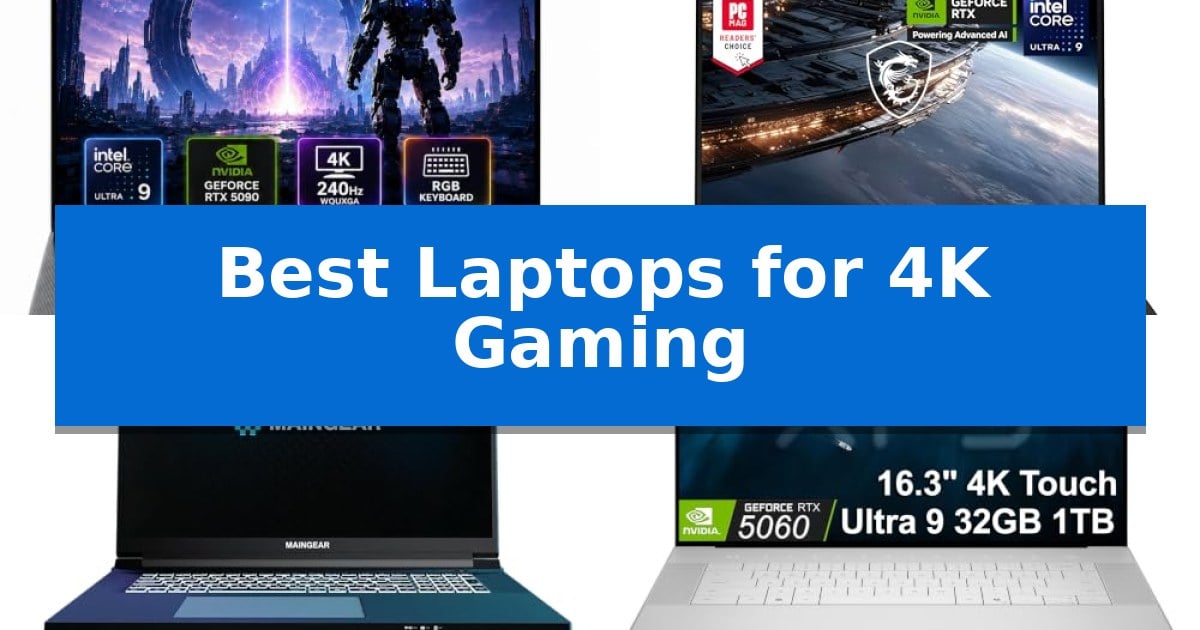
Finding the Best Laptops for 4K Gaming requires balancing raw graphical power with thermal management and display fidelity. Modern titles demand significant GPU overhead to maintain high frame rates at ultra-high resolutions, making the choice of internal components critical for a smooth experience.
Our selection focuses on high-end mobile workstations and gaming rigs that leverage the latest NVIDIA Blackwell architecture and high-refresh-rate panels. Whether you prioritize dual-mode flexibility or vivid MiniLED color accuracy, these machines are engineered to handle the most demanding graphical workloads.
Best Laptops for 4K Gaming in 2026: High-Refresh 4K Visuals
Quick Comparison
| Product | Best For | Key Strength | Score |
|---|---|---|---|
| Lenovo Legion 9i Gen 10 Laptop | Best Overall | Dual-mode display offers flexibility between 4K detail and 440Hz refresh rates. | 4.9 |
| MSI Titan 18 HX AI Laptop | Vivid MiniLED 4K visuals | 18-inch 4K UHD mini LED display for high-fidelity visuals. | 4.8 |
| MAINGEAR Ultima 18 Laptop | Flagship performance for 4K | Flagship NVIDIA RTX 5090 GPU with 24GB of GDDR7 memory for elite gaming performance. | 4.8 |
| Dell XPS 16 Premium Laptop | Portable 4K OLED precision | 16.3-inch UHD+ OLED 120Hz display provides high-resolution, smooth visuals. | 4.5 |
How We Chose
- GPU and CPU throughput for 4K rendering stability
- Display technology, including refresh rates and panel types
- Thermal management systems and cooling efficiency
- Connectivity standards like Thunderbolt 5 and Wi-Fi 7
- Memory and storage capacity for large game assets
1 Lenovo Legion 9i Gen 10 Laptop — Dual-mode 4K display flexibility
Achieving a seamless transition between high-fidelity creative work and competitive gaming requires hardware that adapts to the task at hand. The Lenovo Legion 9i Gen 10 Laptop addresses this by integrating a unique 18-inch dual-mode display, which allows users to toggle between a sharp 4K resolution at 240Hz for immersive visuals and a high-speed Full HD mode at 440Hz for rapid response times in competitive scenarios.
Under the hood, the system is driven by the Intel Core Ultra 9 processor paired with the NVIDIA GeForce RTX 5090 laptop GPU, providing the necessary overhead for demanding 4K gaming and complex video rendering. To manage the thermal output of these components, the laptop utilizes Legion Coldfront vapor cooling technology, which is engineered to sustain peak performance during extended sessions by preventing thermal throttling.
The internal architecture supports intensive multitasking through 64GB of DDR5 RAM and a 2TB Gen5 solid state drive, ensuring that large assets and game files load with minimal latency. Connectivity is equally robust, featuring Thunderbolt 5 ports capable of 80Gbps data transfer and 140W power delivery, alongside Wi-Fi 7 for high-bandwidth wireless networking.
Designed for both stationary power and mobile utility, the chassis houses a 99.9 watt-hour battery to facilitate use away from a power outlet. The combination of high-capacity storage, advanced cooling, and versatile display modes positions this machine as a comprehensive tool for users who require both desktop-class gaming performance and a reliable workstation for high-resolution content creation.
Best for: Users who require a high-performance workstation that can switch between ultra-high-resolution creative work and high-refresh-rate competitive gaming.
Skip if: Users who prioritize portability and a lightweight form factor, as the 18-inch chassis and cooling system result in a substantial 7.72-pound weight.
PROS
- Dual-mode display offers flexibility between 4K detail and 440Hz refresh rates.
- Advanced vapor cooling maintains sustained performance under heavy workloads.
- Thunderbolt 5 connectivity provides high-speed data transfer and power delivery.
- High-capacity 64GB RAM and 2TB Gen5 storage support demanding multitasking.
CONS
- Heavy 7.72-pound chassis limits portability for frequent travelers.
- Large 18-inch footprint requires significant desk space.
2 MSI Titan 18 HX AI Laptop — Vivid MiniLED 4K visuals
The MSI Titan 18 HX AI Laptop distinguishes itself through an expansive 18-inch 4K UHD mini LED display, engineered to deliver an abundant color gamut and vivid, high-contrast visuals for demanding gaming environments. This machine is built to handle intensive workloads, leveraging the latest Intel Core Ultra 9 processor and the high-performance NVIDIA GeForce RTX 5090 GPU to manage complex graphical tasks and ray tracing.
Designed for those who require significant hardware overhead, the system includes 64GB of DDR5 memory and a 4TB NVMe SSD, providing ample capacity for large game libraries and multitasking. The integration of Thunderbolt 5 and Wi-Fi 7 ensures that users have access to the latest connectivity standards for high-speed data transfers and reliable network performance during online sessions.
The chassis measures 15.9 by 12.08 inches with a thickness of 1.26 inches, housing a robust cooling and power architecture that supports its high-end components. While the 7.93-pound weight reflects its substantial internal hardware, it provides a stable platform for users who prioritize desktop-class power in a portable form factor.
Equipped with Windows 11 Pro, this laptop is configured to support both professional business applications and intensive gaming. The combination of the mini LED panel and next-generation NVIDIA architecture makes it a specialized tool for players who demand visual fidelity and consistent performance in 4K resolution.
Best for: Enthusiast gamers and power users who require a high-fidelity 4K display and top-tier processing power for intensive gaming and multitasking.
Skip if: Users who prioritize a lightweight, highly portable device for frequent travel will find the 7.93-pound weight and large 18-inch footprint cumbersome.
PROS
- 18-inch 4K UHD mini LED display for high-fidelity visuals.
- NVIDIA GeForce RTX 5090 for advanced ray tracing and graphics.
- Wi-Fi 7 and Thunderbolt 5 support for cutting-edge connectivity.
- 4TB NVMe SSD provides massive high-speed storage capacity.
CONS
- Substantial 7.93-pound weight limits portability.
- Large 18-inch form factor requires significant desk space.
3 MAINGEAR Ultima 18 Laptop — Flagship performance for 4K
The MAINGEAR Ultima 18 Laptop distinguishes itself with a massive 18-inch 4K 240Hz G-SYNC display, providing a high-resolution, high-refresh-rate canvas that is essential for demanding visual fidelity in modern gaming. Designed for users who refuse to compromise on screen real estate or fluidity, this machine integrates a 16:10 aspect ratio with 100% DCI-P3 color coverage, ensuring that every frame is as accurate as it is sharp.
Under the hood, the device is powered by the NVIDIA GeForce RTX 5090 24GB Laptop GPU, utilizing 24GB of GDDR7 memory to handle complex ray tracing and DLSS 4 workloads. This flagship performance is paired with the Intel Core Ultra 9 290HX Plus 24-core processor, which provides the necessary computational overhead for high-refresh-rate gaming and intensive multitasking without bottlenecking.
Built for sustained operation, the chassis features a metal exterior with isolated intake and exhaust zones to manage heat generated by its high-end components. The system comes equipped with 64GB of DDR5-4800 memory and a 4TB Gen4 NVMe SSD, offering substantial capacity for large game libraries and creative assets. Connectivity is equally robust, featuring dual Thunderbolt 5 ports and Wi-Fi 7 for future-ready data transfer and networking.
The MAINGEAR Ultima 18 Laptop arrives with a clean Windows 11 Pro installation, intentionally free from bloatware to ensure peak system responsiveness from the moment it is unboxed. Every unit is configured and stress-tested in New Jersey, reflecting a focus on build quality and long-term support for users who require a reliable, high-performance workstation.
Best for: Enthusiast gamers and creators who require flagship GPU performance and a large, high-resolution display for 4K gaming and professional workloads.
Skip if: Users seeking a portable or lightweight device, as the 8.8-pound weight and 18-inch form factor prioritize stationary power over mobility.
PROS
- Flagship NVIDIA RTX 5090 GPU with 24GB of GDDR7 memory for elite gaming performance.
- 18-inch 4K 240Hz G-SYNC display offering exceptional resolution and fluid motion.
- Clean Windows 11 Pro installation with zero preinstalled bloatware.
- Advanced connectivity including dual Thunderbolt 5 ports and Wi-Fi 7.
CONS
- Significant physical footprint weighing 8.8 pounds, which limits portability.
- High-performance hardware requires substantial power, necessitating a stationary setup for optimal use.
4 Dell XPS 16 Premium Laptop — Portable 4K OLED precision
The Dell XPS 16 Premium Laptop centers its design around a vivid 16.3-inch UHD+ OLED touchscreen, offering a 120Hz refresh rate that provides smooth visual transitions for high-fidelity gaming and creative tasks. This machine balances its high-resolution output with the processing power of an Intel Ultra 9 285H, making it a capable choice for users who require both portability and significant graphical throughput.
Under the hood, the integration of the NVIDIA GeForce RTX 5060 GPU enables advanced graphical features including ray tracing and DLSS 4. These technologies are specifically aimed at enhancing frame rates and visual realism in modern titles. With 32GB of DDR5 memory and a 1TB PCIe SSD, the system is configured to handle demanding multitasking and rapid data access, which is essential for professional workflows and gaming alike.
The chassis maintains a slim, lightweight profile despite its performance-oriented internals, finished in a refined Platinum aesthetic. Practicality is addressed through the inclusion of three Thunderbolt 4 ports, which support connectivity for up to three external 4K displays, allowing for an expansive desktop setup. The inclusion of Wi-Fi 7 ensures modern wireless connectivity standards for low-latency networking.
For those focused on professional utility, the laptop comes preinstalled with Windows 11 Pro, providing enterprise-grade security and management tools like BitLocker and Hyper-V. The backlit keyboard and haptic glass touchpad are designed for precision, while the FHD RGB-IR camera facilitates secure facial recognition and clear video conferencing, rounding out a machine built for power users who need a versatile, high-performance workstation.
Best for: Professional power users and gamers who require a high-resolution 120Hz OLED display and portable performance for both creative work and gaming.
Skip if: Users seeking a dedicated desktop replacement with maximum thermal headroom or those who prioritize a lower price point over premium craftsmanship and ultra-portable design.
PROS
- 16.3-inch UHD+ OLED 120Hz display provides high-resolution, smooth visuals.
- NVIDIA GeForce RTX 5060 supports modern gaming features like ray tracing and DLSS 4.
- Three Thunderbolt 4 ports allow for versatile external display and peripheral connectivity.
- Intel Ultra 9 285H processor offers high-performance multitasking capabilities.
CONS
- Premium pricing reflects its high-end build and specialized display technology.
- Ultra-slim design may limit thermal dissipation compared to bulkier gaming-specific laptops.
Best Laptops for 4K Gaming Buying Guide
Understanding GPU Requirements
The NVIDIA GeForce RTX 5090 is currently the gold standard for mobile 4K gaming. With 24GB of GDDR7 memory, it provides the necessary bandwidth to handle high-resolution textures and complex ray-tracing effects without significant performance drops.
When selecting a laptop, ensure the GPU has a high Total Graphics Power (TGP) rating. A higher TGP allows the card to draw more power, resulting in better sustained clock speeds and more consistent frame rates during long gaming sessions.
Display Technology and Refresh Rates
A 4K display is only as good as its refresh rate. While 60Hz was once the standard for high resolution, modern gaming laptops now offer 240Hz refresh rates at 4K, providing a fluid experience that was previously impossible on mobile hardware.
Consider dual-mode displays if you play both competitive esports and cinematic single-player titles. These screens allow you to switch between a high-resolution 4K mode for visual fidelity and a high-refresh-rate Full HD mode for competitive speed.
Thermal Management Systems
High-performance components generate significant heat. Look for systems featuring vapor chamber cooling or advanced heat-pipe arrays. These technologies are essential for preventing thermal throttling, which occurs when a system slows down to protect itself from overheating.
Adequate airflow is just as important as the cooling hardware itself. Laptops with isolated intake and exhaust zones generally maintain better performance over time by ensuring that hot air is expelled efficiently away from the chassis.
Connectivity and Future-Proofing
Modern gaming setups rely on fast data transfer. Thunderbolt 5 ports are becoming essential for connecting external high-speed storage and high-resolution monitors, offering up to 80Gbps of bandwidth.
Wi-Fi 7 support ensures that your wireless connection remains stable and fast, reducing latency during online gaming. This is particularly important if you are streaming your gameplay or downloading large updates frequently.
RAM and Storage Considerations
For 4K gaming and content creation, 64GB of DDR5 RAM is recommended. This capacity allows you to keep multiple demanding applications open simultaneously without impacting your game's performance or loading times.
A Gen5 NVMe SSD provides the fastest possible load times for modern games. With 2TB to 4TB of storage, you can maintain a large library of high-resolution titles without needing to constantly uninstall and reinstall games.
Frequently Asked Questions
Do I really need 64GB of RAM for 4K gaming?
While many games currently utilize less, 64GB of RAM provides a significant buffer for multitasking, streaming, and future-proofing your system against increasingly memory-intensive titles.
What is the benefit of a MiniLED display?
MiniLED displays offer superior contrast ratios and brightness levels compared to standard IPS panels, resulting in deeper blacks and more vibrant colors, which are essential for the immersive experience of 4K gaming.
Can I use a 4K gaming laptop for professional work?
Yes, laptops capable of 4K gaming are typically excellent for professional creative work, such as video editing and 3D rendering, due to their high-performance CPUs and color-accurate displays.
Is thermal throttling common in thin gaming laptops?
Thermal throttling is a risk in any high-performance laptop. Choosing a model with advanced vapor cooling and robust airflow design is the best way to mitigate this issue during intensive tasks.
Why is Thunderbolt 5 important?
Thunderbolt 5 offers significantly higher bandwidth than previous generations, allowing for faster data transfers and the ability to drive multiple high-resolution displays through a single port.
Conclusion: Our Top Pick
For those seeking the pinnacle of performance, the Lenovo Legion 9i Gen 10 Laptop stands out as our top recommendation. Its combination of an Intel Core Ultra 9 processor and the RTX 5090 GPU ensures that it can handle the most demanding 4K titles with ease, while the dual-mode display offers the versatility to switch between immersive 4K visuals and high-speed competitive gaming.
While other models like the MSI Titan or MAINGEAR Ultima offer excellent alternatives, the Legion 9i's balance of vapor cooling and high-capacity memory makes it a reliable choice for enthusiasts who do not want to compromise on performance or display flexibility.