
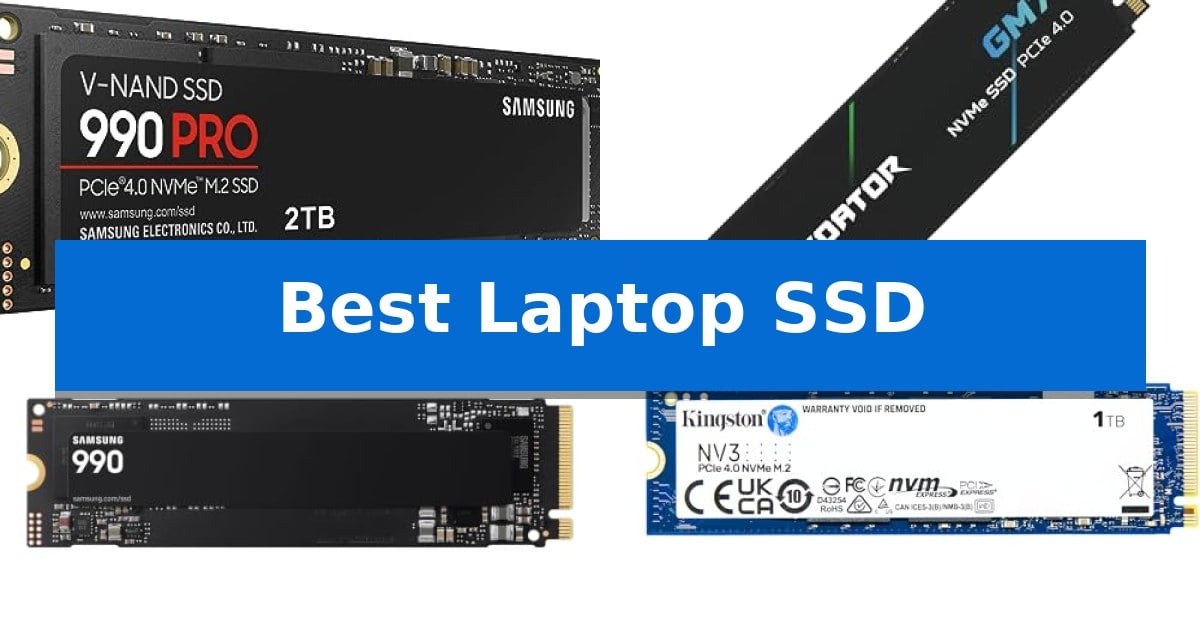
Upgrading your internal storage is one of the most effective ways to revitalize an aging computer or expand the capabilities of a new machine. Finding the Best Laptop SSD requires balancing your specific interface requirements with the read and write speeds necessary for your daily workload.
Whether you are looking to slash boot times, accelerate game loading, or handle large creative files, the right drive makes a measurable difference. We have analyzed current storage options to help you navigate the technical specifications and choose a reliable upgrade that fits your laptop's form factor and performance needs.
Best Laptop SSD in 2026: Boost Speed and Storage Capacity
Quick Comparison
| Product | Best For | Key Strength | Score |
|---|---|---|---|
| Samsung 990 PRO SSD | Best Overall | High-speed PCIe 4.0 performance with read/write speeds up to 7,450/6,900 MB/s. | 4.9 |
| Acer Predator GM7 SSD | Efficient High-Speed Loading | High-performance read/write speeds up to 7400/6500 MB/s. | 4.3 |
| Samsung 990 SSD | Optimized Power Efficiency | High-speed sequential read/write performance up to 7,150/6,450 MB/s. | 4.6 |
| Kingston NV3 SSD | Reliable Gen4 Performance | PCIe 4.0 Gen 4×4 interface for high-speed performance | 4.9 |
| PNY CS900 SSD | Budget SATA Upgrade | Significant speed improvement over traditional mechanical hard drives. | 4.9 |
How We Chose
- Interface Compatibility: Verifying support for PCIe 4.0 NVMe or SATA III standards to ensure the drive fits your specific laptop motherboard.
- Sequential Read/Write Speeds: Analyzing manufacturer-rated throughput to determine how quickly the drive handles file transfers and application loading.
- Power Efficiency: Assessing how the drive manages energy consumption to preserve battery life during mobile use.
- Form Factor: Ensuring the physical dimensions, such as M.2 2280 or 2.5-inch SATA, match your laptop's internal drive bay.
- Capacity Flexibility: Evaluating the range of available storage sizes to accommodate different user needs, from basic OS drives to large media archives.
1 Samsung 990 PRO SSD — Peak Gen4 Speed
High-end computing and heavy-duty workstations require storage that keeps pace with intensive data demands, and the Samsung 990 PRO SSD is engineered specifically to meet these needs. By utilizing the PCIe 4.0 interface, this drive delivers significant bandwidth for faster loading and data processing, making it a suitable choice for users who require consistent, high-performance storage.
The drive features impressive read and write speeds of up to 7,450 MB/s and 6,900 MB/s, respectively. This performance is paired with enhanced power efficiency, offering up to 50% improved performance per watt compared to the previous 980 PRO model. This efficiency helps maintain stable operation during demanding tasks like video editing, data analysis, and gaming.
Available in capacities ranging from 1TB to 4TB, the Samsung 990 PRO SSD provides flexible storage options for various project sizes. Its compact M.2 2280 form factor ensures compatibility with most modern laptops and desktop motherboards that support NVMe storage, allowing for a straightforward upgrade path for power users.
Designed for reliability, the drive includes a 5-year manufacturer warranty, providing long-term support for your storage investment. Whether you are managing large datasets or looking to reduce load times in demanding applications, this drive offers a balance of speed and power efficiency.
Best for: The Samsung 990 PRO SSD is best for power users, gamers, and professionals who require maximum PCIe 4.0 performance for heavy-duty computing tasks.
Skip if: Skip this drive if your system or laptop does not support the PCIe 4.0 NVMe interface, as you will not be able to utilize its full speed capabilities.
PROS
- High-speed PCIe 4.0 performance with read/write speeds up to 7,450/6,900 MB/s.
- Improved power efficiency with up to 50% better performance per watt.
- Versatile capacity options ranging from 1TB to 4TB.
- 5-year manufacturer warranty for long-term reliability.
CONS
- Requires PCIe 4.0 compatibility to reach advertised speeds.
- Premium positioning may exceed the budget for basic storage needs.
2 Acer Predator GM7 SSD — Efficient High-Speed Loading
Upgrading your storage to the Acer Predator GM7 1TB SSD provides a significant boost for demanding workloads, utilizing the PCIe 4.0 Gen4 interface to achieve read speeds up to 7400 MB/s and write speeds up to 6500 MB/s. This drive is engineered for enthusiasts who require rapid data access for gaming and intensive content creation tasks.
The drive incorporates HMB (Host Memory Buffer) technology alongside an SLC Cache, which works to streamline file transmissions and reduce load times. By leveraging advanced NAND Flash and controller technology, the unit maintains high performance while operating with lower power consumption, which helps in managing overall system thermals.
Thermal management is handled through integrated Thermal Throttling and intelligent Power Management systems. These features allow the drive to automatically regulate its temperature, ensuring stability even during prolonged, heavy usage scenarios. The M.2 2280 form factor ensures compatibility with a wide range of modern laptops, desktops, and the PS5.
For ongoing maintenance, the Biwin Intelligence management software is included. This utility provides users with tools for performance testing, data migration, and drive cloning, simplifying the process of upgrading your existing storage setup. The drive is backed by a 5 Year Warranty, offering long-term support for your investment.
Best for: Enthusiasts and creators seeking high-speed storage upgrades for PCIe 4.0 compatible laptops, desktops, or gaming consoles.
Skip if: You are using a device limited to PCIe 3.0 or older interfaces, as you will not be able to utilize the full speed potential of this Gen4 drive.
PROS
- High-performance read/write speeds up to 7400/6500 MB/s.
- Automatic temperature control via Thermal Throttling.
- Comprehensive management software for cloning and migration.
- 5 Year Warranty for long-term reliability.
CONS
- Requires PCIe 4.0 interface to reach advertised speeds.
3 Samsung 990 SSD — Optimized Power Efficiency
Upgrading your storage capacity can significantly streamline your workflow, and the Samsung 990 SSD is engineered to handle demanding tasks with its high-speed sequential read/write capabilities. By delivering up to 7,150/6,450 MB/s, this drive minimizes wait times for loading large games, transferring high-resolution files, and exporting complex creative projects.
Designed for both DIY PC builders and laptop users, this drive prioritizes power-conscious performance. It achieves up to 38% improved performance per watt compared to the 990 PRO, allowing for responsive operation without excessive power draw. This balance is particularly beneficial for maintaining smooth workflows during intensive multitasking sessions.
With up to 2TB of storage available, the Samsung 990 SSD helps eliminate the need for constant file management or deleting games to free up space. It provides a reliable solution for storing 4K footage, personal archives, and growing game libraries, ensuring your data remains accessible whenever inspiration strikes.
Maintenance is simplified through a suite of management tools that allow users to monitor drive health, perform firmware updates, and manage encryption. This focus on long-term reliability makes it a dependable choice for those looking to upgrade their system with high-speed, responsive storage.
Best for: Gamers, creators, and power users who require high-speed storage and improved power efficiency for demanding PC or laptop workloads.
Skip if: Users who require storage capacities exceeding 2TB or those looking for a budget-oriented drive where top-tier sequential speeds are not a priority.
PROS
- High-speed sequential read/write performance up to 7,150/6,450 MB/s.
- Improved performance per watt for better power efficiency.
- Comprehensive management tools for health monitoring and firmware updates.
CONS
- Limited to 2TB maximum capacity for users with massive data archives.
4 Kingston NV3 SSD — Reliable Gen4 Performance
Upgrading your storage capacity or replacing a failing drive requires a balance of speed and reliability. The Kingston NV3 1TB M.2 2280 NVMe SSD addresses this need by utilizing PCIe 4.0 Gen 4×4 technology to deliver efficient data transfer rates for modern computing tasks.
Engineered for high-speed, low-power storage, this drive reaches read speeds of up to 6,000MB/s and write speeds of up to 4,000MB/s. These specifications make it a practical choice for users looking to improve system responsiveness and application loading times without the thermal overhead of more power-hungry alternatives.
The drive features a compact M.2 2280 form factor, ensuring compatibility with a wide range of laptops and desktop motherboards that support NVMe storage. To simplify the transition from an older drive, the package includes Acronis cloning software, which assists in migrating your existing operating system and files to the new hardware.
Backed by a 5-year limited warranty, the Kingston NV3 1TB M.2 2280 NVMe SSD provides a long-term storage solution. Its design prioritizes a balance between performance and energy efficiency, making it a suitable upgrade for those who need reliable, high-capacity storage for daily productivity or creative workflows.
Best for: Users looking to upgrade laptop storage with a power-efficient, high-speed PCIe 4.0 NVMe drive.
Skip if: Users whose hardware only supports older PCIe 3.0 interfaces or those requiring specialized high-end drives for sustained professional-grade heavy write workloads.
PROS
- PCIe 4.0 Gen 4×4 interface for high-speed performance
- Acronis cloning software included for easier data migration
- 5-year limited warranty for long-term support
- Low power consumption design ideal for laptop battery life
CONS
- Performance limited by PCIe 4.0 architecture in older systems
- No integrated heatsink included for thermal management
5 PNY CS900 SSD — Budget SATA Upgrade
Replacing a mechanical hard drive with the PNY CS900 SSD provides an immediate upgrade path for users looking to improve system responsiveness. By utilizing a SATA III 6GB/sec interface, this drive delivers sequential read speeds up to 535MB/s and sequential write speeds up to 500MB/s, significantly reducing wait times during OS boot sequences and application launches.
Designed for broad compatibility, the PNY CS900 SSD features a standard 2.5-inch form factor that fits most laptops and desktop computers. It is also backwards compatible with SATA II 3GB/sec interfaces, ensuring it can breathe new life into older hardware that may not support the latest connection standards.
Beyond performance gains, this drive is engineered for efficiency, featuring ultra-low power consumption compared to traditional spinning hard drives. This design choice helps maintain system thermal management and can contribute to better power efficiency in portable computing environments.
The drive comes with a 3-year warranty, providing long-term support for your storage upgrade. Its lightweight build, weighing approximately 0.099 pounds, ensures it adds negligible mass to any laptop chassis, making it a practical choice for those seeking a balance of performance and reliability.
Best for: Everyday users, creators, and gamers looking for a cost-effective performance boost for older laptops or desktops.
Skip if: Users requiring NVMe speeds or those with systems lacking a 2.5-inch SATA drive bay.
PROS
- Significant speed improvement over traditional mechanical hard drives.
- Broad compatibility with SATA III and SATA II interfaces.
- Low power consumption for improved system efficiency.
- 3-year warranty included for long-term reliability.
CONS
- SATA interface limitations compared to modern NVMe drives.
- 250GB capacity may be restrictive for large media libraries.
Best Laptop SSD Buying Guide
Understanding Interface Standards
The most critical step in selecting an SSD is identifying the interface your laptop supports. PCIe 4.0 NVMe drives are the current standard for modern high-performance laptops, offering significantly higher bandwidth than older technologies. These drives use the M.2 2280 form factor, which is compact and plugs directly into the motherboard.
Older laptops or budget-friendly models may still rely on the SATA III interface. These drives typically come in a 2.5-inch form factor, resembling a traditional mechanical hard drive. Always check your laptop's service manual to confirm whether your system supports NVMe or if it is limited to SATA, as these interfaces are not interchangeable.
Read and Write Performance
Performance is measured by sequential read and write speeds, which dictate how fast your system can access data. For gaming and heavy video editing, higher speeds are beneficial as they reduce loading times and prevent bottlenecks during large file exports.
While top-tier drives boast speeds over 7,000 MB/s, everyday tasks like web browsing or document editing may not fully utilize this potential. Consider your primary use case; if you are a casual user, a reliable drive with moderate speeds will provide a noticeable upgrade over a mechanical HDD without the added cost of extreme performance.
Power Consumption and Heat
Laptops are sensitive to power draw and thermal output. High-performance SSDs can generate significant heat under sustained loads, which may lead to thermal throttling if your laptop lacks adequate cooling. Some drives are engineered for better power efficiency, making them ideal for thin-and-light laptops where battery life is a priority.
Look for drives that feature advanced power management or thermal control technologies. These features help maintain consistent performance without causing the system to overheat or drain your battery prematurely during mobile use.
Storage Capacity Requirements
Choosing the right capacity depends on your library size. A 1TB drive is often the sweet spot for most users, providing ample space for the operating system, essential applications, and a moderate collection of files or games.
If you work with high-resolution 4K video or maintain a massive game library, you might consider 2TB or 4TB options. Remember that filling an SSD to its absolute maximum capacity can sometimes impact performance, so it is wise to leave a small buffer of free space for the drive's internal management processes.
Reliability and Longevity
SSD longevity is often tied to the quality of the NAND flash and the controller. Most reputable manufacturers offer a limited warranty ranging from three to five years, which serves as a baseline for the expected lifespan of the drive under normal usage conditions.
Utilize manufacturer-provided software tools to monitor your drive's health. These utilities can provide firmware updates and track wear, allowing you to stay informed about your storage status and ensure your data remains secure over time.
Frequently Asked Questions
Can I install an NVMe SSD in a laptop that only has a SATA slot?
No, NVMe and SATA are different interfaces. You must use a drive that matches the physical connector and protocol supported by your laptop's motherboard.
What is the difference between M.2 2280 and 2.5-inch SSDs?
M.2 2280 is a small, stick-like form factor used for modern NVMe drives, while 2.5-inch is a larger, boxy form factor used for SATA drives.
Will a faster SSD make my laptop boot up quicker?
Yes, replacing a mechanical hard drive with any SSD will drastically improve boot times and application responsiveness.
Do I need a heatsink for my laptop SSD?
Most laptops have very limited space, so many users opt for drives with integrated thermal management. Check your laptop's clearance before purchasing a drive with a bulky heatsink.
How do I move my data to the new SSD?
Many SSD manufacturers provide cloning software that allows you to copy your existing OS and files to the new drive before physically installing it.
Conclusion: Our Top Pick
For users seeking the best balance of speed and reliability, the Samsung 990 PRO SSD stands out as our top recommendation. Its high-performance PCIe 4.0 architecture makes it an excellent choice for demanding tasks like gaming, video editing, and heavy-duty workstation applications.
While it offers industry-leading speeds, ensure your laptop supports the PCIe 4.0 interface to take full advantage of its capabilities. Its combination of power efficiency and consistent performance makes it a dependable upgrade for any compatible high-end system.