
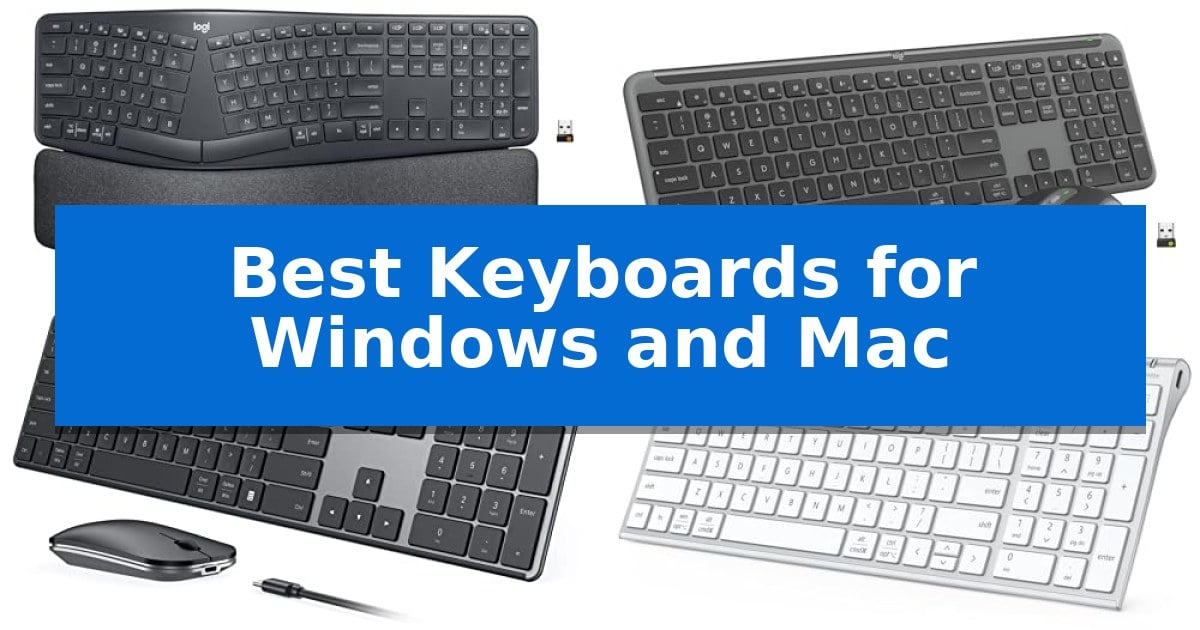
Finding the right peripheral that functions flawlessly across different operating systems can be a challenge for hybrid users. Whether you are switching between a work laptop and a home desktop, the Best Keyboards for Windows and Mac must offer reliable connectivity and intuitive layout support to keep your workflow uninterrupted.
This guide evaluates five distinct models based on their connectivity options, ergonomic design, and cross-platform compatibility. By focusing on how these keyboards handle multi-device switching and OS-specific key mapping, we help you identify which tool best aligns with your daily computing needs.
Best Keyboards for Windows and Mac in 2026
Quick Comparison
| Product | Best For | Key Strength | Score |
|---|---|---|---|
| Logitech Ergo K860 Wireless Keyboard | Best Overall | Curved, split keyframe promotes a more natural typing posture. | 4.9 |
| Logitech MK955 Signature Slim Combo | Seamless Multi-Device Switching | Multi-device switching capability across three paired devices. | 4.6 |
| seenda SKM64-3 Wireless Keyboard Combo | Dual OS Layout Ready | Triple device connectivity for seamless switching between three systems. | 4.8 |
| iClever BK10 SE Bluetooth Keyboard | Ultra-Slim Portable Design | Multi-device connectivity for up to three devices with automatic OS recognition. | 4.8 |
| Macally Wired Keyboard with Hub | Integrated USB Connectivity | Integrated 3-port USB hub (2x USB-A, 1x USB-C) for peripheral connectivity. | 4.7 |
How We Chose
- Cross-platform compatibility and OS-specific key mapping.
- Connectivity reliability via Bluetooth or dedicated USB receivers.
- Ergonomic design features to support long-term typing comfort.
- Multi-device switching capabilities for efficient multitasking.
- Build quality and portability for different workspace requirements.
1 Logitech Ergo K860 Wireless Keyboard — Best for Ergonomic Comfort
Maintaining a natural posture during long work sessions is essential for comfort, and the Logitech Ergo K860 Wireless Ergonomic Split Keyboard addresses this with its distinctive curved, split keyframe. By promoting a more natural alignment for your wrists and forearms, this design aims to reduce muscle strain, a benefit further supported by its certification from United States Ergonomics.
The keyboard features a pillowed wrist rest layered with memory foam, which provides 54 percent more wrist support compared to standard flat keyboards. This integration helps minimize wrist bending, allowing for a more relaxed typing experience. The Perfect Stroke keys are specifically scooped to match the shape of your fingertips, providing a tactile and fluid typing sensation.
Versatility is built into the physical design through the adjustable palm lift feature. With tilt legs offering 0, -4, and -7 degree settings, you can maintain a natural wrist posture whether you are sitting or standing. The keyboard is designed for broad compatibility, supporting both Windows and Mac environments with a full-size layout.
Connectivity is handled via either a USB receiver or Bluetooth, offering flexibility for various workstation setups. Through the Logitech Options software, users can customize function keys and create shortcuts to streamline their workflows. Additionally, the device incorporates sustainability into its construction, with 71 percent of its plastic parts made from certified post-consumer recycled materials.
Best for: Users seeking an ergonomic, split-key layout to improve typing posture and reduce wrist strain during extended periods of use.
Skip if: Users who prefer a compact, portable, or traditional rectangular keyboard layout, as the split design requires an adjustment period and occupies more desk space.
PROS
- Curved, split keyframe promotes a more natural typing posture.
- Pillowed memory foam wrist rest provides significant support and reduces wrist bending.
- Adjustable palm lift legs allow for three different tilt angles to suit various desk setups.
- Dual connectivity options via Bluetooth and USB receiver.
CONS
- Large physical footprint may not be suitable for smaller desk spaces.
- Split-key layout requires a learning curve for those accustomed to standard keyboards.
2 Logitech MK955 Signature Slim Combo — Seamless Multi-Device Switching
Switching between multiple devices is a primary requirement for modern workflows, and the Logitech MK955 Signature Slim Wireless Keyboard Mouse Combo addresses this with dedicated keys that allow you to toggle between three paired devices with a single tap. This full-size keyboard features a familiar laptop-style typing experience, paired with a contoured mouse designed to accommodate larger hands.
The combo emphasizes a quiet workspace through the inclusion of the M750 L Signature Plus mouse, which utilizes SilentTouch technology to reduce click noise by 90%. Both the keyboard and mouse are built with sustainability in mind, incorporating certified post-consumer recycled plastic—at least 48% for the keyboard and 25% for the mouse.
Functionality is extended through the Logi Options+ App, which enables users to customize keys and buttons for specific shortcuts on Windows and macOS. The mouse also features a SmartWheel for efficient scrolling, allowing users to move through long documents line-by-line or navigate web pages rapidly.
Connectivity is handled via Bluetooth or the included USB receiver, ensuring compatibility across Windows, macOS, Chrome OS, Linux, iPadOS, iOS, and Android. The setup is designed for a sleek, solid footprint, making it a practical choice for those looking to declutter their desk while maintaining multi-platform versatility.
Best for: Users who need to frequently switch between three different devices, such as a desktop, laptop, and tablet, using a single, quiet-typing input set.
Skip if: Users who require a mechanical keyboard with tactile, high-travel switches or those who prefer a compact, tenkeyless layout for limited desk space.
PROS
- Multi-device switching capability across three paired devices.
- SilentTouch technology for significantly reduced click noise.
- Customizable shortcuts via the Logi Options+ App.
- Sustainable design using certified recycled plastic.
CONS
- Full-size layout may be too large for users with limited desk space.
- Laptop-style typing lacks the tactile feedback of mechanical alternatives.
3 seenda SKM64-3 Wireless Keyboard Combo — Dual OS Layout Ready
Managing multiple devices across different operating systems often leads to desk clutter and input friction. The seenda SKM64-3 Wireless Keyboard Combo addresses this by offering triple device connectivity, allowing users to switch seamlessly between a PC, MacBook, and tablet using dedicated USB-A, BT1, and BT2 channels.
Designed for versatility, this set features a dual OS layout that accommodates both Windows and Apple shortcuts, eliminating the need to relearn key functions when switching platforms. The keyboard utilizes scissor-switch keys and an ergonomic stand to provide a responsive, quiet typing experience, while the included mouse features adjustable DPI settings (1000/1600/2400) for precise control.
Portability and maintenance are prioritized through a slim, durable metal build made from stainless steel, measuring only 0.12 inches thick for the keyboard. The system is powered by a Type-C fast rechargeable battery that provides up to 200 hours of use on a single three-hour charge, supported by an auto-sleep function to maximize longevity.
This combo is a practical solution for hybrid workers and students who require a consistent typing interface across various hardware environments. By combining a full-size keyboard with a silent mouse, it creates a streamlined workspace that minimizes noise and maximizes desk space.
Best for: Multitaskers and hybrid workers who need to switch between Windows, macOS, and mobile devices using a single, space-saving peripheral set.
Skip if: Users who require a mechanical keyboard with high-travel switches or those who exclusively use devices without Bluetooth or USB-A ports.
PROS
- Triple device connectivity for seamless switching between three systems.
- Dual OS layout compatible with Windows, macOS, iOS, and Android.
- Type-C fast rechargeability with 200 hours of battery life.
- Slim, durable metal build for enhanced portability and desk space efficiency.
CONS
- 2.4G USB mode is limited to Windows systems only.
- Bluetooth 4.0 or higher is required for wireless connectivity on non-USB devices.
4 iClever BK10 SE Bluetooth Keyboard — Ultra-Slim Portable Design
Maintaining a clean desk while managing multiple devices requires hardware that prioritizes both efficiency and a compact footprint. The iClever BK10 SE Bluetooth Keyboard addresses this by integrating a full-size layout into an ultra-slim frame, measuring only 0.16 inches at its thinnest edge. Constructed with a premium stainless steel and ABS build, this keyboard offers a durable, minimalist aesthetic that fits seamlessly into professional or home office environments.
Functionality remains the core focus, as the device supports multi-device connectivity for up to three systems. Users can switch between Windows, MacOS, iOS, and Android devices using dedicated buttons, with the keyboard automatically mapping keys to match the active operating system. This eliminates the need for multiple peripherals when working across a laptop, tablet, and phone simultaneously.
Typing comfort is supported by 15mm full-size keycaps and low-profile scissor-switch mechanisms, which provide a quiet and smooth tactile response. To maintain its slim profile, the navigation keys are integrated directly into the numeric keypad, ensuring that essential productivity functions remain accessible without increasing the overall width of the device.
Power management is handled by an efficient Nordic chipset and a rechargeable battery that supports up to 180 days of use on a single charge. The keyboard includes an automatic sleep mode that triggers after two hours of inactivity, waking instantly upon the next keystroke. Charging is simplified through a modern USB-C interface, ensuring compatibility with most contemporary power cables.
Best for: Users who need a slim, multi-device keyboard that switches seamlessly between Windows and Mac environments.
Skip if: Users who prefer the deep travel and mechanical feel of high-profile mechanical switches.
PROS
- Multi-device connectivity for up to three devices with automatic OS recognition.
- Ultra-slim design featuring a durable stainless steel and ABS construction.
- Long-lasting battery life of up to 180 days with USB-C charging.
- Quiet typing experience provided by low-profile scissor-switch keys.
CONS
- Integrated navigation keys within the number pad may require an adjustment period for some users.
- Fixed low-profile design does not offer adjustable height or tilt options.
5 Macally Wired Keyboard with Hub — Integrated USB Connectivity
Managing multiple peripherals while maintaining a clean desk space often requires a dedicated hub, a need addressed by the Macally Wired Keyboard with Hub. This full-size keyboard integrates a 3-port USB hub directly into its frame, featuring 2x USB-A and 1x USB-C ports to streamline connections for mice, external drives, or other accessories without reaching for your computer's ports.
Designed for versatility across platforms, the keyboard utilizes a 2-in-1 USB plug that supports both USB-C and USB-A connections. It features Auto OS Detection, which allows the 107-key layout and 16 dedicated shortcuts to adapt automatically when switching between Mac, Windows, Android, and iPad environments.
For users working in varied lighting conditions, the keyboard includes white LED backlit keys with 3 adjustable brightness levels. This ensures visibility during late-night tasks or in dim office environments. The unit measures 16.85 inches in length and 0.87 inches in height, providing a standard typing experience with the added benefit of integrated peripheral management.
The Macally Wired Keyboard with Hub is supported by a 2-year warranty and US-based customer service, providing long-term assurance for your hardware investment. Its space gray finish offers a professional aesthetic that complements modern desktop setups while reducing cable clutter.
Best for: Users who need a full-size keyboard that doubles as a USB hub to connect multiple peripherals directly to their workstation.
Skip if: Users who prefer a wireless or mechanical keyboard experience, or those with limited desk space who do not require integrated USB ports.
PROS
- Integrated 3-port USB hub (2x USB-A, 1x USB-C) for peripheral connectivity.
- Auto OS Detection ensures compatibility with Mac, Windows, Android, and iPad.
- White LED backlit keys with 3 brightness levels for low-light visibility.
- 2-in-1 USB interface supports both USB-C and USB-A connections.
CONS
- Wired-only connection limits placement flexibility compared to wireless models.
- Full-size footprint may be too large for compact or minimalist desk setups.
Best Keyboards for Windows and Mac Buying Guide
Connectivity and Multi-Device Support
The ability to switch between devices is a critical feature for modern users. Many keyboards now offer Bluetooth or USB receiver connectivity, allowing you to pair with multiple machines simultaneously. Look for models that provide dedicated buttons or software-based switching to transition between a PC, a Mac, or a tablet with a single tap.
Reliability is paramount when choosing wireless hardware. Ensure the keyboard supports a stable connection protocol, such as Logi Bolt or standard Bluetooth 4.0+, to prevent input lag or dropped signals during intensive work sessions.
Ergonomics and Typing Comfort
Typing for extended periods requires a design that minimizes physical strain. Keyboards with a curved split keyframe or adjustable palm lift help maintain a more natural wrist posture. These features are designed to reduce muscle strain in the forearms and wrists compared to traditional flat layouts.
Consider the key switch mechanism as well. Scissor-switch keys often provide a low-profile, quiet typing experience that mimics laptop keyboards, whereas other designs might focus on tactile feedback to improve accuracy and speed.
Layout and OS Compatibility
A keyboard that works for both Windows and Mac must handle the differences in modifier keys like Command, Option, Control, and Alt. Many modern keyboards feature dual OS layouts or auto-detection technology that automatically maps keys correctly based on the connected device.
If you frequently use specialized software, look for keyboards that allow you to customize Fn keys or create custom shortcuts. Software integration, such as the Logi Options+ app, can significantly enhance your productivity by tailoring the hardware to your specific workflow.
Build Quality and Portability
The materials used in your keyboard affect both its durability and its aesthetic appeal. Stainless steel or high-quality ABS plastic construction provides a solid, premium feel that resists wear over time. For those who travel, an ultra-slim profile is essential for fitting into bags without adding unnecessary bulk.
Weight is a trade-off; while a heavier, metal-based keyboard stays firmly in place on your desk, a lighter, compact model is far easier to transport for remote work or study sessions.
Power Management and Charging
Wireless keyboards rely on either replaceable batteries or internal rechargeable cells. USB-C fast charging is becoming the standard, offering convenience and reducing the need for disposable batteries. Some models feature advanced power management that puts the device into auto-sleep mode to extend battery life for months.
Always check the estimated battery life provided by the manufacturer. Features like a low-battery indicator or a physical on/off switch can help you manage your power usage effectively and avoid unexpected downtime.
Frequently Asked Questions
Can I use a Windows keyboard on a Mac?
Yes, most modern Bluetooth keyboards are compatible with both systems. However, the key mapping for modifier keys like Alt and Windows/Command may differ, so look for keyboards that offer dual-OS support or software to remap keys.
What is the benefit of a split ergonomic keyboard?
A split keyboard design allows your hands and wrists to rest at a more natural angle, which can help reduce muscle strain and tension in your forearms during long typing sessions.
How do I switch between devices on these keyboards?
Most multi-device keyboards use dedicated buttons, often labeled 1, 2, and 3, to toggle between paired devices. Some models also include software that allows for seamless switching when moving your mouse cursor between screens.
Are wired keyboards still relevant?
Wired keyboards remain excellent for users who want to avoid battery management or wireless interference. Models with integrated USB hubs also provide convenient connectivity for other peripherals directly at your desk.
What does 'scissor-switch' mean?
Scissor-switch keys use a cross-shaped plastic mechanism to stabilize the keycap. This design allows for a lower profile and a shorter travel distance, resulting in a quiet and responsive typing feel similar to many high-end laptops.
Conclusion: Our Top Pick
Selecting the right keyboard depends on your specific balance of ergonomics, portability, and multi-device needs. For users prioritizing long-term comfort and posture, the Logitech Ergo K860 Wireless Keyboard stands out as a top choice due to its certified ergonomic design and adjustable tilt features.
If your workflow requires frequent switching between different operating systems or multiple devices, the Logitech Ergo K860 provides the necessary versatility while maintaining a high standard of typing precision. Its combination of a pillowed wrist rest and a curved split keyframe makes it a highly effective tool for reducing strain in any professional or home office setup.