
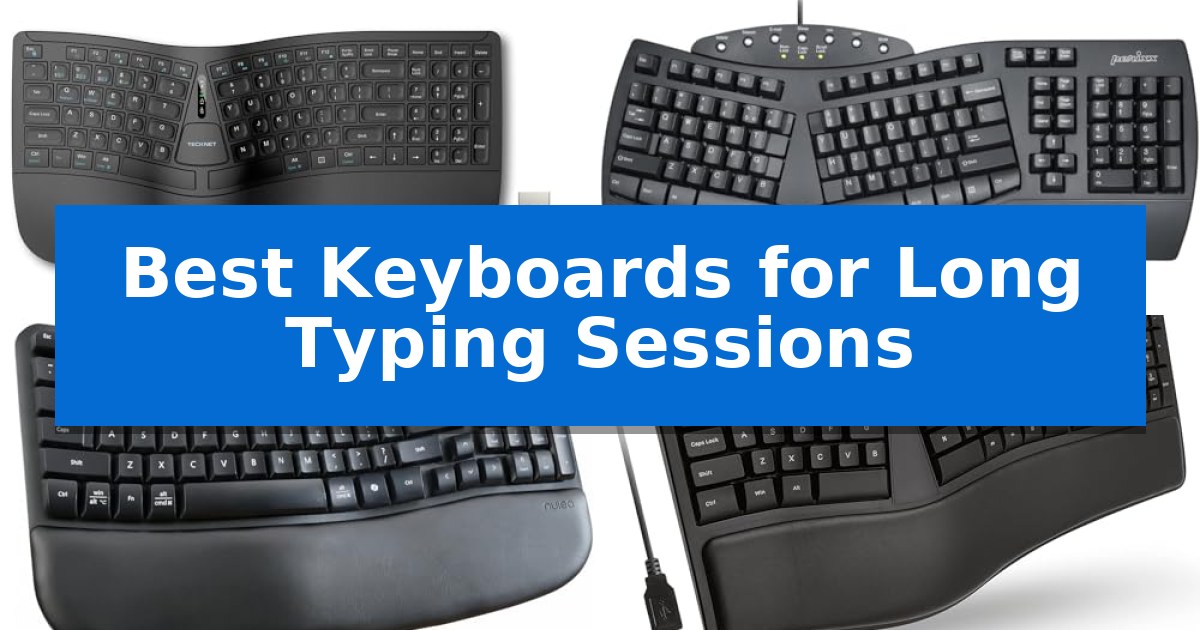
Finding the right tool for high-volume writing or coding is essential for maintaining health and efficiency. When your work requires hours of continuous input, the Best Keyboards for Long Typing Sessions become a vital investment in your physical well-being.
We have analyzed five distinct models to help you identify which features—such as split layouts, memory foam support, or compact footprints—best align with your specific desk setup and typing habits.
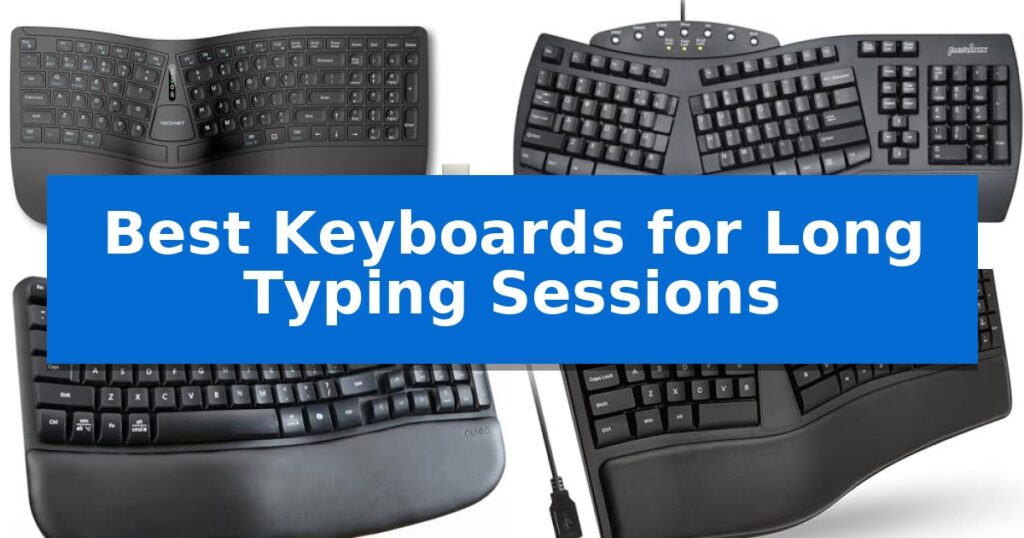
Best Keyboards for Long Typing Sessions in 2026: Reduce Wrist Strain
Quick Comparison
| Product | Best For | Key Strength | Score |
|---|---|---|---|
| TECKNET Wireless Ergonomic Keyboard | Best Overall | Split ergonomic layout promotes a natural, neutral wrist posture. | 4.9 |
| Perixx PERIBOARD-512B Ergonomic Keyboard | Split layout for natural hand positioning | Split-key ergonomic design promotes natural wrist alignment. | 4.6 |
| Nulea Wave Keys Ergonomic Keyboard | Familiar layout with wave-shaped comfort | Wave-shaped design promotes natural hand alignment. | 4.7 |
| X9 Performance Ergonomic Keyboard | Cushioned wrist rest for reduced fatigue | Split ergonomic design promotes natural hand and wrist positioning. | 4.4 |
| Cherry Stream TKL Keyboard | Compact design for better posture | Space-saving TKL design improves ergonomic desk layout | 4.4 |
How We Chose
- Ergonomic geometry, including split or wave layouts that promote neutral wrist alignment.
- Integrated support features, such as cushioned wrist rests that distribute pressure.
- Connectivity options, prioritizing reliable wireless or wired interfaces for stable input.
- Adjustability, specifically looking for tilt legs or multi-angle feet to suit different desk heights.
- Build quality and key responsiveness to ensure consistent performance under heavy usage.
1 TECKNET Wireless Ergonomic Keyboard — Memory foam support for all-day comfort
Maintaining a neutral wrist posture during extended typing sessions is made possible by the TECKNET Wireless Ergonomic Keyboard, which utilizes a split layout and curved key arrangement to align with the natural arc of your fingers. By positioning your hands at a shoulder-width distance, the design effectively minimizes lateral stretching and reduces the physical strain often associated with long hours of data entry or creative writing.
Comfort is further enhanced by an integrated high-density memory foam wrist rest. This dual-layer support system features a firm base to prevent sinking and a soft, slow-rebound top layer that conforms to your hands, ensuring consistent pressure distribution. To accommodate different desk setups or standing workstations, the keyboard includes 4-stage adjustable feet, allowing for tilt angles of 0°, 1.2°, 3°, and 6.2°.
For users managing multiple devices, the keyboard offers versatile Bluetooth 5.0 and 2.4GHz wireless connectivity. It supports pairing with up to three Bluetooth devices plus one via the included USB dongle, with a dedicated shortcut key for seamless switching. The 500mAh rechargeable battery provides up to 200 hours of continuous use, and the USB-C port allows for simultaneous charging and operation, ensuring your workflow remains uninterrupted.
The device is built for longevity and reliability, backed by a 36-month warranty upon registration. Its stain-resistant fabric finish adds a practical touch for daily office environments, while the layout is specifically engineered to maintain fluid input and reduce mistyping throughout your workday.
Best for: Professionals and writers who require a split-key ergonomic design to alleviate wrist and shoulder strain during long daily typing sessions.
Skip if: Users who prefer a traditional, compact, or non-split keyboard layout, or those who require mechanical switches for specific tactile feedback.
PROS
- Split ergonomic layout promotes a natural, neutral wrist posture.
- Dual-density memory foam wrist rest provides long-term comfort.
- Multi-device support allows switching between 4 devices via Bluetooth and 2.4GHz.
- Long-lasting 200-hour battery life with convenient USB-C charging.
CONS
- Split design requires an adjustment period for those accustomed to standard rectangular keyboards.
2 Perixx PERIBOARD-512B Ergonomic Keyboard — Split layout for natural hand positioning
Maintaining a neutral wrist posture during extended typing sessions is essential for comfort, and the Perixx PERIBOARD-512B Wired Ergonomic Keyboard addresses this through its distinct split-key layout. By separating the keys into dedicated left and right zones, the design encourages a more natural hand position that helps reduce wrist bending.
The keyboard features long key travel of 4.2 mm, providing tactile feedback that mimics the feel of brown mechanical switches. This physical response is paired with curved key rows and ergonomic curved keycaps that are shaped to fit the contours of your fingertips, promoting a more relaxed typing posture over long periods.
Durability is a core design focus, with the membrane switches rated for up to 20 million keystrokes. The unit connects via a standard wired USB interface, ensuring a consistent connection without the need for batteries. While the ergonomic shape is designed to minimize strain, the manufacturer notes that most users typically require an adjustment period of 1–2 weeks to adapt to the split layout.
Measuring 18.92 inches in length and 9.2 inches in width, this keyboard provides a full-sized layout that includes a built-in wrist rest. It is available in black, beige, and white, allowing for integration into various workspace aesthetics while maintaining a focus on ergonomic support.
Best for: Users seeking a wired, full-sized ergonomic keyboard to help reduce wrist strain during long typing sessions.
Skip if: Users with limited desk space who require a compact layout or those who prefer low-profile, short-travel laptop-style keys.
PROS
- Split-key ergonomic design promotes natural wrist alignment.
- Long 4.2 mm key travel provides satisfying tactile feedback.
- Durable construction rated for 20 million keystrokes.
- Integrated wrist rest supports hands during extended use.
CONS
- Requires an adjustment period of 1–2 weeks for new users.
- Large footprint may not fit on smaller desks.
3 Nulea Wave Keys Ergonomic Keyboard — Familiar layout with wave-shaped comfort
Maintaining comfort during extended periods of data entry or creative writing requires hardware that prioritizes natural hand positioning. The Nulea Wave Keys Ergonomic Keyboard addresses this through a distinct wave-shaped design that aligns with the natural curvature of the hands, helping to reduce the strain often associated with traditional flat keyboards.
This keyboard integrates a full key layout that retains the familiar spacing of standard office boards, eliminating the need for a steep learning curve. It features precise crater key positions that are engineered for consistent tactile feedback and a smooth rhythm, which helps minimize the risk of key jamming during high-speed typing sessions.
Customization for individual posture is managed through adjustable tilt legs, allowing users to modify the typing angle to suit their specific desk setup. By offering both a slightly elevated or flatter surface, the keyboard helps disperse pressure across the palms and wrists, providing a more tailored experience for long-term use.
The Nulea Wave Keys Ergonomic Keyboard operates via a wireless connection, removing the clutter of cables from your workspace. It includes a cushioned palm rest that provides integrated support, ensuring that the wrists remain in a neutral position throughout the day, making it a practical choice for those who spend hours at their desks.
Best for: Office professionals and writers seeking an ergonomic, familiar layout that reduces wrist fatigue during long typing sessions.
Skip if: Users who require a mechanical switch feel or a compact, tenkeyless footprint for limited desk space.
PROS
- Wave-shaped design promotes natural hand alignment.
- Familiar layout requires no complex learning curve.
- Adjustable tilt legs allow for personalized typing angles.
- Integrated cushioned palm rest for enhanced comfort.
CONS
- Full-size footprint may be too large for minimalist desk setups.
4 X9 Performance Ergonomic Keyboard — Cushioned wrist rest for reduced fatigue
Maintaining a natural hand position during extended typing sessions is essential for reducing strain, and the X9 Wired Ergonomic Keyboard addresses this through its integrated split ergonomic design. By promoting a more natural wrist and forearm alignment compared to traditional straight keyboards, this device is built to support users who spend long hours at their desks.
The keyboard features an integrated cushioned wrist rest that keeps hands level with the keys, providing consistent support during heavy workloads. This focus on comfort is complemented by a full-sized 110-key layout, which includes a dedicated numeric keypad and 17 shortcut keys to streamline productivity tasks.
Designed for simplicity and reliability, the X9 Wired Ergonomic Keyboard utilizes a plug-and-play USB connection that requires no driver installation, making it compatible with both PC and Chrome systems. The unit also includes an adjustable kickstand to modify the typing angle, while the absence of backlit keys ensures a clean, distraction-free aesthetic for professional environments.
This keyboard offers a straightforward, functional approach to ergonomic typing. With its durable wired connection and focus on physical comfort, it serves as a practical tool for those prioritizing wrist health and consistent input efficiency throughout the workday.
Best for: Users seeking a wired, full-sized ergonomic keyboard with integrated wrist support for long-duration typing tasks.
Skip if: Users who require backlit keys, wireless connectivity, or a compact, space-saving footprint for their desk setup.
PROS
- Split ergonomic design promotes natural hand and wrist positioning.
- Integrated cushioned wrist rest provides essential support during long sessions.
- Plug-and-play USB connectivity ensures immediate compatibility without drivers.
- Full-sized 110-key layout includes a numeric keypad and dedicated shortcuts.
CONS
- No backlighting features for low-light visibility.
- Wired-only connection limits desk placement flexibility.
5 Cherry Stream TKL Keyboard — Compact design for better posture
Maintaining a comfortable posture during extended periods of work is essential for productivity, and the Cherry Stream TKL Keyboard addresses this by removing the numeric keypad. This space-saving design allows your mouse to sit closer to the keyboard, promoting a more natural and ergonomic arm position while you type.
The Cherry Stream TKL Keyboard is built for frequent typists who prioritize comfort and precision. It utilizes CHERRY SX scissor technology, which provides a distinct pressure point and a quiet typing experience. The keyboard is anchored by an integrated metal plate and two rubberized fold-out feet, ensuring it remains sturdy and non-slip on your desk surface.
Durability and utility are integrated into the design through abrasion-resistant lettering, which helps keep the keys legible over time. The inclusion of six practical multimedia keys allows for quick control of audio and system functions, while two red status LEDs provide clear indicators for CAPS LOCK and SCROLL keys.
This wired keyboard is designed for reliability and has been awarded the GS mark for tested safety. Its compact, flat profile is engineered to minimize strain, making it a practical choice for those who spend their entire day at a desk.
Best for: Users who want to improve ergonomic posture during long typing sessions by reducing the distance between their keyboard and mouse.
Skip if: Users who require a dedicated numeric keypad for data entry or financial tasks.
PROS
- Space-saving TKL design improves ergonomic desk layout
- CHERRY SX scissor switches provide a precise and quiet typing feel
- Integrated metal plate and rubberized feet ensure high stability
- Abrasion-resistant lettering maintains long-term legibility
CONS
- Lacks a numeric keypad, which may limit functionality for specific workflows
Best Keyboards for Long Typing Sessions Buying Guide
Understanding Ergonomic Layouts
The primary goal of an ergonomic keyboard is to minimize the unnatural bending of wrists. A split layout or wave design forces your hands to sit at a more natural, shoulder-width distance, which reduces the strain on your forearms and shoulders.
While these designs often require a short adjustment period, they are highly effective at preventing repetitive strain injuries. If you are transitioning from a standard flat keyboard, expect to spend about one to two weeks adapting to the new key positioning.
The Importance of Wrist Support
Typing for hours puts significant pressure on the delicate structures of your wrists. Keyboards with integrated wrist rests provide a necessary platform to keep your hands level with the keys.
Look for materials like high-density memory foam, which conforms to your hand shape and prevents the wrist sinking that often occurs with cheaper, rigid plastic rests. Proper support ensures that your wrists remain relaxed throughout your workday.
Connectivity and Multi-Device Workflow
Modern workflows often involve switching between a desktop, laptop, or tablet. A keyboard with Bluetooth 5.0 or 2.4GHz wireless connectivity allows you to maintain a clean workspace without cable clutter.
Some models offer multi-device pairing memory, enabling you to toggle between different systems with a single shortcut key. This is a significant productivity booster for users who manage multiple screens simultaneously.
Adjustability and Desk Ergonomics
Not every desk setup is the same, which is why adjustable tilt legs are a critical feature. Being able to change the angle of your keyboard—often between 0° and 6°—allows you to find the most comfortable position for your specific chair and desk height.
A proper tilt helps maintain a straight line from your elbow to your fingertips, reducing the need for lateral stretching or awkward wrist extensions that lead to fatigue.
Key Feel and Responsiveness
The tactile feedback of a key determines how much force you need to apply. Scissor switches or membrane systems with sufficient key travel provide a consistent, quiet, and responsive feel that is ideal for frequent typists.
Uniformity across all keys is essential for maintaining your typing rhythm. A keyboard that offers a predictable rebound force helps you type faster and with fewer errors, ultimately reducing the mental and physical effort required for long tasks.
Frequently Asked Questions
How long does it take to get used to a split keyboard?
Most users find that they adapt to a split or wave-shaped ergonomic keyboard within one to two weeks of consistent daily use.
Are wireless ergonomic keyboards reliable for professional work?
Yes, modern wireless keyboards using 2.4GHz dongles or Bluetooth 5.0 provide stable, low-latency connections suitable for professional typing and office tasks.
Why is a wrist rest important for long typing sessions?
A wrist rest helps keep your wrists in a neutral, level position, which prevents them from bending upward or downward and reduces the risk of strain during extended use.
Can I use an ergonomic keyboard with both Windows and Mac?
Many ergonomic keyboards are designed for cross-platform compatibility, though you should check the specific product details to ensure your operating system is supported.
What is the benefit of a TKL (Tenkeyless) keyboard?
A TKL keyboard removes the numeric keypad, allowing you to place your mouse closer to your body. This reduces the distance your arm has to reach, promoting a more natural and ergonomic posture.
Conclusion: Our Top Pick
Choosing the right keyboard is a personal decision that depends heavily on your desk setup and the amount of time you spend typing. For those seeking the most comprehensive support, the TECKNET Wireless Ergonomic Keyboard stands out as our top recommendation due to its combination of a split layout, high-density memory foam wrist rest, and versatile multi-device connectivity.
While other options like the Perixx PERIBOARD-512B offer excellent tactile feedback for those who prefer wired connections, the TECKNET model provides the most balanced feature set for all-day comfort. Ensure you consider your specific space constraints and connectivity needs before making your final selection.