
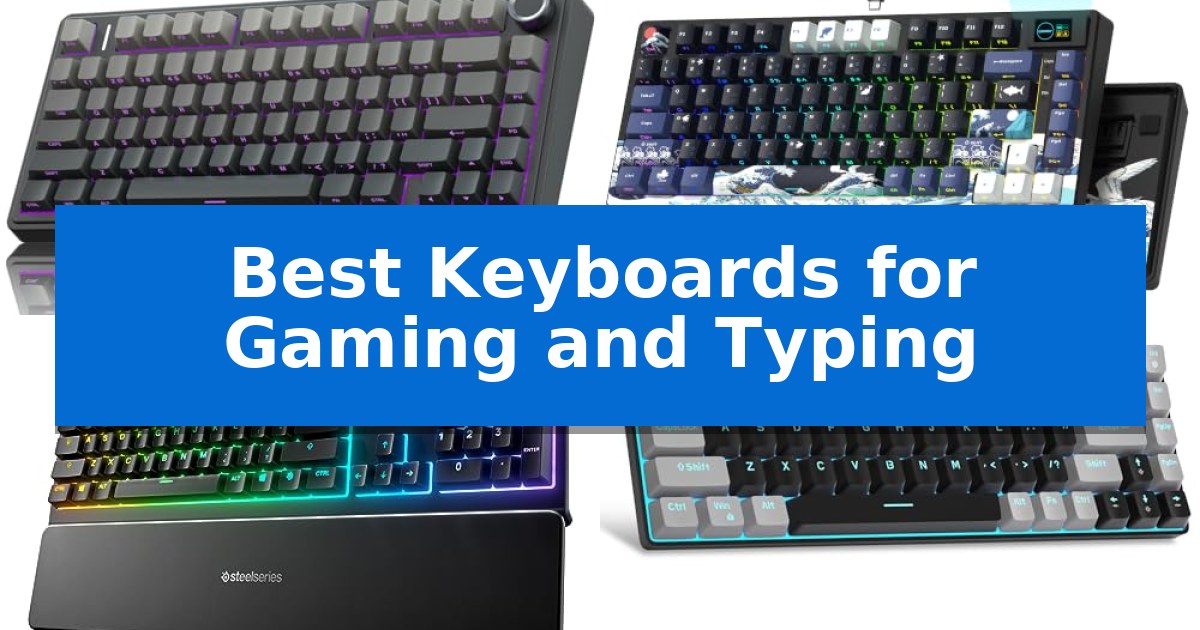
Finding the right peripheral that balances the rapid response required for competitive gaming with the comfort needed for long typing sessions is a common challenge. Whether you are drafting documents or navigating complex game maps, the tactile feedback and layout of your hardware significantly impact your daily efficiency.
Our analysis of the Best Keyboards for Gaming and Typing focuses on how specific switch mechanics, connectivity options, and physical dimensions translate into real-world usability. By examining these factors, we aim to help you identify a tool that supports both your professional output and your leisure time.
Best Keyboards for Gaming and Typing in 2026
Quick Comparison
| Product | Best For | Key Strength | Score |
|---|---|---|---|
| AULA F75 Pro Mechanical Keyboard | Best Overall | Hot-swappable PCB supports 3-pin and 5-pin switches for easy customization. | 4.9 |
| Womier SK80 Mechanical Keyboard | Interactive Multimedia Display | Integrated multimedia display screen for real-time system monitoring and customization. | 4.6 |
| SteelSeries Apex 3 Gaming Keyboard | Spill-Resistant Whisper Quiet Keys | IP32 water resistance prevents damage from accidental spills. | 4.6 |
| MageGee MK-Box Mechanical Keyboard | Space-Saving Compact Layout | 60% compact footprint saves significant desk space. | 4.7 |
| Redragon K671 Mechanical Gaming Keyboard | Hot-Swappable Customization | Hot-swappable switches allow for easy maintenance and customization. | 4.8 |
How We Chose
- Switch type and actuation feel for typing comfort and gaming responsiveness.
- Connectivity options including wired, 2.4GHz wireless, and Bluetooth support.
- Physical layout and footprint to assess desk space efficiency.
- Customization features such as hot-swappable sockets and programmable keys.
- Build quality and material choices like PBT keycaps for long-term durability.
1 AULA F75 Pro Mechanical Keyboard — Premium Creamy Typing Feel
The AULA F75 Pro Mechanical Keyboard distinguishes itself through a sophisticated internal architecture that utilizes an extended integrated silicone pad and PCB single key slotting to deliver a refined, elastic typing feel. Designed for both high-stakes gaming and extended typing sessions, this 75% layout keyboard balances a compact footprint with the inclusion of essential arrow keys and a versatile multi-function control knob.
Performance is anchored by pre-lubricated LEOBOG reaper switches and stabilizers, which work in tandem with five layers of internal silencer filling to mitigate cavity noise. The keyboard features a tri-mode connection system, allowing users to toggle between Bluetooth 5.0, 2.4GHz wireless, and USB-C wired modes, supporting up to five simultaneous device connections.
Customization is a core focus of the AULA F75 Pro, featuring a hot-swappable base that accommodates both 3-pin and 5-pin switches, enabling hardware-level personalization without soldering. The aesthetic is defined by side-printed PBT keycaps that allow RGB backlighting to shine through, paired with 16.8 million color options and 16 pre-set lighting effects adjustable via the dedicated knob or software.
Functionality extends to the multi-function knob, which provides tactile control over media playback and volume in office mode, or lighting brightness and effects in gaming mode. With a 4000mAh battery and N-key rollover support, this keyboard is engineered to maintain consistent responsiveness during intense use while offering the flexibility required for professional and recreational environments.
Best for: Users seeking a compact, hot-swappable mechanical keyboard that balances a premium 'creamy' typing sound with versatile wireless connectivity for both gaming and productivity.
Skip if: Users who require a full-sized layout with a dedicated number pad for data entry or those who prefer a low-profile, ultra-slim keyboard design.
PROS
- Hot-swappable PCB supports 3-pin and 5-pin switches for easy customization.
- Tri-mode connectivity allows seamless switching between five devices.
- Advanced acoustic dampening with five layers of filling and silicone pads.
- Multi-function knob provides intuitive control over media and lighting.
CONS
- 75% layout lacks a dedicated number pad, which may limit productivity for heavy spreadsheet users.
- 6-month warranty period is relatively short compared to some industry standards.
2 Womier SK80 Mechanical Keyboard — Interactive Multimedia Display
The Womier SK80 Mechanical Keyboard distinguishes itself with a dedicated vibrant color multimedia screen positioned at an 11-degree angle, allowing users to visualize custom GIF images, system settings, and connection modes directly on the device. This 75% layout keyboard is built for those who prioritize both aesthetics and functionality, featuring a distinctive Black Kanagawa theme.
Designed with a gasket mount structure, the keyboard utilizes an EVA positioning plate and bottom filling to deliver a soft, responsive typing feel while effectively reducing noise. The inclusion of pre-lubed linear switches ensures a clean sound profile right out of the box. For users who enjoy personalization, the hot-swappable PCB supports both 3-pin and 5-pin switches, providing flexibility for future modifications.
Customization extends to the software level, where the keyboard driver allows for full control over RGB lighting, macros, and the multimedia display. The ultimate RGB backlighting system offers 19 lighting effects and 9 colors, including a 'Music Syncing' mode that reacts to audio playback. Connectivity is handled via a detachable Type-C cable, ensuring compatibility with both Mac and Windows systems.
This keyboard balances a compact footprint with a feature-rich design, making it a versatile tool for gaming and daily typing tasks. The integration of the multimedia screen and the gasket-mounted construction provides a refined experience for users seeking a custom-feel keyboard without the complexity of a full DIY build.
Best for: Users who want a compact 75% mechanical keyboard with integrated multimedia display controls and a gasket-mounted typing experience.
Skip if: Users who require wireless connectivity or a full-sized layout with a dedicated number pad.
PROS
- Integrated multimedia display screen for real-time system monitoring and customization.
- Gasket-mounted design provides a soft, responsive typing feel and reduced noise.
- Hot-swappable PCB supports easy switch replacement without soldering.
- Pre-lubed linear switches offer a consistent and clean typing sound out of the box.
CONS
- Wired-only connection limits desk placement flexibility compared to wireless models.
- 75% layout lacks a dedicated number pad, which may impact data-heavy workflows.
3 SteelSeries Apex 3 Gaming Keyboard — Spill-Resistant Whisper Quiet Keys
Maintaining a workspace that is both functional for high-intensity gaming and comfortable for long typing sessions requires equipment that balances durability with quiet operation. The SteelSeries Apex 3 Gaming Keyboard addresses these needs through its IP32 water-resistant construction, which provides a necessary layer of protection against accidental liquid spills. This design ensures that the internal components remain shielded during daily use, offering peace of mind for those who keep beverages at their desk.
Engineered for environments where noise control is essential, the keyboard utilizes whisper quiet gaming switches. These switches are rated for 20 million low friction keypresses, providing a consistent feel that minimizes audible clicking. This makes the device a practical choice for shared offices or late-night gaming sessions where maintaining a quiet atmosphere is a priority. The inclusion of a premium magnetic wrist rest further enhances the experience by providing full palm support, which helps reduce strain during extended periods of use.
Customization and utility are integrated into the core design through 10-zone RGB illumination. Users can configure various color schemes and reactive lighting effects to suit their aesthetic preferences. For added convenience, the keyboard features dedicated multimedia controls, allowing for rapid adjustments to volume and media settings without the need to exit a game or interrupt a workflow.
The device is designed for broad compatibility, functioning seamlessly across Windows and Mac OS X systems, as well as modern gaming consoles including the Xbox Series S/X and PS4/PS5. With its combination of spill protection, ergonomic support, and silent switch technology, the SteelSeries Apex 3 Gaming Keyboard serves as a versatile tool for users seeking a reliable, multi-platform input device for Best Keyboards for Gaming and Typing.
Best for: Users who require a spill-resistant, quiet keyboard with customizable lighting for both gaming and general typing across PC and console platforms.
Skip if: Users who prefer the tactile and audible feedback of mechanical switches, as this model uses whisper-quiet switches designed for silent operation.
PROS
- IP32 water resistance prevents damage from accidental spills.
- Whisper quiet gaming switches provide near-silent operation.
- Premium magnetic wrist rest enhances comfort during long sessions.
- Dedicated multimedia controls allow for quick adjustments.
CONS
- Non-mechanical switch design may not suit users seeking traditional mechanical tactile feedback.
4 MageGee MK-Box Mechanical Keyboard — Space-Saving Compact Layout
The MageGee MK-Box Mechanical Keyboard utilizes a 60% compact layout to maximize desk space while retaining essential functionality through dedicated arrow keys and a full suite of F1-F12 keys. This design choice makes it a practical solution for users who require a smaller footprint without sacrificing the specific inputs needed for both intensive gaming sessions and daily office tasks.
Equipped with mechanical red switches, this keyboard provides a linear, smooth keystroke experience. The switches are engineered for minimal resistance and fast action, lacking a tactile bump to ensure rapid, fluid typing and responsive gaming inputs. The full anti-ghosting capability ensures that all 68 keys register accurately, even during complex simultaneous key presses.
Aesthetically, the device features charming blue LED backlighting with approximately 16 customizable light effects. Users can adjust both the speed and brightness of these effects directly via onboard function keys. The build includes ergonomic suspension double-color injection keycaps and a double kickstand design, which allows for adjustable typing angles to improve comfort during extended use.
Connectivity is handled via a detachable USB cable, simplifying transport and cable management. The keyboard is designed for broad compatibility, supporting Windows, Linux, and Mac systems through a plug-and-play USB 2.0 interface, requiring no additional software or driver installations.
Best for: Users seeking a space-saving mechanical keyboard that balances gaming responsiveness with standard office functionality.
Skip if: Users who require a dedicated number pad or a full-sized layout for data entry-heavy workflows.
PROS
- 60% compact footprint saves significant desk space.
- Linear red switches offer smooth, fast, and quiet operation.
- Full anti-ghosting ensures reliable input for gaming.
- Plug-and-play compatibility across Windows, Mac, and Linux.
CONS
- Lacks a dedicated number pad for rapid numerical input.
- Wired-only connection limits desk placement flexibility.
5 Redragon K671 Mechanical Gaming Keyboard — Hot-Swappable Customization
The Redragon K671 Mechanical Gaming Keyboard centers its design around a hot-swappable linear red switch system, allowing users to replace switches easily with the four included spares. This mechanical board is built to accommodate both high-intensity gaming sessions and daily typing tasks through its responsive, low-force actuation switches.
Customization is a core component of this model, featuring 11 programmable backlit modes with five adjustable levels for brightness and speed. Users can utilize the dedicated software to perform macro editing, remap key functions, or create complex shortcuts to streamline workflows and gaming inputs. While the LED effects are adjustable, the backlight color remains fixed.
Durability and performance are supported by full-key anti-ghosting technology, ensuring that simultaneous inputs are registered without conflict. The keyboard utilizes double-shot PBT keycaps designed to maintain clarity for the backlighting while providing a tactile typing surface. Twelve integrated multimedia shortcuts provide quick access to volume, media, and system controls.
Measuring approximately 17.1 inches in length, the Redragon K671 Mechanical Gaming Keyboard offers a standard layout suitable for most desk setups. It includes a 24-month warranty to support long-term use, making it a practical choice for those seeking a balance between customizable mechanical performance and essential productivity features.
Best for: Users who want a customizable, hot-swappable mechanical keyboard that balances gaming-grade anti-ghosting with macro-editing capabilities for productivity.
Skip if: Users who require per-key RGB color customization or a wireless connection, as this model features fixed-color backlighting and a wired-only interface.
PROS
- Hot-swappable switches allow for easy maintenance and customization.
- Full-key anti-ghosting ensures reliable input during complex gaming maneuvers.
- Macro editing support enables efficient remapping and shortcut creation.
- Double-shot PBT keycaps provide long-lasting durability and backlight clarity.
CONS
- Fixed backlight color limits aesthetic customization compared to full RGB models.
- Wired-only connection restricts placement flexibility on the desk.
Best Keyboards for Gaming and Typing Buying Guide
Understanding Mechanical Switches
Mechanical switches are the heart of a keyboard, defining the sound and feel of every keystroke. Linear switches, often found in gaming-focused models, provide a smooth, consistent press without a tactile bump, which can be advantageous for rapid-fire inputs.
Tactile switches offer a noticeable bump when a key is registered, providing feedback that many users prefer for typing accuracy. Choosing between these depends on whether you prioritize raw speed or the physical confirmation of a successful keystroke.
Layout and Form Factor
The physical size of your keyboard dictates how much desk space remains for your mouse. A 75% or 60% layout removes the number pad and often condenses navigation keys, which is ideal for smaller workspaces or gamers who need more room for wide mouse movements.
While compact layouts save space, they may require the use of function layers to access certain keys. Ensure the layout you choose retains the specific keys you rely on for your daily workflow or gaming shortcuts.
Connectivity and Multi-Device Support
Modern keyboards often offer tri-mode connectivity, allowing you to switch between wired, 2.4GHz wireless, and Bluetooth modes. This is essential for users who switch between a desktop PC, a laptop, and a tablet throughout the day.
Wired connections remain the standard for zero-latency gaming, while Bluetooth and 2.4GHz wireless provide a clutter-free desk environment. Verify that your chosen device supports the specific connection types your hardware requires.
Customization and Hot-Swappability
Hot-swappable PCBs allow you to change your switches without soldering, giving you the freedom to experiment with different typing feels. This feature significantly extends the lifespan of your keyboard, as you can replace individual faulty switches rather than the entire unit.
Beyond switches, look for software support that allows for key remapping and macro creation. These tools enable you to tailor the keyboard's functionality to specific games or productivity applications, enhancing your overall efficiency.
Keycap Materials and Durability
Keycaps are the primary point of contact and are subject to constant wear. PBT (polybutylene terephthalate) keycaps are generally preferred for their resistance to shine and their textured, durable feel compared to standard ABS plastic.
Double-shot injection molding ensures that the legends on your keys will not fade over time, as the character is molded into the plastic itself. Investing in a keyboard with high-quality keycaps ensures a consistent typing experience for years.
Frequently Asked Questions
What is a hot-swappable keyboard?
A hot-swappable keyboard features a PCB designed to allow you to pull out and replace mechanical switches without the need for soldering, making it easy to customize your typing feel.
Why choose a 75% layout over a full-size keyboard?
A 75% layout is more compact, saving valuable desk space for mouse movement, while still retaining essential keys like the arrow cluster and function row.
Are linear switches better for typing?
Switch preference is subjective. Some typists prefer linear switches for their smooth, consistent feel, while others prefer tactile switches for the physical feedback provided by the actuation bump.
Can I use a wireless keyboard for competitive gaming?
Yes, many modern keyboards use 2.4GHz wireless technology, which provides a stable, low-latency connection comparable to a wired setup.
What does IP32 water resistance mean?
IP32 rating indicates that the device is protected against solid objects larger than 2.5mm and is resistant to water spray, which helps prevent damage from accidental liquid spills.
Conclusion: Our Top Pick
Selecting the right keyboard depends on balancing your specific needs for gaming speed and typing comfort. For most users, a versatile, high-quality mechanical option that offers both wireless flexibility and a satisfying, durable build will provide the best long-term experience.
Our top recommendation is the AULA F75 Pro Mechanical Keyboard, which stands out for its tri-mode connectivity, hot-swappable switch support, and premium creamy typing feel. Its compact 75% layout and multi-function knob make it an excellent choice for those who need to switch seamlessly between gaming and professional tasks.