
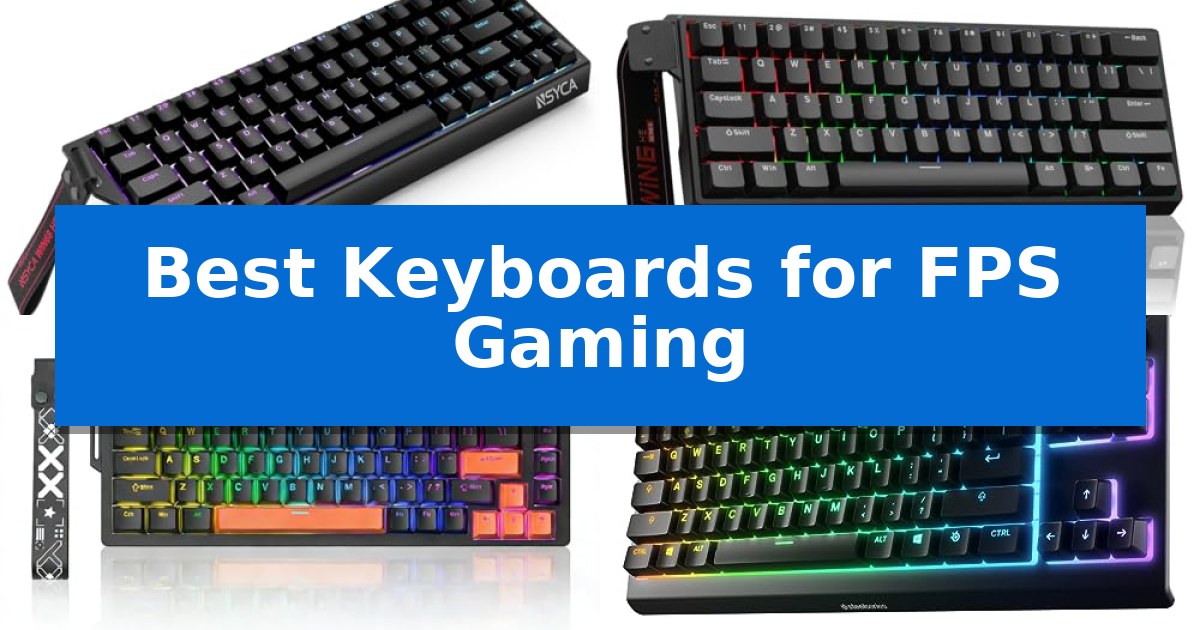
Finding the right hardware is essential when every millisecond counts in high-stakes matches. The Best Keyboards for FPS Gaming prioritize speed, responsiveness, and desk space, ensuring your inputs translate instantly to on-screen movement.
Whether you are looking for advanced magnetic switches or a compact form factor to maximize mouse movement, choosing the right board can significantly impact your consistency. We have analyzed the latest options to help you identify which features align with your specific playstyle.
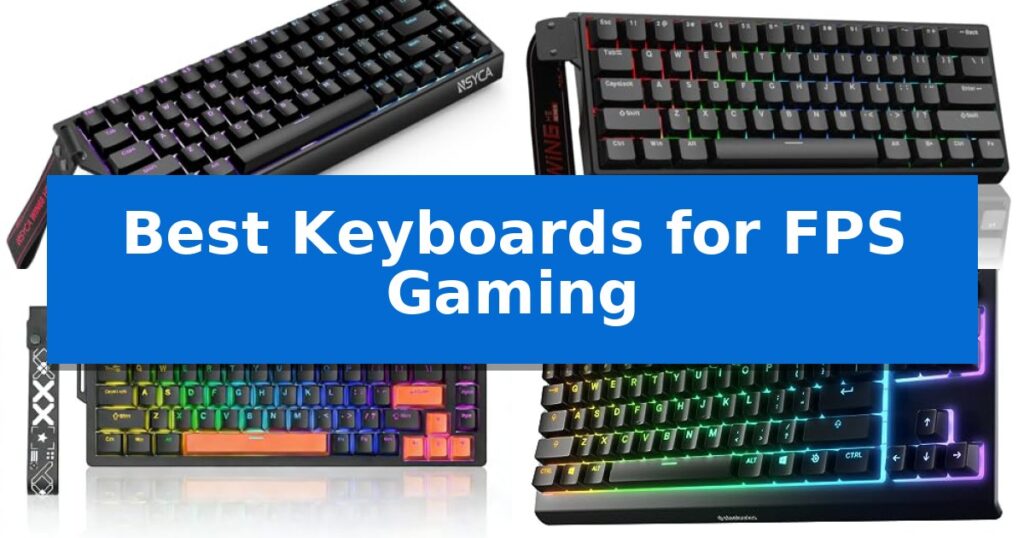
Best Keyboards for FPS Gaming in 2026
Quick Comparison
| Product | Best For | Key Strength | Score |
|---|---|---|---|
| NSYCA WIN68 HE Gaming Keyboard | Best Overall | Adjustable 0.01mm actuation for rapid response. | 4.9 |
| Aula WIN60 HE Gaming Keyboard | Precision for rapid-fire FPS | Rapid Trigger technology with 0.02mm actuation for instant response. | 4.9 |
| Gaozen x FURYCUBE 68% Gaming Keyboard | Compact layout with high-speed input | Gasket mount structure for reduced noise and vibration | 4.7 |
| SteelSeries Apex 3 TKL Gaming Keyboard | Pro-preferred compact form factor | Compact tenkeyless design optimizes desk space for gaming. | 4.5 |
| Redragon K671 Mechanical Gaming Keyboard | Customizable hot-swappable performance | Hot-swappable switches allow for easy maintenance and customization. | 4.6 |
How We Chose
- Switch technology and actuation precision
- Polling rate and signal latency
- Layout efficiency and desktop footprint
- Customization options for macros and key mapping
- Build quality and acoustic dampening features
1 NSYCA WIN68 HE Gaming Keyboard — Ultra-fast magnetic switch response
Precision is the difference between a win and a loss in competitive shooters, and the NSYCA WIN68 HE Gaming Keyboard addresses this with Hall Effect magnetic switches. These switches allow for an adjustable actuation point from 0.01mm to 4.0mm, enabling players to fine-tune their key sensitivity for near-instantaneous inputs.
Engineered for high-performance setups, this keyboard supports an 8000Hz polling rate and a 4K full-key scan rate. This high-speed data transmission is designed to minimize input delay, ensuring that every movement translates to the screen as quickly as possible during fast-paced matches.
The NSYCA WIN68 HE Gaming Keyboard features a compact 60% layout that retains dedicated arrow keys, maximizing desk space for large mouse sweeps. Internally, the board utilizes a shock-absorbing gasket structure paired with sound-dampening foam to reduce hollow echoes and provide a refined, quiet typing experience.
Advanced functionality is managed through a web-based driver, which requires no software installation to configure DKS (Dynamic Keystroke), SOCD (Simultaneous Opposing Cardinal Directions), and per-key RGB lighting. The hot-swappable PCB supports 3-pin magnetic switches, offering a pathway for future customization without the need for soldering.
Best for: Competitive FPS players who require ultra-low latency and highly customizable actuation points in a compact form factor.
Skip if: Users who rely on a full-sized layout, dedicated media keys, or a number pad for productivity tasks will find the 60% footprint too restrictive.
PROS
- Adjustable 0.01mm actuation for rapid response.
- 8000Hz polling rate minimizes input latency.
- Gasket-mounted structure provides a dampened, quiet feel.
- Hot-swappable PCB allows for easy switch maintenance.
CONS
- 60% layout lacks dedicated function and navigation keys.
- Magnetic switch compatibility is limited to specific 3-pin designs.
2 Aula WIN60 HE Gaming Keyboard — Precision for rapid-fire FPS
Competitive gaming demands hardware that can keep pace with rapid inputs, and the Aula WIN60 HE Gaming Keyboard addresses this through advanced Hall Effect magnetic switches. By utilizing magnetic technology instead of physical contact, this keyboard provides consistent actuation and eliminates the mechanical wear typically associated with traditional switches.
Designed specifically for high-stakes FPS titles like Valorant and CS2, the keyboard features a Rapid Trigger function with an ultra-low 0.02mm step distance. This capability allows for faster peeking and immediate stopping, giving players a distinct advantage in positioning and accuracy during intense matches. The device also supports a high 8000Hz polling rate, ensuring that inputs are registered with minimal delay.
The Aula WIN60 HE Gaming Keyboard utilizes a space-saving 60% layout, making it an efficient choice for users who need to maximize desk space for mouse movement. Despite its compact footprint, it includes customizable 16.8 million color RGB lighting with a lower light position design to effectively illuminate the PBT keycaps.
Customization is handled through a web-based driver that functions across devices without requiring bulky software installations. This interface allows users to remap keys, configure macros, and manage lighting profiles seamlessly. With its combination of magnetic switch technology and a streamlined, portable design, this keyboard serves as a specialized tool for performance-focused gaming setups.
Best for: Competitive FPS gamers who prioritize rapid-trigger responsiveness and a compact desk footprint.
Skip if: Users who require a full-sized layout with a dedicated number pad for productivity or data entry tasks.
PROS
- Rapid Trigger technology with 0.02mm actuation for instant response.
- Hall Effect magnetic switches eliminate physical contact wear.
- 8000Hz polling rate for high-performance input tracking.
- Web-based driver allows for easy customization without software bloat.
CONS
- 60% compact layout lacks dedicated arrow keys and a number pad.
- Wired-only connectivity may not suit users preferring wireless setups.
3 Gaozen x FURYCUBE 68% Gaming Keyboard — Compact layout with high-speed input
The Gaozen x FURYCUBE 68% Gaming Keyboard prioritizes a gasket mount structure combined with multi-layer sound-dampening foam to reduce typing vibration and noise, providing a consistent feel during intense gaming sessions. This compact 68% layout maintains essential navigation keys while saving desk space, making it a functional choice for both competitive play and daily use.
Engineered for responsiveness, the keyboard features a high-speed polling rate designed to support the rapid inputs required for FPS titles. The inclusion of pre-lubed linear Cream switches, rated for 50 million keystrokes, ensures smooth actuation. Users can further customize their setup via the hot-swappable PCB, which accommodates both 3-pin and 5-pin switches.
Durability and aesthetics are addressed through double-shot PBT MDA profile keycaps that resist wear over time. The integrated aluminum volume knob offers tactile control, while the programmable RGB backlighting provides 16 lighting modes for visual customization. The wired connection supports both Windows and macOS, featuring quick system layout switching via dedicated shortcuts.
This keyboard balances performance-oriented features with a compact footprint, suitable for gamers who value both desk real estate and mechanical consistency. Its combination of sound-dampening architecture and hot-swappable flexibility allows for a tailored experience without requiring complex modifications.
Best for: FPS gamers who require a compact, responsive, and customizable mechanical keyboard with a dedicated volume knob.
Skip if: Users who prefer a full-sized layout with a dedicated number pad or those who require wireless connectivity.
PROS
- Gasket mount structure for reduced noise and vibration
- Hot-swappable PCB for easy switch customization
- Pre-lubed linear switches for smooth, consistent actuation
- Durable double-shot PBT keycaps
CONS
- Wired-only connection limits desk placement flexibility
- Compact 68% layout lacks a dedicated number pad
4 SteelSeries Apex 3 TKL Gaming Keyboard — Pro-preferred compact form factor
The SteelSeries Apex 3 TKL Gaming Keyboard utilizes a compact tenkeyless design, a form factor favored by competitive players to maximize desk space and allow for more ergonomic mouse positioning during intense gaming sessions. This layout removes the number pad, providing a streamlined footprint that keeps your hands closer together for improved comfort.
Built for durability and consistent input, the keyboard features whisper-quiet gaming switches constructed from low-friction material. These switches are rated for over 20 million keypresses and incorporate anti-ghosting technology to ensure accuracy during rapid-fire sequences. The chassis is further reinforced with IP32 water and dust resistance, protecting the internal components against accidental liquid spills or debris accumulation.
Customization and control are central to the user experience, highlighted by 8-zone PrismSync RGB illumination. This system allows for a wide range of color effects and reactive lighting patterns. For media management, the device includes dedicated controls, such as a clickable volume roller and media keys, enabling users to adjust audio or lighting settings without exiting their game.
This model offers broad compatibility, functioning with Windows, Mac OS X, and modern gaming consoles including the Xbox Series S, Xbox Series X, PS4, and PS5. Its combination of a space-saving design and spill-resistant construction makes it a practical choice for those prioritizing reliability and desk efficiency.
Best for: Competitive gamers who require a compact, spill-resistant keyboard that saves desk space for mouse movement.
Skip if: Users who rely heavily on a dedicated number pad for data entry or productivity tasks will find the tenkeyless layout restrictive.
PROS
- Compact tenkeyless design optimizes desk space for gaming.
- IP32 water and dust resistance provides protection against spills.
- Whisper-quiet gaming switches offer near-silent operation.
- Dedicated multimedia controls include a convenient volume roller.
CONS
- Lacks a dedicated number pad, which may limit utility for non-gaming tasks.
5 Redragon K671 Mechanical Gaming Keyboard — Customizable hot-swappable performance
The Redragon K671 Mechanical Gaming Keyboard utilizes a hot-swappable linear red switch design, allowing for smooth, low-force key presses that are particularly well-suited for fast-paced gaming sessions. This mechanical board is built to provide consistent performance through full keys anti-ghosting, ensuring that every input is registered accurately even during complex, simultaneous key combinations.
Customization is a core component of this keyboard, featuring 11 unique backlights with adjustable speed and brightness levels to suit different environments. Beyond aesthetics, the support for macro editing allows users to remap keys or combine multiple functions into a single command, which can streamline both gaming workflows and productivity tasks.
The build includes double-shot PBT keycaps designed for durability and clear backlight visibility. The inclusion of 12 multimedia shortcuts provides quick access to essential controls like volume and media playback, making it a versatile tool for general PC use alongside its primary gaming focus.
Maintenance is simplified by the hot-swappable nature of the switches; the package includes four spare switches and two replacement keycaps for immediate repairs if needed. This model is supported by a 24-month warranty, offering long-term coverage for the hardware components.
Best for: Gamers who prioritize a responsive, linear switch feel and the ability to customize key functions via macro editing.
Skip if: Users who require a specific color-changing backlight system, as the LED effects on this model do not support color modification.
PROS
- Hot-swappable switches allow for easy maintenance and customization.
- Full keys anti-ghosting prevents input conflicts during intense gaming.
- Macro editing support enables personalized key remapping and shortcuts.
- Double-shot PBT keycaps provide enhanced durability and backlight clarity.
CONS
- Fixed color backlight limits the ability to change the LED color scheme.
- Wired-only connectivity may not suit users looking for a cable-free desk setup.
Best Keyboards for FPS Gaming Buying Guide
Understanding Magnetic Switches
Magnetic switches, often referred to as Hall Effect switches, represent a significant shift in gaming hardware. Unlike traditional mechanical switches that rely on physical contact, these use magnetic fields to detect key presses. This allows for adjustable actuation points, meaning you can decide exactly how deep a key needs to be pressed to register.
The primary benefit for FPS players is the Rapid Trigger function. This technology allows a key to reset the moment you release it, rather than waiting for it to travel back to a fixed point. This enables faster strafing and more precise movement in games like Valorant or CS2.
The Importance of Polling Rates
The polling rate determines how often your keyboard reports its status to your PC. While standard keyboards typically operate at 1000Hz, many modern gaming boards now offer 8000Hz. A higher polling rate reduces the delay between your physical input and the game's registration.
For competitive players, this reduction in latency can be the difference between a successful flick shot and a miss. When combined with low-latency processing, these boards provide a more immediate and connected feel during intense gameplay.
Layout and Desk Space
The physical size of your keyboard is a critical factor for FPS gamers who use low mouse sensitivity. A 60% or 68% layout removes the number pad and often the function row, providing significantly more room for wide, sweeping mouse movements.
While these compact layouts require you to use function layers for certain keys, the trade-off is improved ergonomics. By bringing your hands closer together, you can maintain a more natural posture and reduce the risk of hitting your keyboard with your mouse during high-intensity moments.
Customization and Software
Modern gaming keyboards often include web-based drivers, which eliminate the need for bloated software installations. These drivers allow you to remap keys, adjust actuation distances, and configure lighting effects directly through your browser.
Advanced features like SOCD (Simultaneous Opposing Cardinal Directions) and DKS (Dynamic Keystroke) allow for complex macro programming. These tools can be used to optimize movement patterns or execute specific in-game actions with a single press, provided they comply with the rules of your preferred titles.
Build Quality and Acoustics
A keyboard's construction affects both its longevity and the feel of every keystroke. Features like gasket-mounted structures and sound-dampening foam help eliminate hollow metallic echoes, resulting in a more refined and satisfying typing experience.
Look for PBT keycaps, which are generally more durable and resistant to shine than standard ABS plastic. These materials ensure that your keyboard maintains its texture and appearance even after hundreds of hours of heavy use.
Frequently Asked Questions
What is the main advantage of a 60% keyboard for FPS gaming?
A 60% keyboard removes the number pad and navigation keys, creating a smaller footprint. This provides more space on your desk for your mouse, which is particularly beneficial for players who use low sensitivity settings.
Do I need a high polling rate for casual gaming?
While an 8000Hz polling rate offers lower latency, the difference is most noticeable in high-stakes, competitive environments. For casual gaming, a standard 1000Hz polling rate is generally sufficient.
Are magnetic switches better than traditional mechanical switches?
Magnetic switches offer unique features like adjustable actuation and rapid trigger, which are highly beneficial for FPS movement. Traditional mechanical switches offer a wider variety of tactile and clicky feels, but they lack the dynamic adjustment capabilities of magnetic models.
Can I use a 60% keyboard for work?
Yes, but it requires adapting to a function layer to access keys like the arrow keys or F-row. If your work involves heavy data entry or frequent use of function keys, you may find a 68% or TKL layout more convenient.
What does hot-swappable mean?
A hot-swappable PCB allows you to remove and replace switches without soldering. This makes it easy to repair a broken switch or customize the feel of your keyboard by installing different types of switches.
Conclusion: Our Top Pick
Selecting the right hardware is a personal decision based on your specific desk setup and playstyle. For those seeking the most advanced features for competitive FPS titles, the NSYCA WIN68 HE Gaming Keyboard stands out due to its rapid-trigger magnetic switches and high-performance 8000Hz polling rate.
While its compact 60% layout is optimized for maximum mouse space, users should ensure they are comfortable with a smaller form factor that relies on function layers for certain inputs. Its gasket-mounted design and hot-swappable PCB provide a durable, customizable foundation for any serious gaming setup.