
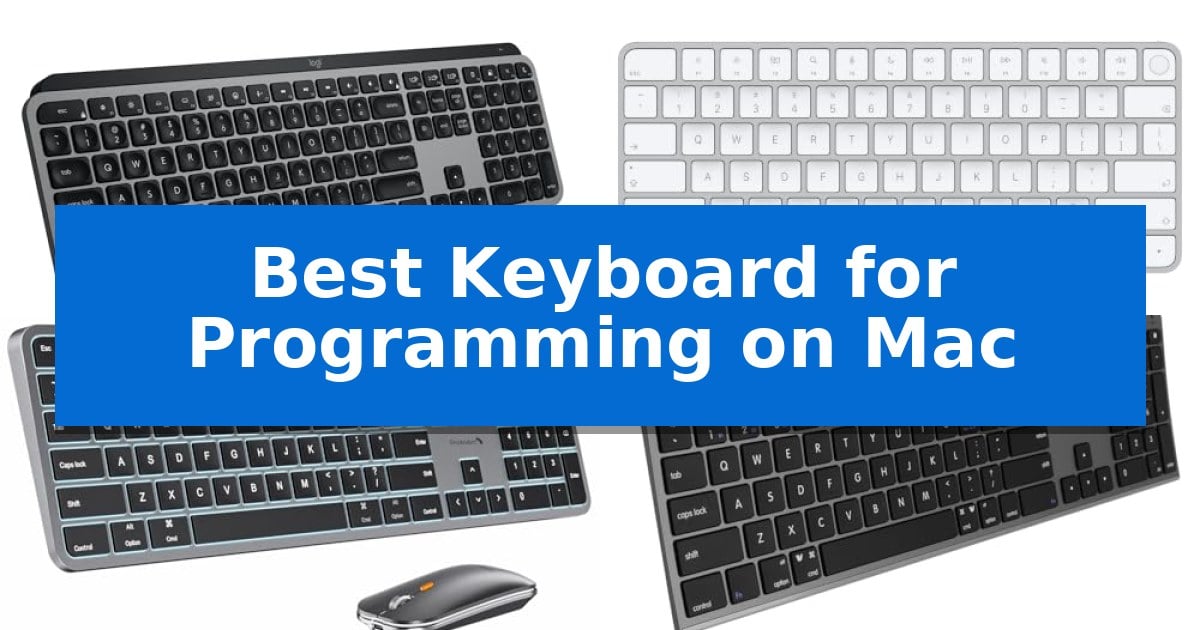
Finding the right input device is essential for developers who spend hours writing code. The Best Keyboard for Programming on Mac must balance tactile feedback, reliable connectivity, and full integration with macOS shortcuts to ensure a seamless workflow.
Whether you prioritize a mechanical feel, a slim profile, or multi-device switching, selecting the right hardware can significantly reduce fatigue and improve your coding efficiency. We have analyzed current market options to help you identify the hardware that best fits your specific development environment.
Best Keyboard for Programming on Mac in 2026: Precision Tools for macOS
Quick Comparison
| Product | Best For | Key Strength | Score |
|---|---|---|---|
| Logitech MX Keys S Mac Keyboard | Best Overall | Mac-specific layout with native macOS function integration. | 4.9 |
| Apple Magic Keyboard with Touch ID | Secure Authentication for Fast Logins | Integrated Touch ID for fast and secure authentication. | 4.8 |
| ProtoArc KM100-A Mac Keyboard | Multi-Device Switching for Power Users | Triple-device Bluetooth switching for seamless multi-platform workflows. | 4.4 |
| Macally Wireless Bluetooth Mac Keyboard | Full-Size Layout with Numeric Keypad | Multi-device pairing for up to 3 Bluetooth devices. | 4.4 |
| Macally USB-C Wired Mac Keyboard | Reliable Connection for Minimalist Desks | Dual USB-C and USB-A connectivity for broad compatibility across different Mac generations. | 4.9 |
How We Chose
- macOS Layout Integration: We prioritized keyboards featuring native Mac key layouts and dedicated system shortcut support.
- Connectivity Reliability: We assessed the stability of Bluetooth and wired connections to ensure uninterrupted performance during coding sessions.
- Typing Ergonomics: We examined the key profile, travel distance, and overall design to identify options that support neutral wrist posture.
- Multi-Device Functionality: We looked for the capacity to switch between multiple machines, which is essential for developers managing different environments.
- Build Quality and Power: We evaluated the durability of materials and the convenience of charging methods for daily professional use.
1 Logitech MX Keys S Mac Keyboard — Fluid Typing for Complex Workflows
The Logitech MX Keys S Mac Keyboard is engineered with a distinct laptop-like profile and spherically dished keys, providing a tactile, precise typing surface that caters to the high-volume input demands of software development. Its dedicated Mac-specific layout ensures seamless integration with macOS, while the low-profile design and optimized angle support comfortable wrist posture during extended coding sessions.
Beyond its physical build, this keyboard enhances productivity through Smart Actions shortcuts, which allow developers to automate repetitive sequences with a single keystroke via the Logi Options+ app. The smarter illumination feature is particularly useful for late-night programming, as the backlighting automatically adjusts based on ambient light and detects hand proximity to conserve power.
Connectivity is a core strength, supporting Bluetooth Low Energy pairing with up to three Apple devices. When paired with an MX Master 3S for Mac, users can leverage cross-computer control to transfer text and files between devices, streamlining multi-monitor or multi-machine workflows. The unit is USB-C rechargeable, offering a 10-day battery life on a full charge.
Constructed with a focus on sustainability, the keyboard incorporates certified post-consumer recycled plastic—26% in the Space Gray model. Its compact, full-size footprint balances desk space efficiency with the inclusion of a numeric keypad, making it a versatile tool for developers who require a reliable, Mac-native interface.
Best for: Developers seeking a Mac-native, low-profile mechanical-feel keyboard with multi-device automation capabilities.
Skip if: Users who prefer high-travel mechanical switches or a tenkeyless form factor for maximum mouse maneuverability.
PROS
- Mac-specific layout with native macOS function integration.
- Smart Actions for automating repetitive coding workflows.
- Multi-device connectivity across three Apple devices.
- Adaptive backlighting that responds to hand proximity.
CONS
- Fixed low-profile design lacks adjustable mechanical switch travel.
- Non-removable battery requires USB-C charging rather than swappable cells.
2 Apple Magic Keyboard with Touch ID — Secure Authentication for Fast Logins
Integrating biometric security directly into your desktop workflow, the Apple Magic Keyboard with Touch ID offers a streamlined way to handle authentication for logins and purchases on Mac models equipped with Apple silicon. By moving the fingerprint sensor to the keyboard, this peripheral removes the need to manually type passwords or reach for a laptop lid, providing a more efficient interface for developers and power users.
The device is built for a clean workspace, featuring a wireless and rechargeable design that connects automatically to your Mac. It includes a woven USB-C Charge Cable, allowing you to pair and charge the unit by connecting it to a USB-C port on your computer. This setup ensures that the keyboard remains ready for use without the clutter of traditional wired connections.
Beyond its connectivity features, the keyboard is engineered to deliver a remarkably comfortable and precise typing experience. Its low-profile design and stable key mechanism are intended to support long coding sessions. The internal battery is designed to be incredibly long-lasting, capable of powering the device for about a month or more between charges, which minimizes maintenance interruptions.
This keyboard is a specialized tool for those already invested in the Apple ecosystem. Because it relies on the Secure Enclave within Apple silicon Macs to function, its primary value proposition—the Touch ID sensor—is restricted to compatible hardware. Users who prioritize a low-profile, integrated aesthetic and biometric convenience will find this a practical addition to their desk.
Best for: Users of Apple silicon Macs who require integrated biometric authentication and a low-profile, wireless typing experience.
Skip if: Users who prefer mechanical switches, require multi-device Bluetooth switching, or operate on non-Apple hardware where the Touch ID feature is unsupported.
PROS
- Integrated Touch ID for fast and secure authentication.
- Wireless and rechargeable design with long-lasting battery life.
- Automatic pairing functionality with Apple silicon Macs.
- Includes a durable woven USB-C Charge Cable.
CONS
- Limited compatibility as Touch ID features only function with Apple silicon Mac models.
- Non-mechanical key switches may not suit users who prefer high-travel tactile feedback.
3 ProtoArc KM100-A Mac Keyboard — Multi-Device Switching for Power Users
Efficient coding workflows often depend on a reliable, full-size layout that keeps essential keys within reach. The ProtoArc KM100-A Mac Keyboard provides a dedicated numeric keypad and a familiar Mac-specific layout, making it a practical choice for developers who require precision and space for complex data entry or terminal commands.
This Bluetooth keyboard and mouse for Mac supports connectivity across three devices simultaneously, allowing developers to toggle between a MacBook, iPad, or secondary workstation with a single button press. The scissor switch mechanism is engineered for quiet, responsive typing, which helps maintain focus during long programming sessions. Its low-profile design ensures a flat, neutral wrist position, aiming to reduce strain during extended periods of use.
Visibility in various lighting conditions is managed by the integrated soft white LED backlighting, which features three adjustable brightness levels. To support long-term productivity, both the keyboard and mouse are rechargeable via built-in batteries—1200mAh for the keyboard and 300mAh for the mouse—and include an automatic sleep mode after 60 minutes of inactivity to conserve power.
While the full-size layout enhances efficiency, it does require more desk space than compact alternatives. The set is compatible with macOS 10.12 or later and iOS/iPadOS 13.0 or above, utilizing Bluetooth 5.1 for a stable wireless connection. This hardware is specifically tailored for Mac environments, ensuring that the function keys and layout align with Apple's ecosystem standards.
Best for: Developers who need a full-size, multi-device wireless keyboard with a numeric keypad for Mac-based workflows.
Skip if: Users with limited desk space or those who prefer mechanical switches with high-profile key travel.
PROS
- Triple-device Bluetooth switching for seamless multi-platform workflows.
- Full-size Mac layout including a dedicated numeric keypad.
- Rechargeable batteries for both the keyboard and mouse.
- Adjustable LED backlighting for low-light environments.
CONS
- Larger footprint requires more desk space than compact models.
- Bluetooth-only connectivity lacks a USB dongle option.
4 Macally Wireless Bluetooth Mac Keyboard — Full-Size Layout with Numeric Keypad
Efficient coding workflows often depend on hardware that minimizes physical strain while maximizing desk space. The Macally Wireless Bluetooth Mac Keyboard addresses this by providing a full-sized layout that includes a dedicated numeric keypad, which is essential for developers who frequently manage data entry or complex terminal commands alongside their primary code editor.
Designed with a focus on seamless integration, this keyboard features multi-device connectivity that allows users to pair up to three Bluetooth-enabled devices simultaneously. This capability enables developers to switch between a primary workstation, a secondary laptop, or a tablet with ease, maintaining a consistent typing experience across different environments.
The hardware utilizes 110 scissor flex keys that are engineered to provide a quiet and smooth tactile response. This design choice aims to reduce noise during long programming sessions, while the inclusion of 20 MacOSX shortcuts provides direct access to system functions, potentially streamlining navigation within the macOS ecosystem.
Constructed with an aluminum body, the keyboard offers a durable build that complements the aesthetic of modern Apple hardware. To support extended productivity, the rechargeable battery is rated for up to 3 months of use based on an average of 3 hours per day, requiring only 1 hour for a full recharge.
Best for: Developers who require a full-sized keyboard with a numeric keypad and the ability to switch between multiple devices.
Skip if: Users who prefer mechanical switches with high-travel actuation or those who require a wired-only connection for specific security or latency requirements.
PROS
- Multi-device pairing for up to 3 Bluetooth devices.
- Full-sized layout including a dedicated numeric keypad.
- Rechargeable battery with long-lasting performance.
- Aluminum body designed for a cohesive Apple aesthetic.
CONS
- Bluetooth-only connectivity lacks a wired USB mode.
- Scissor-switch keys may not satisfy users seeking mechanical tactile feedback.
5 Macally USB-C Wired Mac Keyboard — Reliable Connection for Minimalist Desks
Reliable, wired connectivity is a foundational requirement for consistent coding sessions, and the Macally USB-C Wired Mac Keyboard addresses this by eliminating the need for batteries or wireless pairing. Designed specifically for the Apple ecosystem, this keyboard features a dual-connection interface with both USB-C and USB-A plugs, ensuring it connects directly to modern MacBook models as well as legacy hardware without requiring additional adapters.
The physical construction prioritizes a space-saving design that maintains a full set of essential keys while minimizing the overall footprint on a desk. This makes it a practical choice for developers working in minimalist setups or those who need a portable, plug-and-play solution that functions immediately upon connection.
Typing comfort is managed through low-profile scissor switch keys. These switches provide a tactile, responsive feel with shorter key travel, which helps reduce noise during long hours of programming. The layout includes 13 dedicated shortcut keys, providing quick access to system-level functions like Mission Control, media playback, and brightness adjustments, mirroring the workflow expected from a standard Mac keyboard.
By removing the variables of battery life or signal interference, this wired type-c keyboard offers a consistent, uninterrupted typing experience. It is a straightforward tool for users who prefer the reliability of a direct cable connection and a familiar, low-profile typing feel for their daily development tasks.
Best for: Programmers and professionals who prioritize a reliable, battery-free wired connection and a compact, low-profile typing experience for Mac workstations.
Skip if: Users who require a wireless setup for desk mobility or those who prefer the deep travel and mechanical feel of high-profile mechanical switches.
PROS
- Dual USB-C and USB-A connectivity for broad compatibility across different Mac generations.
- Plug-and-play reliability eliminates the need for charging or managing wireless connections.
- Low-profile scissor switches provide a quiet and stable typing experience.
- 13 dedicated shortcut keys offer quick access to essential Mac system controls.
CONS
- Wired-only design limits desk placement flexibility compared to wireless alternatives.
- Compact layout may lack the specific key spacing preferred by users accustomed to full-sized mechanical keyboards.
Best Keyboard for Programming on Mac Buying Guide
Understanding Switch Types
The feel of your keyboard is largely determined by its switch mechanism. Scissor switches, commonly found in low-profile keyboards, offer a short, snappy travel distance that many developers prefer for speed and quiet operation.
Alternatively, some users prefer mechanical switches for their distinct tactile feedback and durability. When choosing, consider whether you need a silent environment for an office or if you prefer the audible and physical confirmation of a mechanical key press.
Connectivity and Multi-Device Support
For developers working across multiple machines, such as a MacBook and a secondary desktop or iPad, multi-device Bluetooth pairing is a critical feature. This allows you to toggle between systems with a single button press, keeping your desk clutter-free.
Wired connections remain a reliable choice for those who want to avoid battery management or potential wireless interference. Ensure your chosen keyboard supports the specific USB standard required by your Mac, such as USB-C.
Layout and Ergonomics
A full-size layout with a numeric keypad is often preferred for data-heavy tasks, while a compact design saves desk space and keeps your mouse closer to your primary typing area, which can reduce shoulder strain.
Ergonomic design, including a flat profile or an optimized typing angle, helps maintain a neutral wrist position. This is vital for preventing discomfort during extended periods of intense coding.
Backlighting and Customization
Backlit keys are essential for working in dimly lit environments. Look for models that offer adjustable brightness levels or smart illumination that adapts to your surroundings to minimize eye strain.
Software-driven customization, such as macro shortcuts, allows you to map repetitive tasks to single keys. This can significantly accelerate your workflow by automating common command-line inputs or IDE functions.
Material and Sustainability
The build quality of your keyboard affects both its longevity and your daily experience. Keyboards constructed with recycled plastics or aluminum offer a balance between environmental responsibility and structural integrity.
Consider the finish and weight of the unit. A heavier, stable keyboard is less likely to shift during rapid typing, while a lighter, portable model is better suited for developers who frequently move between workspaces.
Frequently Asked Questions
Do I need a keyboard specifically designed for Mac?
While many generic keyboards work with macOS, a dedicated Mac keyboard ensures that keys like Command, Option, and Control are correctly labeled and mapped, which is crucial for developer shortcuts.
Is a wired or wireless keyboard better for programming?
Wired keyboards offer the benefit of never needing to charge, while wireless keyboards provide a cleaner desk and the flexibility to move your hardware as needed.
What is the benefit of a numeric keypad for coding?
A numeric keypad is highly beneficial if your programming work involves frequent data entry, spreadsheet management, or complex numerical calculations.
How do I know if a keyboard supports my Mac's ports?
Check the product specifications for the connection type. Most modern Mac keyboards use USB-C, but if you have an older machine, you may need an adapter or a keyboard that includes a USB-A option.
Can I use a keyboard with multiple devices simultaneously?
Yes, many modern Bluetooth keyboards allow you to pair with up to three devices and switch between them instantly using dedicated keys.
Conclusion: Our Top Pick
For most developers, the Logitech MX Keys S Mac Keyboard stands out as the most versatile option. Its combination of a Mac-specific layout, fluid typing experience, and the ability to automate repetitive tasks through software makes it a powerful tool for complex programming workflows.
While it excels in productivity, users who prioritize biometric security may find the Apple Magic Keyboard with Touch ID to be a compelling alternative. Ultimately, the best choice depends on whether you value advanced macro customization or native system-level authentication features.