
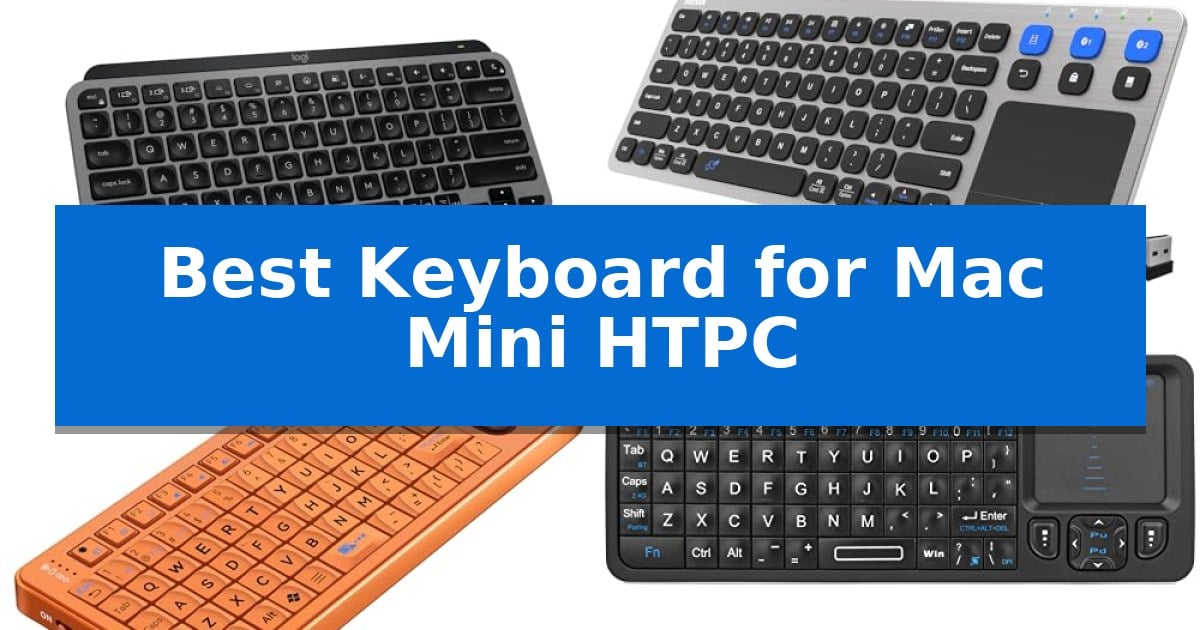
Transforming your Mac Mini into a home theater powerhouse requires more than just a high-quality display; it demands a reliable input device that bridges the gap between desktop computing and couch-based entertainment. Finding the Best Keyboard for Mac Mini HTPC means balancing compact dimensions with the responsiveness needed for occasional web browsing, media management, and system navigation.
Whether you prioritize a dedicated touchpad for mouse-free control or a refined typing experience for longer sessions, the right hardware significantly improves your workflow. We have evaluated several specialized keyboards to help you identify which design best fits your living room environment and specific Mac ecosystem requirements.
Best Keyboard for Mac Mini HTPC in 2026
Quick Comparison
| Product | Best For | Key Strength | Score |
|---|---|---|---|
| Logitech MX Keys Mini Keyboard | Best Overall | Optimized Mac layout with dedicated keys for dictation and media control. | 4.9 |
| Arteck Universal Wireless Keyboard | Multi-Device Couch Control | Integrated touchpad eliminates the need for a separate mouse. | 4.5 |
| Miritz K809 Mini Keyboard | Durable Aluminum Handheld Design | Dual-mode connectivity supports both Bluetooth 5.2 and 2.4GHz wireless. | 4.4 |
| Rii Mini Bluetooth Keyboard | Integrated IR Learning Remote | Dual-mode connectivity via Bluetooth and 2.4G wireless. | 4.3 |
| Fosmon Mini Keyboard | Palm-Sized Navigation | Dual connectivity via Bluetooth 5.2 and 2.4GHz USB dongle. | 4.4 |
How We Chose
- Connectivity reliability, specifically focusing on Bluetooth Low Energy and 2.4GHz wireless stability.
- Form factor and portability, prioritizing designs that fit comfortably on a lap or coffee table.
- Integrated navigation features, such as touchpads or media-specific hotkeys for volume and playback control.
- Battery efficiency and charging standards, emphasizing USB-C convenience for long-term maintenance.
- macOS compatibility, ensuring native support for system-level functions and layout preferences.
1 Logitech MX Keys Mini Keyboard — Optimized for Mac Productivity
Navigating a home theater setup requires a compact, reliable input device that maintains a clean aesthetic while offering seamless control. The Logitech MX Keys Mini for Mac addresses this with a minimalist, space-saving footprint that fits easily into living room environments where surface space is often at a premium.
Designed specifically for the Apple ecosystem, this keyboard features a layout optimized for macOS, iPadOS, and iOS. It includes specialized keys for voice-to-text Dictation, Mic Mute/Unmute, and Emoji access, streamlining common tasks without needing to navigate complex menus. The Perfect Stroke keys are shaped for fingertip comfort, providing a stable typing experience that remains quiet during media sessions.
For users who frequently adjust their environment, the Smart Illumination feature is a practical addition. The backlit keys activate as your hands approach and automatically adjust to ambient lighting, ensuring visibility in dim home theater settings. Connectivity is handled via Bluetooth Low Energy, allowing for stable pairing with up to three Apple devices, making it simple to switch between a Mac Mini and an iPad.
Power management is straightforward with USB-C rechargeable capabilities. A full charge provides up to 10 days of use with backlighting active, or up to 5 months with the lighting disabled, reducing the need for constant cable management. Its compact size and lightweight build make it a versatile choice for those who prefer a portable, clutter-free desk or media console setup.
Best for: Users seeking a compact, backlit wireless keyboard specifically optimized for Mac-based home theater and desktop environments.
Skip if: Users who require a dedicated numeric keypad or prefer a full-sized keyboard layout for extensive data entry.
PROS
- Optimized Mac layout with dedicated keys for dictation and media control.
- Smart backlighting that adjusts to ambient light and detects hand proximity.
- Multi-device pairing via Bluetooth for seamless switching between three Apple devices.
- Minimalist, compact design that saves space in home theater setups.
CONS
- Lacks a numeric keypad, which may limit productivity for some users.
- No wired connection option for users who prefer a permanent USB link.
2 Arteck Universal Wireless Keyboard — Multi-Device Couch Control
Navigating a Mac Mini HTPC setup from the comfort of a couch requires a peripheral that bridges the gap between desktop precision and living room convenience. The Arteck Universal Wireless Keyboard addresses this by integrating a dedicated touchpad directly into its frame, allowing users to manage cursor movement without needing a separate mouse surface.
This device simplifies multi-device environments through its 3-device switching capability, which supports both a 2.4G USB wireless connection and two distinct Bluetooth channels. Users can transition between a Mac Mini, a smart TV, or a mobile device with a single key click, making it a versatile hub for various media-connected hardware.
Designed for distance, the keyboard maintains a 10-meter (33-foot) wireless range, ensuring consistent input from across most living spaces. The inclusion of media hot keys provides direct control over playback and volume, which is essential for HTPC users who frequently switch between streaming applications and system navigation.
The Arteck Universal Wireless Keyboard features a slim profile measuring only 0.16 inches in height, keeping the footprint minimal on a coffee table. It is compatible with a wide range of operating systems including Mac, Windows, and Chrome OS, and comes with a 24-month warranty to support its long-term utility in a home theater environment.
Best for: Users who need an all-in-one input solution with a built-in touchpad to control a Mac Mini or HTPC from a distance.
Skip if: Users who require a full-sized mechanical keyboard with tactile switches for heavy typing or gaming.
PROS
- Integrated touchpad eliminates the need for a separate mouse.
- Multi-device switching allows toggling between three devices via Bluetooth or 2.4G USB.
- Media hot keys provide quick access to playback and volume controls.
- Slim, low-profile design fits easily into living room setups.
CONS
- Touchpad-focused layout may not be ideal for intensive typing tasks.
- Wireless range can be subject to interference depending on the local environment.
3 Miritz K809 Mini Keyboard — Durable Aluminum Handheld Design
Navigating a media center setup requires a compact input device that balances portability with functional control. The Miritz K809 Mini Keyboard addresses this need by integrating a sensitive touchpad alongside a full QWERTY layout, effectively eliminating the need for cumbersome peripheral combinations when managing a Mac Mini HTPC.
Engineered with a durable aluminum frame, this device maintains a lightweight, handheld profile measuring just 5.98 x 2.36 x 0.45 inches. Its ergonomic keycap design features non-slip surfaces that provide tactile, mechanical-like feedback, ensuring precise input during navigation or media playback. For low-light environments, the keyboard includes RGB backlighting with one-touch color cycling to maintain visibility.
Connectivity is handled through a dual-mode system, offering both Bluetooth 5.2 and a 2.4GHz wireless connection via an included USB receiver. This flexibility allows for seamless pairing with macOS, Windows, and various smart TV platforms. The unit is powered by a 1000mAh rechargeable lithium-ion battery, which supports extended use and includes an auto sleep/wake function to optimize power consumption when idle.
The Miritz K809 Mini Keyboard serves as a versatile tool for users who prioritize a minimalist, clutter-free entertainment space. While it provides essential navigation and typing capabilities, its compact dimensions are specifically tailored for handheld use rather than extended desktop typing sessions.
Best for: Users seeking a compact, handheld input device with an integrated touchpad for controlling a Mac Mini or other HTPC systems from a distance.
Skip if: Users who require a full-sized keyboard for heavy typing tasks or ergonomic support during prolonged desktop work sessions.
PROS
- Dual-mode connectivity supports both Bluetooth 5.2 and 2.4GHz wireless.
- Durable aluminum frame provides a premium, sturdy build in a compact size.
- Integrated touchpad simplifies navigation across media apps and interfaces.
- Rechargeable 1000mAh battery with USB-C charging and auto sleep/wake functionality.
CONS
- Small form factor may be less comfortable for high-volume typing compared to standard desktop keyboards.
4 Rii Mini Bluetooth Keyboard — Integrated IR Learning Remote
Navigating a media center setup often requires a balance between desktop-grade control and living room convenience. The Rii Mini Bluetooth Keyboard addresses this by integrating a multi-finger touchpad and mouse left & right buttons directly into a compact, handheld form factor, allowing for seamless navigation of your Mac Mini HTPC from the comfort of your sofa.
This device offers 2.4G and Bluetooth dual-mode connectivity, ensuring compatibility with both modern systems and legacy hardware via the included nano USB receiver. Its backlit design ensures visibility in low-light environments, while the auto sleep and wake-up function helps manage the internal lithium rechargeable battery for extended use.
Beyond standard typing, the unit features an IR learning function with 10 programmable keys, enabling you to consolidate your existing remote controls into one interface. The inclusion of a Type-C charging port aligns with current hardware standards, and the device is built with 8 dedicated hotkeys to streamline web browsing and media management.
Measuring just 5.9 by 2.3 inches, the Rii Mini Bluetooth Keyboard is designed for portability without sacrificing essential input capabilities. While its compact size is ideal for handheld use, it is specifically tailored for media navigation rather than long-form typing tasks, making it a specialized tool for HTPC environments.
Best for: Users seeking a compact, all-in-one handheld controller for media navigation and basic input on a Mac Mini HTPC.
Skip if: Users who require a full-sized mechanical keyboard for extensive typing or professional productivity workflows.
PROS
- Dual-mode connectivity via Bluetooth and 2.4G wireless.
- Integrated IR learning allows for remote control consolidation.
- Backlit keys for improved visibility in dark rooms.
- Multi-finger touchpad for mouse-like navigation.
CONS
- Small form factor is not suitable for high-speed or long-duration typing.
5 Fosmon Mini Keyboard — Palm-Sized Navigation
Navigating a media center from the couch requires a balance of portability and control, a need met by the Fosmon Mini Keyboard. This device integrates a full QWERTY layout with a built-in touchpad, allowing users to manage cursor movement and text input without needing a separate mouse or full-sized peripheral.
The Fosmon Mini Keyboard offers versatile connectivity options, supporting both 5.2 Bluetooth and a 2.4GHz nano USB dongle. This dual-mode capability ensures compatibility with a wide array of devices, including HTPCs, Android TV boxes, and various gaming consoles. With a rated working range of approximately 33 feet, it provides reliable input control from across the room.
Designed for low-light environments, the unit features a backlit keyboard that improves visibility during late-night media sessions. Power is managed by a 500mAh rechargeable lithium-ion battery, which the manufacturer states provides up to 10 days of continuous working time. Recharging is handled via a standard USB-C cable.
Measuring just 162x69x12.5mm, the device is built for handheld use. While its compact form factor is ideal for travel and living room storage, users should note that the small keys are intended for casual navigation rather than high-speed typing tasks.
Best for: Users seeking a compact, all-in-one handheld controller for navigating media interfaces on HTPCs and smart TV boxes.
Skip if: Users who require a full-sized keyboard for heavy typing or those who prefer a traditional ergonomic layout.
PROS
- Dual connectivity via Bluetooth 5.2 and 2.4GHz USB dongle.
- Integrated touchpad eliminates the need for a separate mouse.
- Backlit keys for improved visibility in dark rooms.
- Rechargeable battery with long standby time.
CONS
- Small key size may be challenging for extended typing sessions.
- Limited compatibility with certain smart TVs and specific console series.
Best Keyboard for Mac Mini HTPC Buying Guide
Connectivity and Wireless Range
When selecting a keyboard for a home theater PC, wireless range is paramount. Since your Mac Mini is likely tucked away near a television, the keyboard must maintain a stable connection from your seating position, often 10 feet or more away.
Look for devices offering dual-mode connectivity, such as 2.4GHz USB receivers and Bluetooth. A dedicated USB dongle often provides a more reliable, lag-free connection in environments with high wireless interference, while Bluetooth offers cleaner, cable-free integration with modern Apple hardware.
The Importance of Integrated Touchpads
A traditional mouse is rarely practical on a couch. Keyboards with built-in touchpads allow you to navigate the macOS interface, click links, and manage media windows without needing a flat surface for a mouse.
Consider the size and sensitivity of the trackpad. A larger, multi-touch capable surface will make gestures like scrolling or zooming much smoother, which is essential for browsing web-based streaming platforms or managing desktop files from a distance.
Ergonomics and Portability
HTPC keyboards are often used in non-traditional postures. A compact, lightweight design is easier to hold in one hand or rest on your lap for extended periods.
Check for ergonomic keycap shapes or non-slip materials. Since you may be typing or navigating in dim lighting, a keyboard that is easy to grip and features a well-spaced layout will reduce fatigue and accidental input errors.
Backlighting for Dark Environments
Home theaters are typically kept dark, making it difficult to see keys on a standard board. Backlit keys are a critical feature for any HTPC setup, ensuring you can find the correct buttons without turning on the room lights.
Look for models with smart illumination or adjustable brightness levels. Some advanced units even feature sensors that detect when your hands approach, automatically activating the backlight to save battery life when not in use.
Battery Life and Charging
Frequent battery changes are a nuisance in a living room setup. Opt for rechargeable lithium-ion batteries that support modern standards like USB-C charging.
Pay attention to the manufacturer's claims regarding standby time and active usage. Features like auto sleep/wake are highly beneficial, as they ensure the device remains ready to use while conserving power during long periods of inactivity.
Frequently Asked Questions
Can I use a standard desktop keyboard for my Mac Mini HTPC?
Yes, but it may be cumbersome. Desktop keyboards often lack the integrated trackpad and compact footprint that make navigating a TV-connected Mac from a couch comfortable.
Do I need a special keyboard for macOS compatibility?
While many universal keyboards work, choosing one with a Mac-specific layout ensures that system keys like Command, Option, and media controls function as expected without remapping.
What is the benefit of a 2.4GHz USB receiver over Bluetooth?
A 2.4GHz receiver often provides a more stable, plug-and-play connection that is less susceptible to interference from other wireless devices in your living room.
How do I know if a keyboard is compatible with my Mac Mini?
Check the product specifications for macOS support. Most Bluetooth-enabled keyboards will pair with a Mac Mini, but verify that the device supports the specific version of macOS you are running.
Are mini keyboards durable enough for daily use?
Many modern mini keyboards feature aluminum frames or high-quality plastics designed for portability. Look for models with reinforced builds if you plan to move the device frequently.
Conclusion: Our Top Pick
For most users, the Logitech MX Keys Mini Keyboard stands out as the superior choice due to its refined typing experience and seamless integration with the Apple ecosystem. Its compact, minimalist design fits perfectly in a living room, and the smart backlighting ensures you can navigate your Mac Mini even in low-light conditions.
While it lacks a built-in touchpad, its reliability and premium build quality make it the best option for those who prioritize a high-quality typing feel and native Mac compatibility. If your primary goal is a mouse-free, all-in-one navigation tool, you may consider a model with an integrated trackpad, but for pure productivity and system control, this remains our top recommendation.