
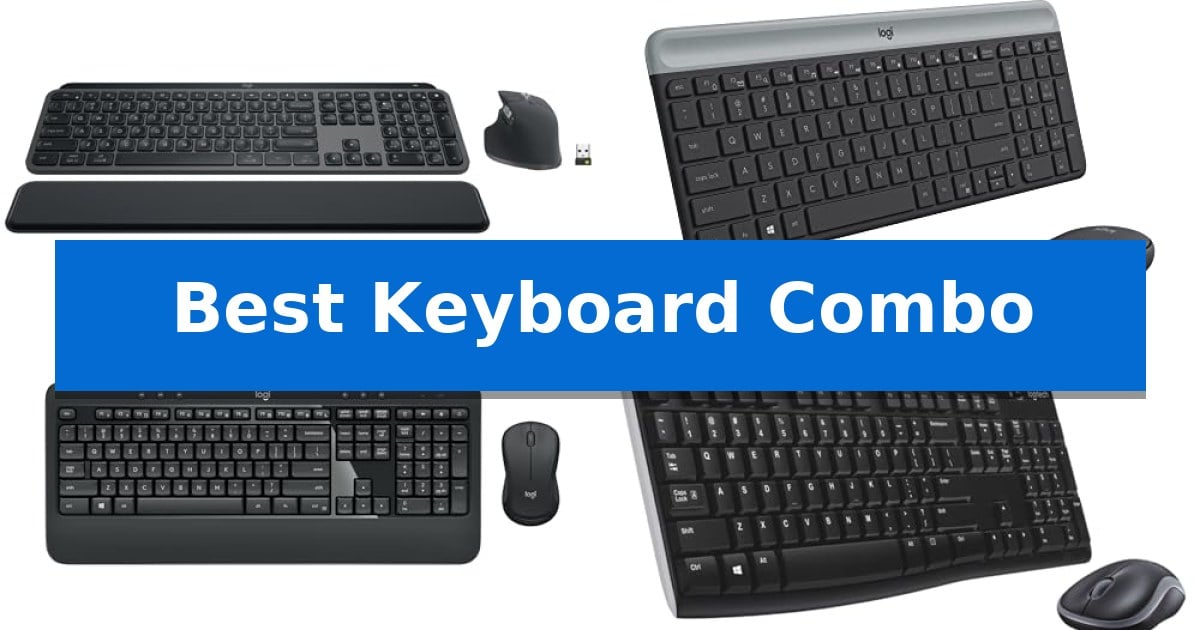
Finding the right input tools can significantly alter your daily computing experience. Whether you are typing long documents, managing complex spreadsheets, or simply navigating your desktop, the Best Keyboard Combo provides a cohesive interface that minimizes clutter and maximizes your physical comfort.
Selecting a matching set ensures that both your typing and navigation tools share a single connection point, often freeing up valuable ports on your machine. We have evaluated several options to help you determine which features—from ergonomic layouts to compact footprints—best align with your specific workspace requirements.
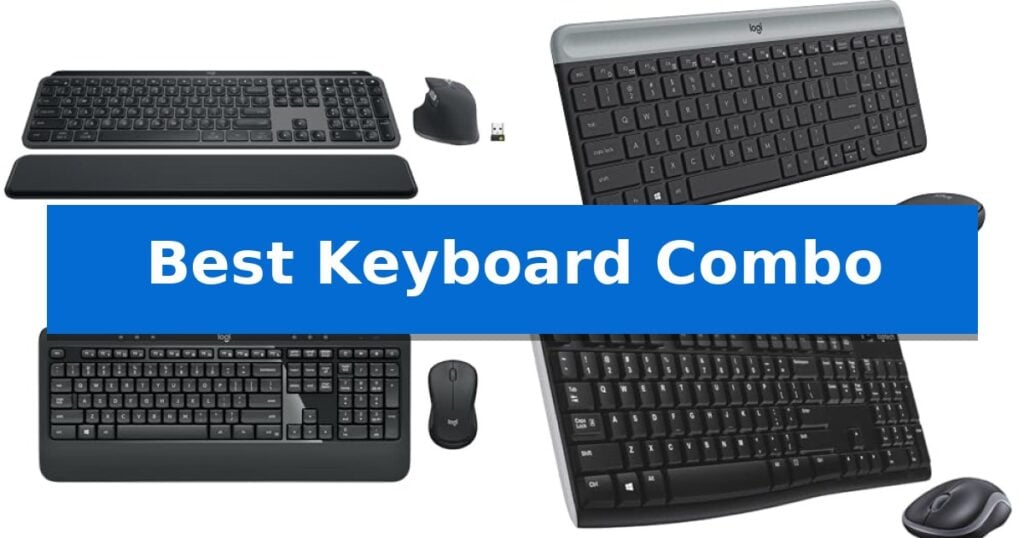
Best Keyboard Combo in 2026: Boost Your Workflow Efficiency
Quick Comparison
| Product | Best For | Key Strength | Score |
|---|---|---|---|
| Logitech MX Keys S Combo | Best Overall | MagSpeed scrolling provides exceptionally fast and precise navigation. | 4.9 |
| Logitech MK470 Slim Combo | Compact Pick for Tight Spaces | Compact, ultra-thin design ideal for small desk spaces. | 4.7 |
| Logitech MK540 Advanced Combo | Comfort-Focused Full Size Layout | Long-lasting battery life (up to 36 months for keyboard, 18 months for mouse). | 4.3 |
| Logitech MK270 Wireless Combo | Reliable Everyday Office Essential | Long battery life of up to 36 months for the keyboard and 12 months for the mouse. | 4.7 |
| Logitech MK120 Wired Combo | Budget-Friendly Wired Reliability | Spill-resistant design for added durability. | 4.3 |
How We Chose
- Connectivity options, including wireless range and receiver compatibility.
- Typing feel, focusing on key profile, travel, and noise reduction.
- Ergonomic features such as palm rests, tilt legs, and overall shape.
- Layout efficiency, including the presence of number pads and media controls.
- Build quality and material sustainability.
1 Logitech MX Keys S Combo — Premium Performance for Power Users
The Logitech MX Keys S Combo streamlines professional workflows by integrating a high-precision, laptop-style keyboard with the advanced tracking capabilities of the MX Master 3S mouse. This pairing is designed for users who require a stable, ergonomic foundation for extended daily tasks, utilizing a low-profile key design that promotes fluid, quiet typing.
Performance is driven by the MagSpeed scroll wheel, which allows for rapid navigation through long documents at a rate of 1,000 lines per second. The included mouse features an 8K DPI sensor capable of tracking on virtually any surface, including glass, ensuring consistent cursor control across diverse work environments.
Connectivity and customization are central to this setup. Users can pair the combo with up to three devices across multiple operating systems via Bluetooth Low Energy or the included Logi Bolt USB receiver. Through the Logi Options+ app, you can configure Smart Actions to automate repetitive multi-step tasks with a single keystroke, while the smarter illumination system automatically adjusts keyboard backlighting based on ambient light and hand proximity.
The hardware is built with sustainability in mind, incorporating certified post-consumer recycled plastic in both the keyboard and mouse. The stable, low-profile keyboard is angled for comfort, while the mouse is sculpted to support natural wrist posture, making this a cohesive solution for those prioritizing long-term productivity and desk ergonomics.
Best for: Professionals and power users who need a high-precision, multi-device input solution for productivity and repetitive task automation.
Skip if: Users who prefer the tactile feedback and deep travel of mechanical switches or those who require a compact, tenkeyless layout for limited desk space.
PROS
- MagSpeed scrolling provides exceptionally fast and precise navigation.
- Smart Actions automation via Logi Options+ saves time on repetitive tasks.
- Multi-device connectivity supports up to three systems simultaneously.
- Smarter illumination adapts to ambient light for improved visibility.
CONS
- Non-mechanical key switches may not satisfy users seeking traditional mechanical typing feedback.
- Fixed-angle keyboard design lacks adjustable height legs for custom typing ergonomics.
2 Logitech MK470 Slim Combo — Compact Pick for Tight Spaces
Maximizing desk real estate requires a thoughtful approach to peripherals, and the Logitech MK470 Slim Wireless Combo addresses this by pairing a low-profile keyboard with a compact, ambidextrous mouse. This set is designed for those who prioritize a clean, minimalist workspace without sacrificing the utility of a full-sized layout, including a dedicated number pad.
The keyboard features low-profile scissor keys that provide a tactile typing experience while maintaining a slim, modern aesthetic. Complementing this is the included mouse, which utilizes high precision optical tracking with a 1000 DPI sensor and a mechanical scroll wheel, ensuring reliable navigation for daily tasks.
Both devices are engineered for a quiet environment, with lab-tested, noise-reduced components that minimize clicking and typing sounds. Connectivity is handled via a simple plug-and-play USB nano receiver, which establishes a stable 2.4 GHz wireless connection with a range of up to 10 meters.
Efficiency is a core design principle, evidenced by the auto-sleep feature that helps extend battery life to 36 months for the keyboard and 18 months for the mouse. For users seeking further control, the 12 customizable FN keys can be configured through Logi Options software to streamline frequently used shortcuts and workflows.
Best for: Users with limited desk space who require a quiet, slim, and reliable wireless input solution for Windows or ChromeOS environments.
Skip if: Users who prefer mechanical switches with high travel, require multi-device Bluetooth connectivity, or need a full-sized ergonomic mouse with additional side buttons.
PROS
- Compact, ultra-thin design ideal for small desk spaces.
- Whisper-quiet operation for both keyboard and mouse.
- Long battery life with auto-sleep functionality.
- Customizable FN keys for personalized productivity.
CONS
- USB nano receiver required, lacking Bluetooth connectivity.
- Fixed low-profile layout may not suit users preferring deep-travel mechanical keys.
3 Logitech MK540 Advanced Combo — Comfort-Focused Full Size Layout
The Logitech MK540 Advanced Combo centers on a familiar, full-size layout that prioritizes comfort through an integrated palm rest and reduced-noise keys. Designed for productivity, this wireless set offers a spill-resistant design and adjustable tilt legs, allowing users to customize their ergonomic positioning for long typing sessions.
Equipped with a full-size ambidextrous mouse, the combo features soft rubber side grips that provide a secure hold during extended use. The mouse utilizes enhanced tracking for precise cursor control, ensuring reliability for standard office or home tasks. The entire system connects via a single mini Logitech Unifying USB receiver, which provides a stable wireless connection up to 33 feet away, effectively reducing desktop cable clutter.
Longevity is a primary design focus for this set, with the keyboard engineered to last up to 36 months and the mouse up to 18 months on their respective batteries. Users benefit from dedicated hotkeys that provide direct access to media controls, the calculator, and battery status checks, streamlining daily workflows.
Compatibility is straightforward, as the set is designed to work with Windows 7, 8, 10, 11, and Chrome OS. While this model provides a robust, standard experience, those requiring multi-device switching or hyper-fast scrolling may consider the Logitech MK850 as an alternative upgrade.
Best for: Users seeking a reliable, full-size wireless keyboard and mouse set with long battery life for standard office or home productivity.
Skip if: Users who require multi-device connectivity, Bluetooth support, or hyper-fast scrolling capabilities found in more advanced models.
PROS
- Long-lasting battery life (up to 36 months for keyboard, 18 months for mouse).
- Full-size layout with integrated palm rest and quiet keys.
- Reliable wireless connection via a single USB-A Nano Receiver.
- Spill-resistant design and adjustable tilt legs for durability and comfort.
CONS
- Lacks multi-device switching or Bluetooth connectivity.
- Limited to USB-A receiver, which may require adapters for some modern laptops.
4 Logitech MK270 Wireless Combo — Reliable Everyday Office Essential
A reliable workspace setup begins with the Logitech MK270 Wireless Combo, which utilizes a single USB-A Nano Receiver to maintain a stable connection up to 33 feet away. This plug-and-play solution eliminates the need for multiple dongles, allowing for a clean and efficient desk environment.
The keyboard features a full-size layout complete with a dedicated number pad, arrow keys, and 8 multimedia hotkeys for quick access to volume, email, and media playback. Designed for longevity, the hardware includes a spill-resistant build and adjustable tilt legs to accommodate different typing angles.
Complementing the keyboard is a compact, ambidextrous mouse that provides smooth cursor control on most surfaces. Both devices are engineered for power efficiency, with the keyboard offering a 36-month battery life and the mouse lasting up to 12 months, supported by physical on/off switches to preserve power when not in use.
Sustainability is integrated into the design, as the Logitech MK270 Wireless Combo incorporates certified post-consumer recycled plastic—49% in the mouse and 54% in the keyboard. This combination of durable construction and long-term battery performance makes it a practical choice for daily office tasks.
Best for: Users seeking a reliable, long-lasting, and space-efficient wireless input solution for standard office or home computing tasks.
Skip if: Users who require advanced ergonomic features like scooped keys, palm rests, or highly customizable software-driven shortcuts found in higher-tier models.
PROS
- Long battery life of up to 36 months for the keyboard and 12 months for the mouse.
- Reliable wireless connectivity via a single USB-A Nano Receiver.
- Spill-resistant design and durable key construction for daily resilience.
- Ambidextrous mouse shape suitable for both left- and right-handed users.
CONS
- Lacks advanced ergonomic features such as a built-in palm rest or contoured key shapes.
- Limited customization compared to professional-grade or gaming-focused peripherals.
5 Logitech MK120 Wired Combo — Budget-Friendly Wired Reliability
Reliability in a workspace often begins with the simplest tools, and the Logitech MK120 Full Size Wired Keyboard and Mouse Combo provides a straightforward, plug-and-play solution for desktop and laptop users. This combo prioritizes durability, featuring a spill-resistant design and keys capable of withstanding 10 million keystrokes, ensuring it remains functional through long-term daily use.
The keyboard offers a familiar typing experience with its full-size layout, including a dedicated number pad and F-keys. Its adjustable tilt legs allow for ergonomic positioning, while the bold, bright white characters on the keys are designed for high visibility and long-lasting readability. The included high-definition optical mouse features an ambidextrous shape, providing consistent tracking and control regardless of which hand you prefer.
Setup is immediate via a standard USB connection, making it compatible with Windows 7, 8, 10, or later systems without the need for additional software. The construction also incorporates sustainability, with the mouse containing 72% certified post-consumer recycled plastic and the keyboard utilizing 54% recycled plastic.
While this wired combo offers consistent performance, it is best suited for users who prefer a permanent, battery-free connection. Those requiring wireless freedom or advanced media shortcuts may find the Logitech MK270 Wireless Combo a more suitable alternative for their specific needs.
Best for: Users seeking a reliable, durable, and simple wired input solution for standard office or home computing tasks.
Skip if: Users who require wireless connectivity, dedicated media hotkeys, or a compact footprint for travel.
PROS
- Spill-resistant design for added durability.
- 10 million keystroke durability rating.
- Ambidextrous, high-definition optical mouse.
- Sustainable construction using certified recycled plastics.
CONS
- Wired-only connection limits desk mobility.
- Lacks dedicated media or shortcut keys.
Best Keyboard Combo Buying Guide
Connectivity and Wireless Standards
The primary advantage of a keyboard and mouse set is the shared connection. Most modern options utilize a USB nano receiver for a reliable 2.4 GHz wireless connection, which is typically plug-and-play and requires no complex setup. This is ideal for users who want to avoid the potential latency or pairing issues sometimes associated with Bluetooth.
For those working across multiple devices, some advanced models offer Bluetooth Low Energy alongside a proprietary receiver. This flexibility allows you to switch between a desktop, laptop, or tablet seamlessly, making it a critical consideration for users with multi-device workflows.
Typing Feel and Key Profile
The physical sensation of typing is determined by the key profile and switch mechanism. Low-profile scissor keys are common in slim, modern designs and offer a quiet, laptop-like experience that is often preferred for office environments where noise reduction is a priority.
Conversely, deeper-profile keys provide more tactile feedback, which some users find more satisfying for long-form writing. When choosing, consider whether you prefer a flat, minimalist surface or keys that are sculpted to cradle your fingertips for added precision.
Ergonomics and Physical Comfort
Long hours at a desk require equipment that supports natural posture. Look for keyboards with adjustable tilt legs that allow you to change the angle of the board to suit your wrist position. An integrated palm rest can also provide necessary support, reducing strain during extended typing sessions.
The mouse in your combo should also be considered for its shape. Ambidextrous designs offer versatility for both left- and right-handed users, while sculpted, ergonomic shapes are specifically engineered to fit the palm, promoting a more neutral wrist alignment.
Layout and Productivity Features
A full-size layout includes a dedicated number pad, which is essential for data entry and financial tasks. If your workspace is limited, however, a compact layout might be more appropriate, as it removes unnecessary keys to reduce the overall footprint of the device.
Many modern keyboards include customizable hotkeys or function keys. These allow you to launch applications, control media playback, or check battery status with a single press, significantly streamlining repetitive tasks.
Durability and Maintenance
Daily use demands a device that can withstand minor accidents. A spill-resistant design is a valuable feature that protects the internal circuitry from accidental liquid exposure. Additionally, look for durable key characters that are resistant to fading over time.
Battery life is another practical concern. Many wireless combos now feature advanced power management, such as auto-sleep modes, which can extend battery life to several years for the keyboard, reducing the frequency of maintenance and battery replacements.
Frequently Asked Questions
What is the benefit of a keyboard and mouse combo?
A combo ensures that both devices use a single USB receiver, which saves port space and simplifies the initial setup process.
Are these keyboards compatible with all operating systems?
Most are optimized for Windows, though many also support ChromeOS and macOS. Always check the specific compatibility list for your operating system.
How do I connect my wireless combo?
Most models use a plug-and-play USB nano receiver. Simply insert the receiver into an available USB-A port on your computer, and the devices should pair automatically.
What does spill-resistant mean?
It means the keyboard is designed to allow liquids to drain out of the bottom, protecting the electronics from minor accidental spills.
Can I use these for gaming?
While these combos are designed for office and productivity tasks, they can function for casual gaming, though they lack the high-end sensors and mechanical switches found in dedicated gaming hardware.
Conclusion: Our Top Pick
For users seeking a balance of high-end features and daily reliability, the Logitech MX Keys S Combo stands out as the most capable option. It combines a sophisticated, fluid typing experience with the precision of a high-performance mouse, making it ideal for power users who require both speed and comfort.
While other options like the MK270 or MK120 offer excellent value for basic office needs, the Logitech MX Keys S Combo provides advanced capabilities like multi-device connectivity, smart illumination, and customizable shortcuts that justify its position as the top choice for a modern, efficient workspace.