
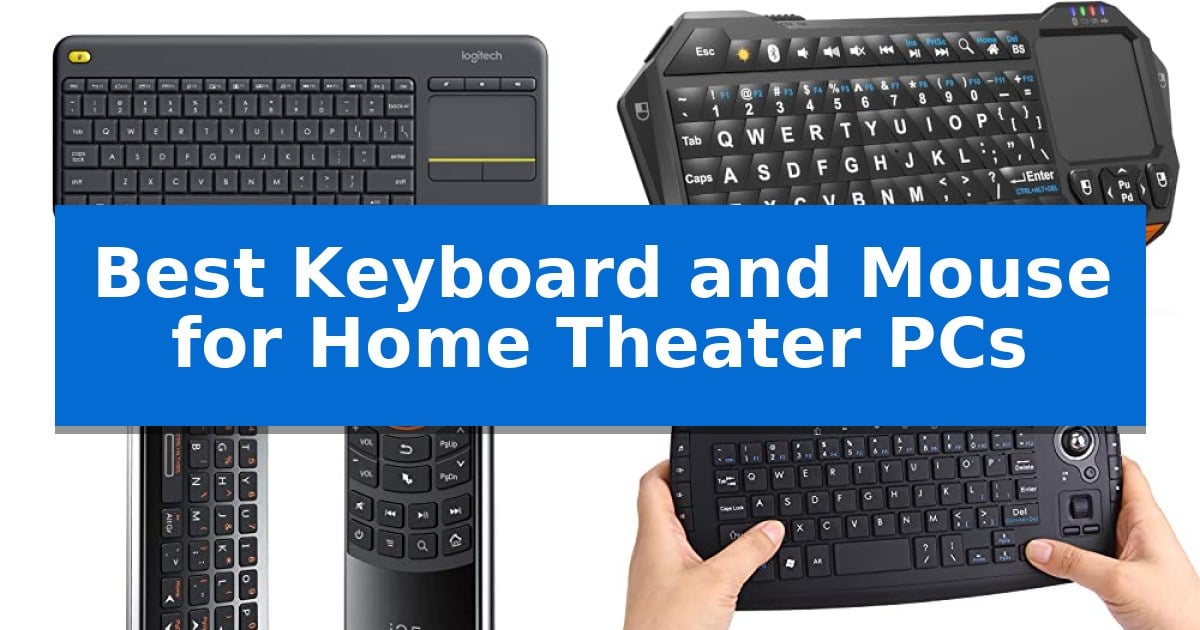
Managing a media center often requires more than a standard remote, especially when browsing web content or navigating complex menus on a large screen. Finding the Best Keyboard and Mouse for Home Theater PCs involves balancing compact design with reliable wireless connectivity to ensure you can control your entertainment from the comfort of your couch.
Whether you need a simple all-in-one touchpad or a more advanced remote with fly-mouse capabilities, the right input device transforms your living room setup. This guide examines four distinct solutions to help you find the hardware that best fits your specific media consumption habits and hardware ecosystem.
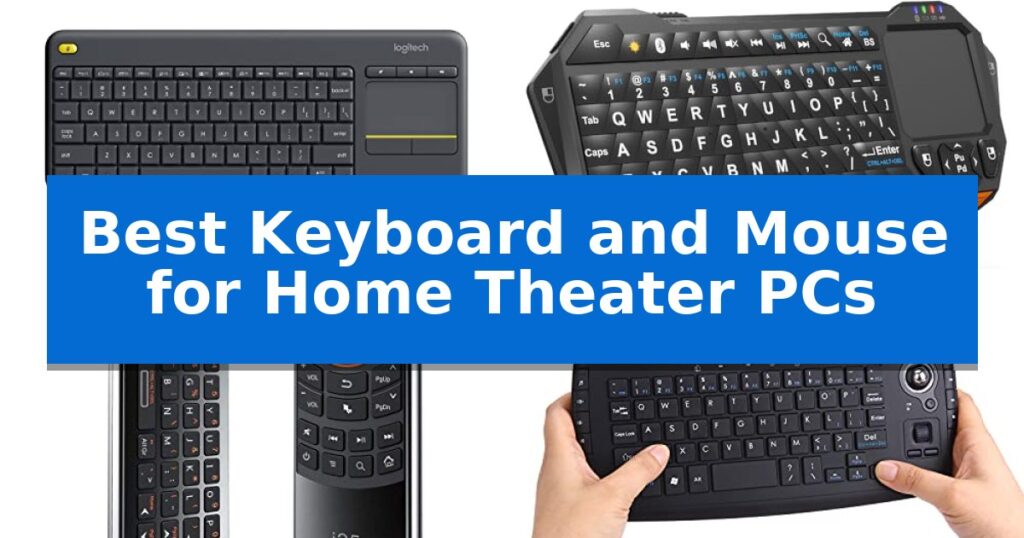
Best Keyboard and Mouse for Home Theater PCs in 2026
Quick Comparison
| Product | Best For | Key Strength | Score |
|---|---|---|---|
| Logitech K400 Plus Wireless Keyboard | Best Overall | Integrated large touchpad eliminates the need for a separate mouse. | 4.9 |
| Fosmon Mini Wireless Keyboard | Backlit Keys for Dark Rooms | Integrated touchpad eliminates the need for a separate mouse. | 4.6 |
| Rii Mini i25 Fly Mouse Keyboard | Three-in-One Media Remote | 3-in-1 functionality combines keyboard, mouse, and IR remote | 4.3 |
| Fonicer Multimedia Wireless Mini Keyboard | Compact Trackball Navigation | Integrated sensitive trackball for mouse-free navigation. | 4.9 |
How We Chose
- Wireless range and signal stability for reliable couch-side operation.
- Integration of pointing devices, such as touchpads or trackballs, to eliminate the need for a separate mouse.
- Form factor and ergonomics designed for lap or handheld use.
- Compatibility with common media operating systems like Windows, Android, and Chrome OS.
- Battery efficiency and power management for long-term convenience.
1 Logitech K400 Plus Wireless Keyboard — Integrated Touchpad for Couch Control
Navigating a PC-connected television from the comfort of a couch requires a specialized interface that consolidates input into a single, manageable form factor. The Logitech K400 Plus Wireless Keyboard addresses this by integrating a large built-in touchpad directly into the keyboard chassis, effectively eliminating the need for a separate mouse and the associated clutter on your living room furniture.
Designed specifically for HTPC environments, this device offers plug-and-play connectivity via a single USB Unifying receiver. It provides a reliable wireless range of up to 33 ft, allowing for seamless navigation from across the room. The keyboard features quiet keys and a layout optimized for media-friendly control, ensuring that volume adjustments and navigation do not distract from the viewing experience.
Durability and efficiency are core to its design, featuring a spill-resistant construction to protect against accidental mishaps and an on/off button to maximize the battery life, which is rated for up to 18 months. The unit is compatible with a broad range of operating systems, including Windows, Android, and Chrome OS, making it a versatile choice for various media-center setups.
While it excels at casual navigation and media control, the compact design prioritizes space-saving over full-sized desktop ergonomics. Users who require advanced features like illuminated keys or multi-device Bluetooth connectivity may find the K400 Plus limited compared to more premium alternatives, but for standard home theater navigation, it offers a straightforward and reliable solution.
Best for: Users seeking a compact, all-in-one keyboard and touchpad solution for controlling a PC-connected television from a couch.
Skip if: Users who require a full-sized keyboard layout, backlit keys, or Bluetooth connectivity for multi-device pairing.
PROS
- Integrated large touchpad eliminates the need for a separate mouse.
- 33 ft wireless range provides reliable control from a distance.
- Spill-resistant design adds durability for living room use.
- Long battery life of up to 18 months with power-saving switch.
CONS
- Lacks backlighting for use in darkened home theater environments.
- Limited connectivity options compared to premium models.
2 Fosmon Mini Wireless Keyboard — Backlit Keys for Dark Rooms
Navigating a home theater PC setup requires a compact input solution that eliminates the need for a dedicated desk or mouse pad. The Fosmon Mini Wireless Keyboard addresses this by integrating a QWERTY keypad and a built-in touchpad into a single, palm-sized controller, allowing for seamless cursor navigation and text entry directly from your couch.
This device offers versatile connectivity options, supporting both 5.2 Bluetooth and a 2.4GHz nano USB dongle. This dual-mode capability ensures compatibility with a wide range of hardware, including Android TV boxes, PlayStation 4 and 5 consoles, and standard HTPCs. With a 33-foot wireless range, it provides the freedom to control your media center from anywhere in the room.
Designed for low-light environments, the backlit keyboard ensures keys remain visible during movie nights. The unit is powered by a 500mAh rechargeable lithium-ion battery, which is rated for up to 10 days of continuous use or 50 days of standby time. Recharging is handled via a standard USB-C cable, and integrated LED indicators provide clear status updates for battery levels.
Measuring approximately 162x69x12.5mm, the Fosmon Mini Wireless Keyboard is built for portability. While it is a highly functional tool for media navigation, users should verify the Bluetooth compatibility of their specific smart TV before purchase, as the manufacturer notes that support can vary across different television models.
Best for: Users seeking a compact, all-in-one handheld controller for navigating media interfaces on HTPCs, gaming consoles, and streaming boxes.
Skip if: Users who require a full-sized keyboard for heavy typing or professional productivity tasks will find the small form factor and thumb-based input restrictive.
PROS
- Integrated touchpad eliminates the need for a separate mouse.
- Dual connectivity via 2.4GHz dongle and Bluetooth 5.2.
- Backlit keys improve visibility in dark home theater environments.
- Rechargeable battery with convenient USB-C charging.
CONS
- Limited compatibility with some smart TV models.
- Not compatible with Xbox series consoles.
3 Rii Mini i25 Fly Mouse Keyboard — Three-in-One Media Remote
Navigating a home theater PC setup often requires a compact, versatile input device that replaces the need for separate peripherals on a coffee table. The Rii Mini i25 Fly Mouse Keyboard addresses this by integrating a QWERTY keyboard, an IR remote, and a fly mouse into a single, handheld unit.
This device utilizes a USB interface receiver for wireless connectivity, making it compatible with various systems including PCs, laptops, and Android TV boxes. Its built-in lithium-ion battery is rechargeable via USB, providing an energy-efficient solution for media control. If users experience mouse tracking issues, the package includes a USB extension cable to optimize signal reception.
Beyond its primary input functions, the unit features IR learning capabilities. By pressing the SET button, users can program the remote to mimic original IR remotes, allowing for unified control of multiple devices. The compact design measures approximately 170mm by 49mm by 16mm, ensuring it remains portable and easy to store.
Compatibility is a key consideration for this device. While it functions across many platforms, performance can vary based on the specific smart TV system in use. It is recommended to test a standard wired keyboard and mouse on the target device first; if those function correctly, this combo unit is likely to be compatible.
Best for: Users seeking a compact, all-in-one handheld controller for HTPC and Android TV box navigation.
Skip if: Users requiring a full-sized keyboard for heavy typing or those using an Amazon Fire TV Stick, which is not supported.
PROS
- 3-in-1 functionality combines keyboard, mouse, and IR remote
- Programmable IR learning allows for consolidation of multiple remotes
- Rechargeable lithium-ion battery reduces the need for disposable cells
- Compact, portable design ideal for living room environments
CONS
- System compatibility varies depending on the specific smart TV or OS
- Not compatible with Amazon Fire TV Stick
4 Fonicer Multimedia Wireless Mini Keyboard — Compact Trackball Navigation
Navigating a media center from the comfort of a sofa requires a controller that balances typing utility with precise cursor movement. The Fonicer Multimedia Wireless Mini Keyboard integrates a sensitive trackball directly into its handheld frame, allowing users to manage web browsing and streaming services without needing a separate flat surface for a mouse.
This device functions as a 100% plug-n-play solution, utilizing a wireless dongle to connect with a variety of hardware including PCs, Macs, Android TV boxes, and gaming consoles. The full QWERTY keyboard layout is paired with a dedicated media control section, providing quick access to essential playback functions and navigation keys like F11 and F12.
Designed for ergonomic comfort, the unit features an X-structure key design that provides tactile feedback during use. The chassis includes click buttons positioned at each corner, enabling index-finger operation similar to a game controller. When not in use, an integrated ON/OFF power switch helps preserve battery life, making it a practical choice for long-term home theater setups.
The Fonicer Multimedia Wireless Mini Keyboard is a versatile tool for those who prefer an all-in-one input method for their living room entertainment systems. Its compact dimensions of 10.23 x 5.11 x 0.98 inches ensure it remains portable while offering a comprehensive button set for diverse multimedia tasks.
Best for: Users who need an all-in-one, handheld input device for navigating media centers and streaming services from a distance.
Skip if: Users who require a full-sized mechanical keyboard for heavy typing or a high-precision mouse for competitive gaming.
PROS
- Integrated sensitive trackball for mouse-free navigation.
- Plug-n-play connectivity via wireless dongle.
- Dedicated media control buttons for streaming and playback.
- Tactile X-structure keys for improved typing feel.
CONS
- Handheld form factor may not be suitable for extended document creation.
- Requires a USB port for the wireless receiver.
Best Keyboard and Mouse for Home Theater PCs Buying Guide
Wireless Connectivity and Range
The primary requirement for any home theater input device is a stable wireless connection. Most devices rely on a 2.4GHz USB receiver, which provides a plug-and-play experience that is generally more reliable than Bluetooth in environments with high interference.
When choosing a device, consider the operating range. Most standard units offer a range of up to 33 feet, which is sufficient for most living rooms. Ensure your chosen device maintains a consistent signal to avoid frustrating input lag during media playback.
Integrated Pointing Solutions
A dedicated mouse is rarely practical on a sofa, making integrated pointing solutions essential. You will typically find two main types: touchpads and trackballs.
A touchpad offers a familiar gesture-based experience similar to a laptop, making it intuitive for web browsing. A trackball allows for precise cursor movement with your thumb, which can be more comfortable for users who prefer a handheld, controller-like grip.
Ergonomics and Form Factor
The physical design of your keyboard dictates how you interact with your media. Full-sized keyboards are often too bulky for the couch, whereas mini keyboards or all-in-one remotes are designed to be held in both hands.
Consider the weight and balance of the unit. If you plan on typing frequently, a slightly larger keyboard with a stable base is preferable. If you only need to navigate menus, a compact, handheld remote will be significantly more ergonomic.
Backlighting and Visibility
Home theaters are often dimly lit, making backlit keys a vital feature for usability. Without illumination, finding specific keys in the dark can be difficult and disruptive to your viewing experience.
Look for devices that offer adjustable brightness or automatic shut-off features to preserve battery life while ensuring you can always see the keys when you need them.
Compatibility and Ecosystem
Before purchasing, verify that the device is compatible with your specific hardware, such as an Android TV box, Windows HTPC, or gaming console. Some devices are optimized for specific operating systems and may lose functionality on others.
Check for plug-and-play support to ensure you don't need to install complex drivers. A device that works immediately upon inserting the USB dongle is ideal for a hassle-free setup.
Frequently Asked Questions
Do I need a separate mouse with these keyboards?
No, all the keyboards listed in this guide feature integrated pointing devices like touchpads or trackballs, allowing you to control the cursor without needing an external mouse.
Are these keyboards compatible with smart TVs?
Most are compatible with devices that support standard USB HID (Human Interface Device) drivers, such as Android TV boxes and PCs. However, compatibility with specific smart TV operating systems can vary, so it is best to check your TV's manual.
How do I connect these to my device?
Most of these devices use a 2.4GHz nano USB receiver that plugs into an available USB port on your computer or media box. Some models also offer Bluetooth connectivity for added flexibility.
Can I use these for gaming?
While these devices are excellent for media navigation and web browsing, they are generally not designed for high-performance gaming. They are best suited for casual interaction and menu navigation.
How long do the batteries typically last?
Battery life varies significantly by usage. Models with built-in rechargeable batteries often provide several days of continuous use, while those using standard batteries can last for months depending on their power-saving features.
Conclusion: Our Top Pick
For most users, the Logitech K400 Plus Wireless Keyboard stands out as the most practical solution for a home theater setup. Its combination of a large, responsive touchpad and a comfortable, full-layout keyboard makes it incredibly easy to navigate media libraries and browse the web from the couch.
While it lacks backlighting, its exceptional battery life of up to 18 months and reliable 33-foot wireless range provide a consistent and low-maintenance experience. It is the most balanced choice for those who want a dependable, all-in-one device that works seamlessly with Windows, Android, and Chrome OS systems.