
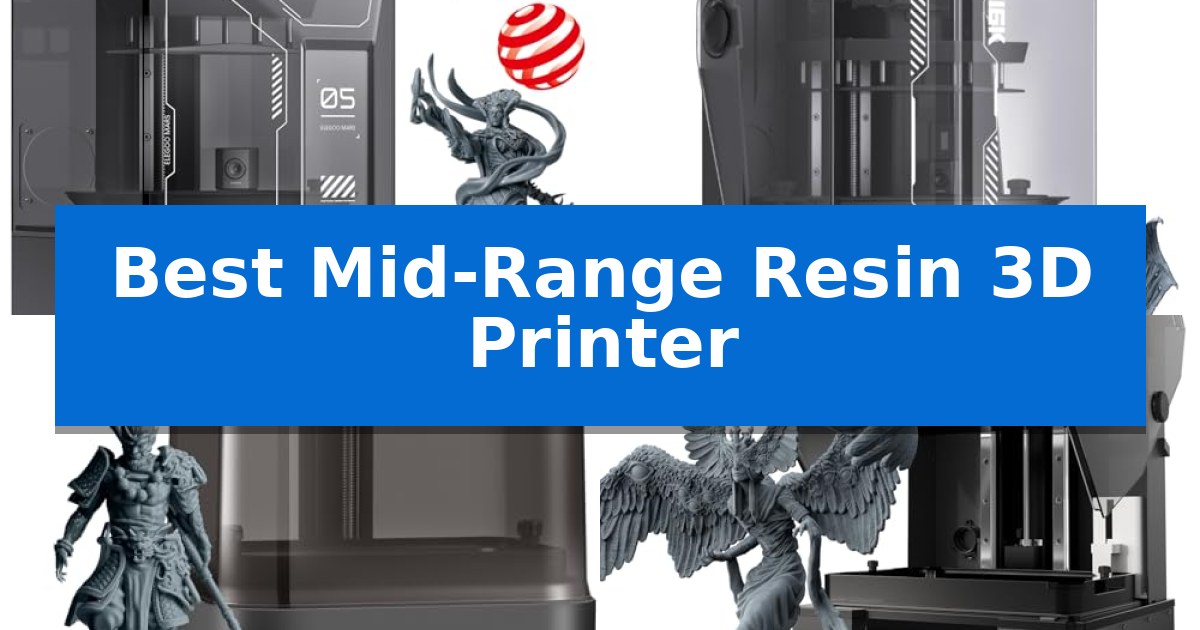
Finding the right machine for detailed model creation requires balancing resolution, build volume, and ease of use. A Best Mid-Range Resin 3D Printer should offer enough precision for intricate designs while providing reliable, automated features that simplify the printing workflow for both hobbyists and professionals.
Whether you are producing miniatures, prototypes, or custom parts, the current market offers advanced options that prioritize efficiency and print success. We have evaluated the latest models to help you identify which machine aligns with your specific production needs and technical requirements.
You may also want to compare Best Mid-Range Radar Detectors, Best Mid-Range Projectors, and Best Mid-Range Projector.
Best Mid-Range Resin 3D Printer
Quick Comparison
| Product | Best For | Key Strength | Score |
|---|---|---|---|
| ELEGOO Mars 5 Ultra Resin 3D Printer | Best Overall | 9K ultra-high resolution for detailed texture reproduction. | 4.9 |
| ELEGOO Saturn 4 Ultra 16K Resin 3D Printer | High-Resolution Large Format Output | Automatic leveling eliminates manual calibration steps. | 4.7 |
| ANYCUBIC Photon Mono 4 Resin 3D Printer | Precision Detail for Daily Projects | 10K resolution for high-precision detail | 4.4 |
| ANYCUBIC Photon Mono M7 Max Resin 3D Printer | Large Volume with Intelligent Management | Ultra-large build volume for printing large models in one piece. | 4.7 |
How We Chose
- Resolution and Pixel Size: Evaluating the LCD screen quality to ensure fine detail reproduction.
- Build Volume: Assessing the physical dimensions to determine suitability for various project sizes.
- Automation Features: Reviewing built-in sensors, auto-leveling, and error-detection systems.
- Workflow Integration: Considering connectivity options and software compatibility for streamlined production.
- Material Management: Examining features that monitor resin levels and maintain optimal printing conditions.
1 ELEGOO Mars 5 Ultra Resin 3D Printer — Smart Features for Reliable Printing
Achieving high-fidelity prints requires a balance of precision and workflow efficiency, a task the ELEGOO Mars 5 Ultra Resin 3D Printer addresses through its advanced hardware integration. By utilizing a 7-inch 9K mono LCD with an 18 μm XY resolution, this machine is engineered to capture intricate textures and fine details, making it a compelling candidate for those seeking a Best Mid-Range Resin 3D Printer for detailed modeling.
The printer distinguishes itself with tilt release technology, which enables print speeds of up to 150 mm/h. This innovation facilitates faster model peeling from the release film, allowing users to toggle between fast and slow printing modes depending on the complexity of the project. This flexibility is supported by a smart mechanical sensor that provides residue detection to protect the LCD screen from damage, alongside automated alerts for resin shortages and leveling failures.
Operational control is further enhanced by an integrated AI camera that monitors the build plate in real-time. This system is designed to identify common issues like model warps or empty build plates, providing alerts to help minimize material waste. For users managing multiple projects, the Wi-Fi cluster printing capability allows for the synchronized control of several units from a single device, streamlining production workflows.
With a build volume of 6.04 × 3.06 × 6.49 inches, the device offers a compact footprint suitable for desktop environments. The inclusion of smart automatic leveling simplifies the setup process, ensuring the build plate is properly calibrated for consistent results. This combination of automated monitoring and high-resolution output positions the unit as a versatile tool for both hobbyists and those needing reliable, repeatable print quality.
Best for: Users who require high-resolution output and automated error detection for consistent, efficient resin 3D printing workflows.
Skip if: Users who need a significantly larger build volume for printing large-scale architectural models or industrial-sized components.
PROS
- 9K ultra-high resolution for detailed texture reproduction.
- Tilt release technology enables rapid printing speeds up to 150 mm/h.
- AI camera integration for real-time error monitoring and failure prevention.
- Wi-Fi cluster printing allows for efficient multi-printer management.
CONS
- AI detection accuracy may vary based on specific resin types and environmental conditions.
- Compact build volume limits the size of individual print projects.
2 ELEGOO Saturn 4 Ultra 16K Resin 3D Printer — High-Resolution Large Format Output
Achieving high-fidelity output with minimal manual intervention is the primary objective for modern resin printing, and the ELEGOO Saturn 4 Ultra 16K Resin 3D Printer addresses this through its advanced automatic leveling system. By eliminating the need for manual calibration, this device allows users to transition from unboxing to printing with a plug-and-play workflow that mimics the simplicity of consumer electronics.
The printer utilizes a 10-inch 16K mono LCD, which provides the high resolution necessary for capturing intricate textures and smooth surface finishes on complex models. To maintain consistent print quality, the unit incorporates an intelligent tank heating system that maintains the resin at a steady 30 °C. This controlled environment enhances resin fluidity and improves layer adhesion, effectively mitigating common issues like bubbles or layer separation during the curing process.
Speed and monitoring are central to its design, featuring tilt release technology that enables print speeds of up to 150 mm/h. For oversight, the integrated AI camera provides real-time monitoring and sends instant alerts if it detects empty build plates or warped models. A built-in chamber light further assists with visual inspection, while the system supports time-lapse capture to document the printing progress.
With a generous build volume of 8.33 × 4.66 × 8.66 inches, this machine balances a compact footprint with sufficient capacity for larger projects. The flip-up lid design ensures easy access to the build plate and resin vat, streamlining the post-processing workflow for users who prioritize efficiency and reliability in their creative output.
Best for: Users who prioritize automated leveling and high-speed, high-resolution output for detailed model production.
Skip if: Users requiring a significantly larger build volume or those who prefer manual control over every aspect of the leveling and heating process.
PROS
- Automatic leveling eliminates manual calibration steps.
- Intelligent tank heating maintains optimal 30 °C resin temperature.
- 16K resolution ensures high-fidelity surface detail.
- Tilt release technology supports fast printing speeds up to 150 mm/h.
CONS
- AI detection accuracy may vary based on environmental conditions and model types.
3 ANYCUBIC Photon Mono 4 Resin 3D Printer — Precision Detail for Daily Projects
Achieving high-fidelity output for intricate models requires a machine capable of balancing resolution with reliable hardware. The ANYCUBIC Photon Mono 4 Resin 3D Printer centers its performance on a 7-inch 10K monochrome LCD screen, which delivers a resolution of 9024×5120 pixels. This configuration results in a pixel size of 17×17μm, providing the precision necessary for detailed prints.
To maintain consistency across prints, the unit utilizes the LighTurbo matrix light source. This technology is engineered to provide uniform lighting, which helps minimize layer lines and rasterization on the surface of finished models. The build volume measures 6.04'' x 3.42'' x 6.49'', offering enough space for a variety of daily projects.
Usability is addressed through the Laser-engraved Print Platform 2.0, which is designed to improve model adhesion and reduce the likelihood of lifting or warping during the printing process. For setup, the printer features a 4-point leveling method. Once the initial leveling is completed and the four screws are tightened, the system is designed to maintain its calibration, simplifying the workflow for users.
The device includes a power-loss recovery function, allowing the printer to resume tasks after an interruption to prevent material waste. While the printer offers robust technical specifications, it is important to note that it does not support the Anycubic APP service, requiring users to manage operations directly through the machine's interface.
Best for: Users seeking high-resolution 10K detail and a simplified, stable leveling process for daily resin printing tasks.
Skip if: Users who rely on mobile app integration for remote monitoring or cloud-based printer management.
PROS
- 10K resolution for high-precision detail
- LighTurbo light source for uniform surface finish
- Laser-engraved platform to improve model adhesion
- 4-point leveling system for simplified setup
CONS
- No support for Anycubic APP services
4 ANYCUBIC Photon Mono M7 Max Resin 3D Printer — Large Volume with Intelligent Management
Achieving high-fidelity prints at scale requires a machine that balances resolution with operational efficiency. The ANYCUBIC Photon Mono M7 Max Resin 3D Printer distinguishes itself with an ultra-large build volume of 298mm x 164mm x 300mm, allowing for the production of substantial models or high-throughput batch printing without the need for manual splitting.
Precision is driven by a 13.6-inch 7K high-resolution screen, which achieves an XY-axis pixel size of 46μm. This level of detail is supported by anti-aliasing technology and high-precision positioning spools, which work to minimize layer lines and enhance surface texture reproduction. For users focused on speed, the unit integrates Intelligent Release 2.0 and dynamic light-off compensation, enabling print speeds of up to 60mm/h.
Usability is enhanced through an intelligent resin management system that includes a temperature-controlled resin vat and automatic level monitoring to reduce waste. The 360° self-check system provides five distinct inspections, including residual resin detection and failed print monitoring, which help maintain consistency during long print cycles.
The physical design incorporates a flip-top cover for easy access and a suspension drip setting that angles the platform post-print to recover excess resin. With a 1300ml resin tank capacity, the system is optimized for extended production runs while minimizing the need for frequent manual intervention.
Best for: Users requiring a large build volume and automated resin management for high-efficiency, high-precision batch printing.
Skip if: Users with limited workspace or those who only require small-scale, occasional printing and do not need the advanced automated monitoring features.
PROS
- Ultra-large build volume for printing large models in one piece.
- Intelligent resin management with temperature control and auto-refill.
- High-resolution 7K display with 46μm pixel precision.
- Automated 360° self-check diagnostics to reduce operational errors.
CONS
- Large physical footprint may require significant dedicated workspace.
- Complex maintenance requirements due to the integrated automated systems.
Best Mid-Range Resin 3D Printer Buying Guide
Understanding Resolution and Detail
The resolution of a resin 3D printer is determined by its LCD screen. Higher resolution, such as 9K or 16K, allows for smaller pixel sizes, which directly translates to sharper details and smoother surfaces on your models. When choosing a printer, consider the level of detail required for your specific output.
Smaller pixel sizes, measured in micrometers (μm), are essential for high-fidelity miniatures. If your work involves complex textures or tiny features, prioritizing a machine with a high-resolution mono LCD is the most effective way to ensure professional-grade results.
The Importance of Build Volume
Your build volume dictates the maximum size of the models you can print in a single session. Mid-range printers offer a variety of sizes, ranging from compact units suitable for small figures to larger formats that accommodate bigger parts or batch printing.
If you frequently print large-scale models, a machine with a generous build area reduces the need for splitting and assembling parts. Always check the X, Y, and Z dimensions to ensure they meet the requirements of your typical project workload.
Automation and Reliability
Modern resin printers now include smart features that significantly reduce the risk of failed prints. Features like automatic leveling eliminate the need for manual calibration, while AI cameras and mechanical sensors can detect errors or resin shortages in real-time.
These automated systems are particularly beneficial for users who want to minimize waste and ensure uninterrupted production. Investing in a printer with robust monitoring capabilities can save significant time and material costs over the life of the machine.
Speed and Efficiency
Printing speed is often enhanced by tilt release technology or advanced light-off compensation. These innovations allow for faster model peeling and shorter layer exposure times, which can drastically reduce total print duration without sacrificing detail.
For those managing multiple projects, look for printers that support Wi-Fi connectivity or cluster printing. Being able to control multiple units from a single device streamlines your workflow and increases overall productivity.
Environmental Control
Resin properties are highly sensitive to temperature. Some advanced printers feature smart tank heating systems that maintain the resin at an ideal temperature, such as 30°C, to improve fluidity and layer adhesion.
Consistent temperature control helps prevent common issues like bubbles and layer separation. If you print in a cooler environment, a printer with integrated heating is a valuable feature for maintaining high success rates.
Frequently Asked Questions
What is the main advantage of a 9K or 16K LCD screen?
These high-resolution screens provide smaller pixel sizes, which allow the printer to capture finer details, textures, and smoother surfaces on your 3D models.
Why is auto-leveling important for beginners?
Auto-leveling simplifies the setup process by eliminating the need for manual calibration of the build plate, ensuring the printer is ready to use with minimal effort.
How does an AI camera help with 3D printing?
An AI camera monitors the print in real-time, providing alerts for issues like empty build plates or model warps, which helps prevent failed prints and wasted resin.
Does resin temperature affect print quality?
Yes, maintaining an optimal temperature, such as 30°C, improves resin fluidity and layer adhesion, reducing defects like bubbles and layer separation.
Can I control multiple printers at once?
Some models support Wi-Fi cluster printing, allowing you to manage and synchronize multiple printers from a single device for improved efficiency.
Conclusion: Our Top Pick
When selecting the right machine for your workshop, the ELEGOO Mars 5 Ultra Resin 3D Printer stands out as the most balanced choice for those seeking reliability and smart automation. Its combination of high 9K resolution, tilt release technology, and AI-driven error detection makes it a highly capable tool for a wide range of projects.
While other models offer larger build volumes or specialized heating, the Mars 5 Ultra provides a comprehensive feature set that simplifies the printing process for most users. It is an excellent investment for anyone looking to achieve consistent, high-quality results with minimal manual intervention.