
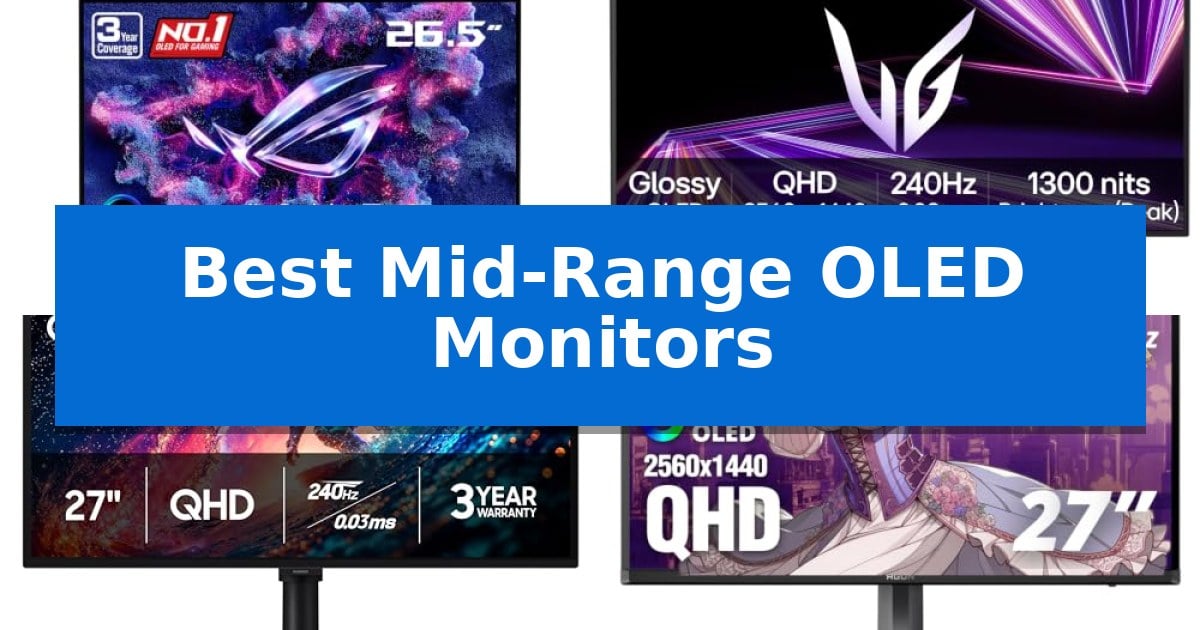
Finding the right balance between visual fidelity and gaming performance often leads enthusiasts toward the latest display technology. The Best Mid-Range OLED Monitors category has evolved significantly, offering high-speed refresh rates and deep contrast ratios that were previously reserved for high-end professional equipment.
Whether you prioritize a glossy finish for maximum clarity or a specialized coating to manage ambient light, these displays provide distinct visual experiences. We have analyzed the current market to help you understand which features align with your specific gaming or productivity needs.
You may also want to compare Best Mid-Range OBD2 Scanner, Best Mid-Range NVMe SSD, and Best Mid-Range NVIDIA GPUs.
Best Mid-Range OLED Monitors
Quick Comparison
| Product | Best For | Key Strength | Score |
|---|---|---|---|
| ASUS ROG XG27AQDMGR Gaming Monitor | Best Overall | 0.03ms response time for minimal motion blur. | 4.9 |
| LG UltraGear 27GX704A-B Gaming Monitor | High peak brightness for HDR | Near-instantaneous 0.03ms response time for minimal ghosting. | 4.9 |
| Samsung Odyssey OLED G6 Gaming Monitor | Effective glare-free screen coating | Glare Free Technology significantly reduces distracting reflections. | 4.8 |
| AOC AGON Pro AG276QZD2 Gaming Monitor | Fast refresh rate for competitive play | 280Hz refresh rate for fluid motion | 4.4 |
| AOC Q27GAZDV Gaming Monitor | Balanced features for everyday gaming | QD-OLED panel provides infinite contrast and wide color gamut. | 4.4 |
How We Chose
- Panel Finish: Assessing the impact of glossy versus glare-free coatings on perceived image sharpness and light reflection.
- Motion Clarity: Comparing refresh rates and response time claims to determine suitability for fast-paced competitive titles.
- HDR Performance: Evaluating peak brightness and contrast capabilities to ensure consistent visual depth in high-dynamic-range content.
- Ergonomic Adjustability: Checking for stand features such as height, tilt, and swivel to accommodate various desk configurations.
- Connectivity Standards: Verifying the inclusion of modern ports like HDMI 2.1 to support high-bandwidth signals from PCs and consoles.
1 ASUS ROG XG27AQDMGR Gaming Monitor — Glossy panel for superior clarity
Achieving visual clarity in fast-paced gaming requires a display that balances speed with high-fidelity color reproduction. The ASUS ROG XG27AQDMGR Gaming Monitor centers its design on a TrueBlack Glossy WOLED panel, which minimizes ambient light reflection to maintain deep contrast levels during intense sessions.
Performance is driven by a 240 Hz refresh rate paired with an ultra-fast 0.03ms gray-to-gray response time. These specifications work to eliminate ghosting, ensuring motion remains fluid. The monitor covers 99% of the DCI-P3 color gamut and achieves a Delta E < 2 color difference, providing accurate color representation for both gaming and creative workflows.
To address the longevity concerns inherent to OLED technology, the unit includes ASUS OLED Care Pro. This system utilizes a Neo Proximity Sensor to detect user presence, automatically dimming or turning off the screen when the user is away to mitigate the risk of burn-in. Users can manage these protective features and display settings directly through the ASUS DisplayWidget Center software.
The monitor is built for versatility with VESA DisplayHDR 400 True Black compliance and support for console gaming on PS5 and Xbox. Each unit includes a 3-year warranty that specifically covers burn-in, providing long-term support for the display panel. Additionally, the purchase includes a 3-month Adobe Creative Cloud subscription to support creative tasks.
Best for: Competitive gamers and creators who prioritize deep contrast, high-speed motion clarity, and long-term burn-in protection.
Skip if: Users who require a matte screen finish to combat direct, harsh overhead lighting or those needing a larger screen size than 26.5 inches.
PROS
- 0.03ms response time for minimal motion blur.
- TrueBlack Glossy WOLED panel for superior clarity.
- 3-year warranty including burn-in coverage.
- Neo Proximity Sensor for automated OLED protection.
CONS
- Glossy panel may be prone to reflections in bright rooms.
2 LG UltraGear 27GX704A-B Gaming Monitor — High peak brightness for HDR
Achieving visual clarity in fast-paced gaming environments often hinges on the display's ability to handle motion without blur, a task the LG UltraGear 27GX704A-B Gaming Monitor addresses with its ultra-responsive 0.03ms response time. This 27-inch QHD display utilizes OLED technology to provide a high-contrast visual experience, ensuring that dark scenes remain detailed while bright highlights retain their intensity.
The monitor is built for high-performance setups, featuring a 240Hz refresh rate that supports fluid motion. To maintain image integrity across different hardware, it includes both NVIDIA G-SYNC Compatible and AMD FreeSync Premium Pro certifications. The inclusion of a glossy finish serves to enhance perceived color vibrancy, while the panel itself is UL-certified for flicker-free operation and low blue light emission to support visual comfort.
Connectivity options are designed for modern gaming systems, offering dual HDMI 2.1 ports alongside DisplayPort 1.4. The stand provides comprehensive ergonomic adjustments, including tilt, height, swivel, and pivot, allowing for a tailored viewing position. For those concerned with long-term display health, the monitor includes integrated OLED care features that manage pixel maintenance during standby or shutdown cycles.
While the LG UltraGear 27GX704A-B Gaming Monitor excels in motion handling and color depth, users should note that its peak brightness of 1300 nits is specifically optimized for HDR content, with a standard brightness of 275 nits for general use. This balance ensures that the display remains versatile for both competitive gaming and immersive media consumption.
Best for: Competitive gamers and enthusiasts seeking high-refresh-rate OLED performance with advanced motion clarity.
Skip if: Users who require a display primarily for static office productivity or high-brightness environments where a matte finish is preferred over glossy.
PROS
- Near-instantaneous 0.03ms response time for minimal ghosting.
- High-speed 240Hz refresh rate for smooth gameplay.
- Comprehensive ergonomic stand with tilt, swivel, and pivot.
- Integrated OLED pixel care to mitigate image retention.
CONS
- Standard brightness of 275 nits may feel dim in brightly lit rooms.
- Glossy screen finish can be prone to reflections in certain lighting conditions.
3 Samsung Odyssey OLED G6 Gaming Monitor — Effective glare-free screen coating
Achieving visual clarity in bright environments is a common challenge for display enthusiasts, but the Samsung 27" Odyssey OLED G6 (G61SH) addresses this directly with its integrated Glare Free Technology. This specialized coating minimizes external light reflections, ensuring that the screen remains clear during intense gaming sessions or detailed creative work.
Beyond its surface treatment, this monitor utilizes a QD-OLED display to produce a wide color gamut, further enhanced by Pantone Validation which ensures the reproduction of over 2100 colors and 110 skin tones. The QHD resolution provides a balance of sharpness and performance, while HDR10 support adds depth to shadows and highlights for a more immersive visual experience.
For competitive play, the monitor features a 240Hz refresh rate paired with a rapid 0.03ms response time. These specifications are complemented by AMD FreeSync Premium, which works to mitigate screen tearing and lag for smoother motion. To protect the panel's longevity, the OLED Safeguard system employs thermal modulation to actively manage heat and mitigate the risk of burn-in.
The physical design prioritizes user comfort through an ergonomic height-adjustable stand that supports tilting, swiveling, and pivoting. This flexibility allows for precise positioning to suit various desk setups and viewing angles, making it a versatile choice for both dedicated gaming stations and productivity-focused workspaces.
Best for: Gamers and creators who require high-speed performance and color accuracy in rooms with significant ambient light.
Skip if: Users who require 4K resolution for ultra-high-density professional design work or those with limited desk space for a 27-inch monitor.
PROS
- Glare Free Technology significantly reduces distracting reflections.
- 0.03ms response time and 240Hz refresh rate for fluid motion.
- Pantone Validated color accuracy for reliable image reproduction.
- OLED Safeguard thermal modulation to support panel longevity.
CONS
- QHD resolution may not satisfy users seeking 4K pixel density.
- Large footprint requires substantial desk space for the ergonomic stand.
4 AOC AGON Pro AG276QZD2 Gaming Monitor — Fast refresh rate for competitive play
The AOC AGON Pro AG276QZD2 Gaming Monitor delivers a high-performance visual experience through its 26.5-inch QD-OLED panel, which provides deep blacks and a wide color gamut covering 101 percent of the DCI-P3 space. Designed for competitive play, this monitor supports a 280Hz refresh rate and a 0.03ms GTG response time, ensuring fluid motion for fast-paced gaming environments.
Beyond its speed, the display offers 2K Quad HD (2560×1440) resolution and HDR10 compatibility for enhanced detail and contrast. The inclusion of G-Sync technology helps synchronize the monitor with your GPU to minimize visual stuttering during intense action sequences.
For console users, the monitor is engineered to support up to a 120Hz frame rate, providing a responsive experience with low latency. The design includes a height-adjustable stand for ergonomic positioning and integrated specialized rear lighting that can be synced with other AOC devices to customize your gaming setup's aesthetic.
Users can further refine their experience using six dedicated game modes and AOC Shadow Control, which allows for quick adjustments to visual settings. The monitor is built with a VESA-compatible mount and includes built-in speakers, offering a versatile solution for both PC and console gaming setups.
Best for: Competitive gamers and console players who prioritize high refresh rates, ultra-low response times, and the deep contrast levels provided by OLED technology.
Skip if: Users who require a larger screen size for productivity or those who primarily perform static desktop work and are concerned about long-term OLED burn-in risks.
PROS
- 280Hz refresh rate for fluid motion
- 0.03ms GTG response time for minimal ghosting
- QD-OLED panel providing superior color accuracy and deep blacks
- G-Sync compatibility for smoother gameplay
CONS
- 26.5-inch screen size may be too small for some users
- OLED technology requires consideration for static content usage
5 AOC Q27GAZDV Gaming Monitor — Balanced features for everyday gaming
Achieving a balance between high-speed gaming performance and visual fidelity is the primary goal for the AOC Q27GAZDV Gaming Monitor. This 27-inch display leverages QD-OLED technology to provide deep blacks and an expansive color gamut, covering 147% of the sRGB and 110% of the DCI-P3 color spaces for vivid imagery.
Designed for competitive play, the monitor features a 240Hz refresh rate paired with an ultra-fast 0.03ms response time. These specifications are engineered to minimize motion blur and ghosting, ensuring fluid movement during fast-paced sequences. The inclusion of NVIDIA G-SYNC compatibility further supports this by reducing screen tearing and stuttering during gameplay.
Connectivity and ergonomics are central to its design. The monitor includes HDMI 2.1 and DisplayPort 1.4, providing the necessary bandwidth for high-refresh-rate gaming on modern consoles and PCs. The integrated height-adjustable stand offers tilt, swivel, and pivot functionality, while the built-in USB 3.2 hub simplifies peripheral management on the desktop.
The AOC Q27GAZDV Gaming Monitor is a refined choice for users seeking the contrast benefits of OLED without sacrificing the speed required for modern gaming. Its Flicker-Free technology and VESA mount compatibility provide additional flexibility for extended sessions, backed by a 3-year manufacturer warranty.
Best for: Competitive gamers and content creators who require high refresh rates and the superior contrast ratios of QD-OLED technology.
Skip if: Users who prioritize 4K resolution over high refresh rates or those with limited desk space who may prefer a smaller form factor.
PROS
- QD-OLED panel provides infinite contrast and wide color gamut.
- 0.03ms response time significantly reduces motion blur.
- HDMI 2.1 connectivity supports high-performance gaming on current-gen consoles.
- Ergonomic stand offers comprehensive height, tilt, and swivel adjustments.
CONS
- QHD resolution may be less sharp than 4K alternatives for productivity-focused tasks.
Best Mid-Range OLED Monitors Buying Guide
Understanding OLED Panel Finishes
The choice between a glossy and a glare-free panel finish is one of the most critical decisions for a buyer. Glossy panels, such as those found on the ASUS ROG XG27AQDMGR, typically provide superior perceived clarity and vibrant color saturation because they do not diffuse light before it reaches your eyes.
Conversely, glare-free coatings are engineered to minimize distracting reflections in rooms with significant ambient light. If your desk is positioned near a window or under bright overhead lighting, a monitor like the Samsung Odyssey OLED G6 may offer a more comfortable viewing experience by reducing eye strain caused by reflections.
Refresh Rates and Response Times
For competitive gaming, the combination of a high refresh rate and near-instantaneous response time is essential. Most mid-range OLEDs now feature a 240Hz refresh rate, which provides exceptionally smooth motion that helps in tracking fast-moving targets.
The 0.03ms response time common to these OLED panels is a significant advantage over traditional LCD technology. This speed virtually eliminates ghosting, ensuring that the image remains sharp even during rapid camera movements in action-heavy games.
HDR and Color Accuracy
OLED technology naturally excels at contrast due to its ability to produce true blacks by turning off individual pixels. This creates an infinite contrast ratio that makes highlights in HDR content appear significantly more impactful.
When shopping, look for VESA DisplayHDR True Black 400 certification, which ensures the monitor can handle the brightness levels required for a high-quality HDR experience. Additionally, wide color gamuts like 99% DCI-P3 ensure that colors remain accurate and vivid during both gaming and creative work.
Ergonomics and Desk Setup
A monitor is only as good as its stand. Many mid-range options now include height-adjustable stands that also support tilt, swivel, and pivot functions. This flexibility is vital for maintaining proper posture during long sessions.
If you have a limited desk footprint, check the dimensions of the monitor base. Some stands are quite wide, so ensuring the monitor fits your specific desk surface is a practical step before finalizing your purchase.
Connectivity and Compatibility
Modern gaming requires high-bandwidth connectivity. The inclusion of HDMI 2.1 ports is a major benefit for users who connect both a PC and a console, such as a PS5 or Xbox, to the same display, as it supports higher frame rates at 1440p resolution.
Additionally, look for monitors that include a USB hub or dedicated upstream ports. These features allow you to connect peripherals directly to the monitor, helping to keep your cable management clean and your setup organized.
Frequently Asked Questions
What is the main benefit of a glossy OLED panel?
A glossy panel typically offers higher perceived image clarity and deeper color vibrancy because it lacks the light-diffusing layer found on matte or glare-free screens.
Do these monitors support console gaming?
Yes, most mid-range OLED monitors with HDMI 2.1 ports, such as the LG UltraGear 27GX704A-B, are designed to support the high-refresh-rate capabilities of modern consoles.
How do I prevent burn-in on an OLED monitor?
Many modern OLED monitors include built-in protection features like pixel care cycles and proximity sensors that automatically dim or turn off the screen when you are away.
Is 1440p resolution sufficient for a 27-inch monitor?
Yes, 1440p (QHD) on a 27-inch screen provides a high pixel density that results in sharp text and detailed gaming visuals, striking a great balance between performance and fidelity.
Can I use these monitors for professional color work?
Many of these monitors feature high DCI-P3 color gamut coverage and factory calibration, making them suitable for creative tasks that require accurate color reproduction.
Conclusion: Our Top Pick
Choosing the right display depends largely on your specific environment and gaming preferences. If you prioritize maximum visual clarity and advanced protection features, the ASUS ROG XG27AQDMGR Gaming Monitor stands out as the most well-rounded option in this category.
Its combination of a glossy panel, high-performance OLED technology, and a comprehensive three-year warranty makes it a reliable choice for those looking to upgrade their setup. While other models offer specific advantages like glare-free coatings or higher refresh rates, this monitor provides the best overall balance of features for most users.