
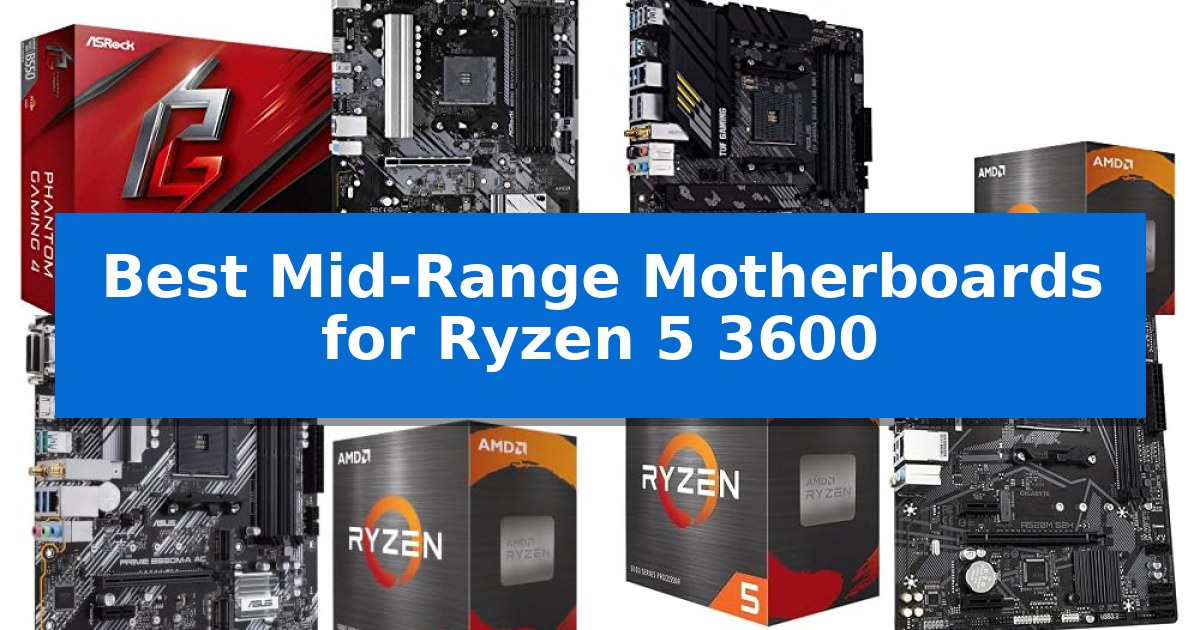
Building a system around the Ryzen 5 3600 requires a stable platform that balances cost with essential features. Finding the Best Mid-Range Motherboards for Ryzen 5 3600 means prioritizing reliable power delivery and socket compatibility to ensure your processor runs efficiently without unnecessary overhead.
Whether you are prioritizing compact builds or need robust connectivity for gaming, the right motherboard acts as the backbone of your desktop. We have analyzed current market options to help you identify which board provides the best stability and feature set for your specific configuration.
You may also want to compare Best Mid-Range Motherboards for Ryzen, Best Mid-Range Motherboards, and Best Mid-Range Motherboard for i5-13600K.
Best Mid-Range Motherboards for Ryzen 5 3600
Quick Comparison
| Product | Best For | Key Strength | Score |
|---|---|---|---|
| ASRock B550 Phantom Gaming 4 Motherboard | Best Overall | 8 Power Phase Design ensures stable power delivery. | 4.9 |
| ASUS TUF Gaming B550-PLUS WiFi II Motherboard | Robust Power for Gaming Stability | Robust power design and optimized thermal solutions for consistent stability. | 4.9 |
| ASUS Prime B550M-A AC Motherboard | Versatile Connectivity for Compact Builds | Integrated 802.11ac Wi-Fi and Bluetooth 5.0 for wireless connectivity. | 4.4 |
| Gigabyte A520M S2H Motherboard | Essential Features for Budget Efficiency | Q-Flash Plus allows for easy BIOS updates without a CPU installed. | 4.3 |
How We Chose
- Socket and Chipset Compatibility: Verifying support for the AM4 platform and Ryzen 3000 series processors.
- Power Delivery and Thermal Design: Evaluating VRM solutions to ensure consistent power for stable operation.
- Connectivity and Expansion: Assessing available PCIe slots, M.2 storage support, and rear I/O options.
- Form Factor Suitability: Categorizing boards by size to fit various chassis requirements from ATX to Micro-ATX.
- Memory Support: Checking for DDR4 frequency compatibility and dual-channel configuration capabilities.
1 ASRock B550 Phantom Gaming 4 Motherboard — Reliable Foundation for AM4 Builds
Building a stable foundation for a Ryzen 5 3600 processor requires a motherboard that balances reliable power delivery with modern expansion options. The ASRock B550 Phantom Gaming 4 Motherboard provides a robust starting point for AM4 builds, utilizing an 8 Power Phase Design with Digi Power to maintain consistent voltage regulation for your CPU.
This board is engineered for versatility, offering one PCIe 4.0 x16 slot for high-speed graphics card connectivity alongside an additional PCIe 3.0 x16 slot and two PCIe 3.0 x1 slots for expansion cards. Memory support is equally flexible, with the capability to handle DDR4 4733+ (OC) modules, allowing users to optimize their system memory speed for improved responsiveness.
Designed with a focus on connectivity, the board includes a dedicated M.2 Key E slot for WiFi modules, providing an easy upgrade path for wireless networking. Its layout is optimized for standard desktop configurations, measuring 13.5 by 10.5 inches, ensuring it fits comfortably in most mid-tower cases while maintaining accessibility to ports and headers.
It is important to note that this board is specifically designed for the AM4 ecosystem, supporting the Ryzen 3000, 4000, and 5000 series processors. However, it is not compatible with AMD Athlon Processors, so users should verify their specific CPU model before assembly. With a 3-year warranty, it serves as a dependable choice for those seeking a straightforward, high-performance platform.
Best for: Builders looking for a reliable, feature-rich B550 motherboard to support Ryzen 3000 through 5000 series processors with room for future expansion.
Skip if: Users planning to use an AMD Athlon processor, as this motherboard is not compatible with that specific CPU line.
PROS
- 8 Power Phase Design ensures stable power delivery.
- Includes a dedicated M.2 Key E slot for easy wireless upgrades.
- Supports high-speed DDR4 4733+ (OC) memory configurations.
- Features a PCIe 4.0 x16 slot for modern GPU performance.
CONS
- Not compatible with AMD Athlon processors.
- Requires a separate WiFi module for wireless connectivity.
2 ASUS TUF Gaming B550-PLUS WiFi II Motherboard — Robust Power for Gaming Stability
The ASUS TUF Gaming B550-PLUS WiFi II Motherboard serves as the foundation for this high-performance bundle, featuring a robust power design and optimized thermal solutions to maintain system stability. By pairing this motherboard with the AMD Ryzen 5 5600X, this combination is engineered to deliver reliable performance for demanding gaming sessions.
This motherboard utilizes the AM4 socket and B550 chipset, providing essential modern connectivity including PCIe 4.0 support for high-speed storage and graphics. The inclusion of WiFi 6 and 2.5Gb LAN ensures high-performance networking, which is critical for maintaining low-latency connections during online play.
Designed with the gamer in mind, the board includes Addressable Gen 2 RGB headers compatible with Aura Sync, allowing for customizable lighting aesthetics. The integrated BIOS Flashback feature simplifies maintenance, while the comprehensive connectivity suite ensures compatibility with a wide range of modern peripherals and high-speed components.
The bundle includes the 6-core, 12-thread Ryzen 5 5600X processor, which leverages the "Zen 3" architecture to reach a 4.6 GHz Max Boost. With the included Wraith Stealth Cooler, users have a complete out-of-the-box solution for thermal management, making this a balanced choice for those building or upgrading a mid-range gaming system.
Best for: Gamers looking for a reliable, all-in-one motherboard and CPU bundle that supports modern connectivity standards like PCIe 4.0 and WiFi 6.
Skip if: Users who require a different CPU socket architecture or those who do not need the included WiFi and networking features.
PROS
- Robust power design and optimized thermal solutions for consistent stability.
- Includes WiFi 6 and 2.5Gb LAN for high-performance networking.
- Supports PCIe 4.0 for faster data transfer and graphics performance.
- Features BIOS Flashback for easier system maintenance and updates.
CONS
- Limited to AM4 socket processors, which may restrict future CPU upgrade paths compared to newer platforms.
3 ASUS Prime B550M-A AC Motherboard — Versatile Connectivity for Compact Builds
The ASUS Prime B550M-A AC Motherboard provides a versatile foundation for compact PC builds, featuring a Micro ATX form factor that balances component density with essential connectivity. This board is engineered for the AM4 socket, ensuring compatibility with a wide range of Ryzen processors, including the 3000, 4000 G-Series, and 5000 series.
Performance stability is supported by comprehensive cooling solutions, which include dedicated VRM and PCH heatsinks alongside hybrid fan headers managed by the Fan Xpert 2 utility. To maintain system integrity, the board incorporates 5X Protection III, a suite of safeguards that includes LANGuard, overvoltage protection, and SafeSlot Core to secure your graphics card.
Memory optimization is a key focus, utilizing ASUS OptiMem trace layout technology. This design allows memory kits to operate at higher frequencies with lower voltages, potentially maximizing system performance. The board also supports dual-channel DDR4 memory up to 128GB, providing ample headroom for multitasking and demanding applications.
Connectivity options are robust for a mid-range platform, offering PCIe 4.0 x16 support for modern GPUs and two M.2 slots for high-speed storage. Wireless integration is handled by onboard 802.11ac Wi-Fi and Bluetooth 5.0, while the rear I/O includes USB 3.2 Gen 2 ports for fast data transfer. The inclusion of Aura Sync RGB lighting headers allows for customizable aesthetics within your chassis.
Best for: Users seeking a compact, feature-rich Micro ATX motherboard with integrated Wi-Fi for an AM4-based system.
Skip if: Users requiring ATX form factor expansion slots or those needing PCIe 5.0 support for high-end storage and graphics.
PROS
- Integrated 802.11ac Wi-Fi and Bluetooth 5.0 for wireless connectivity.
- Comprehensive cooling with dedicated VRM and PCH heatsinks.
- ASUS OptiMem technology for improved memory stability and frequency.
- 5X Protection III hardware safeguards for increased durability.
CONS
- Micro ATX form factor limits the number of available PCIe expansion slots compared to full ATX boards.
- PCIe 3.0 support for the processor limits maximum bandwidth for some high-end storage configurations.
4 Gigabyte A520M S2H Motherboard — Essential Features for Budget Efficiency
The Gigabyte A520M S2H Motherboard provides a foundational platform for users building around the AM4 socket, featuring a Micro-ATX form factor that balances component density with essential connectivity. This board is engineered to support a range of processors, including the Ryzen 5000 and 3000 series, making it a functional choice for those prioritizing budget efficiency in their system assembly.
Performance stability is supported by a 4+3 Phases Pure Digital VRM design utilizing Low RDS(on) MOSFETs, which helps manage power delivery for the CPU. The board includes dual-channel DDR4 memory support for up to 64GB, ensuring sufficient capacity for standard multitasking and gaming requirements. Storage needs are addressed through an Ultra-Fast NVMe PCIe 3.0 x4 M.2 connector alongside four SATA 6Gb/s ports.
For system management and aesthetics, the motherboard integrates Smart Fan 5 technology, which uses multiple temperature sensors and hybrid fan headers to maintain thermal control. Users can also customize their build with RGB FUSION 2.0, which supports both addressable and standard RGB LED strips. The inclusion of Q-Flash Plus allows for BIOS updates without needing to install the CPU, memory, or graphics card, simplifying the initial setup process.
Connectivity options are designed for versatility, featuring HDMI, DVI-D, and D-sub ports to facilitate multi-display setups. Networking is handled by the GIGABYTE Exclusive 8118 Gaming LAN, which includes bandwidth management features to prioritize traffic. The board is further reinforced by an Anti-Sulfur Resistors design, aimed at improving long-term durability against environmental factors.
Best for: Budget-conscious builders seeking a reliable, compact AM4 platform for Ryzen 5000 or 3000 series processors.
Skip if: Users requiring advanced overclocking headroom or PCIe 4.0 support for high-end GPUs and storage will find this chipset limiting.
PROS
- Q-Flash Plus allows for easy BIOS updates without a CPU installed.
- Smart Fan 5 provides granular control over system thermals.
- Compact Micro-ATX design fits easily into smaller PC cases.
- Integrated RGB FUSION 2.0 for customizable lighting effects.
CONS
- Limited to PCIe 3.0 speeds for M.2 storage and expansion slots.
- Two DIMM slots restrict future memory expansion beyond 64GB.
Best Mid-Range Motherboards for Ryzen 5 3600 Buying Guide
Understanding Chipset Differences
The B550 chipset is often the sweet spot for Ryzen 5 3600 users, offering a balance of modern features like PCIe 4.0 support and cost-effectiveness. While the A520 chipset is more budget-oriented, it typically lacks some of the high-speed expansion capabilities found in the B550 series.
Choosing between these chipsets depends on your storage and expansion needs. If you plan to use high-speed NVMe storage or future-proof your system for faster graphics cards, a B550 board is generally the more versatile choice.
Power Delivery and VRM Quality
The Voltage Regulator Module (VRM) is critical for maintaining system stability, especially during sustained workloads. A board with a robust power phase design helps distribute heat and electricity more effectively, preventing thermal throttling.
Look for boards that include heatsinks over the VRM components. These passive cooling solutions are essential for long-term reliability, particularly if you intend to utilize the processor's full performance potential over many years.
Form Factor and Case Compatibility
Motherboards come in different sizes, primarily ATX and Micro-ATX. An ATX board typically provides more expansion slots and connectivity, making it ideal for standard mid-tower cases.
Micro-ATX boards are designed for more compact builds. While they may have fewer PCIe slots, they are perfectly capable of supporting a single graphics card and multiple storage drives, provided your case has the necessary mounting points.
Memory and Storage Expansion
Modern motherboards for the AM4 platform support dual-channel DDR4 memory. Ensure your chosen board supports the frequency of your RAM kit to maximize system responsiveness and performance.
Regarding storage, check for the number of M.2 slots and SATA ports. Having at least one M.2 slot for a fast NVMe SSD is standard, but if you have multiple drives, verify that the board layout allows for easy installation without obstructing other components.
Connectivity and Networking
Consider your networking needs, such as integrated Wi-Fi or high-speed Ethernet ports. Boards with built-in Wi-Fi 6 or 2.5Gb LAN offer significant advantages for users who rely on stable wireless connections or high-bandwidth local networking.
Also, examine the rear I/O panel for the number of USB 3.2 ports. Having a variety of high-speed ports ensures you can connect all your peripherals, from external drives to high-polling-rate gaming mice, without needing additional hubs.
Frequently Asked Questions
Is the Ryzen 5 3600 compatible with B550 motherboards?
Yes, most B550 motherboards are designed to support the Ryzen 3000 series processors, including the Ryzen 5 3600, out of the box.
Do I need a BIOS update for these motherboards?
While many boards support the Ryzen 5 3600 natively, it is always recommended to check the manufacturer's website for the latest BIOS version to ensure optimal compatibility and system stability.
What is the main difference between ATX and Micro-ATX boards?
The primary difference is physical size. ATX boards are larger and offer more expansion slots, while Micro-ATX boards are smaller and better suited for compact PC cases.
Can I use PCIe 4.0 components on a B550 motherboard?
Yes, B550 motherboards support PCIe 4.0 for the primary x16 slot and the primary M.2 slot, allowing for faster data transfer speeds with compatible hardware.
Does the motherboard choice affect gaming performance?
The motherboard itself does not directly increase FPS, but a reliable board with good power delivery ensures your CPU maintains its boost clocks consistently, which can prevent performance drops during heavy gaming sessions.
Conclusion: Our Top Pick
Selecting the right motherboard is a foundational step in building a reliable PC. For most users, the ASRock B550 Phantom Gaming 4 Motherboard stands out as the most balanced option. Its support for high-frequency DDR4 memory and robust power phase design provides a stable environment for the Ryzen 5 3600, ensuring your system remains responsive under various workloads.
While other options like the ASUS TUF Gaming B550-PLUS WiFi II offer additional integrated networking features, the ASRock board remains a highly capable choice for those who prioritize core stability and essential expansion capabilities. Always verify your specific case dimensions and peripheral needs before finalizing your purchase to ensure a smooth assembly process.