
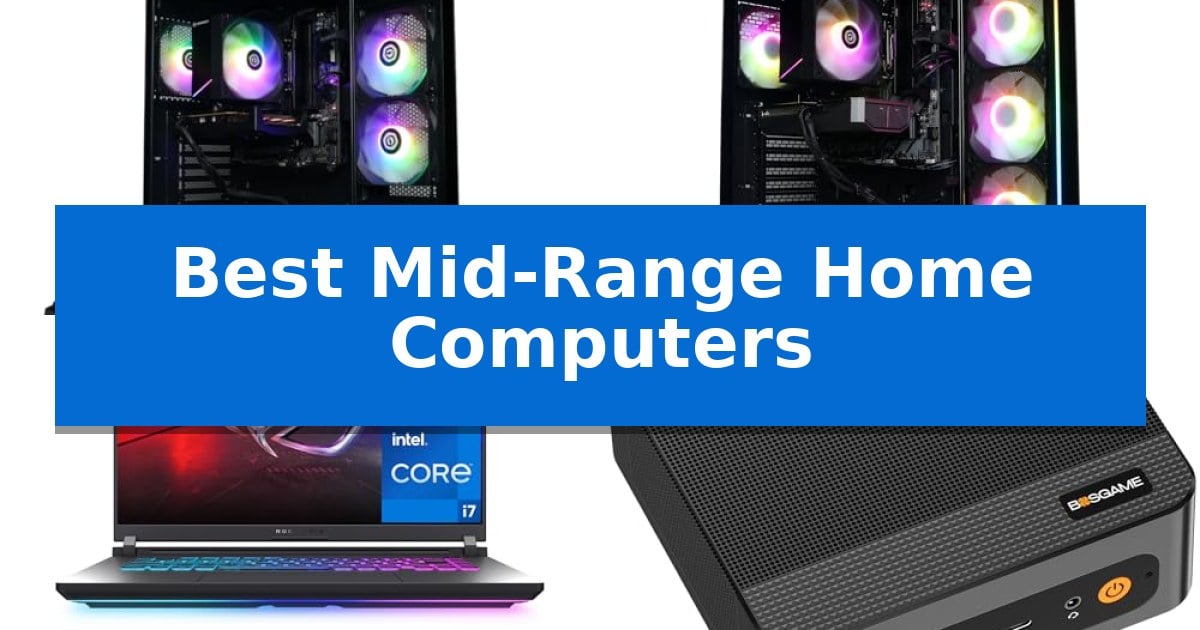
Selecting the right machine for your household requires balancing raw processing power with the versatility needed for daily tasks. Whether you are managing a home office, streaming media, or engaging in light gaming, the Best Mid-Range Home Computers offer a sweet spot that avoids the high costs of enthusiast-grade hardware while providing more longevity than entry-level systems.
This guide examines five distinct computing solutions, ranging from compact desktop towers to high-refresh gaming laptops. By focusing on core components like processor architecture, memory capacity, and graphics performance, we help you identify which system aligns with your specific workflow and space requirements.
You may also want to compare Best Mid-Range Headphones for Music, Best Mid-Range Headphones, and Best Mid-Range HDR TV for Gaming.
Best Mid-Range Home Computers
Quick Comparison
| Product | Best For | Key Strength | Score |
|---|---|---|---|
| CyberPowerPC Gamer Xtreme Desktop PC | Best Overall | Intel Core i5-14400F 10-core processor for efficient multitasking. | 4.9 |
| CyberPowerPC Gamer Master Desktop PC | Efficient Multitasking for Home Work | High-speed 1TB PCIe 4.0 NVMe SSD for fast storage. | 4.3 |
| ASUS ROG Strix G16 Gaming Laptop | High-Refresh Power in Portable Form | Advanced cooling system featuring liquid metal and vapor chamber technology. | 4.4 |
| BOSGAME P6 Neo Mini PC | Space-Saving Design for Desktop Users | Powerful Ryzen 7 6800H processor with 8 cores for heavy multitasking. | 4.6 |
| WIWB Gaming Desktop PC | Reliable Entry into Dedicated Graphics | 8-core Ryzen 7 4700LE processor for efficient multitasking. | 4.8 |
How We Chose
- Processor architecture and core count for multitasking efficiency.
- Graphics capability for gaming and creative software demands.
- Memory and storage standards, specifically the transition to DDR5 and PCIe 4.0.
- Connectivity options including Wi-Fi standards and port variety.
- Physical form factor and its impact on workspace integration.
1 CyberPowerPC Gamer Xtreme Desktop PC — Balanced Performance for Modern Gaming
Finding reliable hardware that balances modern gaming capabilities with everyday utility is essential for a versatile desktop. The CyberPowerPC Gamer Xtreme Desktop PC centers its performance around the Intel Core i5-14400F processor, a 10-core chip designed to handle multitasking and demanding applications with ease.
This system is built for visual fidelity, featuring the NVIDIA GeForce RTX 5060 8GB graphics card. With dedicated HDMI and DisplayPort outputs, it provides the flexibility needed for multi-monitor setups. The inclusion of 16GB of DDR5 memory and a 1TB PCIe 4.0 NVMe SSD ensures that data access and system responsiveness remain high during intensive tasks.
The chassis is designed with a tempered side case panel and custom RGB lighting, offering a distinct aesthetic that fits well in a home office or gaming space. Connectivity is robust, providing WiFi 6 and Bluetooth 5.3 for wireless freedom, alongside a variety of USB-A 3.2 and 2.0 ports for peripherals.
Maintenance and longevity are supported by a 1-year parts and labor warranty and free lifetime tech support. Whether you are managing complex projects or engaging in high-fidelity gaming, this machine provides a stable, well-rounded foundation for your digital workspace.
Best for: Users seeking a balanced, modern desktop capable of handling both high-end gaming and demanding productivity tasks.
Skip if: Users who require a compact form factor or specialized workstation-grade components for professional-level rendering.
PROS
- Intel Core i5-14400F 10-core processor for efficient multitasking.
- NVIDIA GeForce RTX 5060 graphics for modern visual performance.
- Fast 1TB PCIe 4.0 NVMe SSD storage.
- Modern WiFi 6 and Bluetooth 5.3 connectivity.
CONS
- Large tower footprint may not suit smaller desk spaces.
- Limited internal expansion compared to full-sized custom builds.
2 CyberPowerPC Gamer Master Desktop PC — Efficient Multitasking for Home Work
Equipped with an AMD Ryzen 7 8700F 8-core processor and the NVIDIA GeForce RTX 5060 Ti 8GB graphics card, the CyberPowerPC Gamer Master Desktop PC provides a balanced foundation for demanding home computing tasks and graphical workflows. This system is designed to handle intensive multitasking, leveraging its 16GB of DDR5 memory to maintain responsiveness across multiple open applications.
The internal architecture centers on the AMD B850 chipset, paired with a 1TB PCIe 4.0 NVMe SSD that facilitates rapid data access and storage for large files. Connectivity is a primary focus, featuring two USB-C 3.2 ports, four USB-A 3.2 ports, and two USB-A 2.0 ports, ensuring compatibility with a wide array of peripherals and external storage devices.
Designed with a tempered side case panel and integrated custom RGB lighting, the desktop offers a distinct aesthetic while maintaining functional airflow. The unit includes WiFi 6 and Bluetooth 5.3 for modern wireless connectivity, alongside a 7.1 channel audio output for immersive sound setups. It comes pre-installed with Windows 11 Home and includes a keyboard and mouse, providing a ready-to-use solution for home office or entertainment environments.
Maintenance and longevity are supported by a 1-year parts and labor warranty and access to free lifetime technical support. This combination of current-generation components and comprehensive support makes the system a reliable choice for users seeking a mid-range desktop that does not sacrifice performance for versatility.
Best for: Users requiring a high-performance desktop for multitasking, creative work, and home entertainment.
Skip if: Users who require a compact form factor or a laptop for portability, as this is a full-sized desktop tower.
PROS
- High-speed 1TB PCIe 4.0 NVMe SSD for fast storage.
- Modern WiFi 6 and Bluetooth 5.3 connectivity.
- Versatile USB-C 3.2 port integration.
- Includes keyboard and mouse for immediate setup.
CONS
- Large tower form factor requires significant desk or floor space.
3 ASUS ROG Strix G16 Gaming Laptop — High-Refresh Power in Portable Form
Finding the right balance between processing power and thermal efficiency is essential for a reliable workstation or gaming setup. The ASUS ROG Strix G16 (2025) Gaming Laptop addresses this by integrating an Intel Core i7 Processor 14650HX alongside an NVIDIA GeForce RTX 5060 Laptop GPU, providing a robust foundation for demanding tasks and high-fidelity entertainment.
The device features a 16-inch FHD+ 16:10 display with a 165Hz refresh rate and a 3ms response time, complemented by a new ACR film designed to improve contrast and minimize glare. This visual setup is supported by 16GB of DDR5-5600MHz memory and a 1TB PCIe Gen 4 SSD, ensuring quick access to large files and smooth multitasking performance for creators and gamers alike.
Thermal management is a primary focus for this model, utilizing ROG Intelligent Cooling technology. This system incorporates an end-to-end vapor chamber, tri-fan technology, and Conductonaut extreme liquid metal applied directly to the chipset. These components work in tandem to maintain stability during extended sessions, keeping the system cool and quiet under load.
For those who value aesthetics and versatility, the laptop includes a 360-degree RGB light bar that synchronizes with peripherals. In professional environments, the integrated Stealth Mode allows users to disable all lighting, transitioning the machine to a more understated appearance. With Wi-Fi 7 connectivity and Windows 11 Home pre-installed, it offers a modern, high-performance solution for home computing needs.
Best for: Users requiring a high-performance, thermally efficient machine for gaming, content creation, and intensive multitasking.
Skip if: Users who prioritize a lightweight, ultra-portable design or those who do not require dedicated GPU performance for their daily tasks.
PROS
- Advanced cooling system featuring liquid metal and vapor chamber technology.
- High-refresh 165Hz display with glare-reducing ACR film.
- Versatile lighting controls including a professional Stealth Mode.
- Fast memory and storage with DDR5-5600MHz RAM and PCIe Gen 4 SSD.
CONS
- Substantial weight of 5.84 pounds may limit portability for some users.
4 BOSGAME P6 Neo Mini PC — Space-Saving Design for Desktop Users
The BOSGAME P6 Neo Mini PC offers a high-density computing solution by integrating the AMD Ryzen 7 6800H processor into a compact chassis, providing 8 cores and 16 threads for demanding workflows. This desktop computer is engineered for users who require significant processing power for design software, content creation, and multitasking without the footprint of a traditional tower.
Performance is supported by 24GB of DDR5 4800MHz RAM, which is expandable to 64GB, and a 1TB PCIe 4.0×4 SSD that can be upgraded to 4TB. The inclusion of AMD Radeon 680M Graphics based on RDNA 2 architecture allows for high frame rates in gaming and efficient handling of creative applications like Premiere and CAD.
Connectivity and display options are extensive, featuring triple display support via HDMI 2.0, DisplayPort, and a USB4 port capable of 8K at 60Hz output. The system also includes dual 2.5GbE LAN ports and WiFi 6E for stable networking, while the USB4 interface supports Power Delivery 3.0 up to 100W for versatile power management.
Designed for long-term reliability, the unit comes with a 1-year warranty for the machine and a 3-year warranty for parts. It is certified for FCC, ROHS, and CE compliance, ensuring it meets standard safety and quality benchmarks for home and office environments.
Best for: Users needing a compact, high-performance desktop for creative work, multitasking, and light gaming.
Skip if: Users who require a dedicated desktop-grade GPU for intensive 3D rendering or those who prefer a system with internal expansion slots for full-sized PCIe cards.
PROS
- Powerful Ryzen 7 6800H processor with 8 cores for heavy multitasking.
- Expandable memory and storage options up to 64GB RAM and 4TB SSD.
- Triple display support including an 8K-capable USB4 port.
- Dual 2.5GbE LAN and WiFi 6E for high-speed network connectivity.
CONS
- Integrated graphics may limit performance in high-end AAA gaming compared to discrete GPU systems.
- Compact form factor restricts the ability to add internal hardware components beyond RAM and SSD.
5 WIWB Gaming Desktop PC — Reliable Entry into Dedicated Graphics
Equipped with an 8-core Ryzen 7 4700LE processor, the WIWB Gaming Desktop PC provides a robust foundation for users who need to balance multitasking, content creation, and gaming. This system is built on the mature AM4 platform, offering a stable environment for those who want a reliable machine ready to perform straight out of the box.
The inclusion of the GeForce RTX 3050 with 8GB of dedicated GDDR6 VRAM allows for consistent 1080p gaming performance. With support for real-time ray tracing and DLSS, it handles modern titles like Cyberpunk 2077 and Apex Legends with smooth frame rates. The 8GB buffer is a notable advantage for managing high-resolution textures compared to lower-capacity alternatives.
Responsive performance is supported by 16GB of 3200MHz DDR4 dual-channel RAM, which facilitates seamless switching between streaming software, creative applications, and active games. Storage needs are met by a 512GB NVMe M.2 SSD, ensuring rapid system boot times and quick access to large project files or game libraries.
Connectivity is streamlined through integrated WiFi 6, which provides stable, high-speed wireless networking for online gaming and 4K streaming. The compact tower design is engineered for those who require a dedicated desktop solution without the complexity of self-assembly, making it an efficient choice for students and home office professionals.
Best for: Users seeking a pre-built, reliable desktop capable of handling 1080p gaming and multitasking workloads.
Skip if: Users who require high-end 4K gaming performance or extensive internal expansion capabilities beyond the AM4 platform.
PROS
- 8-core Ryzen 7 4700LE processor for efficient multitasking.
- GeForce RTX 3050 8GB provides dedicated VRAM for smooth 1080p gaming.
- WiFi 6 connectivity ensures stable and fast wireless network performance.
- Pre-built design offers immediate usability for home office and gaming needs.
CONS
- 512GB storage capacity may require external drives for large media libraries.
Best Mid-Range Home Computers Buying Guide
Processor and Graphics Balance
The heart of any home computer is the synergy between the CPU and GPU. Mid-range systems often pair modern multi-core processors with dedicated graphics cards, which is essential if your usage includes video editing, 3D rendering, or modern gaming titles.
Choosing a system with a dedicated graphics card, such as the NVIDIA RTX 50-series, ensures that your machine can handle graphical workloads without taxing the system memory, leading to smoother performance across all applications.
Memory and Storage Standards
Modern computing demands faster data throughput. We prioritize systems equipped with DDR5 memory, which offers significant bandwidth improvements over older DDR4 standards. This is particularly beneficial for users who keep many browser tabs or applications open simultaneously.
Equally important is the storage interface. PCIe 4.0 NVMe SSDs provide the rapid boot times and quick file access speeds that have become the baseline for a responsive user experience in 2026.
Connectivity and Future-Proofing
A home computer must integrate seamlessly with your existing devices. Look for systems that support Wi-Fi 6 or 6E, which provide more stable and faster wireless connections, reducing latency during video calls or online gaming.
The inclusion of modern ports like USB-C 3.2 or USB4 is a critical consideration. These interfaces allow for higher data transfer rates and support for external displays, ensuring your computer remains relevant as your peripheral needs evolve.
Form Factor Considerations
Your available desk space dictates the type of computer you should choose. Traditional towers offer the best potential for airflow and future component upgrades, while Mini PCs provide a compact footprint that is ideal for minimalist workspaces.
Laptops offer the ultimate flexibility, allowing you to move your workstation between rooms. However, consider that laptop components are generally less upgradeable than their desktop counterparts, making the initial configuration choice more permanent.
Thermal Management
Performance is only sustainable if the system stays cool. Advanced cooling solutions, such as vapor chambers or tri-fan technology, are essential in high-performance laptops and compact desktops to prevent thermal throttling during heavy workloads.
Proper airflow in a desktop case, often facilitated by tempered glass panels and strategic intake/exhaust placement, ensures that your components maintain peak performance over long sessions without excessive noise.
Frequently Asked Questions
What is the main benefit of choosing a mid-range computer over a budget model?
Mid-range computers typically feature more modern components like DDR5 RAM and faster NVMe storage, which provide a significantly more responsive experience and better longevity for multitasking and light creative work.
Are desktop PCs better for home use than laptops?
Desktops generally offer better cooling, easier component upgrades, and more power for the price. Laptops are superior if you require portability or have limited desk space.
Do I need a dedicated graphics card for home office work?
For basic tasks like word processing and web browsing, integrated graphics are sufficient. However, a dedicated graphics card is recommended if you do video editing, graphic design, or gaming.
How much RAM is recommended for a home computer in 2026?
16GB of RAM is the current standard for a smooth experience in Windows 11, allowing for efficient multitasking across several demanding applications.
Can I upgrade the storage on these computers later?
Most desktop towers allow for easy storage expansion. Mini PCs and laptops often have limited internal space, so it is best to choose a sufficient capacity at the time of purchase.
Conclusion: Our Top Pick
For most users seeking the best balance of performance, upgradeability, and reliability, the CyberPowerPC Gamer Xtreme Desktop PC stands out as the most versatile choice. Its combination of a modern Intel Core i5 processor and the latest NVIDIA RTX 5060 graphics provides a strong foundation for both productivity and entertainment.
While other options in this list offer specific advantages like extreme portability or a smaller footprint, this desktop provides the most straightforward path for long-term use. Its standard tower design ensures that you can easily maintain or upgrade components as your needs change in the coming years.