
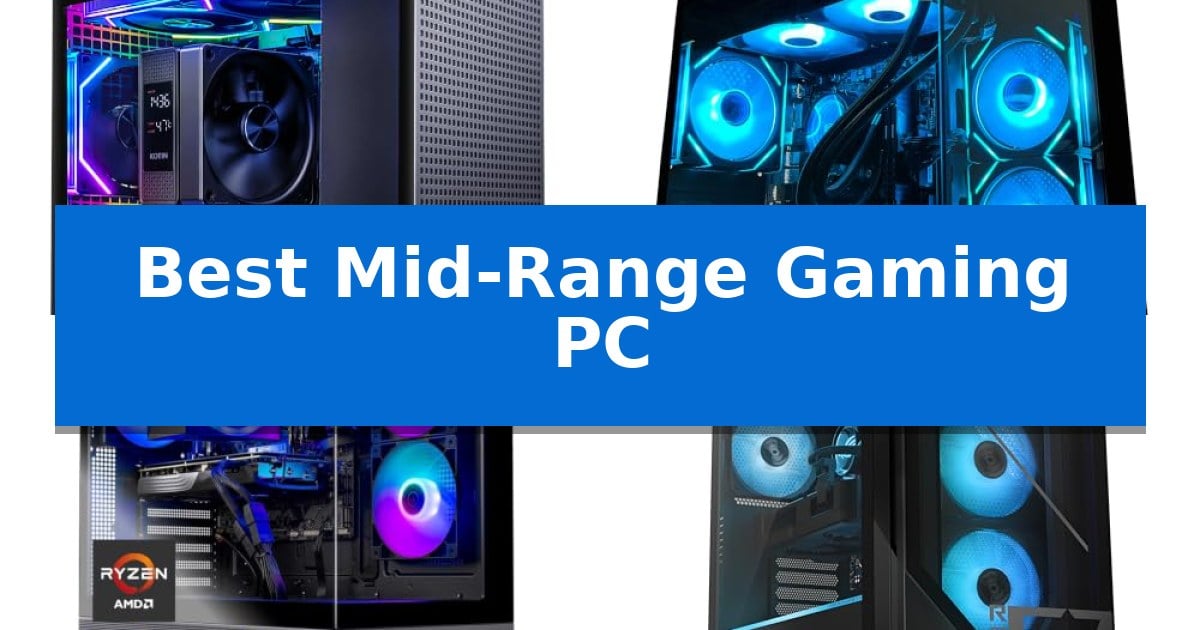
Finding the Best Mid-Range Gaming PC requires balancing raw graphical power with thermal efficiency and future upgrade potential. Whether you are aiming for high-frame-rate 1080p competitive play or immersive 1440p AAA gaming, the right prebuilt system should offer a stable foundation without unnecessary bloat.
Our guide evaluates current desktop configurations based on their core components, including processor architecture, graphics card capabilities, and cooling solutions. By focusing on these essential metrics, we help you identify which machine aligns with your specific performance goals and desk space requirements.
You may also want to compare Best Mid-Range Gaming Mouse, Best Mid-Range Gaming Motherboards, and Best Mid-Range Gaming Monitors.
Best Mid-Range Gaming PC
Quick Comparison
| Product | Best For | Key Strength | Score |
|---|---|---|---|
| KOTIN Gaming PC | Best Overall | Balanced hardware featuring Ryzen 7 8700F and RTX 5060 Ti for 1440p gaming. | 4.9 |
| YAWYORE Gaming PC | High-Capacity Memory Standard | 32GB of high-speed DDR4 RAM for efficient multitasking. | 4.6 |
| Skytech Gaming Azure 3 PC | Streamlined 1080p Gaming | NVIDIA GeForce RTX 5060 graphics for reliable 1080p gaming. | 4.3 |
| ASUS ROG G700 Gaming PC | Premium Upgradeable Chassis | Tool-less access for simplified component upgrades. | 4.7 |
| KOTIN Smart Display Gaming PC | Integrated Real-Time Monitoring | Integrated 11.3-inch smart display for real-time performance tracking | 4.5 |
How We Chose
- Graphics Processing Power: We prioritized systems featuring current-generation GPUs capable of handling 1080p and 1440p resolutions.
- Thermal Management: We assessed cooling solutions, including air-cooled and liquid-cooled configurations, to ensure sustained performance under load.
- Memory and Storage Standards: We evaluated systems based on their use of DDR5 memory and NVMe SSD technology for faster load times.
- Upgradeability: We looked for chassis designs that provide easy access to internal components and additional expansion slots.
- Connectivity and Build Quality: We reviewed integrated features like WiFi standards and power supply efficiency ratings.
1 KOTIN Gaming PC — Balanced 1440p Performance
The KOTIN Gaming PC centers its design around a high-performance pairing of the AMD Ryzen 7 8700F processor and the GeForce RTX 5060 Ti 8GB graphics card. This combination provides the necessary hardware to handle 1080p and 1440p gaming, esports titles, and creative workflows with support for modern features like ray tracing and DLSS 4.
Internal capacity is managed by 16GB of DDR5 memory, which facilitates smooth multitasking and game launching. Storage is handled by a 1TB PCIe Gen4 NVMe SSD, designed to reduce boot times and accelerate game loading. The system is housed in a tower featuring a CPU air cooler with 6 copper heat pipes and a digital temperature display, complemented by five 120mm ARGB fans to maintain airflow during extended use.
Connectivity and future-proofing are addressed through integrated WiFi 6 and Bluetooth for low-latency networking. The build includes a 650W 80 PLUS Gold power supply, with the motherboard offering four DDR5 DIMM slots and three M.2 SSD slots to accommodate future hardware expansions. The unit arrives pre-installed with Windows 11 Home and is professionally assembled.
Users should note that display cables must be connected directly to the horizontal graphics card ports on the lower back of the chassis to ensure a signal. The system includes a 1-year limited warranty and technical support to assist with initial setup.
Best for: Gamers seeking a balanced, upgrade-ready desktop capable of 1440p performance and streaming out of the box.
Skip if: Users who prefer a compact form factor or those who require specific legacy display outputs without using adapters.
PROS
- Balanced hardware featuring Ryzen 7 8700F and RTX 5060 Ti for 1440p gaming.
- High-speed storage and memory with 1TB Gen4 NVMe SSD and DDR5 RAM.
- Upgrade-ready design with multiple DIMM and M.2 slots for future expansion.
- Effective cooling system with 6-pipe air cooler and five ARGB fans.
CONS
- Specific port requirements necessitate connecting monitors to the GPU rather than the motherboard.
- Requires adapters for older VGA or DVI monitor connections.
2 YAWYORE Gaming PC — High-Capacity Memory Standard
The YAWYORE Gaming PC streamlines multitasking and gaming performance by pairing the 8-core, 16-thread AMD Ryzen 7 5700X processor with a robust 32GB of DDR4 3200MHz RAM. This configuration is engineered to handle demanding multi-line tasks while maintaining system responsiveness, making it a capable foundation for a mid-range gaming setup.
Graphics processing is handled by the GeForce RTX 5060 8GB GDDR7 card, which supports advanced features like DLSS 4 multi-frame generation, ray tracing, and Reflex 2 delay optimization. These technologies allow for enhanced visual fidelity and frame rate management in modern titles, supported by the stability of an MSI B550M-A PRO motherboard.
Storage and connectivity are prioritized through a 1TB M.2 NVMe PCIe SSD, providing high-speed data access for games and applications. The system also includes integrated WiFi and Bluetooth, facilitating wireless peripheral pairing and network connectivity without the need for additional adapters. Power is delivered via a 650W 80plus bronze certified supply, ensuring efficient energy distribution.
Housed in a tower chassis, the system arrives with ARGB fans for airflow and includes shock-absorbing foam within the packaging to protect components during transit. Users should note that the foam must be removed from the interior before the initial power-up to ensure proper cooling and safety.
Best for: Gamers and multitaskers who require a balanced mid-range system with high-capacity memory and modern ray-tracing capabilities.
Skip if: Users who prefer a compact form factor or those who require specific high-end GPU models not covered by the varying brand availability of the RTX 5060.
PROS
- 32GB of high-speed DDR4 RAM for efficient multitasking.
- GeForce RTX 5060 support for DLSS 4 and ray tracing.
- 1TB M.2 NVMe PCIe SSD for fast storage performance.
- Integrated WiFi and Bluetooth for convenient wireless connectivity.
CONS
- GPU brand may vary depending on availability.
- Internal shipping foam requires manual removal before first use.
3 Skytech Gaming Azure 3 PC — Streamlined 1080p Gaming
Equipped with an NVIDIA GeForce RTX 5060 graphics card and an AMD Ryzen 7 5700 processor, the Skytech Gaming Azure 3 PC is built to handle modern gaming titles at 1080p resolution. This desktop targets users who require a balanced system capable of maintaining smooth frame rates without the complexity of building a custom rig from scratch.
The system features 16GB of DDR4 3200 RAM and a 1TB NVMe M.2 SSD, which provides significantly faster data access compared to traditional hard drives. The internal components are housed in a Skytech Azure gaming case that utilizes a high-performance air cooling system and ARGB fans to manage thermal output during extended gaming sessions.
Connectivity options include Wi-Fi 5 (802.11ac) for wireless networking and a variety of USB ports (2.0, 3.0, and 3.2 Gen1) to accommodate peripherals. The unit comes pre-installed with Windows 11 Home and includes a gaming keyboard and mouse, offering a ready-to-use solution for those looking to jump into titles like Cyberpunk 2077 or Starfield immediately.
Designed for reliability, the machine includes a 650W Gold-rated power supply to ensure stable power delivery to the core components. While the system is optimized for 1080p gaming, the inclusion of tempered glass side panels and a clean, bloatware-free software environment makes it a straightforward choice for a mid-range desktop setup.
Best for: Gamers seeking a pre-built, ready-to-use system for consistent 1080p performance in modern titles.
Skip if: Users who require 4K gaming capabilities or those who prefer a smaller form factor than a standard mid-tower desktop.
PROS
- NVIDIA GeForce RTX 5060 graphics for reliable 1080p gaming.
- 1TB NVMe M.2 SSD for fast load times and ample storage.
- Bloatware-free Windows 11 installation for a clean user experience.
- 650W Gold PSU provides efficient and stable power delivery.
CONS
- Wi-Fi 5 connectivity is slower than modern Wi-Fi 6 or 6E standards.
- DDR4 memory is standard but lacks the bandwidth of newer DDR5 platforms.
4 ASUS ROG G700 Gaming PC — Premium Upgradeable Chassis
The ASUS ROG G700 Gaming PC is built for those who prioritize a balance of high-end graphical output and long-term hardware flexibility. Featuring a 58L dual-glass chassis and integrated Aura Sync RGB lighting, this desktop provides a distinct aesthetic while housing a powerful combination of the Intel Core Ultra 7 265F processor and the NVIDIA GeForce RTX 5070 GPU.
Designed for seamless multitasking and demanding gaming sessions, the system includes 16GB of DDR5 RAM and a 1TB M.2 NVMe PCIe 4.0 SSD. The internal layout is optimized for thermal management, utilizing a quad-fan system paired with dust filters to maintain consistent airflow during extended use.
Connectivity is handled through 2.5Gbps Ethernet and Wi-Fi 6, ensuring stable network performance. The inclusion of Dolby Atmos audio and AI-enhanced noise cancellation for communication adds utility for competitive gaming environments. ASUS has prioritized accessibility with a tool-less chassis design, allowing for straightforward component upgrades as hardware needs evolve.
The package arrives as a complete solution, bundled with an RGB keyboard and mouse for immediate setup. With its focus on internal space and modularity, this machine serves as a stable foundation for users looking to maintain a modern gaming rig without the immediate need for a full system replacement.
Best for: Gamers who want a powerful, out-of-the-box system that offers easy tool-less access for future hardware upgrades.
Skip if: Users who require a compact, small-form-factor PC or those who need more than 16GB of RAM for professional-grade creative workloads.
PROS
- Tool-less access for simplified component upgrades.
- Quad-fan thermal system with dust filters for reliable cooling.
- Included RGB peripherals provide a complete out-of-the-box experience.
- Spacious 58L chassis supports large, triple-slot GPUs.
CONS
- Large 58L footprint requires significant desk or floor space.
- 16GB RAM may be limiting for heavy multitasking or professional video editing.
5 KOTIN Smart Display Gaming PC — Integrated Real-Time Monitoring
The KOTIN Smart Display Gaming PC distinguishes itself with an integrated 11.3-inch smart screen, providing real-time monitoring of CPU and GPU temperatures, usage, and local weather directly on the chassis. This feature offers immediate system visibility, allowing users to track performance metrics without needing external software overlays during gameplay.
Under the hood, this system pairs the GeForce RTX 5070 12GB GDDR7 graphics card with an 8-core AMD Ryzen 7 9700X processor. This combination is engineered to handle modern gaming titles at 1440p and 4K resolutions, while the inclusion of 32GB of high-speed DDR5 memory ensures responsive multitasking and efficient load times for demanding applications.
Thermal management and power stability are addressed through a 360mm AIO liquid cooler and an 850W 80 Plus Gold certified power supply. The build is housed in an ARGB mid-tower case that supports modern connectivity standards, including WiFi 7 for high-bandwidth wireless networking.
The system arrives fully assembled with Windows 11 Home pre-installed, simplifying the setup process for immediate use. Users should note that monitor connections must be made directly to the horizontal graphics card ports on the lower back of the PC to ensure proper display output.
Best for: Gamers seeking a high-performance desktop capable of 1440p and 4K gaming with integrated hardware monitoring.
Skip if: Users who prefer a compact form factor or those who do not require an integrated smart display for system monitoring.
PROS
- Integrated 11.3-inch smart display for real-time performance tracking
- GeForce RTX 5070 12GB and Ryzen 7 9700X for high-resolution gaming
- 360mm AIO liquid cooling ensures stable thermal performance
- WiFi 7 support for advanced wireless connectivity
CONS
- Large mid-tower footprint may not fit in restricted desk spaces
- Specific port connection requirement for graphics card output
Best Mid-Range Gaming PC Buying Guide
Understanding GPU and CPU Synergy
The relationship between your CPU and GPU is the most critical factor in gaming performance. A balanced system ensures that the processor does not bottleneck the graphics card, allowing for consistent frame rates in demanding titles.
When selecting a mid-range PC, look for pairings that complement each other. For example, modern 8-core processors are generally well-suited to handle the throughput required by current mid-range graphics cards, ensuring smooth gameplay without stuttering.
The Importance of Thermal Management
High-performance components generate significant heat, which can lead to thermal throttling if not managed correctly. A well-designed gaming tower utilizes multiple fans or liquid cooling to maintain optimal operating temperatures during extended gaming sessions.
Look for cases with high-airflow designs, such as mesh front panels or dedicated intake fans. Proper airflow not only keeps your hardware cool but also extends the lifespan of your internal components by reducing heat-related stress.
Memory and Storage Requirements
For modern gaming, 16GB of DDR5 RAM is considered the baseline for a responsive experience. If you frequently multitask, stream, or edit video, opting for 32GB can provide additional headroom for background applications.
Storage speed is equally vital. An NVMe SSD significantly reduces game load times and system boot speeds compared to traditional mechanical drives. Ensure your system includes at least a 1TB drive to accommodate modern game file sizes.
Power Supply and Efficiency
The Power Supply Unit (PSU) is the heart of your system. A high-quality 80 Plus Gold certified PSU ensures that your components receive stable, efficient power, which is essential for system reliability.
Always check the wattage rating against the power requirements of your GPU and CPU. A slightly higher wattage than the minimum requirement provides a safety margin and allows for future component upgrades.
Future-Proofing and Upgradability
A great mid-range PC should allow you to evolve your setup over time. Look for motherboards with extra M.2 slots for additional storage and available DIMM slots for memory expansion.
Tool-less chassis designs are a significant advantage, making it easier to clean dust from internal components or swap out parts when you decide to upgrade your graphics card or processor in the future.
Frequently Asked Questions
What resolution is best for a mid-range gaming PC?
Most mid-range systems are optimized for 1080p or 1440p gaming. These resolutions offer the best balance between visual fidelity and high frame rates.
Is liquid cooling necessary for a mid-range build?
Liquid cooling is not strictly necessary but can be beneficial for keeping high-performance CPUs cool and quiet. High-quality air coolers are often sufficient for most mid-range configurations.
Can I upgrade the RAM in my prebuilt PC later?
Yes, provided the motherboard has available DIMM slots. Always check the motherboard's maximum memory capacity and supported speed before purchasing new RAM.
Why is the power supply efficiency rating important?
An 80 Plus Gold rating indicates that the PSU converts power more efficiently, resulting in less wasted energy as heat and more stable power delivery to your components.
Do I need to worry about WiFi connectivity?
While a wired Ethernet connection is preferred for the lowest latency, modern WiFi 6 or WiFi 7 adapters provide fast, stable wireless performance suitable for most online gaming.
Conclusion: Our Top Pick
Choosing the right system depends on your specific performance needs and budget. For users seeking a versatile machine that handles 1440p gaming with ease, the KOTIN Gaming PC stands out as a highly capable option. Its combination of a powerful Ryzen 7 processor and RTX 5060 Ti graphics provides a strong foundation for both gaming and creative work.
While other models offer unique features like higher memory capacity or integrated displays, the KOTIN system provides the most balanced performance profile for its class. Ensure you verify your monitor's connection requirements before setup to take full advantage of the dedicated graphics output.