
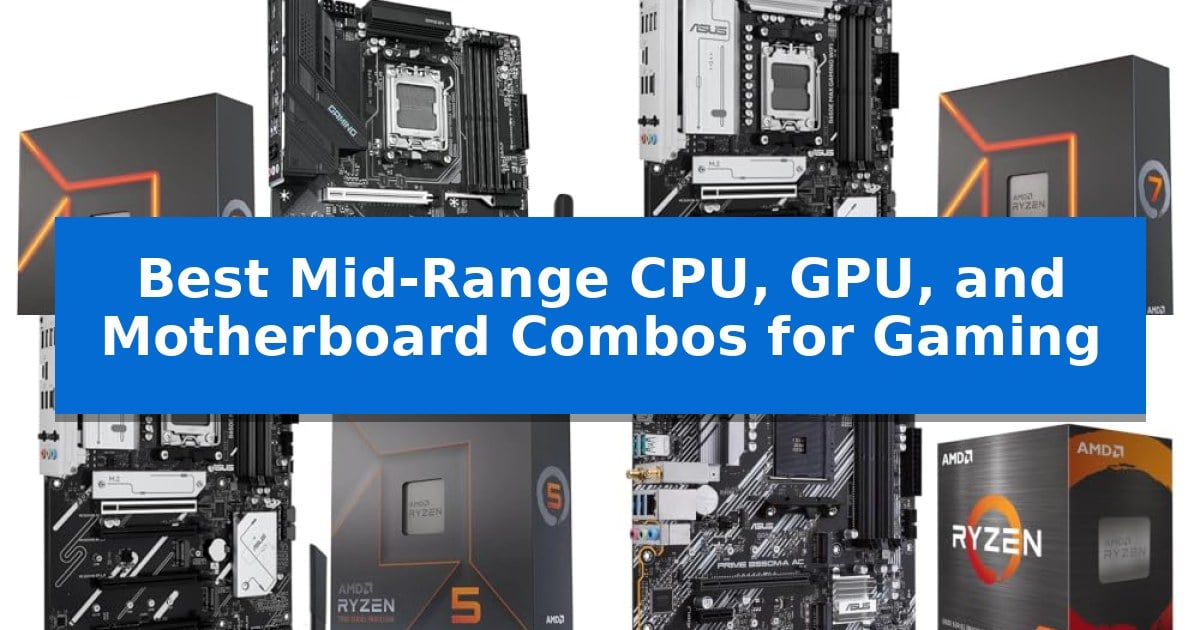
Building a gaming PC requires balancing processing power with a stable foundation, and choosing the right core components is the most critical step. Whether you are aiming for high-frame-rate competitive play or immersive single-player experiences, selecting the Best Mid-Range CPU, GPU, and Motherboard Combos for Gaming ensures your system remains responsive and capable of handling modern titles without unnecessary bottlenecks.
This guide focuses on pre-configured bundles that simplify the assembly process by ensuring socket compatibility and memory support. By prioritizing proven platforms like AM5 for longevity or cost-effective AM4 setups for budget-conscious builds, you can create a reliable gaming machine tailored to your specific performance requirements and long-term upgrade path.
You may also want to compare Best Mid-Range CPU for Video Editing, Best Mid-Range CPU for Home Computers, and Best Mid-Range CPU and Motherboard Combo.
Best Mid-Range CPU, GPU, and Motherboard Combos for Gaming
Quick Comparison
| Product | Best For | Key Strength | Score |
|---|---|---|---|
| INLAND AMD Ryzen 7 7700X Combo | Best Overall | Socket AM5 platform support for current and future CPU generations. | 4.9 |
| MICRO CENTER AMD Ryzen 7 7700X Combo | High-speed DDR5 gaming foundation | PCIe 5.0 support for both GPU and M.2 storage. | 4.4 |
| MICRO CENTER AMD Ryzen 5 7600X Combo | Efficient mid-range AM5 power | PCIe 5.0 support for next-generation storage and graphics cards. | 4.9 |
| MICRO CENTER AMD Ryzen 7 5800XT Combo | Reliable high-core count value | 8-core, 16-thread performance for high-frame-rate gaming. | 4.6 |
| INLAND AMD Ryzen 5 5500 Combo | Budget-friendly entry to gaming | Pre-matched CPU and motherboard ensures compatibility and simplifies the initial build process. | 4.8 |
How We Chose
- Platform Longevity: Assessing support for modern sockets like AM5 versus legacy AM4 options.
- Memory Compatibility: Verifying support for high-speed DDR5 or reliable DDR4 configurations.
- Expansion and Connectivity: Checking for PCIe 5.0 support, M.2 slot availability, and integrated Wi-Fi.
- Power Delivery: Evaluating the VRM design to ensure stable operation under sustained gaming loads.
- Form Factor: Considering the physical size constraints of the motherboard for various PC case builds.
1 INLAND AMD Ryzen 7 7700X Combo — Future-proof AM5 platform performance
The INLAND AMD Ryzen 7 7700X Combo centers on the AMD Ryzen 7 7700X processor, an 8-core, 16-thread CPU capable of a 5.4 GHz max boost. By integrating this chip with the GIGABYTE B850 Gaming WiFi Motherboard, the bundle provides a foundation for high-frame-rate gaming on the modern Socket AM5 platform.
The motherboard is designed for longevity and speed, featuring DDR5 memory support with overclocking capabilities up to 8200MT/s. It includes a robust digital 6+2+2 phases VRM solution and VRM Thermal Armor Advanced to manage heat during intense gaming sessions. The inclusion of PCIe 5.0 support for both the primary M.2 slot and the expansion slot ensures compatibility with next-generation storage and graphics hardware.
Usability is enhanced through several hardware-level design choices, such as the PCIe EZ-Latch Plus for quick component release and the WIFI EZ-Plug for simplified antenna installation. The BIOS interface includes Q-Flash Auto Scan and AIO Fan Control, allowing for streamlined system management. Connectivity options are extensive, featuring USB 3.2 Gen 1 Type C, Wi-Fi 6, and Bluetooth 5.3.
This combo is a strategic choice for users building a system around the AM5 ecosystem who require a balance of current gaming performance and future upgrade paths. While the package offers significant technical utility, users should note that a CPU cooler is not included in the box, requiring a separate thermal solution purchase to complete the build.
Best for: Gamers and PC builders looking for a high-performance, future-ready foundation based on the AM5 platform.
Skip if: Users who prefer a pre-assembled system with an included CPU cooler or those who are not prepared to install their own thermal solution.
PROS
- Socket AM5 platform support for current and future CPU generations.
- PCIe 5.0 compatibility for both M.2 storage and expansion slots.
- DDR5 memory support with high-speed overclocking potential.
- EZ-Latch and EZ-Plug design features for easier component installation.
CONS
- No CPU cooler included, requiring an additional purchase.
- ATX form factor may be too large for compact PC builds.
2 MICRO CENTER AMD Ryzen 7 7700X Combo — High-speed DDR5 gaming foundation
Building a high-performance gaming rig requires a balanced foundation that avoids bottlenecks, and the MICRO CENTER AMD Ryzen 7 7700X Combo provides a cohesive starting point. This bundle pairs the 8-core, 16-thread AMD Ryzen 7 7700X processor with the ASUS B650E MAX GAMING WIFI motherboard, specifically engineered to support the Socket AM5 platform and high-speed DDR5 memory.
The CPU is designed for demanding titles, featuring a 5.4 GHz Max Boost clock and a 40 MB cache to maintain high frame rates. Because it is unlocked for overclocking, users have the flexibility to tune performance, though it is important to note that a cooler is not included in the box. The ASUS B650E MAX GAMING WIFI motherboard complements this power with an 8+2+1 phase power design and a 6-layer PCB, ensuring stable power delivery during intense gaming sessions.
Connectivity and future-proofing are central to this motherboard's design. It includes PCIe 5.0 support for both the GPU and one M.2 slot, alongside two additional PCIe 4.0 M.2 slots for expansive storage options. The board also features Wi-Fi 6E and Bluetooth 5.3 for modern wireless networking, while the rear I/O offers high-speed USB 10Gbps Type-C connectivity.
The platform is built for ease of use, featuring BIOS FlashBack and a pre-mounted I/O shield to simplify the assembly process. Thermal management is handled through integrated VRM and M.2 heatsinks, supported by hybrid fan headers that allow for precise cooling control via Fan Xpert 2+. With three addressable RGB Gen 2 headers, the system is fully compatible with Aura Sync for aesthetic customization.
Best for: Gamers looking for a high-performance, future-ready foundation that supports PCIe 5.0 and DDR5 memory.
Skip if: Users who prefer an all-in-one kit that includes a CPU cooler, as this combo requires a separate thermal solution.
PROS
- PCIe 5.0 support for both GPU and M.2 storage.
- 8-core Ryzen 7 7700X provides strong multi-threaded performance.
- DIY-friendly features including pre-mounted I/O and BIOS FlashBack.
- Wi-Fi 6E and high-speed USB 10Gbps connectivity.
CONS
- No CPU cooler included, requiring an additional purchase.
- DDR5-only platform necessitates newer, potentially more expensive memory modules.
3 MICRO CENTER AMD Ryzen 5 7600X Combo — Efficient mid-range AM5 power
Building a high-performance gaming rig often starts with the foundation of the processor and motherboard. The MICRO CENTER AMD Ryzen 5 7600X Combo provides a streamlined entry into the AM5 ecosystem by pairing the 6-core, 12-thread Ryzen 5 7600X with the feature-rich ASUS B650E MAX GAMING WIFI motherboard.
The Ryzen 5 7600X features a 5.3 GHz max boost clock and 38MB of cache, designed to handle demanding gaming workloads. Because it is unlocked for overclocking, users have the flexibility to tune performance. The processor supports DDR5 memory, ensuring compatibility with modern, faster RAM standards for improved system responsiveness.
At the heart of this bundle is the ASUS B650E MAX GAMING WIFI, which utilizes the ATX form factor to offer extensive connectivity. It supports PCIe 5.0 for future-ready storage and GPU expansion, alongside three M.2 slots for flexible drive configurations. The board includes an 8+2+1 phase power design to ensure stable delivery during intense gaming sessions.
Practicality is integrated through DIY-friendly features such as a pre-mounted I/O shield, BIOS FlashBack, and Q-LED diagnostics. The inclusion of Wi-Fi 6E and Bluetooth v5.3 provides modern wireless connectivity, while the integrated heatsinks for VRMs and M.2 slots help manage thermal output during extended operation.
Best for: Gamers looking for a balanced, future-ready AM5 foundation that supports PCIe 5.0 and DDR5 memory.
Skip if: Users who require a pre-installed cooling solution, as this combo does not include a CPU cooler.
PROS
- PCIe 5.0 support for next-generation storage and graphics cards.
- DIY-friendly design including pre-mounted I/O shield and BIOS FlashBack.
- Robust power delivery with an 8+2+1 phase design for stability.
- Wi-Fi 6E and Bluetooth 5.3 for high-speed wireless connectivity.
CONS
- No thermal solution included, requiring a separate CPU cooler purchase.
- ATX form factor may be too large for compact SFF builds.
4 MICRO CENTER AMD Ryzen 7 5800XT Combo — Reliable high-core count value
The MICRO CENTER AMD Ryzen 7 5800XT Combo centers on the 8-core, 16-thread Ryzen 7 5800XT processor, which is engineered to deliver 100+ FPS performance in popular gaming titles. This bundle pairs the high-performance CPU with the ASUS Prime B550M-A AC motherboard, providing a solid foundation for users building on the AM4 platform.
The included motherboard features a Micro ATX form factor and supports dual-channel DDR4 memory up to 128GB. With integrated PCIe 4.0 x16 support, it accommodates modern graphics cards, while the ASUS OptiMem trace layout is designed to help memory kits operate at higher frequencies with lower voltages. Connectivity is bolstered by onboard 802.11ac Wi-Fi and Bluetooth 5.0, alongside USB 3.2 Gen 2 ports for fast peripheral data transfer.
Thermal management is addressed through a comprehensive cooling design, including dedicated VRM and PCH heatsinks, hybrid fan headers, and the Fan Xpert 2 utility. The board also incorporates 5X Protection III, which includes safeguards like LANGuard, overvoltage protection, and a reinforced SafeSlot Core to protect components during installation and operation.
This combo is a practical choice for those who want to leverage existing AM4 hardware while upgrading to a high-core-count processor. Because the 5800XT does not include an AMD Wraith Stealth cooler, users must account for a separate cooling solution, and a discrete graphics card is required for display output.
Best for: Gamers and builders looking for a high-core-count CPU and motherboard foundation on the mature AM4 platform.
Skip if: Users who require the latest AM5 platform features, integrated graphics, or a pre-included CPU cooler.
PROS
- 8-core, 16-thread performance for high-frame-rate gaming.
- PCIe 4.0 support for modern GPU and storage bandwidth.
- Integrated 802.11ac Wi-Fi and Bluetooth 5.0 connectivity.
- Comprehensive cooling with dedicated VRM and PCH heatsinks.
CONS
- CPU cooler not included in the package.
- Discrete graphics card required as the CPU lacks integrated graphics.
5 INLAND AMD Ryzen 5 5500 Combo — Budget-friendly entry to gaming
The INLAND AMD Ryzen 5 5500 Combo provides a foundational path for building a gaming PC by pairing the 6-core, 12-thread AMD Ryzen 5 5500 processor with the GIGABYTE B550M DS3H AC R2 motherboard. This bundle is designed for users who require a platform that supports the AM4 socket while offering a clear upgrade path for memory and storage.
At the heart of this system is the Ryzen 5 5500, which features a 4.2 GHz max boost and 19 MB of L2+L3 cache. The included AMD Wraith Stealth cooler manages thermals for the 65W TDP processor, while the motherboard provides a digital 5+3 VRM design with advanced heatsinks to maintain steady power delivery during operation.
The GIGABYTE B550M DS3H AC R2 motherboard expands the utility of the CPU through its Micro ATX form factor. It supports dual-channel DDR4 memory across four DIMM slots and includes a PCIe 4.0 x16 slot reinforced with PCIe UD Armor. For storage, users have access to two M.2 connectors, one of which supports PCIe 4.0 speeds, alongside four SATA 6Gb/s ports.
Connectivity and compatibility remain central to this combo. The board features integrated Wi-Fi 5 and Bluetooth 5.0, alongside USB 3.2 Gen 1 Type-C support. Because the Ryzen 5 5500 lacks integrated graphics, a discrete GPU is required to complete the build, making this an ideal starting point for those planning a dedicated gaming configuration.
Best for: Budget-conscious gamers looking for a reliable, pre-matched foundation for a custom desktop build.
Skip if: Users who require integrated graphics for a build without a discrete GPU or those seeking the latest PCIe 5.0 standards.
PROS
- Pre-matched CPU and motherboard ensures compatibility and simplifies the initial build process.
- Enhanced power delivery with a 5+3 VRM design and dedicated thermal armor for stability.
- Versatile connectivity including Wi-Fi 5, Bluetooth 5.0, and high-speed PCIe 4.0 M.2 support.
- Supports up to 128GB of DDR4 memory across four DIMM slots for future expansion.
CONS
- Requires a discrete graphics card as the processor does not include integrated graphics.
- Limited to PCIe 3.0 speeds for the CPU-bound lanes, though the motherboard supports PCIe 4.0.
Best Mid-Range CPU, GPU, and Motherboard Combos for Gaming Buying Guide
Understanding Platform Compatibility
The most important factor in selecting a combo is the CPU socket. The AM5 platform represents the current standard, supporting DDR5 memory and PCIe 5.0, which provides a clear path for future upgrades. In contrast, the AM4 platform remains a cost-effective choice for those who already own DDR4 memory or are building on a tighter budget.
Always ensure your chosen motherboard supports the specific TDP of your processor. A robust VRM (Voltage Regulator Module) design is essential for maintaining stable clock speeds during intense gaming sessions, preventing thermal throttling that can degrade your frame rates.
Memory Standards: DDR4 vs. DDR5
Your choice of motherboard dictates your memory type. DDR5 memory offers significantly higher bandwidth and frequency potential, making it the preferred choice for new builds intended to last several years. It is essential for maximizing the performance of modern Ryzen processors.
DDR4 memory is still highly capable for mid-range gaming. If you are upgrading from an older system, reusing your existing DDR4 sticks can save significant costs, allowing you to allocate more of your budget toward a higher-tier graphics card.
Storage and Expansion
Modern gaming requires fast storage to minimize load times. Look for motherboards that include multiple M.2 slots, ideally supporting PCIe 4.0 or 5.0 speeds. This allows you to utilize high-speed NVMe SSDs, which are standard for modern game installations.
Consider the number of PCIe slots available for future expansion. While most gamers only need one slot for a dedicated GPU, having additional slots for capture cards or high-speed network adapters can be beneficial for streamers and power users.
Connectivity and Networking
Integrated Wi-Fi 6 or 6E is a major convenience, especially if you cannot run a wired Ethernet connection to your gaming desk. These standards provide lower latency and higher throughput compared to older Wi-Fi 5 adapters, which is crucial for online multiplayer stability.
Check the rear I/O panel for sufficient USB 3.2 ports to accommodate your peripherals, including high-polling-rate mice, mechanical keyboards, and external storage devices. A well-connected motherboard reduces the need for external USB hubs.
Thermal Management
Gaming components generate significant heat. Motherboards with dedicated VRM heatsinks and M.2 thermal guards help dissipate heat efficiently, extending the lifespan of your components and ensuring consistent performance.
Ensure your chosen case has adequate airflow to support the cooling requirements of your CPU and GPU. Even the best motherboard cannot compensate for a case that traps heat, so prioritize a build with good intake and exhaust options.
Frequently Asked Questions
Is it better to buy a CPU and motherboard separately or as a combo?
Buying a combo ensures that the CPU and motherboard are physically compatible and that the BIOS is likely updated to support the processor out of the box, which simplifies the initial setup process.
Does the motherboard affect gaming performance?
While the CPU and GPU have the most direct impact on frame rates, the motherboard influences stability, memory overclocking potential, and the ability to utilize high-speed storage, all of which contribute to a smoother gaming experience.
Can I use a PCIe 4.0 GPU on a PCIe 5.0 motherboard?
Yes, PCIe slots are backward compatible. You can safely use a PCIe 4.0 graphics card in a PCIe 5.0 slot without any loss in performance.
How much RAM do I need for a mid-range gaming PC?
For most modern games, 16GB of RAM is the recommended minimum. If you plan on multitasking, streaming, or playing memory-intensive titles, 32GB is a safer and more future-proof choice.
Do I need a separate CPU cooler for these combos?
Many high-performance CPUs do not include a cooler in the box. Always check the product specifications to see if a cooler is included; if not, you will need to purchase a compatible air or liquid cooler separately.
Conclusion: Our Top Pick
For gamers seeking the best balance of modern features and long-term viability, the INLAND AMD Ryzen 7 7700X Combo stands out as the premier choice. Its integration of the AM5 platform, support for high-speed DDR5 memory, and PCIe 5.0 capabilities provide a robust foundation that will remain relevant for years to come.
This combo is particularly well-suited for users who want to avoid the limitations of older platforms. By choosing this bundle, you gain access to advanced features like Wi-Fi 6 and efficient thermal management, ensuring your system handles demanding gaming workloads with ease and reliability.