
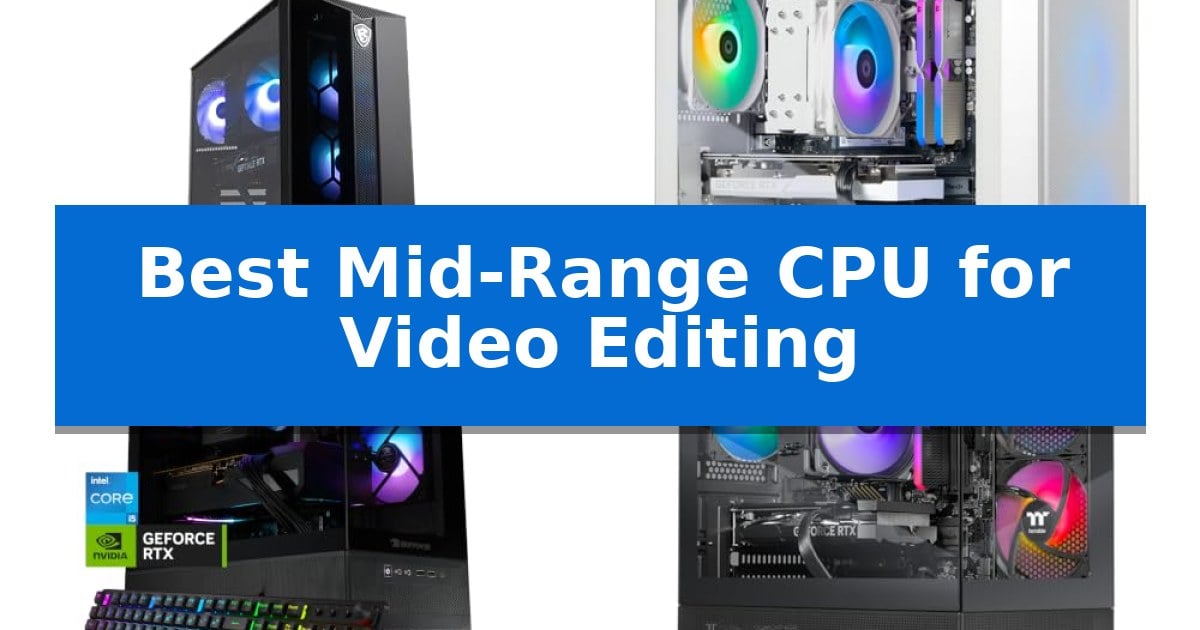
Finding the Best Mid-Range CPU for Video Editing requires balancing raw processing power with the efficiency needed for long render times. Whether you are cutting 4K footage or managing complex timelines, the right processor ensures your workflow remains fluid without requiring an enterprise-grade investment.
This guide examines several prebuilt desktop configurations to determine which systems offer the most practical performance for video editors. By focusing on core counts, memory bandwidth, and thermal management, we identify which machines provide the stability necessary for demanding creative projects.
You may also want to compare Best Mid-Range CPU for Home Computers, Best Mid-Range CPU and Motherboard Combo, and Best Mid-Range CPU.
Best Mid-Range CPU for Video Editing
Quick Comparison
| Product | Best For | Key Strength | Score |
|---|---|---|---|
| MSI Aegis ZS Gaming Desktop | Best Overall | AMD Ryzen 7 7700 provides strong multi-core performance for editing. | 4.9 |
| Thermaltake LCGS Versa i1460S Desktop | High-Speed Memory for Smooth Editing | 32GB of 6000MT/s DDR5 memory for rapid multitasking. | 4.3 |
| iBUYPOWER Element SE Gaming PC | Reliable Multitasking for Daily Projects | Intel Core i5-14400F provides 16 threads for efficient multitasking. | 4.5 |
| Thermaltake LCGS View i1460 Gaming Desktop | Efficient Cooling for Long Render Times | Efficient thermal management with an ARGB Tower Air Cooler and filtered ventilation. | 4.3 |
| Kroteaup Gaming PC Desktop | Budget-Friendly Entry into Video Editing | Includes 16GB DDR4 RAM and 512GB NVMe SSD for responsive multitasking. | 4.7 |
How We Chose
- Processor architecture and core count for multi-threaded rendering tasks.
- Memory capacity and speed, focusing on DDR5 support for faster data throughput.
- Storage interface and capacity to ensure quick project loading and file access.
- Thermal management solutions to maintain sustained performance during long exports.
- Connectivity options for high-speed peripherals and external storage devices.
1 MSI Aegis ZS Gaming Desktop — Balanced Power for Creative Workflows
The MSI Aegis ZS Gaming Desktop centers its utility on the AMD Ryzen 7 7700 processor, providing a capable foundation for multi-threaded video editing tasks. This system is designed to handle demanding creative workflows by balancing processing power with modern memory standards.
Equipped with 16GB of DDR5 RAM, the desktop facilitates efficient data handling during complex video rendering and timeline scrubbing. The inclusion of an NVIDIA GeForce RTX 4060 8GB GDDR6X graphics card offers hardware-accelerated encoding and decoding support, which is essential for accelerating export times in professional editing software.
Storage is managed via a 1TB SSD, ensuring rapid file access and reduced load times for large media assets. The chassis features RGB fan cooling to maintain thermal stability during sustained workloads, while the Wi-Fi 6E connectivity ensures fast, reliable network speeds for cloud-based project collaboration.
This DIY friendly desktop allows for future hardware adjustments, making it a practical choice for editors who may want to expand their storage or memory capacity over time. With its included keyboard and mouse, the system provides a ready-to-use solution for those seeking a balanced, mid-range workstation.
Best for: Editors seeking a balanced, upgradeable desktop with modern DDR5 memory and hardware-accelerated graphics for efficient video production.
Skip if: Users requiring high-end workstation performance for 8K raw footage or those who prefer a compact small-form-factor build.
PROS
- AMD Ryzen 7 7700 provides strong multi-core performance for editing.
- DDR5 RAM offers faster data transfer speeds than previous generations.
- NVIDIA GeForce RTX 4060 includes dedicated hardware for video encoding.
- DIY friendly design allows for easier component upgrades.
CONS
- 16GB RAM may be insufficient for complex 4K multi-layer projects without future expansion.
2 Thermaltake LCGS Versa i1460S Desktop — High-Speed Memory for Smooth Editing
Efficient video editing workflows often rely on high-speed data throughput and responsive multitasking, which is exactly why the Thermaltake LCGS Versa i1460S Desktop integrates 32GB of 6000MT/s DDR5 RGB memory. This high-bandwidth memory configuration is paired with an Intel Core i5-14400F CPU, providing a balanced foundation for handling complex timelines and media rendering tasks without excessive overhead.
The system centers on the NVIDIA GeForce RTX 5060 graphics card, which offers dedicated hardware acceleration for video encoding and decoding. This GPU choice ensures that your editing software can offload intensive graphical processing, leading to smoother playback and faster export times compared to relying solely on the CPU.
Storage speed is critical for scrubbing through high-resolution footage, and this desktop addresses that with a 1TB NVMe M.2 drive. This interface provides the necessary read and write speeds to minimize latency when loading large project files or caching temporary media assets during the editing process.
To maintain stability during long rendering sessions, the chassis includes an ARGB Tower Air Cooler designed to manage thermal output effectively. The internal layout is further optimized for airflow and aesthetics, featuring a Full Length PSU Power cover that conceals cables, ensuring a clean, professional workspace that is easy to maintain.
Best for: Editors requiring a balanced, pre-configured desktop that leverages high-speed DDR5 memory and dedicated GPU acceleration for efficient media workflows.
Skip if: Users who require specialized workstation-grade multi-core processors or massive multi-terabyte internal storage arrays for 8K raw production workflows.
PROS
- 32GB of 6000MT/s DDR5 memory for rapid multitasking.
- NVIDIA GeForce RTX 5060 provides hardware-accelerated video processing.
- 1TB NVMe M.2 storage ensures fast project file access.
- Full Length PSU cover promotes a clean, organized internal build.
CONS
- Limited internal expansion compared to full-tower custom workstations.
- Fixed CPU/GPU configuration may not meet the needs of extreme 8K rendering.
3 iBUYPOWER Element SE Gaming PC — Reliable Multitasking for Daily Projects
Managing complex video editing workflows requires a system that balances processing power with multitasking efficiency. The iBUYPOWER Element SE Gaming PC centers its performance around the Intel Core i5-14400F processor, which features 10 cores and 16 threads. This configuration allows users to run resource-intensive editing software alongside background applications like web browsers and communication tools without significant bottlenecks.
Graphics performance is handled by the GeForce RTX 3050 6GB, which supports NVIDIA DLSS upscaling. While primarily marketed for gaming, this GPU provides the necessary hardware acceleration for timeline rendering and high-resolution playback in supported creative applications. The system includes 16GB of DDR4 3200MHz memory on a single stick, providing a straightforward path for future upgrades if your project complexity increases.
Storage speed is critical for scrubbing through high-bitrate video files, and this desktop utilizes a 1TB NVMe SSD. This drive ensures rapid boot times and quick access to large media libraries. For long-term storage needs, the chassis is designed with internal space to accommodate a second drive, allowing for a dedicated scratch disk or archive storage setup.
The iBUYPOWER Element SE Gaming PC is housed in an Element SE Case featuring perforated mesh panels and a tower air CPU cooler with an RGB light ring. This design prioritizes airflow to maintain stable temperatures during long rendering sessions. The system arrives with Windows 11 Home pre-installed and is free of bloatware, ensuring a clean environment for professional software installation.
Best for: Editors who need a reliable, multitasking-capable desktop with an upgradeable memory path for growing project demands.
Skip if: Users requiring high-end workstation-class multi-core performance for 4K/8K RAW video rendering or those who prefer a compact form factor.
PROS
- Intel Core i5-14400F provides 16 threads for efficient multitasking.
- 1TB NVMe SSD ensures fast load times for large media files.
- Upgradeable memory configuration with a single 16GB stick.
- Perforated mesh case design promotes consistent airflow.
CONS
- GeForce RTX 3050 6GB may limit performance in highly GPU-dependent rendering tasks.
- DDR4 memory is slower than modern DDR5 standards.
4 Thermaltake LCGS View i1460 Gaming Desktop — Efficient Cooling for Long Render Times
Managing extended video rendering sessions requires a system that prioritizes thermal efficiency and consistent power delivery. The Thermaltake LCGS View i1460 Gaming Desktop addresses this need by integrating an ARGB Tower Air Cooler alongside a specialized PSU Power cover that features a Filtered Ventilated Vertical Side mount Radiator support, ensuring that internal components remain cool even during intensive workloads.
At the heart of this machine is the Intel Core i5-14400F CPU, paired with an Intel B760 Chipset motherboard. This combination provides a stable foundation for multi-threaded tasks common in video editing. The system is equipped with 16GB of DDR5 6000MT/s RGB Memory, which facilitates faster data throughput compared to older memory standards, helping to keep timeline scrubbing and preview rendering responsive.
Graphics performance is handled by the NVIDIA GeForce RTX 5060, offering dedicated hardware acceleration for video encoding and effects processing. Storage needs are met by a 1TB NVMe M.2 drive, providing the high-speed read and write capabilities necessary for loading large project files and source footage quickly without significant bottlenecks.
Designed for a clean and functional workspace, the tower includes accessible 2x USB 3.0, 1x Headphone, and 1x Mic ports on the front panel. With integrated WiFi and Windows 11 pre-installed, the desktop is ready for immediate deployment in a professional or creative environment, balancing performance-focused hardware with practical thermal management.
Best for: Creators and editors who require a thermally efficient desktop with modern DDR5 memory and dedicated NVIDIA graphics for rendering tasks.
Skip if: Users who require extensive internal storage expansion or those who prefer a platform with higher core counts for heavy 4K/8K multi-stream editing workflows.
PROS
- Efficient thermal management with an ARGB Tower Air Cooler and filtered ventilation.
- High-speed DDR5 6000MT/s memory for improved data throughput.
- Dedicated NVIDIA GeForce RTX 5060 graphics for hardware-accelerated rendering.
CONS
- Limited to 16GB of RAM out of the box, which may require upgrades for complex projects.
- Fixed 1TB storage capacity may fill up quickly with high-bitrate video files.
5 Kroteaup Gaming PC Desktop — Budget-Friendly Entry into Video Editing
The Kroteaup Gaming PC Desktop provides a foundational setup for users entering the world of video editing, centered around the AMD Ryzen 5 5500 6-core, 6-thread processor. This CPU choice balances core count with efficiency, offering a capable starting point for handling common editing tasks and multitasking workflows.
Graphics performance is managed by the AMD Radeon RTX 2060 6GB GDDR6 card, which supports smooth operation during creative projects and gaming sessions. The system is equipped with 16GB of DDR4 RAM and a 512GB NVMe SSD, a combination designed to facilitate faster boot times and responsive file access during active editing sessions.
Connectivity is streamlined through integrated Wi-Fi 6 and Gigabit Ethernet, ensuring stable network performance for cloud-based file transfers or streaming. The chassis includes a variety of ports, such as HDMI, DisplayPort, DVI, and USB 3.0, allowing for flexible monitor configurations and peripheral integration.
This prebuilt package arrives as a complete solution, including a gaming keyboard, mouse, mouse pad, and a graphics card holder. With Windows 11 Home pre-installed, the system is ready for immediate deployment in home or office environments, providing a cohesive aesthetic with its built-in RGB fan lighting.
Best for: Users seeking an all-in-one, budget-friendly desktop solution for entry-level video editing and general multitasking.
Skip if: Users requiring high-end workstation performance or those who prefer to customize specific hardware components for specialized professional rendering.
PROS
- Includes 16GB DDR4 RAM and 512GB NVMe SSD for responsive multitasking.
- Equipped with AMD Ryzen 5 5500 processor for reliable multi-tasking.
- Comprehensive package includes keyboard, mouse, and mouse pad.
- Features Wi-Fi 6 for stable, high-speed wireless connectivity.
CONS
- Storage capacity is limited to 512GB, which may require external expansion for large video project files.
- The RTX 2060 is an entry-to-mid-level card that may face limitations in complex 4K rendering workflows.
Best Mid-Range CPU for Video Editing Buying Guide
The Role of the Processor in Video Editing
The CPU serves as the primary engine for your video editing suite, handling everything from timeline scrubbing to final encoding. For mid-range builds, look for processors that offer a healthy balance of high clock speeds for snappy UI responsiveness and multiple cores for parallel processing during exports.
Modern editing software relies heavily on multi-threading. A processor with at least 6 to 8 cores is generally considered the baseline for comfortable 1080p and 4K editing, ensuring that background tasks like rendering or proxy generation do not stall your workflow.
Memory and Throughput
Video editing is notoriously memory-intensive. While 16GB is the standard entry point, 32GB is increasingly recommended for complex projects with high-bitrate footage. The transition to DDR5 memory provides a significant advantage in bandwidth, allowing the CPU to access data more efficiently.
When selecting a system, consider whether the motherboard allows for future RAM upgrades. Having accessible DIMM slots ensures that you can scale your memory capacity as your project complexity grows over time.
Storage Speed and Capacity
The speed of your storage directly impacts how quickly your system loads large video files and caches preview frames. NVMe M.2 SSDs are essential for modern editing, offering significantly faster read and write speeds compared to traditional SATA drives.
A 1TB drive is a practical starting point for most editors. However, because video files consume space rapidly, look for systems that offer additional drive bays or M.2 slots, allowing you to add dedicated storage for your active project libraries.
Thermal Management and Stability
Video rendering can push a CPU to its thermal limits for extended periods. A system with robust cooling—whether through high-airflow cases, large tower air coolers, or liquid cooling solutions—is vital to prevent thermal throttling.
Throttling occurs when a CPU reduces its clock speed to lower its temperature, which can lead to stuttering in your timeline or longer export times. Prioritizing systems with efficient airflow designs helps maintain peak performance during heavy workloads.
Connectivity and Expansion
Your editing setup often requires connecting multiple high-speed peripherals, including external RAID arrays, color-accurate monitors, and audio interfaces. Ensure your chosen desktop includes a sufficient number of USB 3.0 or higher ports.
Wi-Fi 6 or 6E support is also a valuable feature for modern studios, providing stable, high-speed wireless connectivity if a wired Ethernet connection is not immediately available at your workstation.
Frequently Asked Questions
How much RAM do I really need for video editing?
While 16GB is sufficient for basic 1080p editing, 32GB is recommended for 4K workflows and multitasking with other creative applications.
Is a dedicated GPU necessary if I have a good CPU?
Yes, most modern video editing software offloads effects, color grading, and encoding tasks to the GPU, making a dedicated graphics card essential for a smooth experience.
What is the benefit of DDR5 over DDR4 memory?
DDR5 memory offers higher data transfer rates and improved power efficiency, which helps the CPU process large video files faster than the older DDR4 standard.
Can I upgrade my prebuilt PC later?
Most tower-style prebuilt PCs allow for upgrades to RAM and storage. Check the specific motherboard and case dimensions to ensure compatibility with future components.
Why does thermal cooling matter for video editing?
Effective cooling prevents the CPU from overheating during long renders, which keeps the system running at its maximum rated speed without performance drops.
Conclusion: Our Top Pick
For those seeking a reliable and balanced machine, the MSI Aegis ZS Gaming Desktop stands out as our top recommendation. Its combination of a capable processor, modern DDR5 memory, and a dedicated graphics card provides a solid foundation for most video editing tasks, ensuring your projects move from the timeline to final export without unnecessary delays.
While other systems may offer specific advantages like higher memory capacity or specialized cooling, the MSI model delivers the most consistent performance for a wide range of creative workflows. It remains a practical choice for editors who need a stable, ready-to-use system that can handle demanding projects right out of the box.