
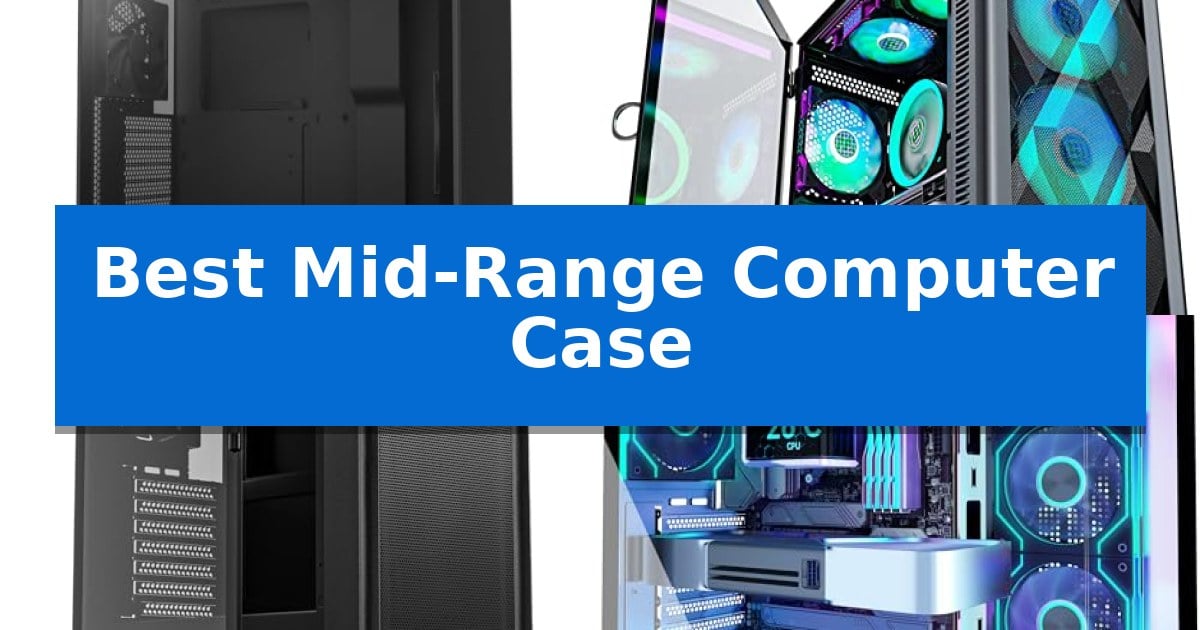
Selecting the right chassis is a foundational step in any PC build, as it dictates your thermal performance and hardware compatibility. Finding the Best Mid-Range Computer Case requires balancing aesthetic preferences with practical requirements like radiator support and cable management space.
Our guide focuses on chassis options that offer a blend of functional design and ease of assembly. Whether you are prioritizing high-performance airflow or a panoramic view for your components, these selections provide reliable foundations for a variety of system configurations.
You may also want to compare Best Mid-Range Compact Digital Cameras, Best Mid-Range Compact Camera for Low Light Under $250, and Best Mid-Range CNC Machine.
Best Mid-Range Computer Case
Quick Comparison
| Product | Best For | Key Strength | Score |
|---|---|---|---|
| NZXT H5 Flow PC Case | Best Overall | High-performance airflow via ultra-fine mesh panels on the top, front, and side. | 4.9 |
| MUSETEX NN8 PC Case | Easiest access with side door | Tool-free side-opening glass door for easy maintenance. | 4.4 |
| DARKROCK EC2 PC Case | High-performance mesh front panel | Meshed front panel for optimized component cooling | 4.4 |
| MUSETEX Y6 PC Case | Panoramic view with seven fans | 7 pre-installed Infinity Mirror ARGB fans provide immediate cooling and lighting. | 4.4 |
| GAMDIAS Aura GC1 Elite PC Case | Budget-friendly cooling out-of-box | Four pre-installed 120mm ARGB fans for immediate airflow. | 4.7 |
How We Chose
- Thermal management capabilities including fan support and mesh panel integration.
- Hardware compatibility for ATX motherboards, large GPUs, and liquid cooling radiators.
- Ease of assembly through cable management channels and tool-free access points.
- Build quality and structural design including tempered glass and I/O panel connectivity.
- Value-added features such as pre-installed fans and dust filtration systems.
1 NZXT H5 Flow PC Case — Optimized airflow for first builds
Building a high-performance system requires a chassis that balances thermal management with internal accessibility, and the NZXT H5 Flow PC Case addresses this by prioritizing airflow through its ultra-fine mesh panels. This compact ATX mid-tower is engineered to support substantial cooling hardware, making it a practical foundation for users who want to manage thermals effectively without opting for a full-tower footprint.
The internal layout is designed for both cooling efficiency and ease of assembly. The PSU shroud features a perforated design that facilitates direct air intake for the GPU, which can be further enhanced by installing two 120mm fans in that area. For those utilizing liquid cooling, the case accommodates up to a 360mm radiator in the front and a 240mm radiator at the top, providing significant flexibility for thermal management.
Cable management is a critical aspect of any build, and this model simplifies the process with integrated wide channels, hooks, and straps. These features allow for clean routing, which helps maintain unobstructed airflow through the main chamber. Out of the box, the case includes two 120mm Quiet Airflow fans—one positioned at the front and one at the rear—providing a baseline for system ventilation.
With dimensions of approximately 18.3 by 8.9 by 16.9 inches, the NZXT H5 Flow PC Case offers a balance between component compatibility and space efficiency. The inclusion of tempered glass allows for visibility into the build, while the high-performance mesh on the top, front, and side panels ensures that dust filtration and air intake remain consistent during operation.
Best for: Users seeking a compact ATX mid-tower that prioritizes high-performance airflow and supports large liquid cooling radiators for their first or mid-range builds.
Skip if: Users who require a full-tower chassis for extensive multi-GPU setups or those who prefer a solid-panel design over a mesh-heavy, airflow-focused aesthetic.
PROS
- High-performance airflow via ultra-fine mesh panels on the top, front, and side.
- Large radiator support including up to 360mm in the front and 240mm at the top.
- Perforated PSU shroud design enables dedicated GPU air intake.
- Seamless cable management system with built-in channels, hooks, and straps.
CONS
- Fans for the PSU shroud are not included, requiring additional purchase for maximum GPU cooling potential.
2 MUSETEX NN8 PC Case — Easiest access with side door
The MUSETEX NN8 PC Case distinguishes itself with a unique side-opening tempered glass door that utilizes a metal pull ring and magnets, allowing for tool-free access to your internal components. This design choice simplifies maintenance tasks like cleaning dust from your radiator or graphics card and provides a convenient way to customize your build with internal decorations.
Engineered for high-airflow performance, the chassis comes with 6 pre-installed PWM ARGB fans. These fans are auto-adjustable, allowing you to balance cooling efficiency with noise levels based on your current system demand. The diamond mesh front panel features a three-dimensional contour, which works in tandem with the fans to optimize thermal management for your hardware.
This ATX mid-tower case offers significant internal volume, accommodating a top 280mm water cooling radiator without interfering with memory modules. Storage flexibility is a primary focus, as the internal layout supports a maximum configuration of either 5 SSDs and 1 HDD, or 4 SSDs and 2 HDDs, catering to users with extensive storage requirements.
The integrated multifunctional I/O panel includes two USB 3.0 ports, providing reliable connectivity for peripherals and external accessories. Additionally, the case supports multiple graphics card mounting orientations, including a vertical installation option that allows the high-transparency side door to showcase your GPU aesthetic while maintaining airflow.
Best for: Builders who prioritize frequent access to internal components for cleaning or aesthetic customization without the need for tools.
Skip if: Users who require a compact, space-saving chassis, as the mid-tower dimensions and extensive fan configuration occupy a larger footprint.
PROS
- Tool-free side-opening glass door for easy maintenance.
- 6 pre-installed PWM ARGB fans for out-of-the-box airflow.
- Flexible storage options supporting up to 6 total drives.
- High-airflow design with a diamond mesh front panel.
CONS
- Larger mid-tower footprint may not fit in constrained desk spaces.
- Requires motherboard with 3-pin RGB interface for full lighting control.
3 DARKROCK EC2 PC Case — High-performance mesh front panel
Building a high-performance PC requires a chassis that balances thermal efficiency with modern connectivity, and the DARKROCK EC2 PC Case addresses this by prioritizing airflow through a dedicated meshed front panel. This design choice ensures that internal components receive consistent intake, supporting the cooling demands of contemporary hardware configurations.
The chassis is engineered for versatility, accommodating up to 8 x 120mm fans and a 360mm front radiator to manage heat effectively. It provides ample room for high-end builds, featuring compatibility for ATX, M-ATX, and ITX motherboards, as well as support for 50 series graphics cards up to 340mm in length and power supplies up to 200mm.
Aesthetic and functional considerations are integrated through a tempered glass side panel that allows for internal component visibility. Practical maintenance is simplified by the inclusion of magnetic dust filters on both the top and bottom of the case, which help minimize debris accumulation within the system.
Connectivity is addressed with a Type-C ready front interface, ensuring the case remains compatible with modern peripherals. The DARKROCK EC2 PC Case offers a streamlined layout that fits into a standard mid-tower footprint while providing the necessary clearance for robust gaming or workstation setups.
Best for: Builders seeking a mid-tower case with high airflow potential and modern Type-C connectivity for large GPU configurations.
Skip if: Users who require a compact small-form-factor chassis or those needing support for E-ATX motherboards will find this mid-tower size restrictive.
PROS
- Meshed front panel for optimized component cooling
- Type-C ready front I/O for modern connectivity
- Magnetic dust filters for easier maintenance
- Broad compatibility for 360mm radiators and large GPUs
CONS
- Limited to one pre-installed fan, requiring additional fan purchases for full airflow potential
4 MUSETEX Y6 PC Case — Panoramic view with seven fans
Building a high-end PC requires a chassis that balances aesthetic appeal with functional hardware support, and the MUSETEX Y6 PC Case addresses this by offering a 270° full view through dual tempered glass panels. This design choice provides an unobstructed look at your internal components, making it a suitable choice for those who prioritize the visual presentation of their build.
Beyond its appearance, the MUSETEX Y6 PC Case is engineered for thermal management, coming equipped with 7 pre-installed 120mm Infinity Mirror ARGB fans. These fans utilize anti-vortex blades to facilitate consistent airflow, and their speed can be regulated via motherboard software to balance cooling performance with noise levels. The inclusion of these fans reduces the need for additional cooling purchases, adding to the case's overall utility.
Internal space is organized to accommodate a variety of hardware configurations. The chassis supports ATX, Micro-ATX, and Mini-ITX motherboards, with clearance for GPUs up to 410mm and CPU coolers up to 160mm in height. For those utilizing liquid cooling, the top mount supports up to a 360mm radiator, while the power supply shroud accommodates units up to 230mm, ensuring compatibility with most standard high-performance parts.
The I/O panel is positioned for accessibility, featuring a Type-C port, a USB 3.0 port, a USB 2.0 port, and standard audio jacks. This connectivity suite covers essential modern peripheral requirements. With its combination of pre-installed lighting, expansive glass panels, and flexible internal layout, the MUSETEX Y6 PC Case serves as a comprehensive foundation for a mid-range gaming or workstation build.
Best for: Builders who want a pre-configured cooling setup and a panoramic view of their internal components.
Skip if: Users who require a compact footprint or prefer a solid, non-glass side panel for a more minimalist aesthetic.
PROS
- 7 pre-installed Infinity Mirror ARGB fans provide immediate cooling and lighting.
- 270° full view tempered glass offers a wide aesthetic display of hardware.
- Broad component compatibility supports large GPUs up to 410mm and 360mm liquid coolers.
CONS
- Glass panels require careful handling and frequent cleaning to maintain clarity.
- Large footprint may not fit in constrained desk spaces.
5 GAMDIAS Aura GC1 Elite PC Case — Budget-friendly cooling out-of-box
Building a high-performance gaming rig requires a balance of thermal management and internal space, and the GAMDIAS Aura GC1 Elite PC Case addresses this by integrating four pre-installed 120mm ARGB fans directly into its airflow-focused mesh front panel. This design choice prioritizes consistent air intake, ensuring that your components receive adequate cooling right out of the box without requiring immediate aftermarket fan purchases.
The GAMDIAS Aura GC1 Elite PC Case features a full-sized tempered glass side panel that uses a tool-free installation mechanism, allowing for quick access to your hardware. The internal layout is designed for versatility, supporting motherboards ranging from ATX to Mini-ITX and providing seven PCIe slots to accommodate various expansion cards. For storage, the chassis includes flexible drive mounting options, including a dedicated HDD cage and tray system.
Regarding component clearance, this mid-tower case supports GPUs up to 340mm in length and CPU coolers up to 160mm in height. Enthusiasts looking to integrate liquid cooling can mount a 360mm radiator, providing significant flexibility for high-end builds. The inclusion of integrated LED control allows for convenient management of the lighting effects across the four included fans.
While the case offers robust cooling potential, the trade-off for its compact mid-tower footprint is a specific limit on drive capacity and total fan expansion compared to larger full-tower alternatives. It remains a practical choice for users who need a balance of aesthetic appeal and functional airflow in a standard ATX form factor.
Best for: Gamers and PC builders who prioritize out-of-the-box cooling performance and ARGB aesthetics in a standard mid-tower footprint.
Skip if: Users requiring extensive storage arrays or massive custom water-cooling loops that exceed the capacity of a standard mid-tower chassis.
PROS
- Four pre-installed 120mm ARGB fans for immediate airflow.
- Mesh front panel design optimized for thermal intake.
- Tool-free tempered glass side panel for easy maintenance.
- Broad motherboard compatibility including ATX, Micro-ATX, and Mini-ITX.
CONS
- Limited drive bay capacity for users with large multi-drive storage requirements.
- Fixed mid-tower dimensions may restrict the installation of exceptionally large custom cooling components.
Best Mid-Range Computer Case Buying Guide
Understanding Airflow and Cooling
Effective cooling is critical for maintaining system stability under load. Cases with mesh front panels allow for superior air intake compared to solid-front designs, which can restrict airflow to your primary components.
When selecting a case, consider the number of pre-installed fans and the maximum radiator size supported. A case that accommodates a 360mm radiator provides significant flexibility for future liquid cooling upgrades.
Component Compatibility and Space
Before purchasing, verify that the case dimensions accommodate your specific hardware. Check the maximum GPU length and CPU cooler height to ensure your components fit without interference.
Mid-tower cases typically support ATX, Micro-ATX, and Mini-ITX motherboards. Ensure the internal layout provides enough clearance for your power supply unit and storage drives.
Cable Management and Ease of Access
A clean build is easier to maintain and improves internal airflow. Look for cases with dedicated cable channels, hooks, or straps that help conceal excess wiring behind the motherboard tray.
Features like side-opening tempered glass doors or tool-free panels significantly simplify the process of installing components or performing routine maintenance like dust removal.
I/O Connectivity and Modern Standards
The front I/O panel is your primary interface for peripherals. A modern mid-range case should ideally include a USB Type-C port alongside standard USB 3.0 ports for faster data transfer and broad device compatibility.
Consider the placement and accessibility of these ports to ensure they fit your desk setup and usage habits.
Aesthetics and Build Quality
While performance is paramount, the visual appeal of your system is a common priority. Tempered glass side panels allow you to showcase your hardware, while ARGB lighting can be customized to match your build theme.
Ensure the build quality includes sturdy materials and effective dust filters on the top and bottom intakes to keep your internal components clean over time.
Frequently Asked Questions
What is the main advantage of a mesh front panel?
A mesh front panel allows for maximum air intake, which significantly improves cooling performance for high-heat components like GPUs and CPUs compared to solid panels.
Will an ATX motherboard fit in all mid-tower cases?
Most mid-tower cases are designed for ATX motherboards, but you should always check the manufacturer's specifications to confirm compatibility with your specific board size.
Why is cable management important?
Proper cable management improves internal airflow by removing obstructions and makes it easier to access components for future upgrades or cleaning.
Do I need to buy extra fans for my case?
Many cases come with pre-installed fans, but you may want to add more if your specific hardware configuration requires higher airflow or if you prefer a specific lighting aesthetic.
What does Type-C ready mean for a PC case?
It means the case includes a front-panel USB Type-C connector, allowing you to connect modern peripherals directly to the case without reaching behind the motherboard.
Conclusion: Our Top Pick
After reviewing the options, the NZXT H5 Flow PC Case stands out as the most balanced choice for a wide range of users. Its focus on high-performance airflow, combined with thoughtful cable management and significant radiator support, makes it a reliable foundation for both first-time builders and experienced enthusiasts.
While other models offer unique features like panoramic glass or additional fans, the NZXT H5 Flow provides a consistent, high-quality experience that prioritizes the thermal needs of your components. It is an excellent, versatile choice for anyone seeking a durable and efficient mid-range chassis.