
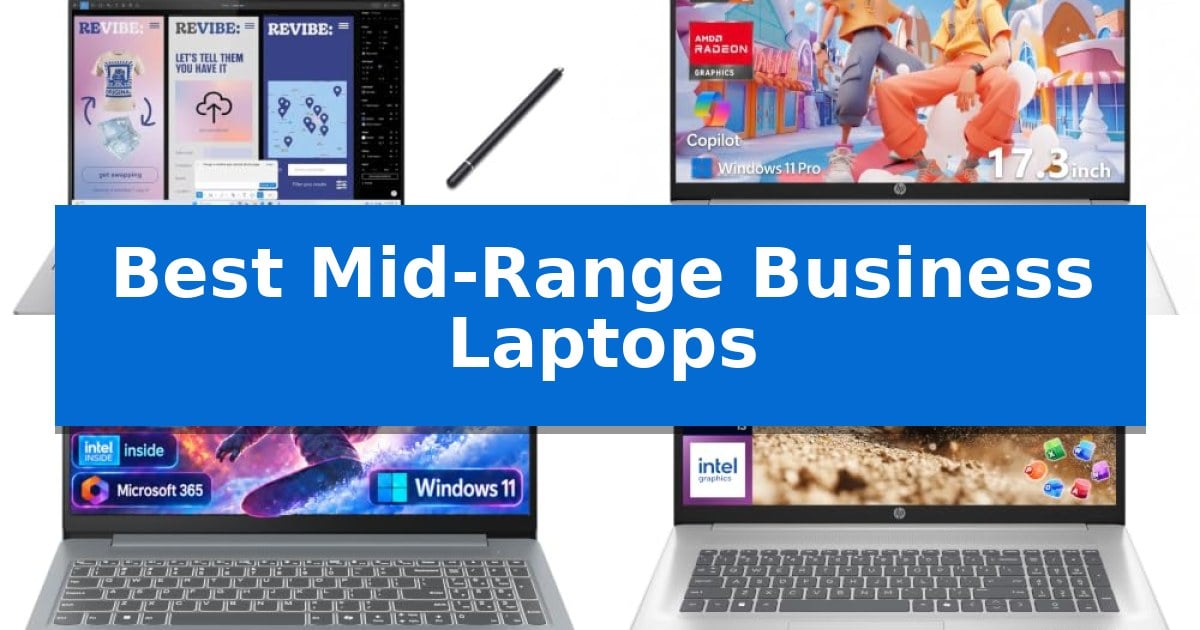
Finding the right machine for your professional needs requires balancing raw power with daily portability. Whether you are managing complex spreadsheets, hosting back-to-back video conferences, or multitasking across numerous browser tabs, the right hardware makes a significant difference in your output. Our guide to the Best Mid-Range Business Laptops focuses on machines that offer a reliable middle ground between entry-level affordability and high-end workstation performance.
We have evaluated current market offerings to help you identify which features—such as processor efficiency, screen real estate, and connectivity options—align with your specific work habits. By focusing on practical specifications rather than marketing jargon, we aim to simplify your search for a device that supports your productivity without unnecessary complexity.
You may also want to compare Best Mid-Range Budget Gaming Laptops, Best Mid-Range Bookshelf Speakers for PC, and Best Mid-Range Bookshelf Speakers.
Best Mid-Range Business Laptops
Quick Comparison
| Product | Best For | Key Strength | Score |
|---|---|---|---|
| Lenovo Yoga 7i 2-in-1 Laptop | Best Overall | Versatile 2-in-1 design with included passive stylus for immediate creative use. | 4.9 |
| HP 17 Business Laptop | Expansive Screen for Multitasking | Expansive 17.3-inch Full HD IPS display provides a large, comfortable workspace. | 4.3 |
| Lenovo Business Laptop | Durable Design for Daily Productivity | MIL-STD-810H certified durability for long-term reliability. | 4.4 |
| HP 17 Laptop Business 2025 | High-Capacity Storage for Office Work | Expansive 17.3-inch HD+ display with anti-glare properties. | 4.7 |
| HP 14 Business Laptop | Portable Pick for Mobile Professionals | Comprehensive 6-in-1 accessory bundle includes essential peripherals like a wireless mouse and earbuds. | 4.7 |
How We Chose
- Processor efficiency and core count for handling multitasking workloads.
- Display resolution and anti-glare properties to support extended work sessions.
- RAM and storage configurations to ensure smooth operation of business applications.
- Connectivity options including modern ports and wireless standards for peripheral integration.
- Portability and build quality for professionals who move between office, home, and travel environments.
1 Lenovo Yoga 7i 2-in-1 Laptop — Versatile 2-in-1 for Creative Professionals
Transitioning between intensive administrative tasks and creative workflows requires hardware that adapts to the environment. The Lenovo Yoga 7i 2-in-1 Laptop addresses this versatility through its 16-inch touchscreen display and a flexible hinge design that allows for seamless switching between traditional laptop and tablet modes.
At the heart of this machine is the Intel Core Ultra 7 256V processor, a member of the Lunar Lake family. This system-on-chip architecture integrates 16GB of on-package LPDDR5x-8533 RAM, which optimizes data throughput for multitasking. The inclusion of the Intel Arc 140V iGPU and a dedicated 47 TOPS neural engine provides the necessary overhead for modern productivity applications and AI-accelerated workflows.
The visual experience is anchored by a 16-inch WUXGA (1920 x 1200) touchscreen, which features 300 nits of peak brightness and Dolby Vision for color accuracy. To support extended work sessions, the display incorporates TUV Low Blue Light technology. The chassis remains slim at 0.62 inches, housing a 512GB SSD and supporting high-speed connectivity through Thunderbolt 4 and PCIe 5 standards.
Included in the bundle is a capacitive stylus pen with a magnetic cap, designed for precision input without the need for Bluetooth pairing or external charging. This addition, combined with the backlit keyboard and integrated front-facing camera, creates a comprehensive mobile office setup for professionals who require both typing and annotation capabilities.
Best for: Professionals who need a versatile 2-in-1 device for both intensive productivity tasks and creative annotation work.
Skip if: Users who require a dedicated discrete GPU for heavy 3D rendering or those who prioritize a lightweight ultra-portable form factor under 4 pounds.
PROS
- Versatile 2-in-1 design with included passive stylus for immediate creative use.
- Efficient Lunar Lake architecture featuring on-package RAM for improved system responsiveness.
- High-speed connectivity options including Thunderbolt 4 and PCIe 5 support.
- TUV-certified display for reduced eye strain during long work hours.
CONS
- 16-inch footprint and 4.22-pound weight may be cumbersome for frequent travelers.
- WUXGA resolution is standard for this class but may not satisfy users requiring 4K-level detail.
2 HP 17 Business Laptop — Expansive Screen for Multitasking
The HP 17 Business Laptop centers its design around an expansive 17.3-inch Full HD IPS display, offering a wide viewing area that benefits users who frequently manage complex spreadsheets or multiple open windows simultaneously. This large-format screen utilizes a micro-edge bezel design to maximize workspace while maintaining a professional aesthetic suitable for office or academic environments.
Under the hood, the device is powered by an AMD Ryzen 5 7430U processor, which features 6 cores and 12 threads to support multitasking across business applications and video conferencing tools. The inclusion of 32GB of RAM and a 1TB SSD provides substantial capacity for data-heavy tasks, ensuring that system responsiveness remains consistent during intensive daily workflows.
Productivity is further streamlined through the dedicated Copilot AI Key, which provides immediate access to intelligent assistance for research and content creation. The laptop comes pre-installed with Windows 11 Pro, offering professional-grade security and management features that are essential for business-ready operations.
Connectivity and portability are balanced through the integration of Wi-Fi 6 and Bluetooth 5.4, alongside a versatile selection of USB-C, USB-A, and HDMI ports. The chassis includes a full-size keyboard with a dedicated numeric keypad for efficient data entry, while HP Fast Charge technology allows the battery to reach 50% capacity in approximately 45 minutes.
Best for: Professionals and students who require a large-screen workspace and high memory capacity for intensive multitasking.
Skip if: Users who prioritize a lightweight, highly portable device for frequent travel will find the 17.3-inch form factor and 3-pound weight less convenient than a compact 13-inch or 14-inch laptop.
PROS
- Expansive 17.3-inch Full HD IPS display provides a large, comfortable workspace.
- 32GB RAM and 1TB SSD configuration supports heavy multitasking and large file storage.
- Windows 11 Pro offers enhanced security and management tools for professional use.
- Dedicated Copilot AI Key enables quick access to productivity-enhancing tools.
CONS
- Large 17.3-inch form factor may be cumbersome for users requiring high portability.
- DDR4 memory is standard, which may be less efficient than newer memory standards for specific high-speed workflows.
3 Lenovo Business Laptop — Durable Design for Daily Productivity
Reliability in challenging work environments is a primary focus for the Lenovo Business Laptop, which is MIL-STD-810H military-grade tested across 21 distinct items to ensure it withstands daily wear and tear. This ultraportable machine is built with a durable PC-ABS construction, making it a practical choice for professionals who need a dependable device that can handle the rigors of travel and frequent use without sacrificing its slim 0.70-inch profile.
Under the hood, the laptop features an Intel N150 processor paired with 8GB of LPDDR5-4800 RAM, providing efficient performance for document editing, web browsing, and multitasking. The inclusion of 128GB UFS 2.2 storage ensures quick access to files, while the integrated Intel Graphics maintains smooth visuals for standard productivity tasks. Users benefit from a 1-year Microsoft 365 Personal subscription, which includes premium Office apps and 1TB of OneDrive cloud storage to support immediate business workflows.
The 15.6-inch Full HD anti-glare display offers a 250-nit brightness level and an 88% screen-to-body ratio, reducing eye strain in bright office or home environments. For remote collaboration, the device is equipped with an HD 720p webcam featuring a privacy shutter and dual-array microphones, ensuring clear communication during video conferences. Connectivity is robust, featuring Wi-Fi 6 for high-speed wireless networking and a versatile port selection, including a USB-C port with Power Delivery and DisplayPort 1.2 support.
Designed for all-day utility, the laptop supports 65W fast charging and is both ENERGY STAR 9.0 certified and EPEAT Silver registered. The combination of its lightweight 3.42 lbs frame and TÜV Low Blue Light certification makes it a balanced tool for those who spend long hours at their desk or on the move.
Best for: Remote workers and students who need a durable, portable device for daily document management and video conferencing.
Skip if: Users who require high-capacity local storage or intensive processing power for professional video editing or complex data modeling.
PROS
- MIL-STD-810H certified durability for long-term reliability.
- USB-C with Power Delivery enables versatile connectivity and charging.
- Included 1-year Microsoft 365 subscription adds immediate productivity value.
- Anti-glare display reduces eye strain in bright lighting.
CONS
- Limited 128GB storage capacity may require external drives or cloud reliance.
- TN panel display may have more restricted viewing angles compared to IPS alternatives.
4 HP 17 Laptop Business 2025 — High-Capacity Storage for Office Work
The HP 17 Laptop Business 2025 provides a expansive 17.3-inch HD+ display designed to minimize glare with its non-reflective, low-gloss finish. This large-format screen is paired with an 8-core Intel Core i3-N305 processor, offering a balance of performance and efficiency for professionals and students managing daily office tasks or remote learning.
Equipped with 16GB of DDR4 RAM, this machine handles multiple browser tabs and concurrent applications to support multitasking. Storage is managed through a hybrid approach, featuring a 512GB M.2 NVMe SSD for fast access speeds, supplemented by an additional 500GB external drive to accommodate large file libraries.
The device comes pre-loaded with Windows 11 Pro, which includes built-in hardware-based isolation and encryption tools for enhanced data security. The package is rounded out with a 6-in-1 USB-C hub, providing versatile connectivity options including 4K HDMI, USB 3.0, and SD/TF card readers, alongside essential accessories like a wireless mouse and office software suite.
Measuring 0.78 inches in height and weighing 4.6 pounds, the laptop maintains a manageable profile for a 17-inch device. While the large screen offers a significant workspace, the inclusion of a comprehensive accessory bundle makes it a ready-to-use solution for those setting up a new home or office workstation.
Best for: Professionals and students who require a large, glare-resistant display and substantial storage capacity for office productivity and remote learning.
Skip if: Users who prioritize maximum portability or ultra-lightweight designs for frequent travel will find the 17.3-inch form factor and 4.6-pound weight less convenient.
PROS
- Expansive 17.3-inch HD+ display with anti-glare properties.
- Generous 1TB total storage capacity via internal SSD and external drive.
- Comprehensive accessory bundle including a 6-in-1 USB-C hub and wireless mouse.
- Windows 11 Pro provides advanced security features for business environments.
CONS
- Large 17.3-inch footprint may be cumbersome for users needing high portability.
- Weight of 4.6 pounds is heavier than standard 13 or 15-inch business laptops.
5 HP 14 Business Laptop — Portable Pick for Mobile Professionals
Equipped with a comprehensive 6-in-1 accessory bundle, the HP 14 Business Laptop provides an immediate, out-of-the-box solution for mobile productivity. This 14-inch system is designed for professionals and students who require a reliable, portable device capable of handling daily office tasks and remote communication.
At the heart of the machine is a 13th Gen Intel N150 quad-core processor, which balances power efficiency with the responsiveness needed for multitasking across web applications and productivity software. The device features 4GB of LPDDR5 memory and a dual-storage configuration, combining a 128GB UFS drive for fast system performance with a 500GB external drive for expanded file capacity.
The display is a 14-inch anti-glare panel, engineered to maintain visibility and color clarity in varied lighting conditions. For remote collaboration, the integrated HP True Vision 720p HD camera and dual array microphones ensure clear video and audio during online meetings or classes. The system runs on Windows 11 Pro, offering built-in hardware-based encryption and security protocols.
With a slim profile measuring 0.71 inches in height and weighing 3.24 pounds, this laptop is built for portability. The included HubxcelAddon kit—which features a wireless mouse, mouse pad, HDMI cable, USB extension, and wireless earbuds—complements the laptop’s connectivity options, making it a versatile choice for users who frequently transition between home, school, and office environments.
Best for: Students and mobile professionals who need an all-in-one computing package with included peripherals for immediate productivity.
Skip if: Users requiring high-performance computing for intensive tasks like 3D rendering or heavy video production will find the 4GB RAM and entry-level processor limiting.
PROS
- Comprehensive 6-in-1 accessory bundle includes essential peripherals like a wireless mouse and earbuds.
- Dual-storage configuration provides a fast internal drive paired with a 500GB external drive for extra space.
- Windows 11 Pro offers advanced security features suitable for professional and business environments.
- Portable design with a lightweight 3.24-pound chassis and 14-inch form factor.
CONS
- Limited 4GB RAM may restrict performance during heavy multitasking or when running memory-intensive applications.
- External storage dependency requires carrying an additional drive to access the full 628GB capacity.
Best Mid-Range Business Laptops Buying Guide
Processor and Performance
The central processing unit (CPU) is the heart of your business laptop. For mid-range tasks, look for processors that balance power and energy efficiency. Modern chips with multiple cores allow you to run communication tools, office suites, and browser-based applications simultaneously without significant slowdowns.
Consider the generation and architecture of the processor. Newer chips often include integrated neural engines or enhanced graphics capabilities that can assist with AI-driven productivity tools, providing a smoother experience in modern software environments.
Display Quality and Ergonomics
Since you will likely spend hours looking at your screen, display resolution and panel type are critical. Full HD (1920×1080) or WUXGA (1920×1200) resolutions provide sufficient workspace for most business applications. Anti-glare coatings are essential for reducing eye strain in office environments with overhead lighting.
Look for features like TÜV Low Blue Light certification if you work late hours. Additionally, consider the screen size; while 14-inch models offer superior portability, 17-inch displays provide an expansive canvas that can reduce the need for external monitors.
Memory and Storage Capacity
RAM (Random Access Memory) is vital for multitasking. While 8GB is a baseline for basic tasks, 16GB is increasingly recommended for professional workflows to keep multiple applications responsive. High-speed memory standards like DDR5 improve data throughput, allowing for faster switching between programs.
For storage, Solid State Drives (SSD) are the industry standard for speed and reliability. Ensure your chosen model has enough capacity for your files, or check if the device supports external storage expansion to keep your primary drive clutter-free.
Connectivity and Ports
A business laptop must integrate seamlessly with your existing peripherals. Look for a mix of USB-C and USB-A ports to accommodate both modern accessories and legacy hardware. HDMI output remains a standard requirement for connecting to projectors or external displays during presentations.
Wireless connectivity is equally important. Support for Wi-Fi 6 ensures stable and fast internet connections in crowded office or public spaces, while Bluetooth 5.x allows for reliable pairing with wireless headsets and mice.
Portability and Build
The physical design of your laptop dictates how easily you can work on the go. Lightweight materials and slim profiles make commuting easier, but ensure the chassis is durable enough to withstand daily transport. Look for MIL-STD-810H testing as an indicator of structural integrity.
Consider the keyboard layout and trackpad responsiveness, as these are your primary interfaces. A full-size keyboard with a dedicated numeric keypad can significantly speed up data entry for finance or administrative tasks.
Frequently Asked Questions
How much RAM do I really need for business tasks?
For basic document editing and web browsing, 8GB is sufficient. However, if you frequently keep many browser tabs open, use video conferencing software, and run office applications simultaneously, 16GB is the recommended standard for a smooth experience.
Is a 17-inch laptop too heavy for travel?
17-inch laptops are generally heavier and larger than 14-inch models. If you travel daily, a 14-inch laptop is usually more convenient. If you primarily work from a desk or move between home and office, the extra screen real estate of a 17-inch model often outweighs the portability trade-off.
What is the benefit of Windows 11 Pro for business?
Windows 11 Pro includes advanced security and management features designed for professional environments, such as BitLocker device encryption, remote desktop capabilities, and better integration with enterprise network domains.
Do I need a dedicated graphics card for business work?
Most business tasks, including document creation, presentations, and video calls, run perfectly on integrated graphics. A dedicated GPU is typically only necessary if your work involves heavy video editing, 3D rendering, or specialized engineering software.
Why is Wi-Fi 6 important?
Wi-Fi 6 offers faster speeds, better performance in crowded areas with many connected devices, and improved power efficiency compared to older Wi-Fi standards, ensuring a more reliable connection for your video meetings.
Conclusion: Our Top Pick
Selecting the right laptop involves prioritizing the features that directly impact your daily efficiency. For most users, a balance of reliable processing power, sufficient memory, and a comfortable display is the key to a productive setup.
Our top recommendation is the Lenovo Yoga 7i 2-in-1 Laptop. This device stands out for its versatile 2-in-1 design, which allows for creative flexibility, combined with a capable processor and high-speed RAM that handles modern multitasking with ease. It is a well-rounded choice for professionals who need a reliable, adaptable machine for a variety of work environments.