
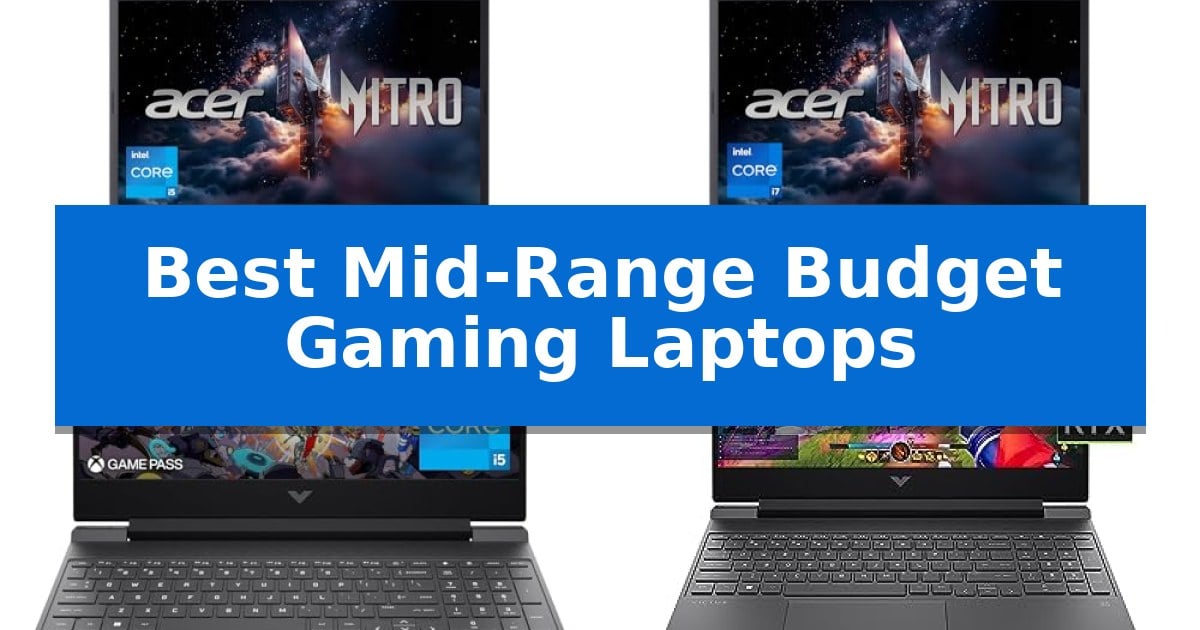
Finding the right machine for modern gaming often feels like a balancing act between high-end specifications and a reasonable price point. Many gamers seek a system that can handle demanding titles without requiring a massive investment, leading many to search for the Best Mid-Range Budget Gaming Laptops that offer reliable performance for both gaming and creative tasks.
Our guide focuses on identifying systems that provide the necessary hardware to keep you competitive. We examine key components like processing power, graphics capabilities, and display refresh rates to ensure you get a machine that fits your specific gaming needs without unnecessary costs.
You may also want to compare Best Mid-Range Bookshelf Speakers for PC, Best Mid-Range Bookshelf Speakers, and Best Mid-Range Bookshelf Bluetooth TV Speakers.
Best Mid-Range Budget Gaming Laptops
Quick Comparison
| Product | Best For | Key Strength | Score |
|---|---|---|---|
| Acer Nitro V Gaming Laptop | Best Overall | 165Hz refresh rate display for smooth visual motion. | 4.9 |
| Acer Nitro V Gaming Laptop (B0F6PLQ93N) | Enhanced Storage and Processing | High-refresh 165Hz display for fluid motion. | 4.6 |
| HP Victus Gaming Laptop | Reliable Value for Gamers | 144Hz high-refresh-rate display for smoother visual motion. | 4.4 |
| HP Victus 15 Gaming Laptop | Streamlined Thermal Design | Enhanced thermal design for better heat management. | 4.9 |
| Alienware Aurora Gaming Laptop | Premium Build in Mid-Range | Cryo-Chamber cooling system enables a slim 0.73-inch chassis design. | 4.5 |
How We Chose
- Processor and Graphics: We prioritized systems featuring current-generation CPUs and dedicated GPUs capable of handling modern gaming workloads.
- Display Quality: We assessed refresh rates and resolution to ensure smooth visuals and minimal ghosting during fast-paced gameplay.
- Memory and Storage: We looked for configurations that support multitasking and provide sufficient space for modern game installations.
- Connectivity and Ports: We evaluated the inclusion of modern standards like Wi-Fi 6 and versatile ports like Thunderbolt 4 for data and display needs.
- Thermal Design: We considered the cooling solutions implemented to maintain performance during extended gaming sessions.
1 Acer Nitro V Gaming Laptop — Balanced Entry-Level Performance
The Acer Nitro V Gaming Laptop balances entry-level gaming requirements with a versatile hardware configuration designed to handle modern titles and multitasking. Built around the Intel Core i5-13420H processor, this machine provides the necessary compute power for gaming, recording, and streaming, while its NVIDIA GeForce RTX 4050 GPU leverages AI-powered DLSS 3.5 to enhance visual fidelity and ray tracing performance.
Visuals are delivered through a 15.6-inch Full HD IPS display that features a 165Hz refresh rate, aiming to minimize ghosting during fast-paced gameplay. The device includes 8GB of DDR5 memory, which can be expanded up to 32GB across two slots, and a 512GB PCIe Gen 4 SSD for storage needs. These internal specifications ensure a responsive foundation for both gaming and general productivity tasks.
Connectivity is a priority for this model, featuring Wi-Fi 6 for stable wireless networking and a Killer Ethernet E2600 port for wired gaming sessions. The inclusion of a Thunderbolt 4 port provides a multi-functional interface for high-speed data transfer, video output, and power delivery. Weighing 4.66 pounds with a 0.93-inch profile, the laptop is designed to fit into various mobile gaming setups.
The Acer Nitro V Gaming Laptop represents a practical choice for users seeking a dedicated graphics solution without the complexity of higher-end enthusiast hardware. Its combination of current-generation connectivity and upgradeable memory slots offers a clear path for future adjustments as performance needs evolve.
Best for: Gamers and multitaskers who need a balanced, upgradeable laptop for playing, streaming, and editing.
Skip if: Users requiring high-end 4K rendering or massive out-of-the-box storage capacity may find the base 8GB RAM and 512GB SSD insufficient.
PROS
- 165Hz refresh rate display for smooth visual motion.
- Thunderbolt 4 port for versatile connectivity and data transfer.
- Upgradeable memory with two DDR5 slots supporting up to 32GB.
- AI-powered RTX 4050 graphics with DLSS 3.5 support.
CONS
- 8GB base RAM may require an immediate upgrade for demanding multitasking.
- 512GB storage limit may fill quickly with modern game installations.
2 Acer Nitro V Gaming Laptop (B0F6PLQ93N) — Enhanced Storage and Processing
The Acer Nitro V Gaming Laptop (B0F6PLQ93N) centers its performance around the Intel Core i7-13620H processor, a chip engineered for simultaneous gaming, recording, and streaming. This hardware foundation allows users to manage demanding multitasking workflows, such as video and photo editing, alongside high-frame-rate gaming sessions.
Visual fidelity is managed by an NVIDIA GeForce RTX 4050 GPU, which utilizes DLSS 3.5 and AI-powered ray tracing to enhance image quality and immersion. The 15.6-inch Full HD display supports a 165Hz refresh rate, providing a high-speed visual output designed to reduce ghosting during fast-paced gameplay.
For internal storage and memory, the system includes 16GB of DDR5 RAM—expandable up to 32GB via two slots—and a 1TB PCIe Gen 4 SSD. Connectivity options are broad, featuring Wi-Fi 6 for wireless stability, a Killer Ethernet E2600 port for wired networking, and a Thunderbolt 4 port that handles power delivery, data transfer, and video output.
This laptop balances its internal specifications within a chassis measuring 0.93 inches in height and weighing 4.66 pounds. The design includes a backlit keyboard and a 16:9 aspect ratio screen, aiming to provide a functional interface for both gaming and productivity tasks in various environments.
Best for: Gamers and creators who require a balance of high-refresh-rate visuals and multitasking capability in a portable form factor.
Skip if: Users who prioritize extreme portability or ultra-lightweight designs may find the 4.66-pound weight and 15.6-inch footprint less suitable for frequent travel.
PROS
- High-refresh 165Hz display for fluid motion.
- Intel Core i7-13620H processor for heavy multitasking.
- Versatile Thunderbolt 4 port supporting charging and data.
- Expandable 16GB DDR5 memory up to 32GB.
CONS
- Fixed 15.6-inch form factor may be bulky for some users.
- Weight of 4.66 pounds is significant for daily commuting.
3 HP Victus Gaming Laptop — Reliable Value for Gamers
The HP Victus Gaming Laptop provides a balanced entry point for gamers by pairing an Intel Core i5-12450H processor with an NVIDIA GeForce RTX 3050 6GB graphics card. This combination is engineered to handle modern gaming titles and multitasking requirements without the complexity often found in higher-tier desktop replacements.
Designed with a 15.6-inch FHD IPS Micro-Edge Anti-Glare 144Hz display, the laptop aims to provide smooth visual transitions during fast-paced gameplay. The inclusion of a 144Hz refresh rate is a significant feature for those prioritizing fluid motion in competitive environments, while the anti-glare coating helps maintain visibility in various lighting conditions.
Versatility is supported by the system's internal configuration, which includes 16GB of DDR4-3200 RAM and a 512GB PCIe SSD. The architecture allows for potential expansion, supporting up to 64GB of RAM and up to 2TB of storage, which provides a clear path for users who may need more capacity as their library grows.
Connectivity and input are handled through a standard backlit keyboard and Wi-Fi 6 capabilities, ensuring reliable network performance for online play. Running Windows 11 Pro, the HP Victus Gaming Laptop is ready for immediate use, offering a straightforward, functional design for those seeking a reliable mid-range gaming machine.
Best for: Gamers seeking a reliable, upgradeable entry-level machine for 1080p gaming and general productivity.
Skip if: Users requiring high-end ray tracing performance or professional-grade video rendering will find the RTX 3050 and i5-12450H combination limiting.
PROS
- 144Hz high-refresh-rate display for smoother visual motion.
- Expandable memory supporting up to 64GB of RAM.
- Upgradable storage capacity up to 2TB.
- Wi-Fi 6 integration for stable wireless connectivity.
CONS
- DDR4 memory standard is slower than newer DDR5 alternatives.
- RTX 3050 GPU may struggle with demanding graphical settings in newer titles.
4 HP Victus 15 Gaming Laptop — Streamlined Thermal Design
The HP Victus 15 Gaming Laptop centers its design around enhanced thermals, a critical feature for maintaining sustained performance during extended gaming sessions. This 2022 model balances internal heat management with a chassis designed for efficiency, making it a relevant consideration for those seeking a reliable entry into PC gaming.
Under the hood, the device is powered by a 12th Gen Intel Core i5-12500H processor, which utilizes a dynamic architecture to distribute power across multitasking workloads. This is paired with the NVIDIA GeForce RTX 3050 GPU, leveraging the NVIDIA Ampere architecture to provide modern graphical capabilities and AI-driven system optimizations.
Visuals are delivered via a Full HD (1920 x 1080) IPS display that features 178-degree wide-viewing angles. This panel technology ensures consistent color and clarity, which is beneficial for both gaming and general content creation, regardless of the user's viewing position.
The laptop comes equipped with Windows 11 Home pre-installed, providing a refreshed interface for managing games and applications. With a 512 GB SSD for storage and 8 GB of RAM, the system offers a foundational configuration for mid-range gaming needs, while the backlit keyboard aids in low-light usability.
Best for: This laptop is best for gamers and students who need a balanced, thermally efficient machine for mid-range gaming and multitasking.
Skip if: Skip this model if you require high-end graphical performance for 4K gaming or need more than 8 GB of RAM for professional-grade video editing out of the box.
PROS
- Enhanced thermal design for better heat management.
- 12th Gen Intel Core i5 processor provides strong multitasking capabilities.
- IPS display offers consistent viewing from wide angles.
- NVIDIA RTX 3050 graphics support modern gaming features.
CONS
- 8 GB of RAM may be limiting for memory-intensive applications.
- 512 GB SSD capacity may require external storage for large game libraries.
5 Alienware Aurora Gaming Laptop — Premium Build in Mid-Range
The Alienware 16 Aurora Gaming Laptop distinguishes itself through a specialized Cryo-Chamber structure that optimizes internal airflow to core components, eliminating the need for a bulky rear thermal shelf. This design choice maintains a slim 0.73-inch profile while ensuring the hardware remains cool during intensive gaming or creative tasks.
Equipped with the NVIDIA GeForce RTX 5050 Laptop GPU powered by NVIDIA Blackwell architecture and AI, this machine is built for modern graphical demands. It pairs this processing power with an Intel Core 7 240H processor and 16GB of DDR5 RAM, providing a balanced foundation for multitasking and high-fidelity gaming.
Visuals are rendered on a 16-inch WQXGA 120Hz display that reaches 300 nits of brightness, offering a sharp and fluid experience for fast-paced titles. Connectivity is future-ready with integrated Wi-Fi 7, ensuring stable and high-speed networking for online play.
Practicality is supported by 1TB of SSD storage for rapid load times and a 1-Year Onsite Service warranty from Dell, which provides professional support at your location if remote troubleshooting is insufficient. This combination of premium thermal engineering and current-gen components makes it a compelling choice for those seeking a balance of performance and portability.
Best for: Gamers and creators who prioritize a slim, thermally efficient design without sacrificing current-gen GPU performance.
Skip if: Users who require a higher refresh rate display for competitive eSports or those needing more than 16GB of RAM for heavy professional workloads.
PROS
- Cryo-Chamber cooling system enables a slim 0.73-inch chassis design.
- Includes modern NVIDIA Blackwell-powered RTX 5050 graphics.
- Features high-speed Wi-Fi 7 connectivity for reliable networking.
- Includes 1-Year Onsite Service for convenient hardware support.
CONS
- 16GB DDR5 RAM may be limiting for intensive multitasking or professional creative workflows.
- The 120Hz display refresh rate is standard rather than elite for competitive gaming.
Best Mid-Range Budget Gaming Laptops Buying Guide
Understanding Processor and GPU Synergy
The heart of any gaming laptop is the combination of its CPU and GPU. In the mid-range segment, look for processors that can handle high-frame-rate gaming while also managing background tasks like streaming or video editing.
A dedicated graphics card, such as those in the NVIDIA GeForce RTX series, is essential for rendering complex environments. Features like DLSS 3.5 use AI to enhance ray tracing and overall visual fidelity, allowing you to achieve higher frame rates without sacrificing image quality.
Display Refresh Rates and Visual Clarity
For competitive gaming, the refresh rate of your display is just as important as the raw power of your components. A 165Hz or 144Hz screen provides a significant advantage by reducing motion blur and ghosting, making fast-moving objects easier to track.
Look for Full HD (FHD) IPS panels, which offer consistent color reproduction and wide viewing angles. This ensures that your gaming experience remains immersive regardless of your viewing position.
Memory and Storage Considerations
Modern games and applications require significant memory bandwidth. Opting for DDR5 memory provides a performance boost over older standards, ensuring that your system remains responsive during heavy multitasking.
Storage speed is equally critical. A PCIe Gen 4 SSD significantly reduces load times for games and applications. We recommend at least 512GB of storage, though 1TB is preferable for those with larger game libraries.
Thermal Management and Build Quality
High performance generates heat, making an effective thermal design a non-negotiable feature. Laptops with specialized cooling structures or advanced airflow management help prevent thermal throttling, ensuring your hardware maintains peak performance during long sessions.
Build quality also impacts longevity. Look for designs that prioritize airflow without sacrificing structural integrity, such as those utilizing internal heat pipes or dedicated exhaust zones.
Connectivity and Future-Proofing
Reliable networking is vital for online gaming. Wi-Fi 6 support ensures stable, low-latency connections, while dedicated Gigabit Ethernet ports provide a wired alternative for competitive play where every millisecond counts.
Versatile ports like Thunderbolt 4 add value by supporting high-speed data transfer, external displays, and power delivery. These interfaces allow you to expand your setup as your needs evolve.
Frequently Asked Questions
What is the benefit of DDR5 memory over DDR4?
DDR5 memory offers faster data transfer rates and improved power efficiency, which helps the system handle demanding games and multitasking more effectively than the older DDR4 standard.
Why is a 165Hz display better than a 60Hz display?
A 165Hz display refreshes the image more than twice as often as a 60Hz screen, resulting in smoother motion, reduced input lag, and a clearer picture during fast-paced gaming.
Does the processor choice affect gaming performance significantly?
Yes, the processor manages game logic, physics, and AI. A high-performance CPU ensures that the graphics card is not bottlenecked, allowing for higher and more stable frame rates.
What does DLSS 3.5 do for gaming?
DLSS 3.5 uses AI to upscale images and improve ray tracing quality, allowing the laptop to render games at higher settings and frame rates while maintaining visual realism.
Is it possible to upgrade the storage later?
Many mid-range gaming laptops feature accessible slots for memory and storage upgrades, though it is always best to check the specific model's documentation for compatibility and capacity limits.
Conclusion: Our Top Pick
When selecting from the available options, the Acer Nitro V Gaming Laptop stands out as a balanced choice for those seeking a mix of processing power and graphical capability. Its combination of an Intel Core i5-13420H processor and NVIDIA GeForce RTX 4050 GPU provides a solid foundation for modern gaming and multitasking, while the 165Hz display ensures a smooth visual experience.
While other models offer variations in storage and memory, this specific configuration provides the most consistent performance for the price. It is an ideal starting point for gamers who want a reliable, well-cooled machine that can handle current titles without the complexity of higher-end, more expensive systems.